
Gaming Mouse Pad Tempered Glass
4.9Editor score
Micro-etched tempered-glass surface
High-density anti-slip silicone base
Scratch-resistant matte finish
Easy-clean coated surface
A hard surface mouse pad gives a mouse a consistent, low-friction area to move across, helping cursor control remain predictable on desks that may be dusty, uneven, fabric-covered, or otherwise unsuitable for precise tracking. The best models balance smooth glide, stable footing, responsive feedback, and an easy-clean finish.
The products in this guide were compared using the supplied specifications, customer ratings, dimensions, materials, tracking claims, base designs, and maintenance features. The list includes plastic, resin, aluminum, foam, and tempered-glass options for gaming, office work, travel, and dedicated setups.
Each review explains who the product suits, which trade-offs matter, and why it earned its place. The highest-rated tempered-glass option stands out for premium tracking, while the Logitech models lead for established gaming credentials and the plastic designs offer practical everyday versatility.
4.9Editor score

4.5Editor score

4.3Editor score
As an Amazon Associate we earn from qualifying purchases.
This side-by-side comparison covers the important differences in surface material, usable area, base stability, portability, and maintenance. It helps reveal which models prioritize gaming precision, compact convenience, durable metal construction, or straightforward everyday use.




The Logitech G440 is a purpose-built hard gaming surface with a 4.5 customer rating. Its defining advantage is the combination of low friction, a consistent texture, and a stable rigid base. Rather than merely providing a flat area for a mouse, it is designed to reduce the variables that can interrupt accurate cursor placement.
We may earn a commission when you buy through this link, at no additional cost to you.
The tracking layer offers enough resistance to make sudden starts, stops, and rapid corrections easier to control. At the same time, its low-friction characteristics support the small, deliberate movements associated with low-DPI gaming. A rigid multi-layer build helps the surface remain consistent, while the no-slip base keeps the pad from shifting when the mouse is moved aggressively.
There are practical trade-offs. Its hard construction cannot provide the softer feel of a fabric gaming mat, and its broad footprint takes up more desk space than compact options. The surface may also feel less forgiving during extended office sessions. Even so, these limitations make sense for a pad whose core purpose is responsive, predictable gaming control.
This is the strongest general recommendation for gamers who want a dependable balance of glide, control, and stability. It is particularly attractive for low-DPI players, though the stated sensor texture is also designed to support accurate tracking. Users who prefer a more minimalist or portable design may prefer the smaller plastic or aluminum alternatives.
The measured resistance of the hard surface can make abrupt directional changes easier to manage. That makes the G440 appealing when cursor overshoot becomes distracting during fast aiming or rapid menu navigation.
A stable base is essential because even a small movement can interrupt a carefully positioned cursor. The G440's rigid foundation and no-slip design work together to keep its tracking area aligned beneath the mouse.
We may earn a commission when you buy through this link, at no additional cost to you.
This three-layer plastic mouse pad combines a polypropylene top, a semi-rigid polystyrene core, and a silica gel base. Its 4.6 rating reflects a broadly favorable reception, while the large 11.6-by-9.5-inch dimensions give the mouse ample room for both quick gestures and relaxed desktop work.
We may earn a commission when you buy through this link, at no additional cost to you.
The polypropylene layer is designed to provide a consistent, low-friction surface that translates into quick movement and accurate tracking. Unlike a loose fabric mat, the bonded construction remains relatively flat. The product information also highlights testing of more than 100,000 friction cycles and a washable design, making it a practical option for users who regularly handle snacks, drinks, or an active desk.
The lack of a traditional stitched edge is a meaningful difference from many conventional gaming pads. That border-free layout can reduce raised areas around the perimeter, although it does not make the hard plastic surface inherently softer. Its semi-rigid core is also less substantial than a metal or glass design, so buyers should not expect the same tactile character.
Choose this pad when you want one product to serve gaming, office, and everyday mouse use. It is especially suitable for high-DPI mice and users who prefer quick, unrestricted movement over a cushioned fabric feel. For a smaller footprint, a compact resin model may be easier to store.
The seamless bonding method supports the product's washable claim and removes the usual stitched perimeter. A continuous plane can also feel less obstructive when the mouse reaches the edge of the pad.
Its generous footprint accommodates wide wrist movement and rapid repositioning. The same usable area makes it easier to transition between keyboard shortcuts, document editing, and gaming without a compact tracking boundary.
We may earn a commission when you buy through this link, at no additional cost to you.
The Metallic Coated Hard Surface Mouse Pad is a simple, portable hard pad with a 4.3 rating. Its specialized metallic coating sits over durable hard plastic, creating a smooth tracking area without the weight of a full metal plate. The ultra-thin profile makes it easy to place over a compact work surface or carry between locations.
We may earn a commission when you buy through this link, at no additional cost to you.
A 100% natural rubber backing provides the main functional advantage. It grips the desk and helps prevent the pad from sliding during ordinary office activity or gaming. The coated surface is described as waterproof and easy to clean, making it useful for desks where spills or sweat are realistic concerns.
Its light construction also means less tactile comfort than a padded cloth mat. A thin plastic design provides little resistance when the wrist rests near its edge, and the coating may not offer the same rigid consistency as the premium tempered-glass option. These compromises are reasonable for a product whose main appeal is portability and uncomplicated care.
This is a sensible pick for a student, traveler, or office worker who wants a dedicated hard tracking surface without a bulky accessory. It is also appropriate for casual gaming. Users seeking a more substantial gaming foundation may prefer the Logitech G440 or tempered-glass pad instead.
The thin plastic core and coated top make this pad easy to slip into a laptop bag. Users can maintain a dedicated mouse surface across different desks without carrying a rigid, heavy plate.
Because the coated surface is waterproof, routine care can be quick. Wiping away dust, sweat, or accidental liquid helps preserve smooth movement without soaking or laundering the pad.
We may earn a commission when you buy through this link, at no additional cost to you.
The Resin Hard Surface Mouse Pad offers a middle ground between soft fabric and rigid metal. It has a 4.4 customer rating, a compact 9.5-by-7.8-inch size, and a smooth resin layer designed for fast, accurate tracking. It is aimed equally at gamers, office workers, and travelers.
We may earn a commission when you buy through this link, at no additional cost to you.
Resin is presented as more durable and less prone to deformation than ordinary rubber. It is also lighter than metal and avoids some of the temperature extremes associated with metal surfaces. That combination can make the pad more comfortable in changing environments, although the hard surface still does not provide wrist cushioning.
A soft silicone underside and textured base pattern help keep the pad from moving during intense play. The resin top is waterproof and sweatproof, and accidental moisture can be wiped away with a cloth. The main limitation is its relatively compact area, which may require more frequent recentering for low-sensitivity mouse users.
This pad is a good choice for someone who wants a resilient, low-maintenance hard surface without carrying a full aluminum or glass plate. It works especially well for portable setups and medium gaming sessions. Those needing a large range of motion should examine the extended three-layer or tempered-glass models.
The surface is described as lighter than metal and less affected by cold or sweaty conditions. It therefore offers a practical middle ground for mobile users who value portability and consistent tracking.
The textured silicone base is intended to resist sliding even during dramatic game movements. That stability helps maintain cursor alignment without requiring a large, heavy pad.
We may earn a commission when you buy through this link, at no additional cost to you.
The Vaydeer Hard Metal Aluminum Mouse Pad combines a slim, modern appearance with a hard sandblasted surface. Its 4.4 rating and double-sided design make it appealing for users who want a durable, uncluttered desk accessory. It is stated to work with optical, laser, and mechanical mice.
We may earn a commission when you buy through this link, at no additional cost to you.
Aviation-grade aluminum alloy gives the pad a rigid structure that resists deformation, while the sandblasted side supports smooth, high-precision movement. Its ultra-thin profile preserves desk space and makes the product easy to move between home, office, and travel setups. The double-sided design can also provide flexibility in how it is positioned.
The waterproof surface is exceptionally easy to maintain because it can be rinsed under water and dried with a cloth or paper towel. Metal does, however, become cold in cool conditions, and its hard finish offers no wrist cushioning. The 9.05-by-7.08-inch dimensions are also more compact than the extended gaming alternatives.
Choose the Vaydeer pad for a minimalist workspace where appearance, durability, and easy cleaning matter. It is well suited to quick gaming, office navigation, and travel. Buyers who want a warmer or softer feel should favor resin or plastic, while those wanting more maneuvering room can consider the larger glass model.
The sandblasted metal face is designed to provide smooth tracking without a highly glossy reflection. Its slim double-sided construction also gives the pad a clean appearance that fits easily into a minimalist computer setup.
Because the aluminum surface is waterproof, spilled drinks and accumulated grime can be removed with water. This is particularly convenient for office desks and shared workstations where a washable surface is valuable.
We may earn a commission when you buy through this link, at no additional cost to you.
The Seihoo Plastic Resin Mouse Pad combines a smooth black resin top, a durable plastic middle layer, and a non-slip silicone base. Its 4.5 rating reflects a solid balance of tracking performance, portability, and maintenance. The stated compatibility includes optical, laser, mechanical, and wireless mice.
We may earn a commission when you buy through this link, at no additional cost to you.
The top oxide layer is intended to improve sensitivity and control, while the rigid plastic body resists bending. This makes the pad suitable for different workspaces, including crowded desks and uneven usage scenarios. The soft silicone base helps prevent sideways movement, and the product information states that it has passed SGS environmental testing.
The surface is waterproof, non-absorbent, and easy to wipe with a soft damp cloth. It is also described as resistant to sweat, odor, mold, and increased resistance that can affect fabric surfaces after prolonged use. The hard construction does not cushion the wrist, and the compact 24-by-20-centimeter format gives less room for long, sweeping movements.
This is a versatile recommendation for hybrid work and gaming. It suits users who want a defined hard surface, easy cleaning, and a familiar shape without moving to a larger desk footprint. Competitive tracking is more important than maximum surface area for many casual players, making this a balanced choice.
Separating the tracking face, structural layer, and base creates a more deliberate construction than a single-film pad. The result is designed to remain flat, responsive, and stable through extended daily use.
The waterproof resin layer is useful in hot weather or busy gaming sessions where sweat may reach the desk. Wiping the surface with a damp cloth restores cleanliness without complicated laundering.
We may earn a commission when you buy through this link, at no additional cost to you.
The 3M Precise Mouse Pad is a compact foam-based option intended to improve optical tracking at fast speeds. It carries a 4.5 rating and uses a 9-by-8-inch size that fits comfortably on many desks. Its broad device compatibility includes optical mice and standard ball mice.
We may earn a commission when you buy through this link, at no additional cost to you.
The key feature is the precise surface, which is designed to give optical sensors a more useful image than an uneven or dirty desk. A non-skid backing helps the pad remain in position. Unlike the rigid plastic, resin, aluminum, and glass options, however, this product uses foam, producing a different and somewhat softer tactile experience.
Its most notable practical limitation is the case configuration. The product is listed as six packs per case, so it is better suited to offices, classrooms, or multiple workstations than a single home user seeking one compact pad. The 9-by-8-inch area also provides less movement space than broad gaming surfaces.
This mouse pad is a good choice for organizations that need a precise and consistent tracking area in several locations. Individual buyers should verify the multipack format before ordering. For a single desktop and a firmer modern surface, one of the resin or metal options may be more convenient.
A dedicated smooth surface gives an optical mouse more consistent data than a textured desktop. That can help with fast movement and precise positioning in both office applications and lighter gaming.
The six-unit format makes the pad suitable for shared offices and institutional setups. Each unit provides the same compact tracking area for optical or standard ball mice.
We may earn a commission when you buy through this link, at no additional cost to you.
The Logitech Studio Series Small is the highest-rated conventional desktop mat in this collection, with a 4.7 rating. It uses a smooth fine-weave cloth surface rather than rigid plastic, resin, or metal. That makes it especially appropriate for office and home use where quiet, comfortable gliding matters.
We may earn a commission when you buy through this link, at no additional cost to you.
The surface is described as comfortable and easy to move across silently. A spill-repellent coating allows accidental messes to be wiped away with a damp cloth, while anti-fray flat-stitch edges improve durability. The anti-slip natural rubber base includes latex and helps the pad remain in place without adding substantial bulk.
This is not a hard surface in the strict sense used for most entries in the guide, so it should not be evaluated against rigid gaming pads for rapid low-friction motion. Its 9-by-8-inch area is also compact, and cloth generally traps debris more readily than plastic, resin, aluminum, or glass. Those are meaningful differences for users seeking long-term gaming performance.
The Studio Series pad is best for productivity, general navigation, and a coordinated desk setup. It suits wired, wireless, and Bluetooth mice and can pair naturally with other Logitech equipment. Gamers should favor one of the rigid models, while office users who value quiet movement and understated styling may find this the most comfortable option.
The fine-weave surface is designed for smooth, silent gliding. It is a better fit for libraries, offices, and video calls than a hard surface that can produce more noticeable foot noise.
The surface fabric and inner layers use recycled polyester, while the base comes from natural rubber. Anti-fray stitching and a spill-repellent coating support a clean, durable daily experience.
We may earn a commission when you buy through this link, at no additional cost to you.
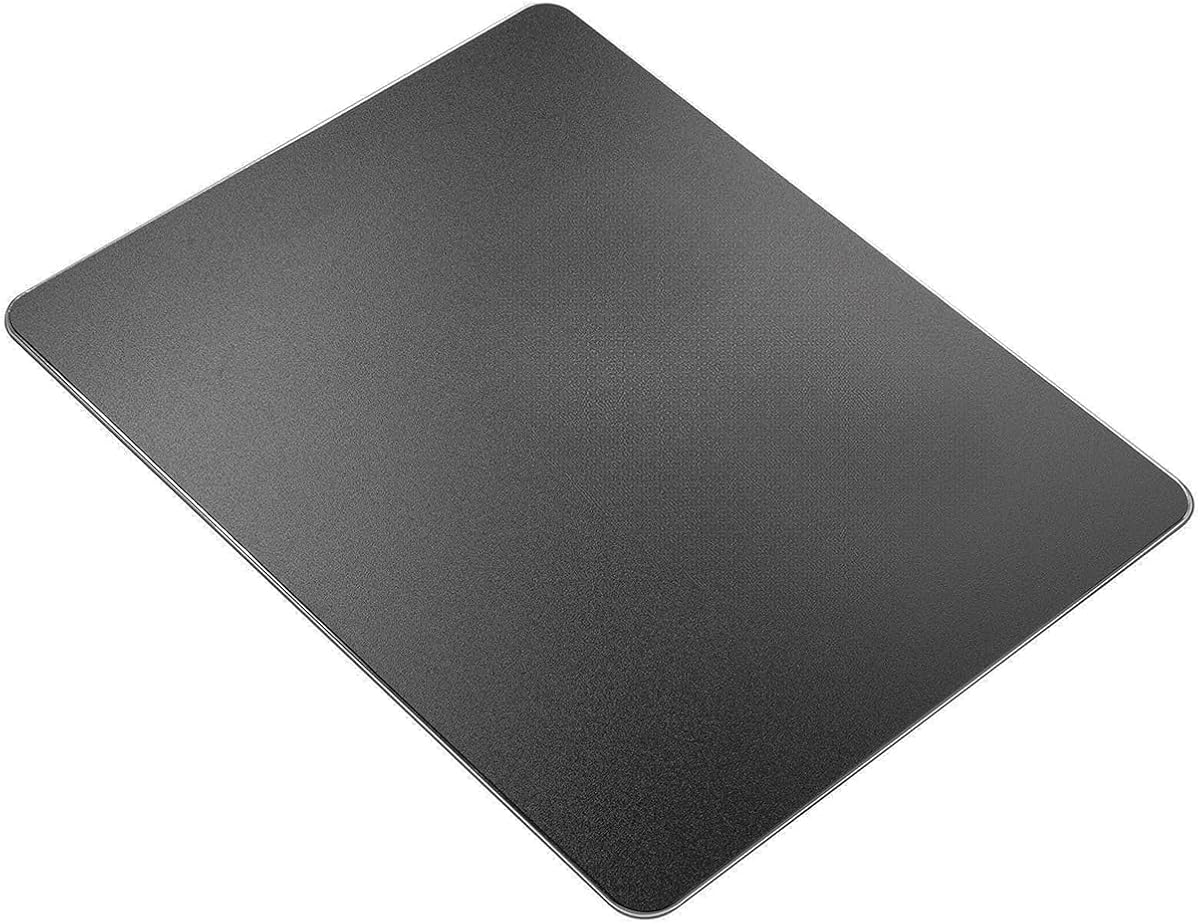
The Tempered Glass Gaming Mouse Pad leads the collection with a 4.9 rating. It combines a micro-etched glass surface, a thick high-density silicone backing, and a 13.8-by-9.8-inch footprint. The result is positioned as a premium, low-friction tracking area with ample space for serious mouse movement.
We may earn a commission when you buy through this link, at no additional cost to you.
Micro-etching gives the glass a silky-smooth glide while retaining a controlled texture. The included mouse feet are said to reduce operational noise, and the 3.5-millimeter thickness is intended to limit wrist-height differences. A larger, adhesive silicone base keeps the pad stable during both office use and intense gaming.
The hardened, sandblasted matte finish is designed to resist scratches and also provides a less distracting surface than glossy glass. A coated surface can be wiped clean after dust, sweat, or spilled coffee. The trade-off is portability: glass is heavier and more vulnerable to damage from drops than plastic, resin, or foam alternatives.
This is the leading choice for users who want the smoothest hard surface and a large, stable gaming area. It also works for creative office tasks that reward uninterrupted movement. Travelers or anyone prone to dropping desk accessories should choose a lighter plastic model instead.
The etched finish balances low friction with reliable sensor feedback. It supports quick repositioning without creating the uncontrolled feeling that can sometimes accompany an extremely slick surface.
A thick, highly adhesive silicone backing helps prevent movement across desks and soft surfaces. That stability is valuable when the mouse is moved quickly or the pad is used away from a conventional workstation.
We may earn a commission when you buy through this link, at no additional cost to you.
The Logitech G440 for High DPI Gaming is a hard pad specifically designed around precise, subtle mouse movement. Its 4.6 rating supports its reputation as a focused gaming accessory. The low-friction surface is intended to reduce the effort needed to begin, continue, or stop a small cursor adjustment.
We may earn a commission when you buy through this link, at no additional cost to you.
High-DPI users often need to position a cursor accurately before making a larger movement. Small shifts of the hand or mouse can create unwanted displacement on an unstable surface. The G440 addresses this with a consistent tracking texture, low resistance, and a stable rubber base, reducing the chance of overshooting a target.
The surface is matched to Logitech G sensors and is described as providing imagery closer to an optimal testing environment than an often uneven or dirty desk. Compatibility includes wired and wireless computer mice across Mac and laptop systems. Its dedicated gaming identity and firm feel are less ideal for users seeking a soft, quiet office surface.
This model is a strong alternative to the larger G440 listing, particularly for high-DPI players who value subtle corrections. It should also appeal to anyone using a Logitech G mouse who wants the pad and sensor to operate on a more consistent surface. It remains less versatile than a cloth pad for office comfort.
Low friction is especially helpful when a high-DPI mouse magnifies tiny hand movements. Less resistance can make subtle starts and stops easier to execute without disturbing the intended cursor position.
A dedicated hard texture gives the mouse sensor a more uniform field than a bare tabletop. The result is designed to improve the consistency of cursor translation during demanding sessions.
We may earn a commission when you buy through this link, at no additional cost to you.
Choosing a hard surface mouse pad involves balancing tracking speed, control, stability, size, portability, cleaning needs, and mouse compatibility. The best choice is the one whose material and dimensions suit your desk, grip style, and typical computing environment.
The best summary is to test the feel of the surface and prioritize predictable tracking over novelty.
Choose a smooth, uniform surface designed to support your mouse type and sensitivity level.
Always favor a grippy base, especially if your desk is smooth or your movements are forceful.
Pick a larger surface for low sensitivity and a compact surface for limited desk space.
For frequent use, favor rigid construction and a surface specifically designed to resist wear or scratching.
Choose an easy-clean waterproof surface when spills, sweat, and frequent wiping are likely.
For frequent travel, favor a lightweight pad that can be folded, rolled, or slipped into a laptop sleeve safely.
Prioritize quiet comfort for office work and rapid control for gaming rather than expecting one surface to optimize both.
Place the pad on a clean, flat section of the desk and leave enough room for the mouse to move in the direction you naturally sweep. For larger models, position the main tracking area beneath the mouse rather than directly under the keyboard. Make sure the surface is dry and free of grit before beginning a session, and allow the base to settle fully so its grip is not blocked by desk edges.
For plastic, resin, metal, and glass surfaces, remove loose dust with a soft, dry cloth and wipe marks with a slightly damp cloth. Follow the product-specific cleaning directions, particularly for bonded or coated pads. Do not use abrasive cleaners, and dry a wet surface thoroughly before returning the mouse to it. Foam and cloth products may need gentler, spot-cleaning methods rather than heavy saturation.
Avoid cutting or writing on the tracking area, and do not drag sharp objects across it. Lift the pad when moving it if the base is firmly attached to the desk, and take extra care with glass or aluminum around the edge of a work surface. Periodic cleaning keeps the sensor imagery and glide consistent while reducing the buildup that can make an otherwise accurate surface feel imprecise.
A hard surface can be excellent for gaming because it often provides low friction, consistent sensor imagery, and precise cursor movement. It is especially useful for low-DPI and high-DPI players who need quick stops or subtle corrections. The best choice still depends on mouse feet, sensitivity, surface texture, and personal preference.
Yes, the hard pads listed here are designed for common optical mice, and many explicitly support wireless, laser, and mechanical models. A smooth, uniform tracking layer usually gives an optical sensor clearer imagery than a rough desk. Users should still confirm compatibility details and test the feel with their preferred mouse.
Tempered glass generally offers a smoother, more stable, and more premium feel than plastic. It is also easier to wipe clean and resists scratching well, but it is heavier and may chip if dropped. Plastic is lighter, warmer to the touch, and often more practical for travel or frequent repositioning.
Low-DPI gaming usually benefits from a larger surface because each small physical movement produces a significant cursor change. Options measuring around 11 by 9 inches or 13 by 9 inches provide room for broad sweeps and recentering. A compact pad can still work, but it may require more frequent cursor correction.
Metal surfaces can feel noticeably colder than cloth, foam, resin, or plastic, particularly in a cool room. The resin alternatives in this guide were developed partly to avoid the extremes associated with metal. Personal preference varies, so a warm climate, long work sessions, and wrist comfort should influence the choice.
Most hard plastic, resin, aluminum, and glass surfaces can be wiped with a soft, slightly damp cloth, while the aluminum and glass options are also described as rinse-clean. Avoid abrasive chemicals and never immerse a pad unless its instructions explicitly permit it. Let the surface dry completely before using the mouse again.
A quality pad with a non-slip rubber or silicone base should protect the desk from ordinary friction and help keep the mouse stable. Some rubber bases can leave marks on certain delicate or unfinished surfaces over long periods, so check compatibility before permanent placement. A protective felt layer can be added underneath when desk preservation is important.
Fabric is often quieter and more comfortable under the wrist, making it a strong choice for long office sessions or shared workspaces. A hard pad can feel faster and more precise during quick mouse movement. Many users keep one of each, using fabric for work and a rigid surface for gaming.
The Logitech G440 is the most balanced overall recommendation because it combines low-friction tracking, a stable rigid base, and a generous gaming area. The tempered-glass model is the standout premium option, offering the highest customer rating, micro-etched smoothness, and excellent stability, while the metallic-coated plastic pick provides a lightweight, easy-clean alternative.
Prioritize the features that affect your daily experience. Low-DPI players should look for ample surface area, subtle-correction users should favor a stable low-friction texture, and travelers should consider weight. Office users who value quiet movement may accept a softer fabric option instead, especially if wrist comfort matters more than rapid hard-surface tracking.
Before buying, confirm the listed dimensions, material, base type, mouse compatibility, and cleaning requirements against your setup. Retail offers and availability can change, so check the current product listing when you are ready to purchase and choose the model that offers the most useful combination of control, stability, and convenience.