
Yilador Webcam Cover Slide
4.3Editor score
Three-pack slide covers
Thin flexible profile
Upgraded adhesive backing
Our Laptop Camera Covers guide compares privacy sliders, adhesive blockers, clip-on covers, sizes, device compatibility, and thin designs to help you choose
Laptop camera covers provide a simple physical barrier between a webcam lens and the people, software, or surroundings it may capture. A useful cover should block the lens securely, remain easy to open and close, fit the device without interfering with the lid, and avoid leaving adhesive residue or damaging the bezel.
We compared the featured covers by considering installation method, sliding or clip-on operation, thickness, aperture size, device compatibility, pack quantity, and the practical limitations listed in each product description. The list includes adhesive sliders, flexible no-residue designs, patterned covers, a multi-size set, and a dedicated Logitech webcam cover.
Each review explains what distinguishes its cover from the alternatives and identifies the devices or situations for which it makes the most sense. Ratings and product details reflect the supplied information, while availability, design details, and pricing can change, so readers should verify the current listing before purchasing.
4.3Editor score

4.5Editor score

4.4Editor score
This side-by-side comparison highlights each cover's installation style, thickness, device range, and distinguishing feature, helping readers identify the most practical option for their laptop, tablet, or external webcam.




The CloudValley Laptop Camera Cover Slide holds a 4.5 rating and stands out for its very thin metal construction, stated thickness of 0.023 inch, and broad support for laptops, tablets, all-in-one computers, and several popular device families. Its understated aluminum appearance is designed to blend with premium electronics rather than look like a bulky add-on.
We may earn a commission when you buy through this link, at no additional cost to you.
The sliding mechanism makes camera control direct: move the cover over the lens when privacy matters, then slide it away when a meeting or video call begins. The product description says the cover does not interfere with web use or the camera indicator light, while its low profile is intended to let a laptop lid close normally. Installation involves aligning the adhesive base with the webcam and pressing firmly for 15 seconds.
The principal trade-off is that this is an adhesive design. A careless application can produce poor alignment, and repositioning may involve peeling the base from the device. It also comes with only two covers, so users with several laptops, tablets, or phones may need multiple packs. Even so, the narrow profile, clean metal appearance, and wide compatibility make it a strong general-purpose choice.
This is the most versatile selection for someone who wants one understated privacy solution across multiple types of devices. It is especially suitable for owners of MacBook, HP, Dell, Asus, Acer, or Lenovo laptops who want a thin slider that can remain in place while the lid closes. Buyers should clean the surface before mounting and verify the camera position before applying the adhesive.
At a stated 0.023 inch, the cover is among the slimmer options in the guide and is designed to preserve normal lid closure. That low profile also makes it less likely to interfere with a laptop placed in a bag or used against a surface.
The sliding shutter gives users a clear open-and-closed position without unplugging a webcam or changing application settings. It is a simple physical reminder that the camera is covered before a call begins.
We may earn a commission when you buy through this link, at no additional cost to you.
The Yilador Webcam Cover Slide carries a 4.3 rating and offers a practical three-pack of thin camera shutters. Its description emphasizes a 0.027-inch profile, strong adhesive, broad device compatibility, and a straightforward installation process that involves cleaning, applying, aligning, and pressing the cover into place.
We may earn a commission when you buy through this link, at no additional cost to you.
Three units make it easier to cover a laptop, tablet, and another camera-equipped device without buying separate products. The sliding action allows quick access during calls, while the thin design is intended not to prevent the laptop from closing. The product description specifically warns that the covers are not suitable for MacBooks released after 2023, devices with a protruding front camera, full-screen or notched tempered-glass protectors, or a phone's rear camera.
Compatibility restrictions are the main reason this does not lead the list. A small adhesive cover can be difficult to position on a protruding lens, and a full-screen protector may prevent the slider from moving correctly. The instruction to press for 10 seconds also suggests that installation quality depends on preparing the surface properly. Despite those caveats, the pack quantity and flexible, thin format make it a sensible value-oriented choice.
This cover is best for users who already know their device has a flat, suitably sized webcam area and want three inexpensive shutters for multiple devices. It is less appropriate for a recent MacBook with a protruding camera or a setup involving a notched full-screen glass protector. Checking the camera shape and bezel before attaching the adhesive can prevent an inconvenient return.
The pack is one of the more useful configurations for households or offices. Users can protect a work laptop, a personal laptop, and a tablet while retaining a spare if a cover becomes lost or needs replacement.
The exclusions for newer MacBooks, protruding cameras, and certain screen protectors are unusually specific. Those warnings help buyers judge suitability more accurately than a broad compatibility claim alone.
We may earn a commission when you buy through this link, at no additional cost to you.
This Laptop Camera Cover Slide holds a 4.4 rating and differentiates itself with a cute pattern, an expanded viewing aperture, and a 360-degree rotation mechanism. The larger opening is described as measuring 0.43 by 0.35 inch, addressing a common concern with narrow camera sliders that can partially obstruct normal image capture.
We may earn a commission when you buy through this link, at no additional cost to you.
Rotation is useful when the webcam's usable viewing angle is constrained. Rather than relying on a fixed orientation, the cover can be adjusted to switch views. The three-piece pack adds decorative appeal, and the product information lists compatibility with MacBook Pro, MacBook Air, many HP, Dell, Acer, Asus, Lenovo, and Samsung laptops, Chromebooks, tablets, desktops, and many phones.
The compatibility caveats are substantial. The description notes that a MacBook Air may leave a tiny gap when closed, the 2019 16-inch MacBook Pro A2141 is not compatible, some iPhone models may have difficulty detecting face or brightness, and full-screen or notched glass protectors can interfere with a conventional slider. Installation also requires cleaning the surface and holding the adhesive for 30 seconds without sliding it for 24 hours.
This is a particularly engaging option for users who want privacy protection to look more decorative than purely functional. It is best suited to a flat-camera device that does not fall under the listed exclusions. The larger aperture and rotating slider also make it more interesting for users who need to preserve a usable camera view when the cover is open.
The stated 0.43 by 0.35 inch opening is designed to avoid the overly narrow view associated with some webcam sliders. That makes the product more appealing when the webcam is used regularly, not merely covered between calls.
The printed pattern gives the cover a personal touch, while 360-degree rotation allows the user to adjust the viewing angle. Together, they separate this option from basic black adhesive sliders.
We may earn a commission when you buy through this link, at no additional cost to you.
The MESMOS Laptop Camera Cover Slide Cute has a 4.4 rating and offers six plant-themed webcam sliders in a slim format. Its decorative presentation is aimed at users who want a privacy accessory that feels like part of a personal setup rather than a purely utilitarian privacy tool.
We may earn a commission when you buy through this link, at no additional cost to you.
The set supports MacBook Pro, MacBook Air, iPad, iMac, Echo, Surface, and other tablets. Its thin profile is designed to let laptops close without leaving a conspicuous gap, while the removable backing is described as leaving no sticky residue. Six covers provide ample supply for multiple devices, shared use, or replacements, and the plant motifs make the set especially suitable as a gift.
Its limitation is that the adhesive base still demands care. Users must position the shutter accurately over the camera, and the product is not a universal no-adhesive solution for every bezel. Decorative styling may also matter more to some users than others, while the product description provides fewer detailed measurements than the most specification-focused alternatives in the list.
This option is an attractive fit for MacBook and iPad users who enjoy subtle, personality-driven accessories. It is particularly useful when privacy covers are wanted for several devices or as a coordinated gift. Buyers who value a slim design and removable adhesive more than a completely universal installation method should find this a well-rounded choice.
Six coordinated covers make it simple to place one on every frequently used camera. The variety of plant designs also makes the set feel more giftable than a pack of identical black shutters.
The product is specifically designed to allow a snug laptop closure. That focus makes it a sensible choice for slim Apple and Windows notebooks that lack a raised or protruding webcam housing.
We may earn a commission when you buy through this link, at no additional cost to you.
The Gadget Ray No-Adhesive Cover carries a 3.6 rating and takes a different approach from most adhesive webcam shutters. Its flexible design clips over a laptop or tablet bezel, slides open when the camera is needed, and slides closed for privacy without relying on tape or sticky backing.
We may earn a commission when you buy through this link, at no additional cost to you.
The absence of adhesive is its central advantage. Users can remove the cover in seconds, move it to another device, or clean the screen without worrying about gummy residue. It is described as durable, scratch-conscious material, and the four-pack can cover several compatible devices or be shared among coworkers and family members.
The lower rating compared with the other selections suggests that fit or convenience may not be equally consistent across every setup. The description says it works best on slim devices without heavy cases, and it is intended for use while the laptop is open. A thick case, a narrow bezel, or an unusual webcam surround could prevent the flexible cover from gripping securely.
This is the best option for someone who strongly dislikes adhesive residue or frequently switches between devices. It is also useful for people who lend their laptops to family or coworkers and want a cover that can be removed easily. Users with thick protective cases should test the fit on a less visible edge or confirm the bezel design first.
The cover grips the bezel with flexible material rather than permanent adhesive. That approach is especially attractive for people who rotate devices, travel frequently, or dislike cleaning adhesive marks from glass and coated surfaces.
Fit depends on the cover having room to grip the bezel. Slim notebooks used without a bulky case are the intended application, so a thick case may reduce the chance of a stable attachment.
We may earn a commission when you buy through this link, at no additional cost to you.
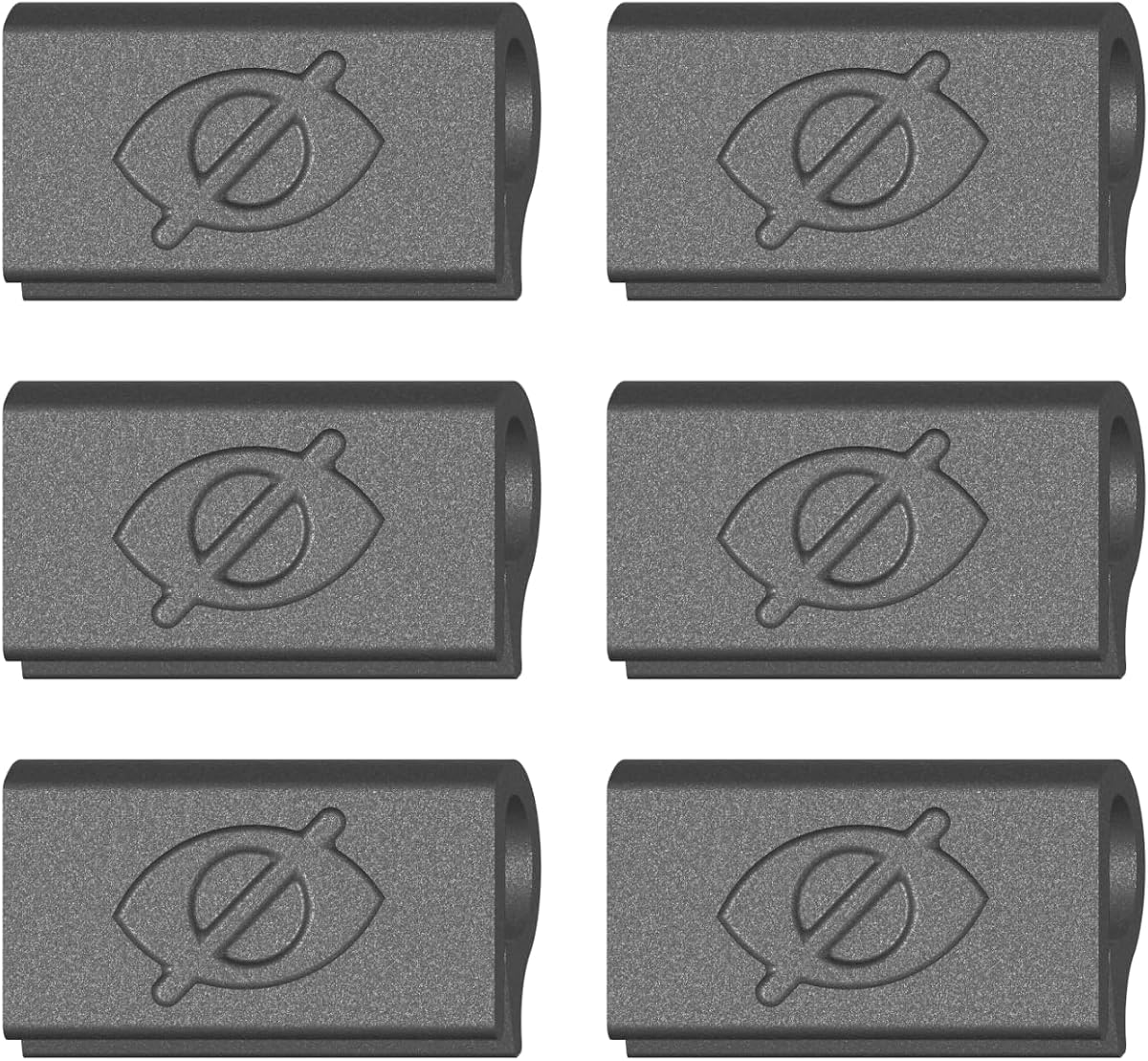
This six-pack Laptop Camera Cover Slide has a 4.2 rating and highlights an extremely thin 0.022-inch flexible ABS profile. Its stated goal is to block unwanted camera access while remaining light, non-fragile, and unlikely to interfere with the closing of a laptop lid.
We may earn a commission when you buy through this link, at no additional cost to you.
The six included shutters are useful for covering several devices without making separate purchases. Compatibility information includes MacBook Pro, MacBook Air, iMac, Mac mini, iPad, iPhone 6, 7, and 8 Plus, laptops, tablets, computers, Echo Show, and other Apple devices. Installation is adhesive-based: remove the backing, align the cover with the camera, and press hard for 10 seconds.
As with any adhesive slider, precise placement is important, and a poorly positioned base may be difficult to move without lifting it. The product information also says the flexible design should not scratch a laptop, but careful surface preparation remains necessary. The all-black appearance is understated, though it lacks the decorative character offered by some competing sets.
This is a practical choice for households, shared workspaces, and anyone who wants several ultra-thin covers at once. It is particularly useful when managing cameras across a mix of laptops, tablets, and compatible Apple equipment. Users should clean the target area and confirm the camera dimensions before pressing the adhesive into its final position.
The stated 0.022-inch profile is the thinnest measurement highlighted in this guide. It is a good match for users who want the shutter to remain attached without visibly affecting laptop closure.
Six covers allow a user to protect several devices or retain backups. The simple black design is unobtrusive, making the pack suitable for professional settings as well as personal devices.
We may earn a commission when you buy through this link, at no additional cost to you.
The JOS California Multi-Size Cover has a 4.1 rating and stands out with nine covers arranged across three dimensions. Each size appears three times, giving the set an unusually flexible assortment for devices with different webcam shapes and for users who want several backups available.
We may earn a commission when you buy through this link, at no additional cost to you.
The product description lists compatibility with most laptop computers, smartphones, iPad, iPhone, MacBook, MacBook Pro, tablets, PCs, PlayStation 4 cameras, and all-in-one desktops. Its 0.03-inch thickness and curved edges are designed to remain unobtrusive when the laptop lid closes. The large oval is also highlighted for the interior camera in Tesla Model 3 and Model Y vehicles.
The broad assortment is helpful, but the packaging also makes it harder to know which shape will fit a particular device before installation. Users must align the appropriate cover carefully and press for 15 seconds. The adhesive is described as removable without traces, although changing the choice after application may still require cleaning or reheating.
This set is ideal for people who own many different camera-equipped devices or want one purchase to cover several future replacements. It is also useful for organizations distributing identical privacy covers across a mixed fleet. The large oval deserves particular attention for compatible Tesla owners, while laptop users should compare the three shapes with the size and position of their webcam.
Large ovals, medium rectangles, and standard ovals give buyers more options than a single-size pack. This is useful when camera bezels vary significantly across brands and device categories.
Multiple copies of every size make the set well suited to offices, families, and multi-device owners. Spare covers also reduce the need to find an exact replacement if one is lost.
We may earn a commission when you buy through this link, at no additional cost to you.
The Gadget Ray Clip-On Cover has a 4.3 rating and uses flexible TPU to hold a slim privacy shutter against a laptop bezel. The installation is intentionally simple: press the cover onto the bezel with one finger, slide it over the webcam when needed, and slide it away for a call.
We may earn a commission when you buy through this link, at no additional cost to you.
Because there is no adhesive, the cover leaves no sticky traces and can be removed without concern about peeling residue from a display. Its thin profile is intended to allow the laptop to close and enter sleep mode while the cover remains attached. The six-pack provides a supply for several laptops, including MacBook, PC laptop, and Chromebook models.
The product is deliberately narrower in scope than many alternatives. It is not designed for tablets, phones, or devices in thick cases, so buyers should not treat its stated compatibility as universal. A tight-fitting case can also change the available bezel space, potentially interfering with the push-on fit or the sliding action.
This cover is a strong option for laptop users who want a removable privacy control without adhesive cleanup. It is particularly suitable for a MacBook, PC laptop, or Chromebook that normally operates without a bulky case. Those considering thicker accessories should install those first and confirm that enough bezel remains exposed for a secure grip.
The TPU cover stays in place using the bezel itself, eliminating a backing layer and the possibility of sticky residue. One-finger placement also makes it convenient to move between compatible notebooks.
The thin profile is intended to preserve normal lid closure and sleep behavior. That narrow purpose is paired with exclusions for tablets, phones, and thick cases, giving buyers a clear picture of where it works best.
We may earn a commission when you buy through this link, at no additional cost to you.
The Six-Pack Multi-Size Slider has a 4.0 rating and combines six 0.027-inch covers in two different dimensions. Three pieces measure 1.10 by 0.43 by 0.027 inch, while the other three measure 0.71 by 0.36 by 0.027 inch, allowing buyers to choose a shape for different cameras.
We may earn a commission when you buy through this link, at no additional cost to you.
The stated device range includes MacBook Pro, MacBook Air, Mac, general laptops, Surface Pro, iPad Pro, Android tablets, PCs, all-in-one desktops, and smartphones. The covers also help keep dust away from the front lens, and their high-strength ABS construction is intended to support regular use. Opening and closing requires only a fingertip movement.
The product notes that the cover requires a flat surface and is not suitable for full-screen devices. It also explains a deliberate engineering trade-off: the groove connecting the slider to its base must remain shallow enough to preserve the 0.027-inch total profile and proper lid closure. As a result, the sliding component may separate from the base during installation, though the description says it can be aligned and snapped back into place.
This is a flexible choice for people managing many types of cameras, especially where both larger laptop and smaller tablet or phone cameras are present. Its two-size assortment is less varied than the three-size JOS set, but it is backed by detailed measurements and a clear explanation of how the removable slider works. Owners of full-screen devices should look for a clip-on alternative instead.
The two measured dimensions offer a middle ground between a single-size pack and a large assortment. It is useful for a collection of laptops, tablets, and phones with reasonably standard webcam shapes.
The thin profile depends on a precisely balanced connection groove. The cover can separate during installation, but the product information explains that it is designed to snap back into the base, reducing concern about a permanently damaged slider.
We may earn a commission when you buy through this link, at no additional cost to you.
The CloudValley Logitech Webcam Cover carries the highest rating in the guide at 4.6 and is designed specifically for several Logitech desktop webcam models. Rather than attempting to cover the webcam built into a laptop, it attaches directly to compatible external cameras such as the C920, C920x, C922, C922x, and C930e.
We may earn a commission when you buy through this link, at no additional cost to you.
Its flip mechanism provides a straightforward way to alternate between privacy and video use. The cover can rotate through a 180-degree position and can be removed after being flipped beyond that angle. It also helps protect the camera lens from dust and scratches while attached, and the installation is described as secure and residue-free.
The central limitation is model specificity. A webcam cover made for a Logitech C920 will not be a useful choice for a different external camera or a built-in laptop lens, so the list of supported models must be checked before purchasing. Its value also depends on actually using one of the named Logitech devices rather than merely keeping a compatible camera in storage.
This is the ideal choice for a user who regularly relies on a supported Logitech webcam and wants a fitted shutter that flips up for calls. It is not a general laptop camera cover, but it offers a more tailored and potentially cleaner solution for compatible external hardware. Confirm the exact camera model printed on the device before ordering.
A model-specific design can offer a neater fit than a generic adhesive rectangle. It is especially attractive for users who stream, attend meetings, or record video with a supported Logitech webcam.
The rotating shutter makes camera access quick and visible. Users can open the lens for a meeting and return it to the covered position without searching for a separate adhesive tab or manipulating a narrow sliding track.
We may earn a commission when you buy through this link, at no additional cost to you.
The right laptop camera cover depends on the shape of your webcam, the way you use it, and how much you value easy removal versus permanent placement. Thickness, aperture size, installation method, and compatibility should be evaluated together.
Start by identifying whether the camera is flush with the display, raised above the bezel, hidden behind a notch, or surrounded by a full-screen glass protector. A sliding adhesive cover needs a flat surface and enough travel for its shutter, while a clip-on design needs a narrow section of bezel to grip. The Yilador cover, for example, explicitly excludes protruding cameras and certain notched or full-screen protectors. Measuring before buying can prevent poor alignment, restricted movement, or an unusable installation.
Choose a cover whose stated dimensions and exclusions match the camera layout, then check the fit before pressing adhesive firmly.
Adhesive sliders are compact and can be very thin, but they demand careful alignment and may need cleaning if repositioned. No-adhesive covers are more mobile-friendly and easier to transfer between devices, although their grip depends on bezel shape and case thickness. The Gadget Ray options use flexible TPU that pushes onto a bezel, while the dedicated Logitech cover attaches to a specific external camera. Consider how often you will move the cover and whether residue or quick removal matters more than a permanent, low-profile mount.
Pick adhesive for a fixed device, and choose clip-on when portability and residue-free removal are priorities.
Thickness can determine whether a laptop closes normally and enters sleep as expected. The featured products range from a stated 0.022 inches to 0.03 inches, with the CloudValley aluminum model at 0.023 inch. These small differences matter because some camera housings, display bezels, and laptop lids have very little clearance. A cover that is technically thin may still lift a lid if it is mounted on a raised camera or combined with a full-screen protector.
Favor a stated thin profile, but also check the camera shape and whether the lid can close without pressure.
The size of the opening when the shutter is open affects the camera's field of view. The patterned cover in the list highlights a 0.43 by 0.35 inch aperture and says it was enlarged to avoid blocking normal camera use. If you participate in frequent video calls, care about facial framing, or use gestures near the edges of the frame, a generous opening is worth prioritizing. A very small hole may create dark edges, crop the view, or interfere with automatic brightness behavior on some devices.
Look for a sufficiently large aperture, especially when the camera is used for more than occasional meetings.
A cover labeled for laptops may not work on a tablet, smartphone, desktop monitor, gaming console camera, or external webcam. The JOS set covers a particularly broad range, including a large oval intended for a Tesla Model 3 or Model Y cabin camera, while the CloudValley Logitech model supports only named Logitech webcams. The Gadget Ray clip-on model is intentionally limited to laptops and excludes tablets, phones, and thick cases. Use the most specific fit information available rather than relying on a general statement that a product fits most devices.
Verify the exact device model and any stated exclusions before making a selection.
Pack quantity determines how many devices you can protect and how many spares you can keep. Three- and four-packs cover common household needs, while six- and nine-packs are more useful for offices, families with several computers, or people who want one cover for each camera shape. A larger pack does not guarantee a better fit, so size variety should be weighed alongside quantity. The JOS set provides both, with three copies each of large, medium, and standard shapes.
Choose a larger assortment when you own several devices; choose a smaller pack when a single slim laptop is the only priority.
The case around a device can change the available bezel, camera angle, and closing clearance. Several no-adhesive covers work best on slim devices used without heavy cases, and adhesive sliders can be affected by raised screen protectors. External keyboard cases and docking setups may also create a different surface for installation. Before applying any adhesive, remove or consider the case, clean the surface, and ensure the shutter will not lift the display or prevent the lid from reaching its normal position.
Always test fit with the same case or screen protector used in daily operation.
Basic privacy can be achieved with a slim black slider, but some buyers prefer a cover that adds personality. The MESMOS set uses plant motifs, while the JUNGLE DEER cover offers printed patterns and rotation. A dedicated external-webcam shutter can also look more integrated because it is modeled for a specific Logitech body. The best option is still the one that blocks the lens properly, slides without obstruction, and suits the device's construction rather than relying on appearance alone.
Treat style as a bonus, and prioritize reliable coverage, smooth operation, and a compatible fit.
Before installation, identify the camera location and check whether the device is covered by the product's compatibility exceptions. For adhesive models, clean the bezel with an appropriate cleaning wipe and let it dry fully. Hold the cover over the lens to confirm that the shutter can travel freely and that its open position does not block the camera view.
For an adhesive cover, peel back the protective layer, align the opening precisely with the webcam, and press the base in place for the duration stated in the product instructions, ranging from about 10 to 30 seconds. For a clip-on design, press the flexible TPU cover onto the bezel with one finger and check that it grips evenly. Do not slide an adhesive model immediately after mounting, as movement can weaken the bond.
Slide or flip the cover open only when the camera is in use, and return it to the closed position when the call ends. Clean the cover and surrounding bezel with a soft, lint-free cloth. Avoid harsh chemicals, abrasive pads, and excessive pressure, and do not force a slider that has separated from its base or a clip that has been installed over a thick case.
It depends on the design and position. The CloudValley metal cover states that it does not interfere with the camera indicator light or web use, while the six-pack multi-size slider makes a similar claim. Other products may partially block a nearby indicator depending on their size and placement, so users should compare the cover's opening and installed position before finalizing an application.
A sufficiently thin cover should not, particularly when it is attached to a flush camera on a slim laptop. The featured metal cover is 0.023 inch, the six-pack ABS model is 0.022 inch, and other adhesive sliders are around 0.03 inch. Raised cameras, full-screen glass protectors, thick cases, and poorly aligned adhesive mounts can create extra clearance issues, so check the device-specific guidance.
Several products say their adhesive can be removed without leaving traces, but removal quality can depend on the surface, age of the bond, and device coating. The safest approach is to lift slowly rather than twist, and to avoid pulling the sliding component separately from its base. No-adhesive clip-on covers eliminate this concern because they can simply be peeled away from the bezel.
Some products support those devices, but others are designed only for laptops. The JOS California set, Yilador cover, CloudValley metal cover, and six-pack multi-size slider list tablets or phones among their compatible devices. The Gadget Ray push-on cover explicitly excludes tablets and phones, and the dedicated CloudValley Logitech cover is intended only for named external webcam models.
A sliding cover moves horizontally across the camera opening along a track, while a flip-up cover rotates on or around a hinge. Sliding models are widely available in very thin formats, while the dedicated Logitech cover uses a flip mechanism modeled for specific cameras. The best mechanism is the one that moves smoothly, covers the lens completely, and does not strain the laptop lid.
Compare the camera's approximate width, height, and surrounding flat area with the dimensions supplied by the manufacturer. A cover that is too narrow may not fully obscure the lens, while one that is too large can obstruct nearby sensors or fail to slide. The JOS set is particularly useful for uncertain sizes because it includes large ovals, medium rectangles, and standard ovals.
A properly positioned cover creates a physical barrier over the camera lens, which is valuable for camera privacy. It does not, however, protect a microphone, address compromised software, or secure data stored on the device. It should be used alongside sound controls, secure passwords, updated software, and cautious application permissions rather than treated as a complete security solution.
It depends on the camera housing and the cover's design. The Yilador product specifically states that its cover is not applicable to full-screen or notch-style tempered-glass screen protectors. Some flush cameras may still accept an adhesive slider, but protruding or recessed cameras in newer models can require a purpose-fit or no-adhesive solution.
The CloudValley metal slider is the strongest all-around option for its thin profile, understated metal finish, and wide device range. The Yilador set stands out for three covers and a straightforward adhesive design, while the MESMOS plant-themed six-pack combines slim construction with removable adhesive and a more decorative appearance.
Prioritize the camera's physical layout before considering style or pack quantity. Measure the webcam, check for a notch, raised lens, or glass protector, and determine whether the laptop is used with a thick case. No-adhesive options are worth considering for frequent device changes, while a fitted external-webcam shutter is ideal when a supported Logitech model is the main concern.
Before ordering, verify the current product listing, compatibility notes, included accessories, and latest customer feedback. Product designs and device models can change, and pricing also fluctuates, so the most useful choice is the cover that currently matches your device, habits, and preferred installation method.