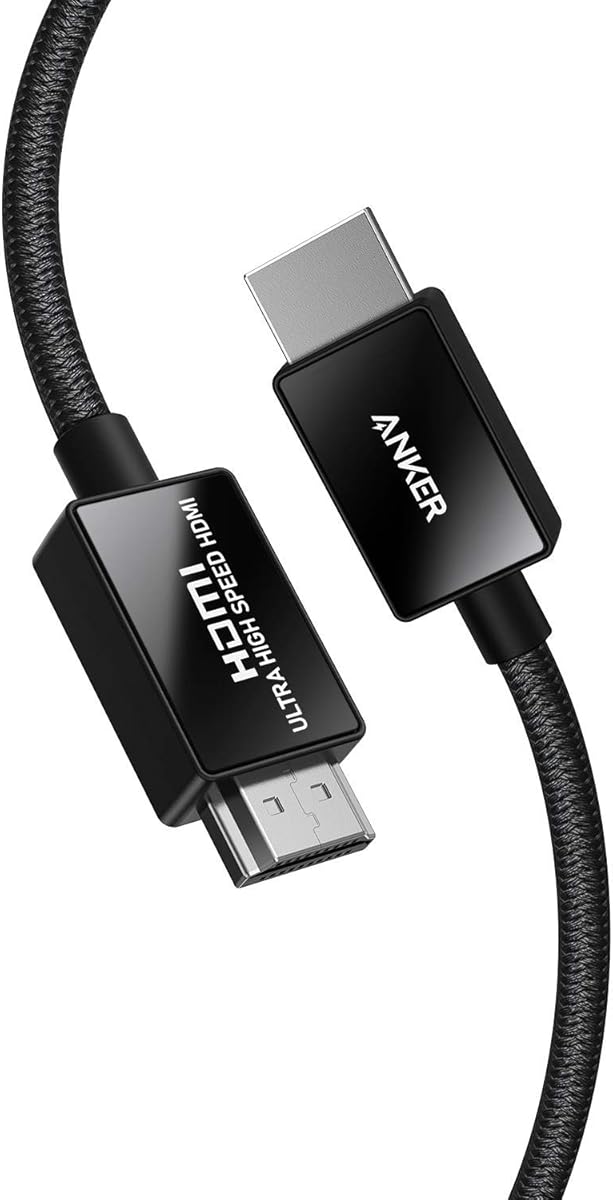
Anker HDMI 2.1 Cable
4.8Editor score
Forum-certified Ultra High Speed
48Gbps bandwidth
8K at 60Hz
Double-braided nylon housing
Our guide compares 10 HDMI Cables for Nvidia Shield, evaluating bandwidth, certification, gaming features, audio support, durability, and compatibility for
Connecting an Nvidia Shield to a television or monitor is simple, but choosing the right cable can affect the available resolution, refresh rate, audio features, and gaming experience. A capable HDMI cable should provide a stable connection while supporting the display modes used by your particular Shield model, television, monitor, and sound system.
The products in this guide were compared using their stated bandwidth, HDMI certification, supported video modes, gaming features, audio capabilities, construction, length, and compatibility. We cover single cables and multipacks, emphasizing the distinctions that matter for 4K television, high-refresh computer displays, gaming, and home-theater use.
Each review identifies the most useful strengths and any practical limitations, while the comparison table provides a quicker overview of the full lineup. Product ratings reflect the supplied customer feedback, and prices and availability can change, so readers should verify current listing details and the specifications of their own equipment before purchasing.
4.8Editor score

4.8Editor score

4.7Editor score
The following comparison covers all ten cable options, showing their stated bandwidth, maximum resolution, key gaming or audio functions, and practical physical design. It makes it easier to identify a single-cable solution, a multipack for multiple devices, or a cable that specifically includes Shield TV compatibility.

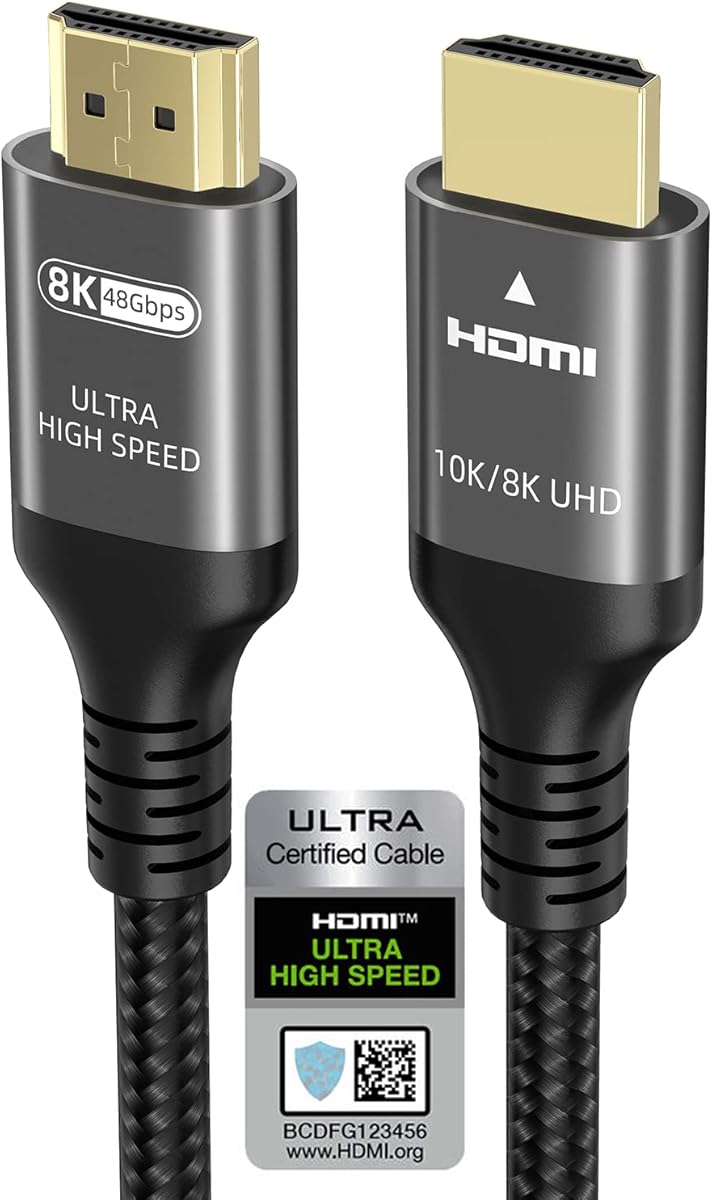



The UGREEN 8K HDMI 2.1 Cable is the strongest all-around option in this guide, combining a 4.8 customer rating with a broad set of stated capabilities. It is described as a certified HDMI 2.1 cable capable of 48Gbps bandwidth, 10K and 8K at 60Hz, and 4K at 240Hz. Those specifications make it suitable for users who want one connection to cover a Shield setup, a television, a gaming monitor, and other compatible HDMI equipment.
We may earn a commission when you buy through this link, at no additional cost to you.
Its appeal extends beyond headline resolution. The product supports variable refresh rate, Quick Frame Transport, automatic low latency mode, and quick media switching, all of which can be useful when the source device and display share compatible gaming or switching features. Dynamic HDR, HDCP 2.2 and 2.3, Ethernet, 3D, and eARC are also listed, allowing the cable to serve streaming, gaming, and home-theater connections rather than a single narrow use case.
Construction is designed for regular handling. UGREEN lists an aluminum alloy housing, nickel-plated connectors, and a nylon braided jacket, along with resistance to frequent bending. The main practical consideration is that the stated 6.6-foot length may not reach a wall-mounted television, entertainment center, or other Shield installation if the equipment is positioned farther away. A longer cable would be necessary in that situation.
This is a strong recommendation for a Shield owner who wants a current-generation connection without narrowing the setup to one television or device. Confirm that the Shield model, television, game, monitor, and soundbar support the features you expect, then keep the cable routed without sharp bends. Within the supplied lineup, it offers the most balanced combination of certification, gaming support, audio functions, and physical construction.
Its 4.8 rating also places it among the highest-rated products here, although ratings should not be treated as a guarantee of performance in every setup. The stated capabilities provide a stronger basis for comparison because the cable, source, display, and software must all support a feature such as 4K at 120Hz, VRR, or eARC for it to be available.
The Shield can serve as a streaming hub, game console, or media source, so a cable that supports both video and advanced audio is convenient. UGREEN's eARC support can send compatible full-resolution audio from a television to a soundbar or receiver, while Dynamic HDR and HDCP support broaden the viewing feature set.
VRR, ALLM, QFT, and quick media switching are useful only when the connected game, source hardware, and television or monitor support them. Even so, having the cable ready for those standards avoids the need to replace an older cable when the rest of the system is upgraded.
We may earn a commission when you buy through this link, at no additional cost to you.
The Silkland Certified HDMI 2.1 Cable earns a place near the top because it combines certification, 48Gbps bandwidth, and one of the broadest feature lists in the group. It carries a 4.7 rating and is presented as a 6.6-foot Ultra High Speed cable with a braided exterior. A QR code is included for certification verification, which gives buyers an additional way to confirm the product's HDMI status.
We may earn a commission when you buy through this link, at no additional cost to you.
Resolution support is extensive. The stated modes include 10K and 8K at 60Hz, 5K at 120Hz and 90Hz, 4K at 144Hz and 120Hz, and 2K at 240Hz and 165Hz. The listing also identifies 12-bit color support in several of these modes. For a Shield setup, that range provides room for a standard 4K television today and more demanding display equipment in the future.
The cable is not limited to video. Dynamic HDR, HDCP 2.2 and 2.3, eARC, ARC, DTS:X, and Dolby Atmos are listed, making it appropriate for a Shield connected through a television to a compatible soundbar or receiver. The stated E-Braid construction uses double-layer fishnet winding and nylon braiding, while copper cores and ferrite magnetic beads are intended to support stable signal transmission.
The tradeoff is that the cable is 6.6 feet long, so users with a wall-mounted panel, a wide entertainment cabinet, or a television positioned across the room may need a longer option. Also, the highest resolutions and refresh rates depend on compatible source and display hardware. The Shield must be able to output the selected mode, and the television or monitor must accept it.
Silkland is a compelling choice for readers who prioritize a broad HDMI feature set and want a verified certification mark. It is especially attractive when the Shield is part of a mixed setup involving PC gaming, high-end television features, and object-based audio. Verify the physical distance and the relevant device specifications before ordering.
The extensive resolution and refresh-rate list gives this cable more room than a basic 4K cable. While the most advanced modes are aimed at demanding PC and console setups, the same cable can handle everyday Shield streaming and 4K television use without requiring a separate lead.
Dynamic HDR, eARC, and advanced audio formats make the cable suitable for a television-and-soundbar arrangement. Layered shielding, copper conductors, and braided construction are intended to improve stability, although actual results still depend on the connected source, display, and installation.
We may earn a commission when you buy through this link, at no additional cost to you.
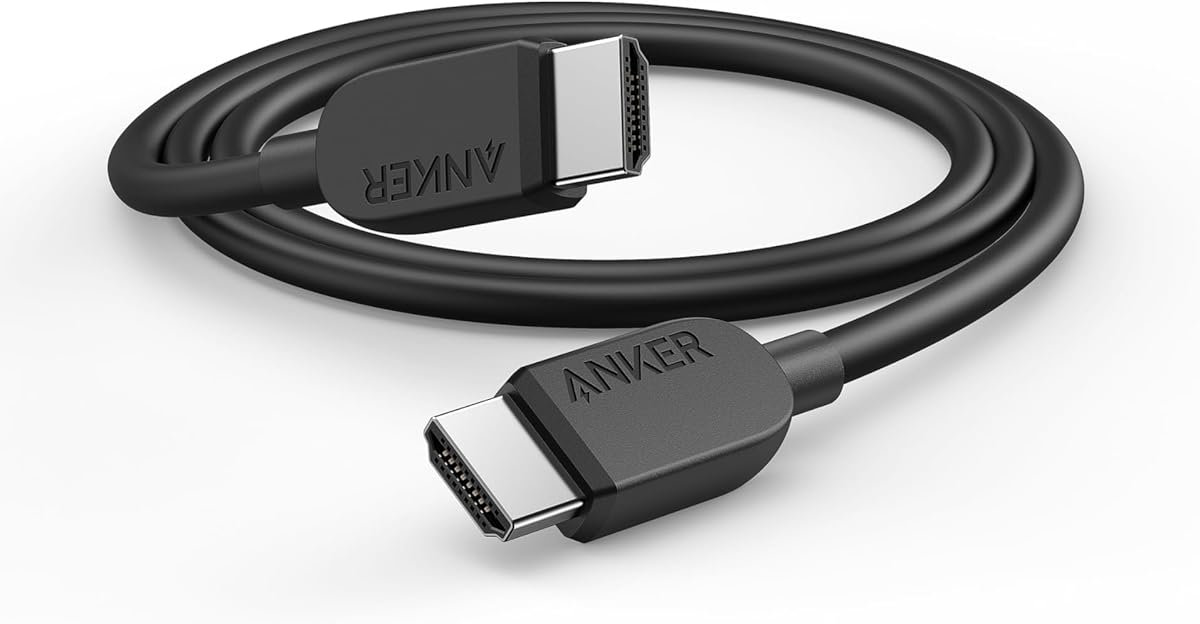
The Anker HDMI 2.1 Cable is a practical choice for Shield owners who want a current-generation connection without paying for a multipack or a long specialized installation cable. It has a 4.7 rating, 48Gbps bandwidth, and certification as an Ultra High Speed cable. Its stated visual support includes 8K at 60Hz as well as 4K at 120Hz and 60Hz.
We may earn a commission when you buy through this link, at no additional cost to you.
The product description stays focused on the essentials: clear video, stable transfer, broad device use, and durability. It is designed for tablets, laptops, projectors, desktop screens, and other HDMI equipment, making it a general-purpose lead that can move between the Shield and another source. The package includes a welcome guide and an 18-month warranty.
Durability is a notable strength. Anker states that the cable is designed to withstand up to 1,000 bends, which is reassuring for a lead that may be handled while switching streaming devices or connecting a game controller through the Shield. A practical cable should resist normal wear without becoming unnecessarily stiff or difficult to route around furniture.
Compared with the feature-heavy cables in the guide, this Anker model presents a simpler proposition. The supplied description does not emphasize the same extensive list of gaming, HDR, and return-audio functions, although it covers the essential high-bandwidth modes. That makes it a sensible general selection, but buyers who require a particular advanced function should confirm that it is listed before purchasing.
The practical limitation is its six-foot length. A Shield near a television is usually easy to connect, but furniture, wall mounting, or a wider cabinet can create extra distance. The other consideration is that 4K at 240Hz requires compatible source hardware and a suitably capable display; a Shield setup may not use that mode, but the cable remains ready for it.
A Shield usually sits close to the television, which makes a six-foot HDMI cable a practical length. The cable's broad device support also makes it easy to reuse for a laptop, projector, or monitor when the streaming box is not connected.
The stated 1,000-bend endurance is useful for installations where the lead is moved regularly. Gentle handling and support near the connector can help extend its useful life even when the cable is already designed for repeated bending.
We may earn a commission when you buy through this link, at no additional cost to you.
The Ubluker 10K 8K 4K HDMI Cable is notable because its supplied compatibility information specifically names SHIELD TV. That explicit mention makes it an easy recommendation for readers searching under the Nvidia Shield name. It also has a 4.7 rating, a 6.6-foot length, 48Gbps bandwidth, and an official HDMI certification label.
We may earn a commission when you buy through this link, at no additional cost to you.
Its specification list is comprehensive. It includes support for 10K at 60Hz, 8K at 60Hz in 4:4:4 with 12-bit color, 5K at several high refresh rates, 4K at 240Hz, and 2K at 360Hz. Features such as VRR, ALLM, QMS, QFT, Dynamic HDR, HDR10+, CEC, and HDCP 2.2 and 2.3 cover many current display standards.
Audio support is equally broad, with eARC, ARC, DTS Master, DTS:X, Dolby TrueHD, Dolby Vision, and Dolby Atmos listed. The product is also stated as compatible with gaming PCs, FreeSync, G-SYNC, GeForce RTX 30 and 40 series systems, soundbars, projectors, streaming devices, and several television platforms. That makes it suitable for a Shield-centered entertainment system that may also include a PC or game console.
Users should not interpret the maximum specifications as capabilities that every Shield configuration will produce. The actual output mode depends on the Shield model, the connected display, the application, and the selected settings. Likewise, features such as VRR, eARC, and high-bitrate audio require corresponding support throughout the connected chain.
The straightforward 6.6-foot length and certification label are practical strengths, while the lack of a stated longer option is the main limitation in this specific listing. For a Shield placed near a television, this cable offers a clear and reassuring match. It is particularly compelling for buyers who prioritize explicit Shield TV compatibility and a long list of modern HDMI functions.
Shield TV appears directly in the stated compatibility list, removing the need to infer support from a generic HDMI description. Buyers should still confirm the exact Shield model and their chosen display because the highest modes still depend on the whole setup.
VRR, ALLM, QMS, QFT, Dynamic HDR, and HDR10+ make this a well-rounded cable for a mixed entertainment system. Its audio format list also makes it suitable for connecting through compatible theater equipment rather than limiting the Shield to basic television sound.
We may earn a commission when you buy through this link, at no additional cost to you.
The Highwings 8K HDMI 2.1 Cable 2-Pack is a flexible choice for a household with more than one high-resolution display or a desire to keep a spare connection nearby. It includes two matching 6.6-foot cables and carries a 4.7 rating. Both leads are described as certified Ultra High Speed HDMI 2.1 cables with 48Gbps bandwidth.
We may earn a commission when you buy through this link, at no additional cost to you.
The stated formats include 10K, 8K at 60Hz, 4K at 240Hz, and 4K at 120Hz. Variable refresh rate is supported, giving the cables relevance to compatible gaming setups in addition to Shield streaming. The high bandwidth also provides useful headroom for television features and home-theater equipment, even though the Shield itself may not output every listed mode.
Physical design receives attention in the product information. Highwings describes an aluminum alloy shell, an upgraded anti-bending tail, and military-grade tensile nylon material. The two-pack format is especially useful when one cable is permanently routed to the living room and another remains available for a computer, game console, projector, or temporary test connection.
There is little reason to buy two identical leads if only one display is planned. In that situation, a single-cable option may be more appropriate. The included lengths are also fixed, so this pack is less useful for a room where the television is several feet beyond the reach of 6.6 feet or where one device sits much farther away than the other.
This is a strong recommendation for Shield users who want organization, flexibility, or a ready spare without compromising on the headline bandwidth. Its feature set aligns well with modern high-resolution displays, while the 2-Pack reduces the friction of moving the Shield between a main television and a second screen. Confirm that both connection locations fit within the stated cable length.
Keeping a second matching cable avoids reconnecting the primary lead every time the Shield moves between a television and another display. It is also useful for troubleshooting because a second connection can quickly determine whether the original cable or its port is responsible for a problem.
With VRR and support for 4K at 120Hz and 240Hz, the pack is ready for compatible gaming displays and consoles. A Shield connection may use lower modes, but the same cable can remain in service when other parts of the entertainment setup are upgraded.
We may earn a commission when you buy through this link, at no additional cost to you.
The Acer HDMI 2.1 Cable is built around a balanced home-entertainment profile. It has a 4.7 rating, 48Gbps bandwidth, a 6.6-foot braided design, and support for 8K at 60Hz plus high-refresh 4K modes. The inclusion of eARC, ARC, Dolby Vision, and Dolby Atmos makes it especially relevant to a Shield connected to a television and soundbar.
We may earn a commission when you buy through this link, at no additional cost to you.
Its video feature set includes 8K at 60Hz, 4K at 240Hz, 4K at 120Hz, and 4K at 144Hz. VRR is listed for compatible gaming devices, while backward compatibility covers 4K at 60Hz, 2K, and 1080p. These capabilities give the cable a useful mix of present-day flexibility and support for higher-end display hardware.
Construction details are centered on signal stability. The product uses a high-purity copper core, aluminum alloy shell, and braided jacket to resist electromagnetic interference, bending, and everyday wear. The stated compatibility list includes PS5, Xbox, Roku, Fire TV, Apple TV, PCs, laptops, Mac mini M4 and M4 Pro, monitors, projectors, and 4K or 8K televisions.
The most important limitation is not the cable but the rest of the system. Dolby Atmos through eARC, for example, requires a compatible television and soundbar, while high-refresh gaming requires capable source hardware and a display. Users should avoid expecting a cable alone to create a feature that the connected equipment does not support.
For a Shield owner building a television-and-soundbar entertainment system, Acer's cable is easy to recommend. The braid, copper construction, broad streaming-device compatibility, and advanced audio support make it more versatile than a basic 4K lead. As with the other 6.6-foot options, measuring the intended route before purchasing is advisable.
eARC and ARC are especially valuable when the Shield sends audio through a television to a soundbar. Dolby Vision and Dolby Atmos support can provide a cleaner home-theater setup, provided every device in the audio path supports the selected format.
The copper core, aluminum shell, and braided jacket are intended to improve resistance to interference and wear. These physical details make the cable a sensible choice for regular connection changes, especially around a compact entertainment center.
We may earn a commission when you buy through this link, at no additional cost to you.
This UGREEN model provides one of the strongest specifications for a Shield-centered setup, with a 4.8 rating, 48Gbps bandwidth, and certification as an HDMI 2.1 cable. It supports 10K and 8K at 60Hz, along with 4K at 240Hz. The result is a useful balance between current television use and headroom for a more capable display.
We may earn a commission when you buy through this link, at no additional cost to you.
For gamers, the listed support for VRR, Quick Frame Transport, automatic low latency mode, and quick media switching is valuable. These features are designed to improve smoothness, responsiveness, and source switching when the hardware on both ends supports them. Dynamic HDR adds another layer for compatible high-dynamic-range content, and 12-bit color is highlighted in the product description.
Audio and protection features are also comprehensive. eARC is supported for compatible television-to-soundbar or receiver audio, including formats such as Dolby Atmos and DTS:X. HDCP 2.2 and 2.3, Ethernet, and 3D support are listed, giving the cable broader utility across streaming and media equipment.
The aluminum alloy housing, nickel-plated connectors, and nylon braided jacket are designed to withstand frequent bending while maintaining flexibility. Compatibility covers major streaming platforms, game consoles, computers, Blu-ray players, receivers, projectors, monitors, and televisions. This broad list makes it a good shared cable for a household with varied HDMI equipment.
Its main practical constraint is the 6.6-foot length. It is an excellent lead for a Shield positioned near the screen, but a wall-mounted television or wide cabinet may require more slack. Otherwise, the combination of certification, high ratings, 48Gbps capacity, gaming functions, and advanced audio makes it a particularly complete choice for readers who want one cable to handle many roles.
Although the cable supports advanced 10K and 8K modes, it remains a conventional HDMI-to-HMI lead for everyday use. That makes it approachable for a Shield setup while still offering room for future display and gaming upgrades.
Dynamic HDR, eARC, VRR, QFT, ALLM, and quick media switching cover many major enhancements in the HDMI ecosystem. Full-device support is essential, but buyers do not need to settle for a cable that can never take advantage of those standards.
We may earn a commission when you buy through this link, at no additional cost to you.
The Anker HDMI 2.1 Cable is the premium-oriented selection in this guide, distinguished by official HDMI Forum certification and a stated set of durable connector and jacket materials. It has a 4.8 rating, 48Gbps bandwidth, and support for 8K at 60Hz and 4K at 120Hz. That combination gives it a strong foundation for a modern Shield installation.
We may earn a commission when you buy through this link, at no additional cost to you.
The certification is described as involving rigorous electromagnetic-interference testing. The cable is also listed among the first officially certified Ultra High Speed products, a point that can matter when connecting multiple modern source devices. Compatibility information includes PlayStation 5, Xbox Series X and S, 4K at 120Hz HDMI sources, Sony 8K UHD televisions, Apple TV, and Roku Ultra.
Material choices are the main premium feature. Anker lists carbon steel connectors, gold-plated connector pins, and a double-braided nylon finish. The product is stated to withstand 10,000 plug-and-unplug cycles without issue, making it appropriate for a setup where the Shield may be disconnected regularly or where multiple components need secure connections.
The 6.6-foot length is a limitation for installations with unusual placement, although it is sufficient for many Shield users. The cable also does not present the same extensive list of advanced audio and gaming functions found in some competing descriptions. That is not necessarily a drawback for a simple Shield-to-television connection, but buyers should confirm any specialized feature they require.
The package includes an 18-month warranty, a welcome guide, and customer service, reinforcing the premium positioning. For a buyer willing to place more emphasis on certification, connector construction, and longevity, this is an excellent recommendation. For a standard streaming installation, a less expensive model may be sufficient, but this cable remains a dependable, future-oriented choice.
Carbon steel connector housings, gold-plated pins, and a double-braided nylon jacket form the core of the premium construction story. These materials are particularly relevant for users who connect and disconnect the Shield often or maintain a permanent multi-device entertainment setup.
Official Ultra High Speed certification, 48Gbps bandwidth, and 8K support make the cable a long-term-oriented connection. The included warranty adds reassurance, but the cable still needs compatible source hardware and displays to reach its highest modes.
We may earn a commission when you buy through this link, at no additional cost to you.
The JSAUX 8K HDMI 2.1 2-Pack is a versatile two-cable set for readers who want to connect the Nvidia Shield to more than one display or keep an identical replacement cable. It has a 4.7 rating, 48Gbps bandwidth, and two six-foot braided leads. The product supports 8K at 60Hz, 4K at 144Hz, and 4K at 120Hz.
We may earn a commission when you buy through this link, at no additional cost to you.
The feature list covers many parts of the modern HDMI ecosystem. It includes HDCP 2.2 and 2.3, 48-bit deep color, HDR, Dynamic HDR, HDR10, ARC, eARC, ALLM, VRR, QMS, QFT, CEC, 3D, DTS:X, Dolby Atmos, Dolby Vision, and Dolby TrueHD 7.1 audio. That makes the set suitable for a mixed streaming, gaming, and theater environment.
Construction details include 28AWG copper wire, triple tin shielding, double braided nylon, and gold-plated corrosion-resistant connectors. Shielding is relevant in setups with nearby electronics or cables that may otherwise interfere with signal transmission. The braided exterior also provides some protection against the bending and abrasion associated with regular use.
Compatibility includes Nintendo Switch and Switch 2, PS5, PS4, PS3, Xbox One, Blu-ray players, Fire TV, Apple TV, computers, laptops, monitors, and projectors. As with every cable in this roundup, the Nvidia Shield is a standard HDMI source, but the actual output depends on the model and connected display.
The two-pack format is most valuable when the primary Shield television and a secondary monitor are both within six feet of their source locations. If one device requires a longer run, a multipack with fixed lengths may not be ideal. Even so, the feature depth and availability of a spare cable make this a strong option for flexible home setups.
The second cable makes it possible to maintain separate connections to a television and a nearby computer monitor. It also simplifies swapping and troubleshooting without repeatedly moving the only available lead.
VRR, ALLM, QMS, QFT, and eARC cover several useful gaming and audio functions. The full range only becomes available when the source, display, receiver, or soundbar in the chain supports it, so the complete setup should be checked before purchase.
We may earn a commission when you buy through this link, at no additional cost to you.
The Cable Matters Ultra High Speed HDMI Certified 3-Pack is designed for buyers who want an organized collection of identical high-performance connections. It includes three color-coded 6.6-foot cables, each described as a certified HDMI 2.1 cable with 48Gbps bandwidth. The 4.7 rating and clear organization make it a natural fit for a multi-device entertainment center.
We may earn a commission when you buy through this link, at no additional cost to you.
The color coding offers a practical advantage over an indistinguishable group of black leads. Each cable can be assigned to a particular television, game console, streaming device, or projector, making it easier to trace connections and swap a lead without unplugging the wrong one. The same organization can help when troubleshooting a display problem because the relevant source-to-display path is immediately identifiable.
Each cable supports 8K at 7680 by 4320 resolution and 60Hz, 4K at 240Hz, 2K or 1440p, and 1080p. The listing also identifies HDCP 2.2, 21:9 cinema aspect ratios, 32 audio channels, a 1536kHz sampling rate, and eARC compatibility for formats such as Dolby Atmos and DTS:X in 7.1 or 5.1 configurations.
HDR support includes 4:4:4 RGB, 12-bit color, and Dolby Vision. The product remains backward compatible with HDMI 2.0 standards and is listed for consoles and streaming devices such as PS5, Xbox Series X and S, PS4 Pro, Xbox One, Apple TV, and Roku Ultra. These features give the pack broad value for a household that connects the Shield to several different displays or components.
The main question is whether three cables are necessary. A single Shield with one television may not need a multipack, and a setup with one display more than 6.6 feet away may be better served by longer leads. For a compact home theater, gaming room, or several nearby devices, however, the color-coded 3-Pack is the most organized option in the guide and simplifies cable management from the start.
Assigning one color to each connection path makes it easier to follow cables behind an entertainment center. It also makes swapping a suspect lead much faster, which is particularly useful in a setup containing several gaming and streaming products.
Three certified 48Gbps cables provide a consistent standard across a television, streaming box, game console, projector, and monitor. The common length is convenient when all devices are within a compact area, though it cannot cover a long wall-to-console run.
We may earn a commission when you buy through this link, at no additional cost to you.
The most important factors are the capabilities of the entire connection, not just the label on the box. Start with the Shield model, the target television or monitor, the desired resolution and refresh rate, the distance between components, and the audio equipment that must be supported.
For example, a cable supporting 4K at 240Hz remains useful with a Shield setup that operates at a lower mode, but it cannot raise the output of the source. Match the cable to the display you own now while leaving enough bandwidth for a reasonable future upgrade.
The products in this guide are described as HDMI 2.1 or Ultra High Speed cables with up to 48Gbps bandwidth. That capacity supports the headline 8K at 60Hz and high-refresh 4K modes listed in their descriptions. For a Shield connected to a modern 4K television, the practical difference between a basic cable and a certified 48Gbps cable may be small, but the latter provides more headroom for high-refresh gaming, PC connections, and future displays.
Prioritize 48Gbps and certification when the cable will be shared among several modern devices. A 6.6-foot certified lead is usually sufficient for a Shield beside a television, while a longer run may need a different cable length rather than simply a more expensive short model.
Check the modes that matter to your setup rather than focusing on the largest number printed on the package. 4K at 60Hz is a common target, while 4K at 120Hz or 144Hz can matter for compatible gaming PCs, consoles, and high-end televisions. 8K support can be useful for future-proofing, although most current Shield viewing needs may not require it. Ensure the cable, source, display, and content all support the selected combination.
Cable Matters, UGREEN, Silkland, Ubluker, Acer, and JSAUX list especially broad combinations. For a basic streaming installation, these capabilities are helpful future-proofing, but they are not substitutes for matching a cable to the equipment currently in the room.
Variable refresh rate, automatic low latency mode, Quick Frame Transport, and quick media switching are valuable for compatible gaming setups. A Shield user may also connect a PC or game console to the same television, making these standards useful across a broader entertainment system. However, the source game and display must also support the relevant feature for it to become active.
A cable that lists the full HDMI 2.1 feature suite provides the most flexibility if the setup is likely to change. If the primary goal is streaming apps, these gaming functions add less immediate value, so the decision can instead focus on certification, construction, and cable length.
ARC and especially eARC can be important when the Nvidia Shield sends audio through a television to a soundbar or audio receiver. The supplied descriptions include Dolby Atmos, DTS:X, Dolby TrueHD, and Dolby Vision in varying combinations, allowing a more theater-oriented connection. A compatible television and soundbar are still required for these features to work through the full chain.
If the Shield is connected directly to an audio system, the return-channel requirement may be less relevant. If most viewing uses television speakers, eARC capability still provides a useful upgrade path without replacing the entire setup.
Most options are 6 or 6.6 feet long, which is usually enough for a Shield positioned near a television stand. Measure the actual path rather than estimating from the room width. Include space for furniture, power management, cable bends, and the connector itself. A wall-mounted television may need extra slack even when the devices appear close together.
For longer runs, a properly specified long cable can be preferable to stretching a short lead. Route the cable away from sharp corners, hot surfaces, moving furniture, and power cords that may create avoidable electrical interference. Avoid tightly wrapping a cable around the Shield or connector housing.
Braided jackets, aluminum alloy housings, copper conductors, gold-plated pins, and reinforced tails can improve resistance to everyday wear. Bend ratings also provide a useful comparison point: Anker's 6-foot model is stated to withstand 1,000 bends, while the premium 6.6-foot model emphasizes 10,000 plug-and-unplug cycles. These figures help indicate expected durability, although careful handling remains important.
Look for a sturdy connector housing that fits comfortably behind a television or in a crowded entertainment cabinet. A well-made cable should support a firm connection without requiring excess force, and it should retain enough flexibility to make routine changes without sharply folding the cable near the plug.
A single cable is usually sufficient for one Shield and one display. A two-pack becomes useful when the Shield moves between nearby screens, when a spare simplifies troubleshooting, or when another compatible device needs the same standard. The three-pack is best for a multi-device room and adds color coding for easier identification. Multipacks can reduce the need to move one lead between several components, but they do not solve unsuitable cable lengths.
Before choosing a pack, list the devices and locations that need connections. This prevents purchasing identical leads that are unnecessary while also revealing whether color organization, a spare, or multiple simultaneous connections are the real priorities.
Connect the HDMI cable to the appropriate HDMI output on the Nvidia Shield and the matching input on the television, projector, or monitor. Power the display on first, then the Shield, and select the correct HDMI input. Allow a few seconds for the source and display to negotiate their available mode. If the picture is unstable, try a different input or reconnect the cable at both ends before changing display settings.
Choose the television picture mode that matches the content and features being used. HDR, gaming, and standard video modes are not interchangeable, and some televisions apply their own processing when the source signal changes. For a PC connected through the same cable, allow the computer to detect the available display modes and select the desired resolution and refresh rate from its display controls.
To preserve the cable and maintain signal quality, handle it by the connector housing rather than pulling it from the wire. Keep the connector seated but not strained, avoid sharp bends immediately beside the plug, and route the lead where it will not be trapped under furniture. For long-term care, coil the cable loosely rather than folding it tightly, and keep both ends free from dust when they are not in use.
It depends on the television or monitor and the features you want to use. A certified 48Gbps HDMI 2.1 cable provides useful headroom for 4K high-refresh gaming, 8K output, VRR, and other modern standards, although a basic HDMI 2.0 cable can handle many ordinary 4K at 60Hz Shield viewing setups. Check the source and display specifications before deciding whether the additional capability is necessary.
It may not produce a visible difference when the Shield and television are both operating at 4K at 60Hz without advanced features. The higher bandwidth becomes more relevant when the setup uses high-refresh gaming, demanding color formats, 8K, or advanced features such as VRR. In those situations, matching the cable to the capabilities of the source and display can prevent a connection from becoming the limiting factor.
The cable can carry the required signal when it is HDMI 2.1 certified and provides 48Gbps bandwidth, but the Nvidia Shield model, game, television or monitor, and settings must all support the desired mode. VRR and 4K at 120Hz are more commonly relevant to compatible PC and console gaming, while a typical Shield streaming connection may use a lower refresh rate. Check the specifications of each connected device.
It is usually enough when the Shield sits immediately below or beside the television. A wall-mounted screen, wide entertainment console, thicker furniture, or a television positioned farther to the side can require additional slack. Measure the path from the Shield's port to the display's input, including the space required for a relaxed bend at each connector, rather than relying only on the physical distance between the devices.
Choose the shortest length that provides comfortable routing and avoids strain. A six-foot cable is usually sufficient for a Shield directly below a television, while a longer cable is useful when the source is in a cabinet and the display is wall mounted. Proper routing helps protect the connectors and reduces the chance of an accidental disconnect. A second cable of a suitable length can also make device swapping easier.
eARC can be useful when audio is routed from the Shield through the television to a soundbar or receiver. It is designed to carry high-quality audio back over HDMI, including compatible formats such as Dolby Atmos and DTS:X. The feature will not work unless the television and soundbar both support eARC, and some gaming or streaming services may use a different audio format or routing option.
A single cable is enough for one Shield and one display. A two-pack helps when a spare is wanted or when switching between two nearby screens, while a three-pack is useful in a multi-device entertainment room and often provides easier color-coded organization. The number of cables should match the number of simultaneous connections and available routing space rather than merely the number of devices owned.
Start by confirming that the television is on the correct input and that the cable is firmly connected at both ends. Try a different HDMI port, reconnect the Shield, and test the same source with another known-good cable if available. Also verify that the selected television picture mode and resolution are supported by the Shield. If the problem continues, restart the Shield and television, then check the device settings for any unsupported mode.
The UGREEN 8K HDMI 2.1 Cable stands out as the most balanced overall choice, combining certification, 48Gbps bandwidth, 4K and 8K support, gaming functions, Dynamic HDR, eARC, and durable braided construction. Silkland offers an equally broad feature set with extensive resolution modes, while the Anker 4K 240Hz model provides a more straightforward option for users who primarily need a dependable certified cable.
For buyers with multiple nearby displays, the Highwings and JSAUX two-packs provide matching spare cables, while the Cable Matters three-pack adds color-coded organization for complex entertainment centers. Regardless of which option is selected, the cable should be matched to the Shield model, television or monitor, and audio equipment rather than chosen solely by headline resolution.
Finally, check current product details, customer feedback, and your own equipment specifications before ordering. Prices and availability change over time, but bandwidth, certification, supported modes, cable length, and construction remain the most useful ways to compare these HDMI cables for the Nvidia Shield.
