
Redragon M916 Wireless
4.5Editor score
Up to 26,000 DPI
4000 Hz report rate
Five programmable buttons
Wireless and Bluetooth modes
Lightweight 49-gram design
Our expert guide compares the 10 best high DPI mouse for 4K gaming precision, covering sensors, polling rates, ergonomics, wireless latency, and features.
A high DPI mouse can help gamers move accurately across a 4K display, where the greater pixel density makes every camera movement and crosshair adjustment more demanding. The best options pair a precise sensor, responsive polling, stable wireless performance, and an ergonomic shape that remains comfortable through long sessions.
The mice in this guide were compared using the specifications and feature descriptions supplied for each model. We considered sensor resolution, tracking behavior, polling rate, connection options, click response, battery life, programmability, weight, lighting, and the practical value of each control layout for competitive and everyday gaming.
Each review explains where a mouse stands out, identifies the compromises worth considering, and explains which type of player may benefit most. Ratings and product details can change over time, so readers should verify the current specifications, software support, and current price before making a purchase.
4.5Editor score

4.4Editor score
4.4Editor score
The comparison below highlights the sensor resolutions, polling capabilities, connection styles, and major functional differences among all ten mice, making it easier to match a controller to a gaming style, display setup, and preferred level of portability.




The Razer Basilisk V3 Pro 35K combines a 35K optical sensor, extensive customization, and a mature ergonomic platform into one of the strongest all-around choices for high-resolution gaming. Its 4.4 rating reflects a favorable balance of tracking performance, useful controls, wireless convenience, and strong battery life, making it particularly relevant when navigating a detailed 4K display.
We may earn a commission when you buy through this link, at no additional cost to you.
The second-generation Focus Pro 35K sensor is designed to track accurately across a wider variety of surfaces, including glass, while offering granular one-DPI adjustments. That sensitivity control is valuable on 4K monitors because small pointer movements can translate into finely controlled aiming. With compatible Razer accessories, the mouse can also reach an 8000 Hz polling rate, though the standard wireless configuration does not automatically provide that maximum rate.
The configurable Hyperscroll Tilt wheel adds meaningful utility by supporting free-spinning, tactile, and Smart-Reel behavior. Thirteen customizable controls cover common game actions, and the optical switches provide a stated 0.2 ms actuation with a 90-million-click lifecycle. These are meaningful advantages, although players who prefer a simple shape and few side controls may find the full configuration unnecessarily elaborate.
This mouse is a strong recommendation for competitive shooters, MOBAs, strategy games, and mixed gaming-and-work setups. Choose it when high sensor resolution, fast input, a durable scroll wheel, and extensive programmability matter more than minimalism. A wired or high-polling accessory setup can make it especially appropriate for a 4K gaming desk, while the 140-hour battery helps when portability matters.
The 35K sensor and one-DPI adjustment options give players a fine level of control over how physical movement becomes cursor movement. On a dense 4K screen, that granularity can make small corrections and deliberate aim adjustments feel more manageable than they do with a lower-resolution sensor.
The Hyperscroll wheel, thirteen configurable controls, and 13-zone Chroma lighting extend the mouse well beyond basic aiming. Players can assign essential actions, scroll rapidly through long content, or synchronize lighting with compatible games.
We may earn a commission when you buy through this link, at no additional cost to you.
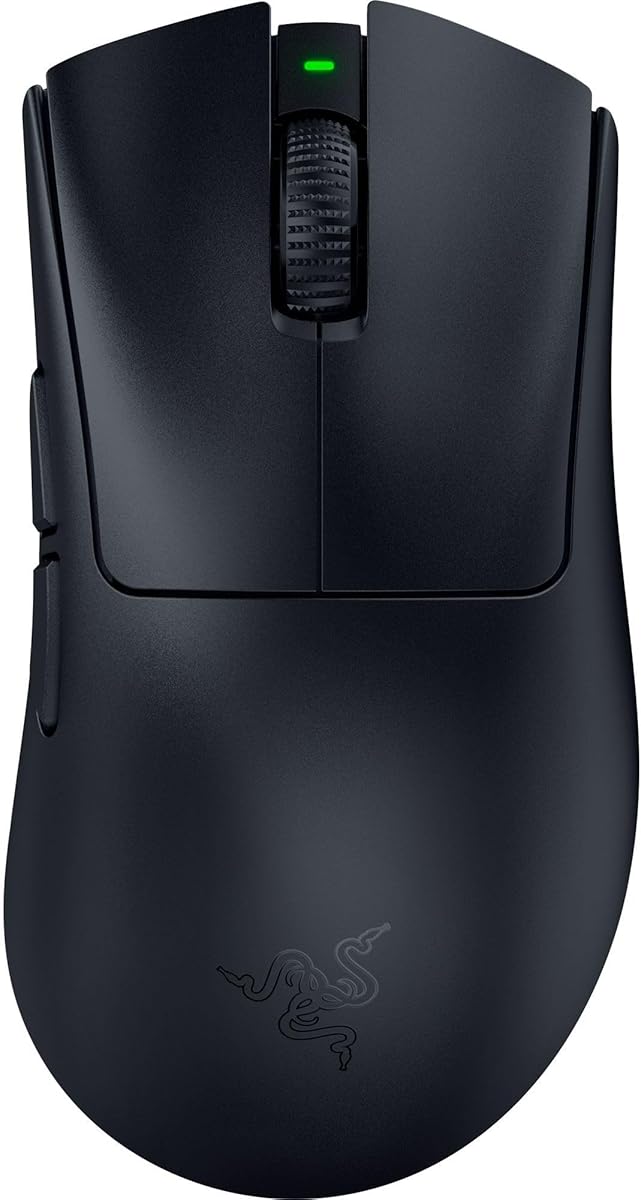
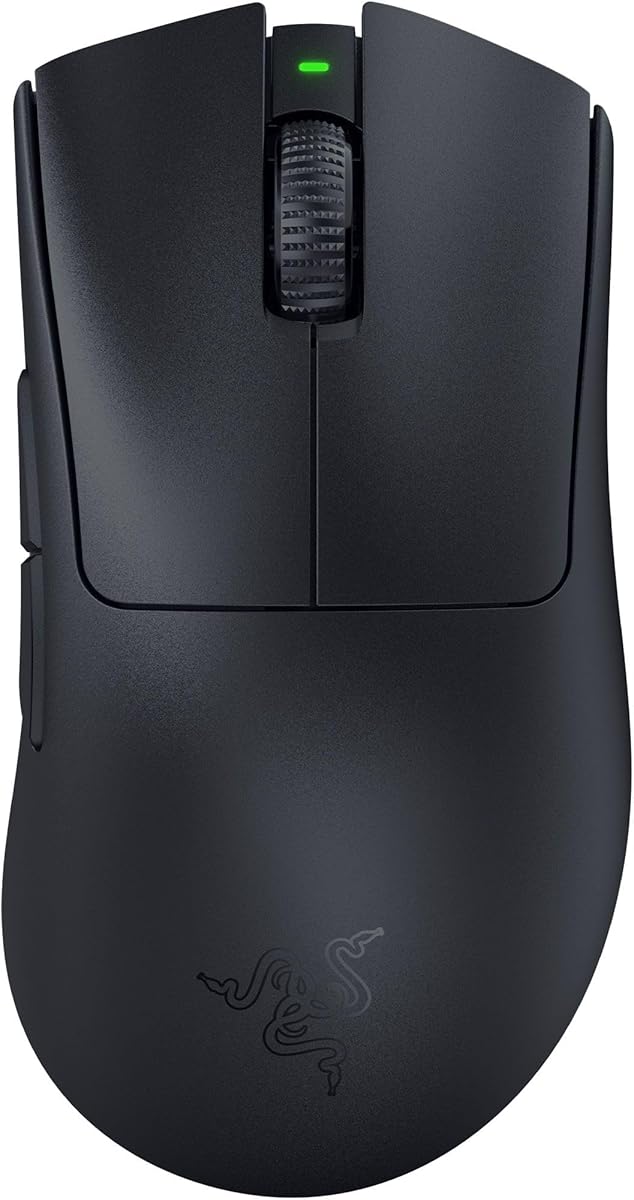
The Razer DeathAdder V3 Pro is built around a 63-gram ergonomic design and a 30K Focus Pro optical sensor, giving competitive players a lightweight option without abandoning high-resolution tracking. Its 4.3 rating and emphasis on speed, control, and stable wireless performance make it well suited to competitive gaming on high-resolution displays.
We may earn a commission when you buy through this link, at no additional cost to you.
The sensor supports tracking on surfaces including glass, while Gen-3 optical switches offer a stated 0.2 ms actuation and a 90-million-click lifespan. Razer HyperSpeed Wireless is designed for low-latency, stable performance even in busy wireless environments. Together, the light chassis, responsive switches, and high-DPI sensor create a mouse that should appeal to players who frequently make quick flicks and corrections.
Its most important limitation is simplicity. Unlike the Basilisk V3 Pro, the DeathAdder V3 Pro does not list a configurable scroll wheel, extensive underglow, or a large collection of side controls. The stated battery life of up to 90 hours is also shorter than the figures offered by several higher-end Razer models in this guide.
Buy this mouse if rapid movement, a familiar right-handed shape, and competitive wireless response are your priorities. It is a particularly sensible option for FPS and esports-style play where a light frame and uncomplicated control layout can be preferable to maximum feature count. It also gives buyers a straightforward 30K sensor option for demanding 4K desktops.
At 63 grams, the DeathAdder V3 Pro places less mass behind each correction than many conventional gaming mice. Its shape was developed with esports professionals, combining a familiar grip style with a noticeably light construction for competitive sessions.
HyperSpeed Wireless is designed to maintain stable, low-latency input in crowded wireless environments. This makes the mouse more straightforward for players who want a high-performance wireless experience without needing to add a separate high-polling receiver.
We may earn a commission when you buy through this link, at no additional cost to you.
The Razer Basilisk V3 Pro combines a 30K optical sensor, a sculpted ergonomic form, and extensive customization in a wireless mouse designed for high-resolution play. Its 4.4 rating reflects a balanced package that appeals to gamers who want precise tracking, programmable controls, flexible scrolling, and long battery life.
We may earn a commission when you buy through this link, at no additional cost to you.
The Focus Pro 30K sensor is built to track on a wider range of surfaces, including glass, and works with intelligent functions for improved aim and control. The Gen-3 optical switches provide quick actuation and a stated 90-million-click lifecycle. Meanwhile, the Hyperscroll Tilt wheel can alternate between free-spinning and tactile operation, and ten programmable buttons allow common game commands to be reassigned.
Battery life is one of the model's major strengths. Razer lists up to 150 hours on Bluetooth, up to 110 hours on HyperSpeed Wireless at a 1000 Hz polling rate, and up to 32 hours with the optional HyperPolling Wireless Dongle and Mouse Dock Pro at 8000 Hz. Reaching the maximum polling rate therefore requires separate hardware and involves a substantial battery-life trade-off.
The Basilisk V3 Pro is well suited to players who alternate between shooters, strategy titles, productivity, and content browsing. It is also an attractive choice for anyone who values lighting and control customization alongside tracking precision. Those wanting the absolute latest sensor or the lightest competitive frame may prefer other options, but this model delivers the most complete general-purpose feature set in the group.
With Bluetooth, HyperSpeed Wireless, and wired operation, the mouse can move between a gaming PC, secondary devices, and cable-based setups. Its battery figures also reveal that using the optional 8000 Hz accessories has a meaningful effect on endurance.
The dual-mode Hyperscroll wheel is useful for long documents as well as game menus, while the programmable controls can trigger push-to-talk, abilities, or macros. Chroma lighting adds visual customization without interfering with the core tracking experience.
We may earn a commission when you buy through this link, at no additional cost to you.
The Razer DeathAdder V4 Pro is the most technically advanced model in this guide, combining a 45K sensor, up to 8000 Hz polling, and a 56-gram frame. Its 4.4 rating and specification set position it as a premium choice for demanding shooters, esports competition, and players who want maximum control from a high-DPI mouse.
We may earn a commission when you buy through this link, at no additional cost to you.
The second-generation Focus Pro 45K optical sensor is specified to offer 900 IPS and 99.8% tracking accuracy, with Synapse controls for DPI, lift-off distance, polling rate, Dynamic Sensitivity, and Smart Tracking. HyperSpeed Wireless Gen-2 provides up to 8000 Hz polling, and USB-C wired mode can maintain the same maximum polling rate for players who prefer a stable cable.
The 56-gram design and re-engineered ergonomic shape prioritize quick swipes and precise tracking, while the optical scroll wheel and Gen-4 optical switches provide durable control. The switches are rated for up to 100 million clicks. Battery life is listed at up to 150 hours at 1000 Hz, although the exact runtime will vary with use, lighting, connection method, and polling configuration.
This is the pick for players who treat input hardware as a serious competitive tool and want both wireless and wired high-polling options. It may be unnecessary for casual gaming, and some buyers will prefer the lower weight of specialist esports shells or the extra controls of the Basilisk line. Even so, its combination of tracking resolution, responsiveness, and endurance gives it a clear premium identity.
Adjustable lift-off distance, Smart Tracking, Dynamic Sensitivity, and granular sensor settings allow players to tailor how the mouse behaves. These controls are particularly useful for games where controlled lift-offs, rapid flicks, or consistent tracking are priorities.
The ability to sustain up to 8000 Hz through HyperSpeed Wireless Gen-2 or a USB-C connection gives this mouse flexibility. A wired setup can suit a permanent 4K gaming station, while wireless mode removes the cable for more active play.
We may earn a commission when you buy through this link, at no additional cost to you.
The GravaStar Mercury M1 Pro pairs a 26,000 DPI sensor with 4000 Hz polling and a magnesium alloy chassis, offering a distinctive combination of precision, construction, and multi-device flexibility. Its 4.5 rating makes it one of the most highly rated choices in the guide, particularly for gamers seeking a 4K polling option and a refined desktop aesthetic.
We may earn a commission when you buy through this link, at no additional cost to you.
The PAW3395 sensor is specified for smooth tracking and accurate movement, while the included 4K receiver targets low latency and stable input. Tri-mode connectivity covers 2.4 GHz wireless, Bluetooth, and wired use, allowing the same mouse to serve as a gaming controller, travel mouse, or general-purpose peripheral. The stated battery life of up to 200 hours further strengthens its value for mixed-use setups.
The 88-gram magnesium alloy body is heavier than the 49-, 56-, and 63-gram alternatives in this roundup, but it may provide a more substantial desktop feel. The mouse also has fewer controls than most premium competitors, with programmability focused on available buttons, macros, and performance settings. Players who routinely need numerous side inputs may feel constrained by that layout.
Choose the Mercury M1 Pro for gamers who appreciate futuristic styling, 4K polling, broad connectivity, and programmable performance without needing an extensive accessory ecosystem. It is a strong fit for 4K gaming setups that also involve laptops or secondary devices, although ultra-light esports competitors may favor one of the lighter alternatives.
The combination of 2.4 GHz, Bluetooth, and wired modes gives the Mercury M1 Pro unusual flexibility. It can remain connected to a gaming rig by receiver, switch to Bluetooth for a secondary system, or use its cable when consistent power and low-latency operation are preferred.
The magnesium alloy shell gives the mouse a more premium material specification than many conventional plastic designs. Software support for macros, button remapping, RGB profiles, and performance adjustments helps players create a setup that suits their habits.
We may earn a commission when you buy through this link, at no additional cost to you.
The ATTACK SHARK RS3 ULTRA has the highest listed sensor resolution in this roundup, with support from 1 to 52,000 DPI and one-DPI adjustment. Combined with up to 8000 Hz polling, a 63-gram shell, and a 4.6 rating, it stands out as a technically aggressive option for players seeking exceptional precision on high-resolution displays.
We may earn a commission when you buy through this link, at no additional cost to you.
Its PAW3955MAX optical sensor is specified for 850 IPS, 75G, and 20,000 FPS, supporting accurate tracking, fast flicks, and controlled micro-adjustments. Nordic 54L15 processing and the SHARK 8K receiver support up to 8000 Hz in 2.4 GHz wireless and USB-C wired modes, with a click latency as low as 0.168 ms under supported settings.
The carbon-fiber hybrid shell combines a lightweight 63-gram design with structural reinforcement. Dual-layer skates are intended to provide smooth gliding, and the CNC metal wheel plus TTC Gold encoder should satisfy players who want more distinctive tactile feedback than a standard plastic scroll wheel. The browser-based driver also makes configuration more convenient because no desktop installation is required.
The principal trade-off is the modest control count. Six programmable buttons are adequate for basic shortcuts, but competitors with eleven or thirteen inputs offer much greater customization. Choose the RS3 ULTRA for maximum sensor resolution, 8K responsiveness, extremely long advertised endurance, and a lightweight shell. It is a compelling match for 4K players who prioritize raw tracking specifications over a large button array.
A maximum of 52,000 DPI provides more sensitivity headroom than most competing mice, while one-DPI adjustment supports precise control. The 8000 Hz receiver and wired mode make this a strong choice for players who want frequent input updates during fast competitive sessions.
The rechargeable 500 mAh battery is listed for up to 800 hours at 1000 Hz, and the mouse supports 2.4 GHz wireless, Bluetooth, and USB-C wired operation. That combination makes it useful for long gaming sessions as well as regular desktop use.
We may earn a commission when you buy through this link, at no additional cost to you.
The Logitech G502 Hero remains a compelling precision mouse because it combines a 25,600 DPI HERO sensor, eleven programmable buttons, and an adjustable weight system. Its 4.6 rating makes it one of the strongest-rated options in the guide, while the wired connection provides a straightforward option for a permanent gaming desk.
We may earn a commission when you buy through this link, at no additional cost to you.
The HERO sensor is specified to track without smoothing, filtering, or acceleration, helping preserve a direct relationship between physical movement and cursor response. It can detect movement below one micrometer, making it well suited to precise corrections. The dual-mode hyper-fast scroll wheel and eleven programmable buttons also provide excellent control over common game functions.
Players can fine-tune the feel using up to five removable 3.6 g weights, while mechanical switch tensioning and metal pivot hinges shape the click response. These adjustable qualities let users move beyond a one-size-fits-all approach. The trade-off is that the mouse is wired and does not list a high-polling feature, making it more traditional than the newer wireless competition models.
Buy the G502 Hero if you want proven high-DPI tracking, abundant controls, and the ability to tune both weight and balance. It is an excellent fit for MOBAs, shooters, strategy games, and a 4K setup where consistent wired tracking is preferred. Players seeking a modern 4K or 8K polling connection may prefer a newer wireless model, but the G502's customization remains unusually deep.
The HERO sensor's high maximum DPI and direct tracking behavior provide a strong foundation for detailed aiming. Logitech Gaming Software supports button assignment, lighting, DPI configurations, and other adjustments that make the mouse adaptable across different games.
Removable weights let players alter total mass and balance rather than accepting a fixed feel. This is particularly useful when switching between slower tactical movement and rapid flicks, and it distinguishes the G502 from lighter esports-focused designs.
We may earn a commission when you buy through this link, at no additional cost to you.
The Redragon M916 Wireless combines a 49-gram body, 26,000 DPI sensor, and 4000 Hz report rate, making it an unusually competitive value-oriented option. Its 4.5 rating and strong feature set make it a practical choice for 4K gamers who want a high-refresh connection without moving into the premium end of the category.
We may earn a commission when you buy through this link, at no additional cost to you.
Five selectable DPI levels are provided by default, covering a broad range from lower settings to 26,000, and software access permits adjustments from 100 to 26,000. The 2.4 GHz receiver and Bluetooth connectivity support different usage scenarios, while the lightweight design is intended to reduce effort during fast movement and long sessions.
Five programmable buttons include two default side buttons and offer custom tactical key binds. Dedicated software can adjust hotkeys, media controls, and DPI behavior, giving the compact layout more flexibility than its button count initially suggests. However, the mouse still offers fewer shortcuts than the Logitech G502, Razer Basilisk V3, and several other models in the guide, and no wired mode is listed.
Choose the M916 if a very light shell, 4000 Hz polling, and 26,000 DPI are your main requirements. It is well suited to competitive shooters, MOBAs, and budget-conscious 4K gaming builds where a lightweight wireless mouse is desired. Players who rely on numerous side buttons should count those controls carefully, but for core aiming performance the specification package is impressive.
The 49-gram construction is among the lightest in the roundup, reducing the amount of resistance involved in quick directional changes. Its shape is designed around a natural hand position, balancing the lightweight shell with comfort for extended use.
Five default DPI levels let players switch between general desktop use, medium-speed aiming, and high-sensitivity movement. Remappable tactical buttons and software-controlled settings add enough flexibility for common competitive shortcuts without adding unnecessary bulk.
We may earn a commission when you buy through this link, at no additional cost to you.
The Razer Basilisk V3 delivers 26,000 DPI tracking, eleven programmable buttons, and an exceptionally flexible scroll wheel in a proven wired ergonomic design. Its 4.6 rating makes it one of the best-rated products here, and the feature balance is especially attractive for players who want a refined desktop mouse without wireless complexity.
We may earn a commission when you buy through this link, at no additional cost to you.
The Focus Plus sensor is described as tracking without smoothing, supporting crisp, pixel-precise movement. Gen-2 optical switches provide a stated 0.2 ms actuation and a 70-million-click rating, while the Hyperscroll Tilt wheel can free-spin for rapid content movement or switch to tactile mode for precise feedback. These features make the mouse useful for both games and demanding everyday workflows.
Eleven programmable buttons provide more shortcut access than many lightweight competitors, and the 11-zone Chroma system supports more than 16.8 million colors plus dynamic effects in compatible games. The trade-offs are the permanent cable and the absence of a stated high-polling rate. This places it among the more traditional high-DPI options rather than the newest low-latency platforms.
Buy the Basilisk V3 for a wired 4K gaming station where a stable connection, extensive controls, and precise scrolling are priorities. It is well suited to shooters, strategy games, and mixed productivity sessions. Those who need a wireless link or 4000-to-8000 Hz operation will find more purpose-built alternatives in this guide.
The Basilisk form supports the hand while keeping primary and secondary buttons within easy reach. A thumb rest adds stability, and the broad body provides a familiar platform for palm and claw grip styles that players are already comfortable using.
Free-spinning mode is useful for moving quickly through long menus or documents, while tactile mode provides controlled feedback for game selections and other deliberate actions. The tilt function adds another axis of control for assigned functions.
We may earn a commission when you buy through this link, at no additional cost to you.
The Logitech G703 Lightspeed is a 95-gram wireless mouse built around the 25K HERO sensor, 1:1 tracking, and a more traditionally comfortable design. Its 4.5 rating makes it a credible high-DPI option for 4K gaming, particularly for players who prioritize grip quality, wireless freedom, and straightforward customization.
We may earn a commission when you buy through this link, at no additional cost to you.
The HERO 25K sensor supports up to 25,600 DPI, 400-plus IPS, and tracking without smoothing, filtering, or acceleration. Lightspeed Wireless is designed for responsive, stable gameplay, and the optional POWERPLAY charging system can keep compatible mice charged while they rest. That added ecosystem makes the G703 convenient for a permanently active desktop.
Its 95-gram weight is heavier than the purpose-built esports models in the guide, but rubber side grips, metal-spring button tensioning, and a conventional shape support a comfortable, controlled grip. Six programmable buttons are fewer than those on the Razer Basilisk and Logitech G502, while the stated battery life of up to 35 hours is the shortest among the wireless models listed here.
Choose the G703 if you want a comfortable wireless mouse with a high-resolution sensor, dependable connection technology, and optional wireless charging. It works well for shooters, MOBAs, and general gaming where a relaxed grip and freedom from a cable matter. Competitive players seeking an ultralight shell or 4K or 8K polling will find lighter and faster alternatives.
Rubber side grips and a 95-gram body give the mouse a more substantial, conventional feel than the lightest competition designs. Lightspeed Wireless removes the cable while preserving a focus on responsive gameplay.
An optional ten-gram weight lets players adjust the feel of the mouse, and LIGHTSYNC lighting can respond to games, audio, and screen colors. These finishing touches complement the HERO sensor and straightforward six-button layout.
We may earn a commission when you buy through this link, at no additional cost to you.
A precise mouse depends on more than a large maximum DPI number. The most useful choice balances sensor tracking, polling, ergonomics, controls, connection reliability, software, and battery behavior for the way you play.
Maximum DPI tells you the upper limit of the sensor's sensitivity, but it does not by itself establish how accurately the mouse will behave in a game. Look for descriptions that mention direct 1:1 tracking, no smoothing, no acceleration, useful tracking-speed figures, and granular DPI adjustment. The models here range from 25,600 to 52,000 DPI, which is more than enough for many 4K setups, while the ATTACK SHARK RS3 ULTRA offers the highest stated ceiling and the broadest one-DPI range.
Prioritize a sensor whose resolution you can use comfortably. Moving a pointer less physically while maintaining a visible cursor response can reduce arm strain, but excessive sensitivity can make micro-corrections difficult. Confirm whether the mouse supports a suitable low sensitivity within its stated range.
Polling rate indicates how frequently the mouse reports its position to the computer. Models here range from conventional wired operation to advertised 4000 Hz and 8000 Hz connections. A higher rate can reduce the interval between movement samples and input reports, which may benefit very fast competitive play. It does not automatically make every player faster, and it should be considered alongside sensor tracking, switch actuation, and system performance.
Check whether maximum polling is standard or requires an additional receiver or dock. The Razer Basilisk V3 Pro 35K reaches its stated 8000 Hz through compatible accessories, while the Razer DeathAdder V4 Pro supports high polling in wireless and wired modes. Higher polling rates may also reduce battery endurance.
A 4K display provides more horizontal and vertical pixels than a lower-resolution screen, allowing smaller visual details but also making tiny cursor movements meaningful. Some players reduce sensitivity to maintain visual control, while others prefer a larger cursor travel area. A high-resolution sensor offers more room to find a comfortable setting, but it should be paired with a stable pointer speed and no unwanted acceleration.
Begin with a moderate DPI setting, then adjust in small increments while playing a familiar shooter or MMO. On Windows, Razer advises disabling the Enhance pointer precision option to improve accuracy. A consistent, repeatable response is more valuable than chasing a high headline DPI number.
The mouse should fit the hand without forcing the wrist or fingers into an unnatural posture. Right-handed ergonomic shapes, such as the Razer Basilisk and DeathAdder families, favor palm and claw grips, while smaller lightweight shells often support fingertip or claw techniques. Weight also changes the feel: 49 to 63 grams favors rapid movement, while models around 88 to 95 grams provide a more substantial desktop experience.
Choose based on your established grip rather than a general weight ranking. If possible, compare hand size, button reach, and shape with a mouse you already enjoy. Removable weights, as offered by the Logitech G502 and G703, can provide a middle ground when you want to fine-tune the feel.
Modern wireless gaming mice can be highly responsive, but connection quality, interference, battery level, and polling configuration all influence consistency. Razer HyperSpeed, Logitech Lightspeed, and the SHARK 8K receiver are designed for low-latency wireless operation. Tri-mode mice are useful when a single controller needs to work with a gaming desktop, laptop, and Bluetooth-equipped secondary device.
For a fixed 4K gaming station, a wired connection removes wireless variability and may support higher polling. For active or clutter-free setups, wireless can be more convenient. Look for a dongle stored safely, avoid obstructing the receiver with metal objects, and keep the mouse charged for the most consistent results.
The number of programmable buttons determines how easily you can assign abilities, push-to-talk, macros, weapon selection, and other actions. The Razer Basilisk V3 Pro 35K leads this list with thirteen customizable controls, while the Logitech G502 and Razer Basilisk V3 offer eleven. The Redragon M916 and Logitech G703 provide a leaner approach with fewer shortcuts, which some players may prefer.
Also examine scroll-wheel behavior. A free-spinning wheel speeds navigation, a tactile wheel offers controlled feedback, and tilt input adds another assignable action. Software quality matters as much as button count, so check whether configuration is handled through a desktop application, a browser-based driver, or a platform-specific utility.
Optical switches promise fast actuation and long rated lifecycles, while a metal scroll wheel may provide more durable tactile feedback than a basic plastic component. Build materials and shell construction influence both rigidity and weight. The GravaStar Mercury M1 Pro uses a magnesium alloy chassis, while the ATTACK SHARK RS3 ULTRA uses a carbon-fiber hybrid shell. Smooth glide depends on compatible skates and an unobstructed sensor aperture.
For a 4K setup, avoid dusty surfaces and periodically clean the sensor and skates without pushing debris beneath them. A comfortable shell, consistent clicks, and smooth movement matter more for daily use than isolated component specifications. Consider the mouse's entire construction rather than focusing only on switch lifespan.
Battery figures are usually measured under particular conditions, so compare them cautiously. The Logitech G703 lists up to 35 hours, the Razer DeathAdder V3 Pro up to 90 hours, the Basilisk V3 Pro 35K up to 140 hours, and the Basillisk V3 Pro up to 150 hours on Bluetooth. The ATTACK SHARK RS3 ULTRA and GravaStar Mercury M1 Pro list even longer advertised figures, though real-world use will vary with polling, lighting, and activity.
Check whether the software remains available and whether the mouse can perform essential functions without it. Some models offer browser-based configuration, while others depend on a vendor utility. Review compatibility with your operating system, available battery information, and the convenience of charging through USB-C before purchasing.
Begin by installing the appropriate software or opening the model's supported configuration utility, then update the mouse firmware if an option is provided. Create separate DPI profiles for different games, set a comfortable starting sensitivity, and test the response in a familiar environment. If using Razer Synapse on Windows, disable the operating system's Enhance pointer precision option as recommended in the relevant product guidance. Assign side buttons only after confirming that every action feels natural under pressure.
Give the mouse a stable, clean surface with enough room for controlled movement. On a 4K display, begin with a moderate sensitivity and make small adjustments rather than making large immediate changes. Practice both slow micro-corrections and quick flicks, because a high-DPI mouse should feel controlled in both scenarios. For wireless models, maintain the receiver in an open position and keep the battery adequately charged, especially when using a high polling rate.
Clean the sensor window and contact points regularly with a soft, dry material, and remove dust that could interrupt tracking or interfere with smooth glide. Avoid abrasive cleaners, compressed air directed into buttons, and excessive moisture around optical switches or charging ports. When the shape causes wrist or finger discomfort, adjust grip, desk or pad height, and sensitivity before continuing long sessions. Replace worn skates and inspect the cable, receiver, or charging port if connection quality changes.
No. A 4K monitor describes the display's pixel resolution, while a 4K polling rate describes how often a mouse reports movement to the computer. A high-resolution sensor, stable pointer settings, and a responsive connection can provide excellent results on a 4K display even when the mouse does not support 4000 Hz polling. A 4000 Hz or 8000 Hz mouse is mainly attractive to players who value very frequent input reports.
There is no single ideal DPI because monitor size, sensitivity settings, mousepad dimensions, and personal preference all matter. Many players begin with a moderate setting and adjust gradually, especially if they use in-game sensitivity multipliers. The important goal is a movement range that supports both rapid turns and precise corrections without requiring awkward hand repositioning.
No. A higher maximum DPI only means the mouse can register greater movement per physical distance when configured at that sensitivity. Actual precision depends on sensor tracking, absence of unwanted acceleration or smoothing, stable hardware, the playing surface, and how consistently the player can control the device.
Wired mice provide a straightforward connection and can suit fixed desk setups, while wireless mice offer freedom of movement and now often include very low latency. Players concerned about consistency may prefer wired operation, particularly at maximum polling rates. Others value the cleaner desk and unrestricted movement that a reliable wireless connection provides.
Many players never need the maximum resolution offered by a mouse. A model with a 25,600 or 26,000 DPI sensor already provides substantial sensitivity range, while higher-resolution options offer more headroom. Choose based on the tracking quality, controls, polling, comfort, and connection features that matter to you rather than selecting solely by the largest DPI figure.
First check the operating system's pointer settings and remove any Enhance pointer precision option if it alters the response you want, as recommended for the relevant Razer models. Then verify that the mouse software does not apply acceleration or smoothing, and avoid duplicate profiles that might conflict. If movement still feels inconsistent, reconnect the device, update its software, and test on a clean surface.
The best grip is the one that feels natural and repeatable. Larger ergonomic mice such as the Razer Basilisk and DeathAdder models are often comfortable for palm and claw grips, while lightweight 49- to 63-gram shells can suit fingertip and claw techniques. Hand size, finger placement, and previous habits are more important than the marketing label attached to a mouse.
It can be worthwhile for competitive players who appreciate extremely frequent input reports and have a low-latency setup, but it is not essential for every gamer. High polling may reduce runtime, and benefits vary by game and play style. Consider the sensor, switches, ergonomics, and connection stability together rather than treating polling rate as the only measure of performance.
The Razer Basilisk V3 Pro 35K is the strongest all-around recommendation because it combines a 35K sensor, 8000 Hz accessory support, thirteen programmable controls, flexible scrolling, and long battery life. The Redragon M916 Wireless stands out as a value-focused option with 26,000 DPI, 4000 Hz polling, and a 49-gram frame, while the Razer DeathAdder V4 Pro takes the premium position with its 45K sensor, 56-gram design, and high-polling wired and wireless operation.
Your priorities should determine the remaining choice. Competitive players may favor the DeathAdder V3 Pro for its established lightweight shape, the DeathAdder V4 Pro for maximum responsiveness, or the ATTACK SHARK RS3 ULTRA for its 52,000 DPI sensor and long advertised battery life. The Logitech G502 Hero and Razer Basilisk V3 offer extensive controls, while the Logitech G703 and GravaStar Mercury M1 Pro provide broader wireless convenience. Comfort, surface compatibility, software, and preferred control layout matter as much as headline DPI.
Before purchasing, verify the current specifications, receiver requirements, battery expectations, and operating-system compatibility. Product features, ratings, software behavior, and prices can change, so current retailer listings should be checked before checkout. Use the product's own configuration tools to establish a comfortable starting DPI, and adjust gradually to preserve control on a 4K display.