
64GB exFAT32 USB 3.0 Flash Drive
4.5Editor score
Up to 120MB/s reads
USB-C adapter included
Metal enclosure and keychain
Exfat USB flash drive guide comparing 10 top models for speed, capacity, connectors, durability, security, compatibility, and everyday portability.
An exFAT flash drive is a portable storage device designed around a file system that handles large files and works across many modern operating systems. The best models balance useful capacity, dependable transfer speeds, broad device compatibility, and a durable enclosure, making them practical for moving media, storing documents, or expanding storage.
We compared the ten featured exFAT USB flash drives using the supplied specifications, focusing on capacity, interface design, maximum read and write speeds, connector support, physical design, security features, operating-system compatibility, and included accessories. The list covers basic USB-A models, adapter-equipped drives, and dual-interface designs for more demanding workflows.
Each pick below highlights the reasons that model belongs on the shortlist, along with any limitations suggested by its specifications. Ratings and product details can change over time, and prices fluctuate frequently, so compare the current listing, format, warranty terms, and device requirements before making a final purchase.
4.5Editor score

4.7Editor score

4.5Editor score
The comparison below places all ten drives side by side, highlighting their capacity, interface, headline transfer speeds, portability, and strongest documented feature. It is a practical way to narrow the field according to your devices, file sizes, and preferred form factor.

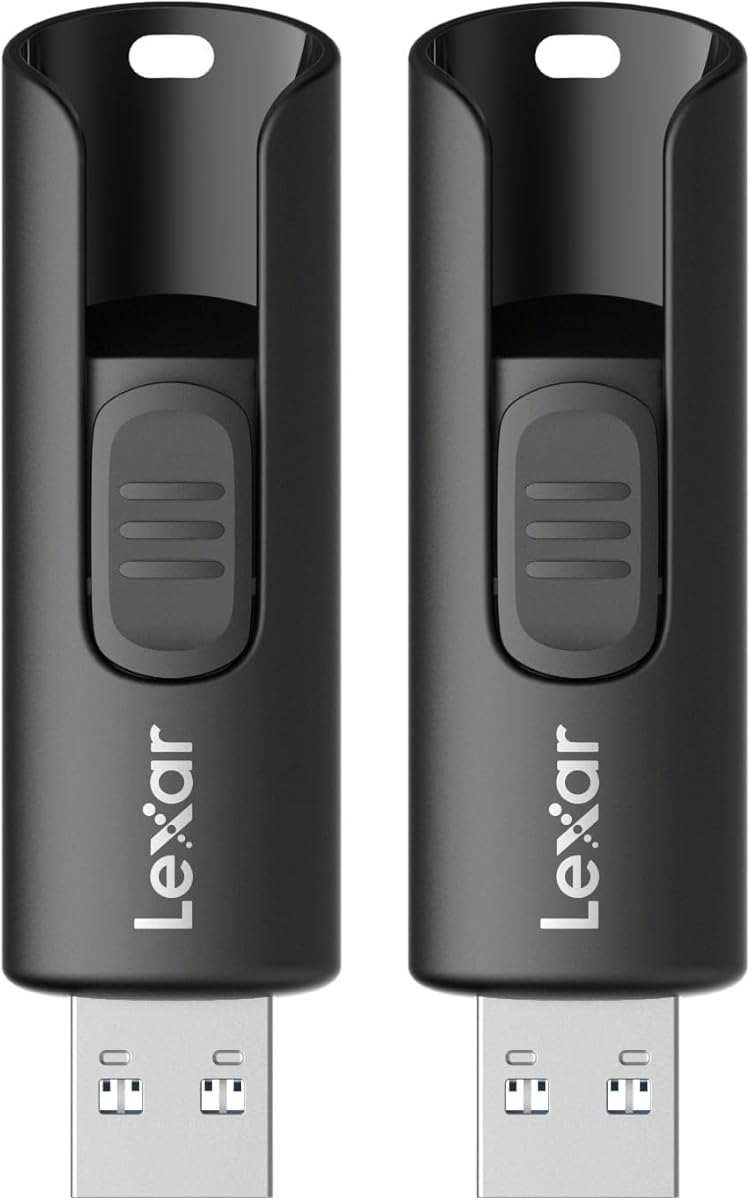


The 64GB exFAT32 USB 3.0 Flash Drive with USB3.0 C Adapter and Keychain combines a useful capacity with cross-device flexibility. Its 4.5 rating is supported by a straightforward specification set: up to 120MB/s reads, up to 45MB/s writes, a textured metal body, and a supplied USB-C adapter. That combination makes it a sensible entry point for everyday portable storage.
We may earn a commission when you buy through this link, at no additional cost to you.
The biggest practical advantage is the included adapter. It allows the main USB-A drive to connect to USB-C devices without requiring a separate cable, while the keychain provides a simple way to keep the drive with a bag or set of keys. The stated compatibility with Windows, macOS, and Linux also broadens its usefulness across common computers.
Capacity is the main constraint. A 64GB drive is appropriate for documents, coursework, a selection of photos, and smaller video collections, but it will fill quickly with extensive 4K footage or large project files. Users should also format the drive on their own device before use, as the manufacturer recommends, to reduce the chance of compatibility errors.
This is the best budget-oriented option for students, travelers, and office workers who want exFAT storage plus USB-C adaptability without moving to a premium dual-interface model. It may not suit high-resolution media archives, but its useful transfer rate, practical accessories, and metal construction make it a well-rounded general-purpose flash drive.
The USB-C adapter expands compatibility without turning the main drive into a dual-head design. It is easy to carry in a pocket alongside the keychain, although users with frequent USB-C needs may still prefer a drive with a native USB-C connector.
The textured metal shell is designed for heat dissipation and includes an anti-slip surface. Those qualities are useful when the drive is carried in a bag, attached to keys, or used during a busy workday.
We may earn a commission when you buy through this link, at no additional cost to you.
The Samsung BAR Plus stands out with a 4.7 rating, a 128GB capacity, and a durable metal design. Its listed read speed reaches up to 300MB/s, placing it well ahead of basic USB 2.0 drives and into a practical range for moving large photo, video, and document collections between compatible computers.
We may earn a commission when you buy through this link, at no additional cost to you.
Physical resilience is a defining feature. The body is described as waterproof, shock-proof, temperature-proof, magnet-proof, and X-ray-proof, while the integrated keyring helps prevent accidental loss. A five-year limited warranty adds another layer of confidence for a device expected to remain in regular use for years.
Its USB-A connector means it will not plug directly into a USB-C-only computer, so a suitable adapter or cable may be necessary. The title also mentions 400MB/s, while the detailed description states read speeds of up to 300MB/s; for realistic comparison, the product description's 300MB/s figure is the more conservative reference point.
The BAR Plus is the strongest all-around recommendation for someone who values reliability, speed, and a refined enclosure more than native USB-C. It suits students, creative professionals, and everyday computer users who want a dependable 128GB drive with generous durability claims.
The rugged body is especially relevant for a drive that moves between home, office, school, and travel. Its resistance claims cover common environmental hazards, while the integrated keyring offers a practical way to reduce misplacement.
An advertised read speed of up to 300MB/s is well suited to large media libraries. Actual performance will depend on the host device, interface, file attributes, and other operating conditions.
We may earn a commission when you buy through this link, at no additional cost to you.
The Lexar D50E 128GB Solid State Dual Drive is the most feature-oriented choice in this group, with native USB-A and USB-C connectors and headline speeds of up to 400MB/s read and 360MB/s write. Its 4.5 rating reflects a strong balance of performance, portability, and modern device support.
We may earn a commission when you buy through this link, at no additional cost to you.
Unlike adapter-based designs, the D50E lets users move between USB-A and USB-C systems without carrying another accessory. That convenience is reinforced by the cable-free format, durable metal housing, and broad device orientation. The free Lexar app also includes a Photo Backup function for iOS and Android workflows.
The app cannot currently perform iCloud content backup, so users with an iCloud-centered workflow should not treat it as a complete cloud-backup replacement. The 128GB capacity is also more modest than the largest models featured here, although it remains useful for active projects, travel media, and everyday document storage.
Choose the D50E when native USB-C convenience and fast bidirectional transfers matter more than obtaining the highest capacity. It is a particularly compelling option for creators, mobile-device users, and anyone alternating between modern laptops, tablets, phones, and older USB-A equipment.
Having both USB-A and USB-C connectors built into one body makes the drive easier to deploy across mixed device ecosystems. No separate adapter is required, reducing the chance of leaving a necessary accessory behind.
The Lexar app's Photo Backup function provides a convenient route to managing and backing up media from iOS and Android devices. It does not support iCloud content backup, so cloud and app-based storage remain separate considerations.
We may earn a commission when you buy through this link, at no additional cost to you.
The Lexar A30E USB 3.2 Gen 1 Flash Drive 128GB 2-Pack is a 4.6-rated option that includes two matching 128GB drives. Each uses a retractable USB-A connector and a slim body, making the pair convenient for separating personal files, sharing projects, or keeping one drive at home and another at work.
We may earn a commission when you buy through this link, at no additional cost to you.
The A30E is designed for convenience rather than maximum speed. Its stated read rate reaches up to 100MB/s, which is ten times faster than a standard USB 2.0 drive according to the supplied internal testing. It also works without driver installation across tablets, laptops, Macs, and other traditional Type-A devices.
Lexar DataShield adds meaningful value by creating a password-protected safe with automatic encryption. Files removed from the safe are securely erased and cannot be recovered, offering a straightforward way to protect sensitive material. The lanyard loop and push-button retractor help make the drives easy to organize and transport.
The two-pack format is ideal for users who value flexibility and capacity distribution more than native USB-C. It is less appropriate for intensive editing workflows that need the highest transfer rates, but it remains a well-rounded choice for students, teams, and households needing multiple standard flash drives.
Keeping a second 128GB drive provides a simple way to divide work, media, and personal data. The option is also useful for lending one drive while retaining another, without duplicating a larger-capacity purchase.
DataShield's password-protected safe uses automatic encryption for selected files. It is a useful complement to device-level security, particularly when a portable drive is likely to be shared or left unattended.
We may earn a commission when you buy through this link, at no additional cost to you.
The SanDisk 128GB Ultra Flair is a polished, conventional USB-A drive rated 4.6 by customers. Its up-to-150MB/s read speed and 128GB capacity make it suitable for everyday file transfers, presentations, personal media, and projects that need more room than a small memory card.
We may earn a commission when you buy through this link, at no additional cost to you.
The sleek metal casing gives it a more refined appearance than many plastic thumb drives, and the integrated design keeps the connector protected when the drive is carried. SanDisk also highlights password protection using 128-bit AES encryption, which is valuable for private documents and portable storage.
The encryption function requires a software download, particularly on Mac OS X, and is listed as supported on Windows 7, Windows 8, Windows 10, and Mac OS X 10.9 or later. Buyers using newer or unsupported operating environments should verify compatibility before relying on that feature.
The Ultra Flair is a good general recommendation for users who want an established brand, a clean metal design, and moderate-to-fast USB 3.0 performance. It is not the best choice for USB-C-only systems or the most intensive large-file workflows, but it handles routine storage duties well.
The full metal enclosure feels appropriate for a frequently handled drive and protects the storage body from everyday knocks. Its clean design also suits professional or shared environments where appearance matters.
The supported 128-bit AES encryption function can secure a private folder with a password. Software requirements and operating-system support should be checked in advance if this feature is central to the purchase.
We may earn a commission when you buy through this link, at no additional cost to you.
The MOSDART 128GB USB2.0 Flash Drive 2-Pack is a direct and uncomplicated option with two 128GB drives, two lanyards, and a default exFAT format. Its 4.5 rating reflects a dependable general-purpose package for files, music, photos, videos, manuals, software, schoolwork, and business use.
We may earn a commission when you buy through this link, at no additional cost to you.
The major distinction from most selections is its USB 2.0 interface. It can serve as a bootable flash drive and works across a wide range of Windows, Linux, and macOS environments without additional drivers. The blue-and-orange color pairing also makes it easier to separate the two drives visually.
A cap can be buckled to the opposite end of each thumb drive, helping reduce the chance of losing the protective cap during use. An activity LED provides another visible status cue, while the lanyard provides a basic attachment method for bags or keys.
This two-pack makes sense for straightforward file delivery, classroom use, or low-intensity data transfer where a faster interface is not essential. Buyers who regularly move large photos or videos should compare its USB 2.0 performance with the faster USB 3.0 and dual-interface alternatives in this guide.
The supplied information specifically identifies exFAT as the default format. That makes the drives a convenient fit for users who want a transferable file system without having to format them immediately.
Two lanyards and two colors make the pack convenient for sharing one drive between people or assigning separate storage areas. The cap attachment helps keep each small removable piece with its drive.
We may earn a commission when you buy through this link, at no additional cost to you.
The SanDisk Extreme PRO Dual Drive is built for demanding users. It combines 512GB of capacity with up to 1,000MB/s read and 900MB/s write speeds, along with native USB-C and USB-A connectors. Its 4.6 rating makes it one of the most attractive high-performance options in the list.
We may earn a commission when you buy through this link, at no additional cost to you.
The large capacity reduces the need to delete and transfer files constantly, which is helpful for creative projects, critical documents, and media libraries. The sophisticated metal design is intended to withstand regular travel, while the dual connectors make it convenient to work across different systems without an adapter.
SanDisk's Memory Zone app adds automatic backup, file management, and retrieval features. Encryption technology provides another layer of protection, though buyers should review the specific software requirements and current platform support before relying on those functions.
This drive is best suited to photographers, video editors, and professionals who regularly move large files. It may be excessive for documents, school assignments, or occasional backups, but for high-volume creative storage, the combination of speed, capacity, and native dual connectivity is difficult to overlook.
The advertised read and write speeds can substantially shorten transfers of large media collections when paired with a suitable host. Users should verify that their computer port and files can support the drive's full potential.
With 512GB and two native connectors, the drive can act as a substantial portable media library. It is particularly convenient for users moving between USB-C and USB-A devices while carrying a single storage solution.
We may earn a commission when you buy through this link, at no additional cost to you.
The TEWENE 64GB exFAT USB 3.0 Thumb Drive and USB-C Adapter offers a compact option for office workers, students, and travelers. Its 4.3 rating is the lowest in this group, but the product remains a straightforward choice for assignments, courseware, documents, photos, and travel memories.
We may earn a commission when you buy through this link, at no additional cost to you.
Its most distinctive physical feature is the sturdy clip, which can attach the drive to keychains, bags, or laptops. That helps prevent the small drive from being misplaced and allows it to remain with the user's equipment while in use or storage.
The drive uses USB 3.1 Gen 1 technology, with claimed read speeds up to 85MB/s and write speeds up to 30MB/s. A USB-C adapter expands the range of compatible devices, including selected smartphones, tablets, laptops, and car audio systems.
This is a good fit for people who need a small, attachable drive for essential files rather than a large media archive. The included adapter and exFAT positioning add flexibility, while the 64GB capacity and lower transfer rate make it less suitable for intensive editing or extensive video storage.
The integrated clip gives the drive a natural place on a bag, laptop, or keychain. It is especially helpful for compact models that could otherwise disappear inside a pocket or bag.
The included USB-C adapter allows the USB-A drive to connect to compatible USB-C equipment. Exact device behavior can vary, so the specifications of a particular phone, tablet, or car system should be checked first.
We may earn a commission when you buy through this link, at no additional cost to you.
The SSK 128GB USB C Flash Thumb Drive uses native USB-C and USB-A connections to serve computers, tablets, and compatible Android devices. Its 4.4 rating and up-to-550MB/s read speed place it among the quicker options, while the default exFAT format supports broad cross-platform use.
We may earn a commission when you buy through this link, at no additional cost to you.
Its dual-head design is useful for releasing space on an OTG-enabled Android phone, moving pictures or movies to a tablet, or connecting directly to a modern computer. The drive supports plug-and-play operation without software installation, simplifying everyday transfers.
The zinc alloy shell is described as resistant to falling and abrasion, while a double-head protective cover helps protect both connectors. The design also emphasizes shock resistance and heat dissipation, which are helpful qualities for a device that may remain inserted during file transfers.
This drive is a good choice for users who need more speed and native USB-C than a basic adapter-equipped model provides. It is not compatible with the Lightning port, so it cannot be assumed to work with iPhone accessories that rely on that interface, despite broader references to smartphones in the listing.
Native USB-C can make the drive useful with compatible Android phones and tablets that support OTG storage. This allows users to move files or play stored media without relying on a cloud connection.
The USB-A side supports traditional computer ports, while the USB-C side handles newer equipment. Up-to-550MB/s reads and 500MB/s writes are useful for larger files when the host device and connection can sustain them.
We may earn a commission when you buy through this link, at no additional cost to you.
The Samsung FIT Plus 256GB combines a high 4.7 rating with 256GB of storage in an exceptionally compact body. Its up-to-300MB/s read speed is suitable for moving substantial collections of photos, music, documents, and video between compatible systems.
We may earn a commission when you buy through this link, at no additional cost to you.
The seamless, low-profile design is easy to carry and includes a keyring to help prevent loss. Compared with larger full-size thumb drives, it can be easier to keep in a narrow pocket, laptop sleeve, or organizer without the body projecting far from the port.
Samsung describes the drive as shock-proof, waterproof, temperature-proof, X-ray-proof, and magnet-proof. It also carries a five-year limited warranty. Users who need USB-C should note that the main connector is USB-A, so an adapter or appropriate cable will be necessary for USB-C-only equipment.
The FIT Plus is an excellent selection for anyone wanting substantial capacity in a discreet package. It is well suited to media collections, console transfers, car audio, and general storage expansion, while remaining less appropriate when a native USB-C plug is essential.
The FIT Plus offers 256GB without the bulk of a conventional full-size drive. Its low profile makes it convenient for storage in a tight laptop sleeve, pocket, or travel organizer.
Shock, water, temperature, X-ray, and magnet resistance claims make the drive suitable for regular mobile use. The included keyring and five-year warranty further support its long-term role as a personal storage device.
We may earn a commission when you buy through this link, at no additional cost to you.
Choosing the right exFAT USB flash drive involves balancing capacity, connector design, speed, durability, and the devices you expect to use. The most important first step is to verify that the drive actually ships in exFAT, because a compatible file system alone does not guarantee a particular default configuration.
exFAT is useful for large files and cross-platform use because it avoids the 4GB file-size limitation associated with FAT32. It is supported by current Windows and macOS systems and is commonly used with compatible Android and Linux environments, but the operating system version and device configuration still matter. Check the listing for an explicit exFAT statement, and if necessary format the drive after insertion. Formatting can erase its contents, so complete any setup before copying important files.
In short, confirm exFAT before buying and verify the format again after setup. This is the most important compatibility check in the category.
Capacity should reflect the types and quantity of files you intend to move. A 64GB drive is adequate for documents, coursework, and a modest photo collection, while 128GB offers more breathing room for media and project files. The 256GB Samsung FIT Plus and 512GB SanDisk Extreme PRO Dual are better suited to larger libraries, but they are not necessary for simple document storage. Two packs can also be useful when you need separate storage for different people or purposes.
Choose enough capacity for your working files plus some temporary space. Avoid filling a drive completely because free space can affect file management and future updates.
Read speed determines how quickly existing files can be opened or copied from the drive, while write speed affects how quickly data is saved to it. The featured models range from a basic USB 2.0 design with no headline speed figure to dual-interface drives claiming up to 1,000MB/s reads and 900MB/s writes. These figures are maximum or internally tested values, so real results depend on the host, port, file sizes, and workload.
Prioritize faster sustained write performance when moving large videos. For documents and small files, a USB 3.0 model with moderate speed is generally sufficient.
USB-A remains common on desktop computers, but many modern laptops, tablets, and phones rely exclusively on USB-C. Native dual-interface drives are the simplest option for mixed-device use. An adapter-equipped model can also work with USB-C systems, provided the adapter supports the necessary data connection and the host device recognizes the drive. Lightning-equipped iPhones cannot use a conventional USB-C or USB-A flash drive without appropriate additional hardware and compatible apps.
Match the connector to your most frequently used ports. Native USB-C is convenient, while a USB-A drive may be more universally useful in older computer environments.
A metal shell can improve heat dissipation and offer better resistance to everyday impact than a lightweight plastic body. Some featured drives also specify resistance to water, shock, temperature, magnets, and X-rays. Other useful design details include a retractable connector, a cap attachment, an integrated clip, or a keyring. These features matter more for users who carry a drive regularly or work in locations where it may be dropped or exposed to moisture.
Look for a body that suits your routine. Ruggedness is valuable for travel, while a low-profile or retractable design may be more important for daily office use.
Password protection can create a protected area for sensitive files. The SanDisk Ultra Flair supports 128-bit AES encryption through its SecureAccess software, while the Lexar A30E includes DataShield with automatic encryption for its protected safe. These tools can add meaningful protection, but operating-system and software requirements should be confirmed before purchase. Encryption is especially useful for drives that are shared, transported frequently, or used to store personal and business records.
Treat security software as an important part of the product, not an extra. Verify compatibility and learn how to recover access before storing irreplaceable files.
Some flash drives include software that adds automatic backup, media management, or protected storage. The Lexar D50E provides a Photo Backup function for iOS and Android, while the SanDisk Extreme PRO Dual supports the Memory Zone app. These tools can improve the experience for photographers and mobile users, but they also create platform dependencies. A drive should still be suitable for direct file transfer without an app, and users should not confuse an app-based workflow with a complete cloud backup strategy.
Choose app features only when they support your existing devices. Native plug-and-play operation remains the most important baseline requirement.
Adapters, keychains, lanyards, and caps can materially improve convenience. The 64GB USB 3.0 drive and TEWENE drive include USB-C adapters, while the MOSDART pack includes two lanyards. Warranty length and support policies also deserve attention: both Samsung selections offer a five-year limited warranty, whereas the other products have different support arrangements described in their listings. Check the current package contents because accessories and manufacturer policies can change.
Treat accessories as a convenience bonus rather than the main reason to buy. The core requirements remain appropriate capacity, reliable formatting, suitable connectors, and compatibility with your devices.
Before using a new flash drive, confirm that its existing file system is exFAT and that the format is compatible with every device in your workflow. If necessary, use your computer's formatting utility to format the drive as exFAT. Choose a recognizable volume name, follow the prompts carefully, and remember that formatting removes existing data. After formatting, wait for the process to finish before disconnecting the drive.
Copy files normally through the operating system's file manager, but eject the drive through its system tray or notification area before unplugging it. This lets cached data finish writing and reduces the chance of file-system errors. Avoid moving the drive while a transfer is active, and do not remove it during updates, backups, encryption operations, or media playback. For frequently used files, maintain separate working and backup copies rather than treating the flash drive as the only copy.
Keep the connector clean and protect it from moisture, dust, bending, and impact. Retractable models should be fully retracted before storage, while capped drives need the cap secured. Dual-interface models benefit from using their protective cover, and low-profile drives should not be forced into a tight port. Store the drive in a cool, dry place, periodically verify important files, and use security features when the contents are sensitive.
For modern portable storage, exFAT is usually more practical because it supports files larger than 4GB while remaining easy to use across Windows and macOS. FAT32 can be preferable for certain systems that require it, especially older devices or specialized boot-media workflows. Choose the format based on the devices that must read the drive, and reformat only after backing up existing data.
Yes, modern Windows and macOS systems generally support exFAT. Compatibility can still be affected by the age of the operating system, device-specific firmware, and whether the drive is formatted correctly. Test the drive on each important system before relying on it for a critical transfer, and make sure the device can supply enough current for a high-speed drive.
No, but exFAT is a strong choice for large files and cross-platform storage. Some drives are supplied in exFAT, while others may arrive in a different format or become reformatted by a previous user. Check the current format before use. Formatting to exFAT makes the drive more suitable for modern media, but it erases existing contents.
A native USB-C drive is usually more convenient because it is ready to connect to modern phones, tablets, and laptops without another accessory. An adapter-equipped USB-A drive can offer similar versatility and may be useful across mixed systems. Check that any included adapter supports data transfer rather than charging alone, and confirm device support for direct flash-drive access.
Advertised speeds are normally maximum figures measured under favorable conditions. The host computer, USB port version, cable or adapter, file size, system workload, and drive activity can all affect results. Small files often transfer much more slowly than large sequential files. Use a modern USB 3.0 or faster port, avoid unpowered hubs, and compare realistic large-file transfers with the stated specification.
Many compatible Android devices with USB-C and OTG support can access a suitably formatted flash drive. You may need a USB-C adapter or hub, and the device must provide sufficient power. File managers commonly appear through Android's system interface after connection. iPhones with a Lightning port cannot use these conventional USB drives directly without separate compatible hardware and apps.
Capacity depends on the resolution and length of your media, but 128GB is a versatile starting point for moderate collections. The 256GB Samsung FIT Plus offers more room for larger libraries, while the 512GB SanDisk Extreme PRO Dual is aimed at demanding creative workflows. A 64GB drive can work for documents and selected media, but high-resolution video may consume that space quickly.
Use a password-protected, encrypted folder when the drive contains sensitive information. The SanDisk Ultra Flair and Lexar A30E include documented security tools for this purpose. Set up and test the protection before storing important files, and keep any required recovery information safely. Encryption does not protect against every physical risk, so critical documents should also have another backup.
The Samsung BAR Plus is the strongest all-around choice for its 4.7 rating, up-to-300MB/s read speed, rugged metal body, and five-year warranty. The 64GB exFAT32 USB 3.0 model leads the budget group with a USB-C adapter and keychain, while the Lexar D50E offers the best premium mix of native USB-C and USB-A connectivity, high transfer speeds, and photo backup support.
Prioritize verified exFAT formatting, sufficient capacity, and a connector that fits your most frequently used devices. High-speed models are most valuable for large media, while smaller USB 3.0 drives are sufficient for documents and everyday file sharing. If privacy matters, verify the security software and its system requirements before placing sensitive files on the drive.
Finally, check the current listing, warranty, package contents, and file format before purchasing. Ratings, firmware, software support, accessories, and prices can change, so the details available at the time of purchase should guide the final decision.