
Lexar D50E 256GB Solid State Dual Drive
4.6Editor score
Up to 400MB/s read speed
Dual USB-A and USB-C
Metal housing construction
Mobile photo backup support
Compare the best Lexar USB Flash Drive options by speed, capacity, connector design, security, portability, and everyday use in this expert guide for 2026.
A Lexar USB flash drive can provide a convenient way to move documents, photos, videos, music, and other files between computers and compatible devices. The most useful model balances capacity, transfer performance, connector compatibility, physical protection, and file-security features according to how and where you plan to use it.
This guide compares ten Lexar flash drives across USB generation, storage capacity, connector style, portability, warranty coverage, and security capabilities. It includes traditional Type-A models, dual USB-A and USB-C designs, performance-focused solid-state dual drives, and multi-packs intended for sharing, organizing, or keeping separate sets of files.
The recommendations range from compact USB 2.0 options for everyday documents to high-speed models for larger media libraries. Each review highlights the strongest reasons to choose that drive, along with its practical limitations. Product availability and pricing can change, so check the current listing before purchasing.
4.6Editor score

4.5Editor score

4.8Editor score
This side-by-side comparison covers ten Lexar USB flash drives with different capacities, interfaces, and intended uses, helping readers identify the right balance of storage, speed, portability, connector convenience, and security.
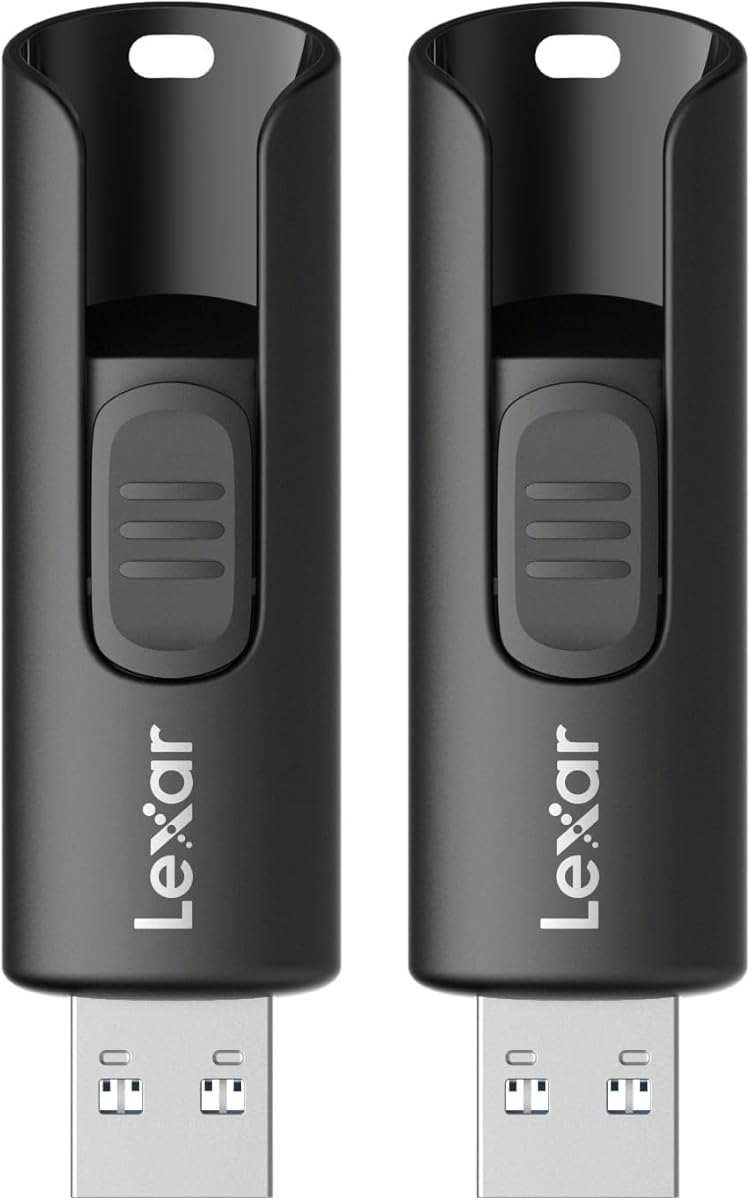


The Lexar A30E 128GB 2-Pack is an adaptable everyday choice for shoppers who want more than one portable drive without moving into a premium speed category. It holds a 4.6 rating and combines a slim Type-A body with a push-button retractor, a lanyard loop, and an integrated password-protected safe. The two-drive format is particularly useful when separating work and personal files or sharing one drive with another person.
We may earn a commission when you buy through this link, at no additional cost to you.
Its USB 3.2 Gen 1 interface is listed with transfer speeds of up to 100MB/s, making it better suited to routine documents, photo collections, and compressed video than extremely large media libraries. The Type-A connector works with compatible laptops, Macs, tablets, and traditional devices without software installation. Lexar DataShield adds practical protection by creating a password-protected safe with automatic encryption, while deleted safe contents are described as securely erased and unrecoverable.
The main limitation is that this is a single-connector model. Users with USB-C-only equipment would need an adapter, and the 100MB/s maximum read speed is modest beside the 150MB/s and 400MB/s options elsewhere in this guide. Performance also depends on the host device, interface, and operating conditions. Even so, the A30E's compactness, two-pack format, and useful security software give it broad appeal.
This is the strongest overall recommendation for readers who value a balanced package of capacity, portability, familiar connectivity, and password protection. Choose it for everyday transfers, school work, client files, and travel storage. For large video projects or modern connector-only workflows, a USB-A and USB-C dual drive may be the more sensible alternative.
Receiving two 128GB drives makes it easy to maintain separate libraries for work, backups, shared media, or different projects. The matching retractor design also keeps each connector protected without requiring removable caps.
Lexar DataShield creates a password-protected safe with automatic encryption. This is helpful for sensitive documents that need more protection than ordinary removable storage provides.
We may earn a commission when you buy through this link, at no additional cost to you.
The Lexar D50E 256GB Solid State Dual Drive is the performance-focused selection in this guide, with a 4.6 rating and listed speeds of up to 400MB/s read and 360MB/s write. Its defining advantage is the cable-free design: both USB-A and USB-C connectors are built into the drive, allowing it to move directly between modern and traditional devices.
We may earn a commission when you buy through this link, at no additional cost to you.
The solid-state construction and durable metal housing are designed for frequent use and portable storage. Capacity is offered as high as 1TB, making the family appropriate for photographers, video editors, students, and professionals who need a self-contained media library. The free Lexar App includes a Photo Backup function for iOS and Android, although the product information specifically states that iCloud content backup is not yet supported.
Its stated transfer performance is based on internal testing, and actual results can vary with the host device, interface, files, and usage conditions. The 256GB version may also be more storage than a buyer needs for text documents or occasional photo sharing. Even so, few conventional flash drives in this roundup combine such high transfer rates with two native connectors and a compact metal body.
The D50E is the premium recommendation for anyone who regularly moves large files or wants one drive to cover USB-A and USB-C equipment. Choose it when transfer speed, connector convenience, and durable construction outweigh the need for a simple low-cost drive. For occasional document sharing, the A30E or E31 may be more than sufficient.
The built-in USB-A and USB-C plugs make the D50E especially convenient for offices, classrooms, travel, and mixed-device households. No separate adapter or cable is needed for a compatible port.
Listed read speeds of up to 400MB/s and write speeds of up to 360MB/s make this suitable for sizable photo collections, video files, backups, and other transfers where waiting time matters.
We may earn a commission when you buy through this link, at no additional cost to you.
The Lexar 128GB JumpDrive S80 is a well-rounded model for users who want more speed and stronger security than a basic USB 2.0 drive. It has a 4.5 rating, a stated read speed of up to 150MB/s, a retractable design, and advanced security software with 256-bit AES encryption.
We may earn a commission when you buy through this link, at no additional cost to you.
Its USB 3.2 Gen 1 interface can deliver write speeds up to ten times faster than standard USB 2.0 drives, according to the supplied product information. It is also backward compatible with USB 3.1, USB 3.0, and USB 2.0 devices, making it a practical choice for users who alternate between newer and older computers. The three-year limited warranty adds useful support for a frequently carried storage device.
The drive uses a traditional USB Type-A connection. That remains broadly useful with laptops and desktop computers, but a USB-C-only tablet or phone may require an appropriate adapter. Retractable construction reduces the chance of losing a cap, although the extended connector still needs care when inserted or removed. Performance will also be limited by older ports and the devices reading or writing the files.
The S80 is a strong recommendation for confidential work files, student projects, and general transfers where encryption matters. It is also a natural upgrade over a basic USB 2.0 stick when higher transfer performance is desirable. Buyers who regularly use USB-C-only hardware should give the dual-connector D50E or D400 priority instead.
The included security software uses 256-bit AES encryption, offering a useful way to protect files that should not remain casually accessible on a portable drive.
USB 3.2 Gen 1 performance can take advantage of compatible modern ports while retaining compatibility with USB 3.1, USB 3.0, and USB 2.0 systems.
We may earn a commission when you buy through this link, at no additional cost to you.
The Lexar D40E 128GB two-pack is built around a practical dual-connector format, combining USB Type-A and USB Type-C in a slim swivel body. Its 4.3 rating is the lowest in this selection, but the design addresses a common compatibility problem by allowing users to rotate the drive and select the appropriate plug without carrying a separate adapter.
We may earn a commission when you buy through this link, at no additional cost to you.
The listed transfer speed reaches up to 100MB/s, with performance subject to the host device, interface, and usage conditions. Plug-and-play operation expands compatibility to USB Type-C smartphones, tablets, laptops, Macs, and traditional Type-A devices. The 360-degree swivel protects the connectors when stored and eliminates the loose-cap problem associated with many flash drives.
Physical specifications include a metal enclosure, a weight of 26 grams, dimensions of 70.4 by 16.9 by 11.7 millimeters, and an operating range from 0 to 50 degrees Celsius. Advanced security software with 256-bit AES encryption is included, and the drive carries a three-year limited warranty. The main drawback is its lower stated speed than the S80, M400, D400, and D50E.
The D40E is worth considering for households that need to move files between a USB-C phone and a traditional computer. The two-pack also supports separate work and personal storage roles. For maximum transfer speed on modern hardware, however, the D50E offers a more performance-focused alternative.
Rotating the body moves the selected connector into position and shelters the other one when the drive is not in use. This makes the two-pack convenient for daily carry and shared storage.
Native USB-C and USB-A connectors support compatible smartphones, tablets, laptops, Macs, and conventional Type-A devices without requiring software installation.
We may earn a commission when you buy through this link, at no additional cost to you.
The Lexar TwistTurn2 32GB three-pack is a straightforward choice for basic portable storage. It has a 4.6 rating and uses a twist-open mechanism that reveals the USB interface while eliminating the need for a removable cap. Its hinged jacket rotates to help protect the connector during storage and transport.
We may earn a commission when you buy through this link, at no additional cost to you.
Three drives allow separate storage for different people, projects, classrooms, or categories of files. Each 32GB drive supports documents, photos, music, and other common file types. The plug-and-play design means no installation is needed, while compatibility with most PC and Mac computers makes the set broadly useful for routine transfers.
The main compromise is USB 2.0 performance. It remains backward compatible with USB 1.1, but large files, high-resolution video, and extensive media libraries will take longer to move than on the D50E, S80, or M400. The 32GB capacity is adequate for many everyday needs but limited compared with the 128GB and 256GB models in the guide.
The TwistTurn2 is a sound option for students, families, or offices that want several inexpensive drives with minimal fuss. Choose it for text documents, presentations, modest photo collections, and general sharing. Buyers handling large video files should favor a higher-capacity USB 3.2 Gen 1 model.
The rotating jacket keeps the connector attached to the drive, removing the need to track a small cap and providing some physical shielding when the drive is closed.
Keeping one drive for documents, another for photos, and a third for shared or temporary files can simplify storage across several people or distinct projects.
We may earn a commission when you buy through this link, at no additional cost to you.
The Lexar 256GB JumpDrive D400 combines useful capacity, dual connectivity, and a higher-speed interface in a conventional thumb-drive format. Its 4.6 rating reflects a balanced offering, while USB Type-A and USB Type-C connectors let it fit directly into a wider range of computers, tablets, and compatible Android devices.
We may earn a commission when you buy through this link, at no additional cost to you.
USB 3.2 Gen 1 performance and a listed read speed of up to 130MB/s make it more appropriate for large photos, videos, and working file collections than a USB 2.0 drive. The 256GB capacity is a meaningful step up from 32GB and 64GB options, reducing the need to move files off the device as frequently. A stylish metal housing and swivel design protect the connectors and add a more durable feel.
Lexar DataShield provides advanced file protection, giving the drive useful value for sensitive documents. Nevertheless, it does not match the D50E's stated 400MB/s read and 360MB/s write speeds, and real performance will depend on the host and transferred files. Buyers who require the highest speed may prefer to spend more on the premium solid-state dual model.
The D400 is a strong middle ground for professionals, students, and media users who need both capacity and modern connector support. It is especially helpful for people moving between a USB-C laptop and a traditional Type-A desktop. For very large video libraries, the D50E is the speed-oriented choice.
The 256GB capacity offers room for substantial photo, video, document, and project collections while remaining compact enough for a pocket or keychain.
The integrated swivel rotates the selected connector into place and protects the drive when carried, while the metal housing gives it a more substantial construction.
We may earn a commission when you buy through this link, at no additional cost to you.
The Lexar JumpDrive S60 32GB five-pack is built for distribution, sharing, and organized storage. It carries a 4.7 rating, the highest among the multi-drive sets in the guide, and includes five 32GB USB 2.0 drives with assorted appearances. That combination is useful for classrooms, events, teams, and households that need several separate devices.
We may earn a commission when you buy through this link, at no additional cost to you.
Each drive has a sliding protective cover that helps guard the connector without a loose cap. The USB 2.0 interface is described as supporting fast file transfers for its class and remains backward compatible with USB 1.1. The drives work with most PC and Mac systems and carry a manufacturer's two-year limited warranty.
Its limitations are speed and capacity per unit. USB 2.0 is not an ideal choice for transferring lengthy video files, while 32GB may quickly fill if it is used for high-resolution photography. The multi-drive format also does not make every model more secure; these S60 drives do not list the encryption or password-protection features found on several other picks.
The S60 five-pack is most appropriate for handing out smaller storage units or assigning a dedicated drive to each person. It also works for separating categories such as event materials, archived documents, and temporary files. For faster workflows or larger media, one of the 128GB or 256GB USB 3.2 Gen 1 drives is the better direction.
The five-drive format reduces the need to buy and manage separate sticks individually, making it convenient for events, shared projects, and instructional environments.
Assorted appearances make the drives easier to distinguish at a glance, which is helpful when several people need to store or retrieve their own files.
We may earn a commission when you buy through this link, at no additional cost to you.
The Lexar 128GB JumpDrive M400 offers a polished combination of 128GB capacity, USB 3.2 Gen 1 performance, and file-security software. Its 4.4 rating sits in the middle of the group, but the stated read speed of up to 150MB/s and Lexar DataShield support make it a versatile choice for everyday storage.
We may earn a commission when you buy through this link, at no additional cost to you.
Its durable, stylish design is intended to withstand regular use while remaining portable. The drive is backward compatible with USB 3.1, USB 3.0, and USB 2.0 devices, and it supports PC and Mac systems. These qualities make it useful for students, office workers, and anyone maintaining a collection of documents, photos, or presentation materials on removable storage.
The Type-A connection is the main constraint. It will not plug directly into a USB-C-only device, and a compatible adapter would be needed in that situation. Its 4.4 rating also suggests that while the overall proposition is solid, it does not stand out as strongly as the D50E, A30E, or D400. Host-device limitations can reduce the advertised speed.
The M400 is a good recommendation for buyers who prioritize design, security, capacity, and faster transfers without needing a dual connector. Choose it for work documents, general media storage, and compatible laptops or desktops. A USB-C-focused owner should compare it with the D40E or D400 before deciding.
Lexar DataShield adds password-based file protection, while USB 3.2 Gen 1 performance helps reduce transfer time for photos, videos, and documents.
The M400 combines a 128GB capacity with a durable, stylish housing, making it suitable for a drive that is carried and used regularly rather than stored away.
We may earn a commission when you buy through this link, at no additional cost to you.
The Lexar E31 64GB is a compact, uncomplicated drive for everyday documents, photos, videos, and general file transfers. It has a 4.6 rating, a stated transfer speed of up to 100MB/s, and an all-metal body that should appeal to buyers who prefer a simple device without a swivel mechanism or removable cap.
We may earn a commission when you buy through this link, at no additional cost to you.
Its USB 3.2 Gen 1 interface includes backward compatibility with USB 2.0 ports, and the plug-and-play design requires no software installation. It is listed as compatible with PCs, laptops, TVs, car audio systems, and other USB-enabled devices. An integrated keyring loop makes it easy to attach to a keychain or lanyard and reduce the chance of leaving it behind.
The 64GB capacity is the clearest trade-off. It suits a moderate collection of documents and images but can be limiting for extensive video libraries or backup storage. The 100MB/s maximum read rate is also below the S80, M400, D400, and D50E. Nonetheless, the drive's compact metal construction and simple operation are worthwhile for basic use.
The E31 is recommended for people who want a dependable daily carry drive that can move between many USB-enabled devices. Choose it for school materials, travel documents, media sharing, and compact storage. Users needing more capacity, faster transfers, or a native USB-C plug should choose a different model.
The all-metal housing provides a sturdy, straightforward design suited to regular transport between home, office, school, and compatible media devices.
The integrated loop allows the drive to be attached to keys, a lanyard, or a bag, which is especially helpful for a small device used every day.
We may earn a commission when you buy through this link, at no additional cost to you.
The Lexar JumpDrive S60 32GB black three-pack stands out with a 4.8 rating, the highest numerical rating among the ten products. It is a practical option for readers who want multiple matching USB 2.0 drives for simple document storage, sharing, backups, or separating files by person or project.
We may earn a commission when you buy through this link, at no additional cost to you.
Each drive includes a sliding protective cover, which helps shield the connector without requiring a separate cap. The interface supports file transfers and is backward compatible with USB 1.1. The drives work with most PC and Mac systems, require no complicated setup, and are backed by a two-year limited warranty.
This is intentionally a basic package rather than a high-speed one. USB 2.0 performance is the deciding limitation for large video, extensive photo collections, and frequent backups. Each drive also holds only 32GB, which may be insufficient for some modern workflows. The matching black appearance makes organization easy, but it offers no inherent advantage over the assorted S60 five-pack when visual differentiation is more important.
The S60 three-pack is a strong recommendation for families, small teams, or students who need several inexpensive, straightforward drives. Choose it for presentations, school assignments, client hand-ins, and compact temporary backups. Those needing greater capacity or faster transfers should consider the 128GB S80, M400, or A30E instead.
Three identical black drives are easy to label, organize, and issue to separate users who need a dedicated place to store or exchange files.
The cover moves over the USB connector when the drive is not in use, avoiding loose caps and helping protect the exposed plug during transport.
We may earn a commission when you buy through this link, at no additional cost to you.
The right Lexar flash drive depends on the files you carry, the ports you use, the devices you connect to, and how often it travels. Capacity, interface speed, connector design, security, and build quality should be considered together rather than separately.
Capacity should reflect both current needs and expected growth. A 32GB drive works for documents, presentations, and modest photo collections, while 64GB offers more room for mixed media. The 128GB models in this guide offer a stronger balance for larger photo libraries, school projects, and compressed video, and 256GB is more appropriate for substantial working collections, media files, and local backups. Check the capacity of each individual drive carefully in multi-packs, since a three-pack of 32GB models provides 96GB total while a two-pack of 128GB models provides 256GB total.
USB 2.0 remains practical for smaller files and older computers, but it is much slower than USB 3.2 Gen 1. Models such as the S80 and M400 are listed at up to 150MB/s read, while the A30E and E31 reach up to 100MB/s. The premium D50E lists up to 400MB/s read and 360MB/s write. A faster drive will not exceed the limitations of its host port or connected device, so matching the drive to a USB 3.2 Gen 1 computer or compatible device unlocks its greatest potential.
USB Type-A remains common on desktop computers and many laptops, but modern phones, tablets, and thin laptops increasingly rely on USB Type-C. A dual-connector drive such as the D50E, D40E, or D400 lets you move between both without an adapter. A Type-A-only model is simpler and may suit owners of traditional computers, though USB-C-only users should confirm that they have the correct adapter before buying. The D50E is the speed leader, while the D400 and D40E offer more accessible dual-connector designs.
Read speed matters when opening or copying files from the drive, while write speed affects how quickly data is saved onto it. The stated figures provide a useful comparison, but they are not guaranteed results for every file or host. Large video, extensive RAW images, and frequent backups benefit from the higher limits of the D50E. Documents, assignments, and smaller media collections are well served by the 100MB/s, 130MB/s, and 150MB/s models. USB 2.0 options can still be the most sensible choice for simple organization and sharing.
Security features matter when a drive carries contracts, personal records, academic work, or business materials. The A30E uses Lexar DataShield to create a password-protected safe with auto-encryption and secure erasure for files deleted from that safe. The S80 and D40E list advanced security software with 256-bit AES encryption, while the D400 and M400 also support DataShield. Not every included model advertises these tools, so buyers should verify the specific drive's protection features rather than assuming every Lexar product includes them.
Portable drives benefit from designs that protect the connector. The S80 uses a push-button retractor, the A30E also has a retractor and lanyard loop, the TwistTurn2 and dual swivel models rotate to conceal their plugs, and the S60 models use sliding covers. The D40E, D400, and D50E add metal housings, while the E31 uses an all-metal body. No design makes a flash drive immune to impact, moisture, or loss, but a solid housing and protected connector reduce common sources of damage.
A single compact drive works well for one person's daily files, while multi-packs support groups, events, classrooms, and separate projects. The A30E and D40E each include two 128GB drives, the TwistTurn2 includes three 32GB drives, and the S60 options provide either three or five 32GB units. A multi-pack can be more convenient than sourcing identical drives individually, but buyers should determine whether several smaller drives suit their workflow better than one larger-capacity model.
Confirm that the operating systems and ports match your equipment before buying. Every model in this guide supports plug-and-play use, but device compatibility varies. Most list support for PC and Mac systems, and the A30E, D40E, D50E, and related dual models also mention compatible tablets or smartphones. Warranty coverage ranges from two years on several S60 and E31 options to three years on the S80, D40E, and D50E. Longer coverage can add reassurance for a device expected to remain in regular use.
Before copying important files, confirm that the computer recognizes the new drive and use the operating system's formatting tools if you want a specific file system. Copy files normally, wait for the transfer to finish, and safely eject the drive before unplugging it. For protected models, install or open the relevant Lexar security software, create a password-protected safe, and verify that important documents are inside it before relying on the drive for secure storage.
Treat the flash drive as a portable device rather than a permanent storage location. Keep it in a dry place, avoid moisture, extreme heat, and impact, and do not leave it connected when the computer is unattended. Retractable, swivel, and sliding models should be closed or covered before storage. After use, review the contents and erase unnecessary files, particularly when the drive changes hands or contains confidential material.
Occasionally check the drive for errors and maintain at least one separate copy of irreplaceable files. A flash drive is convenient for transport, but it should not be the only location for important documents or media. If a drive behaves unusually, stop writing to it, copy accessible files elsewhere, and replace it. For high-value data, combine portable storage with cloud backup, an external drive, or another verified backup method.
The D50E 256GB Solid State Dual Drive has the highest listed performance, reaching up to 400MB/s read and 360MB/s write. Actual results depend on the connected device, interface, files, and usage conditions. It is best suited to buyers moving large media between compatible USB 3.2 Gen 1 systems.
The D50E, D40E, and D400 each include USB Type-A and USB Type-C connectors. This makes them convenient for users who move between newer and traditional devices without carrying an adapter. The D50E provides the highest listed speeds, while the D400 and D40E offer more modest USB 3.2 Gen 1 performance.
Yes. USB 2.0 remains practical for documents, presentations, modest photo collections, and basic sharing, particularly on older computers. The TwistTurn2 and S60 models are also available in multi-packs, which can be convenient for groups. Large video files transfer much more efficiently on a USB 3.2 Gen 1 model.
The A30E includes Lexar DataShield with a password-protected safe and automatic encryption. The S80 and D40E list advanced security software with 256-bit AES encryption, while the D400 and M400 also support DataShield. Check the specific product listing because security capabilities are not uniform across the range.
A 32GB drive is best for small document collections and limited media, while 64GB provides more breathing room for everyday photos. The 128GB options suit larger collections and mixed project files. Consider 256GB when working with extensive video libraries, substantial project archives, or frequent local backups.
Compatibility depends on the model and the device's available port. USB-C models such as the D50E, D40E, and D400 are the most convenient for compatible phones and tablets, while Type-A-only drives require an appropriate adapter. The A30E and D50E also list broad compatibility with tablets and other supported devices.
The S80 and M400 are backward compatible with USB 3.1, USB 3.0, and USB 2.0 devices. The A30E, E31, D40E, D400, and D50E also support USB 2.0 connections. A faster drive may still operate at the slower limit when connected to an older interface.
Choose one larger drive for personal files, video projects, or a consolidated media library. Choose a multi-pack for classrooms, events, shared teams, or separate user accounts. The A30E and D40E two-packs offer higher capacity per drive, while the TwistTurn2 and S60 packs provide several smaller units for distribution.
The Lexar A30E 128GB two-pack is the most balanced overall recommendation because it combines generous capacity, a secure safe, a convenient retractor, and broad Type-A compatibility. The D50E is the premium option for maximum listed speed and native USB-C support, while the S60 three-pack is a straightforward basic package with a strong 4.8 rating.
Prioritize the interface and capacity that match your actual workflow. Choose USB 2.0 for simple documents and inexpensive multi-drive distribution, USB 3.2 Gen 1 for general media, and a high-speed dual drive for large files. Add DataShield or AES protection whenever sensitive information will leave the computer, and favor a protected connector design for frequent travel.
Finally, review the current product listing before buying. Availability, compatibility details, software access, and prices can change, and a drive's advertised speed depends on the host device and interface. Use this guide to narrow the field, then confirm that the selected model still meets your storage, connection, security, and portability requirements.