
GMKtec M6 Ultra
4.2Editor score
Ryzen 5 7640HS processor
32GB dual-channel DDR5 memory
Triple-display and USB4 support
Our Mini PC for Fusion 360 guide compares 10 compact desktops for CAD speed, graphics, memory, storage, displays, expandability, and value today.
A mini PC for Fusion 360 must balance processor speed, graphics performance, memory, and reliable storage while fitting neatly into a compact workspace. Fusion 360 places meaningful demands on both the CPU and GPU, particularly during detailed modeling, rendering, assembly animation, and simulation. A capable mini desktop can handle the full Autodesk workflow without occupying an entire desk.
We compared all ten systems using the supplied processor, memory, storage, graphics, networking, and display specifications. The guide covers options for light modeling, demanding part design, multi-monitor CAD work, rendering, and expandable workstation-style setups. Rather than assuming that the smallest or least expensive system is best, we considered which hardware offers the most useful balance for Fusion 360.
The picks show that a strong Ryzen processor and generous memory provide a particularly effective foundation for Fusion 360, though Intel-based mini PCs can also serve well for everyday CAD work. Display support, cooling, networking, and upgradeability help separate the recommendations. Product configurations and prices can change, so verify the current specifications and listing details before purchasing.
4.2Editor score

4.8Editor score

4.9Editor score
This side-by-side comparison highlights the processors, memory, graphics, and display capabilities of all ten mini PCs considered for Fusion 360, helping readers identify the right balance for modeling, rendering, and general productivity.




The KAMRUI AK1PLUS combines an Intel Celeron N5095 processor with 16GB of LPDDR4X memory, giving it more breathing room for ordinary Fusion 360 work than many similarly compact systems. Its 4.4 rating reflects a generally favorable balance of memory, connectivity, storage flexibility, and everyday responsiveness. It is best viewed as a capable home-office CAD machine rather than a high-end rendering station.
We may earn a commission when you buy through this link, at no additional cost to you.
The four-core, four-thread processor reaches up to 2.9GHz and should handle sketches, part designs, assemblies, browser-based Autodesk tools, and routine simulations adequately. Sixteen gigabytes of memory is particularly useful when Fusion 360 is open alongside reference documents, browser tabs, or communication software. The included 256GB SSD supports quick application loading, while M.2 and 2.5-inch storage expansion offer room for larger assemblies, assets, and archived projects.
Dual HDMI 2.0 outputs can drive two 4K displays at 60Hz, a practical arrangement for keeping the modeling canvas on one screen and documentation on another. Four USB 3.2 ports, Gigabit Ethernet, WiFi, Bluetooth, and an audio jack cover most workstation needs. The main limitation is the Celeron N5095's processing and graphics performance, which may feel restrained during complex assemblies, rapid viewport navigation, or demanding visual renders.
Choose the AK1PLUS when your Fusion 360 work consists mainly of individual parts, product concepts, classroom assignments, and moderate assemblies, particularly if memory and display support matter more than maximum rendering speed. It is also a sensible compact office computer for students and home users who want a full Autodesk workflow in a small footprint. For professional users handling large imported assemblies or continuous high-resolution rendering, a Ryzen-based alternative offers a more capable CPU and GPU.
For the intended everyday use case, the AK1PLUS earns its place as an affordable, practical mini PC for Fusion 360. Its generous memory, useful ports, and expandable storage provide a better foundation for CAD than bare-bones systems with only small amounts of RAM and storage. The recommendation is strongest for students and light-to-moderate designers who can accept slower rendering than more powerful Ryzen systems.
The 16GB memory configuration gives Fusion 360 enough headroom for common part-design and assembly tasks while leaving room for a browser and documentation. It also feels more future-resistant than a 4GB or 8GB mini PC, particularly when large assemblies or many open applications are involved.
Beyond the included 256GB SSD, the system supports M.2 expansion and a 2.5-inch SATA drive. That makes it possible to add dedicated project storage or a larger drive for media and archived CAD files without replacing the primary system drive.
We may earn a commission when you buy through this link, at no additional cost to you.
The Glorlin Ryzen 7 6800H is the strongest all-around recommendation in this guide. Its eight-core, 16-thread processor reaches up to 4.7GHz, while Radeon 680M integrated graphics provide a substantial upgrade over basic Intel and Celeron options. The system's 4.8 rating is the highest among the rated products, adding confidence that its compact design, everyday responsiveness, and feature set resonate with buyers.
We may earn a commission when you buy through this link, at no additional cost to you.
Fusion 360 benefits from the processor's available cores when opening complex documents, rebuilding assemblies, calculating constraints, and moving between sketches and part designs. The Radeon 680M is also well suited to viewport navigation, visual presentation, photo editing, and light gaming, although it remains an integrated GPU rather than a substitute for a dedicated workstation card. The 16GB of dual-channel LPDDR5 at 6400MT/s provides a responsive foundation for CAD and supporting applications.
Display support is another major strength. HDMI, DisplayPort, and USB Type-C allow up to three 4K displays, making it easy to maintain a dedicated Fusion 360 canvas beside reference images, a browser, or a specification sheet. Dual LAN ports, WiFi 6, Bluetooth 5.3, and a broad selection of USB connections provide flexible networking for a professional desk, shared studio, or home office. Storage begins with a 512GB NVMe SSD, and dual M.2 expansion supports additional capacity.
The principal compromise is that LPDDR5 is soldered rather than exposed as conventional upgradeable DIMMs. While that design helps preserve a compact body and consistent performance, it also limits the ability to add memory later. The integrated Radeon 680M may also become restrictive in very large assemblies, photorealistic rendering, or compute-heavy simulations. Neither issue undermines its suitability for most professional Fusion 360 workflows.
Buy the Glorlin 6800H if you want a compact, fast, and visually capable workstation without moving to a full-size tower. It is particularly attractive for designers who work across multiple applications, maintain complex assemblies, and value a small footprint. Compared with lower-end Celeron systems, it provides the processor and graphics headroom needed to remain comfortable as Fusion 360 projects become more demanding.
Eight Zen-based cores and 16 threads give Fusion 360 more room for assembly regeneration, constraint calculations, and simultaneous application use. The result is a system that feels more responsive than entry-level alternatives, especially in documents with many components.
Triple 4K output is highly useful for CAD because the modeling environment benefits from side-by-side reference material. The Glorlin can serve as a compact workstation for a large desktop arrangement without requiring several full-size towers.
We may earn a commission when you buy through this link, at no additional cost to you.
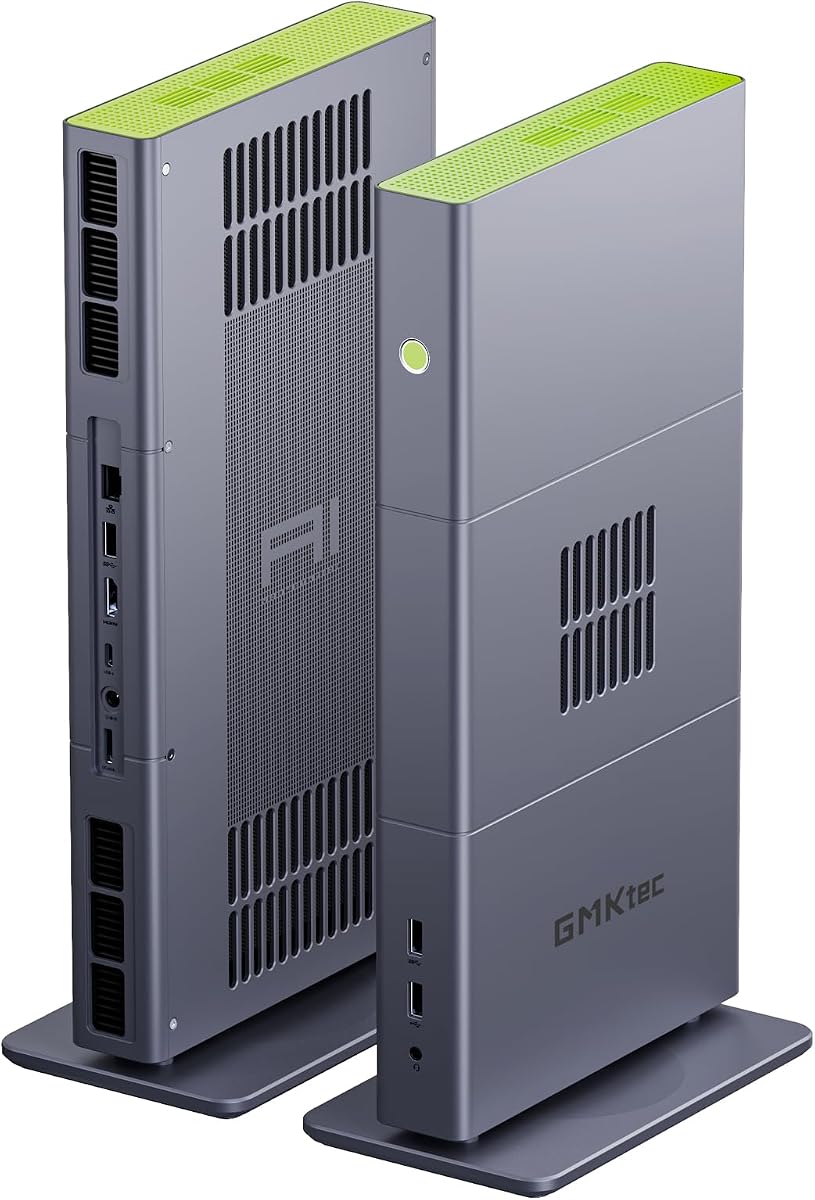
The GMKtec M6 Ultra is the premium recommendation for buyers who want generous memory, fast storage, and a high-performance Ryzen platform in a compact enclosure. Its Ryzen 5 7640HS has six Zen 4 cores, 12 threads, a 4.3GHz base clock, and boost performance up to 5.0GHz. The 4.2 rating is solid rather than exceptional, but the specifications are well aligned with demanding CAD and content-creation work.
We may earn a commission when you buy through this link, at no additional cost to you.
The standout configuration is 32GB of dual-channel DDR5 memory, supplied as two 16GB modules and expandable according to the stated specifications. Fusion 360 can consume meaningful memory during large assembly work, rendering, simulation, and collaboration, so 32GB provides a valuable cushion. The 1TB PCIe 3.0 M.2 SSD also begins with ample room for the operating system, Fusion 360, local assets, and project files, while additional M.2 expansion can increase storage capacity.
Radeon 760M integrated graphics support smooth multimedia, hardware encoding and decoding, light gaming, and visually demanding applications. They are less powerful than the Radeon 680M in the Glorlin recommendation, but the M6 Ultra compensates with faster CPU boost, more memory, and a 1TB drive. Its connectivity is also exceptional for a compact workstation, with three USB 3.2 ports, USB 2.0, HDMI 2.0, DisplayPort, USB4, 2.5G Ethernet, WiFi 6, and Bluetooth 5.2.
The chief drawback is that the overall hardware package sits at the premium end of this list, and buyers who only open small part designs may not need every included component. Integrated graphics still place limits on heavy rendering, and there is no dedicated GPU in the standard configuration. These constraints matter for engineers producing intensive visualizations, but not for standard Fusion 360 part design and assembly work.
The M6 Ultra is ideal for a professional studio, engineering student, or power user who wants a small workstation that will remain comfortable across demanding projects. It is particularly attractive when open assemblies, large file libraries, multiple applications, and complex multitasking are common. Choose it when memory headroom and fast storage matter as much as processor performance.
Thirty-two gigabytes of dual-channel DDR5 provides a generous margin for large assemblies, simulation, rendering, and multiple open applications. This makes the M6 Ultra a safer long-term choice for users who do not want to revisit memory capacity during their next major project.
The one-terabyte PCIe SSD provides enough space for the operating system, Fusion 360, active projects, and supporting assets. Additional M.2 expansion means users can add capacity as their libraries grow without relying entirely on network storage.
We may earn a commission when you buy through this link, at no additional cost to you.
The BMAX B6 combines a Core i3-8109U processor, 12GB of memory, and a 256GB SSD in a particularly compact enclosure. Its 4.9 rating is the highest in the group, making it an appealing budget recommendation for students and home users. The processor's two cores and four threads are not ideal for extremely complex Fusion 360 work, but they deliver a more convincing desktop experience than many Celeron systems.
We may earn a commission when you buy through this link, at no additional cost to you.
Intel Iris Plus 655 graphics are a meaningful benefit for Fusion 360 because they handle the viewport, shaded views, interface rendering, and general visual tasks more smoothly than basic integrated graphics. The processor reaches 3.6GHz and is designed for office applications, browsing, study, streaming, and light multitasking. For individual parts, sketches, constrained assemblies, and coursework, the B6 can offer a responsive environment in a fraction of the space of a conventional desktop.
The system's 12GB of 1600MHz onboard memory is adequate for Fusion 360 and several supporting applications, though it is less generous than the 16GB and 32GB configurations in this list. Its dual M.2 2280 slots support SATA or NVMe drives, and the stated maximum storage is 4TB. Two 4K displays at 60Hz can be connected through HDMI 1.4 and DisplayPort 1.2, creating a useful two-screen CAD arrangement.
Thermal management is helped by a smart fan and dual copper heat pipes, while the stated noise level can reach as low as 35dB. Connectivity includes 1Gbps Ethernet, WiFi 5, Bluetooth 5.0, two USB 3.2 ports, two USB 2.0 ports, and a 3.5mm audio connection. The main limitation is the two-core processor, which can become noticeable in large assemblies, intensive constraint calculations, and prolonged rendering workloads.
The B6 is best for budget-conscious users who need a dedicated Fusion 360 machine for learning, product design, or moderate daily work. It also works well for browsing, office productivity, and media use around the CAD application. If your work regularly involves complex imported assemblies, detailed simulations, or rendering, moving to a six-core or eight-core Ryzen system will offer a more comfortable margin.
Measuring 4.9 by 4.4 by 1.3 inches, the B6 can sit beside a monitor or mount behind one using VESA support. It is a practical way to dedicate a compact machine to Fusion 360 while preserving desk space for design tools and accessories.
Iris Plus 655 provides a more capable visual foundation for Fusion 360 than the lowest-end integrated options. That advantage is most apparent when switching among shaded display modes, viewing assemblies, or using the application alongside other graphically demanding programs.
We may earn a commission when you buy through this link, at no additional cost to you.
The Getorli Ryzen 5 7430U offers a balanced six-core configuration in a compact office-oriented mini PC. Its 4.5 rating supports its position as a versatile option for Fusion 360, combining a Ryzen 5 processor, 16GB of memory, and a 512GB SSD. It is a particularly sensible choice for users who need more CPU capability than an entry-level system but do not require the highest-end premium configuration.
We may earn a commission when you buy through this link, at no additional cost to you.
Six cores and 12 threads allow Fusion 360 to work more comfortably with complicated assemblies, multiple browser tabs, and simultaneous office applications. The processor boosts up to 4.3GHz, providing enough performance for regular part design, sketches, assembly constraints, documentation, and moderate simulation. Integrated Radeon graphics support 4K output and everyday visual work, though they are not the best choice for demanding rendering or graphics-heavy applications.
One of the system's most useful traits is its triple-display support through HDMI, DisplayPort 1.2, and USB Type-C. A Fusion 360 specialist can dedicate one display to the viewport, another to a browser or images, and the third to a parts list, spreadsheet, or communication tool. Dual 2.5G RJ45 ports, WiFi 6, Bluetooth 5.3, and multiple USB connections make it adaptable to different studio and office networks.
The 16GB DDR4 memory can be expanded up to 64GB according to the stated specifications, while storage can be expanded up to 4TB. Upgradeability is a meaningful advantage over systems with soldered memory, particularly for users who expect their Fusion 360 workload to grow. The trade-off is that DDR4 and the 7430U generation are not as advanced as the DDR5 platform offered by the premium GMKtec M6 Ultra.
The Getorli is well suited to students, engineers, and small teams that want multi-monitor productivity, expandable memory, and reliable everyday performance. It is a strong fit for medium-complexity assemblies and regular documentation workflows. Heavy photorealistic rendering, large simulations, and other GPU-intensive tasks are better served by a system with newer integrated graphics or a dedicated graphics solution.
The ability to expand DDR4 memory makes this system more adaptable as project demands increase. Users who begin with ordinary part designs can add capacity later for larger assemblies, heavier multitasking, or more demanding simulations.
Three display outputs let users separate the Fusion 360 canvas, reference imagery, and technical data. This is especially useful in engineering workflows where switching between a model, dimensions, and a specification document would otherwise interrupt concentration.
We may earn a commission when you buy through this link, at no additional cost to you.
The BMAX B1 Plus is a small, approachable mini PC designed more for essential computing than demanding CAD work. It pairs an Intel Celeron J3355 processor with 6GB of LPDDR3 memory and 128GB of eMMC storage, and its 4.2 rating is consistent with a basic desktop system. Fusion 360 can run on it, but users should regard the system as a learning and light-design option rather than a professional rendering platform.
We may earn a commission when you buy through this link, at no additional cost to you.
The J3355 offers up to 2.5GHz performance, which is adequate for web browsing, document editing, communication, and simple Fusion 360 models. Six gigabytes of memory can become restrictive when Fusion 360 is paired with many browser tabs, large assemblies, or multiple communication applications. Adding a larger M.2 SSD is therefore important for both storage capacity and the responsiveness of virtual memory during heavier workflows.
A major advantage is the dual M.2 design, which supports one SATA and one NVMe drive, with stated expansion up to 2TB. Intel HD Graphics 500 and dual HDMI outputs support two 4K displays at 60Hz. At 4.2 by 4.1 by 1.4 inches and only 0.49 pounds, the unit is easy to position behind a display using the included VESA bracket, making it especially useful in compact home offices.
The trade-offs are substantial for a Fusion 360 buyer. The processor and integrated graphics are slow for complex assemblies, simulation, and rendering, while 6GB of memory leaves less room for modern desktop multitasking. A system restoration feature, smart fan, heat sink, Gigabit Ethernet, dual-band WiFi, and Bluetooth 5.0 make it convenient for general use, but they do not change the limits of its core hardware.
The B1 Plus makes sense for students exploring Fusion 360, occasional users creating simple parts, or users who want a secondary machine for viewing files and running lighter applications. It is less appropriate for an active professional relying on the same system for daily assemblies and rendering. Adding memory may improve productivity, but a current Ryzen or Core-based model remains a better long-term CAD investment.
The tiny, lightweight chassis makes the B1 Plus easy to mount behind a display or use as a secondary workstation. It is particularly convenient for keeping reference files, browser-based Autodesk applications, or a separate communication terminal close to a main design machine.
The included 128GB eMMC is modest, but separate SATA and NVMe M.2 slots allow the system to be configured with much more usable space. Installing a fast NVMe drive for active projects and a larger SATA drive for archives creates a more practical organization.
We may earn a commission when you buy through this link, at no additional cost to you.
The BOSGAME E5 combines a Ryzen 5 5300U processor, 16GB of DDR4 memory, and a 512GB NVMe SSD in a compact system aimed at office, design, and home use. Its 4.2 rating makes it a credible general-purpose recommendation. For Fusion 360, it is best suited to students and professionals handling standard parts and assemblies rather than computationally extreme projects.
We may earn a commission when you buy through this link, at no additional cost to you.
The 5300U uses four cores and eight threads with speeds up to 3.8GHz. That is enough capacity for sketches, standard part-design workflows, assembly constraints, documentation, and regular multitasking. Radeon integrated graphics support 4K playback and common visual tasks, while the 16GB of memory provides a more comfortable working margin than the 6GB and 8GB configurations found in many inexpensive mini PCs.
The system supports three displays through HDMI, DisplayPort, and USB Type-C, giving Fusion 360 users an efficient multi-screen arrangement. Storage is flexible: the included 512GB NVMe drive handles the operating system and active projects, while a second internal M.2 slot can accept a drive up to the stated 2TB. Memory can also be expanded up to 64GB, although the supplied 16GB consists of one module.
Dual 2.5G Ethernet is a distinctive feature for a small computer and may appeal to users building network-attached storage, a home lab, or a dedicated connected workstation. WiFi 5, Bluetooth 5.0, two USB 3.2 ports, two USB 2.0 ports, and a VESA mount round out a versatile feature set. The limitations are the older Radeon graphics and a processor generation that sits below current high-performance Ryzen options.
The E5 is a good match for users who want Ryzen responsiveness, expandable storage, and multi-monitor support without moving to a premium platform. It is especially suitable for education, small-business design, and home studios where Fusion 360 is one of several applications. Complex assemblies and detailed renders may run more slowly than on the Glorlin 6800H or GMKtec M6 Ultra, but everyday CAD performance is well supported.
A second M.2 slot provides a straightforward way to separate project data, backups, and media from the primary drive. Fusion 360 users who retain numerous assemblies, component libraries, and rendered previews can add capacity without replacing the existing boot drive.
Two 2.5G Ethernet ports are uncommon in compact general-purpose systems and can simplify connections to faster networks or specialized infrastructure. That makes the E5 relevant not only as a CAD desktop but also as a network utility, home-lab machine, or small storage server.
We may earn a commission when you buy through this link, at no additional cost to you.
The GMKtec X3 AI is the high-end specialist in this guide, built around the Ryzen AI Max+ 395 processor with 16 cores, 32 threads, and boost speeds up to 5.1GHz. Its 4.1 rating is solid, while the specifications place it far beyond typical office-oriented mini PCs. The 128GB unified memory, advanced integrated GPU, and OCuLink expansion make it relevant to Fusion 360 users who also perform intensive rendering, simulation, AI workloads, or large-scale content production.
We may earn a commission when you buy through this link, at no additional cost to you.
The platform's 40-CU RDNA 3.5 integrated graphics offer considerably more graphical capability than the entry-level and mainstream alternatives in the list. That advantage can improve viewport performance and make the system more suitable for realistic rendering and advanced visual workflows. The 128GB LPDDR5X unified memory pool can also accommodate unusually large datasets and applications that would quickly exhaust conventional 16GB or 32GB systems.
A two-terabyte PCIe 4.0 SSD provides generous, fast storage for local projects, rendered output, source assets, and development environments. OCuLink adds a route to desktop-class graphics through an external GPU dock, making it possible to scale graphics capability when a specific Fusion 360 or rendering workload needs more than the integrated solution. WiFi 7, Bluetooth 5.4, and 2.5GbE networking round out the advanced platform.
The obvious drawback is the configuration's cost, which makes it disproportionate for students, hobbyists, and designers whose assemblies remain modest. The processor and graphics are powerful, but Fusion 360 does not automatically require flagship hardware for standard part design. Buyers should also verify the exact operating system, application support, external dock requirements, and accessory availability before committing to an unusual high-end platform.
The X3 AI is best for an engineering studio or advanced creator who runs Fusion 360 alongside demanding simulations, large assemblies, high-resolution rendering, or local AI development. It also makes sense for users planning to add an external graphics solution. For conventional CAD, the Glorlin 6800H or GMKtec M6 Ultra delivers a more proportionate balance of capability and cost.
The 128GB unified memory pool is far larger than the requirements of ordinary Fusion 360 models, but it becomes valuable for unusually large assemblies, simulation datasets, rendering projects, and memory-intensive applications. It also allows ambitious local AI and development workflows on the same compact machine.
OCuLink support allows the integrated platform to be paired with an external graphics dock when workloads exceed its built-in capabilities. This turns the mini PC into a more flexible starting point for rendering or visualization rather than locking the buyer into integrated graphics permanently.
We may earn a commission when you buy through this link, at no additional cost to you.
The Glorlin Ryzen 5 3501U offers a straightforward 16GB-memory configuration for study, office productivity, and standard Fusion 360 work. Its four cores and eight threads reach up to 3.7GHz, while a 512GB SSD supports quick application loading and comfortable file management. The 4.2 rating is competitive within a group that includes much more expensive and more powerful systems.
We may earn a commission when you buy through this link, at no additional cost to you.
Fusion 360 is well served by 16GB of DDR4 memory for typical part designs, assemblies, and supporting applications. The four-core processor can handle sketches, constraints, documentation, and regular application switching, though it has less parallel processing capacity than the six-core Getorli and GMKtec M6 Ultra or the eight-core Glorlin 6800H. Users with very large assemblies will notice that difference most clearly.
Triple 4K display support through HDMI and USB Type-C is a valuable feature for a compact productivity system. The user can place the Fusion 360 canvas on the primary display and use secondary screens for images, web references, parts lists, or communication. WiFi 6, Bluetooth 5.3, Ethernet, USB, and audio connections provide a broad selection of everyday connections, and the compact enclosure helps preserve desk space.
The main limitation is the processor's modest core count, which is less attractive for compute-heavy simulation and assembly regeneration. Integrated graphics are also not intended to replace a dedicated workstation GPU for intensive rendering. Storage expansion details are not emphasized in the supplied specifications, so buyers seeking a clear upgrade path should confirm available internal slots before ordering.
The Glorlin 3501U is a good fit for students, educators, and general users who want a dedicated small computer for Fusion 360 without moving to a premium platform. It is equally appropriate for home offices that need a compact system for standard part design, documentation, and general productivity. Users who routinely handle huge assemblies should move up to a six-core or eight-core processor for a more comfortable margin.
Sixteen gigabytes allows Fusion 360 to coexist with a browser, learning materials, and office applications without immediately exhausting memory. It is a sensible capacity for course projects, product concepts, and recurring small-to-medium assemblies.
WiFi 6 and Bluetooth 5.3 make it easy to connect compatible peripherals without running cables across the desk. Ethernet remains useful for reliable large-file transfers or an active network connection, giving users flexible connectivity options.
We may earn a commission when you buy through this link, at no additional cost to you.
The GMKtec G3 Ultra combines a Pentium Gold 7505 processor with 16GB of LPDDR4 memory and a 512GB SSD, offering a balanced platform for office work and standard CAD. No customer rating is supplied for this listing, so the recommendation relies on the stated hardware rather than a visible rating history. It sits between the most basic Celeron systems and the higher-performance Ryzen recommendations.
We may earn a commission when you buy through this link, at no additional cost to you.
The Pentium Gold 7505 is described as delivering stronger single-core responsiveness than the Ryzen 5 3500U, which is valuable for interface interaction and many common desktop tasks. Four cores and Intel UHD Graphics with 48 execution units support browsing, office applications, 4K streaming, light photo editing, and Fusion 360's standard modeling environment. The 16GB memory configuration provides enough capacity for normal CAD multitasking.
A 512GB M.2 drive offers a solid starting point for the operating system, Fusion 360, and active design files. Separate primary PCIe and secondary SATA M.2 slots allow additional storage to be added, which is useful for archived projects or larger asset libraries. Two HDMI 2.0 outputs support dual 4K displays at 60Hz, enabling a productive model-and-reference arrangement.
Connectivity includes three USB 3.2 Gen2 ports, one USB 2.0 port, a 3.5mm audio jack, WiFi 6, Bluetooth 5.2, and Gigabit Ethernet. Wake-on-LAN, PXE boot, RTC wake, and automatic power-on make the system useful for remote-managed tasks, which broadens its appeal beyond a standard desktop. The trade-offs are soldered LPDDR4 memory and integrated graphics that are less suitable for heavy rendering.
The G3 Ultra is best for home offices, students, and small businesses seeking a compact, practical Fusion 360 machine with dual monitors and useful remote functions. It handles regular part design and assembly work well enough for many users, but those with complex assemblies, detailed renders, or frequent simulation should choose a newer six-core or eight-core Ryzen system. The included storage and memory make it a more balanced starting point than the most basic mini PCs.
Two HDMI 2.0 ports allow the Fusion 360 canvas and supporting reference material to remain visible simultaneously. This is a practical productivity feature for standard part-design work and avoids the need to switch constantly between the application and a browser.
Wake-on-LAN, PXE boot, RTC wake, and automatic power-on provide remote-management conveniences that are unusual in a general-purpose mini PC. These features can suit a home office, prototyping environment, or managed deployment where convenient remote startup is valuable.
We may earn a commission when you buy through this link, at no additional cost to you.
Choosing a mini PC for Fusion 360 means balancing processor throughput, graphics capability, memory, storage, display support, and thermals against the size of your projects and the demands of your other applications.
Fusion 360 is not a single-workload application. The system must respond to interface commands, recalculate sketches, rebuild assemblies, process imported geometry, and potentially run rendering or simulation tasks at the same time. A modern six-core Ryzen processor such as the 7640HS or 7430U provides a useful balance, while an eight-core Ryzen 7 6800H gives complex projects more room. Clock speed also influences how quickly ordinary interface actions feel, so core count should be considered alongside peak boost performance rather than in isolation.
Fusion 360 uses the graphics system for viewport navigation, shaded display, visual presentation, and rendering workflows. Modern Radeon 680M or 760M graphics can provide a noticeably better experience than entry-level integrated graphics, especially when moving between complex shaded views. The premium Ryzen AI Max+ 395 platform is appropriate for intensive visualization, while OCuLink support can provide a route to external graphics for even more demanding work. A dedicated GPU remains valuable for high-quality rendering, but it is not mandatory for ordinary part and assembly design.
Fusion 360 can open memory-intensive documents, and every other open application adds to the system's working load. Sixteen gigabytes is a sensible minimum for a dedicated CAD machine, while 32GB provides additional comfort for large assemblies, simulation, rendering, and heavy multitasking. Memory upgradeability is also valuable. Systems with replaceable DDR4 or DDR5 modules can grow over time, whereas LPDDR4 and LPDDR5 configurations are generally fixed. Check the Fusion 360 version, project size, and intended software suite before deciding how much memory you need.
An SSD is important for loading Fusion 360, opening assemblies, and keeping the workspace responsive. A 256GB drive can work for a focused installation, but 512GB or more is more practical once local projects, libraries, browser data, and rendered output are included. NVMe storage provides faster transfers and application loading than SATA. Look for separate M.2 slots or a secondary 2.5-inch bay so active projects and archived files can be organized without constantly replacing the boot drive.
Fusion 360 benefits from more screen space because the application uses panels for the browser, model tree, properties, timeline, and visual views. Two 4K displays are enough for a focused model-and-reference arrangement, while three outputs provide a more organized command center. Confirm resolution and refresh-rate support, as well as whether USB Type-C carries DisplayPort Alternate Mode. Buyers should also account for adapters, cable standards, monitor compatibility, and whether all three displays can operate simultaneously.
Compact computers generate heat because their processors and memory operate in a small enclosure. Adequate cooling helps sustain performance during long assembly rebuilds, simulation, and rendering rather than allowing temperatures to rise quickly. Look for active fans, heat pipes, ventilation openings, and credible cooling design. A quiet fan is valuable in a home office or shared studio, but noise should not be the only criterion: a system that throttles under load will be less useful for CAD. Review the physical dimensions and intended placement to ensure that airflow remains unobstructed.
Fusion 360 relies on online services, and real-time collaboration and cloud file access make dependable networking important. Gigabit Ethernet is sufficient for normal use, while 2.5G Ethernet is advantageous for large transfers, local project libraries, and advanced network setups. WiFi 6 or WiFi 7 can provide convenient wireless access, with Ethernet remaining a useful backup. USB port selection also matters for external storage, drawing tablets, 3D mice, and data transfer devices, while Bluetooth is convenient for peripherals that do not require a wired connection.
The smallest system is not automatically the best choice. A very compact enclosure may use slower processors, soldered memory, limited storage expansion, or less effective cooling. Measure the available desk or behind-monitor area and consider whether VESA mounting is useful. Fusion 360 runs on Windows, and several systems in this guide include Windows 11, while others may require a compatible operating system to be added or installed separately. Confirm the current operating-system status, included software, licensing, and support before ordering, especially for Linux-oriented users.
Begin by connecting the mini PC to a monitor, keyboard, mouse, and power source, then complete the operating-system setup and install the current Fusion 360 release from Autodesk. Update the system and graphics drivers before importing a large project. Configure your preferred units, shortcuts, theme, autosave behavior, and document location so the workspace matches your design habits. If the machine includes more than one storage slot, designate a fast drive for active projects and a separate drive for archives or shared assets.
For the first substantial Fusion 360 document, open a representative assembly and test the workflows you use most, including sketch recreation, assembly constraints, section views, and any rendering or simulation tasks. Monitor CPU, memory, storage activity, and system temperature while working. Keep ventilation openings clear, avoid placing the mini PC inside a closed cabinet, and use a VESA mount that does not obstruct cooling. Periodically back up critical projects and confirm that your organization and file-naming conventions are working effectively.
Keep the operating system, Fusion 360, and peripheral drivers current, and periodically clear temporary files that accumulate during installations and updates. Check available free storage before large imports, and move completed archives to a larger drive or organized network location. When performance declines, determine whether the cause is an overloaded processor, insufficient memory, a nearly full drive, or a blocked cooling path. Clean dust from vents with the system powered off, use gentle airflow, and avoid opening the chassis while it is connected to power.
At least 16GB is recommended for regular Fusion 360 use, especially when a browser and office applications are open alongside the CAD workspace. A 32GB configuration provides more comfort for large assemblies, simulation, rendering, and intensive multitasking. Memory needs also depend on project complexity, so users handling unusually large imported models should prioritize a higher-capacity or upgradeable system.
It can run Fusion 360 for small projects, learning, and occasional part design, but its processor and integrated graphics offer limited responsiveness in complicated assemblies. Adding storage and memory helps, but the processor remains the main constraint. A Core i3, Pentium Gold, or modern Ryzen system offers a more comfortable experience for regular professional work.
A dedicated graphics card is not required for ordinary sketches, part designs, and standard assemblies. Modern integrated graphics can handle the viewport and typical visual tasks effectively. Dedicated or external graphics become more valuable for photorealistic rendering, extensive visual analysis, very large assemblies, or other GPU-intensive applications used alongside Fusion 360.
Fusion 360 can run in a constrained environment, but 8GB is likely to feel tight when opening large documents or using other applications at the same time. A 16GB configuration is a more sensible minimum for a dedicated machine, while 32GB offers greater flexibility. Fast SSD storage also matters because it can improve application loading and overall responsiveness.
Two displays provide a useful split between the Fusion 360 canvas and reference material such as images, dimensions, or a browser. Three displays can create a more organized workspace for model, documentation, and communication, but only if your desk and software workflow support it. Confirm that the mini PC supports all selected monitors simultaneously at your preferred resolution and refresh rate.
Yes. Modern Ryzen processors provide strong single-threaded responsiveness and several cores for assembly rebuilding, calculations, and multitasking, while their integrated Radeon graphics can deliver smooth viewport performance. A six-core or eight-core Ryzen configuration is a strong choice for regular Fusion 360 work, particularly when the system also handles rendering, simulation, or other demanding applications.
Upgrading is advisable if the included drive has little free space or if you maintain many local project files, component libraries, and rendered outputs. NVMe storage is preferable for active work because it improves loading and transfer times. A second M.2 slot or SATA bay can also separate active projects from backups and archives, making file management easier.
A mini PC can be an excellent choice because it reduces desk clutter, often consumes less power, and can still deliver the processor, graphics, memory, and storage required for Fusion 360. The strongest approach is to select hardware based on project demands rather than size alone. A larger desktop remains preferable when intensive rendering, specialized graphics, extensive storage, or future component upgrades are primary priorities.
The Glorlin Ryzen 7 6800H stands out as the strongest overall recommendation because it combines eight processor cores, Radeon 680M graphics, 16GB of fast memory, a 512GB NVMe drive, and triple 4K output. The GMKtec M6 Ultra is the premium option for buyers who prioritize 32GB of memory, a one-terabyte SSD, and USB4 flexibility, while the BMAX B6 offers a capable budget path for learning, product design, and ordinary CAD work.
Prioritize the processor and memory combination that matches the size and complexity of your assemblies, then confirm that the graphics, display outputs, and storage support the rest of your workflow. The Getorli Ryzen 5 7430U and BOSGAME E5 are balanced midrange choices with expandable memory, while the KAMRUI AK1PLUS serves lighter users who need generous RAM and storage flexibility. Highly specialized rendering, simulation, and AI workloads may justify the much more advanced GMKtec X3 AI.
Before purchasing, verify the current processor, memory, storage, operating-system, connectivity, and display specifications on the relevant listing. Product configurations can vary, and prices and promotions change frequently, so the current listing is the best source for final purchasing details. Comparing the complete hardware package against your actual Fusion 360 workload will lead to the most satisfying and dependable result.