
Lenovo Idea Tab
4.3Editor score
11-inch 2.5K touchscreen
Tab Pen and folio included
Circle to Search support
A tablet for college note taking should make handwritten notes feel natural while also handling typed documents, research, video lectures, and group projects. The right choice balances screen quality, pen responsiveness, battery endurance, portability, and the software tools students actually use throughout the day.
The products in this guide were compared using the supplied specifications and feature descriptions, with particular attention to stylus support, display dimensions, processing capability, multitasking potential, audio, storage, connectivity, and battery life. The list includes conventional Android tablets, premium models, e-ink writing devices, and a paper-based smart pen system.
Each review reveals which use case a product best serves, from value-focused everyday study to distraction-free writing and advanced note organization. Rankings reflect the supplied data and practical fit for college students rather than laboratory testing. Product availability and configurations can change, so readers should verify current specifications and prices before purchasing.
4.3Editor score
4.6Editor score

4.3Editor score
As an Amazon Associate we earn from qualifying purchases.
This side-by-side comparison highlights the major differences in display size, writing experience, processing power, and battery life, helping students identify the tablet that best matches their classes and study routines.


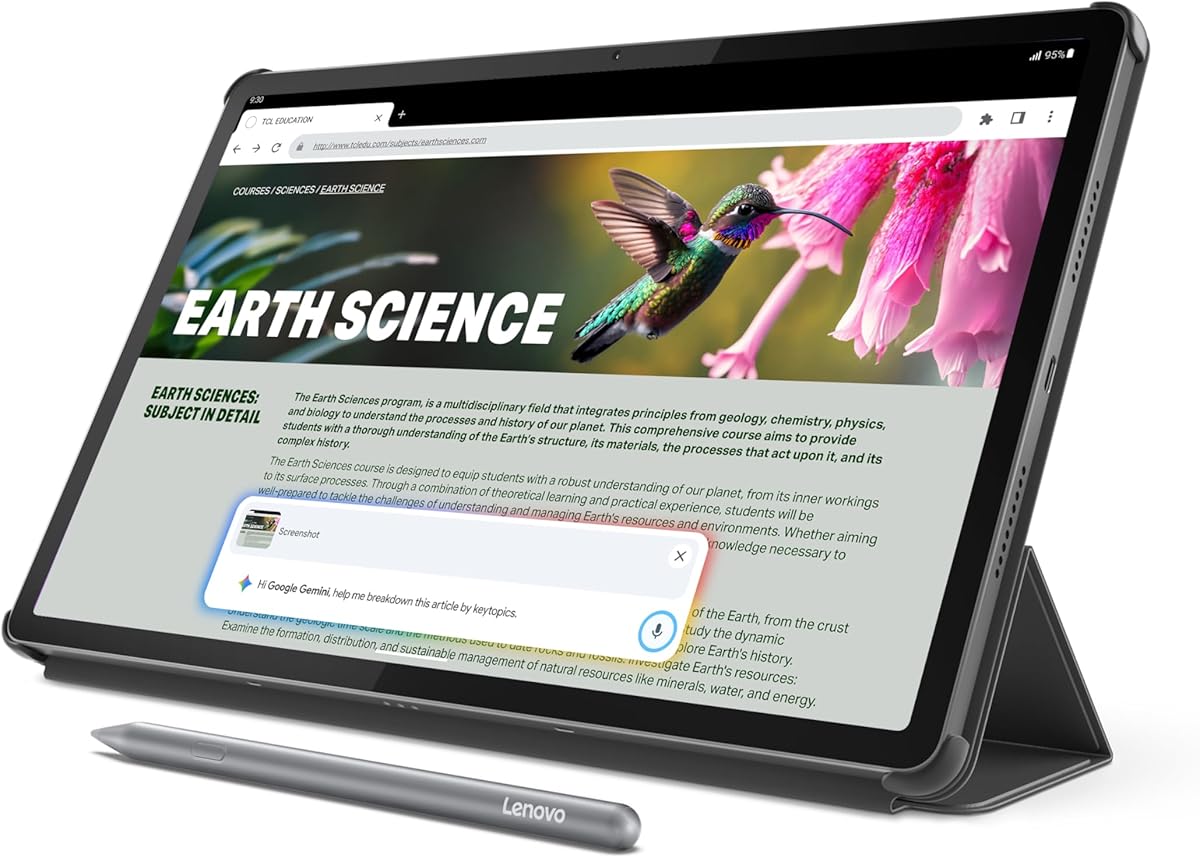
The Lenovo Idea Tab is a well-rounded college tablet with a 4.3 rating and an unusually complete package for students who need to write, research, and watch lectures. Its 11-inch 2.5K IPS touchscreen offers enough room for handwritten notes without becoming difficult to carry, while the included Tab Pen and folio case make it ready for class immediately.
We may earn a commission when you buy through this link, at no additional cost to you.
Performance comes from the MediaTek Dimensity 6300 processor, paired with 4GB of memory and 128GB of storage. The supplied description highlights AI-enhanced multitasking, and the included Lenovo AI Note, Squid, Nebo, and MyScript Calculator applications provide a useful mix of note-taking, organization, diagramming, and calculation tools. Circle to Search also allows students to circle information on the screen and initiate a search without switching applications.
The main limitation is the 4GB memory configuration, which is modest for heavy multitasking, especially when a student keeps many browser tabs, lecture recordings, and note applications open at once. Storage is also fixed at 128GB, so a student with large video libraries or extensive files may need cloud storage or a computer for archiving. Even so, the 2.5K screen, 90Hz refresh rate, quad Dolby Atmos-tuned speakers, and low-blue-light hardware make this a capable everyday study device.
This is the best fit for an undergraduate who wants a capable writing surface without opting for a large premium model. It should particularly appeal to students who value an included stylus and case, Circle to Search, and dedicated learning applications more than maximum processing power. For most lecture notes, textbook annotations, browsing, and media use, it offers an effective balance of portability, clarity, and functionality.
The included Tab Pen and folio case remove two common sources of friction for new tablet owners. Students can begin annotating documents, sketching diagrams, or writing class notes without first researching a separate stylus or protective case.
The 2.5K IPS panel provides sharp detail for dense text, and the 90Hz refresh rate makes scrolling and writing feel fluid. TÜV Rheinland Low Blue Light hardware also supports longer study sessions by reducing exposure to harmful blue light.
We may earn a commission when you buy through this link, at no additional cost to you.
The Samsung Galaxy Tab S10 Lite holds a 4.6 rating and offers a polished combination of writing, entertainment, and productivity. Its 10.9-inch LCD sits in the conventional college-tablet sweet spot, and the supplied specifications identify 6GB of memory, 128GB of internal storage, and an Exynos 1380 processor for note-taking, streaming, searching, and multitasking.
We may earn a commission when you buy through this link, at no additional cost to you.
The S Pen is central to the experience. It supports drawing, handwritten notes, and mathematical work, while features such as Circle to Search, note cleanup, and trigonometric equation solving add value beyond basic annotation. Students who already use Samsung phones and laptops also gain from connected-device features, including the ability to answer calls on the tablet and continue a note across devices.
Storage is one of the model's strongest advantages because it supports microSD expansion up to 2TB. That makes the tablet more suitable for students with large PDF libraries, recorded lectures, photographs, or media files. The stated battery life of up to 16 hours and roughly two-hour full charging are also attractive for long school days. The LCD panel is the main display compromise, and expansion still requires a separate memory card.
Choose the Galaxy Tab S10 Lite if Samsung's stylus software, AI utilities, and ecosystem integration appeal to you. It is particularly effective for students who split notes between class and a personal computer, maintain extensive file collections, or want a device that can handle media and schoolwork with equal ease. Its feature set makes it one of the most complete general-purpose choices in the guide.
The microSD expansion capability gives students room to retain lecture recordings, textbooks, documents, and media without constantly deleting files. It is a meaningful advantage for academic years when course materials accumulate quickly.
The AI Hot Key, note cleanup, equation tools, and Circle to Search streamline common classroom tasks. Cross-device continuity is particularly helpful when a student starts a note on a laptop and later wants to review it on a phone or tablet.
We may earn a commission when you buy through this link, at no additional cost to you.
The Lenovo Idea Tab Plus combines a 4.6 rating with a larger 12.1-inch 2.5K IPS display, making it a strong choice for students who want more working space than a conventional compact tablet. It weighs just over a pound and is thin enough to fit between notebooks, preserving portability despite the larger canvas.
We may earn a commission when you buy through this link, at no additional cost to you.
Its MediaTek Dimensity 6400 processor and 8GB of memory give it more headroom than the standard Idea Tab, while 128GB of storage handles a typical semester of documents and applications. The Tab Pen, folio case, Circle to Search, and learning applications—Lenovo Notepad, Squid, Nebo, and MyScript Calculator—form a strong note-taking package.
Display quality is a central selling point. The panel can reach up to 800 nits, improving visibility in bright classrooms and outdoor study spaces, while TÜV Rheinland Low Blue Light certification supports more comfortable reading. Quad Dolby Atmos-tuned speakers add value for review videos and study breaks. The trade-off is physical size, since a 12.1-inch device takes more space in a backpack, and the listed configuration does not mention expandable storage.
This model is ideal for students who annotate PDFs, keep multiple pages visible, or split-screen notes and readings. It is also a logical step up for anyone who found the regular Idea Tab's 4GB memory too limited. The larger panel, stronger memory configuration, bright display, and included accessories make it an excellent value-oriented choice for visual note-taking.
A 12.1-inch screen gives handwritten equations, lecture slides, and textbook excerpts more breathing room. It also makes split-screen work more practical when a student needs a PDF and a note application visible simultaneously.
The slim, over-a-pound design helps offset the larger footprint. Students can carry it between classes in a notebook sleeve or slim bag, while the folio case provides a place for the included pen.
We may earn a commission when you buy through this link, at no additional cost to you.
The Lenovo Idea Tab Pro earns a 4.6 rating and stands out as the most complete conventional Android tablet in this guide. Its 12.7-inch 3K LCD, 8GB of memory, 128GB of storage, and MediaTek Dimensity 8300 processor provide a strong foundation for demanding note-taking, research, streaming, and multitasking.
We may earn a commission when you buy through this link, at no additional cost to you.
The supplied feature set emphasizes academic utility. Google Gemini is available as an AI assistant, Circle to Search supports visual lookups, and the included Tab Pen Plus works with a 360Hz touch sampling rate. Low Blue Light certification and adjustable mono or chromatic reading modes make the display suitable for prolonged reading and annotation.
Performance is a clear strength. The Dimensity 8300 and Wi-Fi 6E support smooth multitasking and quick downloads, while the 3K panel makes small text and detailed diagrams easier to inspect. Quad JBL Dolby Atmos speakers improve the experience for lecture videos and entertainment. The 11-hour stated video battery and 45W quick charging help cover demanding days, although the large chassis is less convenient than a smaller tablet.
This is our overall recommendation for a student who wants one device to handle handwritten notes, research, AI-assisted study, media, and occasional gaming. Its included pen and folio, high-resolution screen, capable processor, and thoughtful academic features reduce the need to buy several accessories separately. It is particularly compelling for students who regularly work with dense documents or need a display large enough to resemble a compact workstation.
Gemini can help explain concepts, organize ideas, and support late-night assignments, while Circle to Search provides a quick way to investigate information visible on screen. These features complement rather than replace deliberate note-taking and active study.
The 360Hz touch sampling rate supports precise pen interactions, while the 3K display provides the detail needed for equations, annotations, and diagrams. The pen and folio case are included, making the package convenient for immediate academic use.
We may earn a commission when you buy through this link, at no additional cost to you.
The reMarkable Paper Pro Move is a specialized writing device with a 4.3 rating, and its greatest appeal is the sense of calm it brings to note-taking. Rather than competing as a broad entertainment tablet, it focuses on a 7.3-inch color display that is designed to look, feel, and sound like paper while blocking the constant stream of conventional notifications.
We may earn a commission when you buy through this link, at no additional cost to you.
The bundle includes the tablet, Marker Plus, the Basalt Book Folio, six spare marker tips, and a USB-C cable. Handwritten notes can be converted to typed text and shared, while cloud synchronization places documents in mobile and desktop applications. Search within handwritten notes is available to Connect subscribers, and folders and tags support structured organization across courses.
The compact size is both its strongest limitation and a reason to buy it. It slips into a jacket pocket or small bag, which is excellent for spontaneous ideas, journaling, and lecture notes. At the same time, a 7.3-inch display is less comfortable for detailed PDF review, split-screen work, or extensive typing than the larger Android tablets in this list. Handwritten-note search also depends on a Connect subscription.
Choose the Paper Pro Move if handwritten thinking, minimal distraction, and portability matter more than tablet versatility. It is a strong match for students who struggle with multitasking or who want a dedicated notebook for lectures and personal ideas. For students who need a single device for coursework, browsing, media, and typing, a conventional Android tablet is the more flexible option.
The paper-like experience reduces the sense that a student is working inside a computer. That focus is valuable during seminars, studios, and quiet library sessions where a standard tablet might encourage multitasking.
Cloud synchronization moves written pages into mobile and desktop apps, allowing students to continue working beyond the tablet. Conversion to typed text and organized folders help handwritten ideas become more useful study materials.
We may earn a commission when you buy through this link, at no additional cost to you.
The Penstar eNote 2 is a 10.3-inch e-ink notebook built for students who prefer a paper-like surface but want more organization than a conventional paper notebook can offer. Its 4.3 rating reflects a capable combination of precise writing, extensive document compatibility, and useful AI-assisted note functions.
We may earn a commission when you buy through this link, at no additional cost to you.
The screen measures 2480 by 1860 at 300ppi and is described as having clearer whites and punchier blacks than many e-ink displays. The included stylus supports 8192 pressure levels without charging, and reduced latency is intended to make strokes feel more natural. Nine customizable buttons provide faster access to commonly used controls.
The software can split books into two screens, convert speech to text, transform handwriting into editable text, summarize notes, and organize documents with folders and tags. It supports more than 35 file formats, including PDF, EPUB, DOCX, and common image formats, while 128GB of storage and third-party app support add flexibility. The stated battery life of up to four weeks is excellent for note-taking, although e-ink is inherently less engaging for video and games.
This is a strong choice for students who annotate textbooks, read long documents, record and organize lectures, or want an e-ink display large enough for side-by-side work. It is less appropriate for anyone expecting the multimedia performance and app fluidity of a color LCD. For a dedicated digital notebook with unusually deep format support, the eNote 2 is a distinctive and capable option.
The high-resolution e-ink surface and pressure-sensitive pen are designed to reduce the disconnect between writing with a stylus and writing on paper. A clear, uncluttered display is particularly useful for dense reading and marginal annotation.
Voice-to-text, handwriting conversion, summaries, and automatic organization can turn a rough lecture record into more structured study material. The two-screen book mode also lets students read and annotate simultaneously.
We may earn a commission when you buy through this link, at no additional cost to you.
The Ophayapen Smart Pen takes a different approach to college note taking: students write on real paper while a Bluetooth-enabled pen sends their strokes to a companion app. The set has a 4.0 rating and may appeal to anyone who finds conventional glass tablets less satisfying for long handwritten sessions.
We may earn a commission when you buy through this link, at no additional cost to you.
The Ophaya Pro+ app creates a digital copy in real time without cables or Wi-Fi, then adds OCR conversion into editable Word documents. Notes can be searched with keywords, tags, or timestamps. The system also records audio and links it to the writing, allowing a student to tap a word and jump to the corresponding point in a lecture or meeting recording.
Offline use is another useful feature because notes save automatically and synchronize after the connection returns. Exports include PDF, Word, PNG, GIF, and MP4, and multiple pages can be combined into a single document. The package contains a 60-sheet notebook, writing board, four ballpoint refills, two plastic nibs, and charging cables. Its constraints are important, however: the app does not support computers, proprietary paper is required, and the pen depends on a phone or tablet connection for digital features.
Choose this system if handwriting on actual paper is your preferred study method but you want searchable digital records and audio recall. It is less suitable for students who want a standalone tablet or need to annotate PDFs and textbooks. The real paper and streamlined pen experience may outweigh the need for a large display, particularly for brainstorming, journaling, and lecture summaries.
The included notebook preserves the texture and feel of pen and paper, removing the need to adjust to a glass writing surface. The smart pen captures strokes digitally without interrupting the natural flow of note-taking.
Synchronized recordings can preserve explanations that appear too quickly to capture in writing. Linking audio to specific written points gives students a more complete record of a lecture or discussion.
We may earn a commission when you buy through this link, at no additional cost to you.
The Lenovo Idea Tab Pro Gen 2 is the premium display choice in the guide, earning a 4.3 rating through its 13-inch 3.5K IPS touchscreen, 144Hz refresh rate, and focus on advanced note organization. It is designed for students who want a large, detailed canvas and software that can transform rough class material into structured notes.
We may earn a commission when you buy through this link, at no additional cost to you.
Smart Capture can pull visuals from images into Lenovo Notepad, while Sketch to Image cleans up hand-drawn ideas. Lenovo AI Live Transcript continuously captures meetings and class discussions, and Lenovo AI Notes can summarize, rewrite, or extend written content. These features are supported by the Snapdragon 8s Gen 4 platform and its built-in NPU, which is intended to accelerate AI tools and language-related tasks.
The 3.5K LTPS panel reaches 800 nits and carries TÜV Rheinland Low Blue Light and Flicker Free certifications. JBL speakers tuned by Dolby Atmos support lecture playback, and 8GB of memory handles demanding study applications and multitasking. The trade-offs are size and weight: a 13-inch screen is excellent for split-screen research but difficult to carry in a small bag, and the high-end hardware does not make the tablet ideal for students who value minimalism over capability.
Buy this model if your academic workflow benefits from a large, bright display and AI-assisted note refinement. It is particularly suitable for students who attend recorded lectures, organize complex research, annotate many visual materials, or use a tablet as a desktop-replacement companion. Those who need something lighter can get many of the same core features from smaller Lenovo Idea Tab models.
Live Transcript and Lenovo AI Notes can convert a continuous record into summaries and organized takeaways. The tools are most valuable when a student needs to turn a dense lecture or meeting into a document that is easier to review.
The 3.5K resolution makes fine annotations and small reference material easier to inspect, while 800-nit brightness helps the display remain clear in bright environments. The 144Hz rate also gives pen and touch interactions a very smooth appearance.
We may earn a commission when you buy through this link, at no additional cost to you.
The Samsung Galaxy Tab S10 FE is a renewed 10.9-inch Android tablet designed for students who value endurance, durability, and the included S Pen. Although no rating is supplied for this configuration, its feature list covers the essentials of a dependable academic device, including handwriting assistance, note cleanup, equation solving, and Circle to Search.
We may earn a commission when you buy through this link, at no additional cost to you.
The 2304 by 1440 WUXGA+ glossy touchscreen runs at 90Hz and is driven by an Exynos 1580 processor, 8GB of memory, and 128GB of storage. The magnetic S Pen supports note-taking, drawing, and mathematics, while Handwriting Help can improve messy notes and Solve Math can assist with formulas. The included cameras are suitable for virtual meetings and collaborative work.
Its standout practical advantages are the stated 20-hour battery life and IP68 water-and-dust resistance. Those traits make it reassuring for commuting, outdoor work, and environments where a device may be exposed to spills. Fast charging, Bluetooth 5.3, and USB-C support add everyday convenience. As a renewed product, however, its condition and warranty terms may differ from a new unit, and the glossy display can reflect bright surroundings.
This is a worthwhile option for students who prioritize long battery life and physical durability or want a renewed tablet with a generous memory configuration. Buyers should carefully review the seller's condition details and protections. For a new-device purchase with the same broad Samsung approach, the Galaxy Tab S10 Lite may offer a more straightforward route, while the Tab S6 Lite provides another established alternative.
The stated 20-hour battery allows a student to move through lectures, libraries, and study sessions without charging as often. Fast-charge support helps restore readiness during shorter breaks.
IP68 protection adds confidence around water and dust, useful for a device that lives in a backpack, travels between buildings, or sits beside coffee in a busy study area. The magnetic S Pen also helps keep the stylus close at hand.
We may earn a commission when you buy through this link, at no additional cost to you.
The Samsung Galaxy Tab S6 Lite combines the highest listed rating in the guide, 4.7, with a proven 10.4-inch design. It remains a straightforward choice for students who want a slim tablet, an included S Pen, and dependable battery life without a large collection of advanced specifications.
We may earn a commission when you buy through this link, at no additional cost to you.
The magnetic S Pen requires no charging and attaches directly to the tablet, reducing the chance of leaving it behind. It supports handwritten notes, drawings, and photo or video markup, while the slim metal body makes the device easy to carry between classes. The crystal-clear display and dual AKG speakers with Dolby Atmos provide a balanced experience for reading documents and watching lesson videos.
A stated battery life of up to 13 hours and fast charging through USB-C suit the academic day. The primary limitation is 64GB of storage, which is less generous than the 128GB configurations offered by most newer rivals in this guide. It also represents an older platform, so buyers who need the newest AI features, high refresh rates, or more processing capability should compare it carefully with recent models.
The Tab S6 Lite is best for students seeking a proven, uncomplicated note-taking tablet with a stylus in the box. It works especially well for handwritten study, PDF annotation, browsing, and media consumption, while its slim design remains convenient. It may not be the strongest choice for intensive multitasking or large media libraries, but its high rating, included S Pen, and practical construction make it an appealing alternative.
The magnetic S Pen requires no charging and stays attached when not in use. Its simple design makes the tablet immediately useful for lecture notes, document markup, and handwritten study without another accessory purchase.
The metal body is easy to slip into a bag, and the 10.4-inch display offers a practical note-taking size. Dual AKG-tuned speakers and Dolby Atmos add enjoyable audio for classes and entertainment.
We may earn a commission when you buy through this link, at no additional cost to you.
The right tablet depends on how you take notes, the materials you use, and how much multitasking you need. Screen format, pen behavior, battery life, software, and portability should be considered together rather than separately.
Choose a larger screen for dense documents, and a smaller one for portability.
Prioritize a comfortable, low-latency pen over secondary display features.
Select 8GB when you multitask heavily; 4GB suits lighter study.
Choose enough local storage for coursework and verify expansion options.
Prioritize all-day endurance and fast charging for campus use.
Verify required apps and cloud services before choosing a tablet.
Choose LCD for versatility or e-ink for calm, paper-like writing.
Choose a screen that fits your bag and typical writing posture.
Begin by configuring the tablet before the first busy week. Update the operating system, sign into the account used for documents and notes, install the required note and cloud applications, and organize folders by class or semester. Connect the included stylus, learn the palm-rejection and shortcut behavior, and create a test notebook with a few pages of handwriting before relying on it for a live lecture.
Build a simple capture system rather than saving every page to one crowded location. Use clear names for courses and dates, separate lecture notes from research, and synchronize automatically when possible. For recordings, confirm that the student has permission to record and use a separate device or approved transcription method. E-ink and dedicated notebook users should test search, export, and backup workflows before a deadline.
Care for the tablet by keeping the screen free of grit, avoiding pressure on the display, and using a protective folio or sleeve during transport. Store it away from excessive heat and moisture, and follow the charging guidance supplied with the device. Back up important handwritten pages and typed notes regularly, particularly for e-ink models and paper-based systems whose cloud or mobile applications are essential for retrieval.
A tablet is often better for handwritten annotations, reading PDFs, and taking notes during a lecture because the screen combines a paper-like writing surface with instant access to digital tools. A laptop is still stronger for complex typing, professional software, coding, and complex multitasking. Many students work best with a tablet for capture and a laptop or computer for editing and finalizing assignments.
A stylus is strongly recommended if you want handwritten notes, diagrams, or margin annotations. Several picks include a pen, which simplifies the initial setup and can be less expensive than buying one separately. Check whether the bundled pen supports pressure sensitivity, magnetic attachment, and the features you need before purchasing.
A 10.4-inch to 12.1-inch screen is the most common compromise between writing space and portability. Larger tablets are better for detailed annotation and split-screen work, while compact devices are easier to carry. Students who write with large letters may prefer a bigger screen, whereas anyone carrying a tablet between several classes may value a smaller display more.
E-ink is usually better for long-form reading and distraction-free handwritten notes because its paper-like appearance feels calm and restrained. LCD models are better for color, video, games, complex apps, and smooth multitasking. The best choice depends on whether the student wants a dedicated notebook or an all-purpose study and entertainment device.
Storage requirements depend on whether notes are primarily text or handwritten, and whether you keep recordings and large PDFs locally. Around 128GB is a comfortable starting point for most students, while 64GB may require regular archiving. If a tablet supports memory-card expansion, it can be particularly useful for students with extensive lecture libraries.
Most tablets can capture handwritten or typed notes offline, but synchronization, AI transcription, cloud storage, and handwriting search may require a connection. Dedicated e-ink devices and the Ophayapen system can preserve some information offline and synchronize later. Students should test their required workflow in airplane mode before a class with limited connectivity.
A renewed tablet can be a practical way to obtain a capable device, but condition, battery health, included accessories, and warranty coverage should be checked carefully. It may make sense for a student with a limited budget who can accept minor cosmetic wear. New models provide more predictable condition and may be preferable for a device intended to last an entire academic cycle.
Prioritize a comfortable pen, a clear display, dependable battery life, and software that supports your classes and documents. Performance and memory become more important when the tablet runs multiple applications or lecture recorders. Storage, charging speed, portability, and ecosystem integration should then be weighed according to the student's specific workflow.
The Lenovo Idea Tab offers the strongest value-focused package with a sharp 2.5K screen, included Tab Pen and folio, and focused learning applications. The Lenovo Idea Tab Pro is the most complete general-purpose choice, combining a 3K display, capable processor, Gemini tools, and responsive pen support. For premium screen quality and advanced note refinement, the Idea Tab Pro Gen 2 stands out with its 3.5K display and AI-assisted organization.
Students who prefer minimal distraction should consider the reMarkable Paper Pro Move, while Penstar eNote 2 serves readers who want a larger e-ink canvas and broad document support. The Ophayapen Smart Pen is ideal for people who want to write on real paper and still create searchable digital records. Samsung buyers can compare the Galaxy Tab S10 Lite, renewed Galaxy Tab S10 FE, and Galaxy Tab S6 Lite according to their storage, battery, durability, and ecosystem preferences.
Before buying, verify the current configuration, stylus inclusion, storage capacity, and note applications needed for your courses. Product prices, availability, and seller conditions can change, so current listings deserve a careful review. The most satisfying choice is the one that feels comfortable during a long lecture, stays ready between classes, and turns captured ideas into materials you can actually study later.