
UGREEN Bluetooth 5.3 Adapter
4.4Editor score
Bluetooth 5.3 connectivity
Five-device simultaneous support
Driver-free Windows setup
Discover the best Bluetooth adapter for keyboards, comparing Windows compatibility, Bluetooth version, wireless range, multi-device support, setup, use cases.
A Bluetooth adapter for keyboards can give a compatible Windows desktop or laptop the wireless connectivity needed for a cleaner desk, greater freedom of movement, and easier switching between peripherals. The right adapter should match your operating system, keyboard, connection goals, and preferred range without introducing unnecessary setup problems.
This guide compares ten adapters using the specifications supplied for each product, including Bluetooth version, operating-system support, multi-device capacity, range claims, antenna design, and installation requirements. It also distinguishes conventional USB Bluetooth receivers from converter-style products made for existing wired keyboards and mice.
Each review explains the strongest reason to consider the product, along with limitations that can affect particular setups. Ratings, compatibility details, and feature descriptions reflect the supplied product information, while configurations can change over time. Always confirm current details and prices before purchasing.
4.4Editor score
4.5Editor score

4.4Editor score
The table below compares all ten options by Bluetooth version, operating-system support, connection capacity, and key design feature. It also separates standard PC receivers from wired-keyboard converters so readers can select the correct product type for their setup.





The UGREEN USB Bluetooth 5.3 Adapter is a compact receiver designed to add Bluetooth capability to a compatible Windows computer. With a 4.4 rating, it offers a balanced combination of modern wireless technology, straightforward installation, and support for several peripheral types. Its five-device capacity makes it more versatile than a receiver intended for only one keyboard or mouse.
We may earn a commission when you buy through this link, at no additional cost to you.
Bluetooth 5.3 with BR/EDR technology is central to the product's appeal. The supplied information says this improves connection stability, data-transfer performance, signal continuity, and power consumption. EDR helps move data efficiently, while the adapter can maintain connections to a Bluetooth keyboard, mouse, phone, headphones, and other supported equipment. The same product information notes that only one audio device of the same type can play at once, an important distinction from its broader multi-device support.
Installation is particularly straightforward for Windows 8.1, 10, and 11 because no driver installation is required on those systems. The adapter will not support Windows 7, Linux, or macOS, and it cannot connect directly to game consoles, televisions, or car systems. If the computer already has internal Bluetooth, UGREEN recommends disabling it in Device Manager to avoid conflicts. Those restrictions make the adapter less flexible outside modern Windows PCs, but they are reasonable for its clearly defined target audience.
This is an appealing choice for someone who wants a small, general-purpose Bluetooth receiver for a keyboard and other peripherals on a Windows PC. It is less suitable for Mac or Linux users, direct console connections, or systems where internal Bluetooth cannot be disabled. For the intended platform, however, it offers a convincing mix of compactness, connection capacity, and uncomplicated setup.
Supporting up to five different device types at once makes this adapter useful beyond a single keyboard. You can keep a mouse, phone, and audio accessory connected while working, subject to the stated limitation on simultaneous playback from identical audio-device types.
The low-profile USB stick can remain inserted without obstructing neighboring ports, making it practical for travel and permanent desktop installations. Its limits are equally clear: modern Windows support is required, and existing internal Bluetooth should be disabled to prevent driver conflicts.
We may earn a commission when you buy through this link, at no additional cost to you.
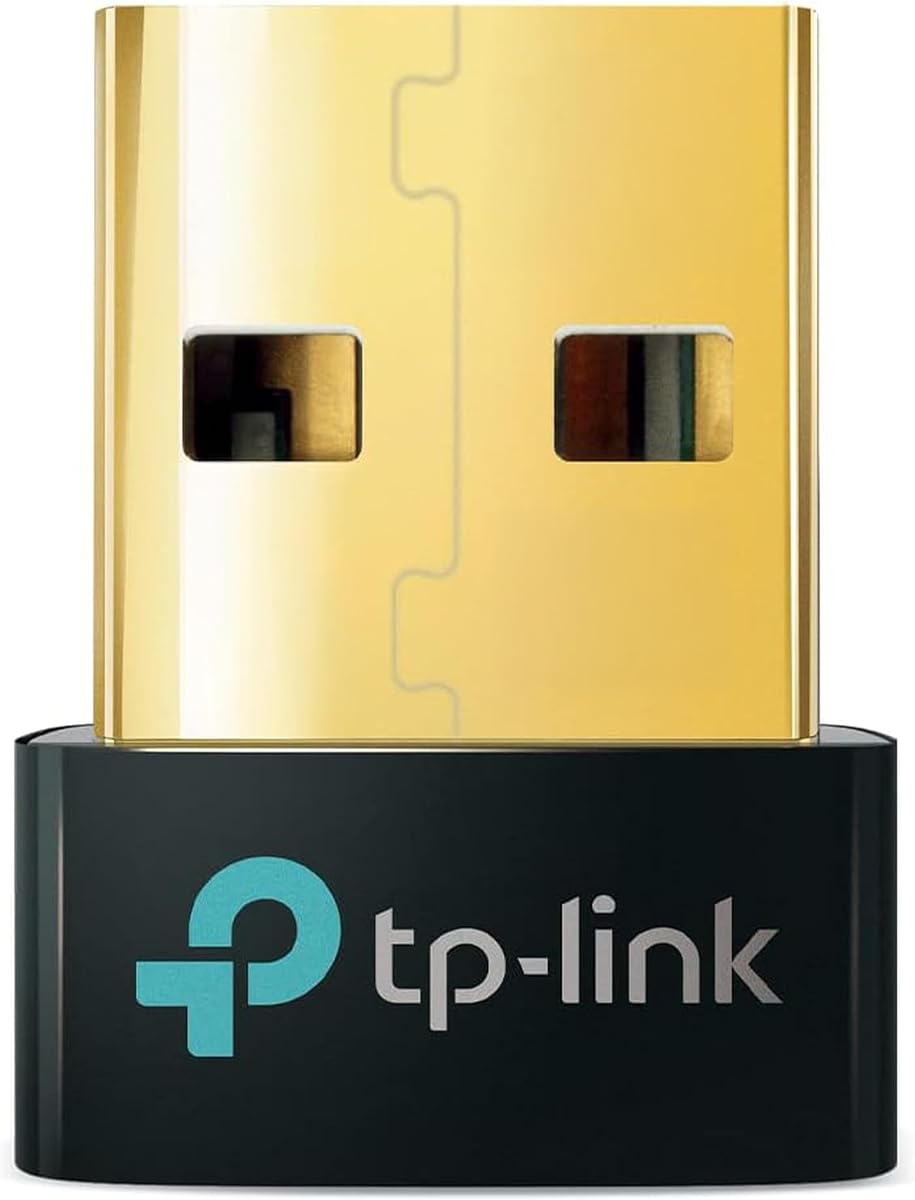
The TP-Link UB500 is a nano-sized USB receiver that adds Bluetooth 5.4 to a Windows PC. It carries a 4.5 rating, the highest among the products in this roundup, and stands out for broad backward compatibility and a low-profile design. It is a natural fit for a user who wants one receiver for a keyboard, mouse, phone, printer, or supported headset.
We may earn a commission when you buy through this link, at no additional cost to you.
Bluetooth 5.4 and EDR technology are supported alongside earlier Bluetooth versions extending back to 1.1. The supplied specifications claim up to twice the data-transfer speed and four times the coverage of Bluetooth 4.0, although actual results depend on the connected keyboard, computer, environment, and radio interference. BLE support is another useful feature for compatible accessories and can help reduce power consumption.
The receiver is designed to stay in a USB port, which reduces the chance of accidental disconnection during transport. TP-Link describes plug-and-play support for Windows 8.1, 10, and 11 with an internet connection, while Windows 7 requires a driver downloaded from the manufacturer's website. Existing internal Bluetooth should be disabled in Device Manager to prevent conflicts. The adapter does not support macOS, Linux, televisions, or Windows 8, and it cannot connect directly to game consoles.
The UB500 is well suited to Windows users seeking a compact, established-looking receiver without giving up current Bluetooth functionality. It is less appropriate for a Mac, Linux workstation, smart television, or console. For its supported environment, the combination of backward compatibility, broad device support, and a 4.5 rating makes it one of the strongest general choices in the guide.
Support for Bluetooth versions from 1.1 through 5.4 gives the UB500 broader potential than a model limited to the newest specification. That makes it a sensible receiver for a mixed collection of older and newer peripherals, provided those devices use standard Bluetooth keyboard or mouse profiles.
The nano receiver is intended to remain plugged in without blocking surrounding ports. That design suits fixed office computers as well as frequent travelers, while the Windows-only limitation should be checked before buying a multi-platform setup.
We may earn a commission when you buy through this link, at no additional cost to you.
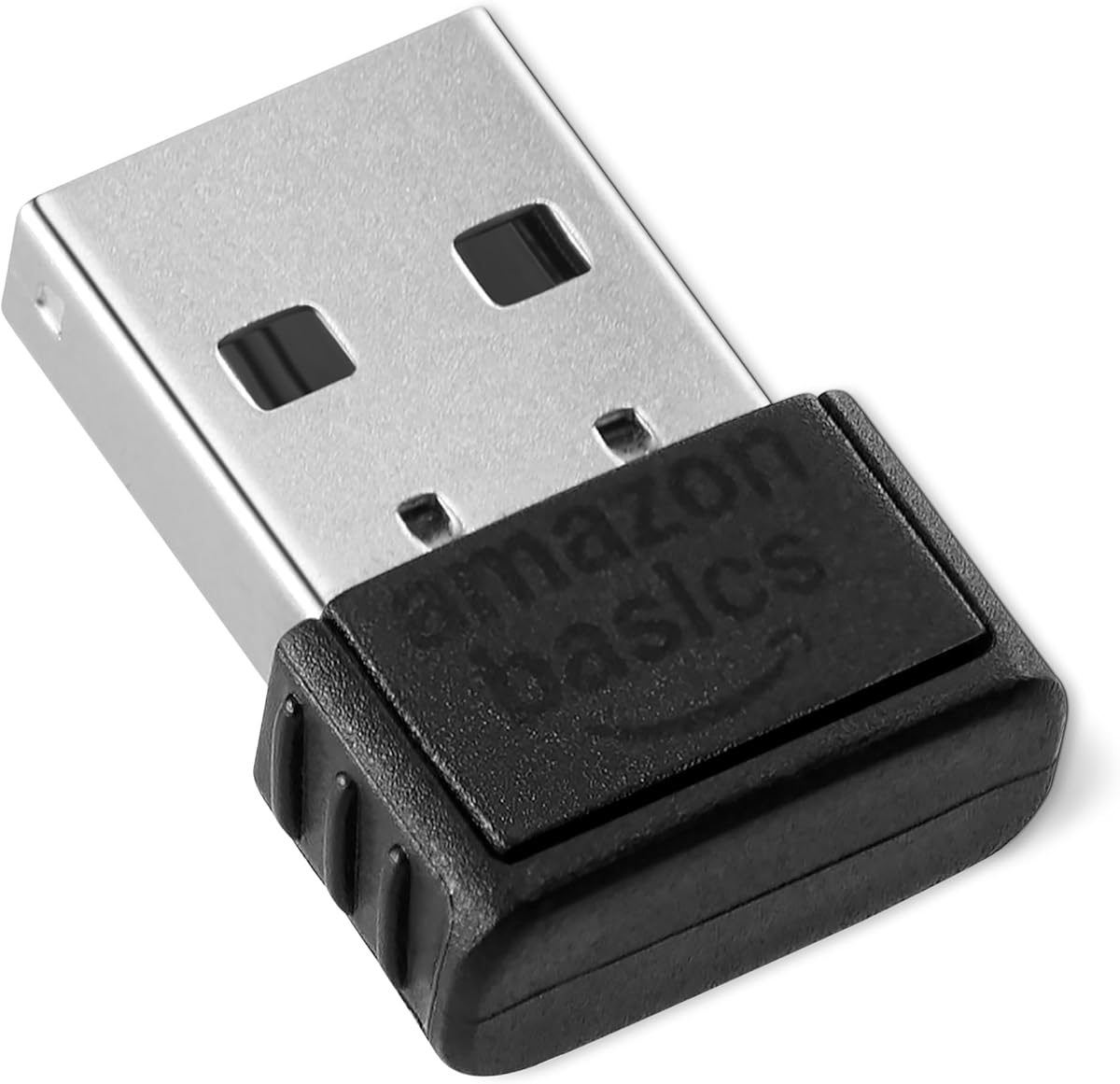
The Amazon Basics Bluetooth 5.4 USB Adapter is a straightforward receiver for adding Bluetooth to Windows 8.1, 10, and 11 computers. Its 4.3 rating reflects a useful balance of contemporary connectivity and multi-device capacity. The stated ability to connect as many as six devices at the same time is the feature that most distinguishes it from simpler single-purpose receivers.
We may earn a commission when you buy through this link, at no additional cost to you.
Bluetooth 5.4 is combined with EDR and BLE technologies to support efficient data transfer and lower energy use. The adapter remains compatible with Bluetooth 5.3, 5.2, 5.1, 5.0, 4.2, 4.0, 3.0, 2.1, 2.0, and 1.1, allowing it to work with a varied range of supported peripherals. A keyboard, mouse, phone, or compatible accessory can be part of the same setup, although individual device behavior and profiles still matter.
The receiver plugs into a standard USB port and is designed for Windows systems rather than macOS, Linux, Chrome, Unix, PlayStation, or older Windows releases. Amazon Basics specifically advises disabling the computer's built-in Bluetooth before using the adapter. Doing so reduces the chance that Windows will select the internal radio instead of the USB receiver. The product is a receiver for Bluetooth devices, not a transmitter or universal wireless conversion solution.
This adapter is a good match for a Windows user who plans to connect several Bluetooth peripherals and values a current specification without needing the newest radio generation. It is less suitable for cross-platform work, legacy Windows installations, or systems that must retain an active internal Bluetooth radio. For its stated use, the six-device capacity gives it a clear functional advantage.
Six simultaneous device connections provide room for a keyboard, mouse, and other compatible accessories. This is useful for a desk with several wireless peripherals, so long as each device uses a supported Bluetooth profile and software.
Bluetooth 5.4 support is combined with backward compatibility across numerous earlier versions. That makes the adapter more accommodating when a workspace contains peripherals purchased at different times rather than requiring a single-generation ecosystem.
We may earn a commission when you buy through this link, at no additional cost to you.
The cablecc 2.4G Bluetooth Converter is a different type of product from the standard PC Bluetooth dongles in this guide. Instead of primarily adding Bluetooth to a computer, it is designed to convert compatible wired USB keyboards and mice into wireless devices. Its 3.9 rating reflects that specialized role, and the feature set is especially relevant to people who want to reuse existing peripherals.
We may earn a commission when you buy through this link, at no additional cost to you.
The converter supports both Bluetooth and 2.4GHz wireless modes. A physical button switches between the two, with a blue indicator representing Bluetooth and a red indicator representing 2.4GHz. A keyboard shortcut using Ctrl, Alt, Shift, and 0 also changes modes. This dual-mode design gives users a way to move between Bluetooth-capable systems and computers that rely on a 2.4GHz receiver.
Up to eight computers or phones can be assigned to the switching system. Users can cycle among four devices with the button, while numbered Ctrl, Alt, Shift shortcuts select positions one through eight and reportedly take about one to three seconds to complete. The product can therefore suit a shared workstation, a traveler with several devices, or a setup that alternates between a laptop, tablet, and phone.
One important qualification is that the package includes one wireless adapter and one 2.4GHz receiver, while the supplied information also says an additional 2.4GHz receiver must be purchased separately for some uses. It is not a conventional Windows USB Bluetooth receiver, so buyers searching only for a keyboard receiver should not choose it by mistake. It is most valuable when preserving a compatible wired keyboard or mouse is the priority.
The converter's primary advantage is turning a compatible wired USB keyboard or mouse into a wireless peripheral. That can reduce cable clutter and make a familiar keyboard usable across several computers without replacing the entire input setup.
Numbered keyboard shortcuts provide direct access to eight stored systems, and a separate shortcut changes between Bluetooth and 2.4GHz. This makes frequent switching more convenient than manually reconnecting the same peripheral each time.
We may earn a commission when you buy through this link, at no additional cost to you.
The TP-Link UB600 is a nano USB adapter built around Bluetooth 6.0. Its 4.2 rating and seven-device capacity position it as a modern option for Windows users who want room for a keyboard, mouse, phone, tablet, controller, or printer. It is among the few products here to advertise the newest Bluetooth generation alongside a compact, always-connected form.
We may earn a commission when you buy through this link, at no additional cost to you.
TP-Link describes Bluetooth 6.0 as providing faster transfers, more stable connections, and improved interference handling. The product information also emphasizes low latency for real-time input, which is relevant when a keyboard or mouse is used in a fast-paced game. Those are manufacturer claims, and the experience will also depend on the host computer, keyboard, software, radio environment, and distance between devices.
Up to seven different types of Bluetooth devices can be connected simultaneously without signal interference. This is a larger stated capacity than most of the other conventional adapters in the roundup. The receiver is small enough to remain in a USB port without blocking adjacent sockets, making it practical for a laptop bag or a permanently installed desktop setup.
Windows 10 and 8.1 receive plug-and-play installation, while Windows 11 and Windows 7 require a current driver from TP-Link's website. Those software requirements deserve attention because they interrupt the otherwise simple setup story. The UB600 is most appropriate for a user committed to a modern Windows ecosystem who values Bluetooth 6.0 and broad simultaneous device capacity over completely installation-free support across every listed version.
Seven simultaneous device types create ample room for a full wireless desktop. The adapter is especially attractive to users adding a keyboard, mouse, phone, controller, and printer rather than connecting only one or two accessories.
The product information highlights near-zero latency and stable real-time synchronization. These characteristics make the specification look attractive for responsive keyboard and mouse use, although users should still consider the quality of their chosen peripherals and the host system's processing performance.
We may earn a commission when you buy through this link, at no additional cost to you.
The UGREEN USB Bluetooth 6.0 Dongle Receiver is a compact way to add current Bluetooth functionality to a compatible Windows computer. With a 4.2 rating, it is a practical option for keyboard users who want a newer specification and multi-device support without moving into converter accessories or specialized long-range hardware.
We may earn a commission when you buy through this link, at no additional cost to you.
Bluetooth 6.0 with EDR is presented as a route to faster data transfer, quality audio and video streaming, and efficient large-file transfers. The adapter is backward compatible with Bluetooth 5.4 and 5.3, while BLE technology is included for compatible low-power accessories. It can support up to five different device types at once, including a keyboard, mouse, phone, and headphones, though only one audio device of the same type can play music simultaneously.
On Windows 8.1, 10, and 11, installation is described as plug-and-play with no driver required. Windows 7, Linux, and macOS are not supported. The dongle also cannot be used directly with PlayStation 3, PlayStation 4, PlayStation 5, Nintendo Switch, or Xbox consoles, and it is not compatible with televisions or car systems. As with the other UGREEN receiver, existing internal Bluetooth should be disabled to prevent conflicts.
This adapter suits a Windows user who values the newest Bluetooth generation but does not need adjustable reception or support for more than five device types. It is less useful in a cross-platform environment, where a standard Bluetooth radio is required, or in a console setup. Within its stated niche, it offers a concise path to adding wireless keyboard support and several other peripherals.
Bluetooth 6.0 provides the headline specification, but compatibility with Bluetooth 5.4 and 5.3 makes it usable with a wider selection of recent peripherals. That balance is useful when a user wants newer technology without replacing every wireless accessory at once.
The adapter can maintain several different device types simultaneously, allowing a keyboard and mouse to share the setup with compatible phone or audio accessories. Identical audio devices still share playback, so this is multi-device support rather than unrestricted independent audio streaming.
We may earn a commission when you buy through this link, at no additional cost to you.
The TP-Link UB500 Plus is the most reception-focused conventional receiver in this roundup. It combines Bluetooth 5.3 and EDR technology with a multi-direction antenna that can be rotated and adjusted. Its 4.4 rating reflects a useful blend of modern connectivity, backward compatibility, and the ability to optimize signal reception in different environments.
We may earn a commission when you buy through this link, at no additional cost to you.
The adjustable antenna is the defining feature. Rather than accepting a fixed receiver position, users can orient the adapter to improve communication with a keyboard, mouse, or another accessory. This can be helpful when the computer sits behind furniture, inside a crowded workstation, or farther from the peripheral. TP-Link claims up to twice the speed and four times the coverage of Bluetooth 4.0, though walls, obstructions, and wireless interference can reduce actual range.
The receiver supports Bluetooth 5.3 and is backward compatible with versions 4.2, 4.0, 3.0, 2.1, 2.0, and 1.1. EDR and BLE technologies support efficient data transfer and low power consumption. Plug-and-play installation is available for Windows 8.1, 10, and 11 with an internet connection, while Windows 7 needs a downloadable driver. The intended use is converting a non-Bluetooth PC, desktop, or laptop into a Bluetooth-capable system.
This is the strongest candidate for someone who needs more placement flexibility than a tiny nano dongle can offer. Its trade-off is a bulkier form factor, and the Windows-only platform requirement remains. For a keyboard located away from the computer, near interference, or behind an obstruction, the adjustable antenna can make the product more adaptable than the standard mini receivers.
Rotating the antenna lets the user experiment with orientation instead of relying on one fixed signal direction. That control can improve the odds of a stable keyboard connection in an awkward layout or an area with competing wireless signals.
The long-range design is most valuable when the peripheral is physically separated from the PC. Even so, walls, furniture, and interference remain influential, so positioning should be optimized rather than assuming any advertised maximum will always be achieved.
We may earn a commission when you buy through this link, at no additional cost to you.
The Bluetooth 6.0 USB Adapter is a compact receiver whose main distinguishing features are its 4.6 rating and a stated range of up to 65 feet in an open environment. It is designed for Windows desktops and laptops and can serve keyboards, mice, headphones, speakers, printers, and compatible game controllers.
We may earn a commission when you buy through this link, at no additional cost to you.
Bluetooth 6.0 is presented as an upgrade for faster pairing, lower latency, improved anti-interference performance, and more stable connections. The receiver remains backward compatible with Bluetooth 5.4, 5.3, 5.2, and 4.0 devices, so it can be used with a mix of recent accessories. The stated 20-meter range makes it potentially useful for a keyboard used across a larger office or room, but open-space conditions are an important qualifier.
Installation is plug-and-play for Windows 11 and 10. Windows 7 requires driver installation for audio device support, and the product's broader operating-system range is therefore more qualified than the simple headline might initially suggest. The mini receiver is designed to remain attached without blocking nearby USB ports, which helps in permanent installations and when carrying a laptop.
This product is a compelling choice for a Windows user who wants a small receiver, current Bluetooth support, and a generous stated range. It may be especially attractive for keyboard and mouse setups where the computer is not directly beside the user. Buyers should still consider whether their peripherals use standard Bluetooth rather than a proprietary 2.4GHz receiver, since this dongle cannot add wireless capability to a 2.4GHz-only keyboard.
The stated 65-foot open-environment reach can accommodate a keyboard used farther from the computer than a basic desk setup requires. Walls, furniture, radio interference, and other physical factors will affect the usable distance in real rooms.
Support for keyboards, mice, headphones, speakers, printers, and controllers gives the adapter broad household and office utility. The user still needs compatible Bluetooth hardware and suitable software for each peripheral category.
We may earn a commission when you buy through this link, at no additional cost to you.
The USB Wired Keyboard and Mouse Converter is a specialized adapter for turning compatible wired USB input devices into wireless peripherals. Its 2.8 rating is the lowest in the group, but that figure should be interpreted in light of its different purpose. It is not a standard Windows Bluetooth receiver, and it is best suited to users with a specific collection of existing wired hardware.
We may earn a commission when you buy through this link, at no additional cost to you.
The converter supports Bluetooth and 2.4GHz operation, allowing a compatible keyboard and mouse to communicate with laptops, tablets, and phones. Bluetooth mode can switch among eight systems, and the 2.4GHz mode also supports an eight-device arrangement. A button cycles through four systems, while Ctrl, Alt, Shift, and a number from one through eight selects a specific stored device. The switch reportedly completes in one to three seconds.
A separate keyboard shortcut changes between the two wireless technologies. A blue LED indicates Bluetooth mode, while a red LED represents 2.4GHz. The package includes one wireless adapter and one 2.4GHz receiver, but the supplied information also notes that an extra receiver may need to be purchased separately in certain configurations. That makes package contents and intended setup important to verify before ordering.
The product is worth considering for someone who values a familiar wired keyboard and wants to use it across several devices without replacing it. It is less appropriate for someone who simply wants to add a conventional Bluetooth radio to a Windows PC, because that job is performed more directly by the other products in the guide. The lower rating and extra configuration requirements make careful feature checking essential.
Eight stored Bluetooth and 2.4GHz positions allow a compatible wired keyboard to follow a user between computers and mobile devices. Shortcut switching reduces the need to reconnect manually each time the working environment changes.
The supplied information describes both an included 2.4GHz receiver and a possible need for an additional receiver. Buyers should confirm the exact package contents and their intended multi-device arrangement before deciding whether this converter meets their needs.
We may earn a commission when you buy through this link, at no additional cost to you.
The Avantree DG45 is a USB Bluetooth adapter designed specifically for Windows PCs and laptops. Its 4.3 rating reflects a focused, easy-to-understand product for people who want to connect Bluetooth keyboards, mice, audio devices, and other supported accessories while avoiding compatibility ambiguity with unrelated wireless technologies.
We may earn a commission when you buy through this link, at no additional cost to you.
Up to seven Bluetooth devices can be paired, and non-audio devices such as keyboards and mice can operate at the same time. Only one Bluetooth audio device can be active at once. The adapter also supports stereo music streaming and voice calls through compatible headphones, including calls made in applications such as Skype, Zoom, and Teams. Data transfer with compatible phones and tablets is another stated capability.
Compatibility is intentionally limited to Windows 8, 8.1, 10, and 11. It does not support macOS, ChromeOS, Linux, Windows 7, XP, Vista, televisions, car stereos, or gaming consoles. It also cannot operate a 2.4GHz keyboard or mouse that relies on its own USB receiver. This distinction is essential: a product marketed as a Bluetooth adapter for a keyboard cannot make a proprietary 2.4GHz peripheral compatible with Bluetooth.
The DG45 is a sensible option for a Windows user whose peripherals genuinely use Bluetooth and who wants one receiver to cover input devices, audio, and communication. It is less suitable for a mixed collection of proprietary wireless peripherals or a computer running a non-Windows system. Within its clearly defined role, it provides a useful seven-device connection limit and broad support for common Bluetooth accessories.
Seven paired devices leave room for a keyboard, mouse, headphones, phone, printer, and other compatible accessories. Keyboard and mouse traffic can coexist with other non-audio devices, while only one audio stream can be active at a time.
The adapter cannot connect to 2.4GHz devices that require their own USB receiver, nor does it provide Wi-Fi functionality. Checking the connection standard printed on a keyboard or mouse is essential before assuming this receiver will work with it.
We may earn a commission when you buy through this link, at no additional cost to you.
The most important choice is whether you need a PC Bluetooth receiver or a converter for existing wired peripherals. After clarifying that distinction, operating-system support, Bluetooth version, range, capacity, and installation requirements should guide the decision.
A Bluetooth keyboard communicates using Bluetooth, while many wireless keyboards use a proprietary 2.4GHz USB receiver. A PC Bluetooth dongle only works with the former. Check the keyboard's packaging, manual, or connection instructions for a Bluetooth logo, Bluetooth device list, or a dedicated Bluetooth pairing button. If the keyboard came with a small USB receiver, it may still support Bluetooth, but the presence of 2.4GHz alone does not prove Bluetooth compatibility.
Buy a standard Bluetooth receiver for a keyboard already designed for Bluetooth. Choose a wired-to-wireless converter only when you want to reuse compatible wired USB input hardware across multiple computers or mobile systems.
Most conventional adapters in this roundup are built for Windows computers. Supported versions differ: some cover Windows 8.1, 10, and 11, while the TP-Link UB500, UB500 Plus, and UB600 also list Windows 7 with a downloaded driver. The Amazon Basics and UGREEN options explicitly exclude Windows 7, and none of the standard PC receivers are presented as compatible with macOS or Linux.
For a Windows-only setup, compare the exact supported versions rather than assuming all Windows computers are interchangeable. Mac and Linux users need a receiver explicitly designed for those platforms, which is outside the scope of the listed products.
Bluetooth 5.3, 5.4, and 6.0 are newer specifications than older generations and are generally associated with improved efficiency, stability, and interference handling. For a keyboard, the visible benefit is a dependable low-latency connection, especially in a busy wireless environment. File-transfer speed matters more for phones, printers, and data-oriented accessories than it does for ordinary typing.
Backward compatibility is just as important. A modern adapter may pair with older peripherals, but the keyboard must support a compatible Bluetooth keyboard or HID profile. Prioritize a current version with broad backward support rather than treating the newest label as the only decision point.
A compact receiver is usually sufficient when the keyboard sits close to the computer, but long desks and divided workspaces benefit from greater range. The TP-Link UB500 Plus has an adjustable multi-direction antenna, while the generic Bluetooth 6.0 adapter states a range of up to 65 feet in an open environment. These figures are best treated as conditional rather than guaranteed distances.
Walls, furniture, human bodies, and competing radio signals can reduce usable range. If the keyboard is often used away from the PC, an adjustable or long-range receiver may be worth the larger footprint. For close-range use, a nano receiver that stays inserted can be more convenient.
The products support different numbers of simultaneous connections. Stated limits range from five devices for both UGREEN receivers to seven for the TP-Link UB600, Avantree DG45, and the generic Bluetooth 6.0 option. Amazon Basics lists six, while the converter products support switching among eight systems. More capacity is useful when a keyboard, mouse, headphones, phone, printer, and controller are all part of the setup.
Do not confuse simultaneous connections with simultaneous audio. Most products limit active audio playback to one headset or one pair of speakers. Check the number and types of peripherals you actually intend to use rather than paying attention only to the largest advertised figure.
Plug-and-play operation is convenient, but the details vary. The UGREEN 5.3 adapter requires no driver on Windows 8.1, 10, and 11, while the Amazon Basics receiver is designed for the same modern versions. TP-Link's UB500 and UB500 Plus use plug-and-play installation on supported Windows versions with an internet connection. The UB600 and generic Bluetooth 6.0 product require driver downloads for some versions, including Windows 7 and, in the UB600's case, Windows 11.
If your computer has built-in Bluetooth, multiple radios can cause conflicts. Multiple manufacturers advise disabling the internal adapter in Device Manager before using a USB receiver. Confirm that you are comfortable making that change, and keep the original system driver available in case you later want to restore the built-in radio.
Most adapters are small enough to leave in a USB port, but their dimensions differ. Nano and mini receivers are discreet and convenient for travel, while the UB500 Plus uses a larger housing and a movable antenna. A low-profile adapter can also avoid blocking adjacent ports on a compact laptop or desktop.
Choose a receiver that fits your workstation without forcing you to unplug it frequently. A permanently installed adapter is convenient, but it should not occupy a critical port. Converter-style products require additional consideration of power, receivers, and device-switching arrangements, so verify the full package before ordering.
Begin by confirming that the computer runs a supported Windows version and that the keyboard uses standard Bluetooth rather than a proprietary 2.4GHz connection. If the PC already has internal Bluetooth, open Device Manager and disable that radio before inserting the USB adapter. This reduces the chance that Windows will load conflicting drivers or pair the keyboard with the wrong receiver.
Insert the adapter into a direct USB port, then turn on the keyboard and place it into pairing mode. Use the keyboard's Bluetooth control or the pairing button specified in its manual, open the Bluetooth settings in Windows, and select the keyboard when it appears. Pair a mouse and other peripherals separately if needed, and install any required drivers before trying to use audio or advanced functions.
For long-term care, keep the receiver unobstructed and avoid moisture, excessive heat, or repeated bending of an external antenna. When moving the setup, unplug the receiver if it could be knocked loose. If the keyboard becomes unreliable, move the adapter away from USB 3.0 devices and other potential sources of interference, then re-pair the keyboard and confirm that the built-in Bluetooth radio remains disabled.
No. The keyboard must specifically support Bluetooth and use a compatible keyboard or HID profile. A keyboard designed for a proprietary 2.4GHz USB receiver requires that original receiver and will not become Bluetooth-capable simply by inserting a different dongle. Check the manufacturer's device list or manual before buying.
The conventional PC receivers listed in this guide are described as Windows-compatible and do not support macOS or Linux. A Bluetooth-capable Mac or Linux system may pair with a keyboard directly without an adapter. For a computer that lacks Bluetooth, choose a receiver specifically designed for the intended operating system rather than assuming a Windows dongle will work.
Windows may attempt to use the internal radio and its existing drivers instead of the new USB receiver, which can cause pairing confusion or driver conflicts. Disabling the internal module in Device Manager gives the USB adapter a clearer path to become the active Bluetooth radio. Keep the original driver available so the setting can be reversed if needed.
It can work with older Bluetooth keyboards when both the adapter and keyboard support compatible Bluetooth profiles and versions. The newer specification alone does not guarantee universal pairing. Check the keyboard's supported host systems, Bluetooth version, and required keyboard profile before making a purchase.
It depends on the adapter. The listed conventional receivers support between five and seven simultaneous device types, while the converter products provide switching among as many as eight systems. Most also limit active audio playback to one headset or speaker at a time, even when several non-audio devices remain connected.
A USB Bluetooth adapter adds a Bluetooth radio to a computer so it can pair with compatible wireless peripherals. A keyboard converter takes a compatible wired USB keyboard and makes it communicate through Bluetooth or 2.4GHz. The converter is useful for reusing existing hardware, while a standard adapter is better for adding Bluetooth to a PC.
Interference, physical obstructions, excessive distance, and conflicts with the computer's internal Bluetooth radio can all affect stability. Try repositioning the receiver, moving it away from USB 3.0 devices, confirming that only one Bluetooth radio is active, and re-pairing the keyboard. Keeping the receiver connected to the PC with a short USB extension can also help with placement.
A newer version can improve efficiency, stability, and interference handling, but most ordinary keyboards work well with established Bluetooth standards. The more important checks are operating-system support, keyboard profile compatibility, range, and whether you need to connect several devices. Backward-compatible adapters are often the more practical choice for mixed equipment.
The TP-Link UB500 is a strong all-around recommendation for a compact, broadly compatible Windows receiver, while the UGREEN Bluetooth 5.3 adapter offers an equally balanced mix of modern connectivity, five-device capacity, and driver-free setup on supported Windows systems. The TP-Link UB500 Plus stands apart for users who value reception control and a longer-range design.
Before choosing, verify that the keyboard itself uses Bluetooth rather than a proprietary 2.4GHz receiver, confirm the computer's operating system, and decide whether one peripheral or several devices are needed. Pick a converter only when converting existing wired keyboards is the main goal; otherwise, a standard PC receiver will usually be simpler and more direct.
Product configurations, driver requirements, and prices can change, so check the current listing before purchasing. Comparing the keyboard's supported connection standard with the adapter's platform and setup requirements will prevent most compatibility problems.