
79866M Main Drive Belt
4.6Editor score
203 dpi Zebra compatibility
Reinforced composite construction
Direct drive belt replacement
Compare the best computer printer transfer belts for Zebra, Brother, HP, Oki, and Lexmark printers, including fit, yield, durability, and kit contents.
Computer printer transfer belts move toner through color laser and thermal printing systems, making them essential for maintaining clean images, accurate colors, and consistent page output. A good belt should match the exact printer model, provide dependable material quality, and withstand the heat, tension, and repeated movement required by demanding print environments.
This guide compares ten transfer belts and transfer belt assemblies from Zebra, Brother, HP, Oki, and Lexmark-compatible suppliers. We evaluated the available information against model compatibility, supported printers, stated yield, construction, included components, customer ratings, and practical considerations such as installation difficulty and replacement scope.
The list includes dedicated drive belts, single-unit transfer belts, and multi-component maintenance kits for widely used office printers. Each review explains what distinguishes the option and who should consider it. Product availability and pricing can change, so confirm the listed part numbers and current costs before ordering.
4.6Editor score

5.0Editor score

The comparison below covers dedicated printer belts and broader transfer kits, highlighting the supported equipment, stated yield, component scope, and practical strengths of each option. Because compatibility is model-specific, use the comparison to identify the correct fit and then verify the part number before purchase.


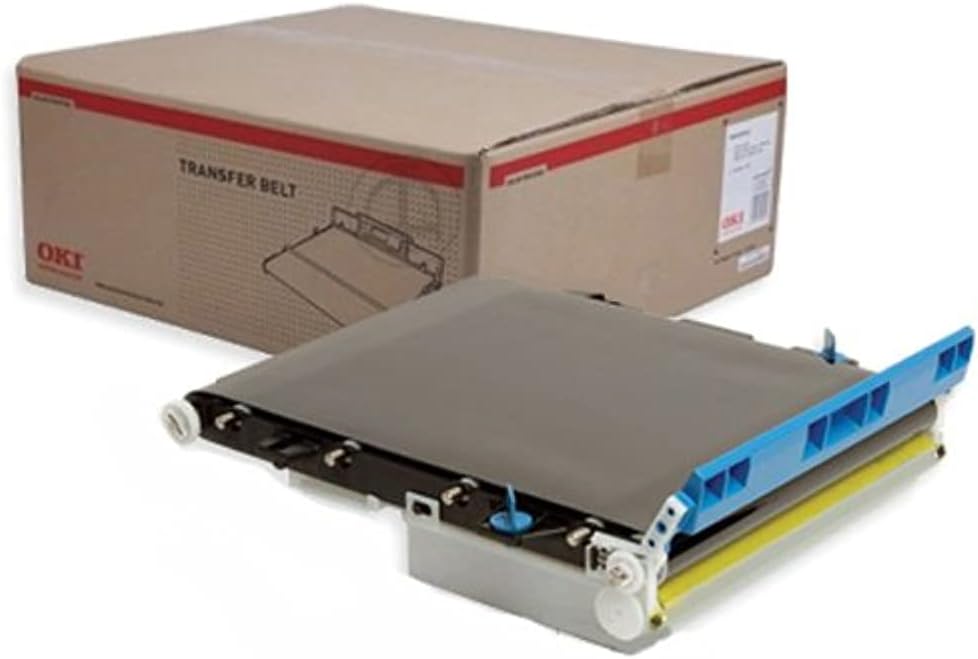

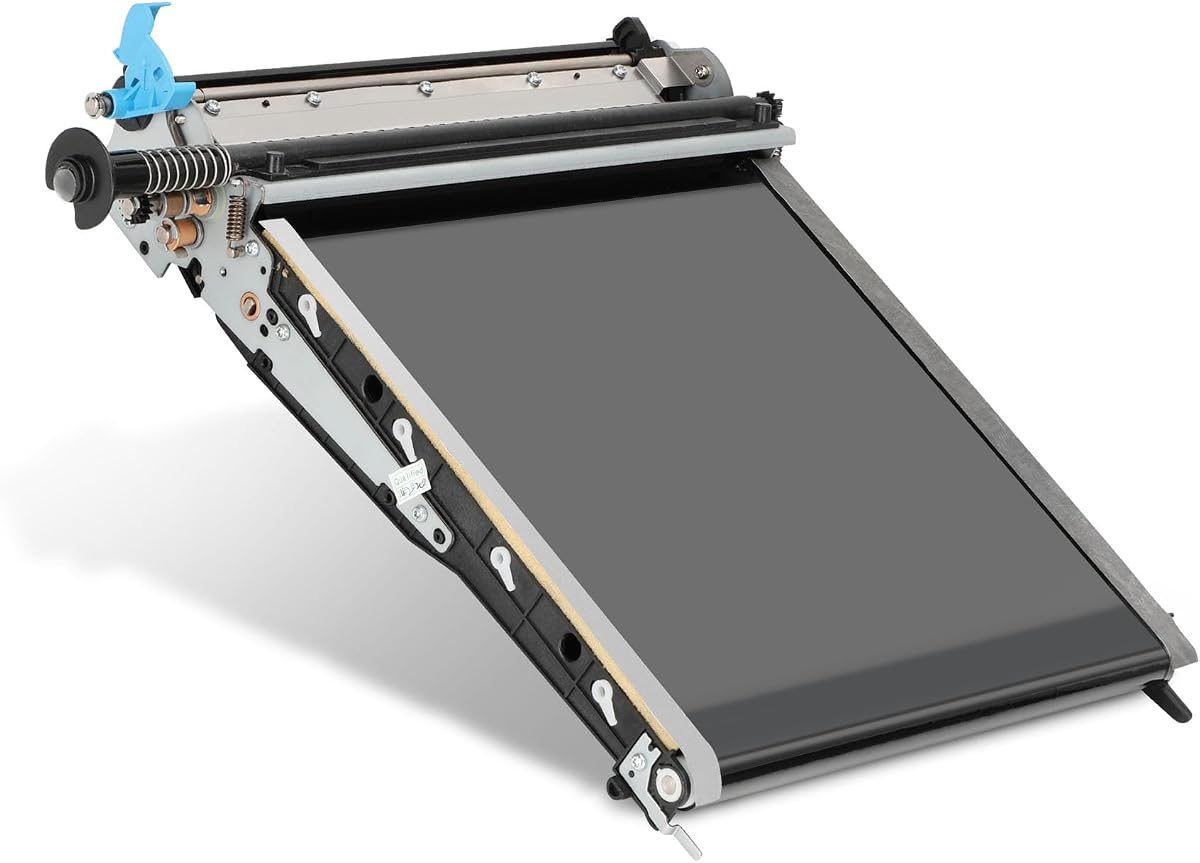

The 79866M Main Drive Belt is a focused replacement for 203 dpi Zebra ZT410, ZT411, ZT420, and ZT421 thermal barcode printers. Its 4.6 rating makes it one of the strongest customer-rated options in this guide. The belt uses a reinforced composite material intended to withstand heat, tensile stress, and continuous operation without cracking or permanently deforming.
We may earn a commission when you buy through this link, at no additional cost to you.
The most useful feature is its clearly defined compatibility. It covers part numbers 79866M and 20006, giving buyers two identifiers to compare with their printer service documentation. The construction is described as wear resistant, heat resistant, and resistant to aging, which addresses the common failure concerns associated with heavily used thermal printer drive belts.
Its main limitation is resolution. This belt does not fit the 300 dpi versions of the Zebra ZT410 and ZT420. It is also a single main drive belt rather than a complete transfer kit, so owners of compatible printers still need to inspect other wear parts separately. Those restrictions are reasonable for a model-specific maintenance part.
This is a practical choice for owners of a compatible 203 dpi Zebra ZT printer who want a straightforward, economical drive-belt replacement. Verify the printer resolution, model suffix, and existing part number before installation. If all three match, it offers a well-specified option with a favorable customer rating and a minimal replacement approach.
The reinforced composite construction is intended for long-run printing conditions where heat, repeated flexing, and mechanical tension can damage an ordinary belt. That makes it especially relevant for warehouses, shipping counters, and production environments that use compatible Zebra printers extensively.
Model compatibility is especially important because the 79866M/20006 belt is limited to 203 dpi versions of four ZT printers. Checking the resolution marking and existing part number avoids selecting a visually similar belt that cannot function properly.
We may earn a commission when you buy through this link, at no additional cost to you.
The Brother BU-223CL is a genuine belt unit designed for selected Brother color laser printers and all-in-one devices. It carries a 4.2 rating and a stated yield of up to 50,000 pages. Rather than functioning as a generic belt, it is presented as an intelligently engineered component of Brother's broader printing system.
We may earn a commission when you buy through this link, at no additional cost to you.
Its defining benefit is integration. The unit is intended to work seamlessly with compatible Brother machines and support consistent professional color laser output. The product information also mentions an environmentally responsible end-of-life disposal program for Brother-branded products, including belt units.
Compatibility is restricted to the HL-L3210CW, HL-L3230CDW, HL-L3270CDW, HL-L3290CDW, MFC-L3710CW, MFC-L3750CDW, and MFC-L3770CDW. Buyers should confirm that the printer is one of these models rather than relying on a general Brother model number. A lower 4.2 rating also leaves some room for individual experience variation.
The BU-223CL is a sensible pick for a compatible Brother color laser owner who values an original manufacturer component and straightforward integration. The stated 50,000-page life provides a useful planning reference. Confirm model support and installation requirements before ordering, especially if the machine has already received other maintenance parts.
Genuine belt units are engineered around the operating characteristics of their intended printer systems. For owners who prefer original components, that system-level fit can be more attractive than an unspecified aftermarket alternative.
The stated yield of up to 50,000 pages gives offices a reference for budgeting replacement intervals. Actual life varies with page coverage, color use, and operating conditions, so it should be treated as a guide rather than a guarantee.
We may earn a commission when you buy through this link, at no additional cost to you.
The Brother BU330CL Belt Unit is a dedicated replacement with an approximate stated yield of 50,000 pages. Its 4.3 rating reflects generally positive customer feedback, while the compact component arrangement makes it appropriate for owners who need to restore belt performance without replacing several other maintenance components.
We may earn a commission when you buy through this link, at no additional cost to you.
The supported list includes the HL-L8260CDW, HL-L8360CDW, HL-L8360CDWT, HL-L9310CDW, MFC-L8610CDW, MFC-L8900CDW, and MFC-L9570CDW. This is a specific model list, so the printer's complete model designation should be checked. The black retail packaging also makes this a more conventional-looking option than a loose service component.
Compared with a multi-part transfer kit, the BU330CL addresses a narrower maintenance need. That can be advantageous when the belt is the only worn component or when the owner wants to minimize unnecessary replacement work. On the other hand, it does not include the pickup and separation rollers commonly found in larger kits.
Choose this belt unit when your Brother printer appears in the compatible list and the image-transfer system needs a direct belt replacement. It is a focused, straightforward option for restoring a qualified machine, though users should inspect the wider maintenance system if toner transfer, feeding, or paper separation problems persist.
The BU330CL is aimed at replacing the belt within an established Brother system. It suits offices that recognize a specific worn component and want a straightforward repair without purchasing unrelated rollers and assemblies.
The supported models span several HL and MFC series, and minor suffixes matter. Checking the complete model name printed on the printer prevents a mismatch between the physical product and its intended machine.
We may earn a commission when you buy through this link, at no additional cost to you.
The CE249A Transfer Kit combines five categories of replacement components for several HP Color LaserJet families, including the CP4025, CP4525, M651, M680, and CM4540. Its 5.0 rating is the highest established customer score among the rated products in this guide, making it an especially attractive maintenance option.
We may earn a commission when you buy through this link, at no additional cost to you.
The package contains an intermediate transfer belt, a secondary transfer roller, an MP tray pickup roller, eight feed and separation rollers, and gloves. This broader scope means it can address the principal wear-prone parts of the image-transfer and paper-handling system in one maintenance purchase.
The listing states that the components use quality raw materials and undergo factory testing for quality and functionality. Protective anti-drop packaging and multiple protective layers are also highlighted. One consideration is that the kit is more complex than a single belt and may require careful component matching and more involved servicing.
This is our Editor's Choice for users of a listed HP Color LaserJet who want a broad service kit rather than a one-piece replacement. The perfect rating, multiple included components, and clearly stated compatibility make it a strong all-around choice. Confirm the exact printer model and identify each worn component before beginning the repair.
The included belt and rollers cover distinct roles in toner transfer and media movement. Replacing the relevant components together can help restore a more complete, consistent operating system after sustained use.
A 5.0 rating indicates especially favorable feedback from the customers represented in the listing. While individual experiences can vary, it gives this kit a favorable position relative to the other rated options.
We may earn a commission when you buy through this link, at no additional cost to you.
The Brother BU220CL Transfer Unit is a genuine belt assembly for the HL-3140CW, HL-3170CDW, MFC-9130CW, MFC-9330CDW, and MFC-9340CDW. Its 4.6 rating places it among the better-reviewed products here, while the broader transfer-unit format offers more than the simple standalone belt found in some alternatives.
We may earn a commission when you buy through this link, at no additional cost to you.
For owners of these older Brother color laser models, the advantage is straightforward compatibility with an established manufacturer part. The transfer unit is designed as part of the printer's image-transfer system, helping maintain the movement required for toner to reach the paper consistently. Genuine component status can also appeal to users who prioritize original equipment.
The product is supplied without retail packaging, which may matter to buyers expecting a sealed, branded presentation. It also supports only the five listed printer families, and installation of a transfer unit can require more care than replacing a simple belt. Users should consult their service documentation before opening the machine.
The BU220CL is a strong fit for a compatible older Brother machine showing transfer-related wear. Its 4.6 rating and genuine assembly status make it a dependable alternative to generic parts. Confirm the complete model name, review the unit condition, and ensure you are comfortable performing the required installation.
Older business printers can remain in service for many years, making access to the correct original transfer unit important. This option is particularly relevant when the listed HL or MFC model is still handling regular office workloads.
A transfer unit is more involved than a loose drive belt. Reviewing the printer's service procedure and identifying the worn assembly beforehand makes the replacement more methodical and reduces the chance of installing components incorrectly.
We may earn a commission when you buy through this link, at no additional cost to you.
The Oki 44846205 Transfer Belt is a focused replacement with a stated yield of 60,000 pages. Its 5.0 customer rating is among the strongest scores in the guide. The part is presented as a critical maintenance component intended to support printer life, reduce downtime, and improve productivity.
We may earn a commission when you buy through this link, at no additional cost to you.
Its primary appeal is the combination of a high stated yield and a dedicated format. Businesses using a compatible Oki printer can plan around a replacement that addresses the central transfer requirement without purchasing a large collection of additional rollers. That makes the belt a practical option for routine preventive maintenance.
The listing provides the specific part number 44846205, which should be matched carefully against the printer or existing component. It does not describe a multi-piece kit, so owners should inspect pickup and separation parts separately. The stated yield is also a reference figure, and real component life can vary with workload and operating conditions.
This belt is a strong recommendation for a compatible Oki owner looking for a direct, high-yield transfer replacement and minimal purchasing complexity. The perfect rating adds confidence, but the matching part number remains the decisive factor. Confirm compatibility and service requirements before ordering or installing it.
Replacing critical transfer components on a planned schedule can support printer longevity and reduce unexpected interruptions. The 60,000-page figure gives maintenance teams a starting point for evaluating replacement timing.
This option is best for buyers who already know their compatible Oki model and need only the transfer belt. It avoids unnecessary kit complexity, although the wider printer system should still be inspected for wear.
We may earn a commission when you buy through this link, at no additional cost to you.
The Hewlett Packard CC468-67927 service kit is an intermediate transfer belt maintenance part for HP Color LaserJet CM3530 and CP3525-series machines. It carries a 3.3 rating and a stated 150,000-page yield. The very high yield estimate and exact part-number identification make it relevant for planning, but its customer feedback is weaker than that of the leading options.
We may earn a commission when you buy through this link, at no additional cost to you.
The belt is intended to address the intermediate transfer stage of the printer, where toner is moved toward later imaging components. It is described as authentic and guaranteed, while the instructions emphasize using an exactly identical replacement part. The listing also advises that installation should be performed by an experienced technician.
That installation guidance is a meaningful limitation for casual users. Transfer systems can be sensitive to incorrect routing, tension, contamination, and handling. The 3.3 rating is also the lowest established score among the rated products, so buyers should research recent feedback and inspect the seller's support information before committing.
This service kit makes sense for a compatible HP Color LaserJet owner with technical repair experience or access to qualified service. The 150,000-page claim and exact identification are attractive for high-volume operations, but the lower rating and installation complexity argue against treating it as a casual replacement. Compatibility and technical confidence should come first.
A 150,000-page stated yield can be valuable for offices that produce substantial color output. The figure helps estimate replacement intervals, though actual results depend on usage patterns and printer conditions.
Intermediate transfer belts sit within a sensitive mechanical path. Experienced installation, correct routing, and a clean system can influence both the life of the new part and the consistency of later print output.
We may earn a commission when you buy through this link, at no additional cost to you.
The P1B93A Transfer Belt Kit is an extensive maintenance package for HP Color LaserJet Enterprise M652, M653, M681, and M682 printers. It has no published customer rating, so its value proposition comes from its detailed compatibility claims, 14 included components, and stated manufacturing inspections rather than a visible review score.
We may earn a commission when you buy through this link, at no additional cost to you.
The package includes an intermediate transfer belt, a secondary transfer roller, three tray 2-3 pickup rollers, three tray 2-3 separation roller assemblies, three HCI tray separation roller assemblies, and three HCI tray pickup rollers. This breadth covers several wear areas within the transfer and media-handling system.
The listing describes high-quality plastic, smooth belt surfaces, precision parts, and multiple quality and performance tests. The main drawback is installation complexity. Fourteen components require accurate identification, and the listing itself stresses confirming printer compatibility before purchase. There is also no rating available to provide the social proof seen with several competitors.
This kit is a strong premium option for a compatible enterprise printer that needs a broad service rather than one isolated replacement. It is especially appealing to maintenance teams prepared to replace transfer and paper-path wear components together. Confirm the model, compare each included part with the worn assemblies, and follow the printer's service procedure.
Rather than focusing on one belt, the package addresses the intermediate transfer belt plus several pickup and separation roller assemblies. That scope suits printers that have accumulated wear across multiple stages of the paper path.
The product information emphasizes smooth component surfaces, controlled production, and repeated inspections. These details are particularly relevant when replacement parts must operate together within a tightly sequenced imaging system.
We may earn a commission when you buy through this link, at no additional cost to you.
The 40X9929 Transfer Belt Assembly is designed for a broad selection of Lexmark CS720, CS725, CX725, XC4140, and XC4150-series printers. It has no published customer rating, but the listing provides a substantial compatibility list, a stated yield of 150,000 pages, and a complete transfer belt assembly.
We may earn a commission when you buy through this link, at no additional cost to you.
Compatible models include the CS720de, CS720dte, CS725de, CS725dte, CX725de, CX725dhe, CX725dthe, XC4140, XC4150, XC4143, and XC4153. For users of these machines, the specific 40X9929 part number makes model verification comparatively straightforward. The product is described as factory tested and supplied in multi-layer protective packaging.
A transfer belt assembly is more involved than a simple flat belt, so users should be prepared to follow the correct removal and installation procedure. The absence of a customer rating means there is less visible feedback to help compare long-term consistency. The 150,000-page figure is also a stated yield rather than a promise for every workload.
This assembly is a good candidate for compatible Lexmark owners who want the named 40X9929 component and broad model coverage. It is particularly suitable for offices maintaining a fleet across the listed CS, CX, and XC families. Verify the exact model, inspect the package on arrival, and use appropriate service procedures when replacing it.
The compatibility list spans several related Lexmark families and twelve named configurations. This can simplify fleet maintenance when multiple supported machines share the same transfer belt assembly.
An anti-drop box with multiple protective layers helps reduce the chance of damage during shipping. Transfer assemblies contain precise surfaces that should remain clean, straight, and free from impact or abrasion.
We may earn a commission when you buy through this link, at no additional cost to you.
The second 40X9929 option provides a transfer belt assembly for twelve explicitly named Lexmark configurations across the CS720, CS725, CX725, XC4140, and XC4150 ranges. It has no published customer rating, so buyers must place greater weight on the stated compatibility, 150,000-page yield, and factory-testing information.
We may earn a commission when you buy through this link, at no additional cost to you.
Its defining strength is a detailed listing that names every supported configuration, including the CS720de, CS720dte, CS725de, CS725dte, CX725de, CX725dhe, CX725dthe, XC4140, XC4150, XC4143, and XC4153. The package contains one 40X9929 transfer belt assembly and uses multi-layer anti-drop packaging.
Compared with the P1B93A enterprise kit, this option is narrower because it includes a single assembly rather than numerous rollers. That makes it more appropriate when the transfer belt is the component that needs replacement. The lack of customer feedback is a drawback, and buyers should inspect the product and seller information carefully.
This listing is well suited to a Lexmark owner who has confirmed the exact model and needs the specific 40X9929 assembly. Its clear compatibility list and stated factory testing support informed selection, although the absence of ratings limits direct customer validation. Follow the printer service procedure and confirm all identifiers before installation.
Naming twelve exact configurations gives buyers a more concrete basis for comparison. A careful model check against the printer label can prevent the most common transfer-belt purchasing error.
This product focuses on one transfer belt assembly. If pickup, separation, and feed rollers are also worn, a broader kit may be more appropriate; if only the belt has failed, the focused assembly can be sufficient.
We may earn a commission when you buy through this link, at no additional cost to you.
Choosing a transfer belt begins with identifying the exact printer and confirming whether the repair requires a dedicated belt, a complete transfer unit, or a broader maintenance kit. The part number, operating system, component scope, and installation requirements should be evaluated together rather than relying on the broadest compatibility description.
Transfer belts are not generally interchangeable across printer families, and even closely related models can use different assemblies. Start with the full model designation printed on the machine, including suffixes that indicate regional, paper-handling, or configuration differences. Then compare that designation with the seller's supported list. A model family mention alone may not cover every configuration, and the resolution or print-speed version of a device can also change the correct part.
An exact manufacturer or supplier part number is the safest identifier. It connects the replacement to a specific design, dimensions, routing arrangement, and material specification. This is especially important for multi-part kits, where several numbers may appear in the description. If the old component is still installed, compare its marking with the proposed replacement. If it is already removed, consult the printer manual or service documentation rather than relying on visual similarity.
A single belt can resolve a narrowly defined failure, while a transfer unit or maintenance kit may be preferable when several rollers and transfer components have reached the end of their useful lives. The CE249A and P1B93A options include multiple roller types, whereas the Zebra 79866M and Brother BU330CL listings focus on individual belts. Choosing too narrow can leave other worn parts unresolved; choosing too broad can add cost and unnecessary installation work.
Transfer belts operate under heat, tension, and repeated flexing. The 79866M listing specifically emphasizes reinforced composite material, heat resistance, and anti-aging performance, while broader kits describe precision plastic components. Material claims should be considered alongside manufacturing consistency and correct fit. A well-matched component should have a smooth, even surface and should not crack, shed material, or warp under expected operating conditions.
Stated yields in this guide range from approximately 50,000 pages to 150,000 pages, while the Oki belt lists a 60,000-page yield. These figures are useful for general maintenance planning, but actual life depends on color coverage, printing volume, environmental conditions, and printer maintenance. Treat yield as a reference rather than a guarantee, and record the printer's page count so replacement timing can be planned more accurately.
A loose drive belt may require less disassembly than a full transfer unit, while a 14-component enterprise kit demands careful organization and model-specific procedure. The HP CC468-67927 listing specifically recommends installation by an experienced technician. Review the required tools, access points, and number of components before purchasing. If the printer is still under warranty, check whether servicing it yourself could affect coverage.
Customer ratings offer useful context, though they should not be the only deciding factor. The CE249A and Oki belts each show 5.0 ratings, while the 79866M and BU220CL products hold 4.6. Products with no published rating require closer examination of the listing, seller responsiveness, warranty terms, and replacement guarantees. A clear return policy and accessible technical support can be particularly valuable when the fit or component condition is uncertain.
Transfer belts and rollers can be sensitive to bending, abrasion, contamination, and impact. Several listings emphasize anti-drop boxes and multiple protective layers, which is worthwhile for larger assemblies and kits. Upon delivery, inspect the package, confirm that all listed components are present, and avoid touching functional surfaces. Keep unused components in their protective packaging until installation.
Before replacing a transfer belt, identify the printer model and part number, then consult the manufacturer's service instructions. Disconnect the printer from power, allow it to cool, and clear the paper path. Gather the specified tools, replacement components, and cleaning supplies before removing any parts. A service manual is especially valuable for full transfer assemblies and enterprise maintenance kits.
Remove the old belt or assembly carefully while noting its orientation, routing, and tension. Avoid pulling on the belt, scraping the roller surfaces, or forcing components into position. Keep replacement parts away from dust, toner residue, fingerprints, and oil. If the package includes multiple rollers or assemblies, organize them by location before opening the printer and compare each item with the worn component.
Install the new component according to the service procedure, taking care not to twist, stretch, crease, or contaminate it. Restore any shields, covers, and tension settings exactly as specified. Run a short test page or test cycle, then inspect the page for banding, inconsistent color, transfer marks, and feeding errors. Monitor print quality over subsequent jobs, and replace other worn transfer components if symptoms persist.
For long-term care, keep the printer environment stable and operate it within its specified temperature and humidity range. Use the recommended toner and media, and follow the manufacturer's cleaning schedule without applying solvents directly to belts or rollers. If a belt shows cracking, fraying, permanent deformation, powder shedding, or surface contamination, replace it rather than attempting to restore it.
A transfer belt is a moving component inside many color laser printers that carries or coordinates the transfer of toner images through the printing system. It works with transfer rollers, pickup rollers, separation components, and the imaging system. As the belt wears, it can crack, deform, shed material, or lose tension, potentially causing banding, uneven color, transfer marks, and reduced print consistency.
Start with the full model name printed on the printer, including every letter, number, and suffix. Compare it with the seller's supported list, then verify the replacement part number in the manual or on the removed component. Printer family, model series, resolution, and region can affect fit, so a close visual match should never replace exact model and part-number confirmation.
Installation difficulty varies by product. A dedicated drive belt may be approachable for someone with careful hands and basic technical experience, while full transfer units and multi-roller kits often require more disassembly and correct tensioning. The HP CC468-67927 listing specifically recommends experienced technician installation. Check the service procedure, warranty terms, and your own comfort level before proceeding.
Common causes include extended use, heat exposure, material aging, improper tension, contamination, and damage during servicing. A worn belt may show visible cracking, whitening, fraying, permanent deformation, or material shedding. Heavy toner coverage and high-volume color printing can also increase wear. Replacing a belt at the first sign of damage is generally preferable to allowing it to affect nearby rollers.
Buy a single belt when that component is the only worn or failed part and the printer's service documentation calls for that specific replacement. Choose a complete kit when several transfer, pickup, and separation components show wear or when the manufacturer service procedure treats them as a matched set. A broader kit reduces the need for multiple separate orders but requires more installation work.
The listed products state yields ranging from approximately 50,000 to 150,000 pages, with one Oki option listing 60,000 pages. These numbers provide useful planning references, but actual life varies with color coverage, page volume, operating environment, toner, and maintenance quality. Monitor print quality and inspect the component rather than waiting for a specific page count to be reached.
A generic belt can be suitable when its exact dimensions, material, routing, and part specification match the printer's requirements. Quality varies among aftermarket products, and generic products generally offer less visible customer feedback than established original components. Compare the complete part number, stated construction, warranty, and seller support before choosing an aftermarket alternative.
Yes. A mismatched belt may not track correctly, may lack sufficient strength, or may not connect safely with the printer's tension system. Incorrect routing or tension can also damage nearby components. Always confirm the full printer model and exact part number, and follow the relevant service procedure rather than forcing a component that does not fit easily.
The 79866M Main Drive Belt is a cost-conscious choice for compatible 203 dpi Zebra ZT printers, while the CE249A Transfer Kit stands out as the Editor's Choice for compatible HP Color LaserJet models because it combines a 5.0 rating with multiple replacement components. The P1B93A kit earns the Best Premium distinction through its extensive component selection and enterprise-printer coverage.
For the remaining options, prioritize exact compatibility over broad marketing language. Genuine Brother and Oki parts offer clear appeal to owners of their supported machines, while the two Lexmark 40X9929 listings are best evaluated by the exact model and whether a complete assembly is required. The HP CC468-67927 kit merits consideration for high-volume use, but its lower rating and technician recommendation deserve attention.
Before ordering, verify the full printer model, existing part number, printer resolution where relevant, and the scope of worn components. Read recent customer feedback, compare the warranty and return terms, and allow time for proper installation. Product availability and pricing can change, so check current listings before making the final purchase.