
TP-Link AX1800 WiFi 6 Router
4.4Editor score
AX1800 dual-band wireless
1.8 Gbps aggregate bandwidth
OFDMA and beamforming
OpenVPN and PPTP servers
Best router for 800Mbps Internet guide compares 10 cable, Wi-Fi 6, Wi-Fi 6E, and Wi-Fi 7 models for speed, coverage, ports, security, and value at home today.
An 800Mbps internet plan delivers enough bandwidth for 4K streaming, large downloads, online gaming, video calls, and a connected household, but the wrong router can prevent those speeds from reaching your devices. A capable router needs sufficient wireless throughput, broad coverage, sensible port selection, and compatibility with your internet provider or modem.
This guide compares ten standalone routers and cable modem-router combinations using the supplied specifications, customer ratings, coverage claims, wireless standards, and wired connectivity. It includes budget Wi-Fi 6 models, tri-band and dual-band Wi-Fi 6E options, Wi-Fi 7 upgrades, and two-in-one cable solutions for households that want fewer devices.
The selections show how each product approaches an 800Mbps connection, from value-focused coverage to high-end multi-gigabit performance. Rankings reflect fit for this search rather than a claim that every device delivers identical results; actual speed depends on the service, client devices, home layout, interference, and placement. Prices and promotions can change.
4.4Editor score

4.1Editor score

4.4Editor score
The table below compares all ten candidates by wireless generation, aggregate bandwidth, coverage, and major connectivity features, making it easier to distinguish standalone routers from cable modem-router combinations.




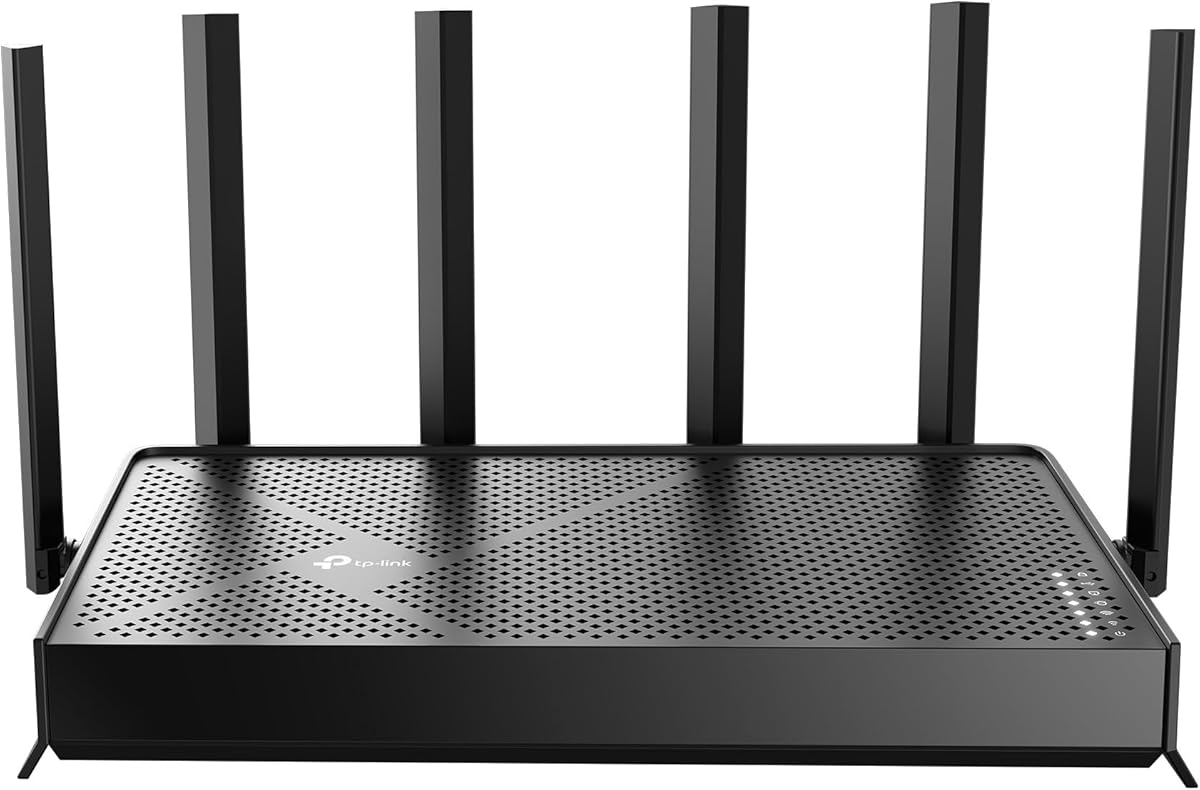
The TP-Link Archer AX21 V5 is a dual-band Wi-Fi 6 router whose 1.8 Gbps aggregate wireless capacity gives it ample headroom for a typical 800Mbps home internet connection. Its customer rating of 4.4 also places it among the stronger-reviewed products in this guide. The main appeal is balance: modern wireless efficiency, broad compatibility, and useful coverage features without moving into a high-end hardware category.
We may earn a commission when you buy through this link, at no additional cost to you.
Performance is allocated at up to 1200 Mbps on the 5 GHz band and up to 574 Mbps on the 2.4 GHz band, allowing compatible clients to take advantage of a fast 800Mbps service while slower or distant devices can remain connected. OFDMA helps the router communicate with multiple devices simultaneously, while beamforming, four high-gain antennas, and the front-end module focus coverage toward clients. Real-world performance still varies with distance, interference, walls, and client capabilities.
The main compromise is that this is a router rather than a complete internet system, so most customers need to retain a compatible cable, fiber, DSL, or provider-supplied modem. It also remains a dual-band design and therefore cannot use the 6 GHz spectrum offered by Wi-Fi 6E and Wi-Fi 7 alternatives. For a user with one suitable modem and an 800Mbps plan, these limitations are predictable and usually reasonable.
This is the strongest general recommendation for an 800Mbps household seeking a capable upgrade without the complexity of premium tri-band equipment. It is particularly suitable for apartments and medium homes with many streaming devices, phones, computers, and game consoles. Those wanting Wi-Fi 7, 6 GHz, or multi-gigabit wired connections should examine the Archer BE230 or BE600 instead.
OFDMA and dual-band throughput allow the AX21 to serve multiple users without treating every request as a separate transmission. That makes it a practical match for homes combining 4K television, gaming, video calls, downloads, and smart-home activity on an 800Mbps plan.
The Archer AX21 works with major providers such as Comcast, Charter, AT&T, Verizon, Xfinity, Spectrum, RCN, Cox, CenturyLink, and Frontier. It also supports OpenVPN and PPTP server functions for households that want to route supported traffic through a home VPN.
We may earn a commission when you buy through this link, at no additional cost to you.
The NETGEAR Nighthawk CAX30 combines a DOCSIS 3.1 cable modem with an AX2700 dual-band Wi-Fi 6 router. It is one of two choices here designed to connect directly to coax service, eliminating the need for a separate cable modem when your provider supports it. The supplied rating is 4.1, and its two-device design makes it attractive for 800Mbps Xfinity, Spectrum, and Cox subscribers.
We may earn a commission when you buy through this link, at no additional cost to you.
Its DOCSIS 3.1 foundation provides a useful upgrade path for faster cable plans, while the router portion offers up to 2.7 Gbps aggregate wireless throughput. Coverage is stated at up to 2,000 square feet and 25 or more connected devices, with four Gigabit Ethernet ports for hardwired devices. OFDMA support is intended to improve responsiveness when the household is active during congested periods.
Compatibility is the decisive limitation. The CAX30 supports Xfinity plans up to 800Mbps, Spectrum plans up to 1Gbps, and Cox plans up to 1Gbps, but it is not compatible with Verizon, AT&T, CenturyLink, DirecTV, DISH, or bundled voice plans. ISP activation is also required. NETGEAR Armor is available as a trial, though continued use requires a separate subscription.
Choose the CAX30 when you have compatible cable service and want one box to handle both internet access and Wi-Fi. It is less suitable for fiber, DSL, satellite, or unsupported provider setups because a standalone router and the appropriate gateway are still required. For those situations, the standalone selections in this guide offer greater flexibility.
Combining the cable modem and Wi-Fi 6 router can reduce shelf space, cables, and configuration complexity. The approach is particularly effective when the existing provider equipment is a basic gateway and the goal is to take control of home networking.
Four Gigabit Ethernet ports make it possible to connect a desktop, television, game console, and network storage system without reducing those connections to Wi-Fi. The Nighthawk app also adds guided setup, speed tests, device pausing, guest networks, and remote management.
We may earn a commission when you buy through this link, at no additional cost to you.
The discontinued NETGEAR Nighthawk C7000 is a DOCSIS 3.0 cable modem and AC1900 Wi-Fi 5 router combo with a 4.2 customer rating. Although it lacks the newest wireless standard, its stated provider support includes Xfinity internet plans up to 800Mbps, directly matching the target connection speed when that compatibility and service remain available.
We may earn a commission when you buy through this link, at no additional cost to you.
Its dual-band AC1900 wireless system is stated to cover up to 1,800 square feet. Beamforming+ strengthens signals toward mobile devices, while 24×8 channel bonding supports DOCSIS performance. Four Gigabit Ethernet ports provide stable options for gaming consoles, desktop computers, and streaming devices that benefit from a wired connection.
The obvious drawback is its age. Wi-Fi 5 lacks the 6 GHz band and newer Wi-Fi 6 or Wi-Fi 7 features found elsewhere in this comparison, while DOCSIS 3.0 offers less expansion headroom than the CAX30's DOCSIS 3.1 platform. It is also explicitly discontinued, which can make support, firmware expectations, and availability less certain than with a current model.
This router is most reasonable for a compatible cable customer who specifically finds it available and wants an integrated unit with adequate speed for an 800Mbps plan. New buyers with access to the CAX30 should generally favor the newer cable combination. Fiber, DSL, satellite, and other non-cable customers should choose a standalone router instead.
The Nighthawk app brings guided installation, Wi-Fi controls, speed testing, device pausing, and guest-network tools to a familiar interface. That management ecosystem remains one of the C7000's clearest advantages for households that do not need newer wireless capabilities.
The C7000 is specifically approved for Xfinity plans up to 800Mbps and Cox plans up to 500Mbps, subject to provider approval. Its four Gigabit LAN ports are especially useful when stable, low-latency connections matter more than the convenience of wireless.
We may earn a commission when you buy through this link, at no additional cost to you.
The TP-Link Dual-Band AX3000 is a standalone Wi-Fi 6 router rated 4.4 by customers. It combines 2402 Mbps of theoretical 5 GHz throughput with 574 Mbps on 2.4 GHz, creating 2.976 Gbps of aggregate capacity. For an 800Mbps connection, that extra headroom can be useful when several high-bandwidth clients are active at once.
We may earn a commission when you buy through this link, at no additional cost to you.
OFDMA enables multiple clients to share a band more efficiently, while four external high-gain antennas and beamforming support stronger signal delivery. Target Wake Time is designed to help devices communicate more efficiently and conserve power. The revised case and larger heat sink are intended to limit heat-related throttling during sustained use.
This remains a dual-band Wi-Fi 6 design, so it does not provide the additional 6 GHz capacity offered by the Archer AXE75, BE600, or RS700S. It also does not supply a modem, making it appropriate for DSL, fiber, cable with an existing modem, and compatible provider gateways. Free HomeShield features include network security scans, IoT identification, parental controls, quality of service, and scheduled reports.
The TP-Link AX3000 is a compelling option for a medium home whose 800Mbps service is shared among numerous wireless devices. It offers more stated aggregate throughput than the AX21 while retaining an accessible standalone format. Buyers with newer Wi-Fi 7 clients, multi-gigabit internet, or a need for 6 GHz should look to the Archer BE230 or BE600.
The router can assign modern, nearby devices to the faster 5 GHz band while keeping conventional or distant devices on 2.4 GHz. OFDMA improves the way bandwidth is divided when several compatible clients are active.
Target Wake Time reduces unnecessary device communication, and the cooling design is intended to support stable operation. These features make the model more than a basic internet gateway, particularly for households with many always-on smart-home devices.
We may earn a commission when you buy through this link, at no additional cost to you.
The NETGEAR Nighthawk RAX36 is a router-only Wi-Fi 6 option with a stated capacity for up to 25 devices and coverage across up to 2,000 square feet. Its AX3000 class is listed at up to 3 Gbps wireless speed, giving it ample nominal headroom over an 800Mbps internet connection while remaining focused on a single access point.
We may earn a commission when you buy through this link, at no additional cost to you.
The RAX36 connects to an existing cable, satellite, fiber, or DSL modem or gateway and is stated to support internet services up to 1Gbps. Four Gigabit Ethernet ports are available for computers, consoles, streaming players, and other wired equipment. Its product identity also emphasizes gaming, built-in VPN support, and a USB 3.0 connection for compatible peripherals.
Because it is router-only, buyers need a separate cable modem for coax service or an appropriate gateway for other access types. It also remains dual-band, with no 6 GHz support, so a Wi-Fi 6E or Wi-Fi 7 model can offer more flexibility for newer compatible clients and denser wireless environments.
The RAX36 is a good match for households wanting a straightforward NETGEAR router, around two dozen connected devices, and several reliable wired connections. It is particularly attractive when the internet service is already compatible and users prefer a single-band-pair design without the complexity of a tri-band premium system.
The stated 25-device limit gives buyers a more useful planning target than a vague capacity description. It should accommodate a typical collection of phones, televisions, computers, consoles, speakers, cameras, and household appliances when usage is distributed.
The RAX36 works with existing providers and gateways up to 1Gbps, allowing it to replace an older wireless router without requiring a specific modem brand. Four Gigabit LAN ports preserve fast wired options for high-demand devices.
We may earn a commission when you buy through this link, at no additional cost to you.
The TP-Link Archer AXE75 is a tri-band Wi-Fi 6E router with a customer rating of 4.3. It is particularly relevant to an 800Mbps household because the dedicated 6 GHz band can provide clients with additional clean spectrum, while total stated throughput reaches up to 5,400 Mbps across the three bands.
We may earn a commission when you buy through this link, at no additional cost to you.
The 6 GHz, 5 GHz, and 2.4 GHz radios are listed at up to 2402 Mbps, 2402 Mbps, and 574 Mbps respectively. OFDMA and true tri-band operation are designed to increase simultaneous client capacity. A 1.0 GHz dual-core processor, 512 MB of memory, and a housing designed for heat dissipation support the router's more advanced feature set.
The AXE75 supports VPN server and client functions using OpenVPN, PPTP, and L2TP. It is also EasyMesh-compatible, allowing additional compatible routers, extenders, or wireless powerline adapters to create a more seamless whole-home network. As a standalone router, however, it still requires a separate modem for most services.
This is a strong choice for users with recent Wi-Fi 6E devices who want more headroom than a conventional dual-band router. It may not be necessary for every 800Mbps plan, since the service speed does not automatically translate into 6 GHz client use. Even so, the additional band and expansion flexibility make it a balanced performance upgrade.
The 6 GHz band can offer more available channel space than crowded 2.4 GHz and 5 GHz environments. Compatible nearby clients benefit from that separation, particularly when several high-throughput devices connect at once.
EasyMesh compatibility gives owners a path to reduce dead zones with compatible accessories. This is valuable in larger homes where a single access point may struggle to provide consistent signal through multiple rooms and floors.
We may earn a commission when you buy through this link, at no additional cost to you.
The TP-Link Archer BE230 is a dual-band Wi-Fi 7 router with a 4.2 customer rating. It provides up to 2882 Mbps on 5 GHz and 688 Mbps on 2.4 GHz, creating a BE3600 class of aggregate throughput. For an 800Mbps connection, its defining advantage is the inclusion of a 2.5 Gbps WAN/LAN port rather than a purely gigabit-oriented design.
We may earn a commission when you buy through this link, at no additional cost to you.
Multi-Link Operation, Multi-RUs, and 4K-QAM form the core of its Wi-Fi 7 feature set, though client support will determine how much benefit is realized in practice. Four internal antennas and beamforming are stated to cover up to 2,000 square feet and as many as 60 devices. The wired configuration includes one 2.5 Gbps WAN/LAN port, one additional 2.5 Gbps LAN port, and three 1 Gbps LAN ports.
It is important to note that this remains a dual-band router and therefore does not support the 6 GHz band, despite being a Wi-Fi 7 model. It requires a separate modem for most internet providers. EasyMesh compatibility provides a route to whole-home expansion, and TP-Link HomeShield adds network protection, parental controls, and IoT security.
The Archer BE230 is a compelling match for an 800Mbps household that also has a multi-gigabit modem or plans to upgrade. It is less essential when every device uses older Wi-Fi standards and the available gateway is limited to one gigabit. In that situation, the AX21 or AX3000 may deliver a more economical result.
The 2.5 Gbps WAN/LAN port avoids a common bottleneck in premium networks. It is especially useful with a multi-gig service, a faster local network, or storage and computing equipment that benefits from a wired connection above one gigabit.
Multi-Link Operation can improve reliability by using multiple links, while 4K-QAM increases data density under suitable conditions. Existing clients will still use the standards they support, so the largest benefits naturally come from newer hardware.
We may earn a commission when you buy through this link, at no additional cost to you.
The GL.iNet GL-MT6000 Flint 2 is a Wi-Fi 6 gaming router with a 4.5 customer rating, the highest listed rating among the ten products. Its eight-stream design supports wireless speeds up to 6 Gbps, while dual 2.5 Gbps ports provide high-capacity wired connections. Those characteristics make it a strong fit for gamers, remote workers, and technically inclined users.
We may earn a commission when you buy through this link, at no additional cost to you.
VPN performance is a primary strength. Supplied specifications list WireGuard speeds up to 900Mbps and OpenVPN speeds up to 880Mbps, although actual results depend on the provider, network conditions, server location, and VPN service. DDR4 memory and 8 GB of eMMC storage provide a substantial platform for plugins, while the router can accommodate more than 100 connected devices.
AdGuard Home support adds local DNS-based tracking blocking and configurable ad filtering through a web interface. The router is a standalone device and requires a separate modem for most services. Its documentation specifically recommends updating the firmware during initial setup because doing so improves performance and the user experience.
Choose the Flint 2 when gaming latency, VPN throughput, multi-gigabit wired connections, and local DNS filtering matter more than a turnkey cable solution. It is less likely to suit a user who wants the simplest possible setup or who lacks a compatible 2.5 Gbps source. The 800Mbps plan is well within its capability envelope.
The eight-stream Wi-Fi 6 platform and dual 2.5 Gbps ports provide considerable capacity for demanding consoles, computers, and VR equipment. A 2.5 Gbps internet connection also has room to make full use of the router's faster wired paths.
AdGuard Home gives users direct control over DNS filtering, while the expandable storage supports additional software. WireGuard and OpenVPN performance makes the Flint 2 practical for remote access and privacy-oriented network configurations.
We may earn a commission when you buy through this link, at no additional cost to you.
The NETGEAR Nighthawk RS700S is a dedicated tri-band Wi-Fi 7 router offering up to 19 Gbps across the 2.4 GHz, 5 GHz, and 6 GHz bands. Its 4.4 customer rating and extensive coverage target make it the premium selection here for larger, busier homes that want more than an 800Mbps plan demands.
We may earn a commission when you buy through this link, at no additional cost to you.
The twelve-stream design is stated to cover up to 3,500 square feet and support as many as 200 devices. MU-MIMO and OFDMA help manage simultaneous traffic, while a 10 Gbps WAN port can accept premium fiber service. On the wired side, one 10 Gbps LAN port and four 1 Gbps LAN ports support high-speed computers, NAS devices, smart televisions, and other network hardware.
As a standalone router, the RS700S pairs with an existing modem or gateway over Ethernet. It supports most cable, fiber, DSL, and satellite providers, although some gateway or modem-router combinations may need bridge mode. It does not include coax, so it is not a direct cable-modem solution. NETGEAR Armor is available on a trial basis, with a subscription required afterward.
This is the strongest option for users who value large-home coverage, abundant device capacity, 6 GHz access, and multi-gigabit wired options. It is overkill for a small home whose connected devices are mostly older standards. Those who only need an 800Mbps connection can get a more focused result from the AX21, AX3000, or RAX36.
The 6 GHz band gives compatible high-performance clients more clean spectrum and adds another path for demanding traffic. Combined with the 12-stream design, it supports the kind of high client count common in large, active homes.
A 10 Gbps WAN port prepares the network for the fastest available fiber tiers, while the 10 Gbps LAN port supports local transfers involving compatible computers and storage. The remaining gigabit ports cover everyday wired devices without requiring adapters.
We may earn a commission when you buy through this link, at no additional cost to you.
The TP-Link Archer BE600 is a tri-band Wi-Fi 7 router with a customer rating of 4.2. Its BE9700 class combines up to 5,765 Mbps on 6 GHz, 2,882 Mbps on 5 GHz, and 1,032 Mbps on 2.4 GHz, providing generous capacity for a modern household with high-speed access and many connected devices.
We may earn a commission when you buy through this link, at no additional cost to you.
Coverage is stated at up to 2,600 square feet for as many as 120 devices. Six positioned antennas and beamforming focus signal toward difficult areas, while Multi-Link Operation combines multiple bands for stronger, more consistent connections. The wired layout includes one 10 Gbps WAN/LAN port, one 2.5 Gbps WAN/LAN port, and three 2.5 Gbps LAN ports for a capable local network.
The Archer BE600 supports OpenVPN, PPTP, and L2TP, including simultaneous VPN and regular internet connections. It can be managed through the Tether app or a web interface, and its security features include HomeShield network protection, parental controls, and IoT security. Like other standalone routers here, it needs a separate modem for most providers.
This router is best for users with Wi-Fi 7 devices, a multi-gigabit connection, and a need for several fast wired endpoints. An 800Mbps service will not require its full capacity, but the hardware can keep pace with a later internet upgrade. Buyers seeking a simpler and less advanced setup may find the AX21 or RAX36 more proportionate.
The separate 6 GHz, 5 GHz, and 2.4 GHz radios allow compatible clients to select the most suitable band. Dedicated capacity can reduce contention in a busy home where numerous modern devices are active.
The 10 Gbps and 2.5 Gbps ports support both premium WAN connections and high-speed local networks. This makes the BE600 relevant to users who want the router to handle more than a conventional gigabit internet tier.
We may earn a commission when you buy through this link, at no additional cost to you.
The right router for an 800Mbps plan should deliver enough wireless capacity, cover the rooms where devices are used, and connect cleanly to the available internet service. Speed class, band count, ports, coverage, management, and provider compatibility matter more than headline features a household will never use.
Begin by identifying how internet enters the home. A standalone router needs an existing compatible modem or gateway, which is common with fiber, DSL, satellite, and some cable installations. The CAX30 and C7000 are cable modem-router combinations for compatible coax providers, but their provider and plan limitations must be checked before purchase. A device sold only as a router cannot directly replace a cable modem without one, and a cable combo cannot serve a fiber or DSL line without the necessary network equipment.
An 800Mbps connection benefits from a wireless class rated above the service speed, but aggregate router ratings are not the same as real-world client throughput. AX1800, AX2700, and AX3000 dual-band models provide more theoretical headroom than an older Wi-Fi 5 device. AXE5400 and BE9700 tri-band routers add a 6 GHz radio, while the BE3600 and BE9700 classes support Wi-Fi 7 features. Actual results depend on client standards, distance, interference, channel conditions, and how many devices share the airtime.
Published square-foot figures offer a starting point rather than a guarantee. Walls, floors, appliance interference, furniture, and router placement can change results substantially. Four external or internal high-gain antennas and beamforming can improve directional signal delivery, but a larger, multi-story home may still need mesh equipment. The RS700S targets the largest stated area in this group, while the Archer BE600 and other tri-band models offer additional spectrum for dense environments.
Gaming consoles, desktop computers, smart televisions, and network storage often perform more consistently over Ethernet. Every candidate provides Gigabit-class wired options, while the Flint 2, Archer BE230, Archer BE600, and RS700S add 2.5 Gbps or 10 Gbps paths. These faster ports can be useful for a multi-gig internet service or local transfers, but a gigabit device will still operate within its own limit. Count the required wired endpoints before choosing a model with only four LAN ports.
A household with phones, televisions, speakers, cameras, appliances, and consoles needs more than a basic access point. OFDMA, MU-MIMO, and tri-band designs are intended to improve simultaneous transmission and network efficiency. The RAX36 targets 25 devices, the Archer BE230 up to 60, the Archer BE600 up to 120, and the RS700S up to 200. The Flint 2 is also positioned for more than 100 devices, making it a consideration for especially connected environments.
Features such as VPN servers, VPN clients, AdGuard Home, EasyMesh, multi-gig WAN, and Wi-Fi 7 can be genuinely useful, but they are not equally relevant to every household. Remote workers may value VPN performance, gamers may want low-latency multi-gigabit paths, and owners of newer phones or laptops may benefit from 6 GHz. Security tools, guest networks, parental controls, and firmware updates should be considered before specialized features.
TP-Link models are managed through the Tether app, while NETGEAR routers use the Nighthawk app; the C7000 and CAX30 both include the latter. Mobile controls can simplify setup, guest-network creation, device pausing, and speed tests. Look for WPA2 or WPA3 encryption, firewall protection, automatic or accessible firmware updates, parental controls, and IoT device identification. Optional security subscriptions should be evaluated separately from the router's built-in protections.
An 800Mbps plan can be well served by a modern midrange router, so the newest generation is not automatically the most economical choice. A dual-band Wi-Fi 6 model may cover the home and leave useful upgrade headroom, while Wi-Fi 6E or Wi-Fi 7 becomes more relevant when clients, the modem, or a future internet tier can use its extra capability. Compare the full feature set and current product value rather than relying only on aggregate speed.
Begin setup by placing the router in an open, central location away from enclosed cabinets, televisions, microwaves, and other sources of interference. Connect it to the modem or gateway using the appropriate Ethernet or coax cable, then use the manufacturer's app or web interface to complete configuration. Change the default administrator credentials, update the firmware, set a secure wireless password, and create a separate guest network before adding many devices.
For a standalone router, connect the service provider's modem to the router's WAN or Internet port and enable bridge mode on the modem if required by the provider and router instructions. For a cable modem-router combination, connect the coax line and allow ISP activation before testing. Do not assume every device will receive the full 800Mbps; that figure describes the connection to the premises, while Wi-Fi speed also depends on the client, band, signal, and concurrent traffic.
Run a wired speed test near the modem or router, then test again over Wi-Fi in the rooms where you regularly use the network. Keep firmware updated, periodically review connected devices, and remove access for hardware you no longer use. If coverage is weak, move the router higher, adjust its orientation, reduce unnecessary interference, or add compatible mesh equipment. Periodic comparison of wired and wireless results helps reveal whether an issue comes from the internet service, local network, or wireless environment.
Yes, unless your provider supplies a gateway that already includes adequate Wi-Fi. Even with an 800Mbps line, a router creates the local wireless and wired network that connects your devices. A capable Wi-Fi 6 or newer model also provides a comfortable amount of wireless headroom for busy households.
Not necessarily. The service speed is the maximum available connection, while Wi-Fi performance also depends on the client standard, band, distance, walls, interference, and network load. A nearby Wi-Fi 6 client may perform very well, while an older or distant device may receive a much lower rate.
A standalone router is the more flexible choice when you already have a compatible modem or gateway, or when your service is fiber, DSL, or satellite. A combo is convenient for supported coax service because it combines both functions. Always verify the exact provider and plan before buying either type.
It is not strictly necessary. A well-positioned Wi-Fi 6 router can comfortably serve an 800Mbps connection, especially for nearby compatible clients. Wi-Fi 7 becomes more valuable when you have newer client hardware, need multi-gigabit wired connections, or expect to upgrade to a faster internet tier later.
A faster, better-equipped router can reduce wireless contention and provide more capacity, but it cannot remove latency inherent to the internet service or distance from the provider. Wired Ethernet generally offers the most consistent latency, while a low-latency Wi-Fi 6 or Wi-Fi 7 router can improve performance over an older or congested access point.
The supported device count depends more on the router's concurrent performance, firmware, and usage patterns than on the headline internet speed. Models in this guide state ranges from 25 devices for the RAX36 to 200 for the RS700S. Light web browsing and smart-home traffic are easier to support than constant 4K streaming, downloads, and gaming.
Mesh is worth considering when the main router cannot provide reliable signal in distant rooms or across multiple floors. It may be unnecessary for a compact home with strong central placement. If coverage is already adequate, spending on a stronger central router or better placement can produce a simpler network.
Usually, yes, because most standalone routers can connect to a compatible modem or gateway through Ethernet. Some setups require bridge mode on the provider gateway so the new router handles routing and Wi-Fi. Your provider may have specific compatibility or activation requirements, so check those before replacing equipment.
The TP-Link Archer AX21 is the most balanced recommendation for an 800Mbps household that wants modern Wi-Fi 6 performance, broad provider compatibility, and strong coverage without stepping into premium multi-gigabit equipment. The NETGEAR CAX30 stands out when compatible cable service allows a combined modem and router, while the Nighthawk RS700S is the premium choice for large homes, many devices, 6 GHz coverage, and 10 Gbps networking.
For most users, prioritize the service type, client standards, room layout, and number of wired endpoints before choosing a faster generation. Wi-Fi 6E or Wi-Fi 7 can provide valuable future headroom, but it only improves results when the internet source and connected devices can use those capabilities. A 2.5 Gbps port is another practical upgrade if the modem or future service plan supports it.
Check the current product details, provider approval, and live pricing before ordering because promotions and hardware availability can change. Also account for any required modem, activation, or bridge-mode steps. A properly placed, current router paired with compatible clients is the most reliable way to turn an 800Mbps internet connection into a fast and consistent home network.