
HP Chromebook 14
4.3Editor score
Up to 14-hour battery
Four-core Celeron processor
Lightweight 14-inch design
Low power consumption laptops are designed to deliver useful computing while using less energy, producing less heat, and often lasting longer between charges. They are especially attractive for students, travelers, remote workers, and anyone who wants a dependable second computer. The strongest models balance efficiency with enough performance for browsing, office work, streaming, and online learning.
This guide compares ten laptops built around efficient Intel N-series, Celeron, and low-power U-series processors. We evaluated battery claims, portability, displays, memory, storage, connectivity, ports, operating systems, and practical everyday features. The comparison covers Chromebook and Windows models at different capability levels, so readers can compare power efficiency without confusing it with total performance.
Each review explains where a particular notebook fits into the low-power category and highlights the details that matter most in regular use. Some models prioritize long battery life and a lightweight enclosure, while others add larger displays, faster solid-state storage, newer wireless standards, or more memory. Product features and current availability can change, so check the latest listing details before purchasing.
4.3Editor score

4.8Editor score

4.1Editor score
As an Amazon Associate we earn from qualifying purchases.
The table below compares all ten low power consumption laptops by processor, memory, storage, display, and practical portability features, making it easier to identify the right balance for commuting, studying, or working from home.


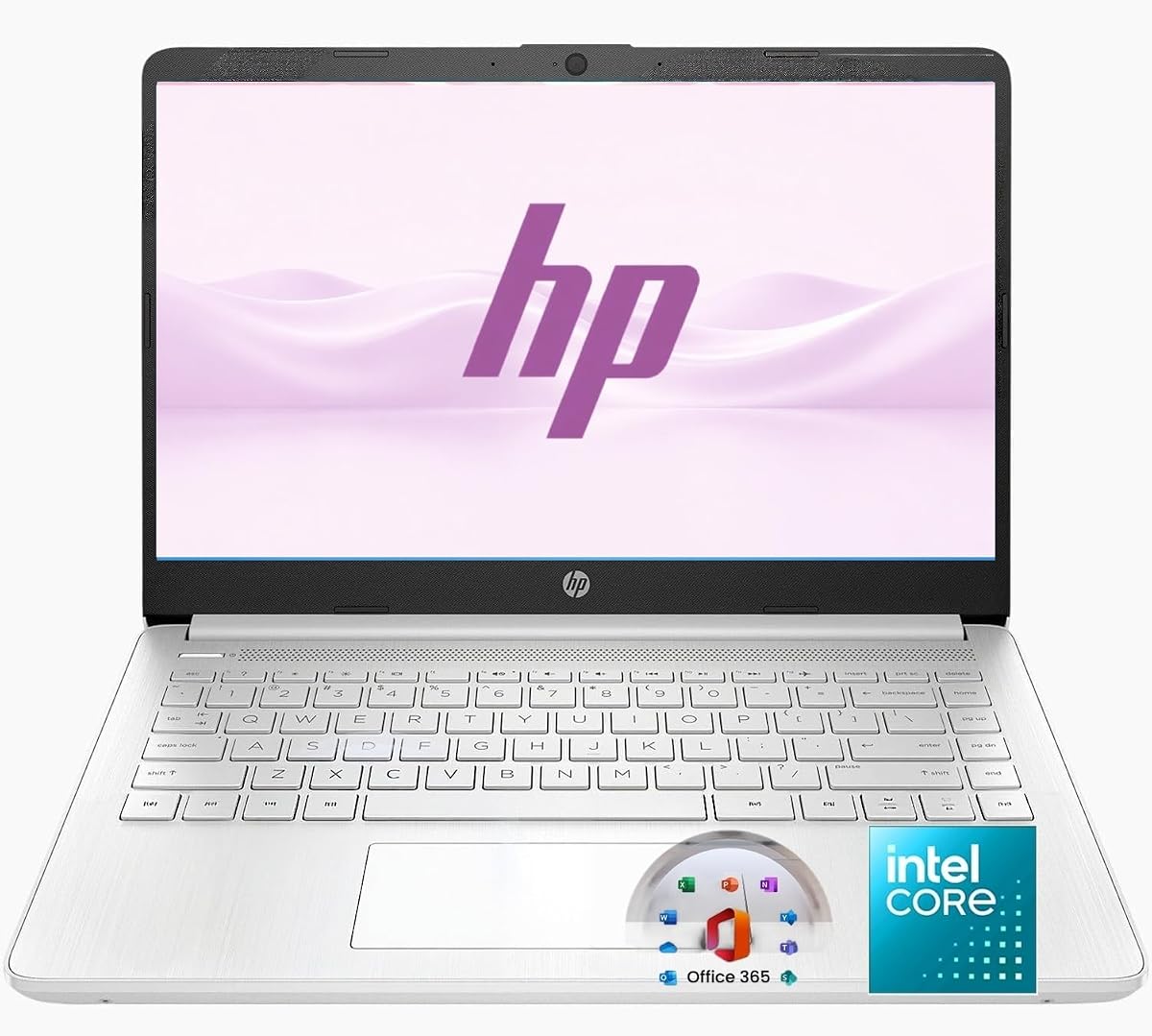


The HP Chromebook 14 combines an efficient Intel Celeron N4120 processor with a claimed battery life of up to 14 hours, making it one of the strongest low-power choices for students and commuters. Its 4.3 rating reflects a generally favorable balance of portability, battery endurance, and practical features, although its 4GB of memory and 64GB of eMMC storage are modest.
We may earn a commission when you buy through this link, at no additional cost to you.
The quad-core processor is designed around efficiency, while Intel UHD Graphics 600 supports smooth 4K content streaming and suitable next-generation games within the limits of the platform. The 14-inch micro-edge display uses an anti-glare 1366 by 768 panel, which is practical for studying and working in bright locations. Stereo speakers, Wi-Fi, Bluetooth, a multi-touch touchpad, and HP Fast Charge add useful conveniences.
Its main limitation is the tight 64GB storage allowance. Users who keep large media libraries or extensive desktop applications may need cloud storage or external accessories. Chrome OS also centers the experience on web-based tools and Android applications, so buyers with specialized Windows software should verify compatibility before choosing this model.
This is an excellent budget option for writing, browsing, video calls, streaming, and online assignments. Students who value endurance above maximum storage or demanding performance will probably appreciate it most. Fast charging and the long claimed runtime make it especially practical for days spent in classrooms, libraries, or cafés.
The stated 14-hour battery life provides the strongest endurance claim in this comparison. HP Fast Charge also replenishes roughly half of the charge in around 45 minutes, reducing disruption when a long study day leaves little room for charging.
Chrome OS keeps the system centered on the browser, Google Play apps, and automatic web-oriented updates. That focus reduces background complexity, although it makes the model less suitable for people who depend on traditional Windows-only software.
We may earn a commission when you buy through this link, at no additional cost to you.
The Lenovo V15 Business Laptop uses an efficient Intel N100 processor, LPDDR5 memory, and fast UFS storage to deliver an appealing low-power Windows configuration. Its 4.3 rating reflects a well-rounded offering that combines a large display, useful connectivity, and a portable 3.42-pound body without moving beyond the basic efficiency tier.
We may earn a commission when you buy through this link, at no additional cost to you.
Its 15.6-inch Full HD anti-glare panel has 250 nits of brightness and an 88% screen-to-body ratio, making it suitable for offices, classes, and home use. TÜV Rheinland Low Blue Light certification may be helpful during long sessions. The webcam includes a privacy shutter, while firmware TPM 2.0 adds hardware-based security for business and remote-work environments.
Connectivity is a major strength. Wi-Fi 6 and Bluetooth 5.2 are joined by two USB-A ports, a USB-C port with power delivery and DisplayPort, HDMI, an SD card reader, and a 3.5mm audio jack. The USB-C charging support can reduce adapter clutter, while the 0.70-inch profile remains easy to carry.
The main compromise is the 4GB of LPDDR5 memory, which may become restrictive with many simultaneous applications. Windows 11 Home in S mode also limits installing certain conventional desktop applications. For users who primarily browse, edit documents, stream, attend online classes, and use cloud services, it remains a practical, efficient choice.
The mix of USB-A, USB-C, HDMI, and an SD card reader lets the V15 connect to peripherals without relying entirely on an external hub. USB-C power delivery adds another layer of travel convenience by enabling a more compact charging setup.
The Intel N100 and UFS 3.1 storage are well suited to document editing, browsing, streaming, and communication. LPDDR5 memory also operates efficiently, but upgrading beyond the included 4GB may require replacing the memory module.
We may earn a commission when you buy through this link, at no additional cost to you.
The HP New Everyday Slim pairs an Intel N150 processor, 4GB of DDR5 memory, and a 128GB SSD with a claimed battery life of up to 11.5 hours. Its 5.0 rating is the highest listed in the group, although ratings alone do not reveal real-world battery variation or long-term performance.
We may earn a commission when you buy through this link, at no additional cost to you.
The 14-inch BrightView display offers 1366 by 768 resolution and 220 nits of brightness. It is adequate for documents, classes, and streaming, though it lacks the resolution and color coverage of the Full HD models elsewhere in the guide. The 720p webcam includes temporal noise reduction and dual array microphones, which are useful for everyday video calls.
Its port selection is more complete than many similarly compact budget notebooks. It includes USB 2.0, USB 3.2 Gen 1, USB-C with DisplayPort 1.2, HDMI, a headphone and microphone jack, and a multi-format SD card reader. A one-year Microsoft 365 subscription and 1TB of OneDrive cloud storage add value for document-heavy users.
The 3.24-pound chassis and 0.71-inch thickness make this a convenient everyday companion. Its 4GB of memory is the main concern for heavy multitasking, while 128GB of storage is best supplemented through OneDrive or an SD card. It is a strong recommendation for students and home users seeking a Windows laptop with efficient hardware.
A 128GB SSD delivers faster response than the eMMC storage used by several alternatives. The included OneDrive allowance and Microsoft 365 subscription make the limited local capacity easier to manage for documents and collaborative school or office work.
At 3.24 pounds, the notebook is light enough for regular carrying while remaining equipped with a full-size, non-backlit keyboard. Its display is straightforward, but the compact dimensions suit students working across campuses, homes, and shared offices.
We may earn a commission when you buy through this link, at no additional cost to you.
The HP New Everyday Slim 2026 Edition combines an Intel N150 processor with a claimed battery life of up to 11.5 hours of video playback or 7.5 hours of wireless streaming. It is a focused Windows notebook for browsing, online classes, office tasks, and streaming, with no customer rating supplied in the available product information.
We may earn a commission when you buy through this link, at no additional cost to you.
Its 14-inch anti-glare LED display offers 1366 by 768 resolution, 250 nits of brightness, 62.5% sRGB coverage, and a 79% screen-to-body ratio. That makes it more visible than some 220-nit alternatives, although the resolution remains below Full HD. The Natural Silver finish gives it a clean and understated appearance.
A dedicated Microsoft Copilot key stands out among the features, alongside a 720p camera with temporal noise reduction, dual array microphones, and a multi-touch HP Imagepad. Windows 11 Home 64-bit and 1TB of cloud storage support users who want Microsoft services and files available across devices.
The absence of a listed memory figure and rating makes direct evaluation less certain than with the other products. However, the efficient processor, long claimed runtime, and 3.24-pound design make it a sensible option for students and mobile office users. Verify the final configuration before ordering.
The dedicated Copilot key gives supported Microsoft features quicker access without changing the keyboard layout. It is a useful productivity convenience, though users who do not rely on those services may still find the standard Windows shortcuts equally effective.
Claimed runtime reaches up to 11.5 hours for video playback and 7.5 hours for wireless streaming. Actual results depend on brightness, connectivity, workload, and power settings, but the figures position this model well for ordinary mobile use.
We may earn a commission when you buy through this link, at no additional cost to you.
The Lenovo Essential 15.6-inch FHD stands out within this guide because it pairs the efficient Intel N150 with 8GB of LPDDR5-4800 memory. That larger memory allocation makes it better prepared for browser-heavy multitasking than several four-gigabyte alternatives while preserving the low-power character of the processor.
We may earn a commission when you buy through this link, at no additional cost to you.
The Full HD anti-glare display provides 1920 by 1080 resolution, 250 nits of brightness, and an 88% screen-to-body ratio. A 720p webcam with a privacy shutter adds security for calls. The two 1.5-watt speakers, HD audio, and dual-array microphones support communication and ordinary multimedia use.
The 128GB UFS 3.1 drive offers quicker file access than eMMC and can provide snappier boot and application response. It remains a modest capacity for large game libraries or extensive media archives, but cloud storage and an SD card reader help expand options. Wi-Fi 6, Bluetooth 5.2, HDMI, USB-A, and USB-C with power delivery cover common accessories.
ENERGY STAR 9.0 certification and EPEAT Silver registration reinforce the efficiency angle, while MIL-STD-810H testing supports the claim of everyday durability. The 4.1 rating is lower than those of many competitors, but the stronger memory specification and mature feature set justify consideration for students and budget-conscious professionals.
Eight gigabytes gives the operating system and applications more room than the 4GB configurations found on several competitors. It is a meaningful advantage for keeping browser tabs, messaging, documents, and calls open at the same time.
ENERGY STAR 9.0 certification and EPEAT Silver registration provide formal context for the laptop's energy-conscious design. These certifications complement the efficient processor, LPDDR5 memory, and energy-efficient UFS storage.
We may earn a commission when you buy through this link, at no additional cost to you.
The Amzboy 15.6-inch Laptop emphasizes quiet, portable everyday computing with an Intel N4020 processor, fanless solid-state design, and 3.3-pound chassis. Its 4.6 rating is among the strongest in the guide, and the absence of a cooling fan makes it particularly interesting for shared rooms, online classes, and travel.
We may earn a commission when you buy through this link, at no additional cost to you.
The 15.6-inch Full HD anti-glare screen provides a roomy workspace for documents, browsing, and video. Its fanless construction eliminates fan noise and reduces the amount of dust drawn into the chassis. The 4GB of RAM and 128GB eMMC meet basic needs, while an external TF card slot supports expansion up to 1TB.
USB-C Power Delivery is another useful travel feature. The included 45W adapter is intended to be more compact than a traditional barrel-style charger, and the system includes dual USB-C and USB 3.2 connections. Windows 11 comes preinstalled for a familiar productivity environment.
The principal compromises are the modest processor performance, limited memory, and relatively small local storage. It is best suited to browsing, documents, Zoom classes, video calls, and other routine tasks rather than demanding software. For users who value silence, a large screen, and simple charging above maximum performance, it is a compelling low-power option.
The fanless solid-state design keeps the laptop acoustically simple and helps prevent dust from entering through a cooling fan. This makes it useful in quiet study spaces and meetings where continuous fan noise would be distracting.
A 45W USB-C Power Delivery adapter simplifies packing, while the TF card slot provides a straightforward way to add files and media. The expandable design helps compensate for the limited 128GB internal eMMC.
We may earn a commission when you buy through this link, at no additional cost to you.
The ASUS Vivobook Go 15.6-inch is designed for students who want a roomy display, comfortable keyboard, and Windows experience without a large power appetite. Its Intel Celeron N4500 is a dual-core chip intended for education, browsing, and entry-level productivity. The 3.9 rating is the lowest in this group and suggests some compromises.
We may earn a commission when you buy through this link, at no additional cost to you.
The 1920 by 1080 60Hz panel reaches 220 nits of peak brightness, which makes it suitable for classrooms and documents. An ErgoSense backlit chiclet keyboard is particularly useful for nighttime study, while the 720p camera includes a privacy shutter. Audio by SonicMaster and a Smart Amplifier add emphasis to the entertainment experience.
The 42Wh battery supports fast charging that reaches 60% in about 49 minutes through a USB-C port. Wi-Fi 5 and Bluetooth 5.1 are less advanced than the Wi-Fi 6 systems in some competing models, but they remain practical for ordinary home, school, and office networks.
With 4GB of RAM and 128GB of eMMC storage, this laptop is best for browsing, writing, coursework, and video playback. Its lower rating and older wireless specification make it less attractive for heavy multitaskers, though the backlit keyboard and fast charging make it functionally student-friendly.
The backlit chiclet keyboard is a meaningful advantage for students working after normal class hours. Its ergonomic design also supports more comfortable extended typing than a very thin, low-travel keyboard.
The ability to reach approximately 60% charge in 49 minutes helps a student move through a day of classes without long waits at an outlet. The 42Wh battery remains compact enough to complement the notebook's portable design.
We may earn a commission when you buy through this link, at no additional cost to you.
The HP 14-inch 2027 Edition combines an Intel N150 processor with 4GB of DDR5 memory, a 128GB SSD, and a compact 3.24-pound enclosure. Its 4.5 rating is strong among the group and supports its appeal as a straightforward, efficient Windows laptop for school and routine office work.
We may earn a commission when you buy through this link, at no additional cost to you.
The N150 operates at speeds up to 4.4 GHz with four cores and four threads, offering enough capability for documents, browsing, communication, and light multitasking. The non-touch display features 250 nits of brightness and an anti-glare coating, which is helpful in bright indoor environments.
Its selection of ports is practical for a compact notebook. USB 3.0 Type-C and Type-A connections, HDMI, and a headphone and microphone jack cover common accessories, while Wi-Fi and Bluetooth handle wireless networking. One year of Microsoft 365 provides access to Word, Excel, and other standard productivity tools.
The 0.71-inch profile and low weight make it easy to carry between home, office, and school. A specific battery runtime is not supplied, so buyers should verify the listing and current test feedback. Overall, it is a well-balanced compact option for anyone who prioritizes efficiency, familiar software, and straightforward connectivity.
The 14-inch form factor offers a usable workspace without the bulk of a larger notebook. A weight of 3.24 pounds and a thickness of 0.71 inches make it practical for commuters and students who carry a computer every day.
The included Microsoft 365 subscription covers common word processing, spreadsheet, and presentation needs. A 128GB SSD supports faster application and file response, while OneDrive cloud storage adds flexible space.
We may earn a commission when you buy through this link, at no additional cost to you.
The jumper 15.6-inch FHD Laptop stands out for its combination of 12GB RAM, 256GB solid-state storage, and a full HD IPS display. Its 4.8 rating is the highest listed in the comparison, while the Celeron 5205U is explicitly positioned around ultra-low power consumption for daily work and study.
We may earn a commission when you buy through this link, at no additional cost to you.
The 15.6-inch panel uses native 1920 by 1080 resolution, slim 5mm bezels, anti-glare coating, and blue-light filtering. It offers a more spacious and visually refined workspace than basic HD models, making it well suited to documents, lessons, streaming, and longer study sessions.
Its 12GB of RAM is the largest memory allocation in the guide and provides useful headroom for numerous browser tabs and common applications. The 256GB SSD also offers twice the local capacity of most competitors. Together, these specifications make the model less likely to become constrained during ordinary mixed productivity work.
Port selection is broad, with Type-C, HDMI, dual USB 3.0, a 3.5mm jack, a microSD slot, and a DC charging port. The 38Wh rechargeable battery supports the efficiency goal, although no specific runtime is claimed. The processor is dated and not suitable for heavy workloads, but as an efficient daily driver, this laptop is the most balanced recommendation here.
Twelve gigabytes of RAM gives the system comfortable headroom for many tabs, communications, and light productivity applications. It is the clearest hardware advantage over the numerous 4GB alternatives in this guide.
The IPS Full HD panel delivers a sharper and more spacious workspace than a standard 1366 by 768 screen. Anti-glare and blue-light filtering features make it more comfortable for extended reading and online study.
We may earn a commission when you buy through this link, at no additional cost to you.
The HP 14-inch Ultra Light packages an Intel N150 processor, 8GB of RAM, 128GB UFS storage, and one year of Office 365 into a portable 14-inch notebook. Its 4.3 rating reflects a well-rounded productivity bundle that also includes a removable 256GB SD card, external optical drive, and wireless mouse.
We may earn a commission when you buy through this link, at no additional cost to you.
The processor is designed for everyday browsing, streaming, online classes, email, Office documents, and video meetings rather than heavy gaming or professional design work. Eight gigabytes of RAM gives it more multitasking headroom than the typical four-gigabyte model, while UFS storage supports responsive file access.
Wi-Fi 6 and Bluetooth 5.4 offer modern wireless connectivity, and the 720p webcam with dual microphones supports communication. The slim 14-inch chassis is easy to move between home, school, dorm, office, library, and travel locations. Long battery life is highlighted, though a specific maximum runtime is not provided.
The internal 128GB capacity is small, but the bundled removable 256GB SD card and cloud options provide additional room. This model is especially attractive to buyers who want a ready-to-use Windows setup without separately sourcing a mouse or optical drive. It is a practical choice for families, students, and office users handling routine work.
The included mouse, external optical drive, SD card, and Office 365 subscription reduce the need for immediate extra purchases. That convenience can be particularly useful for students setting up a dorm room or home office.
Wi-Fi 6 and Bluetooth 5.4 provide current wireless capabilities for browsing, calls, accessories, and collaboration. These features make the laptop better suited to busy networks than older Wi-Fi 5 alternatives.
We may earn a commission when you buy through this link, at no additional cost to you.
Choosing an efficient laptop means balancing battery life, processor capability, memory, storage, display quality, portability, and connectivity. The right choice depends less on maximum specifications than on how consistently the computer will be used away from an outlet.
Battery life is the defining practical benefit of a low-power laptop, but published maximum figures usually represent controlled conditions. Screen brightness, browser activity, video playback, wireless connections, and processor load can all reduce real-world runtime. Look for a manufacturer claim that corresponds to your normal workload and consider fast charging, which can be more valuable when outlets are unavailable during a school or work day.
The HP Chromebook 14 claims up to 14 hours, while two HP Everyday Slim models list up to 11.5 hours of video playback or 7.5 hours of wireless streaming. The jumper includes a 38Wh battery but does not provide a maximum runtime. Prioritize usable endurance, efficient charging, and the ability to complete a typical day on battery.
Low-power processors are designed to perform routine work with better energy use than high-performance laptop chips. Intel N100, N150, and N4020 models prioritize basic efficiency, while Celeron chips serve similar entry-level roles. A Celeron 5205U adds a low-power U-series design but uses an older platform. These processors suit browsing, office applications, communication, and streaming rather than intensive editing or modern gaming.
Match the processor to your workload. A newer N150 generally offers a stronger foundation than an older Celeron 5205U, but the exact experience also depends on memory and software. For ordinary productivity, any of these efficient chips can be sensible when their limitations align with your needs.
Memory determines how comfortably the laptop can hold several applications and browser tabs at once. Four gigabytes is enough for basic use but can feel limited with many tabs, video calls, and office programs open together. Eight gigabytes provides a better balance, while the jumper's 12GB is the most generous allocation in this group.
Prioritize at least 8GB if you expect regular multitasking or remote learning. For very light browsing and document work, 4GB may be acceptable. Check whether memory is soldered or replaceable before buying if you expect needs to grow over time.
Storage affects how quickly files and applications load, while capacity determines how much can be kept locally. SSDs and UFS storage generally provide a more responsive experience than eMMC, although the latter can still be adequate for basic work. Many low-power laptops include only 128GB, so cloud storage and SD card support are useful additions.
Look for at least 128GB if you expect to install applications, while 256GB offers more comfortable room for documents, media, and updates. The jumper leads the group with 256GB, while the Amzboy's TF slot offers expansion to 1TB. Choose based on how much important data must remain available offline.
A 14-inch display generally provides a better balance of workspace and portability than a 15.6-inch panel, while the larger screens in this guide are helpful for classes and multitasking. Resolution also matters: 1366 by 768 is workable for documents, but 1920 by 1080 offers noticeably more text space, image detail, and screen comfort.
Consider the full laptop, not just the panel, because a larger display can reduce portability. The HP Chromebook and slim HP models favor compactness, whereas the Lenovo, ASUS, Amzboy, and jumper prioritize 15.6-inch Full HD screens. Anti-glare coating is a valuable addition for work under bright lighting.
Portable laptops are easier to use away from a desk when they are light, thin, and equipped with a convenient charger. The models here weigh approximately 3.24 to 3.42 pounds, which is a meaningful advantage when carrying a computer daily. USB-C Power Delivery can also reduce the need to pack a bulky proprietary adapter.
The Amzboy includes a 45W USB-C fast charger, while the Lenovo V15 supports USB-C power delivery. Check dimensions, weight, keyboard comfort, and charger size together. A portable design is only convenient if the screen, battery, and controls still suit your work.
Modern wireless connectivity improves the experience on crowded home, school, and office networks. Wi-Fi 6 appears on the Lenovo V15, Lenovo Essential, and HP Ultra Light, while the HP Chromebook and ASUS use older standards that still work well in many environments. Bluetooth 5.2 or 5.4 provides support for current accessories.
Ensure the laptop includes the ports you actually use. USB-A is useful for legacy flash drives and peripherals, HDMI simplifies external-display connections, and USB-C improves charging and docking flexibility. The Lenovo V15 and Lenovo Essential offer particularly broad selections, while an SD or microSD reader can provide convenient file expansion.
Windows laptops provide broad compatibility with traditional business, educational, and creative applications. Chrome OS is designed around web-based workflows and Android applications, which can be efficient for browsing, documents, and media. Some models use Windows 11 in S mode, a restricted edition that can affect installation of conventional desktop software.
Inventory the applications and file formats you need before choosing an operating system. The included Microsoft 365 or OneDrive allowances add immediate productivity value, but users requiring specialized Windows software should confirm that the notebook supports it without switching modes or reinstalling the operating system.
Start by configuring power settings for the way you work. Use the operating system's battery-saving or balanced mode for routine browsing and office tasks, lower the screen brightness when possible, and disconnect unused peripherals. Bluetooth and Wi-Fi can also be switched off when they are not required. These habits conserve energy without fundamentally changing the laptop's capabilities.
Treat charging as a way to support battery health rather than waiting for a full depletion every day. When using the notebook plugged in for long periods, consult the available battery-preservation or charge-limit controls in the operating system and manufacturer applications. Keep the charger with you when travel is likely, especially if you rely on fast charging between classes or appointments.
For storage, maintain free space on the solid-state drive and avoid filling it completely. Use OneDrive, Google Drive, an SD card, or another external drive for large files and backups. Keep vents clear, clean the display with a soft microfiber cloth, and avoid placing the computer on soft surfaces that could obstruct cooling.
Not necessarily, but most low-power laptops prioritize efficiency over demanding performance. Intel N-series and Celeron processors handle browsing, documents, streaming, and online learning well, but they are less suitable for advanced gaming, intensive video editing, and professional design workloads. Memory and storage also influence perceived speed, so models with 8GB or more generally feel more responsive.
Treat the stated maximum as a best-case laboratory result rather than a guarantee. Brightness, video quality, wireless use, battery age, and the applications running can all change real-world runtime. Look for a claim based on the activity you commonly perform, such as video playback or wireless browsing, and allow extra margin for intensive days.
Four gigabytes can handle a word processor, a limited number of browser tabs, and video calls, but performance may suffer when many applications are open. Students who maintain numerous tabs or run simultaneous learning tools should favor 8GB or more. The jumper offers 12GB, while the Lenovo Essential and HP Ultra Light provide 8GB.
Usually, yes. A 14-inch notebook is easier to fit into smaller bags and generally provides a more compact footprint. The listed 14-inch HP models weigh approximately 3.24 pounds, while several 15.6-inch competitors are around 3.42 pounds, although screen size alone does not determine overall portability.
All three are flash-based storage options, but they differ in performance and design. UFS and conventional SSDs generally provide stronger responsiveness than eMMC, particularly for operating-system tasks and application loading. Capacity remains important too, because many efficient laptops include only 128GB and rely on cloud services or removable cards for additional room.
Chrome OS can be an efficient choice for browser-centered learning and communication because it is designed around web applications and automatic online updates. Windows offers much broader compatibility with established desktop software and may be preferable for business or specialist requirements. Check whether a particular model uses the restricted Windows S mode before purchasing.
It can, especially when the panel is set to a high brightness, because a larger active display may consume more energy. The impact also depends on panel technology, screen settings, and workload. A 15.6-inch laptop does not automatically have shorter runtime than a 14-inch model, but brightness and sustained high-refresh use remain important.
Many do, but some efficient designs use fanless cooling. The Amzboy is specifically described as having a fanless solid-state design, which provides silent operation and can reduce dust intrusion. Fanless systems may run warmer under sustained load, so buyers should still keep ventilation openings clear and avoid placing the computer on fabric surfaces.
The HP Chromebook 14 is the leading budget option for exceptional claimed battery life and a simple portable design. The jumper 15.6-inch FHD stands out as the most balanced overall choice because it combines 12GB of memory, 256GB solid-state storage, and a Full HD IPS display, while the Lenovo Essential 15.6-inch FHD is the strongest premium-oriented configuration with 8GB LPDDR5 memory and energy-efficient UFS storage.
Your priorities should determine the winner. Choose a Chromebook for browser-first study, an N150 Windows model for a modern balance of efficiency and capability, or a 15.6-inch Full HD panel for a roomier workspace. Memory, storage, charger convenience, and port selection can be more consequential to daily satisfaction than small differences between processor generations in this category.
Before purchasing, confirm the current configuration, warranty terms, battery claims, operating-system mode, and accessory availability on the product listing. Product details and prices change over time, so checking the latest listing can prevent surprises and help ensure that the selected laptop still offers the efficiency and features you need.