
Dell SE2426HG
4.7Editor score
240Hz native refresh rate
0.5ms claimed response time
FreeSync Premium support
A 240Hz monitor can give competitive Valorant players faster visual updates, cleaner enemy outlines, and more room to react. The best display for your setup depends on refresh rate, response time, adaptive-sync support, resolution, panel characteristics, and how comfortably it fits your desk and viewing habits.
This roundup compares ten high-refresh gaming monitors using their supplied specifications, including panel type, maximum refresh rate, response-time claims, color coverage, connectivity, adaptive-sync features, and ergonomic adjustments. It covers conventional and curved Full HD displays, QHD models, and premium ASUS TUF options for different competitive budgets and preferences.
The picks highlight a value-focused 24-inch model, a high-rated MSI alternative, and a feature-rich ASUS TUF monitor as the strongest starting points. Each review explains the advantages and limitations, while current product details, availability, and pricing should be checked before making a final purchase.
4.7Editor score

4.8Editor score
4.5Editor score
As an Amazon Associate we earn from qualifying purchases.
The comparison below highlights each monitor's core competitive-gaming attributes, including refresh rate, response time, panel type, and adaptive-sync support. These specifications help separate straightforward Full HD speedsters from higher-resolution, curved, and feature-rich alternatives.



The Dell SE2426HG is a straightforward competitive gaming monitor built around the features that matter most in fast Valorant matches. It combines a native 240Hz refresh rate with an IPS panel, a claimed 0.5ms response time, and AMD FreeSync Premium support. Its 4.7 rating reflects a favorable buyer history, although performance can still vary with the PC, graphics settings, and operating environment.
We may earn a commission when you buy through this link, at no additional cost to you.
At 23.8 inches and 1920×1080, the display provides a competitive field of view without requiring the desk space of a large ultrawide. The 240Hz rate is well suited to rapid strafes, weapon fire, and sudden movement, while the 0.5ms response specification supports the goal of crisp motion and reduced visible lag. FreeSync Premium and HDMI VRR can help maintain smooth frame delivery when frame rates fluctuate or fall short of the display's refresh rate.
Color and viewing-angle details also make this more than a bare-bones esports panel. Dell specifies 99% sRGB coverage, wide IPS viewing angles, and good color accuracy, which helps player outlines remain distinct against varied in-game environments. TÜV Rheinland 3-star certification adds blue-light filtering without sacrificing the stated color quality. The main compromises are ergonomic rather than visual: the listed stand offers tilt, and the Full HD resolution provides less screen detail than the QHD alternative in this roundup.
This is the most balanced recommendation for players who want a compact, no-fuss high-refresh display without paying for elaborate gaming furniture or a larger desktop footprint. It should suit both AMD and NVIDIA users, provided the PC and game settings can drive the display effectively. Anyone who prioritizes a simple, proven feature set and clear competitive specifications should give the Dell SE2426HG particular attention.
The native 240Hz refresh rate gives Valorant more opportunities to display each rendered frame than a conventional high-refresh screen. Combined with the listed 0.5ms response time and FreeSync Premium, it is a strong specification package for players who react to small muzzle flashes, enemy peeks, and rapid movement.
A 23.8-inch Full HD panel offers a practical balance between target visibility and desk space. The 16:9 format also suits the standard competitive layout, making it easier to preserve peripheral awareness without adjusting an ultrawide-sized screen.
We may earn a commission when you buy through this link, at no additional cost to you.
The AOC Q27G41ZE combines a 27-inch QHD IPS panel with a native 240Hz refresh rate, making it one of the most distinctive choices in this guide. Its title also identifies NVIDIA G-SYNC support, while the supplied feature list describes Adaptive-Sync for compatibility across AMD and NVIDIA GPUs. The monitor carries a 4.6 rating and an especially fast 0.3ms MPRT claim for competitive motion.
We may earn a commission when you buy through this link, at no additional cost to you.
Resolution is the chief advantage over typical 24-inch Full HD esports displays. At 2560×1440, Valorant characters, weapon outlines, minimap details, and environmental textures can appear more defined. A 27-inch panel also provides enough physical size to make that extra resolution useful without moving into much larger desktop territory. The 300-nit brightness and 1000:1 contrast specification should give the image a solid competitive foundation.
Gaming tools include Shadow Control, crosshair-oriented game modes, and a graphical on-screen display. Connectivity is also appropriate for a modern competitive PC, with DisplayPort 1.4, two HDMI 2.0 ports, and audio output. The advertised 260Hz overclocked capability can provide additional headroom, although the native 240Hz mode is the more straightforward target for daily use. The tilt range of negative 3 degrees to positive 21 degrees is useful, but height, swivel, and pivot are not listed.
Choose the Q27G41ZE when sharper imagery and a larger competitive view matter more than the simplicity of a small Full HD panel. It is particularly appealing to players who can render Valorant at QHD and want broad GPU compatibility without giving up a 240Hz foundation. The trade-off is greater system demand and more screen space compared with a standard 24-inch esports display.
The 2560×1440 resolution supplies more visual information than standard Full HD, helping fine details remain visible in agent abilities, weapon silhouettes, and distant map elements. That extra definition is especially valuable when the action no longer occupies the immediate center of the screen.
Adaptive-Sync support is designed to work with both AMD and NVIDIA systems, while G-SYNC is identified in the model name. This broad compatibility makes the monitor practical for users who may change graphics hardware during the ownership period.
We may earn a commission when you buy through this link, at no additional cost to you.
The SANSUI 24.5-inch model is built for players who want more refresh-rate headroom than a standard 240Hz display. It supports modes up to 300Hz over DisplayPort and up to 240Hz through HDMI, while also offering FreeSync Premium and a listed 1ms MPRT response time. Its 4.5 rating makes it a credible FPS-focused choice within this comparison.
We may earn a commission when you buy through this link, at no additional cost to you.
The Fast IPS panel operates at 1920×1080 and includes crosshair, FPS, RTS, and racing game-assistant presets. Its stated color coverage of 120% sRGB, 300-nit brightness, HDR support, and eight-bit color depth provide a more colorful foundation than competitive users require, while anti-flicker and low-blue-light features help with long sessions. A 178-degree viewing angle also supports a natural desk position.
The connection layout is unusually practical: two DisplayPort 1.4 inputs, two HDMI 2.0 inputs, and an audio jack, with one DisplayPort cable included. VESA 75-by-75-millimeter mounting and a negative 5-degree to positive 15-degree tilt range improve setup options. There are no built-in speakers, but a separate pair or headset avoids adding clutter to the desk. Players should recognize that reaching the top refresh rate requires a suitably powerful system and a compatible connection.
This monitor makes the most sense for an enthusiast who values the option of 300Hz and the extra connectivity more than having the shortest listed response time. At 240Hz, it still meets the core target for competitive Valorant, and its feature-rich Full HD panel can also handle faster shooters and everyday use. It is a flexible high-refresh option rather than the minimum-speed route into competitive gaming.
The ability to run above 240Hz gives the monitor a useful upgrade path for users with hardware capable of producing very high frame rates. Even when a game or system does not reach that ceiling, the display can still operate at the standard 240Hz target.
Crosshair overlays and dedicated FPS, RTS, and racing presets reduce the need to hunt through every menu before a match. Multiple DisplayPort and HDMI inputs make it easier to keep a competitive PC, console, or secondary source connected.
We may earn a commission when you buy through this link, at no additional cost to you.
The Amzfast 24-inch Curved Gaming Monitor offers a 240Hz refresh rate, Full HD resolution, 1ms MPRT response, and Adaptive-Sync support. Unlike several established models in this list, it does not have a supplied numerical buyer rating, so it is best evaluated from its specifications and warranty details rather than a visible consensus score. The design targets players who want speed and a compact footprint.
We may earn a commission when you buy through this link, at no additional cost to you.
Its curved panel can make the edges of the image feel more wrapped around the viewer, which some players prefer during immersive sessions. Meanwhile, the ultra-slim 0.12-inch base is designed to slide beneath a keyboard, potentially freeing desk depth. Both HDMI 2.0 and DisplayPort 1.4 support 240Hz, and a 3.5mm audio jack provides a convenient way to connect a headset or external speakers.
The on-screen control system is another practical strength. A five-way joystick provides access to refresh-rate information, crosshairs, game presets, and a professional black-level adjustment without navigating a more cumbersome multi-button arrangement. Standard, FPS, and RTS modes are included, and the listed specifications cover 124% sRGB, a 3000:1 contrast ratio, 300-nit brightness, and HDR support. Low-blue-light, flicker-free, and anti-glare protections are also included for extended play.
This Amzfast is most suitable for competitive Valorant players who like curved displays and want to keep keyboard space efficient. The main drawback is that the lack of a numerical rating means there is no supplied buyer-rating history to help gauge long-term satisfaction. Players should also account for the fact that a curved 24-inch panel does not create the wider field of view of an ultrawide monitor, even though it adds visual wraparound.
The narrow base can sit under a keyboard, making this a practical option for smaller desks. The curved screen adds immersion while retaining the familiar 16:9 proportions that match standard Valorant layouts.
The five-way joystick is designed to make crosshair and game-mode adjustments less cumbersome. That convenience is useful when you want to prepare settings quickly without navigating a dense menu between games.
We may earn a commission when you buy through this link, at no additional cost to you.
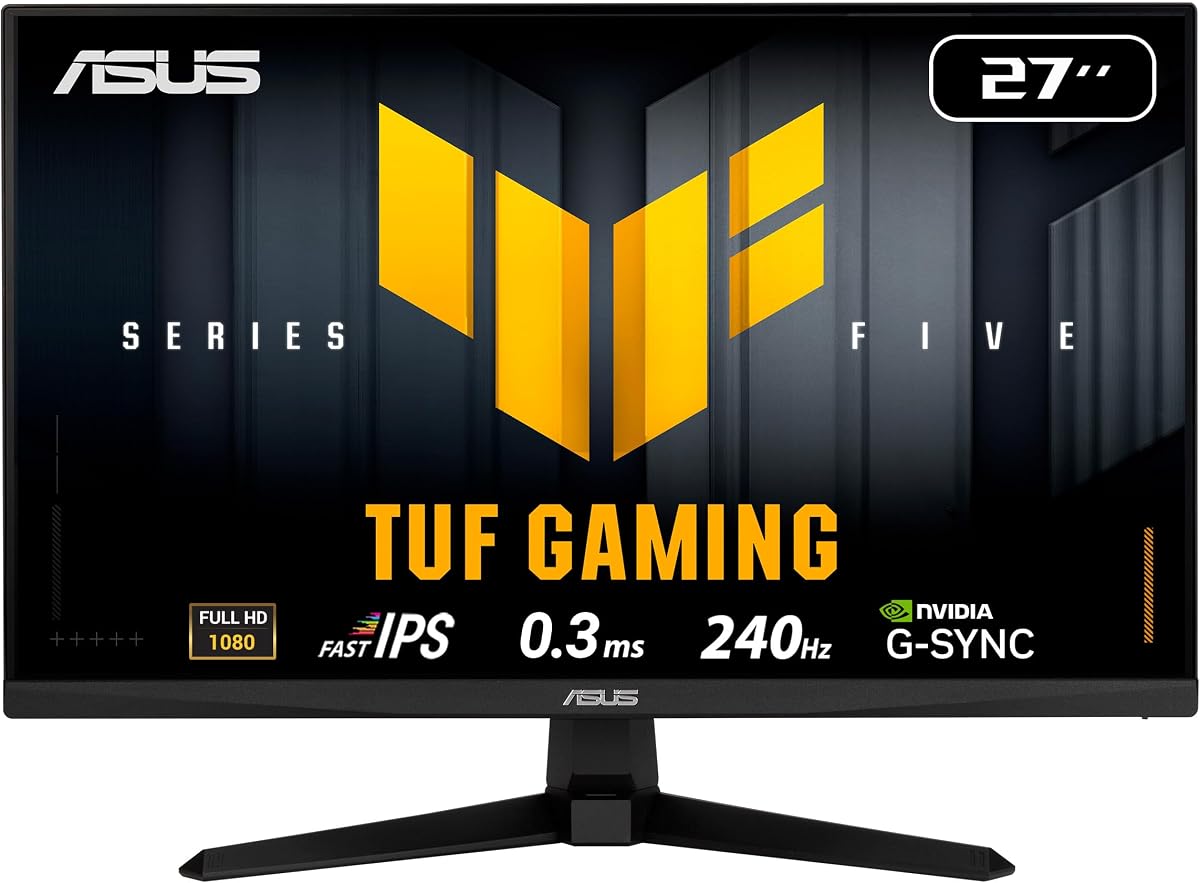
The ASUS TUF VG279QM5A is a large 27-inch Fast IPS monitor built for high-speed gaming. It provides a native 240Hz refresh rate, a minimum claimed response time of 0.3ms, FreeSync Premium, and G-SYNC compatibility. Those specifications place it among the most aggressive competitive options here, while its 4.5 rating indicates generally positive buyer feedback.
We may earn a commission when you buy through this link, at no additional cost to you.
A major strength is ASUS Extreme Low Motion Blur Sync, which enables ELMB alongside variable refresh rate to reduce ghosting and tearing. That combination can help maintain a clean image when the frame rate changes during gunfights or movement. DisplayWidget Center provides mouse-based OSD control, and TUF Gaming A.I technology adds assisted gaming features. The 99% sRGB coverage is suitable for competitive visuals as well as general content.
The package is also thoughtfully equipped, including a DisplayPort cable, power cord, an L-shaped screwdriver, a quick-start guide, and a warranty card. A three-year manufacturer warranty adds reassurance. The trade-off is that Full HD stretched across 27 inches does not offer the pixel density of the AOC Q27G41ZE, so the TUF prioritizes refresh speed and physical screen size over higher resolution.
This is a compelling premium choice for a player who wants a large competitive display, very low advertised latency, broad adaptive-sync compatibility, and mature gaming utilities. It is best suited to users who can take advantage of a 240Hz-capable PC and want a large panel without adopting an ultrawide aspect ratio. The elaborate feature set also makes it appropriate for buyers who appreciate fine-grained control over motion and synchronization.
ELMB SYNC is designed to combine motion-blur reduction with variable refresh operation. That can be valuable in Valorant when rapid camera movement and fluctuating frame rates otherwise make the image look less consistent.
DisplayWidget Center, G-SYNC compatibility, FreeSync Premium, and a three-year manufacturer warranty make this more than a bare panel. The included cable and detailed package also reduce friction during initial setup.
We may earn a commission when you buy through this link, at no additional cost to you.
The MSI MAG 274CF X24 has the highest supplied buyer rating in the roundup at 4.8, making it a notable choice for competitive Valorant players. It combines a 27-inch 1920×1080 display with a native 240Hz refresh rate, 0.5ms minimum GtG response time, and AMD FreeSync Premium. Its primary appeal is a large, fast, straightforward competitive panel at a practical resolution.
We may earn a commission when you buy through this link, at no additional cost to you.
MSI identifies the panel as Rapid VA, which distinguishes it from the Fast IPS models in this list. The stated 0.5ms GtG minimum response is designed to minimize visible transition delay, while the 240Hz rate provides frequent frame updates. Adaptive sync can help the display remain visually synchronized when the rendered frame rate moves below or above the target, which is common in online matches.
AI Vision is included to reveal details in dark areas and enhance overall brightness and color saturation. A software-based less-blue-light mode is also supplied, and HDR Ready status is listed. The connection options include HDMI, VGA, and VESA support, with tilt adjustment. While VGA is largely unnecessary for a current high-end gaming PC, it can still be useful for older or unusual source devices.
This monitor is an attractive recommendation for players who want a large 240Hz screen and prefer MSI's recognizable gaming platform. The 4.8 rating adds confidence, though it should not be treated as a laboratory verdict on latency. Players who strongly prefer IPS viewing characteristics may prefer the ASUS TUF or Dell alternatives, but the MSI offers a strong combination of rating, refresh rate, response claim, and competitive features.
The 27-inch format gives more room to view Valorant's full interface and peripheral action without adopting an ultrawide ratio. Full HD keeps the on-screen interface familiar while the larger physical size makes elements easier to identify.
AI Vision is designed to reveal detail in dark areas and adjust brightness and saturation. Such processing can make shadowy corners easier to interpret, although players may want to compare the natural and enhanced modes for their preferred visual balance.
We may earn a commission when you buy through this link, at no additional cost to you.
The AOC 27G51Z pairs a 27-inch Full HD IPS panel with a native 240Hz refresh rate and an optional 260Hz overclocked mode. It also lists NVIDIA G-SYNC compatibility, Adaptive-Sync support, and a 0.5ms MPRT response time. With a 4.6 rating, it offers a balanced set of competitive specifications and broad GPU compatibility.
We may earn a commission when you buy through this link, at no additional cost to you.
Unlike a QHD monitor, the 27G51Z keeps Valorant at 1920×1080, which can make the interface feel familiar while still providing a physically large display. IPS technology is specified with wide 178-degree viewing angles, allowing the screen to remain visually usable if the player does not sit directly in front of it. The three-sided frameless construction also fits neatly into a multi-monitor arrangement.
The 260Hz mode can offer extra headroom for systems capable of exceeding the standard target, and the supplied information says both HDMI and DisplayPort can use the overclocked rate. That makes the feature more accessible than a mode limited to one input. A 0.5ms MPRT claim supports fast motion, while Adaptive-Sync helps keep the image fluid when the game's frame rate varies.
The AOC 27G51Z is a good fit for a player who wants a large IPS screen, 240Hz as a foundation, and 260Hz when the rest of the system can support it. It also suits users who want G-SYNC compatibility without moving to a higher-resolution monitor. The trade-offs are the familiar Full HD pixel density and a tilt-only ergonomic specification.
The 260Hz overclock setting provides additional refresh headroom over the native 240Hz mode. Because the supplied specifications report support over both HDMI and DisplayPort, players have more freedom in how they connect the PC.
The specified 178-degree viewing angles provide flexibility if the monitor is positioned slightly off-center. Flicker-free operation and a 22-watt typical Eco Mode are also listed for consideration during long competitive sessions.
We may earn a commission when you buy through this link, at no additional cost to you.
The SANSUI 24-inch 1500R curved monitor delivers a 240Hz refresh rate at 1920×1080, with FreeSync support and a 1ms MPRT response time. Its 4.4 rating places it among the more affordable entries here, and the curved design gives competitive players another option beyond standard flat panels. A 1500R curve is moderate enough to retain a familiar 16:9 layout.
We may earn a commission when you buy through this link, at no additional cost to you.
Competitive tools include black-level adjustment, game-mode presets, and a crosshair. The panel is specified with 124% sRGB and 93% DCI-P3 color coverage, 3000:1 contrast, 300-nit brightness, and HDR support. Anti-flicker and anti-glare features are included, which can be valuable during lengthy sessions. These specifications give the display more visual flexibility than a bare competitive panel requires.
One HDMI 2.0 and one DisplayPort 1.4 connection are listed, with both supporting up to 240Hz. A 3.5mm audio jack is available, but the monitor does not include built-in speakers. VESA 75-by-75-millimeter mounting and a negative 5-degree to positive 15-degree tilt range are supported, while the curved frame keeps the design visually distinctive.
This SANSUI is best for competitive Valorant players who want a smaller curved screen and 240Hz performance without moving to a large 27-inch panel. It is less compelling if the top priority is the shortest published response time, because its 1ms MPRT figure trails the 0.3ms and 0.5ms alternatives. Even so, the core combination of speed, color features, and game-oriented controls is well suited to competitive play.
A 1500R curve wraps the display gently around the viewer while preserving the familiar proportions of a 16:9 game. It can improve perceived immersion without requiring the workflow changes associated with an ultrawide monitor.
Black-level adjustment can make dark map areas more readable, while broad stated color coverage supports vivid agent and environment detail. Players who care about visual contrast may find these features more useful than basic office-oriented extras.
We may earn a commission when you buy through this link, at no additional cost to you.
The ASUS TUF VG249QML5A combines a 23.8-inch Fast IPS panel, native 240Hz refresh rate, and a minimum claimed response time of 0.3ms. It supports FreeSync Premium and G-SYNC compatibility, while Extreme Low Motion Blur Sync can operate alongside variable refresh. Its 4.4 rating is solid, though not the highest among the ten products.
We may earn a commission when you buy through this link, at no additional cost to you.
This display is particularly interesting for players who want fast motion in a relatively compact Full HD format. The 0.3ms minimum response specification is among the strongest advertised figures in the guide, and ASUS Fast IPS technology is intended to preserve clarity during rapid movement. DisplayWidget Center allows OSD changes through a mouse, while TUF Gaming A.I features provide additional assistance options.
Ergonomics separate this model from several basic 24-inch competitors. Its height-adjustable stand lets users set the screen to a more suitable eye level, which can reduce neck strain and make it easier to align the display precisely. The stated 99% sRGB coverage supports accurate and vivid imagery, and a three-year warranty provides longer coverage. DisplayPort connectivity, an L-shaped screwdriver, a power cord, and a quick-start guide are included.
The VG249QML5A is an excellent choice for a compact competitive setup where fast response, adjustable height, and broad sync support are priorities. It is less suited to buyers seeking QHD detail, and its extra gaming features may take time to configure. Even so, the core package is well aligned with fast first-person shooters and desktop-friendly competitive play.
A height-adjustable stand is a meaningful ergonomic advantage in a compact gaming setup. It helps align the 23.8-inch panel with the player's sightline and can make better use of a smaller desk than a fixed-height display.
The 0.3ms minimum response claim, 240Hz native refresh, and support for both FreeSync Premium and G-SYNC provide several ways to optimize motion. ELMB SYNC adds another control for players who want reduced blur alongside variable refresh.
We may earn a commission when you buy through this link, at no additional cost to you.
The ASUS TUF VG259QM5A is a 24.5-inch Full HD Fast IPS monitor with a native 240Hz refresh rate and a minimum 0.3ms GtG response time. It supports FreeSync Premium and G-SYNC compatibility, and its 4.6 rating places it among the better-rated options here. The 24.5-inch format sits between a compact 23.8-inch screen and a more expansive 27-inch model.
We may earn a commission when you buy through this link, at no additional cost to you.
For competitive Valorant, that middle size can offer a useful compromise. It provides enough physical area to keep more of the interface and surrounding action comfortable while remaining smaller than a 27-inch display. The 240Hz rate and 0.3ms response claim support fast visual updates, while Extreme Low Motion Blur Sync can work with variable refresh to reduce ghosting and tearing.
ASUS includes its usual competitive-oriented utilities. DisplayWidget Center provides mouse-based access to monitor settings, and TUF Gaming A.I offers AI-powered features designed to enhance the gaming experience. The monitor covers 99% of sRGB, which should be sufficient for accurate colors across agents, weapons, and map environments. A comprehensive three-year manufacturer warranty is also included.
This TUF model is a balanced final recommendation for players who prioritize speed and a familiar 16:9 format but want slightly more screen than a 23.8-inch model. It may not satisfy buyers seeking QHD detail or a curved panel, and its ASUS feature set can be more elaborate than necessary. Still, the core competitive specifications are strong and well matched to high-frame-rate Valorant play.
The 24.5-inch display offers a middle ground between a 23.8-inch monitor and a 27-inch model. It can improve viewing comfort and interface visibility without taking up as much space as a larger gaming display.
ELMB SYNC, broad adaptive-sync support, mouse-based OSD control, and TUF Gaming A.I tools give players several ways to tune the display. A three-year manufacturer warranty adds long-term reassurance.
We may earn a commission when you buy through this link, at no additional cost to you.
The most important choices are refresh rate, effective response, adaptive-sync compatibility, resolution, visual clarity, and desk fit. A monitor only delivers its intended advantage when the PC, graphics settings, connection, and display mode are configured correctly.
A native 240Hz refresh rate is the central target for this category because it provides substantially more frame updates than a 60Hz or conventional 144Hz display. Some models offer overclocked modes, such as the AOC 27G51Z at 260Hz or the SANSUI at up to 300Hz, but extra headroom is only useful if the computer can produce enough frames and the selected connection supports the higher rate. A monitor can render its refresh capability more consistently when the game maintains a high and stable frame rate, but competitive play still benefits from a strong baseline even when a temporary dip occurs.
Response-time figures are useful for comparing panels, although the labels require care. GtG and MPRT are not interchangeable measurements, and a minimum figure does not describe the monitor's average behavior across every color transition. The list includes 0.3ms claims from ASUS, 0.5ms GtG or MPRT specifications from Dell, AOC, and MSI, and 1ms MPRT figures from the SANSUI and Amzfast models. Fast IPS and Rapid VA panels may also support motion-blur-reduction features, which can make movement appear clearer. For a competitive screen, prioritize a reputable fast panel, consistent frame pacing, and a mode that looks natural rather than relying on the smallest printed number alone.
Adaptive sync can keep the display's refresh timing aligned with the frame rate produced by the graphics card, reducing tearing and visual instability when the game falls below the target. AMD FreeSync Premium appears across many of the choices, while ASUS and one AOC model also list NVIDIA G-SYNC compatibility. The AOC Q27G41ZE is described as supporting Adaptive-Sync across AMD and NVIDIA GPUs. Compatibility should be confirmed with the exact GPU, cable, and operating-system environment. Variable-refresh features are most useful when frame rates fluctuate, while consistently high frame rates still provide the cleanest foundation for competitive shooters.
Most esports monitors use 1920×1080 because its lower rendering demand can help systems maintain very high frame rates, and the interface keeps familiar proportions. The AOC Q27G41ZE offers 2560×1440 on a 27-inch panel, giving more visible detail in agents, weapons, and map textures. That extra resolution can improve target readability, but it may also reduce the frame rate on a less powerful system. Players should think of resolution and refresh rate as a combined performance decision rather than choosing one specification in isolation.
The roundup includes IPS, Fast IPS, Rapid VA, and curved panels. IPS models are widely chosen for competitive use because they offer wide viewing angles and consistent color presentation. The MSI uses a Rapid VA panel with a fast stated response time, while the curved SANSUI and Amzfast displays add a more wrapped viewing shape. Black-level adjustment, brightness enhancement, crosshairs, and game presets can improve target visibility, but their usefulness depends on personal preference. Competitive players often benefit most from settings that reveal enemies without creating distracting brightness shifts between scenes.
A competitive monitor should fit the available desk without forcing a hunched posture or making it difficult to keep the mouse unobstructed. The 23.8-inch Dell and ASUS TUF VG249QML5A are compact, while the 27-inch Dell, AOC, MSI, and ASUS TUF models require more horizontal space. The Amzfast's ultra-slim base is designed to fit under a keyboard. Ergonomic features also matter: the ASUS TUF VG249QML5A provides height adjustment, while most of the other listed stands emphasize tilt. Curvature can create a stronger sense of immersion, but it does not widen the game beyond the monitor's 16:9 proportions.
DisplayPort 1.4 is the most relevant connection for a modern high-refresh PC, while HDMI 2.0 can provide convenient access for consoles and other devices. The SANSUI 300Hz-capable model offers two of each, whereas some alternatives provide a smaller selection. Check whether the desired maximum refresh rate is supported over the specific port you plan to use. On-screen controls matter as well: the Amzfast uses a five-way joystick for quick access to crosshairs and game modes, while the ASUS TUF models provide DisplayWidget Center for mouse-based OSD management. A clear menu and accessible presets can make daily tuning much easier.
Long Valorant sessions make comfort features worth comparing. The Dell has TÜV Rheinland 3-star certification, several models include low-blue-light and anti-flicker features, and anti-glare can help with room reflections. Color coverage ranges from 99% sRGB on the Dell and ASUS models to the SANSUI's stated 124% sRGB and 93% DCI-P3. Extra tools such as HDR, AI image processing, speakers, headphones, and desk stands should remain secondary to speed and clarity. A warranty can also add confidence, with the ASUS TUF models listing three years of coverage.
Begin by connecting the PC with the appropriate high-bandwidth video cable, installing the supplied drivers when the manufacturer provides them, and selecting the highest resolution and native 240Hz mode. On Windows, the display's advanced graphics settings should be checked to confirm the active refresh rate. Open the monitor's on-screen menu, enable the appropriate adaptive-sync option, and verify that the PC allows variable refresh for the selected display.
Once the hardware is configured, install Valorant and set the in-game resolution and display mode to match the panel. The standard 16:9 Full HD layout suits most of the 24-inch and 25-inch options, while the AOC Q27G41ZE supports a higher-resolution 16:9 experience. Players should avoid applying multiple artificial sharpening or image-processing effects at once, since they can make small opponents appear distorted rather than clearer.
For long sessions, set brightness and color modes in a way that remains comfortable in the actual room, take regular breaks, and keep ventilation openings unobstructed. Clean the panel with a soft, lint-free cloth and avoid liquid directly on the screen. Periodically check cable connections, firmware or driver updates, and the selected refresh mode, especially after changing GPUs, graphics drivers, or operating-system settings.
A 240Hz monitor can make fast movement and weapon animations appear smoother while delivering more visual updates per second than lower-refresh displays. The benefit is strongest when the PC maintains a high frame rate, but a good panel, low input lag, and stable performance also matter. A suitable 144Hz monitor can still be effective if it meets the rest of your needs and budget.
No, a 240Hz monitor is not required to enjoy or improve at the game. It is better regarded as a competitive hardware upgrade that can make visual information easier to parse. Your monitor should first deliver a clear picture, comfortable viewing, dependable frame rates, and low input lag, with refresh rate being one important part of that equation.
The better choice depends mainly on your graphics card and whether the monitor supports the corresponding standard. FreeSync Premium is broadly useful with AMD systems, while G-SYNC compatibility is relevant to many NVIDIA systems. Several monitors support both, allowing adaptive sync to synchronize more smoothly with changing frame rates.
A 24-inch model generally takes less desk space and can be easier to view at a close distance, while a 27-inch screen offers more physical space for the interface and surrounding action. The 27-inch options in this guide are mostly Full HD, except for the AOC Q27G41ZE. Choose based on desk fit, viewing distance, and resolution tolerance rather than size alone.
Those higher modes are not necessary to benefit from a competitive high-refresh monitor. They are most useful when the PC and game can consistently generate enough frames to take advantage of them. A stable 240Hz target remains the central requirement, and higher modes should be treated as optional headroom.
A curved monitor can feel more immersive and may suit some players' viewing preferences, but it does not automatically improve competitive performance. The SANSUI 1500R and Amzfast models retain standard 16:9 proportions, so they do not reveal the additional side content of an ultrawide display. Comfort, image clarity, and desk fit are more important than curvature alone.
Set the operating system to the native 240Hz mode, enable the appropriate adaptive-sync feature, and use a suitable DisplayPort or HDMI connection. In Valorant, select the monitor's native resolution, keep the display mode at 16:9, and remove unnecessary display modifiers. It is also worth confirming that the game is producing a high and reasonably stable frame rate.
No. A response number is only one part of perceived motion clarity, and the measurement method matters. Panel behavior, refresh rate, frame pacing, motion-blur controls, and implementation quality also influence the result. Players should compare consistent specifications rather than assume that the smallest advertised number guarantees a superior experience.
The Dell SE2426HG is the most balanced overall recommendation because it combines a compact 23.8-inch IPS format, native 240Hz refresh, a fast 0.5ms response claim, and FreeSync Premium without unnecessary complexity. The MSI MAG 274CF X24 stands out for its larger 27-inch format and highest supplied buyer rating, while the ASUS TUF VG279QM5A provides a premium mix of fast response, dual synchronization support, motion-blur features, and extensive gaming utilities.
Prioritize native 240Hz operation, a reputable fast panel, response that is appropriate to the measurement, and synchronization support compatible with your graphics card. Resolution and size should be chosen around your hardware, desk, and preferred Valorant interface. The AOC Q27G41ZE is worth considering for QHD detail, the ASUS TUF VG249QML5A for height adjustment, and the two 24-inch SANSUI options for higher-refresh or curved alternatives.
Before buying, verify the current product listing, supported connection modes, warranty details, and compatibility information. Specifications and prices can change over time, so the latest listing should be treated as the final source of truth. With the right system settings and a comfortable setup, any of these capable 240Hz-class monitors can provide a more responsive foundation for competitive Valorant.