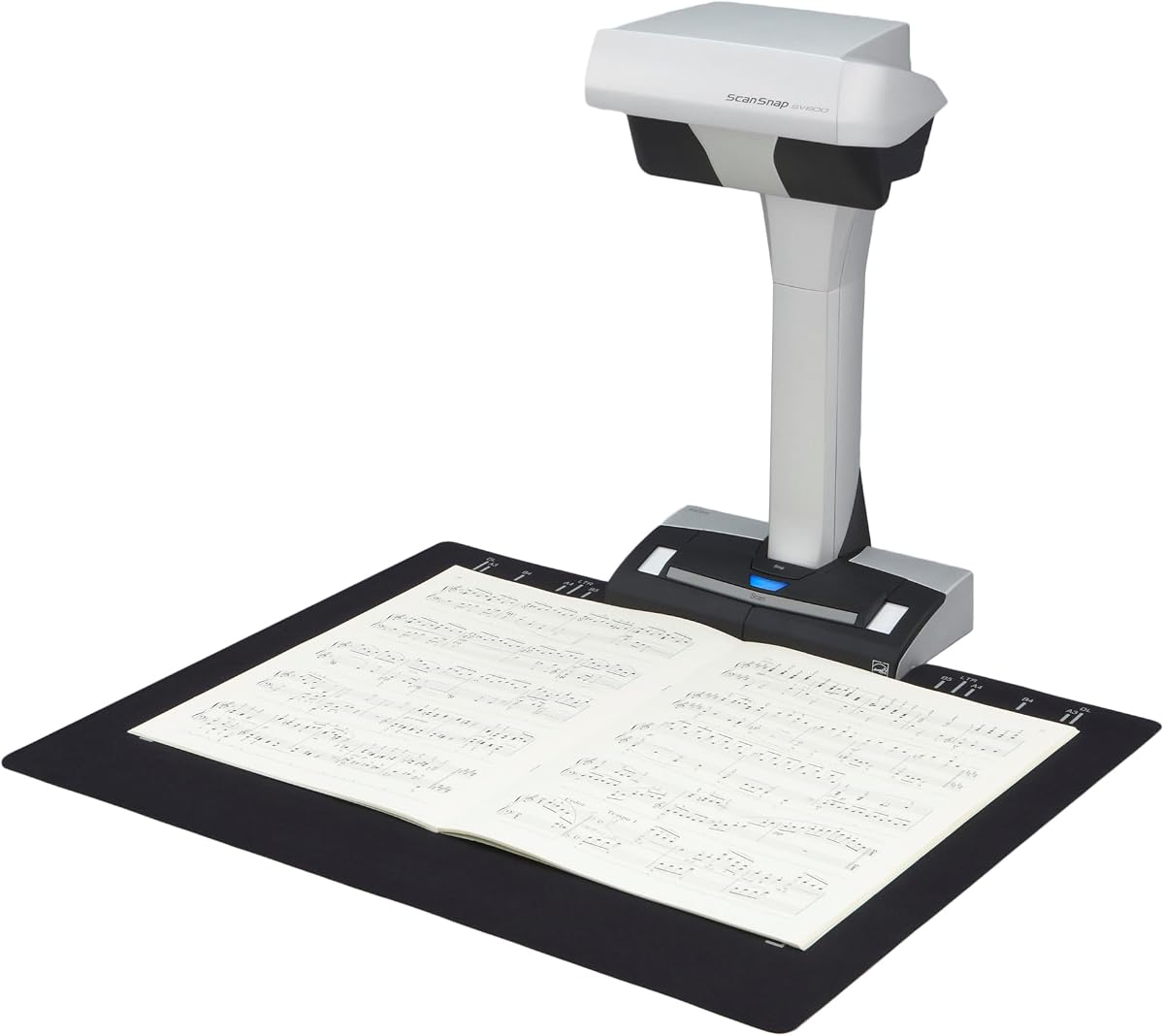
ScanSnap SV600 Overhead Book and Document Scanner
4.1Editor score
Non-destructive overhead capture
Automatic book correction
Finger removal and auto-crop
A newspaper scanner should preserve fragile pages, capture fine text, and turn large bound publications into organized digital files. The right device depends on whether you scan occasional clippings, whole broadsheets, bound books, photographs, or long stacks of ordinary pages. Overhead, flatbed, feeder-based, and portable models each solve different archival and office needs.
We compared all ten products by examining capture area, resolution, automation, paper handling, OCR capabilities, connectivity, operating-system support, and suitability for bound material. The list includes overhead scanners, flatbeds, mobile document scanners, and a photo-focused model. Each review identifies the workflows where that model makes the most sense and where its design creates limitations.
The top picks show the strongest balance of page protection, imaging features, speed, and ease of use, while every ranked review covers a distinct use case. Product ratings and technical specifications reflect the supplied manufacturer and retailer information. Prices and promotions change, so compare current listings and verify paper-size and software requirements before purchasing.
4.1Editor score

4.1Editor score

4.3Editor score
As an Amazon Associate we earn from qualifying purchases.
This side-by-side comparison covers overhead, flatbed, feeder, portable, and photo-focused scanners, highlighting the differences in capture area, resolution, page handling, automation, and connectivity.


The VIISAN S21 is a 26MP overhead document camera designed for large-format capture, including A2 and A3 materials. Its 4.1 rating reflects a capable package for books, newspapers, maps, and other oversized items. The adjustable height and foldable hinge make it a practical choice when preserving bound or fragile paper matters more than feeder-based convenience.
We may earn a commission when you buy through this link, at no additional cost to you.
The scanner's strongest feature is its page-recovery software. It can digitally flatten curved pages, remove fingers from captured images, repair damaged page edges, and split double-page spreads into separate files. Those tools are particularly valuable for newspapers whose folds create pronounced shadows and for books that cannot safely be pressed flat. Embedded OCR can convert scans into searchable PDF, editable Word, Excel, ePub, or text files.
There are practical trade-offs. The supplied OfficeCam software supports x86 and x64 Windows PCs and macOS, but not ARM-based systems such as the Surface Pro X. The built-in LEDs are intended for dim conditions, and the manufacturer advises against using them in bright light or on highly glossy paper. The camera-based approach also depends on steady positioning and good capture angles rather than a fixed platen.
This is the strongest overall recommendation for someone who wants to digitize whole newspapers, oversized clippings, or bound books without feeding them through a narrow sheet scanner. It combines a large working area, useful cleanup tools, OCR, and video or collaboration functions in one adjustable device. For users with compatible computers and a strong need for page repair, it offers more specialized value than a conventional office scanner.
The A2 capture area accommodates large journals, maps, and broad newspaper pages, while the adjustable overhead design avoids forcing fragile material through rollers. The foldable hinge also changes the working height for books and flatter sheets.
Automatic flattening, edge repair, finger removal, and spread splitting reduce the manual editing usually required for bound publications. These features are especially useful for curved pages, obscured margins, and two-page layouts.
We may earn a commission when you buy through this link, at no additional cost to you.
The ScanSnap SV600 is a premium overhead scanner designed to capture newspapers, magazines, books, and documents without cutting or damaging them. It carries a 4.1 rating and focuses on preserving publication condition while automating common corrections. The non-destructive format makes it especially relevant for fragile newspaper collections and archival work.
We may earn a commission when you buy through this link, at no additional cost to you.
Auto Book Correction automatically flattens pages and reduces the curved distortion common in bound material. Point Retouch removes fingers that appear at page edges, while Multi Document Detection identifies several smaller items in one image, crops them, and rotates them as needed. Page Turning Detection begins a scan when a page turns, and Time Mode provides a fixed interval for continuous or real-time operation.
The main drawback is the inherent inconvenience of an overhead workflow. Users must position pages beneath the camera, manage lighting, and learn the correct movement and timing for reliable capture. It also lacks the high-speed automatic document feeder found in less expensive office scanners. In return, it avoids roller pressure and allows bound material to remain open at a natural angle.
Choose the SV600 when preservation, presentation quality, and minimal physical contact are the priorities. It is well suited to a researcher, family archivist, or office that handles bound newspapers and illustrated publications. For loose, high-volume pages, a feeder scanner will usually complete the job more quickly, but the SV600 offers the more considerate and visually flexible approach.
The camera-based design captures pages without pulling them through a mechanism. That reduces stress on brittle folds, glued bindings, and delicate ink while allowing the publication to remain open during capture.
Multi-document detection, automatic rotation, and two page-capture modes streamline mixed material. Page-turn detection is particularly helpful when scanning a bound newspaper or book with both hands occupied.
We may earn a commission when you buy through this link, at no additional cost to you.
The ScanSnap iX2500 is a high-speed feeder scanner with a 4.3 rating and a feature set aimed at modern, high-volume digital workflows. It is not a traditional overhead book scanner, but it is an efficient option for digitizing loose newspaper pages that can be separated from a bound publication without damaging them.
We may earn a commission when you buy through this link, at no additional cost to you.
Its major advantage is throughput. The scanner handles duplex scans at up to 45 pages per minute, and the 100-sheet feeder reduces interruptions. A large touchscreen supports personalized profiles, while Wi-Fi 6 and USB-C connectivity allow direct transfers to computers, mobile devices, or cloud services. Automatic optimization, naming, and sorting can reduce the work required after each batch.
The critical limitation is paper geometry. A feeder is ideal for loose pages, receipts, and conventional documents, but it cannot reproduce the non-destructive experience of an overhead scanner. Folded newspaper sections can catch rollers or be difficult to align, and bound material cannot be processed continuously. The iX2500 therefore serves users who need volume more than preservation of an open book.
Among conventional document scanners in this list, the iX2500 is the strongest value for a home office, school, or small archive. Its speed, touchscreen, feeder capacity, wireless support, and cloud workflow make daily scanning less cumbersome. It is a particularly good choice when digitizing stacks of carefully separated newspaper pages, though an overhead model is safer for fragile or bound originals.
The 100-sheet feeder and 45ppm duplex rating make the iX2500 well suited to batches of loose newspaper pages. Users can concentrate on sorting and organizing the source material rather than handling one sheet at a time.
Wi-Fi 6, USB-C, cloud support, and direct mobile-device transfer provide several ways to move scans. Personalized touchscreen profiles let frequent destinations become quick, repeatable choices.
We may earn a commission when you buy through this link, at no additional cost to you.
The Epson Workforce ES-50 is a compact mobile scanner with a 4.3 rating, designed for people who need a lightweight solution rather than a large archival workstation. It is best suited to loose newspaper clippings, individual articles, receipts, and occasional documents that can be fed one sheet at a time.
We may earn a commission when you buy through this link, at no additional cost to you.
Its standout feature is portability. The unit is powered through USB, requires no battery or external supply, and can scan a single page in as quickly as 5.5 seconds. The maximum document length reaches 72 inches, allowing long receipts or unusual continuous sheets to be captured in one pass. Epson ScanSmart supports review and saving, while included OCR creates searchable PDFs and editable Word or Excel files.
The ES-50 does not have a large automatic document feeder. Each new sheet must be inserted, and automatic feeding mode combines those sheets into one file. This process is workable for moderate workloads but slower than the 45ppm or 30ppm models. It also does not reproduce bound pages without removing them from their binding, and a narrow feed path is less forgiving of crumpled or heavily folded newspaper sections.
This scanner fits students, travelers, and home users who need compact OCR-capable equipment on demand. It is especially useful as a secondary scanner for capturing articles at a library or short stacks of documents in different locations. For frequent bulk archiving, choose a larger feeder; for convenient single-page digitization away from a desk, the ES-50 remains efficient and versatile.
USB power, a small body, and no separate battery make setup straightforward. The scanner can move between a home office, classroom, archive visit, or temporary workspace without requiring a dedicated power outlet.
Bundled OCR turns captured pages into searchable PDFs and editable office documents. That makes the ES-50 useful for preserving articles and organizing receipts without requiring a separate recognition tool.
We may earn a commission when you buy through this link, at no additional cost to you.
The refurbished VIISAN 3120 is an A3 flatbed scanner rated 5.0 among the supplied listings. It is designed for newspapers, magazines, books, photographs, artwork, and large technical documents. Its combination of a broad platen, 1200 DPI optical resolution, and 48-bit color depth makes it a strong choice for visually detailed pages and mixed archival collections.
We may earn a commission when you buy through this link, at no additional cost to you.
The frameless design reduces the border around the scanning area, helping users position broadsheet pages and oversized books with less loss at their edges. An auto-scan function starts capture when the lid closes, while the LED source avoids warm-up delays. The scanner can complete an A3 color scan in eight seconds at 200 DPI and is intended for both individual preservation tasks and routine batch digitization.
As a refurbished product, it may have minor cosmetic signs of previous use. It is also slower than the VF3240, whose four-second claim applies to A3 color scans at 200 DPI under specified conditions. Full 1200 DPI operation depends on using the supplied VIISAN software, and the CIS sensor is intended for flat paper rather than three-dimensional objects. These details matter when building a professional workflow.
The 3120 is well matched to libraries, schools, small studios, and home offices that want a large, high-resolution flatbed without moving to a top-tier professional system. Its A3 area accommodates more of a newspaper than a standard letter-size platen, while the frameless bed improves page alignment. Choose it when resolution and large-format capacity matter more than maximum throughput.
The 1200 DPI optical setting and 48-bit color depth support detailed reproduction of small type, photographs, and printed artwork. It is a more suitable choice for visual archival work than basic filing scans.
The A3 bed reaches 304 by 426 millimeters, and the frameless layout helps reduce gaps around the usable area. This provides a practical way to scan oversized newspaper sections, books, and photo albums together.
We may earn a commission when you buy through this link, at no additional cost to you.
The VIISAN VF3240 is a high-resolution A3 flatbed scanner with a 4.0 rating. It targets users who need speed and detail across newspapers, magazines, engineering drawings, legal documents, and oversized creative projects. Maximum optical resolution reaches 2400 DPI, with 48-bit color for preserving subtle tonal and color information.
We may earn a commission when you buy through this link, at no additional cost to you.
Its headline speed is a four-second A3 color scan at 200 DPI, although actual time changes with resolution, document size, and settings. The frameless glass supports edge-to-edge placement, and auto-scan starts when the lid closes. A four-button panel provides direct access to scan, email, print, and PDF workflows. Windows users with ViiScan can scan A3 at up to 1200 DPI, while macOS with the native ICA driver can use the full 2400 DPI A3 output.
Platform-dependent maximum resolution requires attention. The supplied information notes that Windows WIA is limited to 600 DPI because of Microsoft restrictions, so applications requiring the highest output should use the appropriate driver or ViiScan. The CIS sensor is also designed for flat paper and is not recommended for clothing, compact discs, acrylic sleeves, or other three-dimensional materials.
The VF3240 is an excellent choice for graphics-heavy archives, design studios, and users who want maximum detail without purchasing a large-format scanner. It is particularly attractive when broad newspaper layouts, fine print, and colored illustrations must be reproduced. Users who only need standard-resolution filing can save space and time by choosing a lower setting, while high-end reproduction justifies the additional processing demands.
The high optical resolution ceiling makes the VF3240 attractive for small newspaper type, diagrams, photographs, and mixed-color pages. Native macOS support is especially useful when maximum A3 output is required.
Four-second A3 color capture at 200 DPI supports productive routine scanning. Automatic startup and direct function buttons reduce the steps needed during repetitive document work.
We may earn a commission when you buy through this link, at no additional cost to you.
The ScanSnap iX1300 is a compact duplex document scanner rated 4.2. Its space-saving design makes it appropriate for home offices and workspaces where a large archival device would be impractical. It can scan documents, photographs, cards, and thicker items, offering broader media handling than a basic mobile sheet scanner.
We may earn a commission when you buy through this link, at no additional cost to you.
Scanning reaches up to 30 pages per minute in duplex mode, with automatic de-skewing, color optimization, and blank-page removal. USB and Wi-Fi connectivity allow transfers to a Mac, PC, mobile device, cloud service, or Chromebook through the appropriate app. ScanSnap Home supports the organization and editing of scans, while QUICK MENU provides direct drag-and-drop workflows.
It remains a feeder-based scanner, so bound newspapers must be separated before capture. The page path is not designed to accommodate oversized broadsheets, and old folded pages can be difficult to feed cleanly. Although it handles thick items and cards, those capabilities should not be confused with the freedom offered by an overhead scanner. The iX1300 prioritizes compactness and automation rather than archival page geometry.
For offices that routinely digitize loose newspaper pages, clippings, receipts, photos, and cards, the iX1300 delivers a balanced and quiet workflow. Its automatic optimizations reduce preparation time, while wireless support reduces cable clutter. It is best suited to users who value a small footprint and quick document processing more than scanning an intact bound publication.
The upright, space-saving body keeps the scanner from taking over a desk. It is a practical middle ground between a portable sheet scanner and a larger high-capacity office model.
De-skewing, color optimization, and blank-page removal create cleaner files with minimal intervention. The result is a faster workflow for mixed stacks of articles, clippings, receipts, and photographs.
We may earn a commission when you buy through this link, at no additional cost to you.
The VIISAN S21 Pro is a 26MP overhead scanner with a 4.0 rating and an emphasis on large-format capture, multilingual OCR, and integration with Google Gemini. Its A2 and A3 modes make it suitable for broad newspapers, maps, books, contracts, receipts, and drawings, while the lightweight folding body simplifies storage and relocation.
We may earn a commission when you buy through this link, at no additional cost to you.
The camera produces images of 5888 by 4522 pixels and offers software-enhanced 600 DPI output. Automatic page flattening, fingerprint removal, edge repair, and double-page splitting address common bound-page problems. The OCR engine supports more than 180 languages and exports to PDF, Word, Excel, ePub, and text. Through the VisualCam Lite web interface in Chrome, users can connect with Gemini for translation, summaries, reading guidance, and visual analysis.
The AI layer depends on appropriate software, a compatible computer, and a Chrome-based workflow. Compatibility covers x86 and x64 versions of Windows and macOS 10.15 or later, but excludes ARM-based systems such as the Surface Pro X. Highly glossy and glare-prone paper is also not recommended, and the integrated LED is primarily intended for low-light capture.
The S21 Pro is appealing to researchers, educators, and multilingual users who want more than conventional OCR. It combines physical page correction with conversational visual analysis, making it useful for comparing documents, extracting information, and presenting materials to remote groups. For a straightforward scan-and-file workflow, its core scanner functions are sufficient; the Gemini integration is the distinctive addition for users who actively work with the captured text.
Support for more than 180 languages makes the OCR engine valuable for international archives and mixed-language collections. Exported files can be searched, edited, organized, or converted into other publication formats.
Gemini integration can translate, summarize, or discuss visible content through a browser interface. This extends the scanner beyond image capture into research, instruction, and remote-review workflows.
We may earn a commission when you buy through this link, at no additional cost to you.
The Brother DS-640 is an ultra-compact mobile document scanner with a 4.3 rating. It is less than one foot long and weighs about 1.5 pounds, making it easy to carry in a bag or case. For occasional newspaper and clipping capture away from a home office, its small footprint is a meaningful advantage.
We may earn a commission when you buy through this link, at no additional cost to you.
The scanner reaches up to 16 pages per minute, with color scanning offered at the same speed as black-and-white capture. It is powered through the included micro USB 3.0 cable and connects directly to a PC or laptop, so no battery or external supply is needed. The free iPrint&Scan desktop app supports PC, network, cloud, email, and OCR destinations.
The software is broad for a portable unit, with support for Windows, Mac, and Linux, plus TWAIN, WIA, ICA, and SANE driver environments. Automatic color detection, rotation on PC, bleed-through prevention, background removal, text enhancement, and color-drop tools help prepare scans. Nevertheless, the small feeder and modest throughput make it less appropriate for a substantial newspaper archive.
The DS-640 is best for mobile note capture, travel, and light use at home or away from the office. Its software connectivity allows users to send files directly to common services, while OCR supports basic searchable-document needs. Users planning to digitize years of bound newspapers should choose an overhead or large flatbed model; this Brother scanner is most convincing as a portable companion for individual pages and clippings.
The short body, light weight, and USB-powered operation remove the need for a dedicated scanner setup. It can move between locations for single-page capture and quick organization tasks.
Windows, Mac, and Linux support broadens the device's practical audience. Image cleanup, background removal, document management, and OCR are available without relying on a cloud-only service.
We may earn a commission when you buy through this link, at no additional cost to you.
The Epson FastFoto FF-680W is a high-speed duplex photo and document scanner with a 4.5 rating. Although it is not a dedicated newspaper scanner, it is highly relevant to readers preserving illustrated pages, vintage clippings, and family photographs. Its specialty is moving large quantities of loose visual material into digital form quickly.
We may earn a commission when you buy through this link, at no additional cost to you.
The scanner can capture one photo per second at 300 DPI and batches as many as 36 photos at once. Auto enhancement, color restoration, red-eye reduction, de-skewing, cropping, and rotation help improve aging images. Safetouch technology and an included carrier sheet help protect delicate originals, while duplex capture records handwritten notes on the back of a photograph in one pass.
Output choices support different goals. Users can select 300 DPI for sharing, 600 DPI TIFF for archiving, and 1200 DPI for enlargement, with JPEG options available through mobile workflows. OCR adds document handling, and the FastFoto app can add voice or text, build slideshows, and support sharing or backup. These features are less relevant to ordinary article scans but excellent for pictorial archives.
Choose the FF-680W when a newspaper collection is dominated by photographs, advertisements, postcards, or scanned clippings that need visual enhancement. It is a specialist companion rather than the primary choice for broadsheet text or bound books. For those materials, the VIISAN overhead scanners, ScanSnap SV600, and large VIISAN flatbeds offer more appropriate page geometry and handling.
A one-photo-per-second rate and 36-photo batches make the FF-680W efficient for albums and collections. Large quantities of loose images can be digitized without the slow progression of a general-purpose sheet scanner.
Color restoration, red-eye reduction, auto enhancement, de-skewing, and cropping improve faded or imperfect photographs. Carrier-sheet support adds protection for particularly fragile prints.
We may earn a commission when you buy through this link, at no additional cost to you.
The best newspaper scanner depends heavily on the original's format, condition, and intended output. Page geometry, speed, software automation, and connectivity should be weighed against how much material you need to scan and whether the publication remains bound.
Newspaper material can mean a full broadsheet, a tabloid section, an article clipping, or a page inside a bound book. Overhead cameras offer a flexible A2 or A3 working area, while flatbeds accommodate large pages only when their platen is large enough. Feeder and mobile models usually work with standard-width pages and cannot capture an oversized broadsheet in one pass. Check the exact capture dimensions, not merely the stated paper classification, and consider whether your source is folded or trimmed.
An overhead scanner places a camera above the page and can photograph a newspaper while it remains open. This protects fragile folds, bindings, and glued material from rollers. A feeder scanner is faster for loose pages, supports automated stacks, and usually offers higher office-document throughput. Overhead systems need careful page positioning and lighting, while feeders demand that pages be separated, flattened, and presented correctly. The best choice depends on whether preservation or batch productivity is your primary goal.
Small newspaper type benefits from sufficient optical resolution, but the maximum headline number does not tell the entire story. Color depth, contrast, page flattening, and shadow removal can affect readability as much as raw pixel density. The VIISAN flatbeds offer 1200 or 2400 DPI options, while overhead models provide 26MP images and software-enhanced 600 DPI output. Consider whether you need searchable text, accurate reproduction, photographic detail, or a balance of all three.
OCR turns scanned pages into searchable documents and editable text, which can make newspaper archives much more useful. Look for PDF output, editable Word or Excel files, text formats, and support for the languages you need. The VIISAN S21 Pro advertises OCR for more than 180 languages, while the Epson and Brother products include OCR tools suited to general document workflows. Overhead models may recognize text directly from captured images, but accuracy still depends on focus, page alignment, and glare.
A scanner's quoted pages per minute normally describes an optimized feeder test with ordinary sheets. Real newspaper material may be slower because folds, staples, clips, mixed sizes, and fragile pages require attention. The ScanSnap iX2500 leads this group with a stated 45ppm duplex rate and a 100-sheet feeder, while the iX1300 reaches 30ppm. Flatbeds are measured by page size and resolution, with the VF3240 claiming four seconds for A3 color at 200 DPI. Treat these figures as comparative indicators, not promises for every newspaper.
The most capable hardware can be limited by drivers and operating-system support. The VIISAN S21 and S21 Pro require OfficeCam or related software and exclude ARM-based devices such as the Surface Pro X. ScanSnap models emphasize wireless workflows and proprietary organization software, while Epson and Brother scanners provide their own applications and OCR utilities. Confirm the scanner's driver compatibility, required USB connection, software download availability, and preferred output destinations before ordering.
A3 scanners cover many oversized items but still cannot accommodate every newspaper format without folding or cropping. The Epson ES-50 is unusual for handling sheets up to 72 inches long, although its width remains limited. If your archive contains broadsheets, maps, or pages larger than the stated bed, an overhead A2 camera may be more appropriate. Think about the original's complete dimensions, including folded edges, rather than the visible text area alone.
An overhead scanner needs a stable surface, room for its adjustable stand, and consistent illumination. Built-in LEDs can help in low light, but glossy or glare-prone paper may reflect strongly and produce poor captures. Flatbeds and feeders require adequate desk space and routine sensor cleaning. Carrier sheets, scan pads, and protective materials can improve handling, while wireless support may free desk space. Match the device to your available workspace rather than focusing only on headline specifications.
Begin by identifying the condition and format of the material. Separate loose pages carefully, remove loose clips or fasteners when appropriate, and inspect folds, tears, and areas of flaking ink. For an overhead scanner, clean and level the capture area, position the page square beneath the camera, and adjust the stand height until the entire page is in focus. Avoid using intense built-in lighting on glossy paper, which can create reflections that obscure the text.
For feeder-based scanners, sort pages by size and condition before loading them. Use the appropriate guide, keep fingers clear of the rollers, and avoid forcing heavily crumpled folds into the feed path. For flatbeds, clean the glass, lower the lid gently, and position the publication within the frameless area. Review each initial scan for focus, cropping, color, and legibility, then adjust resolution or page-correction settings before processing a batch.
After capture, verify that each image includes the required page area and that OCR has recognized the text correctly. Save both a preservation copy in a high-quality image or lossless format and a convenient searchable PDF for everyday use. Keep original scans in a structured backup system, and consult manufacturer cleaning instructions periodically. For archival originals, handle them as gently as possible and avoid additional bending or flattening beyond what the material can safely tolerate.
An overhead scanner is usually best for old or bound newspapers because it captures pages without pulling them through rollers. The VIISAN S21, VIISAN S21 Pro, and ScanSnap SV600 all accommodate large publications and provide page-correction tools. If the pages are loose and in good condition, a high-speed feeder such as the ScanSnap iX2500 can be more efficient.
Only if the newspaper can be folded or trimmed to fit the scanner's feed path. Folding can obscure text near the crease, while trimming permanently changes the original. Large flatbeds and overhead scanners are safer because they accommodate more of the page without destructive preparation.
OCR is highly useful because it makes old articles searchable and editable. It can also support text summaries, translation, and research workflows. Accuracy depends on the scan quality, so use adequate resolution and inspect the text layer for errors, especially with faded ink, columns, or small type.
It is helpful for very small type, photographs, and preservation-quality reproductions, but it creates larger files and takes longer to process. A lower setting may be sufficient for casual reading copies or routine clipping archives. The right resolution depends on the smallest text you need to read and how much detail the finished file must retain.
Yes, and that is one of their main advantages. The camera looks down at an open publication, while software reduces the appearance of page curvature and shadows. Models with fingerprint removal and automatic spread splitting can further simplify the resulting files. Keep the supports positioned carefully so the spine does not cast a deep shadow.
The models in this guide use CIS technology, which is generally compact, fast, and suitable for flat paper. CIS scanners are not ideal for thick, raised, or three-dimensional objects because the sensor is positioned close to the platen. A camera-based overhead scanner offers a different approach and can also record raised objects and video.
USB offers a direct, stable connection to a computer, while wireless supports flexible placement and direct transfer to cloud services or mobile devices. Models such as the ScanSnap iX1300 and iX2500 support both options. Wireless convenience is most useful when desk space is limited or several filing destinations are used.
Handle them by clean, dry edges and avoid forcing old folds open. Remove loose fasteners only when it is safe to do so, and keep pages flat in a protective folder. Use an overhead scanner if the page cannot pass through a feeder without bending, and inspect every scan before storing the digital copy.
The VIISAN S21 stands out as the most complete option for large, bound, or fragile newspaper pages, combining A2/A3 coverage, page flattening, fingerprint removal, and multilingual OCR. The ScanSnap SV600 offers a similar non-destructive approach with strong automatic correction, while the ScanSnap iX2500 is the efficient choice for batches of loose pages that can safely pass through a feeder.
Prioritize the source material before comparing headline specifications. Choose an overhead scanner when preserving an open publication matters, a large flatbed when high-resolution still images and mixed media are primary, and a feeder when speed and automation dominate. The Epson ES-50 and Brother DS-640 are convenient for occasional mobile work, while the FastFoto FF-680W is a specialist for illustrated and photographic collections.
Before ordering, verify the current listing, software requirements, processor compatibility, paper dimensions, and included accessories. Prices and promotions can change, and OCR, cloud, and AI features may depend on compatible software or services. Confirm those details alongside the specifications to choose the newspaper scanner that best matches your archive and daily workflow.