
15.6 Inch Android 16 Widevine Tablet
4.2Editor score
Large full-HD IPS screen
Twenty-five-six gigabyte storage
Widevine L1 streaming support
A tablet for reading sheet music should combine a sufficiently large, clear display with comfortable app support, dependable battery life, and practical controls for turning pages and making annotations. The best size depends on the player, repertoire, and whether the tablet is used at a stand, in the home, or while traveling.
We compared all ten listed products by examining display dimensions, resolution, memory, storage, audio, cameras, connectivity, battery specifications, included accessories, and suitability for digital scores, lessons, recordings, or handwritten notation. Seven products are electronic tablets, while three are paper manuscript books included as alternatives for musicians who prefer handwriting.
Each review explains the product's strongest contribution, practical limitations, and most likely user. The list covers large music-focused Android tablets, compact reading devices, premium productivity models, cellular options, and paper alternatives. Product listings and prices can change, so confirm the current specifications, app compatibility, and availability before buying.
4.2Editor score

4.0Editor score

4.3Editor score
As an Amazon Associate we earn from qualifying purchases.
The comparison below places every listed tablet and manuscript-paper alternative side by side, emphasizing the factors that most affect reading, writing, practice, and rehearsal. Ratings reflect the supplied product data, while unrated paper products are represented without a numerical score.



This is the most purpose-built option in the list for musicians who want to see substantial amounts of digital notation at once. Its 15.6-inch Full HD IPS display offers a 1920-by-1080 viewing area, while the supplied rating is 4.0. The large canvas should suit lead sheets, chord charts, guitar tabs, lyrics, rehearsal notes, and multi-part scores more effectively than a compact general-purpose tablet.
We may earn a commission when you buy through this link, at no additional cost to you.
The tablet runs Android 16 on a Helio G99 octa-core processor, providing a foundation for compatible score-reading apps, metronomes, tuners, lesson platforms, backing tracks, and split-screen practice. Memory is listed as 6GB of physical RAM plus up to 6GB of virtual expansion, and 128GB of internal storage provides room for downloaded PDFs, audio recordings, and other music resources. A microSD or TF card can expand storage by as much as 1TB.
The 32MP rear camera is a meaningful differentiator for players who routinely work from paper. It can scan printed scores, handwritten notes, chord charts, and rehearsal documents, although scanning quality and the usefulness of the resulting files will depend on the camera app and the musician's workflow. Four independent speaker chambers add useful volume for backing tracks and tutorials. The 12,000mAh battery is designed for extended reading and practice, although a stylus is not included.
This is the strongest recommendation for a musician who values screen area, score capture, expandable storage, and all-day reading over cellular service. Its large body may be less convenient for commuting, but at a music stand, in a rehearsal room, or at home it gives the score-reading experience priority. Choose it if the 15.6-inch canvas and camera-driven paper workflow outweigh the lack of cellular connectivity.
The 15.6-inch display is the central advantage. A musician can compare more lines of music, retain lyric or chord references beside a score, and reduce the repeated zooming and page-switching associated with a smaller panel.
The 32MP rear camera makes this model attractive for players who still rely on paper. It can capture printed or handwritten material for on-device review, although users should verify the editing and export tools offered by their preferred scanning app.
We may earn a commission when you buy through this link, at no additional cost to you.
This 15.6-inch Android 16 tablet combines a large 16:9 Full HD IPS display with a higher supplied rating of 4.2. It is designed for digital sheet music, PDFs, online lessons, video calls, and general entertainment. The wide format closely resembles a page, which can be helpful when the goal is to reproduce a conventional score layout rather than use a compact portrait-oriented screen.
We may earn a commission when you buy through this link, at no additional cost to you.
Its Helio G99 octa-core processor is paired with 8GB of physical RAM and up to 8GB of virtual memory expansion. The 256GB storage capacity is particularly useful for a musician who wants downloaded scores, lesson videos, recorded practice sessions, and multiple PDF libraries kept locally. MicroSD expansion is supported up to 1TB, providing an additional route to organize and carry a large repertoire.
Widevine L1 DRM support enables HD playback on compatible streaming applications and content, while the quad speakers cover backing tracks, concert videos, and instructional material. The 12,000mAh battery is designed for extended reading and travel, and support for up to 30W power-delivery fast charging is useful for a device used through long rehearsals. The tablet is Wi-Fi only and does not support SIM cards or cellular networks.
The model is best for users who want a large digital-music display, local storage, streaming access, and strong media playback in one device. It lacks the explicitly featured scanning camera of the first-ranked model, so musicians converting paper scores should consider that workflow carefully. Even so, it is a balanced recommendation for home practice, lessons, and reading a broad digital library.
The 16:9 display offers a conventional landscape shape that works naturally with wide score lines, piano systems, and tab. It also leaves room for interface tools without making the reading area feel as compressed as it might on a narrow tablet.
With 256GB of internal storage, musicians can keep substantial libraries on the device instead of relying entirely on streaming. This reduces the need for a constant connection when reviewing familiar pieces during a rehearsal or lesson.
We may earn a commission when you buy through this link, at no additional cost to you.
The TECLAST T65 is a compelling portable option for musicians who need a reasonably large score display without moving to a desktop-sized tablet. Its 13.4-inch IPS panel provides a 1920-by-1200 resolution and a listed 120Hz refresh rate. The supplied 4.3 rating is the highest among the products in this roundup, making it worth considering alongside the more specialized 15.6-inch models.
We may earn a commission when you buy through this link, at no additional cost to you.
Android 16 adds features such as sidebars, floating balls, gesture controls, global dark mode, customizable rights management, and parental controls. An octa-core CPU with an A75 chip running at 2.2GHz supports reading, streaming, and everyday multitasking, while the listed 20GB memory configuration combines 12GB physical RAM with up to 8GB virtual expansion. Storage is 128GB, and the manufacturer includes a tempered-glass screen protector.
One of its most useful distinctions for a traveling musician is 4G LTE connectivity, supported alongside dual-band Wi-Fi. The tablet can therefore remain useful for online scores or lessons where a Wi-Fi network is unavailable, although users need the appropriate cellular service and may face carrier or regional compatibility considerations. The 8,000mAh battery, OTG functionality, and thin 8.5mm body also support mobile use.
This is the best fit for students, commuting players, and outdoor performers who value cellular access, smooth scrolling, and moderate portability. Its 13.4-inch screen is less expansive than the two 15.6-inch options, and its battery specification is smaller, but the combination of 120Hz responsiveness, 4G service, and a 4.3 rating gives it a distinct value proposition for mobile score reading.
Cellular service separates the T65 from most Wi-Fi-only tablets in the list. It can be particularly useful for musicians traveling between rehearsal venues, lessons, or outdoor performance locations where dependable internet access is uncertain.
The 120Hz refresh rate should make scrolling and interface transitions feel more responsive. That smoothness can help when navigating long documents, switching between a score and a note-taking app, or moving through dense lesson interfaces.
We may earn a commission when you buy through this link, at no additional cost to you.
Although this product is not an electronic tablet, it is a relevant alternative for cellists and other musicians who want to create handwritten scores. The manuscript book contains 100 blank pages with 12 staves per page in an 8.5-by-11-inch format. Its supplied rating is 5.0, and its playful “Just Cellin'” theme is particularly aimed at school-age and developing cellists.
We may earn a commission when you buy through this link, at no additional cost to you.
Twelve staves provide useful vertical space for melodic writing, cello exercises, melodic fragments, and simple arrangements. The broad letter-size format makes the product easier to handle on a music stand than a small pocket notebook. It is a physical record that requires no charging, app download, account, or firmware update, making it dependable for classrooms and spontaneous composition sessions.
The main distinction is that this book cannot reproduce purchased PDFs, stream lessons, offer page turning, or provide the instant access of a digital score library. Users also need a suitable pen or pencil, and the cello-oriented cover will matter more to students and teachers than to adult composers working across multiple instruments. Blank pages also provide freedom from fixed clefs and bar lines.
This manuscript book is recommended for a cell student who wants to practice notation, jot down ideas, or handwrite exercises on paper. It is not a substitute for an electronic tablet, but it complements one by reducing screen time and giving a student a familiar way to develop reading and writing skills. The 5.0 supplied rating reflects a strong reception, although the listing does not provide a numerical review count.
Twelve staves on each page leave room for melodic lines, fingering exercises, and fuller written arrangements. The format gives a student more visible working area than compact spiral-bound music paper.
Paper remains available in classrooms and rehearsal rooms without charging. It can be easier to pass around during a lesson, place on a music stand, or use when a device would add unnecessary distraction.
We may earn a commission when you buy through this link, at no additional cost to you.
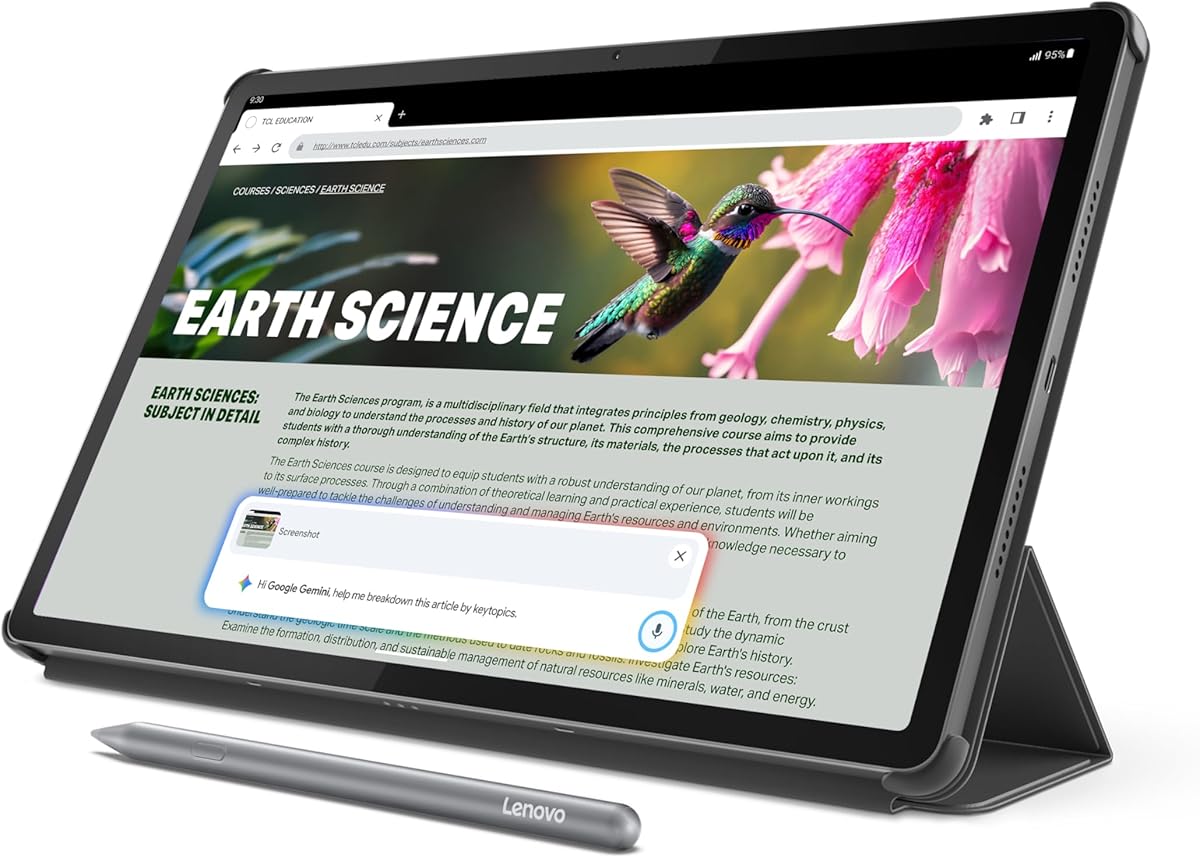
The Lenovo Idea Tab Pro is a refined study-oriented tablet with a supplied rating of 4.6, the highest numerical score among the electronic products here. Its 12.7-inch 3K LCD offers unusually high pixel density for digital scores, PDFs, textbooks, and lecture notes. The visual quality makes it particularly attractive for readers who notice small clefs, dynamic markings, and closely spaced notes.
We may earn a commission when you buy through this link, at no additional cost to you.
The included Tab Pen Plus and folio case create a more complete package than many competing tablets. The pen supports Circle to Search, allowing a user to circle on-screen content and look it up, while the tablet's mono and chromatic visual modes can support different reading preferences. The display is also described as Low Blue Light certified for comfortable study sessions.
A MediaTek Dimensity 8300 processor, Wi-Fi 6E, and 8GB of memory provide strong foundations for multitasking and downloads. Quad JBL Dolby Atmos speakers improve the experience when following video lessons, although the product data does not list a specific battery capacity. The stated 11 hours of unplugged video playback and 45W quick charging support extended study days.
This is a strong choice for a student who wants a polished reading and annotation device rather than the largest possible screen. The 12.7-inch dimensions remain portable enough for school, while the included stylus and case reduce the need for extra accessories. Choose it for sharp visual detail, study tools, and polished media performance; consider a larger music-focused tablet if displaying entire systems or multiple parts is the priority.
The high-resolution 12.7-inch display is well suited to dense PDFs and small notation. It can also make handwritten and printed annotations look clean, which is valuable for study, analysis, and personal markings.
The included Tab Pen Plus supports a more natural reading workflow, and the included folio case helps protect the device during transport. Together, they make the package especially convenient for students and commuters.
We may earn a commission when you buy through this link, at no additional cost to you.
The Samsung Galaxy Tab A9+ offers a familiar Android reading experience in a compact 11-inch format. Its TFT LCD panel runs at 1920-by-1200 resolution and 90Hz, which should provide enough detail and responsiveness for digital scores, PDFs, and lesson materials. The supplied rating is 4.4, placing it among the stronger-rated products in the list.
We may earn a commission when you buy through this link, at no additional cost to you.
The tablet runs Android 13 with One UI 5.1 and is powered by a 6nm Snapdragon 695 octa-core processor with Adreno 619 graphics. Its 8GB of RAM and 128GB of storage are suitable for a moderate collection of scores and educational applications. Four AKG stereo speakers with Dolby Atmos add useful sound for lessons, backing tracks, and entertainment, while Bluetooth 5.1 permits convenient wireless accessory use.
The 7,040mAh battery and USB Type-C 2.0 interface make it suitable for daily reading, while the 8MP autofocus rear camera and 5MP front camera cover document capture and video calls. The supplied listing identifies this as an international X210 model with no SIM card slot. It also states that the device does not include a domestic warranty, although it remains covered by the seller's return policy.
This is most practical for a reader who values a smaller Samsung tablet, familiar Android customization, and balanced everyday performance. It is less suitable than larger rivals for displaying a complete score with a large zoom level, and the international-model status deserves attention. Buyers should confirm regional app, accessory, and warranty arrangements before purchasing.
The 11-inch screen is smaller than the large music displays, but it can be easier to hold during a lesson or transport between locations. A pianist may find it particularly useful for study notes kept beside a physical score.
One UI 5.1 provides the standard Android experience, while a fingerprint reader built into the power key offers convenient access. The app ecosystem should appeal to users who already rely on other Samsung devices.
We may earn a commission when you buy through this link, at no additional cost to you.
The OnePlus Pad Go 2 is a premium productivity tablet aimed at users who want a polished digital workspace for reading, note-taking, and multitasking. Its 12.1-inch 2.8K display, 120Hz adaptive refresh rate, and Dolby Vision support deliver a sophisticated visual platform for high-resolution scores, annotated PDFs, and instructional video.
We may earn a commission when you buy through this link, at no additional cost to you.
With 8GB of memory and 256GB of storage, it has ample local capacity for downloaded scores, recordings, and lesson media. The Open Canvas feature supports as many as three app windows at once, which could place a score, metronome, and recording or transcription app within the same workflow. A compatible Stylo pen is not included, but the tablet supports 4,096 pressure levels and low-latency writing when paired with one.
The 10,050mAh battery is listed as supporting up to 53 hours of music playback or 15 hours of video, along with standby time of up to 60 days. Its 33W SUPERVOOC charging system is designed to restore power efficiently. Cross-device features include Quick Share and App Relay for moving files between OnePlus phones, tablets, and devices running Android or iOS.
This is an excellent premium option for a musician who wants a sophisticated score-reading and productivity environment. It is particularly useful for students, teachers, and composers who split their attention between notation, a recording app, and productivity tools. The main compromises are the additional cost of a stylus and the relatively large footprint compared with an 11-inch tablet.
Open Canvas can turn the tablet into a more useful rehearsal workstation. A musician might keep a score open while checking a transcription tool or lesson reference without cycling through full-screen applications.
The 2.8K panel and adaptive refresh rate provide a crisp, fluid foundation for reading dense notation. The 7:5 aspect ratio also supports a more page-like reading shape than a conventional narrow portrait tablet.
We may earn a commission when you buy through this link, at no additional cost to you.
This 8.5-by-11-inch manuscript notebook offers 100 staff pages with six staves per page and a supplied rating of 4.4. The clean pages omit clefs and bar lines, allowing composers, students, and songwriters to begin writing without following a fixed instrument layout. A notation guide is included for quick reference.
We may earn a commission when you buy through this link, at no additional cost to you.
Six staves provide a balanced amount of space for simple melodies, instrumental studies, lead sheets, and classroom exercises. The larger page reduces the cramped feeling associated with small composition books, while smooth white paper is designed to support writing with both pen and pencil. The pages are described as minimizing bleed-through, which helps maintain legibility when the notebook is opened flat.
A lightweight paper back cover makes the book convenient to carry in a school bag or studio case. It can be used for composing for a solo instrument or arranging for a larger group, and it requires no power, connectivity, or software updates. On the other hand, a physical notebook cannot provide immediate access to purchased PDFs, automatic page turns, cloud synchronization, or searchable digital scores.
This notebook suits a musician who prefers the tactile focus of writing on paper or needs a dependable composition tool for lessons. Six staves per page may be too limited for dense piano systems, and the product is less useful as a reading-only resource. It works best alongside a digital tablet rather than as a direct replacement for one.
Leaving the page free of printed clefs and bar lines lets the writer choose a clef, key, or meter after the initial idea. That flexibility is useful for students and composers working across instruments.
The letter-size format provides usable writing space without the bulk of a bound hardcover book. The paper back cover keeps the notebook lightweight for travel, school, or studio use.
We may earn a commission when you buy through this link, at no additional cost to you.
The Wide-Staff Music Notebook combines a supplied 5.0 rating with a layout designed to make handwritten notation easier. It contains 120 double-sided pages in an 8.5-by-11-inch format, with 12 wide staves per page. The generous number of pages makes it suitable for music theory classes, songwriting, transcribing, or long-term practice notes.
We may earn a commission when you buy through this link, at no additional cost to you.
The wide spacing is especially useful for young students, beginners, and anyone who finds tightly packed staves difficult to navigate. A notation guide supports quick reference, while the simple interior design keeps attention on the user's writing. The product description identifies intended users ranging from children and teenagers to university students and adults, and it supports piano, guitar, violin, ukulele, and other instruments.
A thick cardstock matte cover gives the notebook a sturdier feel than a typical disposable composition pad. The pages are double-sided, increasing usable writing area without requiring a second book. However, a paperback format is inherently less protective than a rigid case, and users should keep the volume closed or secured when carrying it in a crowded bag.
This is a strong paper option for a student who wants to handwrite notes without struggling with narrow staves. Its 5.0 supplied rating suggests favorable reception, though the listing does not include a numerical review count. While it cannot serve as a digital score reader, it can be paired with a tablet to provide a distraction-free place for notation practice and personal musical ideas.
Wide staff spacing reduces the chance that notes, stems, and annotations will collide. Beginners can concentrate on note placement instead of fighting a cramped layout, while advanced users still have twelve staves for denser work.
One hundred twenty double-sided pages provide substantial capacity for theory work, transcriptions, and song ideas. The book can serve for months of exercises without requiring frequent replacement.
We may earn a commission when you buy through this link, at no additional cost to you.
The Ten-Staff Blank Notebook is another paper-based option in this list, intended for school-age musicians who want a cheerful place to write compositions. It contains 120 pages of blank manuscript paper, with 10 staves on every page in a familiar 8.5-by-11-inch size. No numerical customer rating is supplied in the product data.
We may earn a commission when you buy through this link, at no additional cost to you.
Ten staves offer a middle ground between a very open six-staff layout and the more concentrated twelve-staff designs. A child can write a melody, teacher, or basic exercise without excessive crowding, while the letter-size page is easy to place on a desk or music stand. The cover is described as glossy, giving the otherwise straightforward school product a more finished appearance.
The main advantage is simplicity. There is no charging, no account setup, and no need to learn app navigation. Blank paper allows a student to record ideas in a familiar way, and the 120-page count is sufficient for a school year of assignments, practice notes, or original compositions. The product listing provides fewer material details than the other manuscript books, so buyers should assess the actual paper and cover based on the current product presentation.
This notebook is best for a young musician starting notation work or a teacher who wants a straightforward assignment book. It does not replace a digital reading tablet, and it offers fewer advanced features than the more extensively described paper alternatives. Even so, it fills a clear niche for students who benefit from writing music by hand rather than reading from a screen.
Ten staves provide enough vertical room for recognizable musical ideas while keeping each system clearly separated. It is a practical layout for elementary theory, early composition, and handwritten exercises.
All notation stays together in a portable notebook that can move easily between classroom, home, and rehearsal. This makes handwritten work a convenient companion to a shared or school-provided tablet.
We may earn a commission when you buy through this link, at no additional cost to you.
The most important choices are display size, score legibility, app compatibility, storage, battery life, and the way a musician actually reads. A model that excels in a classroom may be less convenient at a music stand, while a premium large-screen tablet may be excessive for simple PDF viewing.
Choose a larger display for a stand, complex ensemble parts, or frequent page switching. Choose a smaller model for commuting and handheld study.
Favor a sharp, well-adjusted display that can show small clefs and markings without forcing constant zooming.
Check every essential app and accessory first; screen size cannot compensate for missing software support.
Choose at least 128GB for offline libraries, and consider expandable storage for large collections.
Prioritize long battery life for offline rehearsals and confirm charger compatibility before relying on fast charging.
Choose an included or supported stylus for active annotation, and a good camera only when creating digital copies of paper scores is important.
Choose based on where you read most often: a small device for commuting, or a large, stable screen for a stand.
Confirm the required connectivity and pedal support, especially if rehearsal happens without reliable internet access.
Begin by installing the score reader, metronome, tuner, and annotation tools you actually need, then adjust the system text size and orientation to create a consistent reading layout. Download frequently used parts for offline access, organize them by composer, ensemble, or rehearsal, and test page turning with your preferred method. A brief setup routine prevents delays during a lesson or performance.
Use a stable stand or folio, keep the screen brightness at a comfortable level, and avoid prolonged glare from strong overhead lighting. A stylus is useful for fingering, dynamics, and rehearsal marks, but a paper copy can remain valuable for performance situations where reliability is paramount. Clean the display with a soft microfiber cloth and keep liquids away from the charging port and screen.
Protect the tablet with a suitable case and use a screen protector when one is not already installed. For electronic tablets, maintain some free storage and install available software updates when practical. For manuscript books, store them flat or in a folder to reduce bent pages and keep notation legible. In either format, back up important scores, recordings, and handwritten work before an important rehearsal.
A 13.4- to 15.6-inch display is generally the most useful range for musicians who want to see multiple staves comfortably. A 15.6-inch screen provides the broadest page area, while a 12- or 13.4-inch tablet is easier to carry. The best size also depends on whether the device is used primarily at a stand, during lessons, or while traveling.
Support depends on the score-reading app and the file format it imports, rather than on display size alone. Android tablets can generally open conventional PDFs with suitable reader software, while MusicXML and proprietary library formats may require a specific compatible application. Check whether the desired app supports the exact format used by the musician's teacher, publisher, or library.
A stylus is not required for basic page turning or reading, but it can make annotations much easier and more precise. The Lenovo Idea Tab Pro includes a Tab Pen Plus, and the OnePlus Pad Go 2 supports a separately sold Stylo pen. The first-ranked 15.6-inch music tablet supports touch operation but does not include a stylus.
The 15.6-inch music-focused tablets offer large displays and 12,000mAh batteries, making them strong candidates for offline practice if scores are downloaded in advance. The TECLAST T65 is the only listed electronic tablet with 4G LTE, which can provide internet access away from Wi-Fi, although cellular coverage and service requirements still apply.
A paper notebook is better for learning handwriting, composing without distractions, and recording ideas in a tactile format. A tablet is better for purchased digital libraries, instant access, adjustable text, audio accompaniment, and annotation tools. Many musicians use both, keeping scores on a tablet while using paper for exercises and quick notation.
The 15.6-inch Android music display includes a 32MP rear camera specifically suited to capturing printed scores, handwritten notes, chord charts, and rehearsal documents. Other tablets have cameras as well, but the supplied information only states this scanning use explicitly. In every case, users will need a scanning or camera app to capture and organize the images.
At least 128GB is a practical starting point for downloaded PDFs, lesson materials, apps, and recordings. A 256GB model is preferable for a large repertoire or extensive video library, particularly when scores are stored offline. The two 15.6-inch tablets and TECLAST T65 also support memory-card expansion, depending on the storage format and the user's workflow.
A Wi-Fi-only tablet is usually simpler and can be less distracting in a rehearsal environment when downloaded material is used offline. Cellular connectivity is useful for musicians who regularly travel, teach in different locations, or need to retrieve resources on demand. The TECLAST T65 offers 4G LTE, while the other listed electronic tablets are Wi-Fi only.
The 15.6-inch Android 16 sheet-music tablet is the most purpose-built choice in this list because it combines a large Full HD IPS display with 12GB of memory, expandable storage, a scanning camera, quad audio, and a 12,000mAh battery. The closely related Widevine L1 model is an excellent premium alternative for users who prioritize 256GB storage, streaming, and fast charging.
For musicians who value mobility, the TECLAST T65 combines a 13.4-inch 120Hz display with 4G LTE and a strong supplied rating, while the Lenovo Idea Tab Pro offers a 3K screen and an included pen. The Samsung Galaxy Tab A9+ is a compact Android option, and the OnePlus Pad Go 2 serves users who want premium multitasking and cross-device features. The manuscript books remain valuable for handwriting and composition rather than screen-based reading.
Before purchasing, confirm current specifications, app compatibility, storage requirements, included accessories, and regional warranty terms. Product listings and prices can change, so checking the latest seller information and customer feedback is an essential final step. The right choice is the one that makes your preferred scores clear, your tools work together, and rehearsal time less distracting.
