
Fractal Design Define 7 XL
4.6Editor score
Exceptional storage flexibility
Quiet brushed aluminum design
Custom water-loop support
Our expert guide compares 10 Full Tower Workstation Server Cases, highlighting storage, cooling, expansion, motherboard support, and build flexibility today.
Full tower workstation server cases provide the room required for demanding motherboards, multiple graphics or accelerator cards, extensive cooling hardware, and high-density storage configurations. A capable enclosure can improve serviceability, airflow, and upgrade flexibility, but the best choice depends on the components and workloads planned for the build.
We compared all ten cases by examining motherboard support, drive-bay capacity, expansion-slot availability, graphics clearance, cooling options, included fans, front connectivity, and practical workstation features. The list covers NAS-focused designs, modular multi-workstation chassis, quiet aluminum builds, high-airflow models, and general-purpose full towers that can accommodate professional components.
Each review explains where a case stands out, what compromises buyers should consider, and which builds it is best suited for. Product configurations and availability can change, so readers should verify current specifications and current prices directly on the linked product pages before making a final purchase decision.
4.6Editor score

5.0Editor score

4.7Editor score
The comparison table highlights the major differences among these full tower cases, including supported motherboards, storage capacity, cooling headroom, and expansion potential. It is designed to help buyers narrow the field before considering a complete workstation or server build.



The Rosewill Thor NAS is a storage-oriented full tower workstation server chassis with a 3.9 customer rating. Its defining advantage is exceptional drive density: the enclosure supports up to 11 3.5-inch hard drives or 13 2.5-inch solid-state drives, while also providing 11 external 5.25-inch drive bays for optical devices and further expansion. That makes it particularly relevant to AI servers, network storage systems, media hubs, and small business server builds.
We may earn a commission when you buy through this link, at no additional cost to you.
The chassis accepts E-ATX motherboards and expansion cards as long as they do not exceed 400mm in length. This gives builders room for substantial graphics cards and professional accelerator cards, an important consideration when the enclosure is intended to serve as more than a conventional NAS. A front USB 3.2 Type-C connection supports modern peripherals and faster transfer workflows, while the included 140mm PWM fan provides a foundation for the case's streamlined airflow design.
Its most obvious trade-off is that just one fan is supplied. Buyers using multiple hard drives, sustained processors, or high-wattage accelerators will need to plan additional cooling rather than relying on the included fan alone. The drive configuration also makes cable management and thermal planning important because dense storage assemblies can restrict front-to-back airflow. Despite these concerns, the raw capacity and 400mm card clearance distinguish the Thor from many general-purpose full towers.
This is a strong choice for a dedicated DIY NAS, AI workstation, or storage-heavy server where drive capacity matters more than an extensive bundle of fans. It is less suitable for buyers seeking a quiet, polished office chassis with cooling equipment already supplied. For storage-first projects, however, the Rosewill Thor NAS provides an unusually capable foundation.
The ability to hold 11 hard drives or 13 solid-state drives makes this enclosure especially attractive for RAID-oriented and media-heavy systems. Its additional 5.25-inch bays provide further options for legacy storage, optical media, or expansion equipment that requires a full-size bay.
E-ATX board support and up to 400mm of expansion-card clearance create room for professional accelerators and long graphics cards. Buyers should still coordinate the selected card, storage layout, and cooling equipment before finalizing the build.
We may earn a commission when you buy through this link, at no additional cost to you.
The Phanteks Enthoo Pro 2 Server V2 is a full tower server and workstation enclosure designed around an open interior and all-metal mesh panels. No numeric customer rating is listed in the supplied product information, so its evaluation here focuses on the documented chassis capabilities. It supports motherboards up to SSI-EEB and accommodates storage configurations of up to 10 hard drives or 11 solid-state drives.
We may earn a commission when you buy through this link, at no additional cost to you.
Cooling is a major strength. The case can hold as many as 15 fans, with three positioned directly above the processor and PCI area. Radiators up to 480mm and 360mm are supported, providing ample headroom for air-cooled or liquid-cooled professional builds. Eleven PCI slots and a spacious open layout also make it easier to route cables, install long cards, and service densely packed components compared with a more enclosed office-oriented tower.
The trade-off is that this emphasis on open access and flexible cooling does not produce the highest raw drive density in the group. It also lacks a supplied numeric rating, which makes it harder to gauge buyer satisfaction from the available feedback. In addition, a case capable of hosting numerous fans requires deliberate airflow planning so that intake and exhaust devices work together instead of creating competing pressure zones.
The Enthoo Pro 2 Server V2 is best suited to advanced workstation builders who want extensive cooling options, an open installation area, and support for SSI-EEB hardware. It is a compelling choice for multi-card rendering, compute, or engineering systems where service access and thermal flexibility are the priority.
Support for up to 15 fans gives builders room to create a carefully balanced cooling system for high-power processors and accelerator cards. The dedicated positions above the CPU and PCI area can help direct air across the most heat-sensitive regions.
The spacious open interior simplifies cable routing, card installation, and component access. This is especially useful when a workstation will be maintained often or upgraded as processing requirements change.
We may earn a commission when you buy through this link, at no additional cost to you.
The Antec 900 Full-Tower is the most broadly balanced workstation case in this guide, combining a 5.0 customer rating with extensive cooling support and room for large professional hardware. It supports E-ATX, SSI-EEB, Threadripper, and back-connect motherboards, making it a flexible foundation for high-end processors and specialized boards.
We may earn a commission when you buy through this link, at no additional cost to you.
Cooling hardware is a major strength because six PWM fans are preinstalled: three 140mm fans at the front, two 120mm reverse fans on the power-supply shroud, and a 140mm rear fan. The front can accept a radiator up to 420mm, while the shroud fans help move air around dense lower-chamber components. Its spacious interior also accommodates dual GPUs up to 495mm long and 160mm thick, which is valuable for rendering, visualization, and compute-oriented systems.
Storage is less aggressive than the Rosewill Thor's density, with nine drive bays consisting of four 3.5-inch or 2.5-inch combination positions and five dedicated 2.5-inch positions. That is still ample for many workstations, but builders needing many hot-swappable trays should choose a dedicated server chassis instead. The broad exterior may also take more desk or floor space than compact professional cases. In return, buyers receive a coordinated cooling package and straightforward access through a tool-free 4mm tempered-glass side panel.
This is an excellent general recommendation for builders assembling a powerful workstation with one or two long graphics cards. It is especially attractive for buyers who do not want to source every fan separately. For extreme storage arrays, its nine drive positions are less ideal, but for mixed compute, rendering, and cooling needs, the Antec 900 offers one of the strongest combinations of capability and convenience.
Six included PWM fans cover the front intake, rear exhaust, and power-supply shroud. This arrangement gives a new workstation a useful thermal foundation before buyers add optional high-performance fans or a radiator.
Support for dual GPUs up to 495mm long and 160mm thick is among the more generous limits in the group. It creates a practical path to professional visualization, GPU rendering, and multi-accelerator configurations.
We may earn a commission when you buy through this link, at no additional cost to you.
The Fractal Design Define 7 XL is a premium full tower built around a refined enclosure, flexible internal layout, and exceptional workstation storage options. Its 4.6 customer rating reflects a generally well-received package, while the brushed aluminum and steel construction gives it a more finished appearance than typical server chassis.
We may earn a commission when you buy through this link, at no additional cost to you.
The default storage layout can accommodate up to 18 hard drives and five solid-state drives. More importantly, the design can be converted to an open layout to create space for a custom water loop with large reservoirs and radiators up to 480mm. Multi-brackets also let unused fan positions become HDD, SSD, or pump mounts, allowing builders to adapt the enclosure as component requirements evolve.
Motherboard support extends to E-ATX and SSI-EEB, providing access to large workstation platforms. The front door uses reversible dual-handed hinges and magnetic latching, while the overall layout is designed with a quiet-workstation presentation. The compromises are practical rather than fundamental: a premium exterior and enclosed styling may consume more space than an open frame, and a custom-loop build requires planning for pump placement, reservoir placement, and the impact of the selected storage layout.
The Define 7 XL is best for professionals who want a high-end workstation that can shift between dense storage and elaborate water cooling. It also suits buyers who value a polished, quiet-oriented design. For a server that only needs hot-swap serviceability, it is less specialized than dedicated rack-inspired enclosures, but for a flexible premium office workstation it is exceptionally versatile.
The defining feature is the ability to choose between dense conventional storage and an open layout for a custom loop. Multi-brackets further reduce the need to compromise when cooling and storage requirements change.
Brushed aluminum, a clean front door, magnetic latching, and dual-handed hinges create a polished workstation enclosure. It is well suited to office or studio environments where a generic server chassis would be visually out of place.
We may earn a commission when you buy through this link, at no additional cost to you.
The Antec Flux Pro Full-Tower earns a 4.7 customer rating and stands out as a value-focused E-ATX platform with a generous cooling package. It includes six PWM fans: three Tranquil 140 models at the front, two P12R reverse fans on the power-supply shroud, and one Tranquil 140 model at the rear. With positions for up to 12 fans overall, it offers considerable room for a customized airflow arrangement.
We may earn a commission when you buy through this link, at no additional cost to you.
The enclosure supports simultaneous installation of a 420mm radiator and a 360mm radiator, enabling substantial air or liquid cooling capacity. Removable cooling brackets at the top, front, and power-supply shroud allow cooling hardware to be repositioned as a build develops. An innovative 90-degree power-supply mount and a CPU/GPU dual temperature display add useful features for monitoring a performance-oriented workstation.
Its combination of metal, glass, and wood gives the case a distinctive texture, although buyers seeking a completely traditional office tower may prefer a more neutral finish. Detailed drive specifications are not highlighted in the supplied information, so storage needs should be checked against the current product listing before purchase. The case also lacks the specialized hot-swap trays found in dedicated NAS chassis.
The Flux Pro is an excellent choice for a high-airflow E-ATX workstation that will use a powerful processor and graphics card. It is particularly compelling for builders who value a generous set of included fans without having to source a complete cooling package independently. It is less ideal for very dense storage arrays, but for balanced compute and cooling builds, it offers considerable capability.
Six PWM fans provide meaningful intake and exhaust coverage from the first installation. The option to run 12 fans and reposition major cooling brackets allows the case to adapt to more advanced thermal configurations later.
The CPU/GPU dual temperature display provides a convenient internal reference, while the 90-degree power-supply mount adds routing flexibility. These details make the enclosure more practical for sustained professional workloads.
We may earn a commission when you buy through this link, at no additional cost to you.
The KM7B is a full tower NAS and server case distinguished by 13 hard-drive bays and two solid-state drive positions. No numeric customer rating is listed in the supplied data, so the case is best evaluated by its documented dimensions and compatibility. It supports Micro ATX, ATX, and E-ATX motherboards, giving it broad applicability across home labs and business storage systems.
We may earn a commission when you buy through this link, at no additional cost to you.
The expansion layout provides seven plus three PCI slots, while the front, rear, and top can accept combinations of 120mm and 140mm fans. Cooling support includes 360mm and 280mm liquid-cooling options. Additional front I/O consists of one USB 3.0 port, two USB 2.0 ports, and HD Audio, and the magnetic front panel can be removed without tools.
The critical trade-off involves the interaction between storage and graphics clearance. Maximum VGA length is 417mm when the drive bays are not installed, but this falls to 280mm when they are occupied. That makes the case highly appropriate for a storage-first NAS but less convenient for a workstation combining many drives with a very long graphics card. Its listed dimensions are 475 by 230 by 503mm, so buyers should also confirm available floor or desk space.
The KM7B is best suited to users building a dedicated hard-drive-heavy NAS, backup server, or media archive where storage bays take priority over long graphics cards. For those who need many drive positions and do not plan to install a long accelerator simultaneously, its capability is difficult to overlook.
The large hard-drive capacity makes the KM7B appropriate for bulk archives, local backup systems, and multi-volume storage arrays. Two additional solid-state positions provide a place for operating-system or application storage.
Long graphics cards are supported only when the drive bays are removed. Workstation builders that require both extensive storage and a long accelerator should verify dimensions carefully before committing to this chassis.
We may earn a commission when you buy through this link, at no additional cost to you.
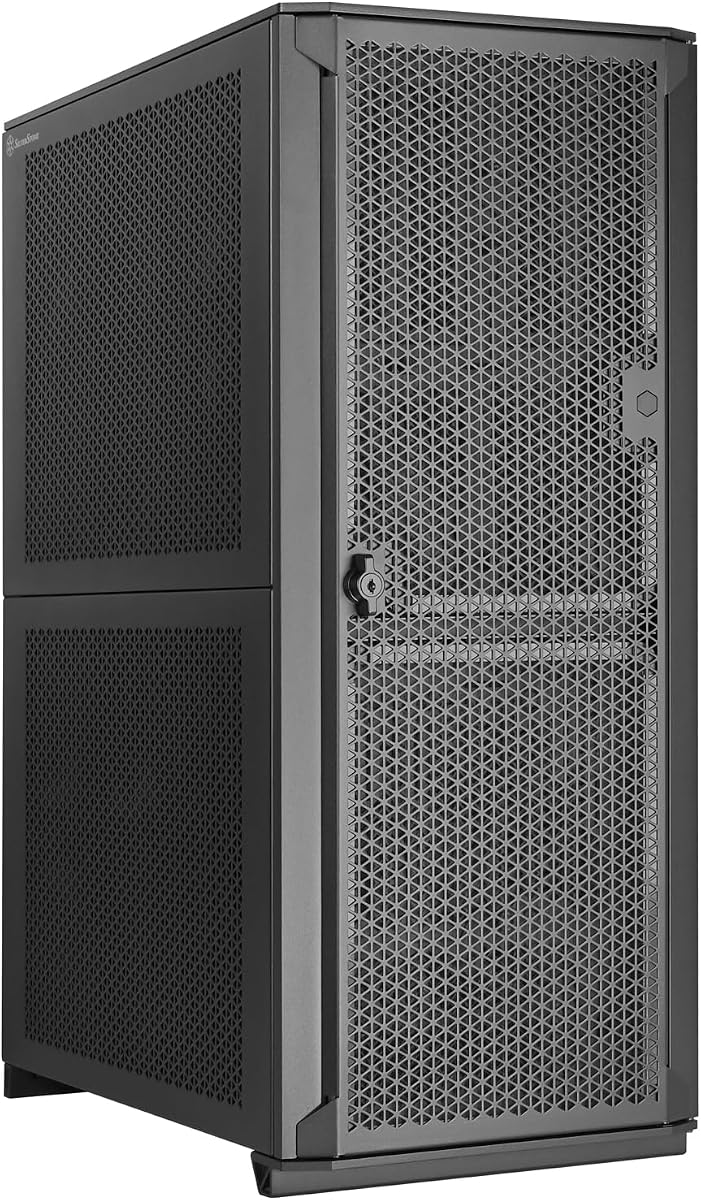
The SilverStone SETA H2 is a rugged full-size workstation tower with a 4.4 customer rating. It supports SSI-EEB, SSI-CEB, E-ATX, ATX, Micro ATX, and Mini-ITX motherboards, giving it one of the broadest motherboard ranges in the group. The chassis can also accommodate up to 15 2.5-inch or 3.5-inch drives, including solid-state drives up to 15mm thick.
We may earn a commission when you buy through this link, at no additional cost to you.
Eight available expansion slots provide meaningful multi-GPU capability, making the enclosure relevant to visualization, rendering, and compute workstations that need several cards. High-grade steel construction adds rigidity, while a fully perforated front mesh panel is designed to promote unobstructed airflow. The motherboard flexibility and expansion-slot count create a useful platform for specialized professional boards.
No fans are included, so cooling is entirely the buyer's responsibility. That reduces convenience and requires additional planning, particularly for a dense multi-drive or multi-card system. Buyers must also verify the dimensions of specific power supplies, graphics cards, coolers, and data cables because a chassis with eight expansion slots does not automatically guarantee clearance for every possible combination.
The SETA H2 is best for advanced workstation builders who value motherboard choice, rugged construction, and multi-GPU expansion more than a ready-made fan bundle. It is also appropriate for compact server roles with mixed drive formats. Buyers who want a turnkey cooling setup should account for the additional fan purchases and airflow design.
Eight expansion slots and broad motherboard compatibility make the SETA H2 a practical shell for specialized compute, visualization, and engineering systems. Platform compatibility is unusually broad for a full tower.
The steel chassis and perforated front emphasize structural strength and airflow. Because no fans are supplied, installers should select intake and exhaust positions together rather than treating cooling as an afterthought.
We may earn a commission when you buy through this link, at no additional cost to you.
The Fractal Design Pop XL Air RGB is an enthusiast-oriented full tower with a 4.7 customer rating. It supports E-ATX boards up to 280mm as well as ATX, Micro ATX, and Mini-ITX standards. Its defining visual feature is an easily mounted tempered-glass side panel that exposes the internal components while fitting into the broader Pop series design.
We may earn a commission when you buy through this link, at no additional cost to you.
Four 120mm Aspect RGB fans are included, with support for two additional fans for a total of six. Radiators can be installed up to 360mm at the front, 280mm at the top, and 140mm at the rear. Storage consists of up to four hard drives and six solid-state drives, or three hard drives and five solid-state drives when one optical bay is occupied. Two 5.25-inch bays sit behind a storage drawer and magnetic cover.
This is not the densest storage option in the lineup, and the included illumination may not suit a server room or restrained professional office. The case also lacks the specialized hot-swap mechanisms and multi-GPU emphasis found in dedicated workstation models. On the other hand, it offers one of the most immediately approachable builds for users who want polished appearance, visible components, and a complete four-fan foundation.
The Pop XL Air is best for a powerful creative workstation or enthusiast workstation that will display its components. It is particularly useful when the builder wants RGB cooling and tempered-glass presentation without sourcing every fan separately. For large data arrays or hot-swappable server applications, a more specialized chassis is the better fit.
Four RGB fans create a coordinated initial installation, and the tempered-glass panel makes the lighting and internal layout visible. The enclosure is designed to look finished even before additional accessories are added.
Support for a 360mm front radiator, 280mm top radiator, and 140mm rear radiator offers several cooling routes. Builders can align liquid cooling with the orientation of their components and the direction of the case's airflow path.
We may earn a commission when you buy through this link, at no additional cost to you.
The SilverStone ALTA D1 is a specialized modular workstation chassis built for exceptionally broad internal expansion. It has a 3.9 customer rating and is intended for demanding professional configurations rather than ordinary office PCs. Its most notable capability is support for up to 11 expansion slots, creating room for multi-workstation GPU arrangements.
We may earn a commission when you buy through this link, at no additional cost to you.
The case accommodates 12 by 13-inch SSI-EEB and 15.12 by 13.2-inch specialized motherboard form factors. Total graphics-card clearance is 407mm, while multiple modules and dual power-supply capability provide additional expansion and power-routing flexibility. Cooling headroom includes support for as many as three 360mm radiators, a substantial thermal allowance for sustained multi-component workloads.
The primary limitation is platform specificity. Buyers using standard E-ATX or ATX boards may find other chassis more straightforward, even if they do not need the ALTA D1's scale. It also occupies a specialized premium market, making it most sensible for organizations that genuinely benefit from its modular multi-workstation design. The chassis is crafted from high-grade steel for durability and robustness.
The ALTA D1 is ideal for specialized workstations that need numerous accelerators, multiple modules, or substantial power delivery. It is not the rational choice for a compact NAS or a single-GPU gaming-style build, but for a professional system designed around maximum multi-card capability, its eleven slots and dual-power support are difficult to match.
The unusually high expansion-slot count is the chassis's defining advantage. It creates a credible platform for multi-workstation GPU configurations and other specialized accelerator arrangements.
Multiple modules and dual power-supply capability allow the system to be configured for greater expansion and performance. Specialized motherboard dimensions should be checked before choosing this enclosure for a conventional build.
We may earn a commission when you buy through this link, at no additional cost to you.
The SilverStone CS383 is an eight-bay hot-swappable full tower NAS chassis with a 4.5 customer rating. It supports E-ATX and SSI-EEB motherboards and includes eight removable trays for 3.5-inch or 2.5-inch drives. The trays support SAS-12G and SATA-6G drives, making the enclosure suitable for storage systems where data availability and straightforward replacement matter.
We may earn a commission when you buy through this link, at no additional cost to you.
Eight expansion slots preserve room for professional add-in cards, with a maximum card length of 340mm. Cooling can reach a 420mm liquid radiator or accommodate air coolers up to 186mm. Dual power-supply capability adds redundancy or power flexibility, and the design can support up to four additional 5.25-inch drive bays for further storage expansion.
The obvious limitation is that the base configuration is limited to eight hot-swappable trays, fewer than the densest cases in this guide. Users who need more drive positions must add compatible 5.25-inch bays or select a different chassis. The 340mm card limit also requires more care than the Antec 900's dual-GPU allowance. Despite those constraints, hot-swap serviceability is a functional advantage that many standard full towers cannot offer.
The CS383 is best suited to a compact NAS, storage server, or workstation that regularly maintains hot-swappable drives. It is particularly appropriate for small businesses prioritizing drive accessibility and reliable storage workflows over the absolute highest drive density. Its combination of SSI-EEB support, expansion slots, and dual power supplies also makes it suitable for more ambitious storage computing systems.
Eight removable SAS-12G or SATA-6G trays allow failed or upgraded drives to be replaced without treating the entire system as a permanently sealed enclosure. This is a practical advantage for offices that cannot afford extended downtime.
Dual power-supply capability supports flexible power architecture, while eight expansion slots leave room for add-in hardware. Additional 5.25-inch bays can extend storage capacity beyond the standard eight-tray arrangement.
We may earn a commission when you buy through this link, at no additional cost to you.
A workstation server case should be selected around the hardware that will live inside it, not simply its exterior size or advertised fan count. Motherboard format, accelerator dimensions, storage density, thermal load, and service requirements should be resolved before choosing a chassis.
Motherboard support is the first constraint to verify. Standard ATX and Micro ATX boards fit many full towers, but professional platforms frequently use E-ATX, SSI-EEB, SSI-CEB, or specialized workstation shapes and sizes. Cases such as the Antec 900 and Fractal Design Define 7 XL support E-ATX and SSI-EEB, while the Phanteks Enthoo Pro 2 Server V2 and SilverStone SETA H2 offer broad compatibility. The SilverStone ALTA D1 goes further by supporting specialized 12 by 13-inch and 15.12 by 13.2-inch boards. Form factor alone does not guarantee a fit, so the case's maximum board dimensions and connector positions should also be compared with the intended motherboard.
Storage needs determine whether a conventional desktop layout or a server-style drive chassis is appropriate. The Rosewill Thor NAS supports 11 hard drives or 13 solid-state drives, while the Fractal Design Define 7 XL can hold up to 18 hard drives and five solid-state drives in its default layout. Hot-swappable access changes the use case significantly: the SilverStone CS383 includes eight tool-free-style drive trays for frequent maintenance, whereas many workstation towers use fixed SATA or SAS connections. Buyers should distinguish between raw bay count and the number of devices that can remain connected simultaneously, and account for cable routing, airflow, and backplane requirements.
Professional builds may contain long graphics cards, deep accelerator cards, capture devices, and multiple add-in boards. Expansion-slot count indicates how many cards can physically be installed, while maximum card length indicates whether they will fit. The Antec 900 supports dual GPUs up to 495mm long and 160mm thick, the Rosewill Thor NAS supports cards up to 400mm, and the SilverStone ALTA D1 provides up to 11 expansion slots with 407mm of graphics clearance. Always check slot spacing, riser-cable needs, power connectors, and the effect of populated drive cages on the available space.
A full tower provides room for substantial cooling, but the included hardware and mounting options vary widely. The Antec 900 includes six PWM fans, the Antec Flux Pro also includes six, and the Fractal Design Pop XL Air includes four RGB fans. At the other end, the SilverStone SETA H2 includes no fans, so the buyer must assemble the full cooling plan. Radiator support ranges from 140mm rear support in some configurations to three 360mm radiators in the ALTA D1. Large radiators should be matched to the case's stated positions rather than assumed to fit, and dense storage configurations require additional attention to intake airflow and exhaust direction.
Power requirements can influence the enclosure before any other component is selected. The Antec Flux Pro offers a 90-degree power-supply mounting option, while the SilverStone ALTA D1 and CS383 support dual power supplies. Some cases are designed for additional drive bays, expansion modules, or specialized workstation boards. Confirm the supported power-supply form factor, cable space, connector accessibility, and whether redundant power supplies are a stated requirement or merely an available option. Larger multi-GPU systems also need to account for separate power distribution, which can make chassis depth and cable routing more restrictive than graphics-card length alone suggests.
Serviceability should reflect how often the system will be opened and serviced. Reusable PCIe slot covers, tool-free side panels, removable cooling brackets, and hot-swappable drive trays all reduce maintenance friction. The Define 7 XL uses multi-brackets to repurpose fan locations for storage or pumps, while the CS383 focuses on quickly replacing failed drives. An open interior, such as that of the Enthoo Pro 2 Server V2, can make cable routing and card installation easier. Conversely, polished front doors and concealed storage may improve appearance but require more deliberate removal and planning during initial assembly.
External connections matter more in a workstation that is accessed frequently. The Rosewill Thor NAS includes USB 3.2 Type-C, the Antec 900 supports USB Type-C 3.2 Gen 2 at 10Gbps, and the KM7B provides one USB 3.0 port, two USB 2.0 ports, and HD Audio. Beyond data ports, the Antec Flux Pro adds a CPU/GPU dual temperature display, while several cases use magnetic latching or tool-free panels. Buyers should identify whether accessories, high-speed storage docks, networks, or portable drives are likely to be connected directly to the chassis rather than through a hub.
Full towers are physically large, and larger layouts can complicate installation in compact offices or equipment racks. The KM7B lists dimensions of 475 by 230 by 503mm, while other cases add large radiators, dual power supplies, or rear-mounted storage, changing the effective depth. Consider desk weight limits, aisle clearance, noise expectations, and whether the case will remain visible. Brushed aluminum and concealed fronts can suit a professional studio, whereas all-metal mesh, tempered glass, and RGB lighting may be better suited to a workshop or enthusiast workspace. Appearance should be considered alongside practical requirements such as airflow and access.
Begin with a component compatibility check. Compare the selected motherboard form factor, processor cooler height, graphics-card dimensions, power-supply format, and every installed drive or expansion card against the chassis specifications. Install the motherboard and power supply before laying in dense storage, and use the documented mounting pattern for each board and radiator rather than estimating positions.
Plan airflow with the final hardware arrangement in mind. Fit fans so cool air enters through the appropriate intake areas and exits near the processor, memory, and graphics-card exhaust zones. Dense hard-drive cages may need dedicated circulation, while liquid-cooling installations require attention to pump and reservoir orientation. Connect data and power cables with service loops that can be reshuffled when a drive is replaced.
For ongoing care, inspect dust filters regularly and clean them according to the manufacturer's instructions. Check that cables have not begun to press against hot components or restrict rotating parts, and verify that all installed fans operate as intended. A server or workstation that runs continuously should also receive periodic checks of internal temperatures, storage activity, and system diagnostics so cooling or storage problems are identified before they become failures.
At minimum, confirm that the case supports the exact motherboard form factor and dimensions planned for the build. E-ATX is common in professional systems, while larger SSI-EEB and specialized workstation boards require more specialized enclosures. Connector position, processor-cooler clearance, and expansion-card room can also prevent a fit even when the nominal board standard appears compatible.
Yes, particularly when the NAS needs multiple drives, expandability, and better cooling than a compact desktop enclosure can offer. Cases such as the Rosewill Thor NAS, KM7B, and SilverStone CS383 support substantial storage configurations. For a business system requiring frequent drive replacement, hot-swappable trays are more useful than a larger number of fixed drive bays.
That depends on the processor, graphics cards, storage density, and intended cooling configuration. Included fans often provide a useful baseline, but high-power workstations may need more intake or exhaust capacity. Conversely, a case with no included fans requires the buyer to select a complete set. Radiator support alone does not guarantee that a liquid-cooling kit will fit.
Larger workstation motherboard formats generally provide more expansion slots, memory connectivity, processor support, and specialized I/O than standard desktop boards. They can be valuable for multi-GPU, compute, or professional engineering systems. They also require a chassis with compatible mounting positions, so the board size and connector layout must be verified before purchasing.
Mesh panels are generally easier to cool with high-power components because they permit more direct airflow. A solid or refined front may suit a quiet office workstation better and can reduce the visual impact of internal components. Thermal performance still depends on the complete airflow path, filter condition, fan placement, and radiator configuration rather than panel material alone.
The correct clearance depends on the selected card, the number of cards installed, and whether a drive cage or riser is present. The Antec 900 supports dual GPUs up to 495mm long, while other cases have lower limits or reduce available clearance when storage is installed. Card height, thickness, slot spacing, and power connectors should all be checked.
They can be useful for backup arrays, frequently rebuilt test systems, and home labs where a failed drive should be replaced quickly. They also introduce considerations such as connector support, data cables, and airflow. For a lightly used system that is rarely serviced, a conventional fixed-bay chassis may be simpler and less expensive.
Required capacity depends on processor and accelerator power, the number and arrangement of drives, ambient conditions, and acceptable noise. Radiator support, included fans, and component placement determine what can be installed. A useful approach is to estimate heat output, preserve a clear intake path, and avoid placing drives directly in stagnant recirculation zones.
The Antec 900 stands out as the most balanced general recommendation, combining six included PWM fans, substantial graphics-card clearance, broad motherboard support, and useful maintenance features. The Fractal Design Define 7 XL is the premium choice for builders seeking refined construction and exceptional flexibility between storage and custom water cooling, while the Antec Flux Pro delivers strong cooling value with six included fans and extensive mounting options.
For more specialized systems, priorities should shift toward exact hardware compatibility. The Rosewill Thor NAS and KM7B emphasize raw storage capacity, the SilverStone CS383 provides hot-swappable serviceability, the SilverStone SETA H2 supports broad motherboard formats and rugged construction, and the SilverStone ALTA D1 targets extreme multi-workstation expansion. The Phanteks Enthoo Pro 2 Server V2 and Fractal Design Pop XL Air provide open or enthusiast-oriented alternatives with strong cooling flexibility.
Before buying, verify the latest motherboard dimensions, expansion-card limits, drive connections, cooling positions, and power-supply requirements against the current product listing. Components, configurations, availability, and prices can change, so checking current details at the time of purchase will help prevent compatibility surprises and ensure that the chosen case genuinely fits the planned workstation or server.