
Creality K1 AI Camera
4.6Editor score
1080P HD recording
K1 series direct compatibility
Cloud time-lapse generation
Time Lapse Camera for 3D Printer guide comparing compatibility, real-time monitoring, night vision, AI detection, image quality, and setup for makers.
A time lapse camera for a 3D printer turns a long, repetitive print into a concise visual record while helping makers monitor progress, diagnose problems, and share finished projects. The best models combine useful image quality, reliable connectivity, easy installation, and features designed specifically for the enclosed printing environment.
We compared ten cameras based on printer compatibility, monitoring capabilities, time-lapse functions, image clarity, night visibility, detection features, and setup requirements. The list covers purpose-built Creality and Flashforge accessories as well as general-purpose outdoor time-lapse cameras that may require more adaptation.
Each review highlights the features that matter most for 3D printing and identifies the situations in which that model makes the most sense. Product availability and pricing can change, so confirm the current specifications, connector requirements, and printer support before purchasing.
4.6Editor score

4.4Editor score

4.3Editor score
The comparison below organizes all ten cameras by their intended use, core functions, compatibility, and monitoring features, making it easier to distinguish printer-specific accessories from adaptable general-purpose time-lapse cameras.



This Creality Nebula Camera earns a 4.4 rating and stands out as the most balanced option in the guide for makers who want more than a simple record of a print. Its real-time monitoring, automatic time-lapse photography, and spaghetti detection make it useful both while a machine is running and when reviewing the result afterward.
We may earn a commission when you buy through this link, at no additional cost to you.
The camera connects through its USB interface to compatible Creality hardware, including the Sonic Pad, Nebula Pad, Ender 3 V3 series, CR-10 SE, and HALOT-MAGE variants listed in the product information. Once connected through Creality Cloud, makers can view progress by phone or computer and receive alerts when the camera identifies a likely print failure.
Its main trade-off is that the feature set depends on the right printer or control interface. The listing also notes that a Sonic Pad running Klipper firmware can support many Ender 3 models, but that arrangement is more involved than a direct K1-series installation. Buyers should therefore verify the exact printer model rather than relying only on the Creality brand name.
This is the strongest general recommendation for a compatible Creality setup. It delivers the core functions sought in a time lapse camera for 3D printer use, while spaghetti detection adds practical value for unattended jobs. Those seeking a K1-specific camera may prefer the simpler dedicated model, but this option offers the broadest listed mix of monitoring features.
Real-time viewing through Creality Cloud lets a maker check progress without remaining beside the printer. The same connection supports automated time-lapse capture, turning the camera into both a monitoring tool and a project-documentation device.
Spaghetti detection can identify an apparent print failure and send an alert. This is particularly useful for longer prints, when a small layer problem might otherwise continue wasting filament and time before anyone checks the machine.
We may earn a commission when you buy through this link, at no additional cost to you.
This version of the Creality Nebula Camera also carries a 4.4 rating and closely matches the needs of makers who want straightforward installation, remote visibility, and a concise time-lapse record. It combines Wi-Fi connectivity through Creality Cloud with real-time monitoring and automatic time-lapse photography.
We may earn a commission when you buy through this link, at no additional cost to you.
The supplied information highlights a simple USB connection to a compatible printer, Nebula Pad, or other listed control hardware. Once the app is configured, users can follow printing progress from a phone or computer. Manual focus helps keep the image clear, while spaghetti detection is intended to flag printing errors that could otherwise continue unnoticed.
Its limitations are similar to those of other ecosystem-specific cameras. It is not a universal camera, and the listed printer models do not encompass every Creality machine. The app-based workflow also means setup is more involved than simply attaching a camera and recording directly to a storage card, although that convenience is precisely what enables remote monitoring.
This Nebula Camera is well suited to compatible Ender, CR-10, and Pad-based systems where failure alerts and remote access matter. It may appeal to users who want a slightly more explicit compatibility statement than the first listing, but the underlying feature set is similar. Verify the hardware list and select the variant that exactly matches your setup.
The USB interface and direct printer or Pad support simplify the physical installation. App-based setup adds a short configuration step, after which monitoring can be accessed remotely through a phone or computer.
A manually adjustable lens lets the user set the focal length rather than relying entirely on automatic focusing. This can be helpful when the print chamber, model height, or camera position changes the ideal viewing distance.
We may earn a commission when you buy through this link, at no additional cost to you.
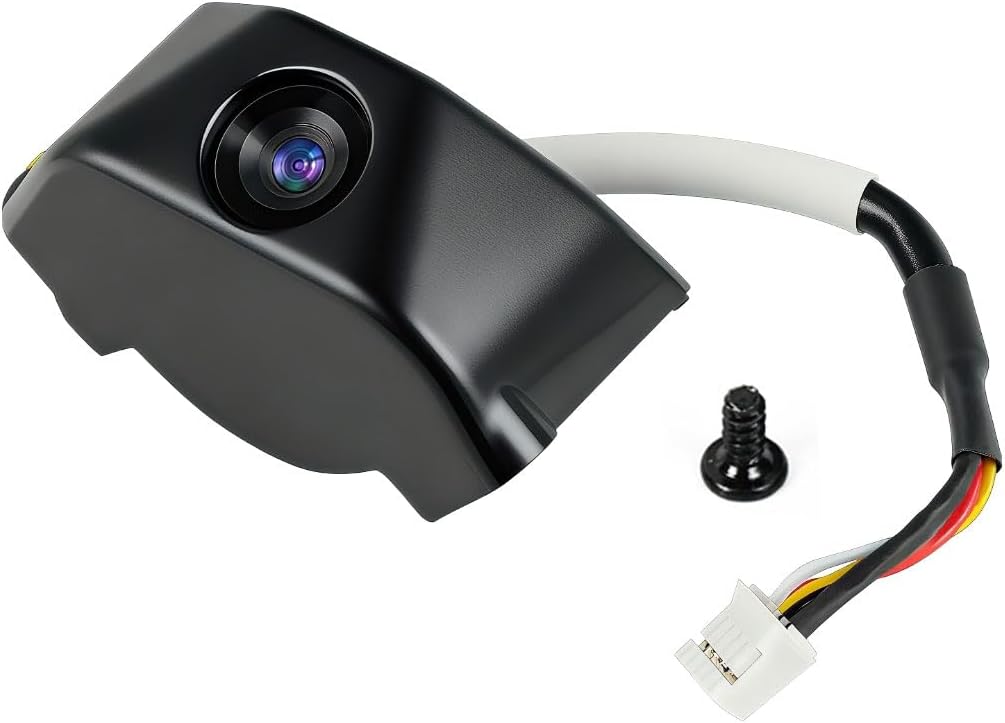
The Creality K1 AI Camera holds the highest listed rating at 4.6 and is an excellent match for owners of the K1, K1 SE, or K1 Max. It delivers 1080P imagery, real-time monitoring through Creality Cloud or Creality Print, and automatic time-lapse video generation after a print completes.
We may earn a commission when you buy through this link, at no additional cost to you.
Its dedicated design is a major advantage because compatible printers include a reserved camera interface. That removes much of the uncertainty involved with universal cameras, where framing, power, and connection methods all need to be worked out. The 1080P sensor also provides a useful balance of detail and manageable image files for monitoring and sharing.
The main restriction is its narrow hardware target. Buyers without a supported K1-series printer should not assume it will fit another model, even if they already use the same software. Automatic video generation also requires access to a Creality Cloud account, so users who prefer fully local recording may find that workflow less flexible.
For a K1, K1 SE, or K1 Max owner, this is a particularly clean and capable choice. It combines strong image quality, simple installation, live viewing, and automated time-lapse output in one purpose-built package, making it our best dedicated option for those compatible printers.
The reserved printer interface provides a more predictable connection than an improvised universal-camera setup. It is particularly convenient for new K1-series owners who want monitoring available immediately.
After a print finishes, the camera can generate a time-lapse through Creality Cloud. This converts hours of layer-by-layer activity into a short clip suitable for documenting the build or sharing the finished result.
We may earn a commission when you buy through this link, at no additional cost to you.
This official Nebula Camera receives a 4.3 rating and is the feature-rich choice among the general Nebula listings. Its built-in 940 nm infrared fill light, 24-hour monitoring, Wi-Fi access, and automatic time-lapse generation give it a strong appeal for long prints and dim printing environments.
We may earn a commission when you buy through this link, at no additional cost to you.
The camera uses an embedded code system to capture an image whenever a layer finishes, allowing the system to produce a time-lapse without extensive manual settings. Users can monitor through the Creality Cloud app or a PC browser on the local network, and the camera can help identify jams, layer adhesion issues, or alignment problems.
It is not entirely universal. Compatibility centers on the Sonic Pad, Nebula Pad, Ender 3 V3 KE, CR-10 SE, and HALOT-MAGE models named in the listing. The emphasis on local browser access and app connectivity also makes network configuration more involved than direct memory-card recording, but this complexity creates the remote visibility that makes the camera useful for unattended printing.
This is the pick for makers whose compatible Creality system benefits from night vision and automatic layer-based videos. It combines documentation, monitoring, and basic problem awareness in a compact accessory, making it especially appealing for long jobs or printers operated in changing light.
The 940 nm infrared fill light allows the camera to illuminate the print area in darkness. Automatic night-vision support makes it easier to inspect progress without adding visible lighting that could create glare or interfere with the viewing experience.
Capturing the model after each completed layer produces a logical visual sequence. The embedded system then generates a time-lapse without requiring the maker to manually edit every image.
We may earn a commission when you buy through this link, at no additional cost to you.
The Flashforge AD5X Camera Kit carries a 4.1 rating and offers a straightforward retrofit path for owners of the AD5M or AD5M Pro ecosystem. It is designed to add real-time monitoring and time-lapse video to compatible Flashforge printers without requiring a completely separate camera system.
We may earn a commission when you buy through this link, at no additional cost to you.
Because the kit is made for an established printer family, it should offer a more integrated experience than a generic camera placed inside the enclosure. The availability of live monitoring and time-lapse recording directly addresses two common needs: checking an active build and preserving a visual history of the entire process.
The supplied product information is limited compared with the more extensively described Creality cameras. It does not provide a detailed account of resolution, low-light behavior, focus controls, app support, or exact installation steps. As a result, buyers should consult the current manual and confirm the precise AD5-series model before ordering.
For a compatible Flashforge AD5M or Pro owner, this purpose-built kit is the most natural choice in the guide. It is especially attractive for bringing visual monitoring to an existing printer, while the limited compatibility and less detailed specifications make it less suitable as a universal recommendation.
A printer-specific kit is likely to integrate more neatly with the machine's chamber and controls than a generic camera. This reduces the need to solve mounting, power, and viewpoint problems independently.
Live monitoring helps users check progress, while time-lapse recording creates a concise record of the build. Together, they support both operational control and project documentation.
We may earn a commission when you buy through this link, at no additional cost to you.
This Nebula Camera has a 4.4 rating and emphasizes visual quality and dependable low-light monitoring. It supports real-time viewing, time-lapse filming, an adjustable manual-focus lens, and automatic night-vision switching, while the stated image resolution is 1920 by 1080.
We may earn a commission when you buy through this link, at no additional cost to you.
Automatic switching between normal and night viewing is valuable in a printer whose chamber may be dark or affected by changing room lighting. The manually adjustable lens lets the user refine the focal length, and the camera angle can also be adjusted horizontally and vertically to frame the build area more effectively.
The product description contains a few spelling and compatibility inconsistencies, so the exact supported printer list should be checked carefully. It references Creality control hardware and several named models, but users should not assume that every printer carrying a similar name will be supported. The camera also depends on USB and app-based operation rather than functioning as a simple standalone recorder.
For a compatible Creality setup, this is a strong option for makers who value night visibility and detailed 1080p imagery. Its combination of automatic low-light support, manual focus, live monitoring, and time-lapse capture makes it especially practical for printers that run for extended periods in changing conditions.
The camera changes to night-vision operation as needed, helping maintain visibility without requiring the user to manually activate a separate mode. This is useful for monitoring long prints around the clock.
Manual lens adjustment gives the user greater control than a fixed-focus installation. Horizontal and vertical angle adjustment also helps place the build bed or printed object clearly within the frame.
We may earn a commission when you buy through this link, at no additional cost to you.
This K1 AI Camera, rated 4.2, is the most automation-focused option in the guide. Beyond 1080P monitoring and time-lapse filming, it can detect printing failures, automatically suspend a job, and combine with AI Lidar to identify foreign objects on the build platform before they can cause a collision.
We may earn a commission when you buy through this link, at no additional cost to you.
Automatic print suspension is a meaningful distinction for makers who undertake long or valuable jobs. Rather than merely sending a notification after something has gone wrong, the camera can help stop the job through the supported system. The Lidar-assisted object detection adds another layer of protection by checking the platform for items that might interfere with the hotend.
These advanced functions depend on compatible hardware and software. The listing specifically names K1 Max, K1 SE, and K1C, which may differ from the broader K1 compatibility claimed by another camera in this roundup. Buyers should verify whether their exact printer supports automatic suspension and Lidar integration rather than assuming every AI function is universal.
This camera is most appealing to owners of compatible K1 systems who want active safeguards in addition to documentation. It turns the camera into a monitoring and intervention device, making it a strong choice for advanced makers and unattended workflows.
Print-failure detection paired with automatic suspension can reduce continued filament waste after a layer problem develops. The distinction is important because a standard notification still requires the maker to react.
When used with AI Lidar, the camera can help detect a foreign object on the platform before printing. This preventive check protects the process from avoidable collisions and works alongside the time-lapse record.
We may earn a commission when you buy through this link, at no additional cost to you.
The Dsoon TL3000 has a 4.1 rating and is a general-purpose time-lapse camera that can be adapted to a 3D printer when a dedicated model is unavailable. It captures 4K images, supports timed, video, and photo time-lapse modes, and includes a 32GB TF card along with several mounting and weather-protection accessories.
We may earn a commission when you buy through this link, at no additional cost to you.
Its principal strength is endurance. The stated battery life reaches up to 180 days when using a five-minute capture interval, making it suitable for projects where frequent intervention is difficult. A flip-up IPS display, fill light, and manual macro focus help with setup and close-range composition, although the camera still needs careful placement inside or near a printer chamber.
This is not a purpose-built 3D printer camera, and it does not provide the app-based live monitoring, failure detection, or printer-specific interfaces found in the Creality and Flashforge options. Its IP66 housing and outdoor mounting kit are useful for construction, gardens, and weather documentation, but for a printer the relevant benefits are broader: scheduled capture, flexible focus, and long recording capacity.
The TL3000 is a sensible adaptable choice for a maker who wants one camera for several time-lapse projects or needs a long-duration standalone setup. It is less convenient for live print supervision, but it offers capable 4K stills and flexible recording modes for documenting a print over time.
The long standby target and scheduled shooting make the camera useful when recharging or checking the setup would be inconvenient. This endurance is inherited from its outdoor construction focus and can benefit unusually long print projects.
Timed, photo, and video time-lapse modes give the user more control over the final output. Manual macro focus is also useful when the camera must focus closely on a small model or a detailed section of the build.
We may earn a commission when you buy through this link, at no additional cost to you.
This 4K outdoor time-lapse camera earns a 4.5 rating and provides a rugged alternative for makers who want one device for both printer projects and long-term environmental documentation. It supports timed, photo, and video time-lapse shooting, captures 4K images, and includes a 32GB memory card.
We may earn a commission when you buy through this link, at no additional cost to you.
The camera is protected by an IP66-rated housing and comes with suction, tube, and nail mounting options. Its battery is stated to last up to 180 days at a five-minute capture interval, and the fill light, flip-up IPS display, and manual macro focus improve setup flexibility in difficult lighting or at close range.
It is not optimized for live print monitoring and does not list Wi-Fi or app connectivity. That makes it less convenient when a maker needs immediate intervention or automatic pause functions. The included AVI format and need to format the memory card before use should also be considered, especially for users accustomed to plug-and-play printer accessories.
Despite those limitations, it is a capable 4K capture device that can document an entire print when positioned and powered correctly. Its strongest appeal is versatility: the same hardware can cover a printer, construction project, renovation, or plant growth without relying on a printer-specific ecosystem.
IP66 protection and multiple mounting options make the camera suitable for locations beyond a controlled indoor workspace. This is particularly useful for makers who want to record a printer alongside outdoor projects.
Once connected to power, the camera cycles through scheduled shots until storage is full. The process suits makers who want a hands-off visual record rather than continuous manual monitoring.
We may earn a commission when you buy through this link, at no additional cost to you.
The Dsoon TL3100 WiFi has a 4.3 rating and is the most connected general-purpose option in the guide. Its 2.4GHz Wi-Fi app allows users to start recordings, preview live footage, adjust settings, and download files without physically returning to the camera, while 4K UHD capture preserves useful detail.
We may earn a commission when you buy through this link, at no additional cost to you.
A 110-degree wide-angle lens can cover a broad printer chamber, workbench, construction area, or garden. The 2-inch display helps with on-site framing, and four recording modes—including time-lapse video, photo, scheduled photo, and standard video—make the camera more versatile than a single-purpose print monitor.
Although the built-in 3000mAh battery supports unattended use, the product is not designed around printer control, automatic print suspension, or printer-specific failure detection. Its 2.4GHz-only connection may also be less flexible in crowded wireless environments, and an external solar panel is not included even though the camera supports one.
This is a good choice for a maker who wants app-assisted time-lapse documentation across multiple settings. It combines wireless control, wide framing, 4K capture, and flexible recording, but dedicated models remain easier to integrate with supported printers and offer more relevant automatic print safeguards.
The 2.4GHz app connection allows users to preview, schedule, and retrieve recordings remotely. This is especially convenient when the camera is mounted somewhere that is inconvenient to reach during a recording session.
The 110-degree lens captures a large area, while four recording modes support different project requirements. A flip display, manual focus, partial zoom, and low-light features add further control over framing and image quality.
We may earn a commission when you buy through this link, at no additional cost to you.
The right choice depends primarily on printer compatibility, whether live monitoring is essential, and how much automated print awareness you need. Resolution, low-light performance, storage, mounting, and power options determine whether the camera also works beyond a single printer.
Start with the exact printer model, not merely the manufacturer. Some cameras use a dedicated interface, while others require a Sonic Pad, Nebula Pad, or another compatible control device. A camera that looks similar may have different connectors, firmware expectations, or app integration, so review the current product information and printer documentation before ordering.
Live viewing is valuable when a print runs longer than the time you can remain beside it. App or browser access lets you check progress, inspect the model, and respond to problems remotely. A standalone time-lapse camera that writes to a memory card may offer long recording, but it cannot necessarily provide immediate notifications or print controls.
AI-assisted failure detection, spaghetti alerts, and automatic print suspension can prevent a failed build from consuming more filament. These features are most useful for long or unattended prints, but they generally require a supported printer ecosystem. Verify whether the camera can actually stop a job or merely send an informational notification.
Resolution is only one part of image quality. A camera with manual focus and adjustable viewing direction can present a clearer image than a higher-resolution unit aimed poorly or focused at the wrong distance. For small details, a stable mounting point and repeatable angle are just as important as the stated pixel count.
Print chambers may be enclosed or become dark at night. Automatic night vision or infrared illumination helps maintain visibility without external lamps that could reflect off glossy surfaces. This feature is especially valuable for 24-hour monitoring and for reviewing layers after the room lights have gone out.
Some cameras automatically generate a video after layer-based capture, while others save individual images or encode video to a memory card. Consider whether you want a ready-to-share clip, an archive of stills, or continuous control over editing. Check card capacity, supported formats, and whether the card must be formatted before use.
Printers are usually powered continuously, so a USB-powered camera is convenient, but general-purpose models may rely on rechargeable batteries, scheduled recording, or external solar support. The enclosure must also provide a stable mount without blocking vents, controls, or the printer's camera interface. Check clearance around moving parts and the bed.
A rugged camera with wide-angle coverage and multiple mounts may also record construction, renovations, plant growth, or other projects. This can justify a general-purpose model, but dedicated printer cameras are usually easier to install and more likely to support live status, failure alerts, and direct software integration.
Begin by confirming printer compatibility, reading the included instructions, and identifying the correct control interface. Install the camera where it can see the model without blocking vents, doors, sensors, or moving components. Connect power and, when required, complete the app, account, or Wi-Fi configuration before beginning a print.
Set the viewing angle and focus while the printer is idle. Run a short test print or use a preview image to confirm that the build area is centered, the bed and key details remain visible, and reflections or bright surfaces are not obscuring the image. For automated models, confirm the time-lapse or failure-detection settings and test remote notifications before leaving a long job unattended.
During use, keep the lens clean and the camera securely mounted. Review alerts promptly, especially when a system offers automatic suspension, because an unattended camera cannot resolve every physical problem. For long-term recording, monitor storage and power, and follow the manufacturer's instructions for card formatting, firmware, cleaning, and safe removal.
A general-purpose camera can record a printer, but it will not necessarily provide live status, failure alerts, or automatic print controls. Purpose-built models are usually easier to install and connect to the printer's software. Always check mechanical clearance, power requirements, focus range, and heat exposure before using another camera inside a print chamber.
A 1080p camera is generally sufficient for checking layer progress and recording a project, while 4K provides more detail for close inspection and presentation. Resolution alone does not determine usefulness. Focus, camera angle, lighting, and the camera's connection to the printer can have a greater effect on the final result.
It depends on the model. Cameras with local recording can operate independently, while app monitoring and automatic cloud-generated videos generally require a network connection. Some compatible Creality cameras also offer local-network viewing through a PC browser. Check the instructions to determine whether remote and local features can be used separately.
Some AI cameras can detect certain failures and automatically suspend the print job, while others only send an alert. Automatic suspension requires support from the printer, control system, and software. Check whether the listed detection feature actually pauses the machine or merely notifies the user for manual intervention.
Yes, especially for enclosed printers, overnight jobs, or rooms with variable lighting. Automatic night vision can maintain visibility when the chamber becomes dark. Infrared illumination is also less likely to create the visible glare that an external lamp can produce, although the final image quality still depends on the camera and lens.
Place it where it can see the important print area and the model throughout the build, while avoiding vents, fans, heated surfaces, and moving printer components. A stable mount prevents focus changes and image shifts. Leave enough room for the bed or toolhead to travel and confirm that installation does not interfere with the printer's normal operation.
Wi-Fi is essential for live viewing, remote alerts, app control, and many cloud-generated time-lapse workflows. It is less important for a camera that records scheduled images to a memory card. Choose based on whether you need to intervene remotely or simply create a visual record of the print.
Check the lens periodically for dust, plastic residue, or fingerprints, and keep the mount secure without obstructing airflow. Confirm that storage and power remain adequate, and respond to alerts instead of assuming the camera can solve every failure. Follow the manufacturer's instructions for firmware updates, memory-card formatting, cleaning, and connector handling.
The Creality Nebula Camera is the strongest all-around option for compatible systems, combining live monitoring, time-lapse capture, and spaghetti detection. The Creality K1 AI Camera is especially attractive for K1-series owners seeking 1080P clarity and a simple dedicated connection, while the feature-rich Nebula variant adds night vision and automatic layer-based videos.
Prioritize exact printer compatibility first, followed by the level of control you actually need. Active monitoring and failure detection suit unattended jobs, while general-purpose 4K cameras make sense when one device must cover printers, construction, plants, or other projects. Consider focus, low-light performance, power, storage, and mounting before deciding.
Finally, verify the current specifications, package contents, and support information before purchasing. Product listings, printer firmware, and accessory bundles can change, and current prices vary over time. Choosing the model that integrates most cleanly with your machine will provide the most useful and dependable time-lapse experience.