
ASUS RT-AX1800S
4.3Editor score
WiFi 6 dual-band networking
Five Gigabit Ethernet ports
AiProtection Classic security
Subscription-free parental controls
Our ASUS WiFi Routers guide compares ten models across speed, bands, mesh coverage, security, gaming features, ports, and smart-home support.
Choosing an ASUS WiFi router requires balancing wireless speed, coverage, hardware, security, and the needs of your household. ASUS offers models ranging from straightforward dual-band WiFi 6 units to tri-band and quad-band WiFi 7 systems, plus mesh routers and a business-oriented ExpertWiFi model.
We compared all ten routers using the supplied specifications, including radio standards, aggregate throughput, band configuration, Ethernet connectivity, mesh support, gaming features, parental controls, VPN functions, and built-in security. The list covers affordable home systems, premium gaming equipment, whole-home mesh options, and business-focused networking.
Each review explains who the router suits, what its strongest features are, and where its capabilities may fall short. Ratings reflect the supplied customer feedback rather than personal testing, and actual performance depends on your internet connection, devices, home layout, and local network conditions. Prices and availability change frequently.
4.3Editor score
4.0Editor score

4.3Editor score
This side-by-side comparison highlights the major radio standards, band layouts, headline throughput, and expandable networking features of all ten ASUS routers, making it easier to identify the model that matches your home or business.




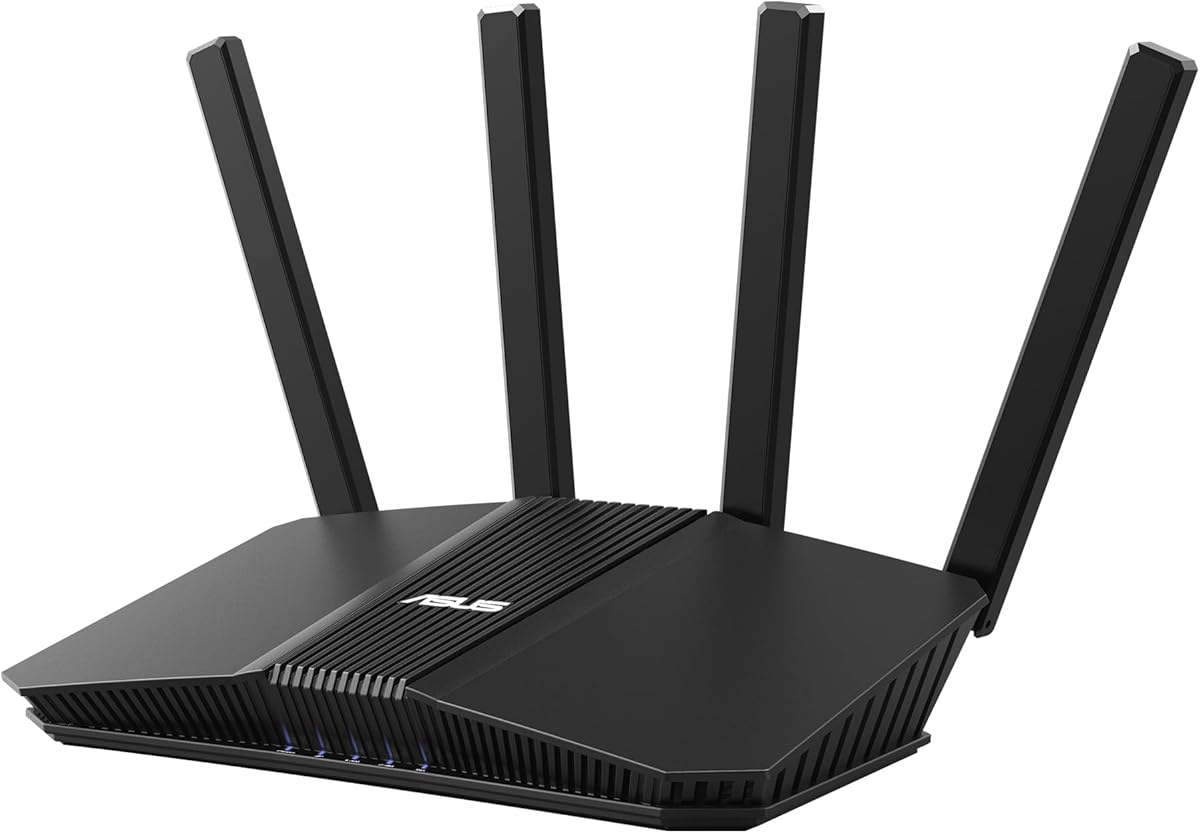
The ASUS RT-AX1800S is a dual-band WiFi 6 router with a customer rating of 4.3. Its standout quality is balance: it provides 1024-QAM, MU-MIMO, OFDMA, five Gigabit Ethernet ports, built-in VPN functionality, parental controls, and subscription-free AiProtection Classic without moving into the more complex feature sets found on premium ASUS models.
We may earn a commission when you buy through this link, at no additional cost to you.
Its five wired connections include one Gigabit WAN port and four Gigabit LAN ports, giving it more flexibility than many entry-level routers with only a few Ethernet sockets. AiMesh compatibility allows it to become part of a larger ASUS mesh system, while ASUS Instant Guard offers a convenient way to access a home-network VPN connection while away. The dual-core processor, four external antennas, and 1024-QAM support provide a capable foundation for typical homes.
The main limitation is its two-band design. A 2.4GHz and 5GHz setup cannot offer the dedicated 6GHz capacity of a tri-band WiFi 7 router, and its headline rate is lower than the more advanced models in this list. Actual wireless coverage also depends on the building, router placement, traffic volume, and other environmental factors, as ASUS itself notes in the supplied specifications.
This is a strong recommendation for buyers who want modern WiFi 6, useful security, VPN support, and flexible expansion without choosing a specialist gaming or business router. It is particularly suitable for apartments, medium-sized homes, and households that need several wired connections but do not require multi-gigabit ports.
AiProtection Classic is powered by Trend Micro and works alongside parental controls, making the RT-AX1800S more useful for everyday family networking. Built-in VPN support and ASUS Instant Guard further improve remote-access flexibility.
Four Gigabit LAN ports make this model practical for wired desktops, televisions, game consoles, and network storage. AiMesh compatibility provides a clear upgrade path if the router eventually needs to cover a larger home.
We may earn a commission when you buy through this link, at no additional cost to you.
The ASUS RT-BE58U is a dual-band WiFi 7 router rated 4.0 by customers. It combines a maximum claimed throughput of 3.6 Gbps with Multi-Link Operation, 4096-QAM, dual-WAN options, AiProtection Pro, Safe Browsing, VPN support, and up to three SSIDs through Smart Home Master.
We may earn a commission when you buy through this link, at no additional cost to you.
Multi-Link Operation is the router's most interesting technical feature because it can link to multiple bands simultaneously to improve connection stability and data-transfer efficiency. AI WAN detection, flexible WAN configuration, and a USB port ready for 4G LTE or 5G mobile tethering make the RT-BE58U more adaptable than a basic consumer router.
Smart Home Master simplifies the separation of compatible IoT devices, while commercial-grade AiProtection Pro, a one-tap security scan, Safe Browsing, instant VPN connections, and parental controls form a strong management package. The trade-off is that this is still a dual-band design, so it lacks the dedicated 6GHz spectrum and backhaul flexibility of the RT-BE92U and ZenWiFi models.
Choose the RT-BE58U if you want a current WiFi 7 platform, flexible internet connections, and a broad set of management features without moving to a specialist flagship. It is well suited to tech-forward households that want mesh and VPN compatibility in a straightforward primary router.
Multi-Link Operation allows compatible devices to use multiple bands at once, which can help maintain stable connections as network conditions change. The benefit depends on client support, router configuration, and the quality of the local internet connection.
Smart Home Master can create up to three SSIDs for separating IoT equipment. AiProtection Pro, Safe Browsing, a security scan, parental controls, and instant VPN setup give administrators several useful ways to protect and organize a household network.
We may earn a commission when you buy through this link, at no additional cost to you.
The ASUS ROG Rapture GT-BE98 Pro is a quad-band WiFi 7 gaming router with a customer rating of 4.3. Its headline specifications are the most ambitious in this group: up to 30 Gbps aggregate throughput, 320MHz channels in the 6GHz band, 4096-QAM, Multi-Link Operation, and extensive high-speed Ethernet connectivity.
We may earn a commission when you buy through this link, at no additional cost to you.
Dual 10G ports and four 2.5G ports create a strong foundation for high-speed internet connections, local storage, and demanding wired devices. External dual-feeding antennas are designed to improve coverage efficiency and signal strength, while Multi-Link Operation can combine multiple bands for more stable connections and efficient transfers.
Triple-Level Game Acceleration is the defining gaming feature, working from the PC gaming port toward the game server. The hardware is unquestionably specialized, though: many homes with modest broadband service, older client devices, and light traffic will not need a router with this much theoretical capacity. Actual throughput and coverage still depend on equipment and environment.
This model is recommended for competitive gamers, creators, and enthusiasts who are building a high-end network around WiFi 7 and multi-gigabit wired equipment. For a smaller home or a simple internet plan, the RT-BE58U or RT-AX1800S will generally be more proportionate choices.
Triple-Level Game Acceleration targets gaming traffic from the connected PC through the router and onward to the game server. It is most relevant in a home where latency, local congestion, and network configuration are carefully managed.
Two 10G ports and four 2.5G ports provide substantial wired bandwidth for compatible PCs, storage systems, and workstations. These interfaces also make the router relevant as a core for advanced local networks rather than only as a wireless access point.
We may earn a commission when you buy through this link, at no additional cost to you.
The ASUS RT-BE92U is a tri-band WiFi 7 router with a customer rating of 4.0. It supports 320MHz channels in the 6GHz band, 4096-QAM, Multi-Link Operation, and aggregate throughput of up to 9.7 Gbps, placing it between the simpler RT-BE58U and the quad-band ROG flagship.
We may earn a commission when you buy through this link, at no additional cost to you.
A dedicated 6GHz band can reduce congestion and offer wider available channels on compatible devices. Multi-Link Operation allows supported clients to connect across multiple bands, while the router's flexible WAN configuration, AI WAN detection, and USB support for 4G LTE or 5G tethering make it resilient in a variety of internet setups.
Smart Home Master can establish up to three SSIDs, while AiProtection Pro, Safe Browsing, one-tap security scans, parental controls, and instant VPN connections offer a complete administrative toolset. As with the other WiFi 7 models, the headline performance is most useful when household clients support the newest standards; older devices will not approach the router's theoretical maximum.
This is a sensible high-end choice for a large, device-dense home that wants a dedicated 6GHz band without stepping up to a quad-band gaming platform. Buyers should compare the available wired ports and their actual internet service before choosing, since extra wireless capacity alone may not improve every application.
The 6GHz band gives compatible WiFi 7 devices access to 320MHz channels, helping separate modern traffic from crowded 2.4GHz and 5GHz networks. Its real benefit appears in homes with many recent smartphones, laptops, and other WiFi 7 clients.
AI WAN detection, flexible WAN options, mobile tethering through USB, and mesh compatibility support network continuity. Smart Home Master adds device segmentation, making the router suitable for mixed household and IoT environments.
We may earn a commission when you buy through this link, at no additional cost to you.
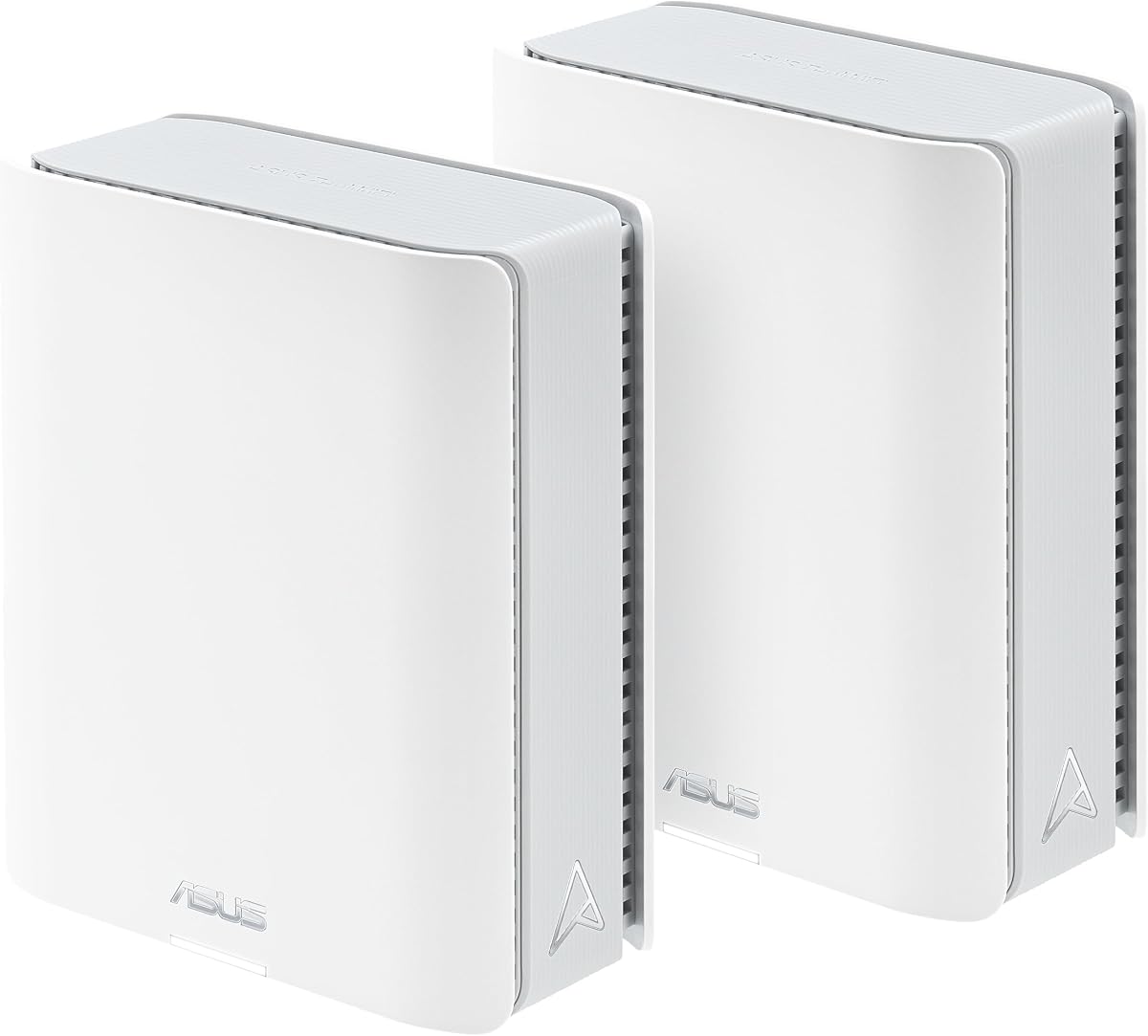
The ASUS ZenWiFi BT10 two-pack is a tri-band WiFi 7 mesh system rated 3.4 by customers. It is designed for large homes, with stated coverage of up to 6,000 square feet for the two-pack and aggregate wireless speeds of up to 18 Gbps.
We may earn a commission when you buy through this link, at no additional cost to you.
AI-powered AiMesh provides robust backhaul and seamless roaming, while compatibility with ASUS extendable routers creates a path to a broader mesh network. Eight internal antennas and ten high-power front-end modules are designed to reduce directional dead zones, and robust heat dissipation supports reliability during sustained use.
Smart Home Master allows up to three SSIDs for separating IoT equipment, while the supplied specifications list dual 10G WAN and LAN ports and Multi-WAN support, including USB-based 4G LTE and 5G mobile tethering. The main caution is the lower customer rating among this group, which may reflect early-adopter experiences with a new platform.
The BT10 is best suited to large homes where a single access point is unlikely to provide satisfactory coverage. Proper node placement and a stable wired or wireless backhaul remain essential; buying a larger mesh system does not compensate for placing both units too close together or in obstructed locations.
The two-node configuration is intended to distribute tri-band WiFi 7 throughout up to 6,000 square feet. It is especially relevant for homes with multiple floors, thick building materials, or several areas that consistently struggle with a single router.
AiMesh allows the BT10 nodes to work with compatible ASUS extendable routers. Maintaining a reliable backhaul is important, so placement and connection planning can have a greater effect on real-world results than the advertised aggregate speed.
We may earn a commission when you buy through this link, at no additional cost to you.
The ASUS RT-AX82U is a renewed dual-band WiFi 6 gaming router with a customer rating of 4.4. It supports aggregate speeds of up to 5,400 Mbps, 160MHz channels, MU-MIMO, a dedicated gaming port, Mobile Game Mode, Aura RGB lighting, and AiMesh compatibility.
We may earn a commission when you buy through this link, at no additional cost to you.
Its gaming-oriented features distinguish it from ordinary WiFi 6 routers. Mobile Game Mode is designed to reduce lag and latency for mobile gaming, while the dedicated port gives a compatible device a clearly identified network connection. Aura RGB adds visual customization, which may appeal to users who want the router to complement a gaming setup.
Commercial-grade AiProtection Pro is described as lifetime free and includes WPA3 and advanced parental controls, making the security offering more generous than basic subscription-free packages. The renewed status requires the most caution because appearance, cosmetic wear, and component condition can differ from a new unit.
This router makes sense for a gamer seeking strong features and a capable rating without moving to WiFi 7. It is best for buyers comfortable with renewed electronics, and it should be paired with current client hardware to realize much of its advertised wireless potential.
The dedicated gaming port and Mobile Game Mode target different types of low-latency play. These features complement, rather than replace, a low-latency internet connection and a well-positioned router.
WiFi 6, MU-MIMO, 160MHz channels, WPA3, AiMesh support, and lifetime-free AiProtection Pro make the RT-AX82U capable for compatible homes. The renewed condition should be checked carefully against the seller's description.
We may earn a commission when you buy through this link, at no additional cost to you.
The ASUS ZenWiFi BT8 is a single-pack tri-band WiFi 7 mesh router with a customer rating of 4.0. It provides claimed speeds of up to 14 Gbps, 6GHz WiFi, Multi-Link Operation, 4K-QAM, and stated coverage of up to 3,000 square feet.
We may earn a commission when you buy through this link, at no additional cost to you.
AI-powered Smart AiMesh is designed to improve coverage and make the unit easy to extend with compatible ASUS routers. Seven internal antennas and eight high-power front-end modules are intended to eliminate dead zones in multiple directions, while the tri-band layout gives modern clients more room than a conventional dual-band system.
AiProtection Pro and advanced VPN support add protection and remote connectivity. Smart Home Master provides multiple SSIDs for IoT organization, along with parental controls and easy VPN setup. As a one-pack, however, the BT8 is better viewed as a flexible starting point than a guaranteed solution for a large or unusually complex property.
This model is recommended for buyers who want a modern mesh platform in a smaller home or plan to add ASUS nodes later. It offers a more attractive balance than a flagship gaming router for people whose priority is elegant whole-home coverage and smart-home management.
The one-pack format lets a household start with one compact unit and expand through compatible ASUS routers. This is useful when the home's coverage requirements are uncertain or different areas need different types of nodes.
The 6GHz band, Multi-Link Operation, and 4K-QAM provide a strong WiFi 7 foundation. AiProtection Pro, advanced VPN options, parental controls, and segmented SSIDs address security and device management.
We may earn a commission when you buy through this link, at no additional cost to you.
The ASUS RT-AX3000 is a dual-band WiFi 6 router with a customer rating of 4.5, the highest listed among these ten products. It offers aggregate throughput of up to 3,000 Mbps, 160MHz bandwidth, 1024-QAM, OFDMA, MU-MIMO, Adaptive QoS, four Gigabit LAN ports, and a USB 3.0 port.
We may earn a commission when you buy through this link, at no additional cost to you.
The router's straightforward specification set is well suited to everyday homes. Its 2.4GHz band is listed at 575 Mbps, while the 5GHz band is listed at 2,402 Mbps, giving compatible devices useful capacity without requiring a tri-band arrangement. Adaptive QoS helps prioritize network traffic, which can be helpful when several users share limited bandwidth.
AiMesh compatibility and AiProtection Pro are the major additions beyond basic wireless performance. The latter protects connected devices and pairs with advanced parental controls for family management. Compared with newer WiFi 7 routers, its principal limitation is the lack of a 6GHz band and lower aggregate capacity.
The RT-AX3000 is a strong recommendation for a conventional household that wants a highly rated, conventional WiFi 6 router with flexible mesh expansion. It is also a sensible alternative for people who do not yet own many WiFi 7 clients and therefore may not receive full value from a newer flagship.
OFDMA, MU-MIMO, 160MHz bandwidth, and 1024-QAM help the RT-AX3000 serve multiple clients efficiently. The design is mature and broad enough for common browsing, streaming, gaming, and smart-home use.
Adaptive QoS can help manage congestion when several devices compete for bandwidth. Four Gigabit LAN ports, one WAN connection, and USB 3.0 provide enough connectivity for many small and medium home networks.
We may earn a commission when you buy through this link, at no additional cost to you.
The ASUS RT-AC68U is a dual-band 802.11ac router with a customer rating of 4.5. It combines a 1GHz dual-core processor with 3×3 wireless technology, five Gigabit LAN ports, USB functionality, and a broad collection of AiProtection and networking features.
We may earn a commission when you buy through this link, at no additional cost to you.
Its 1GHz dual-core CPU dedicates separate processing lanes to WiFi and USB data, while 128MB of flash memory and 256MB of RAM underpin the router's multitasking capabilities. The five wired LAN ports are still useful for devices that benefit from a stable Gigabit Ethernet connection rather than wireless.
The feature set is extensive for a WiFi 5 router. AiProtection Pro, malicious-site blocking, two-way IPS, infected-device prevention, dual WAN, 3G/4G LTE dongle support, Android tethering, port forwarding, port triggering, DMZ, DDNS, and multiple passthrough protocols make it versatile. The drawback is that it lacks WiFi 6 efficiency, WiFi 7 features, 6GHz spectrum, and Multi-Link Operation.
The RT-AC68U is best for a buyer who values wired connectivity, a mature feature set, and a strong customer rating more than the newest wireless standard. It can serve as an affordable secondary router, but modern WiFi 6 clients may perform better on one of the newer models in this guide.
The 1GHz dual-core processor separates WiFi and USB workloads, while 256MB of RAM supports the router's extensive management features. This is a mature platform built for flexibility rather than WiFi 7 throughput.
Trend Micro-powered protection, two-way IPS, infected-device prevention, and malicious-site blocking provide layered network tools. Five Gigabit LAN ports make wired expansion easier for users with multiple fixed-network devices.
We may earn a commission when you buy through this link, at no additional cost to you.
The ASUS ExpertWiFi EBR63 is an AX3000-class WiFi 6 business router with a customer rating of 4.2. Its defining features include separate and prioritized SSIDs, a customizable guest portal, ExpertWiFi remote management, VLAN support, VPN functions, and scalability with ExpertWiFi AiMesh.
We may earn a commission when you buy through this link, at no additional cost to you.
Up to five SSIDs allow administrators to separate and prioritize devices for different business scenarios. The guest portal can be customized with an SSID, portal type, brand name, and templates, making it possible to present a more coherent network identity to visitors or customers.
The USB port can serve as a backup WAN by connecting to a phone hotspot, adding a useful continuity option. A free subscription to AiProtection Pro and safe-browsing features adds commercial-grade protection, while the ExpertWiFi app simplifies setup and ongoing remote management.
This is the appropriate recommendation for a small office, retail location, clinic, or managed home network where guest access and remote administration matter. For a typical family, its guest portal and multi-SSID tools offer less value than the simpler setup found on mainstream ASUS home routers.
As many as five SSIDs can isolate staff, customers, guest devices, and other categories of equipment. Segmentation and prioritization make this more relevant to small businesses than to simple residential networks.
The ExpertWiFi app supports setup and management away from the premises. USB-connected phone hotspot support creates a backup WAN option, adding resilience when the primary internet service is interrupted.
We may earn a commission when you buy through this link, at no additional cost to you.
The right ASUS router depends on wireless generation, area coverage, client devices, wired-port needs, and management requirements. Comparing headline speed alone can be misleading, so consider how each feature will be used in your home or business.
Prioritize the standard used by your most active wireless clients, not merely the fastest specification printed on the box.
Choose more bands when you have many modern clients or live in a congested wireless environment.
Use a mesh system when coverage is the main problem, not when a faster connection on one device is the only goal.
Match port counts and speeds to current devices while leaving room for future upgrades.
Verify the specific security package and included VPN tools before choosing a model.
Pay for gaming-specific hardware only when your devices and connection can benefit from it.
Choose advanced segmentation tools for mixed or managed environments, not simply because a device has more features.
Check condition, warranty, hardware size, and expansion needs as carefully as speed.
Begin with the ASUS Router app or web-based interface, connect the router to your modem using the appropriate WAN connection, and complete the setup process. Place the unit in an open, elevated position near the center of the home when possible. Avoid enclosed cabinets, crowded floors, and locations beside large electronics or thick structural elements that may weaken the signal.
Update the router's firmware after initial setup and whenever a new release is available. Set a strong administrative password, enable WPA3 where supported, review parental controls, and configure separate guest or IoT networks according to your household's needs. If using multiple mesh nodes, start with a deliberate placement plan and confirm that backhaul and roaming are working as intended.
For long-term care, keep the router away from excessive heat, moisture, and dust, and avoid stacking equipment that blocks ventilation. Periodically review connected devices, change administrative credentials when needed, remove outdated wireless connections, and reassess channel performance if speeds decline. Restarting the router can resolve some temporary issues, but persistent problems may indicate interference, placement, or client limitations.
A WiFi 7 router is most worthwhile when several active devices support WiFi 7 and your network includes 6GHz clients, Multi-Link Operation, or high-speed local connections. For a modest internet plan and a collection of older devices, a capable WiFi 6 model may provide nearly the same practical experience. Consider the client devices, wired ports, and congestion in your home before upgrading.
A mesh system is usually more useful than a faster single router when dead zones span multiple rooms or floors. Coverage still depends on node placement, building materials, and backhaul quality, so a two-node system may not be necessary in every home. Start with one unit in a central location and expand only if testing reveals persistent weak areas.
AiMesh is the broader ASUS approach to combining compatible routers and mesh nodes into a coordinated home network. ExpertWiFi AiMesh refers to the business-oriented ecosystem, which adds remote management and more detailed administration options. The exact functions available also depend on the specific models in the mesh and the ASUS administration environment.
It can improve local wireless performance, but it cannot exceed the speed delivered by your internet service. A faster router matters most for compatible WiFi 7 clients, congested WiFi environments, and high-speed wired devices. It also has no effect on latency created by distant servers or ISP routing.
Count the devices that will use wired connections and add one for the modem or upstream connection. Four Gigabit LAN ports suit many households, while models with 2.5G or 10G ports suit advanced local networks, fast storage, and compatible workstations. Consider future device purchases rather than choosing solely for the smallest possible setup.
A renewed router can be worthwhile when the hardware offers features you need at a lower acquisition cost. Condition may vary, so inspect the product description, warranty, return terms, and signs of previous use. Comparing the renewed model with a current WiFi 6 or WiFi 7 option also helps prevent paying for an older platform with limited client support.
The included tools vary by model. This selection includes AiProtection packages, Safe Browsing, parental controls, and different levels of VPN support. Some ASUS models offer security features without a recurring subscription, but buyers should confirm the exact package associated with the chosen product and its included remote-access capabilities.
Start by relocating the router to a higher, open, central position and reducing unnecessary obstructions. Updating firmware, selecting suitable wireless channels, and separating congested devices can also help. If weak areas remain, adding a compatible ASUS mesh node is generally more effective than repeatedly changing settings on a poorly placed router.
The ASUS RT-AX1800S stands out as a balanced, value-focused home router with WiFi 6, five Gigabit ports, subscription-free security, parental controls, and mesh expansion. The RT-BE58U is the more future-oriented compact option, bringing WiFi 7, Multi-Link Operation, flexible WAN support, and modern smart-home management to a dual-band design.
The ROG Rapture GT-BE98 Pro is the clear specialist for demanding gaming and high-end local networks, with quad-band WiFi 7, multi-gigabit ports, and Triple-Level Game Acceleration. For a large home, the ZenWiFi BT10 two-pack prioritizes mesh coverage; for a smaller home that may expand later, the ZenWiFi BT8 offers a one-node starting point. The ExpertWiFi EBR63 serves small-business administration best, while the RT-AX3000 and RT-AX82U offer approachable WiFi 6 options for conventional homes.
Before purchasing, verify the wireless standards supported by your main devices, count the wired connections you need, and decide whether coverage or raw speed is the priority. Current prices, availability, renewal status, and package contents can change, so check the linked listing and its latest specifications before making a final decision.