
Lenovo Idea Tab College Tablet
4.3Editor score
Sharp 11-inch 2.5K display
Tab Pen and folio included
Quad Dolby Atmos speakers
A tablet for the Libby App should place a clear, comfortable display, dependable battery life, and sufficient storage at the top of the buying checklist. Libby users also benefit from Google Play access, smooth app navigation, and a screen large enough for enjoyable reading without making the device awkward to hold.
The products in this guide were compared using the supplied specifications and customer ratings, with particular attention to Android version, Google Play support, display size and resolution, memory, expandable storage, battery capacity, streaming certification, audio, cameras, and portability. The list covers basic reading tablets, more versatile models, and a premium option with a pen and folio.
Each review explains how a tablet fits into a Libby-centered routine, whether as a dedicated e-reader, an everyday entertainment device, or a flexible study and browsing companion. Product details and configurations can change, and current prices, discounts, availability, and app compatibility should always be confirmed on the linked listing before purchase.
4.3Editor score
4.8Editor score

4.5Editor score
As an Amazon Associate we earn from qualifying purchases.
This side-by-side comparison highlights the most important differences in display, memory, storage, software, battery capacity, and connectivity, helping readers identify the tablet that best matches their Libby habits and broader entertainment needs.




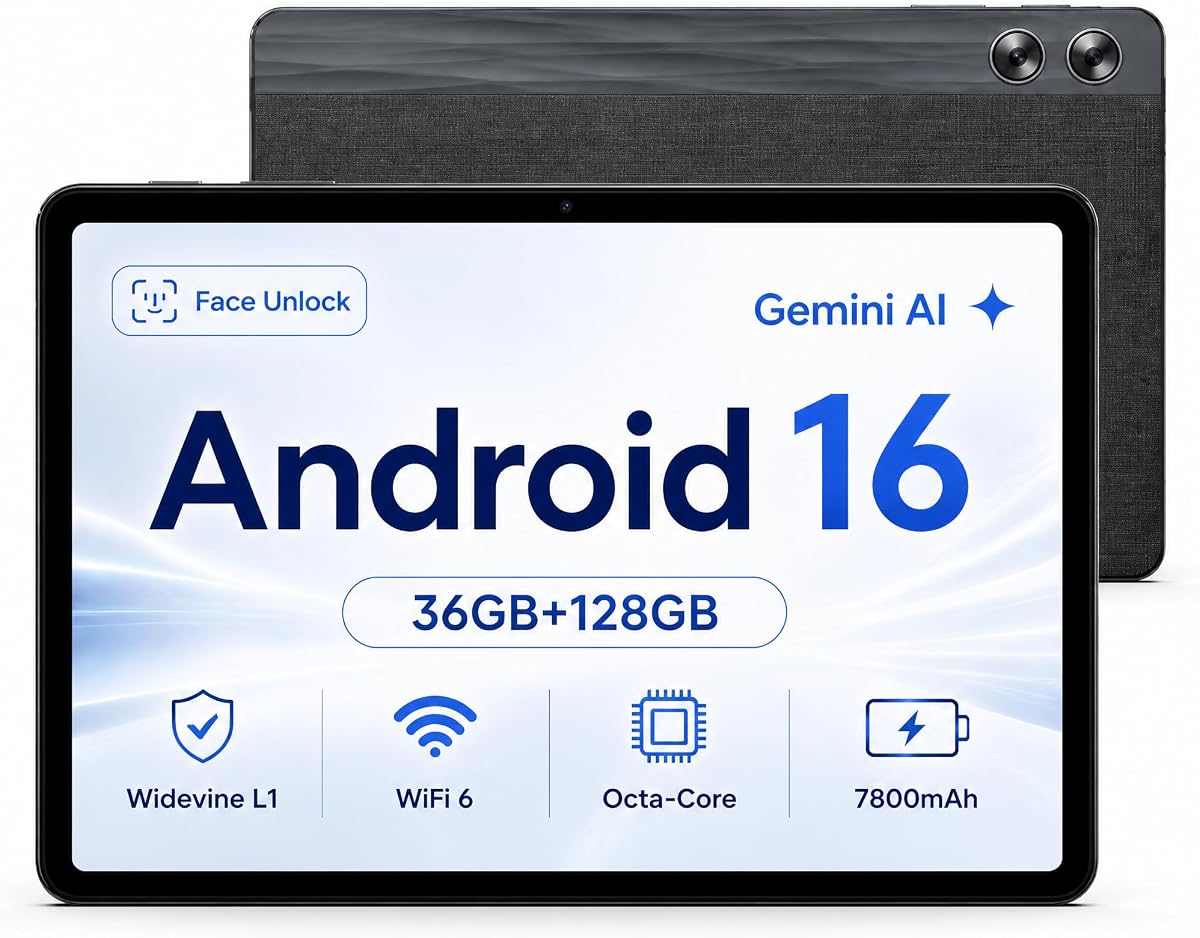
The Jeazans X7 stands out as the most balanced recommendation in this guide for readers who want Libby to be part of a broader tablet experience rather than the only activity. It carries a 4.8 customer rating, runs Android 16 with full Google Play Store access, and pairs those features with a large 11-inch HD in-cell display. For digital books, that combination offers a generous viewing area and the app access needed to browse a library, download titles, and manage reading activity.
We may earn a commission when you buy through this link, at no additional cost to you.
Storage is one of its clearest advantages. The tablet has 36GB of RAM and 128GB of built-in storage, with microSD expansion up to 1TB. That makes it practical for readers who maintain several large libraries, download audiobooks or magazines, keep app data available, and also use the tablet for browsing, video calls, photos, or streaming. The octa-core processor and Mali-G57 MC1 GPU add enough stated processing power for multitasking, while Widevine L1 certification supports HD playback on major services subject to each platform's restrictions.
The 7800mAh battery is the largest capacity listed among these picks, and the manufacturer claims up to 68 hours of continuous use under its stated conditions. Real results will vary with brightness, Wi-Fi use, video playback, and background applications, but the capacity gives this model a strong foundation for travel and long reading sessions. Dual speakers, a 5MP front camera, and an 8MP rear camera also make it more versatile than a simple dedicated reader.
The main compromise is display resolution: 800×1280 is suitable for text and HD content but does not match the sharper 2.5K panel of the Lenovo Idea Tab. It also lacks an included stylus and case, and some users may prefer the more compact proportions of a 10-inch model. Even so, the combination of screen size, strong rating, memory, storage, battery capacity, and full Play Store access makes the X7 the most complete pick for a wide range of Libby users.
This is the tablet to choose when you want a large reading surface, generous local storage, and the flexibility to browse, stream, call, and study on the same device. It is particularly attractive for households that want one tablet to serve multiple family members. Readers who prioritize sharper visuals or pen support should compare it with the premium Lenovo option, but for overall balance, the Jeazans X7 is the strongest general-purpose recommendation here.
The 128GB internal storage and 1TB microSD expansion give readers ample room for downloaded books, app data, and personal files. The additional RAM also supports switching between Libby, a browser, notes, or streaming apps without treating the tablet as a single-purpose e-reader.
The 11-inch in-cell panel creates a spacious canvas for cover art, library browsing, and long-form reading. Its 7800mAh battery is particularly appealing for commuters and travelers who may not have a charger nearby every evening.
We may earn a commission when you buy through this link, at no additional cost to you.
The Evermyth 10-Inch Android 16 is a practical option for readers who want current software, modern wireless connectivity, and a conventional 10-inch form factor. It has a 4.0 customer rating, runs a GMS-certified Android 16 operating system, and provides direct access to the Google Play Store, making it a logical device for installing Libby and handling the rest of a digital reading routine. The HD IPS panel uses low-blue-light technology intended to reduce harsh light and screen flicker during longer sessions.
We may earn a commission when you buy through this link, at no additional cost to you.
Its 24GB RAM includes 3GB physical memory and 21GB virtual memory, while internal storage is 64GB. A TF card can expand capacity by up to 1TB, although the card is not included. This arrangement is suitable for a library of digital books and selected media, but readers who routinely download large audio files, videos, or extensive app data may want to budget for larger local storage. The five-core processor reaches speeds up to 1.8GHz and is framed as a balanced option for browsing, streaming, and general productivity.
Connectivity is one of the Evermyth's strongest areas. Wi-Fi 6 and Bluetooth 5.4 support fast, stable connections, while the USB-C port handles charging. The 6000mAh battery is stated to provide up to three days of standby or eight hours of mixed use. These are manufacturer estimates, so actual reading time will depend on brightness, network strength, and whether the display remains active.
This is a sensible selection for a first Android tablet, a family reading device, or a companion for online classes and video calls. The 10-inch screen is easier to carry than an 11-inch model, and the inclusion of front and rear cameras broadens its use beyond books. The lower customer rating and 64GB base storage are the main reservations, but the current Android version, expandable design, and efficient connectivity make this a flexible Libby companion.
Android 16 and GMS certification provide a direct route to Google Play and its app ecosystem. That makes installation and library management straightforward for readers who already use Android phones and Google-based library services.
Wi-Fi 6 is especially useful when the tablet is used for library downloads, browsing, classes, or streaming. Bluetooth 5.4 also supports compatible accessories such as headphones and keyboards.
We may earn a commission when you buy through this link, at no additional cost to you.
The FEONAL 11-Inch Android 16 is the most compelling option here for readers who want to take their books beyond the reach of a dependable Wi-Fi connection. It has a 4.3 rating, includes Google Mobile Services certification, and supports an MTK8786 octa-core processor. Its dual SIM slot and 4G LTE capability distinguish it from the Wi-Fi-focused alternatives, while VoLTE support can permit simultaneous calls and data use.
We may earn a commission when you buy through this link, at no additional cost to you.
The 11-inch HD in-cell display provides a roomy area for browsing covers and reading text. Reading Mode, Eye Protection Mode, and Dark Mode are especially relevant to long sessions. The tablet also supports wireless projection for viewing content on a larger display. Dual stereo speakers add an audiovisual dimension that can be useful for watching book adaptations, courses, or supplemental videos after finishing a chapter.
Storage consists of 20GB of RAM, including 8GB physical and 12GB virtual, plus 128GB of internal storage. Expansion up to 1TB is supported with a separately purchased TF card. A 7000mAh battery is listed with standby time of up to 480 hours, although actual results will vary. Type-C charging, dual-band Wi-Fi, Bluetooth 5.0, GPS, split-screen functionality, and a 13MP rear camera broaden the device's usefulness.
The principal limitation is that the SIM card is not included, and cellular service requires a compatible plan. Buyers who regularly travel or work away from Wi-Fi may consider that worthwhile, but those who read primarily at home can save complexity by choosing a Wi-Fi-only model. Within the cellular-capable choices, the FEONAL offers a rare combination of a large screen, current Android software, and generous battery capacity. It is a strong fit for readers who want Libby everywhere without depending exclusively on Wi-Fi.
The optional 4G LTE connection is the defining feature for commuters, travelers, and students who move between networks. Buyers should confirm carrier compatibility, obtain the required SIM, and understand that mobile data use is separate from the hardware purchase.
Reading Mode, Eye Protection Mode, and Dark Mode give users several ways to adapt the display to different environments. The large 11-inch canvas also reduces the need for frequent zooming when browsing titles.
We may earn a commission when you buy through this link, at no additional cost to you.
The ECOPAD 10.1-Inch is a straightforward Android 15 tablet aimed at basic reading, browsing, video playback, and family use. Its 3.8 customer rating is the lowest in this group, so buyers should weigh the simplicity of the feature set against more powerful alternatives. It includes GMS certification, allowing access to Google Play, which is important for obtaining Libby and the supporting library tools used to browse and download books.
We may earn a commission when you buy through this link, at no additional cost to you.
The 10.1-inch IPS touchscreen has a 1280×800 HD resolution and is suitable for reading digital books, watching videos, and joining video calls. Its quad-core processor is not positioned for intensive work or gaming, but the stated range of smooth video playback, gaming, and multitasking suggests it is aimed at ordinary household tasks. A 2MP front camera and 8MP rear camera provide basic communication and photography.
Memory totals 12GB, combining 4GB physical RAM with 8GB virtual expansion. Built-in storage is 64GB and can be expanded by as much as 1TB through a separately sold SD card. The 6000mAh battery is stated to support up to eight hours of uninterrupted video playback, which makes it reasonable for regular reading sessions, although brightness and network activity will affect real results.
ECOPAD includes a one-year warranty and states that support is available for questions and service needs. This makes it a reasonable choice for a family tablet, a child's first reading device, or a secondary household tablet. It is less compelling for demanding users because of the quad-core chip and modest rating, but for straightforward Libby reading, familiar Android software, and expandable storage, it covers the essentials without an elaborate accessory package.
GMS certification provides Google Play access, so the tablet can be used like a standard Android device. That is useful for readers who want to install Libby alongside messaging, browser, music, or educational apps.
The 64GB starting capacity is adequate for many libraries, while 1TB SD card expansion creates a path for readers who keep extensive collections or download media for offline use.
We may earn a commission when you buy through this link, at no additional cost to you.
The TECLAST P35 combines a 4.5 rating with several features that map directly to digital reading, making it the best budget recommendation in this guide. It runs Android 16 with official GMS certification, offers full Google Play Store access, and includes Widevine L1 DRM for HD streaming on supported services. For a Libby user, that combination provides a simple route from unboxing to borrowing and downloading books.
We may earn a commission when you buy through this link, at no additional cost to you.
Its 10.1-inch HD IPS display operates at 60Hz and includes eye-protection and reading modes. Split-screen multitasking allows a book to remain visible while a browser, tutorial, or note is consulted on the other side. This is useful for research, language study, or following a lesson, and it gives the P35 more value than a tablet intended solely for reading.
The Unisoc T7200 octa-core processor is positioned for browsing, video, e-books, online learning, and light multitasking rather than heavy-duty gaming or intensive workloads. Memory is listed as 16GB, consisting of 3GB physical RAM and 13GB virtual expansion, while internal eMMC storage is 32GB. A TF card can add more capacity. The relatively small base storage means users should check their offline download habits before committing.
Other conveniences include a 6000mAh battery, dual speakers, 2.4GHz and 5GHz dual-band Wi-Fi, Bluetooth 5.0, a Type-C port, a 3.5mm headphone jack, GPS and BDS positioning, and face unlock. Kids Mode and parental controls support shared family use. The trade-offs are modest storage and a processor not designed for demanding tasks, but for readers who want a focused Libby device with useful extras, the P35 is a well-balanced budget option.
The integrated reading mode is designed for comfortable digital-book sessions, while split-screen lets readers keep a title visible beside research or study tools. These features make the tablet more useful than a basic media screen.
Widevine L1, dual speakers, dual-band Wi-Fi, and a headphone jack support a broader entertainment setup. The tablet can move from a Libby session to a course, video, or music without requiring a separate device.
We may earn a commission when you buy through this link, at no additional cost to you.
The TUOHAITIME 10-Inch Android 16 is built around a combination of reading, family controls, and everyday connectivity. It carries a 4.1 rating and uses a 2.0GHz octa-core processor, providing more cores than several entry-level alternatives. Android 16, GMS certification, and Google Play access make it suitable for installing Libby and creating separate reading environments for different family members.
We may earn a commission when you buy through this link, at no additional cost to you.
Google Kids Space is preinstalled, along with educator-oriented activities for children aged three and above. Parental controls can filter content, establish educational goals, and set time restrictions. Those features make this model particularly relevant to parents who want children to use Libby and other educational content in a controlled environment. The inclusion of a free screen protector is a small convenience for a device likely to be handled frequently.
The 10.1-inch display has a 1280×800 resolution and is paired with a 6000mAh battery. The stated endurance is eight to 12 hours for activities such as reading or watching video, though actual performance varies. Wi-Fi 6 is supported, and Bluetooth 5.0 allows connection to compatible accessories. Widevine L1 compatibility is listed, but the product notes that individual streaming services may restrict compatible devices or quality levels.
The tablet includes 24GB of RAM, split between 4GB physical and 20GB virtual memory, plus 64GB of internal storage and expansion up to 512GB. This is a good family compromise: enough stated memory for routine app switching, and a large screen for shared browsing. Buyers who want a more advanced display or a much larger storage ceiling may prefer another model, but the management features make this TUOHAITIME a strong fit for supervised use.
Google Kids Space, content filtering, educational goals, and time restrictions give adults more control over a shared tablet. These functions are particularly helpful when Libby is part of a broader family learning routine.
Wi-Fi 6 supports fast library downloads, browsing, video calls, and streaming when the network is well deployed. The octa-core processor also gives this family tablet more flexibility than the ECOPAD's quad-core option.
We may earn a commission when you buy through this link, at no additional cost to you.
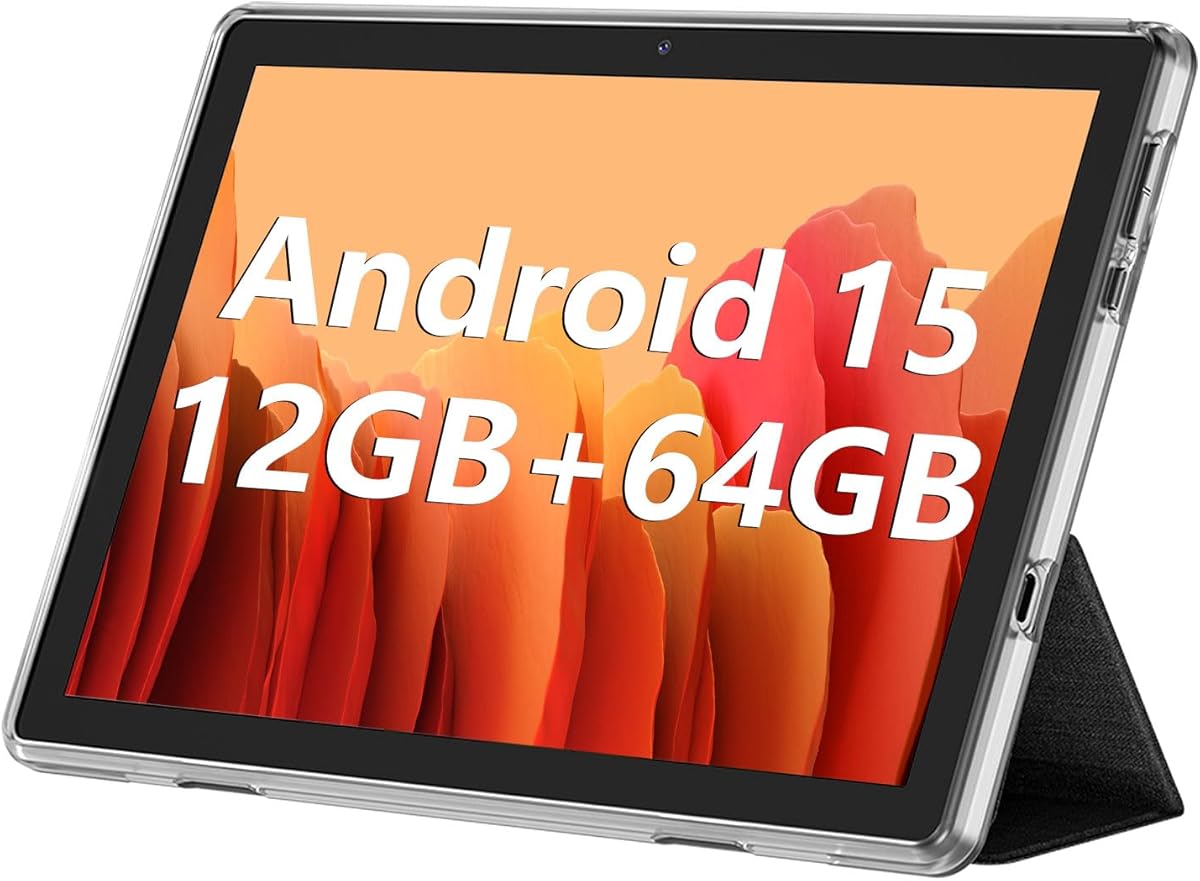
The Android 15 Tablet with Case Stylus is the most practical pick for readers who want to annotate, underline, or take notes while using Libby. It has a 4.1 rating, includes a stylus, and comes with a foldable protective case. Rather than treating the tablet purely as an e-reader, the package supports a study workflow in which highlighted passages, handwritten observations, or typed notes can be created alongside a digital book.
We may earn a commission when you buy through this link, at no additional cost to you.
The 10.1-inch IPS touchscreen has a 1280×800 resolution and five-point capacitive touch. Its 6000mAh battery is stated to offer up to six to eight hours of continuous use, with standby time listed at 360 hours. The Type-C port supports charging, while Wi-Fi 6 and Bluetooth 5.0 cover modern wireless connections. Cameras include a 2MP front-facing camera and 8MP rear camera for basic calls and photos.
Memory is listed as 8GB, including 5GB of expansion, and built-in storage is 32GB. Storage can expand by as much as 1TB. The quad-core processor is sufficient for ordinary reading and browsing, though it is not intended for heavy workloads. The included case adds protection and may make the tablet easier to use at an angle, potentially improving comfort during long sessions.
This is a strong choice for students, language learners, and anyone who values active note-taking over a purely passive reading experience. The trade-offs are modest internal storage and a less powerful processor than several competing models. Even so, the stylus and case create a distinctive package that can be especially valuable for Libby users who annotate texts, research topics, or study alongside their books.
The included stylus adds a level of interaction that finger-based reading tablets do not offer. It can be useful for marking passages, sketching ideas, or filling in study material while a Libby book remains open.
The foldable leather-style case provides a place to store and protect the tablet. It also offers support at different angles, which can make reading, browsing, or writing more comfortable over extended sessions.
We may earn a commission when you buy through this link, at no additional cost to you.
The Lenovo Idea Tab is the premium choice for readers who care about display clarity, smooth interaction, and a complete writing package. Its 4.3 rating is supported by a distinctive set of features: an 11-inch 2.5K IPS touchscreen, a 90Hz refresh rate, quad Dolby Atmos-tuned speakers, a Tab Pen, and a folio case. The sharper screen gives book covers, fine text, and website graphics more definition than the HD panels used by most of the value-oriented alternatives.
We may earn a commission when you buy through this link, at no additional cost to you.
A MediaTek Dimensity 6300 processor and integrated Arm Mali-G57 MC2 graphics provide the underlying performance, while 4GB of memory and 128GB of storage create a conventional configuration. The storage is sufficient for a curated digital library, though 4GB of physical memory is modest compared with several competitors. For basic Libby use, reading, browsing, and study, that distinction matters less than the quality and smoothness of the panel.
The Tab Pen changes the proposition for active readers. Circle to Search with Google can let users circle content for search results or translation, while Lenovo AI Note, Squid, Nebo, and MyScript Calculator support writing, organization, sketching, and calculation. These tools complement Libby by turning the tablet into a study workstation rather than a passive reading screen. The included folio protects the device and provides a more traditional notebook-like setup.
Battery life is stated at up to 12 hours of YouTube use, with a 20W charger available for faster recharging. TÜV Rheinland low-blue-light hardware solutions and Smart Connect are also included. The trade-off is obvious: this is the most expensive model in the list, and its 4GB memory is not generous for intensive multitasking. Even so, it offers the best combination of screen quality, pen support, audio, and study features, making it the top premium selection for serious Libby readers.
The 2.5K resolution provides more pixel density than the standard 1280×800 screens found on many competitors. The result is a cleaner presentation for small text, cover images, and study material, while the 90Hz rate keeps scrolling and page changes visually smooth.
The included Tab Pen makes annotation and note-taking natural extensions of reading. Circle to Search, translation, Lenovo AI Note, Squid, Nebo, and MyScript Calculator turn the tablet into a flexible academic companion.
We may earn a commission when you buy through this link, at no additional cost to you.
The Android 15 10-Inch Tablet is designed for readers who want substantial storage and portability in equal measure. It has a 4.2 customer rating, weighs 540g, and combines a 10-inch HD IPS touchscreen with 24GB of RAM and 128GB of built-in storage. Those figures make it one of the more practical all-round options for carrying a digital library without moving to an 11-inch or heavier premium design.
We may earn a commission when you buy through this link, at no additional cost to you.
The octa-core processor is described as optimized for everyday tasks, and official Google GMS certification provides full Play Store access. This is essential for obtaining Libby and other reading-related apps. Widevine L1 certification supports 1080p HD playback on services such as YouTube, Prime Video, and Disney+, subject to the rules of each platform. The result is a device capable of handling reading, streaming, browsing, and family communication.
The 5000mAh battery is stated to deliver up to seven hours of video playback, 11 hours of reading, or six hours of web browsing. Actual results will differ, but the 540g weight remains convenient for bags and commutes. Split-screen supports note-taking during lectures, while a 5MP front camera and 8MP rear camera cover calls, meetings, and photos. Face unlock adds quick everyday access.
Wi-Fi 6 and Bluetooth 5.3 support current accessories and networking, and the device includes a one-year replacement warranty with 24-hour customer support. Its main limitation is the HD resolution, which is less crisp than the Lenovo's 2.5K screen, and its battery capacity is smaller than several alternatives. Even so, the combination of light weight, ample storage, and extensive connectivity makes this a strong travel and everyday reading choice.
The 128GB internal storage can hold a substantial collection of digital books, downloaded shows, and other media, while 1TB expansion provides additional room. At a listed 540g, the tablet remains easy to carry for commutes and travel.
Widevine L1 enables high-definition streaming on major supported platforms, while split-screen allows a book to remain open beside notes or reference material. The result is a useful transition between leisure and study.
We may earn a commission when you buy through this link, at no additional cost to you.
The NIDUBIO 10-Inch Android 15 earns the highest listed customer rating at 5.0 and offers a straightforward combination of modern software, storage, and streaming support. It runs Android 15 with full Google Play access, uses an octa-core processor, and provides 24GB of RAM plus 128GB of internal storage. For a Libby user, these specifications create a comfortable platform for browsing, downloading, and organizing digital books.
We may earn a commission when you buy through this link, at no additional cost to you.
Its narrow-bezel LCD touchscreen has a 1280×800 HD resolution and a low-blue-light panel intended to reduce eye fatigue during extended use. That makes it suitable for long reading sessions, although it does not offer the higher resolution of the Lenovo Idea Tab. Dual 1.0W stereo speakers support audio from books, videos, and music, and the tablet can connect to wireless headphones through Bluetooth 5.3.
A 5000mAh battery is stated to offer up to six hours of mixed use across reading, streaming, and browsing. Wi-Fi 6 and dual-band connectivity support stable transfers and library downloads. The 5MP front camera handles video calls and online classes, while the 8MP rear camera can photograph daily life and scan documents. Face unlock provides convenient access without a separate stylus or keyboard.
The device supports storage expansion up to 1TB with a separately purchased TF card and includes a Type-C charger, one-year professional after-sales service, and hassle-free returns. One important limitation is that it has no built-in GPS. This is unlikely to affect core Libby use, but it matters for map-based navigation. Overall, the NIDUBIO is an appealing straightforward Android reader, particularly for buyers who prioritize its rating, storage, and low-blue-light screen.
The 128GB base storage is generous for digital books and app data, and 1TB expansion is available when a larger offline collection is needed. Buyers should still check how much space the operating system and other apps consume.
The low-blue-light panel supports comfortable extended reading, while Widevine L1 certification adds high-definition streaming on major supported platforms. Dual speakers make the tablet useful for audiobooks, videos, and online classes.
We may earn a commission when you buy through this link, at no additional cost to you.
The right tablet for digital reading balances display comfort, app access, storage, battery life, and the extras that matter to the buyer. The most important questions are how and where the device will be read, whether it must work offline, and how much it will be used beyond Libby.
Start by confirming that the tablet has full access to the Google Play Store. The selected products are described as GMS-certified or as having full Google Play access, providing a direct path to install the Libby app and related library tools. A current Android version can also help with app compatibility and security updates, although users should verify the developer's current requirements on the relevant device listing before buying.
Choose confirmed Play Store access over a more ambiguous tablet. It keeps setup simple and supports the broader app ecosystem.
A 10-inch display is a common middle ground: large enough to browse covers and comfortably read text, but easier to carry than an 11-inch model. An 11-inch screen can be preferable for larger type, less frequent zooming, and family sharing. Resolution also matters: the HD 1280×800 panels used by most picks suit text and standard video, while the Lenovo Idea Tab's 2.5K display offers visibly finer detail for small print and illustrations.
Prioritize a comfortable size first, then consider resolution if visual clarity is important. Also check whether reading mode, dark mode, or eye-protection settings are included.
Digital books differ greatly in size depending on formatting and whether illustrations or supplemental media are included. A 32GB or 64GB base capacity can work for selective readers, but 128GB gives more room for extensive libraries, magazines, audiobooks, videos, and app data. All ten choices support some form of expandable storage, although the maximum ranges from 512GB to 1TB and the memory card is generally sold separately.
Readers who download heavily should favor 128GB storage and a large expansion ceiling. Check the card format and purchase a suitable TF or microSD card separately.
Battery capacity is only one part of the equation because screen brightness, streaming, Wi-Fi, and background activity affect actual results. The Jeazans X7 has the largest listed battery at 7800mAh, while several alternatives use 5000mAh or 6000mAh cells. Weight is equally important for long reading sessions: the Android 15 10-Inch Tablet is listed at 540g, making it a notably portable option.
Think about charging access and the length of a typical session. A larger tablet may be comfortable at home but tiring to hold during a commute, while a smaller device is easier to carry but offers less display area.
A tablet for books may also be used for video courses, documentaries, or entertainment after reading. Widevine L1 certification appears on the Jeazans X7, TECLAST P35, TUOHAITIME, Android 15 10-Inch Tablet, and NIDUBIO, allowing high-definition playback on supported services. Some manufacturers caution that individual distributors can restrict compatible devices or quality, so a certified DRM system does not guarantee identical playback everywhere.
Treat streaming certification as an added benefit rather than a Libby requirement. Verify service-specific compatibility if high-definition playback matters to you.
Several products advertise large memory totals by combining physical RAM with virtual expansion. The Jeazans X7 lists 36GB of RAM, while multiple 10-inch models list 24GB. More memory can improve switching among Libby, a browser, messaging, video, and note-taking apps. The important comparison is physical memory, not merely the headline total. The Lenovo Idea Tab has 4GB of memory, while the Evermyth lists 3GB physical plus 21GB virtual.
Readers who stick to books and light browsing can manage with less. Students, families, and multitaskers should look for stronger processor and memory combinations, along with split-screen support.
A stylus can be valuable for annotating passages, writing notes, sketching, or completing study exercises. The Android 15 Tablet with Case Stylus includes one, while the Lenovo Idea Tab includes a Tab Pen and folio and adds note-taking and calculation applications. Audio matters as much for audiobooks: look for dual speakers, Bluetooth support, and a headphone jack. The TECLAST P35 includes a 3.5mm headphone connection, while several newer models rely on Bluetooth or USB-C audio.
Choose accessories that improve your actual routine. A pen adds value to active readers, but it is unnecessary for someone who only turns pages and uses Libby for text.
Shared tablets need controls. The TUOHAITIME includes Google Kids Space, parental controls, filters, educational goals, and time restrictions, while the TECLAST includes Kids Mode and separate-user support. If the device must work away from Wi-Fi, the FEONAL's optional 4G LTE and dual SIM slot are distinctive. Remember that a SIM card and mobile plan are separate requirements, so cellular functionality adds ongoing complexity as well as freedom.
Choose family controls for a child's tablet and cellular service for frequent travel. Neither feature is essential for ordinary at-home Libby reading.
Begin by confirming Google Play access, installing the Libby app, and signing in with the library account associated with the reader's borrowing card. After downloading a title, open it in Libby's reading view and adjust the font, spacing, brightness, and theme to reduce eye strain. Readers who prefer a paper-like environment can explore the available reading mode or eye-protection settings and use dark mode in dim locations.
Organize the library into a small number of useful collections rather than downloading every available title. Check the tablet's free storage regularly, and transfer completed or less frequently used books to a compatible TF or microSD card if the chosen model supports expansion. Keep downloads organized so that moving between a book, a browser, and a note-taking app does not make the device feel cluttered.
Protect the tablet with the supplied case or a suitable padded cover, clean the screen with a soft microfiber cloth, and avoid liquids near the charging port. Use the compatible Type-C charger and preserve some battery capacity by dimming the display or activating reading tools when appropriate. Periodic app updates, a restart after long periods of use, and regular backup of personal notes help keep the device reliable and organized.
No, the main requirement is access to the Google Play Store and a device capable of running the current version of the app. Every tablet in this guide is described as having Google Play access or GMS certification. Check the current Libby requirements and confirm the specific tablet's Android version and app compatibility before ordering.
A 10-inch display offers a balanced combination of readable text area and portability, while an 11-inch screen is easier on the eyes when using larger type. Resolution also affects clarity, and the Lenovo Idea Tab's 2.5K panel is sharper than the 1280×800 screens on the other picks. Choose the smallest size that still feels comfortable to hold.
Yes, downloaded titles can generally be read without a continuous internet connection after they are saved within the app and remain available on the device. A reliable connection is still required for signing in, browsing, borrowing, and downloading. Users should periodically open the app while connected so that loans and library records remain current.
It depends on the number of books, their formatting, and whether audiobooks, magazines, or videos are included. A 64GB tablet can suit a selective collection, while 128GB is more comfortable for extensive libraries. All products offer expandable storage, but the memory card is sold separately and supported maximum capacities range from 512GB to 1TB.
No. A stylus is helpful for annotations, handwritten notes, and study activities, but passive reading, highlighting, and text-based notes can be handled with touch. The Android 15 Tablet with Case Stylus and the Lenovo Idea Tab are the strongest choices when pen input is part of the intended workflow.
Widevine L1 matters more for streaming than for books. It enables high-definition playback on many supported services, which is useful if the tablet will also be used for courses, videos, or documentaries. Streaming providers can still impose device or content restrictions, so the certification should be viewed as an added benefit rather than a guarantee for every service.
A Wi-Fi-only tablet is simpler and usually sufficient for reading at home or on a dependable office or school network. The FEONAL's 4G LTE option is valuable for commuters and travelers who regularly need connectivity away from Wi-Fi. Cellular use requires a compatible SIM and service plan, which should be considered before choosing that configuration.
Yes, provided it has suitable user and parental controls. The TUOHAITIME includes Google Kids Space, content filters, educational goals, and time restrictions, while the TECLAST supports Kids Mode and separate user profiles. Families should also use separate library accounts when borrowing rights and reading histories need to remain distinct.
The Jeazans X7 is the strongest overall recommendation because it combines a large 11-inch display, Android 16, full Google Play access, generous memory and storage, Widevine L1, and a substantial battery. The Lenovo Idea Tab is the premium choice for readers who value a sharper 2.5K screen, smoother 90Hz interaction, pen input, and study tools, while the TECLAST P35 delivers the most convincing budget package with reading mode, split-screen, and Google Play access.
Before choosing, prioritize the features that affect your actual routine. Confirm app access, choose a screen size you can comfortably hold, estimate how many titles you want to download, and decide whether offline use, streaming, cellular service, family controls, or a stylus are necessary. A 128GB model provides more breathing room for an active library, while a lighter 10-inch device may be better for commuting.
Finally, review the current listing before purchasing because configurations, ratings, software details, promotions, and availability can change. The linked Amazon pages should be used to confirm the exact model, included accessories, storage expansion details, and current terms. With those checks completed, any of these tablets can serve as a capable Libby platform, but the right one will be the device that matches your screen-size, storage, and portability preferences.