
TP-Link TL-SG108
4.7Editor score
Eight Gigabit Ethernet ports
Fanless metal construction
Plug-and-play operation
Discover the best network switch for Spectrum with a detailed comparison of port counts, speeds, PoE, management, design, and everyday home network needs.
A network switch can give Spectrum-connected devices more Ethernet ports, organized connections, and room for future expansion. The right model depends on your cable layout, number of wired devices, required speeds, and whether you need features such as PoE or basic traffic prioritization.
We compared all ten switches by port count, supported link speeds, PoE capability, management options, enclosure design, traffic-control features, and practical fit for a home or small-office network. The list includes standard Gigabit, PoE, managed, and 2.5G models.
Each review explains where the switch stands out, which setups benefit most, and where simpler models may be enough. Ratings reflect the supplied customer feedback, while product details and availability can change, so confirm current specifications and retailer information before purchasing.
4.7Editor score

4.7Editor score

4.8Editor score
The table below compares the ten recommended switches by capacity, speed, PoE support, management, and practical network role. It highlights the distinction between straightforward Gigabit models, specialized PoE options, and faster 2.5G multi-gigabit switches.



The TP-Link TL-SG108 is an eight-port Gigabit unmanaged switch with a 4.7 customer rating. It is a natural starting point for Spectrum users who want more wired connections without navigating a complicated configuration process. Its principal attraction is the balance of eight ports, straightforward operation, and a durable metal housing.
We may earn a commission when you buy through this link, at no additional cost to you.
Every port supports 10, 100, and 1000 Mbps connections, making the model suitable for computers, printers, game consoles, and other Ethernet-equipped devices. Installation requires no configuration, while IEEE 802.3x flow control helps manage data flow. The shielded ports, fanless construction, and energy-efficient behavior make it practical for a home office, bedroom, or media area.
The main limitation is that this is an unmanaged Gigabit switch rather than a multi-gigabit or heavily featured managed model. It cannot provide the VLAN controls, per-port power management, or 2.5G headroom offered by some alternatives. That is not a problem for a typical home network where the goal is dependable port expansion and reliable local connections.
Choose the TL-SG108 when you have several wired devices, want a quiet metal unit, and do not need advanced traffic policies. It is our Best Budget pick because it covers the majority of Spectrum home-network needs with little complication. For most users seeking a network switch for Spectrum, this model provides the clearest balance of capacity and ease.
Eight Gigabit ports let you connect multiple devices while leaving a spare port for expansion. The switch works with standard Ethernet cabling and does not require a control application, which makes it a straightforward addition to a Spectrum-connected home or office.
The metal housing supports heat dissipation and durability, while the fanless design eliminates mechanical switching noise. These qualities are especially useful in a living room, bedroom, conference room, or other noise-sensitive location.
We may earn a commission when you buy through this link, at no additional cost to you.
The TP-Link TL-SG105 is a five-port Gigabit unmanaged switch rated 4.7 by customers. It is compact enough for a small entertainment center or office and still includes a useful set of traffic-management functions. That combination makes it an especially appealing choice for a focused Spectrum home network.
We may earn a commission when you buy through this link, at no additional cost to you.
Its five RJ45 ports support 10, 100, and 1000 Mbps speeds with auto-negotiation and auto MDI/MDIX. Port-based 802.1p and DSCP QoS can prioritize selected traffic, while IGMP snooping helps manage multicast data. These features add value without turning the switch into a complicated managed device.
The five-port limit is the clearest drawback. A home with more than four active Ethernet devices plus an uplink to the Spectrum equipment may quickly fill the available connections. The model also remains limited to Gigabit throughput, so it cannot take full advantage of 2.5G devices such as a high-end NAS or a multi-gigabit access point.
Pick the TL-SG105 when you need a small, quiet, reliable switch for a few wired devices and want basic traffic prioritization without a software setup. It is the Editor's Choice for its unusually balanced feature set. Its metal case, wall-mounting support, fanless design, and three-year warranty make it an easy recommendation for everyday use.
Port-based QoS makes it possible to give important voice, video, or other latency-sensitive traffic priority over less demanding activity. The switch remains unmanaged, so you gain useful traffic handling without a full web interface or dedicated configuration software.
The compact metal design can sit beside a desk, television, or network shelf and can also be wall-mounted. Auto MDI/MDIX removes cable-direction concerns, while automatic speed negotiation makes connection setup less demanding.
We may earn a commission when you buy through this link, at no additional cost to you.
The TP-Link TL-SG105S-M2 is a five-port 2.5G unmanaged switch with a 4.7 customer rating. It is our Best Premium pick because it delivers multi-gigabit headroom in a compact package without requiring a managed software interface. It suits smaller advanced networks that are ready for faster local connections.
We may earn a commission when you buy through this link, at no additional cost to you.
All five ports support 2.5-Gigabit operation, and the switch provides up to 25 Gbps of switching capacity. Auto-negotiation detects 100 Mbps, 1G, or 2.5G links, allowing older Gigabit devices and newer multi-gigabit equipment to coexist. Potential applications include a 2.5G Wi-Fi 6 access point, network-attached storage, a gaming computer, or a media server.
Because the model is unmanaged, it lacks the detailed VLAN and per-port controls associated with fully managed equipment. Its five-port capacity may also be insufficient for a large office or a home with numerous Ethernet endpoints. The supplied description notes that it can deliver 2.5G without requiring a Cat6 wiring upgrade, although actual link performance still depends on connected equipment and cabling.
This is a compelling choice for a Spectrum household that already uses a multi-gigabit router, access point, or storage system and wants to avoid a bottleneck on the local network. Choose it when 2.5G performance matters but a full management platform does not. Its fanless metal construction, flexible placement, and simple setup make it a forward-looking compact option.
Five 2.5G ports create a concentrated high-speed network segment without requiring a large desktop switch. This makes the model useful for connecting a few performance-focused devices while still accommodating conventional Gigabit equipment.
Automatic negotiation across 100 Mbps, 1G, and 2.5G reduces configuration friction. Legacy devices can connect at their supported speed while newer equipment benefits from the additional throughput.
We may earn a commission when you buy through this link, at no additional cost to you.
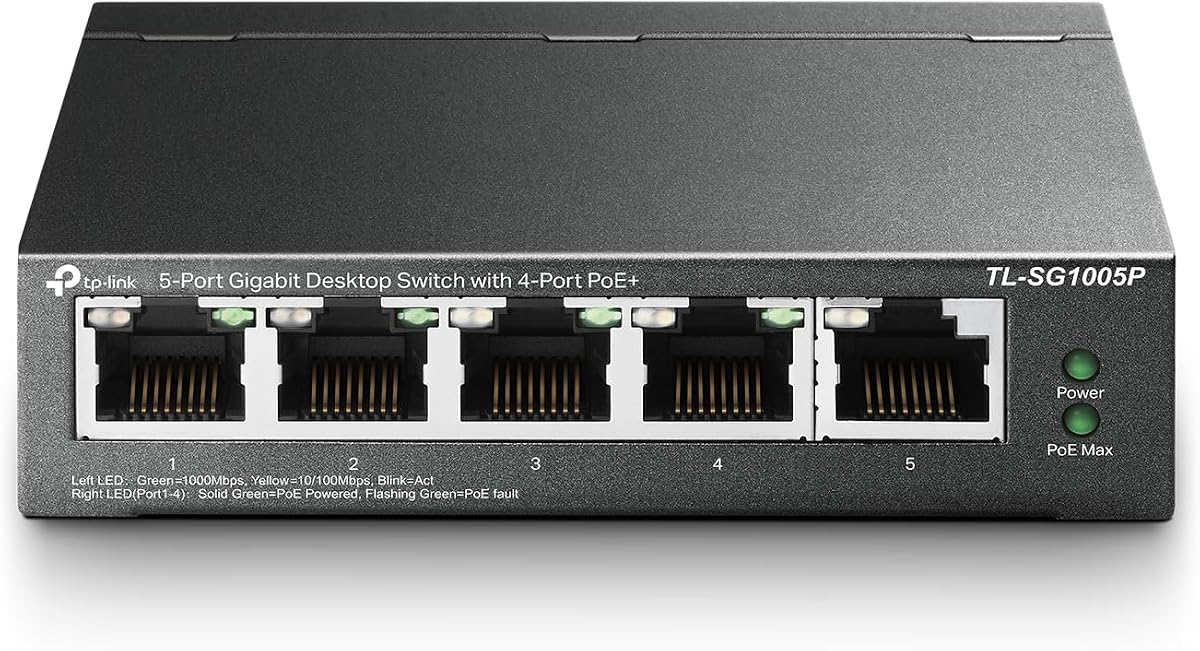
The TP-Link TL-SG1005P is a five-port Gigabit PoE switch with a 4.7 customer rating. Four ports provide PoE+ power, while a fifth non-PoE Gigabit port can serve as a conventional connection. It is built for small installations that need to power network devices without a separate injector at every endpoint.
We may earn a commission when you buy through this link, at no additional cost to you.
The four PoE+ ports support 802.3af and 802.3at, supplying up to 30 watts per port within a total 65W budget. That arrangement can support suitable access points, surveillance cameras, VoIP phones, and other compatible PoE devices. Port-based 802.1p and DSCP QoS, plus IGMP snooping, improve traffic handling for real-time or multicast content.
Its limitation is that PoE adds little for a basic household with desktop computers, televisions, and printers. Only four ports can deliver power, and the overall unit still operates at Gigabit speed. Careful budgeting is important when adding several powered devices because the 65W allowance is shared across the PoE ports.
Buy the TL-SG1005P when your Spectrum-connected network needs a few wired endpoints to receive both data and power. It is a better fit for a small office, security system, or structured home installation than a basic port expander. The plug-and-play approach, durable case, fanless operation, and warranty make it a dependable specialized choice.
PoE+ can simplify installations where compatible cameras, phones, or access points need both network connectivity and electrical power. That reduces the number of separate power adapters and cables required at those endpoints.
QoS can prioritize delay-sensitive voice or video traffic, while IGMP snooping helps control multicast delivery. These features make the switch more relevant to monitoring, conferencing, and media-oriented networks.
We may earn a commission when you buy through this link, at no additional cost to you.
The TP-Link TL-SG116 is a 16-port Gigabit unmanaged switch with a 4.7 customer rating. It is built for larger spaces that need substantially more wired endpoints than an eight-port model can provide. Its combination of high port count, traffic features, and simple operation makes it a strong choice for busy offices, classrooms, studios, or large homes.
We may earn a commission when you buy through this link, at no additional cost to you.
All 16 RJ45 ports support 10, 100, and 1000 Mbps connections with auto-negotiation and auto MDI/MDIX. Port-based 802.1p and DSCP QoS can prioritize selected traffic, and IGMP snooping assists with multicast management. IEEE 802.3x flow control is included, and the fanless metal enclosure supports quiet operation.
The trade-off is physical and functional: sixteen ports make this a larger network component, while the lack of 2.5G support means it cannot provide multi-gigabit headroom. It also has no PoE capability, so powered network endpoints would still require separate power. Users who only have a handful of devices may find the extra capacity unnecessary.
Choose the TL-SG116 when cable drops already exist and the priority is to connect many conventional Gigabit devices in one place. It is less suitable as a compact living-room solution or a high-speed NAS-focused network. The wall-mountable design, energy-efficient operation, warranty, and support make it a practical central switch for larger wired environments.
Sixteen ports let many office computers, access points, cameras, and other Ethernet devices converge on one switch. Centralizing those connections can simplify cable management in a wiring closet or equipment area.
The model uses energy-efficient technology and has no fan, helping reduce power use and mechanical noise. That makes a large port count more practical in professional or shared indoor spaces.
We may earn a commission when you buy through this link, at no additional cost to you.
The TP-Link TL-SG108S-M2 is an eight-port 2.5G unmanaged switch with a 4.8 customer rating, the highest listed rating in this guide. It combines a generous number of fast ports with a simple setup, making it one of the strongest choices for a modern Spectrum home that wants room beyond Gigabit networking.
We may earn a commission when you buy through this link, at no additional cost to you.
Each of its eight ports supports 2.5-Gigabit operation, and the switch offers up to 40 Gbps of switching capacity. Auto-negotiation accommodates 100 Mbps, 1G, and 2.5G connections, allowing a network to combine older devices with a 2.5G access point, NAS, server, gaming computer, or Wi-Fi 6 equipment. The fanless design keeps operation silent.
As an unmanaged switch, it cannot offer the granular VLAN, traffic-monitoring, or per-port power controls of a managed model. It also lacks PoE, so it will not power cameras, phones, or access points directly. Furthermore, the faster ports are most useful when both the connected device and the rest of the local path support the corresponding speed.
The TL-SG108S-M2 is ideal for users who want eight connections and meaningful multi-gigabit headroom without a complex interface. It is our top-rated and premium recommendation for high-speed local networks. Choose it when a Spectrum router, access point, NAS, or workstation ecosystem can genuinely use 2.5G links.
The switch provides enough 2.5G ports for a broad range of performance-focused devices. That capacity avoids forcing an upgrade to a larger unit merely to accommodate several high-speed endpoints.
A 2.5G network can benefit large local transfers involving a NAS, server, or capable workstation. The switch's capacity and auto-negotiation allow those devices to operate faster without preventing conventional clients from connecting.
We may earn a commission when you buy through this link, at no additional cost to you.
The TP-Link LS108GP is an eight-port Gigabit PoE switch with a 4.6 customer rating. It distinguishes itself with an Extend mode that can carry PoE over as much as 820 feet, making it useful for larger properties, warehouses, and surveillance deployments where devices sit well beyond ordinary desktop cable reach.
We may earn a commission when you buy through this link, at no additional cost to you.
All eight ports are PoE+ Gigabit ports, with up to 30 watts available per port and a total PoE budget of 65W. Switching capacity reaches 16 Gbps. The physical Extend button activates the longer transmission mode, while PoE Auto Recovery can reboot a dropped or unresponsive powered device. The unit is fanless and housed in a metal case.
The shared power budget and Gigabit link speed limit performance for intensive or high-bandwidth installations. The 820-foot capability is also a specialized feature rather than a general-purpose requirement, so many households will not use it. In addition, the lack of granular managed controls may limit advanced segmentation requirements.
Buy the LS108GP when you need to power multiple compatible network devices across a broad area and value automatic recovery. It is particularly compelling for camera installations and extended structured cabling. For a normal Spectrum home without PoE endpoints, a simpler unmanaged Gigabit switch will usually be more appropriate.
Extend mode can extend PoE transmission to distances of up to 820 feet. This allows cameras or other powered endpoints to remain in distant rooms, outbuildings, or perimeter locations while remaining connected to one central switch.
PoE Auto Recovery restarts a dropped or unresponsive PoE device when enabled. That can restore continuity without manually replacing equipment or physically accessing a distant installation.
We may earn a commission when you buy through this link, at no additional cost to you.
The NETGEAR GS308EP is an eight-port PoE Gigabit Easy Smart Managed switch with a 4.8 customer rating. It is the most management-oriented product in this roundup, offering a practical middle ground between a basic unmanaged switch and a fully featured enterprise system.
We may earn a commission when you buy through this link, at no additional cost to you.
Its intuitive software interface supports VLANs, QoS, port monitoring, and network-security configuration. All eight Ethernet ports are PoE+ capable, with a 62W total budget, uninterrupted PoE, and per-port power controls. Auto-negotiating ports work with existing Cat5e or Cat6 cabling, and the compact metal chassis can be placed on a desk or wall.
Management adds complexity compared with the plug-and-play alternatives. People comfortable with basic network configuration can benefit from segmentation and monitoring, while those seeking a completely hands-off installation may prefer an unmanaged model. The switch also tops out at Gigabit rather than 2.5G, and its PoE budget must be shared among connected devices.
Choose the GS308EP for a small Spectrum-connected business that needs both power delivery and basic network segmentation. It is also a strong option for a home advanced user who wants monitoring and VLAN capability without moving to a highly complex managed platform. Its 4.8 rating, flexible mounting, and silent energy-efficient design reinforce its position as a premium practical choice.
The Easy Smart interface brings VLANs, QoS, port monitoring, and security controls into a manageable format. That makes the switch more versatile than an unmanaged unit while remaining approachable for small organizations.
Per-port controls allow administrators to decide how power is distributed, while uninterrupted PoE helps keep compatible endpoints operating during power-related events. These features are useful for cameras, phones, and access points.
We may earn a commission when you buy through this link, at no additional cost to you.
The Cisco Business CBS110-5T-D is a five-port Gigabit unmanaged switch with a 4.6 customer rating. Its clean, compact design and business-oriented feature set make it a good fit for a small office, retail location, classroom, or professional home workspace connected through Spectrum service.
We may earn a commission when you buy through this link, at no additional cost to you.
The switch includes five 10/100/1000 RJ45 ports and uses plug-and-play operation, so no IT expertise is required for basic installation. Integrated QoS intelligence helps optimize delay-sensitive services and overall network behavior. Its fanless construction and IEEE 802.3az Energy Efficient Ethernet compliance support quiet operation and lower power use.
The five-port capacity is modest, and there is no VLAN interface or detailed per-port management in an unmanaged design. The unit also provides no PoE and no multi-gigabit speed, so installers with powered endpoints or high-bandwidth devices will need a different model. Its external power supply is also part of the package rather than a central PoE system.
Choose the CBS110-5T-D when you want a reliable, understated five-port switch with business-grade support and simple deployment. It works particularly well where only a few devices need wired connections near the Spectrum equipment. Limited-lifetime protection adds reassurance for buyers seeking a long-term infrastructure component, while the fanless, compact enclosure makes placement easy.
Plug-and-play operation reduces deployment time in offices, stores, classrooms, and other professional spaces. The switch provides a structured networking option without requiring everyday administration.
The small fanless enclosure can be positioned outside a dedicated wiring closet. It is suitable for retail floors, open-plan offices, classrooms, and other locations where appearance and low noise matter.
We may earn a commission when you buy through this link, at no additional cost to you.
The D-Link 5-Port 2.5G Unmanaged Ethernet Switch has a 4.7 customer rating and a particularly useful combination of high-speed ports and traffic features. It is designed for offices, media systems, and gaming networks that want more than standard Gigabit local connections.
We may earn a commission when you buy through this link, at no additional cost to you.
Five 2.5-Gigabit ports provide up to 25 Gbps of switching capacity, making the switch suitable for 2.5G Wi-Fi 6 access points, NAS devices, servers, gaming computers, and high-resolution media workflows. Auto-negotiation supports 100 Mbps, 1G, and 2.5G links, so older and newer devices can share the same unit.
Although technically unmanaged, the switch includes useful traffic controls. QoS classifies traffic across eight priority levels, flow control helps minimize packet loss, and IGMP snooping improves multicast delivery. The metal housing is fanless, IEEE 802.3az Energy-Efficient Ethernet is supported, and Cat5 or Cat6 cabling remains compatible.
Choose this model when you need a small number of fast connections but also value multicast and priority handling. It is a particularly good fit for a high-speed media or gaming segment of a Spectrum-connected home. The limitation is capacity: five ports may be quickly filled, and deeper VLAN or port-level administration is not part of its unmanaged design.
IGMP snooping helps optimize multicast streams, while eight QoS levels allow different traffic classes to be prioritized. These are useful qualities for media servers, streaming devices, conferencing equipment, and gaming.
The five 2.5G ports provide high-speed local capacity without the footprint of a larger desktop unit. Per-port LEDs also make it easy to check link status during setup and daily operation.
We may earn a commission when you buy through this link, at no additional cost to you.
Choosing a network switch for Spectrum starts with the devices you need to connect and the speed they support. Port count, link speed, PoE requirements, management features, placement, and future expansion should guide the decision.
Begin by inventorying every device that needs a wired connection, including desktop computers, televisions, game consoles, printers, access points, and security equipment. Add the uplink that connects the switch to your Spectrum modem, gateway, or compatible router, then allow at least one spare port for expansion. An eight-port model is a common middle ground, while a five-port unit is adequate for a smaller number of endpoints. A 16-port model makes more sense in an office, classroom, studio, or large home with many cable runs.
A standard Gigabit switch supports links up to 1,000 Mbps and is appropriate for most internet plans and ordinary home use. A 2.5G switch offers additional local-network headroom for fast NAS systems, servers, gaming computers, and compatible Wi-Fi 6 access points. Remember that the internet connection speed and local device speeds are separate considerations. Even a very fast Spectrum plan cannot make a 1-Gigabit device transmit locally at 2.5G, so multi-gigabit capability should match equipment you already own or plan to add.
Power over Ethernet delivers electrical power and network data through one cable to compatible devices. It can simplify installations involving IP cameras, VoIP phones, and some wireless access points, but it is unnecessary for ordinary computers, televisions, and printers. Compare the total PoE budget with the combined power requirements of the intended endpoints. A 65W switch may be appropriate for several modest devices, while heavier cameras or access points may require additional capacity or a separate power design.
Unmanaged switches exchange traffic automatically and require little or no configuration. They are generally the easiest option for a home with a clear purpose and limited need to control traffic. Easy Smart or managed models add features such as VLANs, port monitoring, QoS, security controls, and per-port power management. Those options are valuable in a small business or a more segmented home network, but they introduce a software interface and an additional learning curve. Select the simplest model that comfortably covers your actual requirements.
VoIP calls, video calls, streaming, gaming, and other delay-sensitive applications can benefit from traffic prioritization. Port-based QoS and DSCP support can identify selected traffic and give it priority over less urgent activity. IGMP snooping can reduce unnecessary multicast delivery, while flow control helps minimize dropped packets. These features do not automatically increase Spectrum internet speed, but they can improve the behavior of local traffic and help important services remain responsive on a busy network.
The switch should sit near the cables it serves without creating unnecessary long runs. A compact metal model can live beside a desk, entertainment center, or network shelf, while larger units may belong in a wiring closet. Desktop and wall-mounting support are both useful because furniture layouts and building materials differ. Also consider cable-management space, access to status lights, ventilation, and whether a power outlet is conveniently located. Proper placement helps protect connections and makes future troubleshooting easier.
A metal housing is generally more durable and dissipates heat effectively compared with a lightweight plastic enclosure. A fanless design also keeps switching noise to a minimum, which is desirable in bedrooms, living rooms, and quiet offices. Energy-Ethernet support can reduce consumption when links are idle or operate at appropriate speeds. For a home or small office, these characteristics improve convenience and longevity without requiring configuration, making them worthwhile features in a frequently used network switch.
A switch purchased today may need to accommodate devices added over the next few years. Leaving spare ports is inexpensive insurance against immediate replacement, while choosing 2.5G can help when a router, access point, storage system, or workstation is upgraded. Avoid overbuilding if every port will remain unused, but also consider whether existing cables will support the intended speed and how long the switch will remain in service. A balanced choice should meet current needs without creating an immediate bottleneck.
Begin by identifying the device that provides your Spectrum internet connection. Connect the switch's uplink port to the appropriate Ethernet output on that device or to a compatible router, and connect your computers and other Ethernet devices to the remaining ports. Power the switch after the cables are seated. Most models in this guide are unmanaged and begin working automatically, while Easy Smart models require access to their software interface for advanced configuration.
Keep the enclosure in a dry, ventilated location with access to its power connection and status lights. Do not stack equipment in a way that blocks heat dissipation, and avoid placing the switch near heat sources. Secure Ethernet cables so they do not hang from connectors or create trip hazards. If wall-mounting the unit, use appropriate fasteners and confirm that the selected location complies with local electrical and building requirements.
Periodically inspect the power cable, Ethernet connections, and indicators for signs of instability. Update or recheck management software when using an Easy Smart model, and keep a record of which devices connect to each port. Before changing a managed configuration, document current settings so the network can be restored if an experiment causes connectivity problems. For PoE models, periodically confirm that connected devices remain within the switch's supported power budget.
Not always. A Spectrum-compatible gateway or router may provide enough Ethernet ports for a small home, but a switch becomes useful when you need more wired connections or want a cleaner central wiring point. It adds Ethernet ports and organizes local traffic but does not independently provide internet access. Your Spectrum equipment remains the source of the internet connection.
A switch does not increase the internet speed included in your Spectrum plan. It can help avoid local-network bottlenecks when several devices communicate over Ethernet, particularly when 2.5G links are supported by the router, switch, cabling, and devices. A basic Gigabit switch is sufficient for most households, while multi-gigabit equipment benefits faster local transfers and suitable access points.
An unmanaged switch is usually easier and sufficient when all connected devices can share one network without detailed policies. An Easy Smart or managed switch is more useful when you need VLANs, traffic monitoring, QoS, security settings, or per-port PoE controls. For a small business or advanced home, management can provide better separation and visibility, but it also requires configuration.
Only if you plan to connect compatible powered network devices such as IP cameras, VoIP phones, or certain access points. Ordinary computers, printers, and televisions generally do not need PoE. If those specialized devices are present, compare their total power requirements with the switch's PoE budget and ensure that the installation follows the device manufacturer’s guidance.
It is not necessary for most homes using standard Gigabit equipment. A 2.5G switch becomes valuable with a compatible router or access point, a 2.5G-capable NAS, a fast server, or a high-end gaming computer. The local network path must also support the higher speed. Otherwise, the additional capability will remain unused while costing more and consuming more space.
A switch is primarily a multiport Ethernet connection device, and not every modem or gateway provides the appropriate Ethernet output for direct connection. In many installations, the Spectrum equipment connects to a router, and the switch connects to the router's LAN ports. Review the labels and manual for your specific equipment, and ask Spectrum support if you are unsure which output is intended for customer devices.
Use quality Ethernet cabling that meets the requirements of the connected devices and switch. The 2.5G models described here are backward compatible with Cat5 and Cat6 cabling according to the supplied product information, but cable quality, length, installation, and connectors can affect reliability. Keep runs within appropriate Ethernet distance limits and avoid damaged or loosely seated connections.
The TP-Link TL-SG108 is the most straightforward recommendation for a typical Spectrum home because it provides eight Gigabit ports, quiet metal construction, and plug-and-play operation. The TL-SG105 offers a smaller five-port format with useful QoS and multicast features, while the TL-SG108S-M2 is the premium choice for users who need eight 2.5G connections.
Prioritize the features your network actually requires. Choose Gigabit for ordinary wired devices, 2.5G for a meaningful collection of compatible high-speed equipment, PoE for powered endpoints, and Easy Smart management when you need VLANs or port-level control. Leave spare capacity for future devices, and ensure the switch can be positioned safely near your existing wiring.
Before purchasing, recheck the current specifications, customer feedback, warranty terms, and retailer details. Product features, firmware, bundle contents, and promotional offers can change over time. Verifying the final model against your Spectrum equipment and connection plan will help ensure a smooth installation and a network that is ready for expansion.