
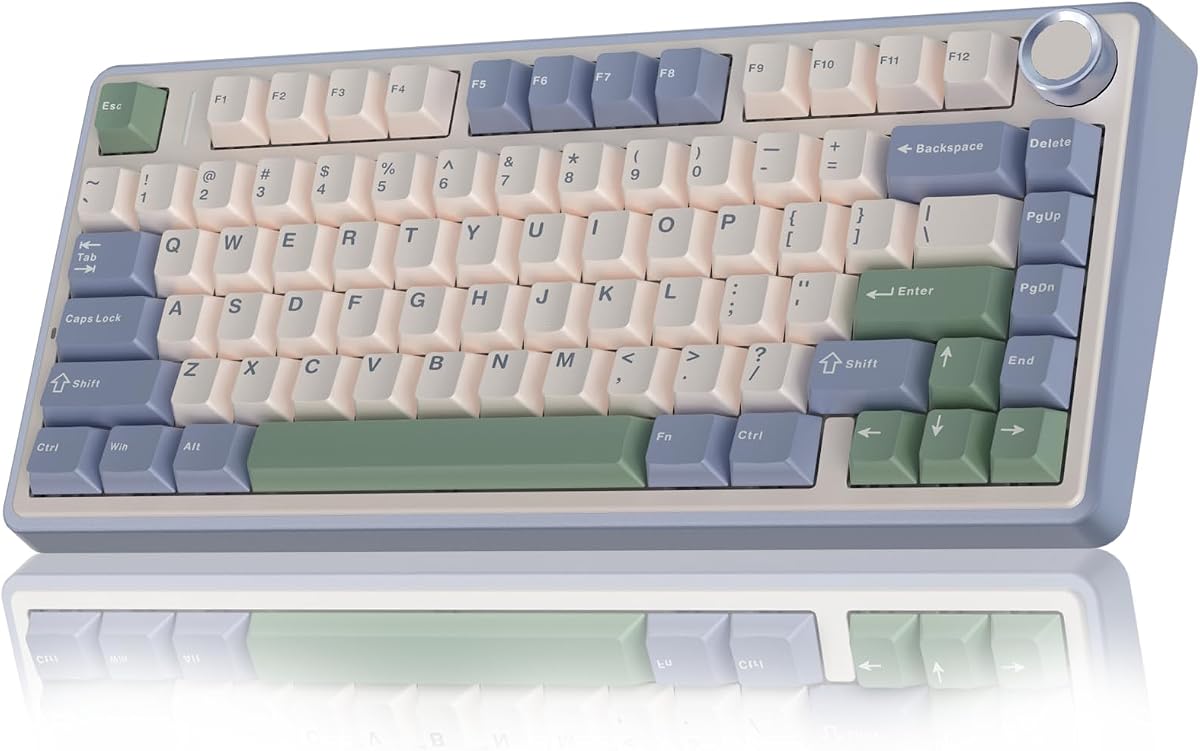
AULA Nova75 Green
4.7Editor score
Multimedia TFT display
Five-device tri-mode connection
Gasket-mounted hot-swap board
Programmable knobs and macros
Compare 10 green backlit gaming keyboards for sound, connectivity, hot-swapping, controls, comfort, and build quality to find your ideal match.
A green backlit gaming keyboard can transform an ordinary desk into a more distinctive gaming setup while adding practical features such as programmable lighting, wireless connectivity, tactile switches, and dedicated controls. The best model depends on whether you prioritize a rich mechanical feel, quiet typing, useful macros, compact dimensions, or a full-size layout with a number pad.
This guide compares ten green gaming keyboards using the specifications and feature details supplied for each product. We examine switch construction, layout, connection methods, lighting controls, sound-related design, customization support, battery capacity, programmability, and practical usability. The list includes membrane, hot-swappable mechanical, and compact wired models so different preferences can be matched fairly.
Each review highlights the strongest reasons to consider a particular keyboard as well as its limitations. The top picks illustrate different paths: the AULA F75 for customizable wireless performance, the AULA Nova75 for its display and controls, and the Womier DK75 for a compact, approachable design. Product pricing and availability can change, so readers should confirm current details before purchasing.
4.7Editor score

4.8Editor score

4.5Editor score
The comparison table highlights the principal differences in layout, connectivity, switch design, and customization. It is designed to help shoppers identify the most relevant green backlit gaming keyboard without overlooking the practical differences between wireless membrane, hot-swappable mechanical, and full-size wired designs.



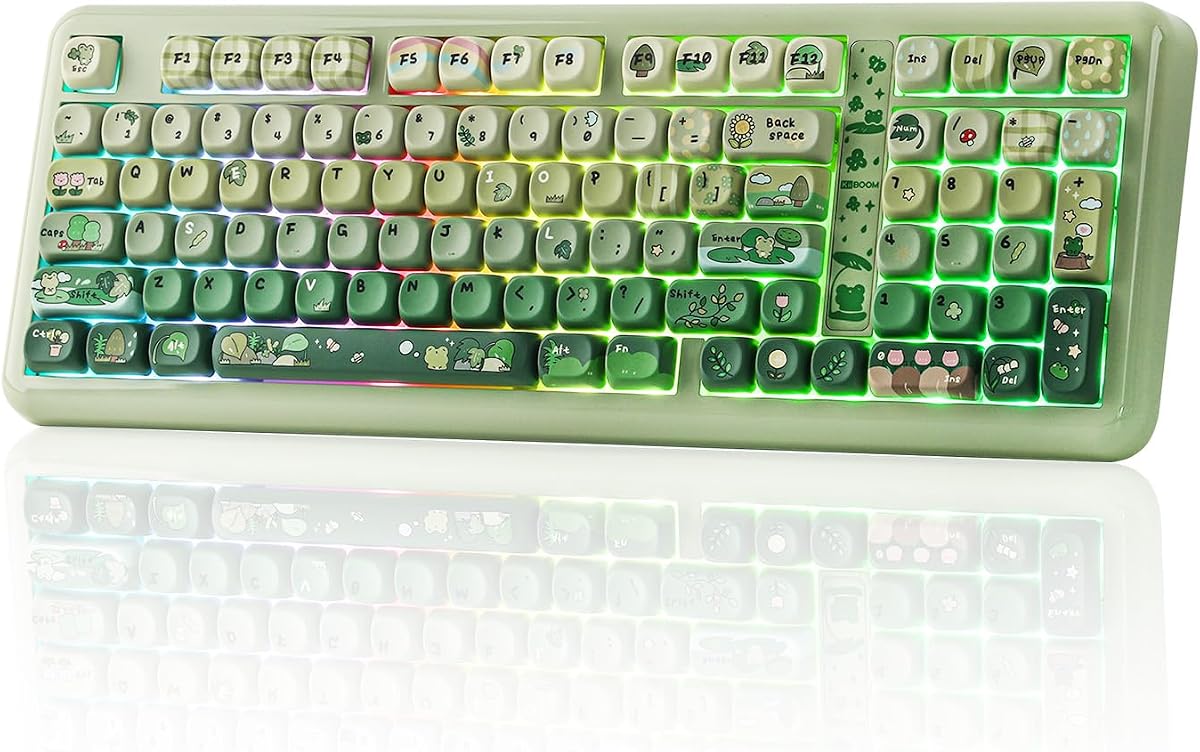


The AULA S99 combines a distinctive green aesthetic with a practical 96-percent layout and a 4.2 rating. It is aimed at buyers who want wireless flexibility, programmable controls, and a full numeric keypad without moving into a larger mechanical board. Its retro-influenced appearance also gives a gaming setup more personality than a conventional black keyboard.
We may earn a commission when you buy through this link, at no additional cost to you.
Connectivity is one of the S99's strongest features. Bluetooth 5.0, 2.4GHz wireless, and USB-C wired operation allow it to move between a gaming desktop, laptop, tablet, or phone. The dual-mode rotary knob can handle volume, audio, and lighting adjustments, while every key supports macro customization for complex commands. Three programmable shortcut keys provide additional shortcuts for frequently used functions.
The keyboard's membrane switches are the main compromise. They provide a softer, quieter experience than many mechanical switches, but they do not offer the same tactile character and cannot be hot-swapped. The integrated number pad is useful for data entry, while the 96-percent footprint retains most of a full-size keyboard's utility. A foldable two-stage stand also provides more angle adjustment than a basic fixed-leg design.
This is a sensible recommendation for gamers who want multi-device connectivity, full programmability, and a number pad without paying for a specialist mechanical board. It is less suitable for switch enthusiasts or users who want to replace switches without soldering. For everyday gaming, office switching, and macro-heavy workflows, the S99 offers a broad and approachable feature set.
The ability to switch among Bluetooth, 2.4GHz, and USB-C modes makes the S99 useful beyond a single gaming station. It can move between a desktop and mobile device more easily than a fixed wired keyboard while retaining stable gaming-oriented controls.
Full-key macro support and three dedicated shortcut keys let users turn complicated sequences into one-button actions. The rotary knob provides quick access to frequently adjusted functions without occupying additional programmable keys.
We may earn a commission when you buy through this link, at no additional cost to you.
The Womier DK75 earns a 4.5 rating by delivering a clean, compact wireless package with a strong emphasis on ease of use. Its 75-percent layout preserves the arrow keys while removing the number pad, making it an effective middle ground for gamers who want more desk space than a full-size model but do not want to sacrifice directional controls.
We may earn a commission when you buy through this link, at no additional cost to you.
Bluetooth 5.0, 2.4GHz wireless, and USB wired modes cover the main connectivity needs. The screen displays battery and connection status, while the rotary knob controls volume, brightness, or lighting effects. Fifteen dynamic RGB effects, seven colors, and adjustable brightness and speed can be managed through FN combinations, removing the need to open software for common visual changes.
Silent membrane switches are the defining trade-off. They are suitable for shared rooms, offices, libraries, and late-night use because they produce less noise than many mechanical alternatives. PBT keycaps offer a more durable surface than typical ABS plastic, and the 4000mAh rechargeable battery, automatic sleep function, and USB-C charging make the wireless design convenient for regular use.
The DK75 is a compelling recommendation for someone who wants green backlighting, wireless freedom, and a restrained 75-percent footprint without moving into the more complex hot-swappable mechanical category. It may disappoint users expecting extensive remapping layers or a deep mechanical feel. For straightforward gaming, productivity, and attractive RGB customization, however, it is remarkably well rounded.
Direct FN-key controls make RGB personalization approachable for beginners. Users can cycle through effects and colors without navigating a driver, which is useful when the keyboard is shared across work and gaming sessions.
The membrane structure, cushioned keystrokes, and inclined design suit users who prefer reduced sound and a softer landing. PBT keycaps add long-term surface durability while preserving a clean appearance.
We may earn a commission when you buy through this link, at no additional cost to you.
The white-and-green AULA F75 has a 4.6 rating and stands out as the most complete general-purpose mechanical option in this group. It combines a 75-percent layout, five-device tri-mode connectivity, hot-swappable sockets, a multi-function knob, full-key macro support, and a sophisticated five-layer sound-damping structure.
We may earn a commission when you buy through this link, at no additional cost to you.
Its LEOBOG Reaper switches arrive pre-lubed, as do the stabilizers, giving the keyboard a smoother feel out of the box. The gasket-style construction and five layers of filling material reduce cavity noise and improve resilience. Because the board supports three-pin and five-pin switches, users can change switch types without soldering, making it attractive to both first-time customizers and experienced enthusiasts.
Lighting is equally substantial, with 16.8 million RGB colors, 16 effects, and ten music-rhythm modes available through the knob or FN combinations. Brightness and speed are adjustable, and the backlight can be disabled. The knob also controls media in office mode, while full-key macro programming and N-key rollover support more serious gaming and productivity needs.
This F75 is recommended for buyers who want a capable wireless mechanical keyboard without accepting a large full-size footprint. It also works well across gaming, work, and media use. The main limitation is that macro configuration depends on the Windows driver, so buyers focused on macOS customization should verify compatibility before purchasing.
Integrated silicone padding and multiple damping layers reduce the hollow character often associated with mechanical boards. Pre-lubed switches and stabilizers further improve the smoothness and controlled sound from the beginning.
Hot-swappable sockets, programmable keys, and broad RGB controls create a strong foundation for personalized setups. The included knob makes frequently used settings easy to change without software.
We may earn a commission when you buy through this link, at no additional cost to you.
The Womier SK80 takes the frog green concept beyond keycap color with a 4.6 rating and an angled multimedia display. The display can present custom GIF images and practical status information, including Caps Lock, connection mode, operating system, RGB settings, volume, language, and backlight controls.
We may earn a commission when you buy through this link, at no additional cost to you.
Its 75-percent layout balances compact dimensions with a visually balanced appearance. A gasket-mounted construction is intended to improve stability and reduce typing noise. The keyboard includes full POM switches and a hot-swap PCB compatible with three-pin and five-pin switches, allowing the feel and sound to be customized without soldering.
The lighting system provides 19 effects and nine colors, with adjustable brightness and flow rate. The detachable USB-C connection supports Windows and Mac systems, although the supplied customization software for RGB, macros, and GIF display settings is limited to Windows. That distinction matters for buyers who want advanced features across a mixed operating-system setup.
The SK80 is a strong recommendation for gamers and creators who want a green keyboard that looks noticeably different from a standard gaming board. The multimedia display adds genuine visual utility and personality, while hot-swapping opens the door to further personalization. It is less ideal for macOS users who depend on Windows-only display customization or for shoppers seeking extensive wireless connectivity features.
The angled multimedia panel can show custom GIFs as well as useful status information. That turns the keyboard into a more interactive centerpiece and makes functional data easy to check at a glance.
Pre-installed POM switches offer an immediate mechanical foundation, and the hot-swap board makes experimentation simple. Users can change compatible switches without investing in soldering equipment.
We may earn a commission when you buy through this link, at no additional cost to you.
The Keymatic Wireless Green provides a 4.4 rating and focuses on practical feature density. Its 98-key layout includes a complete number pad, while the multifunction knob and status screen add controls that are often reserved for more specialized gaming keyboards.
We may earn a commission when you buy through this link, at no additional cost to you.
Wired, Bluetooth, and 2.4GHz connectivity make it suitable for desktops, laptops, and other compatible devices. RGB backlighting offers several dynamic modes, and a 4000mAh battery supports extended wireless use. The built-in iron plate is designed to improve rigidity, while the stated 1.85-pound weight helps the keyboard remain stable on the desk.
The silver-paste membrane system creates responsive, quiet keystrokes with a tactile impression that the product describes as mechanical-feeling. It is not a substitute for genuine mechanical switches, but it can satisfy users who want a firmer response than a basic office membrane keyboard. Key durability is rated at 10 million keystrokes, and 19-key anti-ghosting supports simultaneous commands.
This is a fitting recommendation for a desk that still needs a number pad but also needs wireless switching and attractive RGB illumination. It may be less appropriate for keyboard enthusiasts because there are no hot-swappable sockets and no switch-level customization. As a green gaming keyboard for mixed gaming and productivity use, it offers a balanced and accessible package.
The compact arrangement reduces wasted desk space while preserving a usable number pad. That makes the keyboard convenient for work, games, and everyday data entry without requiring a separate keypad.
The internal iron plate, anti-ghosting support, and long battery capacity support dependable everyday use. The integrated screen and knob provide useful control access without increasing the overall footprint.
We may earn a commission when you buy through this link, at no additional cost to you.
The KiiBoom Phantom98 Lite carries the highest supplied rating in the group at 4.8 and is a compelling premium mechanical option. Its 97-key layout is designed to retain familiar full-size functionality while minimizing gaps and unnecessary bulk on a modern gaming desk.
We may earn a commission when you buy through this link, at no additional cost to you.
Connectivity includes 2.4GHz wireless, USB-C, and Bluetooth 5.0, with support for toggling among five devices. The 8000mAh battery is a notable feature for wireless use. Pre-lubed linear switches create a smooth sound compared with a harder mechanical click, while the hot-swappable PCB allows compatible three-pin or five-pin switches to be replaced without soldering.
Sound refinement is the centerpiece of the construction. Gasket mounting works with latex sandwich foam, an IXPE switch pad, PET film, bottom foam, and bottom silicone. These materials support rigidity and flexibility while reducing ping and rattle. Pre-lubed stabilizers further improve the consistency of larger keys.
VIA compatibility provides broad control over keys, macros, layers, and RGB lighting, which makes the Phantom98 Lite suitable for gamers, programmers, and productivity users. It is recommended for buyers who prioritize a refined acoustic profile, extensive programmability, and effortless wireless switching. Those who only need a basic keyboard may find its feature set more involved than necessary.
Multiple damping materials are carefully distributed through the gasket-mounted structure. This layered approach targets the hollow ping and unstable vibration that can make budget mechanical keyboards sound less refined.
Key remapping, macros, layers, and lighting can be tailored through the VIA ecosystem. The result is a keyboard that can move between gaming shortcuts, office navigation, and productivity workflows.
We may earn a commission when you buy through this link, at no additional cost to you.
The Owpkeenthy 104 Green is a straightforward wired mechanical keyboard for buyers who prefer the complete traditional layout. It includes 104 keys, a dedicated number pad, and green match-themed keycaps. Its 4.5 rating reflects a dependable design focused on gaming fundamentals rather than wireless convenience or an elaborate display.
We may earn a commission when you buy through this link, at no additional cost to you.
Linear red switches offer a smooth action with minimal resistance and little tactile bump. They are suitable for quick inputs and are often described as quieter than many clicky mechanical switches. N-key rollover allows multiple keys to register without conflict, which is valuable during games and fast typing sessions.
RGB illumination provides 18 lighting modes, and the backlight can be disabled with an FN and Pause combination. The keyboard includes kickstands for a more comfortable typing angle, while uniform XDA-profile keycaps create a broad contact area that can reduce finger fatigue over extended use.
The Owpkeenthy is recommended for gamers who need arrow keys, a number pad, navigation controls, and a conventional full-size footprint. It is also suitable for office use because the wired design requires no charging or pairing. Its main disadvantages are the amount of desk space it occupies and the lack of wireless flexibility offered by several alternatives.
N-key rollover is especially useful in games that demand several simultaneous actions. It provides a reassuring advantage over basic anti-ghosting implementations when inputs arrive quickly and in combination.
The XDA profile and adjustable kickstands prioritize a uniform hand position across rows. The complete layout also avoids forcing users to sacrifice familiar navigation or numeric controls for a compact design.
We may earn a commission when you buy through this link, at no additional cost to you.
The AULA Nova75 pairs an 80-key 75-percent layout with a colorful multimedia TFT display and earns a 4.7 rating. It is designed for users who want wireless freedom and mechanical customization without giving up the visual appeal of a display-equipped premium board.
We may earn a commission when you buy through this link, at no additional cost to you.
Bluetooth 5.0, 2.4GHz wireless, and USB-C wired connections support switching among five devices. The 8000mAh rechargeable battery provides substantial wireless capacity. Compatibility extends across desktops, laptops, tablets, smartphones, PlayStation, and Xbox according to the supplied information, although exact device support can depend on the platform's keyboard capabilities.
The 11-degree angled TFT screen can display custom GIFs, language, volume, connection mode, operating-system information, brightness, speed, and RGB status. A volume knob and separate gaming and office modes make common adjustments immediate. The board uses a gasket-mounted structure, pre-lubed linear switches, and a hot-swap PCB compatible with three-pin and five-pin switches.
The Nova75 is recommended for gamers and streamers who want a visually striking centerpiece with meaningful controls. It is particularly compelling for setups where the keyboard will sit on camera or serve as the visual focus of the desk. The Windows software requirement for custom GIFs and detailed settings is the main qualification, so potential buyers should confirm that their preferred platform is fully supported.
The TFT panel communicates more than a simple indicator light by showing connection state, operating mode, RGB information, and other relevant data. Custom GIF support adds a playful visual element that is difficult to find on conventional boards.
The 8000mAh battery supports extended use across several connected devices. Five-device switching makes it possible to move quickly between a gaming PC, laptop, tablet, and other compatible hardware.
We may earn a commission when you buy through this link, at no additional cost to you.
This green AULA F75 combines a 4.8 rating with one of the strongest feature sets for a 75-percent gaming keyboard. It supports five devices across Bluetooth 5.0, 2.4GHz wireless, and USB wired modes, and it includes hot-swappable sockets, pre-lubed stabilizers, LEOBOG Reaper switches, a knob, and full-key macro programming.
We may earn a commission when you buy through this link, at no additional cost to you.
The gasket structure and five sound- and shock-absorbing layers work together to reduce cavity noise and create a softer, more controlled keystroke. Cherry-profile double-shot PBT Manga keycaps combine a distinctive green appearance with a durable surface. Because the PCB accepts three-pin and five-pin switches, users can explore different sound and feel profiles without soldering.
The macro system can assign commands to individual keys or combinations, while the lighting system offers 16.8 million RGB colors and dynamic profiles. These features make the keyboard useful for advanced gaming shortcuts and efficient work routines. The 4000mAh rechargeable battery supports long sessions, and auto-sleep after 60 seconds of inactivity helps conserve power.
The F75 is an excellent recommendation for a buyer who wants a green mechanical gaming keyboard that is equally capable for work and play. Its compact footprint, extensive programmability, and layered acoustic construction make it particularly appealing. The most important limitation is that full macro configuration in wired mode is listed as Windows-only, so Mac-focused users should review the software requirements before buying.
Hot-swappable switches, programmable keys, and detailed RGB settings create several independent paths for customization. The result is a board that can evolve with different games, tasks, and preferred switch styles.
Gasket construction and five damping layers reduce harsh vibration and hollow sound. Pre-lubed switches and stabilizers produce a smooth, creamy feel that suits both rapid gaming inputs and longer typing sessions.
We may earn a commission when you buy through this link, at no additional cost to you.
The Redragon K742 combines a 98-percent layout, mechanical construction, and QMK and VIA programmability in a 4.6-rated package. It is a strong choice for gamers and productivity users who want extensive control over layers, macros, and key assignments in a relatively compact form.
We may earn a commission when you buy through this link, at no additional cost to you.
Its gasket structure contains five layers of sound-absorbing padding, while the pre-lubed RPC linear switch produces a creamy sound and smooth action. The hot-swappable PCB accepts three-pin and five-pin switches and uses south-facing lighting. Two-stage adjustable feet and double-shot PBT keycaps support both comfort and long-term keycap durability.
Connectivity options include Bluetooth 5.0, 2.4GHz wireless, and USB-C wired mode, with switching among up to three devices. The receiver is stored in the keyboard, reducing the chance of losing the small USB dongle. A multimedia knob handles volume and media functions, while QMK and VIA support enables advanced remapping and automated workflows. Contacting the manufacturer for the relevant JSON file is part of the stated setup process.
The K742 is recommended for experienced users who want a sophisticated programmable board without moving to a full-size footprint. It also works well for hybrid work because it can serve as a productivity keyboard and gaming controller. Beginners may find the software and configuration process more involved than a simpler membrane model, but the included puller, spare switches, cable, sticker, and manual make the package comprehensive.
QMK and VIA support allows layers, macros, and key assignments to be adjusted for games or productivity applications. This makes the K742 particularly suitable for users who routinely use the same commands across different programs.
Five layers of padding and a gasket structure soften the mechanical sound, while pre-lubed switches create a smooth creamy character. The result remains responsive without relying on an aggressive click mechanism.
We may earn a commission when you buy through this link, at no additional cost to you.
The right green backlit gaming keyboard depends on more than appearance. Layout, switch behavior, connection methods, programmability, sound, and display functions all influence the experience, so it is worth deciding which features matter before choosing a model.
A full 104-key model offers the number pad and complete navigation cluster, making it the most familiar option for spreadsheets, number entry, and gaming shortcuts. A 96-percent or 98-percent layout preserves many of those functions while reducing visual gaps. A 75-percent design removes the number pad to save desk space but retains dedicated arrow keys, which are valuable in games. The most compact boards in this group use fewer keys and place additional functions on knobs, displays, or shortcut combinations.
Membrane switches generally provide a softer feel and lower sound, making them practical for offices and shared spaces. They do not offer the same level of switch customization as mechanical alternatives. Mechanical keyboards can deliver a wider range of tactile and linear responses, and hot-swappable models allow compatible three-pin or five-pin switches to be changed without soldering. Buyers should consider both the supplied switch type and whether future modification is important.
Wired operation provides the simplest setup and avoids charging or pairing concerns. Bluetooth is convenient for laptops and mobile devices, while 2.4GHz wireless is commonly suited to desktop gaming with low-latency USB receiver connections. Tri-mode boards offer all three approaches and are the most versatile when users move between several systems. Pay attention to the stated number of simultaneous device connections, since supported platforms and device limits can vary.
Basic RGB lighting may provide several fixed effects, while more advanced boards support millions of colors, brightness levels, flow speeds, and reactive or music-oriented modes. A rotary knob makes frequent adjustments easier, and direct FN controls avoid the need to open software. Buyers should also check whether the backlight can be turned off, since continuous illumination may be undesirable in shared or late-night settings.
Macro programming can turn long or complex sequences into one-button commands, saving effort in games and repetitive office tasks. Full-key programmability provides more freedom than a few preset shortcut keys, but it usually depends on companion software. Windows compatibility is more common than full macOS support, and some advanced display features also require a Windows computer. Check operating-system requirements before choosing a heavily programmable model.
Membrane boards are often quieter, while linear mechanical switches produce smooth sounds with varying levels of pitch. Gasket mounting and multiple damping layers can reduce ping and hollow vibration. Hot-swappable construction lets users experiment with switch types later, which is valuable for discovering a preferred balance of sound and feedback. Those who work or game late at night should consider quieter switches and dense internal damping.
A rotary knob provides fast access to volume, lighting, media, or mode switching without consuming keyboard shortcuts. A small screen can show connection state, battery level, operating mode, RGB information, or custom images. These features improve usability but also add complexity and may require software. Gamers often benefit from quick volume control, while streamers and desk-accessory enthusiasts may prefer customizable display content.
Wireless models should be checked for battery capacity, charging method, automatic sleep behavior, and stated endurance. Battery figures are not directly comparable across every usage pattern, especially when lighting is active. Build features such as gasket mounting, damping layers, stabilizers, and PBT keycaps influence long-term feel and durability. Finally, verify compatibility with the intended operating system, game consoles, and required configuration software.
Begin by selecting the correct connection method. Connect the supplied cable for a wired session, pair through Bluetooth using the keyboard's documented procedure, or insert the 2.4GHz receiver into an available USB port. After connection, test several keys, the arrow cluster, the knob, and any status display before configuring advanced lighting or macros.
For the best gaming experience, create a separate profile or layer for each game or application. Assign only the commands you regularly use, keep essential navigation keys intuitive, and avoid placing frequently needed actions in difficult locations. LED effects can then be coordinated with those profiles. Wired mode is generally the most consistent choice for latency-sensitive competitive play, while wireless modes provide more freedom across devices.
Keep the keyboard away from moisture, food, and excessive dust, and clean the keycaps and case with a soft microfiber cloth. Avoid pouring cleaning liquid directly onto the keyboard. For mechanical models, remove the cable before cleaning and do not pull on attached keycaps if the switch sockets are exposed. Charge wireless models periodically, use their sleep features, and update compatible firmware or driver software when a newer version is available.
A 75-percent keyboard is usually the most space-efficient option because it removes the number pad while keeping dedicated arrow keys. The AULA F75, AULA Nova75, and Womier DK75 all use this general layout. Consider which offers the connection methods, controls, and switch construction you value most rather than selecting on appearance alone.
No. Most models in this guide support multiple operating systems and can also work with laptops, tablets, and phones. Exact compatibility depends on the connection method and software. Check whether Bluetooth, 2.4GHz, and wired modes are supported and whether advanced configuration tools work on your preferred system.
Membrane keyboards usually feel softer and make less noise, while mechanical keyboards offer more distinct switch characteristics and a wider customization ecosystem. Hot-swappable mechanical models also allow compatible switches to be replaced without soldering. The right choice depends on whether you value quiet operation, tactile feedback, sound, or future modification.
Macros can be useful for games with repetitive actions or for combining several commands into one shortcut. They are not essential for every gaming style. Players who do not use complex bindings may receive more value from a dependable layout, responsive switches, and adjustable lighting instead.
Some models in this roundup are listed as compatible with PlayStation and Xbox. Keyboard support varies by game and platform, and some titles may not recognize every key or macro. Confirm game-specific requirements before purchasing, especially if programmable functions are central to your setup.
A screen is worthwhile when you want at-a-glance connection, battery, RGB, or operating-mode information. It can also display custom images in models that support software-based content. If those functions do not add value to your routine, a simpler board with a knob and direct lighting controls may be a more practical choice.
Use the keyboard's automatic sleep function, lower lighting brightness when full illumination is unnecessary, and turn the backlight off during long work sessions without RGB effects. Models with larger stated battery capacities generally have more room for extended use, though actual endurance depends on connection mode and lighting activity.
A wired keyboard offers a simple setup and avoids charging and pairing concerns, making it useful as a dedicated gaming controller. Wireless designs are better when you switch among a desktop, laptop, tablet, or phone and want a less cable-heavy desk. For competitive gaming, a stable wired connection or a well-supported low-latency wireless mode is generally the most straightforward approach.
The AULA F75 Green stands out as the strongest all-around recommendation because it combines hot-swappable mechanical switches, five-device tri-mode connectivity, extensive macro support, layered sound control, and detailed RGB customization within a practical 75-percent layout. The AULA Nova75 is the more visually ambitious premium option, with a customizable TFT display, 8000mAh battery, and refined gasket-mounted construction.
For buyers seeking a quieter and more approachable green keyboard, the Womier DK75 provides wireless connectivity, a compact layout, adjustable lighting, PBT keycaps, and membrane switches without the complexity of extensive driver-based customization. Buyers who need a number pad should consider the AULA S99 or Keymatic, while the Owpkeenthy 104 serves users who prefer a traditional wired full-size layout.
Whichever model you choose, verify the connection method, operating-system support, switch type, available controls, and required software before ordering. Product pricing, promotions, and availability can change, so checking the current listing helps confirm that the keyboard still matches your preferred features and budget.