
HP OmniBook 3 17.3
4.5Editor score
Wide-viewing-angle IPS display
16GB LPDDR5 system memory
512GB PCIe NVMe storage
HP Fast Charge support
A laptop hinge affects far more than appearance. A well-designed hinge holds the display securely, opens smoothly, resists sagging, and supports multiple positions when a convertible design is used. The best laptops with good hinges combine durable construction with reliable screens, comfortable keyboards, and enough performance for work, study, and entertainment.
This guide compares ten laptops using the supplied specifications, with particular attention to hinge design, convertible flexibility, display quality, build-related details, connectivity, and everyday computing capability. It covers full-size business and education models, lightweight ultraportables, and 360-degree convertible laptops suited to presentations, creative work, and travel.
Each selection highlights a different balance of strengths, from flexible four-way designs to conventional clamshells with ergonomic hinge elevation. Convertibles stand out for versatility, while traditional laptops may appeal to buyers who prioritize a straightforward setup. Product availability and prices can change, so check the latest listing details before purchasing.
4.5Editor score

4.6Editor score

As an Amazon Associate we earn from qualifying purchases.
The comparison below evaluates all ten laptops by form factor, hinge flexibility, display, core specifications, and practical features, helping you identify the model that best matches your mobility, productivity, and viewing needs.
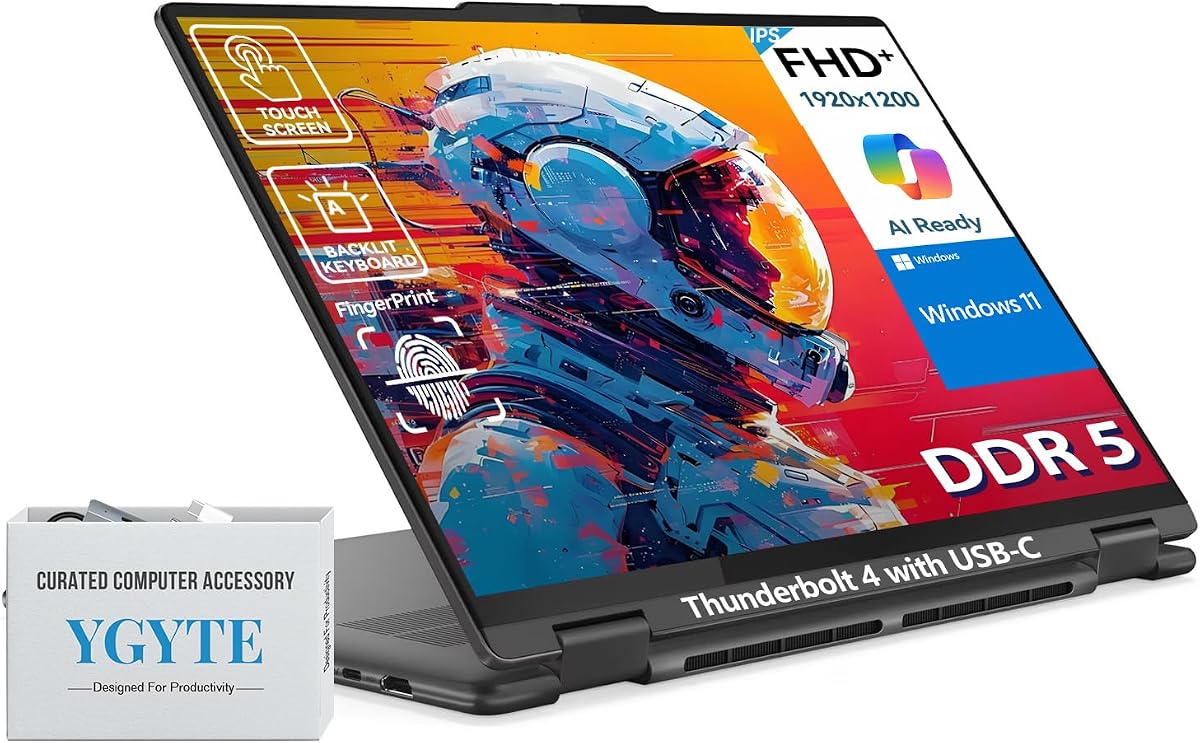


The Lenovo Yoga 7i 2-in-1 earns the strongest overall recommendation because its 360-degree flip-and-fold hinge makes the display genuinely useful in laptop, tablet, tent, and stand modes. It has a 4.6 rating, and the supplied specifications pair that flexibility with a Core Ultra 7 155U processor, a 16-inch 2K touchscreen, and a polished Windows 11 experience.
We may earn a commission when you buy through this link, at no additional cost to you.
The hinge is the defining feature, but the surrounding package is well balanced. The 1920 x 1200 IPS panel offers wide viewing angles, vivid color, and an LED backlight, while the processor provides 12 cores and 14 threads with Intel Turbo Boost for demanding workloads. Lenovo Transition also helps adapt applications when the display changes position, reducing the need to manually rearrange windows.
Connectivity is another strength for buyers who do not want to rely entirely on wireless connections. The system includes Wi-Fi 6E, a Gigabit LAN port, two USB Type-A ports, two USB Type-C ports, HDMI, a microSD card reader, and a headphone and microphone combination jack. The principal trade-off is portability: a 16-inch convertible is less compact than a small ultraportable, and its touchscreen will need regular cleaning.
This is the best choice for students, professionals, and creative users who regularly switch between typing, presenting, watching, and reading. It is especially attractive when one device must replace several screen formats without sacrificing a high-resolution touchscreen. Those wanting a smaller, lighter model may prefer the ASUS Vivobook 14 Flip, but the Yoga 7i offers the more expansive screen.
Moving the display into tablet, tent, or stand position makes the Yoga useful for demonstrations, video viewing, and touch interaction. The 360-degree mechanism supports real changes in orientation rather than merely tilting the screen backward.
The 2K IPS touchscreen provides a balanced combination of clarity and viewing angles, while the full port selection makes it practical for accessories that require USB-A, USB-C, HDMI, Ethernet, or removable storage.
We may earn a commission when you buy through this link, at no additional cost to you.
This second Lenovo Yoga 7i configuration is a strong business-oriented alternative because it combines a 360-degree foldable touchscreen hinge with Windows 11 Pro, 16GB of LPDDR5x memory, and a 512GB SSD. No customer rating is supplied for this listing, so the value of its documented specifications is the best basis for comparison.
We may earn a commission when you buy through this link, at no additional cost to you.
The 16-inch FHD+ IPS touchscreen uses reduced blue-light features and slim bezels, giving the convertible a modern appearance suited to presentations and travel. Its flexible 360-degree hinge permits standard laptop, tablet, tent, and stand configurations, while the durable metal chassis is a useful sign of a design intended to withstand repeated repositioning.
Business features add meaningful value. The fingerprint sensor supports convenient sign-in, the backlit numeric keypad helps with data entry, and Thunderbolt USB-C handles charging and DisplayPort output. Wi-Fi 6E, Bluetooth 5.3, an IR camera, Dolby Audio-tuned speakers, rapid charging, and a long-lasting battery round out a feature-rich package.
Consider this model when you want flexible positioning, Windows 11 Pro, and practical security hardware. Its 16-inch size may be cumbersome for frequent commuting, and the absence of a published rating means buyers should examine current customer feedback and warranty information. It remains a compelling productivity convertible for desktop-style work with occasional tablet use.
Windows 11 Pro, a fingerprint reader, backlit keypad, and Thunderbolt connectivity give this Yoga a more office-focused profile than many general-purpose convertibles while retaining a portable 2-in-1 form.
The flexible hinge supports presentations, close-up viewing, and touch input, while Lenovo's convertible layout allows the screen to become a freestanding display for content consumption or collaborative work.
We may earn a commission when you buy through this link, at no additional cost to you.
The HP OmniBook 3 17.3 is the best value-oriented option for buyers who want a large, conventional laptop rather than a convertible. Its hinge design supports everyday clamshell use, and the supplied specifications emphasize the practical benefits of a 17.3-inch FHD IPS display, 4.5 rating, fast storage, and a capable everyday processor.
We may earn a commission when you buy through this link, at no additional cost to you.
The AMD Ryzen 3 30 processor is intended for routine multitasking, streaming, casual gaming, and photo editing. It works with Radeon 610M integrated graphics and 8GB of LPDDR5 memory. A 512GB PCIe NVMe M.2 SSD supplies the fast storage that makes modern application launches and file access feel responsive.
Battery life is another reason to consider this model. HP states up to 14 hours and 15 minutes of battery life, with Fast Charge able to restore the battery from zero to 50 percent in approximately 45 minutes. Wi-Fi 6, Bluetooth 5.4, an FHD camera with HDR auto-switch, and AI noise reduction improve the daily commuting and video-call experience.
This laptop is best for students, home-office users, and anyone who prefers a large screen without the extra bulk of a folding display. It does not offer the tent or tablet versatility of a 360-degree convertible, and 8GB of memory may be limiting for heavy multitasking. Even so, its display, storage, and charging features make it a balanced everyday choice.
The 17.3-inch FHD IPS panel offers 178-degree viewing angles, making it suitable for shared workspaces and long sessions. Its size provides room for documents, browser tabs, and media without requiring a separate monitor.
The 512GB NVMe drive provides a useful balance of capacity and speed, while HP Fast Charge reduces downtime during longer days. Together, they support the mobile-office focus of the design.
We may earn a commission when you buy through this link, at no additional cost to you.
The ASUS Vivobook 14 Flip stands out as the premium recommendation because it pairs a 360-degree Flip hinge with a compact 14-inch OLED touchscreen and high-end specifications. No rating is supplied for this listing, but its documented Core Ultra 9 386H processor, 32GB of memory, 1TB SSD, Wi-Fi 7, and MIL-STD 810H certification create a compelling feature set.
We may earn a commission when you buy through this link, at no additional cost to you.
The Flip hinge supports laptop, tablet, stand, and tent modes, with Flip Smart adapting the experience to the selected orientation. Its 16:10 WUXGA OLED touchscreen has an 85 percent screen-to-body ratio, giving the compact chassis more usable display area. The Core Ultra 9 processor is also advertised with up to 50 NPU TOPS for AI-oriented workloads.
Battery and connectivity are major strengths. The 70Wh battery is rated for up to 38 hours under stated conditions, and fast charging can add up to 60 percent in 49 minutes. Wi-Fi 7, Thunderbolt 4, HDMI 2.1 TMDS, USB-A, USB-C, a 3.5mm audio jack, and a microSD reader cover modern accessory needs.
This is the ideal choice for buyers who want a premium portable convertible and prioritize OLED visual quality over a larger conventional screen. The absence of a published rating calls for checking present-day customer feedback, and the advanced feature set may be more than a casual user needs. For mobile professionals and content consumers, however, the hinge, display, portability, and specifications form an excellent combination.
The 14-inch 16:10 OLED touchscreen provides vivid color and an 85 percent screen-to-body ratio. Its compact proportions make it easier to carry than many larger convertible laptops while retaining touch and presentation flexibility.
MIL-STD 810H durability standards support confidence in everyday handling, while the Flip hinge and adaptive audio system let the device adjust to different working and viewing positions.
We may earn a commission when you buy through this link, at no additional cost to you.
The HP Envy x360 15 is a well-rounded convertible that combines a 360-degree hinge with a 15-inch edge-to-edge FHD touchscreen. Its 4.4 rating gives it a positive customer history, and the 16GB of RAM, 1TB SSD, Intel Core i7-1260P, and Iris Xe graphics make it a capable all-round system.
We may earn a commission when you buy through this link, at no additional cost to you.
The 12th Generation Intel Core processor distributes performance across demanding tasks and aims to improve multitasking efficiency. Iris Xe integrated graphics support creation, entertainment, and casual gaming without a separate discrete graphics card. The touchscreen adds direct navigation and makes tablet positioning more useful for browsing, media, and demonstrations.
HP Fast Charge is rated to move the battery from zero to 50 percent in approximately 30 minutes, which helps during busy workdays. Windows 11 provides the modern software foundation, while the silver aluminum construction gives the notebook a refined appearance. As a convertible, it can serve as a laptop, display, or tablet depending on the task.
This model makes sense for buyers who want established convertible functionality without moving to the latest processor generation. Its main disadvantages are the age of the Core i7-1260P and the extra weight often associated with a 15-inch convertible. It remains a strong match for students, families, and office users who value touch input, flexible positioning, and generous storage.
The hinge lets the 15-inch display move between standard typing, touch interaction, presentation, and viewing positions. This makes the Envy x360 a single-device solution for school, office, and home entertainment.
With 16GB of RAM and a 1TB SSD, the system has ample room for applications, documents, media, and active browser sessions while keeping the standard everyday setup responsive.
We may earn a commission when you buy through this link, at no additional cost to you.
The Dell DC15250 stands out for a conventional laptop design with a specific ergonomic advantage: lifted hinges that raise the screen and help create a more comfortable typing angle. It carries a 4.3 rating and is aimed at everyday computing, learning, and productivity with an Intel Core i5-1334U processor.
We may earn a commission when you buy through this link, at no additional cost to you.
Its 15.6-inch FHD display supports work and entertainment, while Dell ComfortView software is designed to reduce harmful blue-light emissions during extended viewing. Roomy keypads, a separate numeric keypad, and a calculator hotkey provide an efficient experience for typing and number-heavy tasks.
The hinge is not a 360-degree mechanism, but its elevated conventional design can improve the relationship between keyboard and screen. Energy-efficient batteries and Express Charge are intended to preserve productivity away from an outlet. The supplied information also highlights one year of onsite Dell service for eligible limited hardware-warranty issues that cannot be resolved remotely.
This Dell is a sensible choice for users who spend long periods typing, entering figures, or studying and value a conventional clamshell design. It does not offer the flexible tent or tablet modes found on the Yoga and Vivobook models, and the available product information does not list memory or storage capacity. Those needing more freedom of screen positioning should favor a convertible.
Raising the display slightly can reduce wrist extension during long typing sessions. This makes the conventional design appealing for office work and study even though it does not fold into additional positions.
The full-size keyboard, separate numeric keypad, calculator hotkey, FHD panel, and ComfortView software create a practical package for writing, spreadsheets, browsing, and long periods of screen use.
We may earn a commission when you buy through this link, at no additional cost to you.
The HP 17.3 cn3399nr is a large-screen workhorse for users who want ample display space and more memory than many entry-level 17-inch laptops. Its 4.3 rating and balanced specifications—16GB of RAM, a 512GB NVMe SSD, an FHD IPS panel, and Intel Iris Xe graphics—support daily productivity and entertainment.
We may earn a commission when you buy through this link, at no additional cost to you.
The 13th Generation Intel Core i5-1334U processor is designed for efficient multitasking, while the 16GB of DDR4 memory gives applications and browser tabs more room. The 512GB PCIe NVMe M.2 SSD provides quick boot and file access, and Iris Xe graphics handle photo viewing, creation tools, and entertainment.
The 17.3-inch IPS display offers vibrant color and 178-degree viewing angles. A True Vision HD camera is included for video communication, and a physical camera shutter provides straightforward privacy when the camera is not needed. Windows 11 Home completes the package with a familiar interface and broad application compatibility.
Choose this laptop for students, remote workers, and households that need a large display for documents, streaming, or a second screen. Its size makes it less attractive for frequent travel, and the standard hinge does not provide tent or tablet modes. Within the conventional large-laptop category, though, the combination of memory, storage, screen quality, and privacy features is compelling.
The large FHD IPS panel creates a useful canvas for productivity applications, media, and video calls. Wide viewing angles make it more flexible for shared desks and rooms than a narrower standard display.
A 13th Generation Core i5, 16GB of memory, and fast NVMe storage form a capable everyday combination. The system is better suited to sustained productivity than a basic online-learning machine.
We may earn a commission when you buy through this link, at no additional cost to you.
The HP 14-inch 2027 Edition is a portable basic laptop for browsing, coursework, document work, and communication. It has a 4.5 rating and a particularly compact profile of 0.71 inches, with a listed weight of 3.24 pounds. The conventional clamshell hinge keeps the setup straightforward and easy to carry.
We may earn a commission when you buy through this link, at no additional cost to you.
Its Intel N150 processor includes four cores and four threads with speeds up to 4.4 GHz. The system includes 4GB of DDR5 memory and a 128GB SSD, along with 1TB of cloud storage. These specifications position it for general productivity rather than demanding creative software or advanced gaming.
The 14-inch non-touch display has 250 nits of brightness and an anti-glare coating, which can improve visibility under diffuse lighting. Port selection includes USB 3.0 Type-C, USB 3.0 Type-A, HDMI, and a headphone and microphone combination jack, supported by Wi-Fi and Bluetooth.
This laptop suits students, travelers, and users who mainly write documents, browse the web, attend online classes, and join video calls. The limited 4GB of memory and 128GB of local storage are the most important constraints, while the lack of a touchscreen prevents tablet-style interaction. Its portability and approachable specifications nevertheless make it a useful lightweight option.
The slim 0.71-inch chassis and 3.24-pound weight reduce the burden of carrying a computer between classes, homes, offices, or trips. A compact 14-inch display helps preserve the overall footprint.
The Intel N150, 4GB of memory, and 128GB SSD are appropriate for web use, online learning, office documents, and communication. Advanced applications and large local media libraries may require more capable hardware.
We may earn a commission when you buy through this link, at no additional cost to you.
The HP 17-inch Business Laptop is built around productivity, with a 17.3-inch FHD anti-glare display, full-size keyboard, and dedicated 10-key numeric keypad. Its 4.5 rating and 16GB of RAM make it a strong option for office tasks, data entry, and users who prefer a physical number pad.
We may earn a commission when you buy through this link, at no additional cost to you.
The latest AMD Ryzen 5 CPU provides the central processing power, while 16GB of RAM supports multiple applications and browser sessions. A 512GB SSD supplies local storage for documents, software, and media. The large display's anti-glare coating helps reduce reflections during long work sessions.
A 720p Wide Vision camera and digital microphones support video communication, while long battery life and HP Fast Charge are designed for mobile work. Windows 11 provides the operating system, and Office 365 for the Web supports documents, presentations, and spreadsheets through browser-based applications.
The HP is a good fit for administrators, bookkeepers, finance workers, students, and office users who regularly use a numeric keypad. It does not convert into tablet or tent modes, and its large screen makes it less convenient than a compact model. Nevertheless, the numeric keypad, large display, 16GB memory, and 512GB storage create a practical business-oriented configuration.
The brushed full-size keyboard and separate 10-key number pad support spreadsheet work, accounting, inventory tasks, and rapid numerical entry without relying on an external accessory.
The FHD anti-glare display offers room for multiple windows, documents, and communications. Sixteen gigabytes of RAM gives the system more breathing space for simultaneous office applications.
We may earn a commission when you buy through this link, at no additional cost to you.
The 15.6-inch General Purpose Laptop earns a place in this guide because of its unusually generous 12GB of memory for an entry-level configuration, upgradeable M.2 storage, and 5.0 rating. The Pentium Gold 6500Y processor is intended for everyday office tasks, browsing, online classes, and video communication.
We may earn a commission when you buy through this link, at no additional cost to you.
Its 1920 x 1080 FHD IPS display provides sharp visuals and wide viewing angles for documents, streaming, spreadsheets, and remote meetings. The 128GB SSD supports responsive startup and file access, while the built-in M.2 slot allows storage expansion up to 1TB as the user's files and applications grow.
Connectivity is unusually broad for the category. The system lists USB-C, HDMI, USB 3.2, USB 2.0, Wi-Fi 5, Bluetooth 5.0, and TF card support. That range makes it easier to connect an external monitor, projector, keyboard, storage device, or wired accessory without requiring every adapter to be purchased separately.
This laptop is best for students, home-office users, and general consumers seeking a simple Windows machine with useful expandability. Its processor is not intended for intensive editing, advanced gaming, or heavy professional workloads, and the initial 128GB capacity is limited. For simple daily duties, however, the 12GB memory, FHD IPS panel, and flexible port selection form a useful package.
The 12GB of RAM provides more headroom for browser tabs, light multitasking, and common office applications than many similarly basic laptops, making the configuration useful for students and home offices.
The initial 128GB SSD is modest, but the M.2 slot supports expansion up to 1TB. Users can add storage as documents, photographs, coursework, and media accumulate.
We may earn a commission when you buy through this link, at no additional cost to you.
The right hinge should feel stable, move smoothly, support the intended viewing position, and remain dependable over repeated daily use. Evaluate hinge type, chassis construction, display design, portability, and performance together rather than treating the hinge as an isolated feature.
Choose a clamshell for keyboard-heavy productivity, a lifted hinge for ergonomic typing, or a 360-degree hinge for flexible screen positioning.
Prioritize smooth movement, firm positioning, and a chassis that feels rigid when the lid is opened or the touchscreen is tapped.
A flexible hinge is valuable only when its extra modes offset the additional size, weight, complexity, and cost.
Assess panel quality, viewing angles, touch response, rigidity, and glare together because they define the practical experience.
Prioritize the processor, memory, and storage needed for your work, then treat hinge versatility as a benefit on top of that foundation.
Ensure the laptop includes the port types, wireless standard, and battery life needed for your regular accessories and working locations.
Choose the smallest screen that comfortably supports your work, since portability and hinge stability often matter more than extra display area.
Gentle handling, clean hinge tracks, protective storage, and current software all help preserve smooth operation.
For a conventional laptop, open the lid from the center of the screen edge and avoid pulling from a corner. The display should pass through its normal opening path smoothly. If the lid feels unusually stiff, loose, or uneven, stop repeatedly forcing it and review the device instructions or contact the manufacturer, as a problem may involve the hinge, lid tension, or another mechanical component.
For a 360-degree convertible, rotate the display only between the positions supported by the manufacturer. Move the panel with two hands when possible, and do not press down on a touchscreen while it is reversed. Stand and tent modes are useful for presentations and viewing, but the keyboard may become exposed or partly inaccessible, so avoid typing against a surface that could block the keyboard vents.
For every design, keep the hinge and ventilation openings clear, transport the computer in a padded sleeve, and use only compatible power supplies. Cleaning the screen with a soft microfiber cloth helps maintain touch responsiveness and clarity. Avoid resting heavy objects on the keyboard or display, and periodically check for looseness, unusual noises, cracking, or an uneven gap around the lid. Early attention to these signs can prevent avoidable damage and help determine whether warranty service is appropriate.
A good laptop hinge opens smoothly, resists unwanted movement, holds the display at a stable angle, and avoids creaking or catching during use. It should also align the screen evenly with the base and remain secure when a convertible is placed in tablet, tent, or stand mode. For conventional laptops, a slightly raised screen can improve typing comfort.
They are designed to support rotation, but they are not automatically more durable. A well-engineered 360-degree hinge uses additional reinforcement and careful tolerances to handle repeated movement. Convertibles can be more complex and may be heavier, so buyers should consider the manufacturer's construction, warranty, and owner feedback about long-term reliability.
No. A 360-degree hinge is still useful for positioning a display in stand or tent mode, watching media, presenting, or raising the screen. A touchscreen adds direct interaction and complete tablet use, but it also adds cost, weight, fingerprint exposure, and another component that may need careful care.
A lifted hinge can raise the display and improve the typing angle, potentially reducing wrist strain during long sessions. It remains simpler and often lighter than a convertible. The right choice depends on whether you value a conventional layout, a more upright viewing position, or the wider range of positions offered by a folding screen.
The HP 14-inch 2027 Edition is the most explicitly portable option in this list, with a 0.71-inch profile and a listed weight of 3.24 pounds. The ASUS Vivobook 14 Flip is also compact while offering a 360-degree hinge and OLED touchscreen. Consider battery life, charger size, keyboard quality, and the durability of the chassis alongside weight.
Power the laptop off, disconnect accessories, and use a soft dry or lightly dampened microfiber cloth to remove visible dust from around the hinge. Do not pour liquid directly into the mechanism, pry the panel apart, or use harsh chemicals. If the hinge sticks or has grit embedded in its mechanism, have it inspected rather than forcing repeated rotation.
Look for comments about wobble, loose panels, hinge cracking, uneven screen alignment, display flickering, and touch responsiveness. Also check whether the device remains comfortable to carry and whether the battery supports use in tablet or stand mode. A strong average rating should be considered alongside specific reports about the hinge.
Yes, when the convertible design supports stand mode and the camera captures an acceptable view of you. Stand mode is useful for reducing desk clutter or positioning the screen closer to eye level. Test the camera angle beforehand, and use the webcam's framing controls or an external camera if the elevated view is not flattering or practical.
The Lenovo Yoga 7i 2-in-1 is the strongest all-around recommendation because its 360-degree hinge, high-resolution 16-inch touchscreen, capable processor, and broad port selection create a versatile package. The ASUS Vivobook 14 Flip is the premium alternative for buyers who prioritize a compact OLED display and extensive specifications, while the HP OmniBook 3 17.3 offers the best budget-oriented balance of screen size, memory, and fast storage.
Your priorities should determine the remaining choice. HP Envy x360 users want a proven mainstream convertible, the Dell DC15250 is attractive for its lifted ergonomic hinge, and the large HP models serve users who need more display space or a numeric keypad. For the lightest basic setup, consider the compact HP 14-inch model, while users who want expandability may prefer the 15.6-inch entry model.
Before purchasing, confirm the current configuration, warranty terms, customer feedback, and accessory requirements. Product listings and prices can change, and the supplied information may not reflect every regional variation. Taking a little time to verify the exact display, memory, storage, port, and hinge details can prevent surprises and help you select the laptop that best fits your work.