
HDMI eARC to Optical Audio Converter
4.4Editor score
Converts ARC or eARC audio
Supports 192 kHz sampling
Works with common television brands
Includes power and optical cables
Explore the best HDMI Arc Adapter for Soundbar options, comparing 10 models for ARC/eARC support, outputs, formats, setup ease, and compatibility today.
An HDMI ARC adapter for a soundbar bridges the gap between a television’s HDMI audio return channel and a sound system that expects optical, coaxial, or analog stereo input. The right adapter should deliver stable audio, support the formats used by your devices, and avoid unnecessary complications. ARC versus eARC support, available outputs, and remote-control behavior are especially important.
This guide compares ten HDMI ARC adapters using their supplied specifications, compatibility claims, output options, supported sampling rates, and setup requirements. It covers focused optical converters, dual-output extractors, and adapters that add 3.5mm or left-right analog connections. The comparisons also highlight important limitations, including the loss of CEC volume control over optical audio and the need for compatible television settings.
Each pick reveals a different reason to consider it: clean single-output design, broad format support, included cabling, simultaneous outputs, or straightforward installation. Ratings provide an additional reference, but user ratings should not be treated as a substitute for checking your television and soundbar requirements. Product availability and prices can change, so confirm current details before purchasing.
4.4Editor score

4.9Editor score

4.3Editor score
The comparison below shows the intended television input, available audio outputs, maximum stated sampling rate, and key setup distinction for each adapter, making it easier to identify the model that matches your equipment.

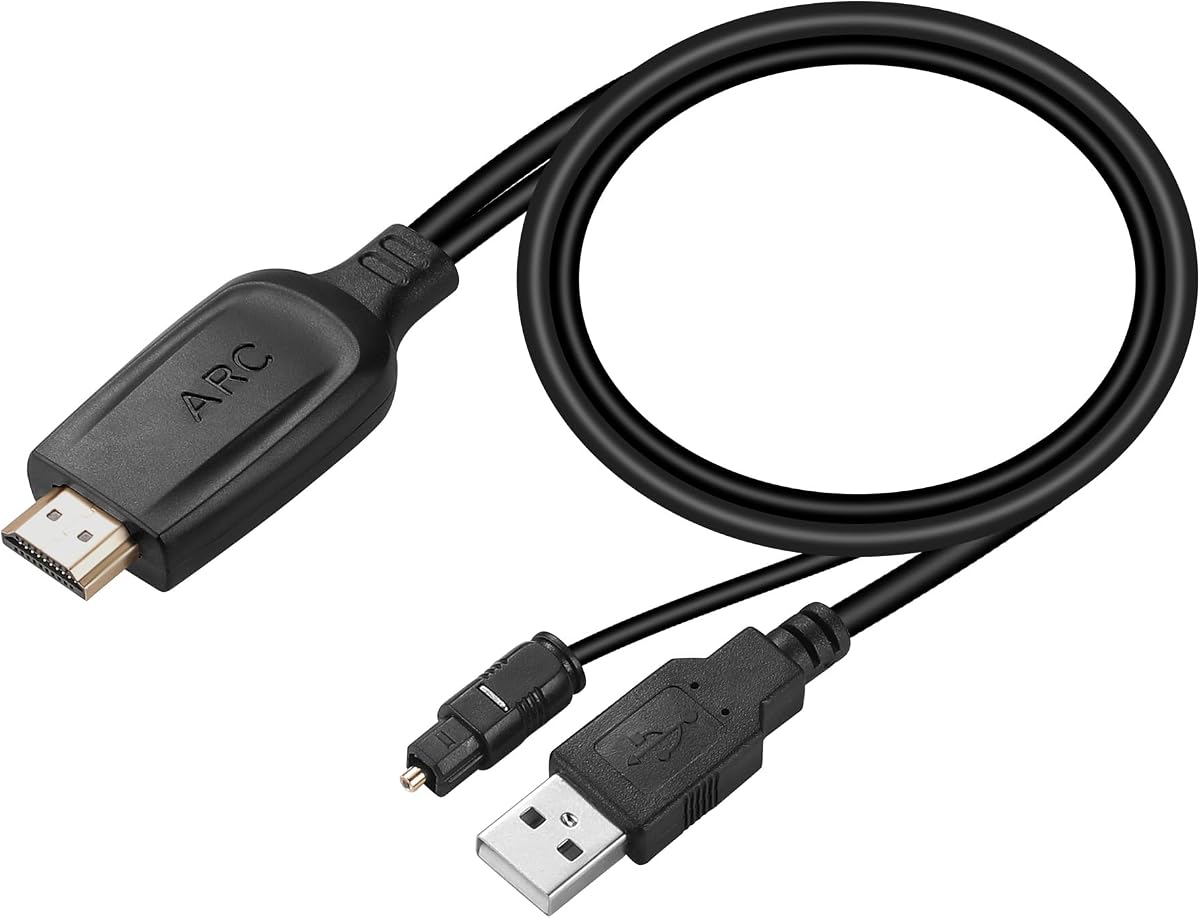


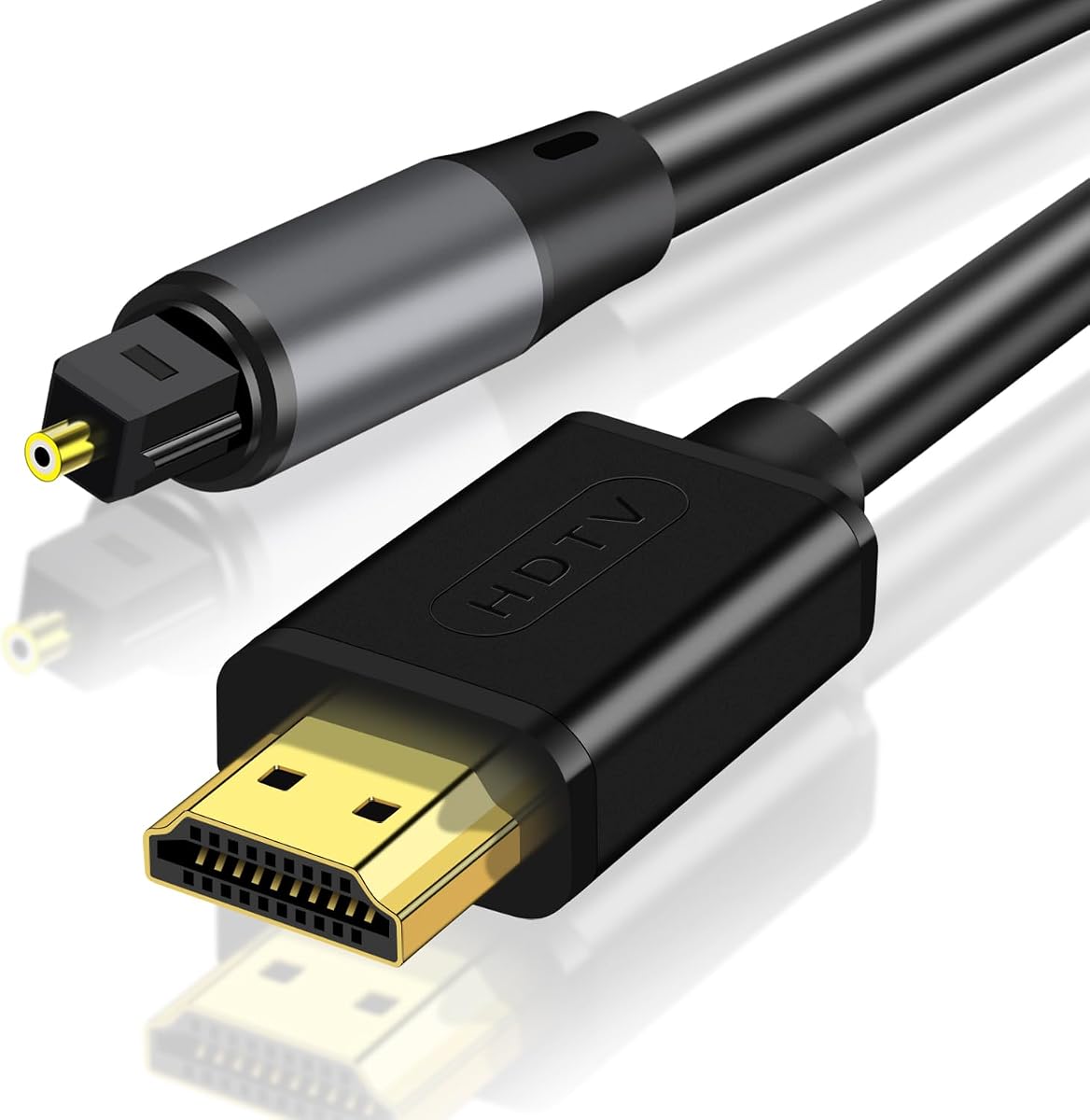
The eSynic Professional is a focused converter for someone who wants to connect a modern television to an optical soundbar, amplifier, or wireless headphone base without replacing the existing audio system. Its stated 4.3 rating reflects a generally favorable user history, while its strongest product-specific qualities are support for both ARC and eARC, a 192 kHz sampling rate, and a simple optical-output design. It does not attempt to add analog jacks that would otherwise remain unused.
We may earn a commission when you buy through this link, at no additional cost to you.
The adapter takes audio from a television port explicitly marked ARC or eARC and sends it through a clean Toslink optical connection. Its package includes the extractor, an optical cable, an HDMI cable, and a USB power cable, reducing the chance of discovering that an essential connection is missing after delivery. The compact, single-purpose approach also makes it easier to explain the signal path: television to adapter, then adapter to the optical input on the soundbar.
The important trade-off is that optical audio cannot carry the HDMI CEC control used for television-remote volume adjustment. Volume must therefore be changed on the soundbar, amplifier, or headphones. The television may also need CEC enabled for ARC operation, its audio output redirected to the ARC device, and the correct output format selected. A standard HDMI input will not work even if it appears physically identical to an ARC port.
This is a strong recommendation for a newer television with eARC and an older optical-only soundbar, particularly when a single-purpose connection is preferable to a larger multi-output box. Check the port label, television manual, and soundbar input before ordering. Once those requirements are met, the included accessories and clearly defined ARC-to-optical path make setup comparatively uncomplicated.
Because the eSynic provides only an optical output, it avoids the cable clutter and setup ambiguity that can come with unused coaxial or analog sockets. It is especially appropriate for legacy soundbars whose optical input is the only practical way to receive television audio.
Accepting both ARC and eARC gives the adapter broader relevance across television generations. The limiting factor is the television itself: a basic ARC connection and a higher-bandwidth eARC connection remain different, so users should confirm exactly what their television supports.
We may earn a commission when you buy through this link, at no additional cost to you.
This HDMI ARC Adapter is designed for flexible audio routing rather than a single-purpose optical link. It accepts an ARC-enabled television signal and provides left-right analog, 3.5 mm stereo, and optical output options. Its 4.1 rating indicates a solid but not exceptional user rating, and the 4K60Hz designation relates to the product category and presentation rather than showing that this audio converter passes 4K video through.
We may earn a commission when you buy through this link, at no additional cost to you.
One of its most useful features is simultaneous L/R and 3.5 mm output, which offers flexibility for powered speakers, amplifiers, headphones, and soundbars. The specified sampling-rate support ranges from 32 kHz through 192 kHz. The manufacturer also describes digital noise reduction, an aluminum housing, and synchronized multi-channel output, making the adapter look more versatile than a basic converter with one fixed output.
The central limitation is format handling. This unit is described as an audio converter rather than a full HDMI audio decoder and does not support raw DTS or DSD input. The television should be set to PCM 2.0 for reliable operation. It also lacks a built-in CEC protocol, so changing volume with the television remote will not work even when using its digital output.
Choose this model when you need both digital and analog destinations, or when the soundbar and another audio device need to receive analog stereo at the same time. It is less appropriate for a purely digital installation where decoding compressed surround formats is essential. The broad output selection makes it a useful middle ground, provided the television is configured for compatible PCM audio.
The combination of optical, left-right, and 3.5 mm outputs means one television signal can serve several types of equipment. This is valuable in temporary setups, mixed legacy systems, or installations where one person listens with headphones while another uses external speakers.
Setting the television to PCM 2.0 is the most dependable way to obtain stable stereo audio from this adapter. Users expecting raw DTS or DSD decoding should choose a converter explicitly designed to decode those formats.
We may earn a commission when you buy through this link, at no additional cost to you.
The HDMI eARC to Optical Audio Converter is a practical middle-ground recommendation for users who want a simple digital connection and broad television compatibility. It has a stated 4.4 rating, accepts ARC and eARC signals, and provides a 24-bit/192 kHz optical output. It is compatible with soundbars, amplifiers, and active speakers that have a Toslink input.
We may earn a commission when you buy through this link, at no additional cost to you.
The setup information is notably organized. The television should have CEC enabled, eARC enabled when applicable, audio output directed to the ARC device, and the audio format set to PCM or Dolby/DTS 5.1. The package includes an HDMI input connector, a digital optical cable, and a 5V USB power cable. Power can come from the television's USB port or an external USB adapter.
As with the other optical-focused converters in this guide, the adapter does not carry CEC volume control through the optical connection. Sound levels must be adjusted directly on the soundbar or amplifier. Another consideration is format negotiation: Dolby or DTS 5.1 is usable only when the receiving sound system can decode those formats, so PCM remains the safest common choice.
This converter is well suited to a modern Samsung, LG, Sony, or other television with ARC/eARC and an optical soundbar that lacks a suitable HDMI input. It offers fewer outputs than some competitors, but that focused design makes the connection path easier to understand. For a basic TV-to-optical installation, it combines a strong rating, useful sampling support, and clear setup guidance.
The adapter serves as a straightforward bridge between a television's return-audio port and a digital soundbar input. Its supplied cables cover the principal connections, while the absence of software or drivers keeps installation approachable.
PCM is the most broadly compatible format. Dolby and DTS 5.1 can be selected when the television offers them and the soundbar or amplifier can decode them, but choosing an unsupported output format may result in silence or an unstable signal.
We may earn a commission when you buy through this link, at no additional cost to you.
The Unstincer converter is a compact ARC-to-optical solution with a 1.05-meter, or 41-inch, optical cable. Its 4.2 rating suggests generally positive reception, and the physical design is appealing when the television and soundbar are close together. It is intended specifically for televisions with an ARC interface, not ordinary HDMI outputs or other source devices.
We may earn a commission when you buy through this link, at no additional cost to you.
The converter can pass PCM, LPCM, Dolby, and DTS when the television and connected sound system support the selected format. A 24-bit/192 kHz sampling rate is advertised, while an LED provides a visible indication when the HDMI interface is connected. The product avoids separate converters and offers a direct path between the television's ARC port and a sound system with optical input.
Its limitations should be considered before buying. It does not claim eARC support, so a television that sends advanced audio only through eARC may not be a suitable match. The integrated 1.05-meter cable can also be restrictive if the soundbar sits farther from the television. As with other optical outputs, it cannot transport CEC volume-control commands.
This is a good candidate for a compact setup with an ARC television and a nearby optical soundbar. It is less suitable for larger furniture arrangements, older or newer televisions requiring eARC, or installations where a longer optical run is needed. Its appeal lies in reducing the number of separate pieces while providing a clear digital audio path.
The integrated 1.05-meter optical cable makes placement straightforward when the converter and soundbar are close to the television. It also reduces visible cable junctions compared with a freestanding box and a long detached cable.
The television's port marking is decisive because an eARC port can also support ordinary ARC in many cases, while an ARC-only adapter cannot behave as an eARC extractor. Users should verify the intended mode and supported audio format before connecting the device.
We may earn a commission when you buy through this link, at no additional cost to you.
The VPFET extractor is aimed at users who want more than a single optical connection. It accepts audio from a television's HDMI ARC or eARC port and provides simultaneous Toslink optical and coaxial digital outputs. Its 4.1 rating is solid, and the dual-output design is the feature most likely to distinguish it from the simpler converters in this roundup.
We may earn a commission when you buy through this link, at no additional cost to you.
The device supports sampling rates up to 24-bit/192 kHz and is described as a way to connect televisions to speakers, amplifiers, DACs, and headphone amplifiers that use digital inputs. A dedicated status indicator shows the current ARC/eARC operating mode. The package includes the converter, a Type-C power cable, a 19+1 HDMI cable, an optical cable, and a user manual.
There are some meaningful constraints. The extractor works specifically with a television's ARC or eARC return channel; other HDMI devices are not supported as sources. It also cannot pass CEC volume control to the output device, and some televisions require eARC or ARC-related settings to be enabled manually. The described 19+1 cable specification should be considered when arranging the installation.
Choose the VPFET when a soundbar has optical input but a separate amplifier or DAC would benefit from a coaxial feed. It is overkill for one simple optical connection, yet valuable when simultaneous digital outputs are useful. Its broad source restriction, however, means it should not be mistaken for a general-purpose HDMI extractor for game consoles, streaming boxes, or Blu-ray players.
The optical and coaxial outputs can serve separate pieces of digital equipment at the same time. This makes the extractor useful for comparing connections, sharing a television signal, or maintaining a dedicated amplifier and headphone system.
The product is designed to receive audio returned by a television through ARC or eARC. Connecting it to a game console, Blu-ray player, or another source does not turn that source's HDMI audio into an output, so the adapter should be matched to the intended signal path.
We may earn a commission when you buy through this link, at no additional cost to you.
This 6.6-foot HDMI eARC to Optical Audio Adapter is designed to bridge modern televisions and optical audio systems with more physical cable length than the shorter cable-style products in the guide. Its 4.2 rating reflects generally positive feedback, while its main practical benefit is the flexibility to place the adapter and soundbar without requiring an immediate connection beside the television.
We may earn a commission when you buy through this link, at no additional cost to you.
The adapter supports ARC and eARC television inputs, 24-bit/192 kHz audio, and connection to soundbars, amplifiers, and active speakers with optical interfaces. Installation requires selecting the ARC device as the television's audio output, choosing an appropriate format, and connecting USB power. No software, applications, or drivers are required.
The supplied data includes an important restriction: it does not support Dolby Atmos or PCM 5.1/7.1 multichannel formats. Dolby and DTS 5.1 can be used only when the connected system supports them, and the optical connection cannot carry CEC commands for television-remote volume adjustment. These are not universal ARC limitations, but they matter when comparing this model with an adapter that explicitly decodes more formats.
The adapter is best for a setup where a 6.6-foot run is useful and the receiving system can handle the television's selected digital format. It is a sensible choice for an optical soundbar without HDMI return input, particularly if the soundbar is not directly beside the television. Users seeking advanced object-based audio should verify format support rather than relying on the eARC label alone.
The 6.6-foot form is helpful when the soundbar sits several feet from the television or when the adapter must be positioned near a power source. It provides more routing freedom than a short integrated optical cable.
The listed lack of Dolby Atmos and certain PCM multichannel support is significant for home theater buyers. Pair the adapter with a soundbar that can decode the television's selected format, and favor PCM stereo when the goal is broad compatibility.
We may earn a commission when you buy through this link, at no additional cost to you.
The HDMI ARC to Optical Audio Adapter for TV Soundbar stands out with a 4.9 rating, the highest in this comparison. Its most compelling claim is a built-in high-performance chip that decodes PCM, LPCM, AAC, DSD, Dolby 2.0, 2.1, and 5.1, plus DTS 5.1, while maintaining a stated 192 kHz/24-bit sampling rate. It is designed to make a television's ARC output usable by a soundbar, receiver, or home theater system with optical Toslink.
We may earn a commission when you buy through this link, at no additional cost to you.
The product description emphasizes a true plug-and-play experience. After enabling ARC in the television's settings, the user connects the HDMI side, attaches the included 4.9-foot optical cable, and supplies USB power. LEDs indicate power and signal status, while gold-plated HDMI and optical connectors are intended to resist corrosion and maintain signal quality. The stated television compatibility includes Samsung, LG, Sony, Vizio, Hisense, TCL, and other common ARC-equipped brands.
Two cautions prevent this from being an automatic recommendation for every television. The adapter is explicitly not compatible with HDMI eARC, so a buyer whose television offers only eARC behavior or requires eARC for a particular feature should look elsewhere. It also uses an optical output, which cannot transport CEC volume-control commands. Volume must be adjusted on the soundbar or receiver rather than the television remote.
For an ARC-equipped television and an optical soundbar that needs a broader decoding conversion than a simple pass-through, this is the strongest overall recommendation in the guide. Its 4.9 rating, broad format list, included cable, status lights, and straightforward setup combine to make it especially attractive. Confirm ARC compatibility first, then select the same television output format that the receiving system can decode.
The supported list includes AAC, DSD, and several Dolby and DTS configurations, making the adapter more useful when a soundbar accepts optical input but cannot handle every format the television can produce. This is especially relevant when the source television and soundbar have different format strengths.
Separate power and signal indicators make troubleshooting more visible than a converter that provides no status feedback. Users can distinguish a lack of power from a missing television signal and then check the port, cable, and audio settings accordingly.
We may earn a commission when you buy through this link, at no additional cost to you.
The LiNKFOR converter is a digital-only ARC and eARC to optical adapter with a 4.4 rating. It supports 24-bit/192 kHz audio and is described as compatible with PCM 2.0, Dolby 5.1, and DTS 5.1, giving it enough format flexibility for a soundbar, home theater receiver, smart television, or wireless headphone system.
We may earn a commission when you buy through this link, at no additional cost to you.
Its installation is deliberately simple. No software or drivers are needed, and the product description says its processing extracts digital television audio while minimizing interference and delay. The intended use cases include football viewing, game-day streaming, television sports, and gaming through a television connected to a PS5 or Xbox. Those devices still need to feed their picture and sound to the television through the normal source arrangement.
The optical output does not support CEC volume control, so users will need to adjust volume on the soundbar or other receiving device. The adapter must also be attached to a television port marked ARC or eARC; CEC may need to be enabled on ARC televisions. As with every digital surround format, Dolby and DTS only work when the receiving system can decode them.
This is a compelling choice for a single digital soundbar or theater system, especially when sports and games are central to the viewing experience. It is less useful for users who need analog headphone output, coaxial connectivity, or television-remote volume control. Within its focused optical design, however, it combines broad input support, high sampling claims, and straightforward operation.
The converter's one-purpose digital path is easy for a soundbar owner to understand. It does not add unnecessary conversion stages, and the advertised support for common surround formats makes it appropriate for films, live television, and games viewed through streaming services.
Gaming consoles and streaming boxes still send their audio to the television. The adapter then retrieves that audio through the television's ARC or eARC return channel, so the source device does not connect directly to the converter.
We may earn a commission when you buy through this link, at no additional cost to you.
This ARC audio converter serves two different kinds of audio equipment. Its Toslink optical output can feed a soundbar, amplifier, or other digital device, while its 3.5 mm AUX output can connect headphones or powered speakers. The 4.3 rating and stated 24-bit/192 kHz support make it a versatile choice for mixed analog and digital installations.
We may earn a commission when you buy through this link, at no additional cost to you.
The product supports PCM 2.0 and 5.1-channel surround sound, with the supplied information noting that surround channels require the optical or coaxial output rather than the analog jack. A USB power cable and HDMI 2.0 cable are included. Setup involves powering the converter with a 5V USB charger, selecting HDMI ARC as the television's sound output, and setting the digital audio format appropriately.
The most important trade-off concerns control and analog behavior. Television-remote volume buttons do not function through this arrangement, so the volume must be adjusted on the soundbar or playback device. When using the 3.5 mm output, the television should be set to PCM as instructed. Analog conversion is also limited by the quality of the source and the capabilities of the connected equipment.
This converter makes the most sense for a household that wants one television connection to serve both a soundbar and a secondary analog system. It is also useful for private listening through headphones without replacing the main soundbar. Users who only need optical output may find a more focused converter easier to manage, but this model offers the broader connection set.
The combination of optical and 3.5 mm outputs allows the television's ARC audio to reach modern and legacy equipment. A digital soundbar can use the optical connection while headphones or powered speakers use the analog connection.
The adapter's supplied information states that 5.1-channel support is available through the SPDIF or coaxial-style digital output, not the analog jack. Users should choose the output based on the capabilities of the receiving device and use PCM for analog listening.
We may earn a commission when you buy through this link, at no additional cost to you.
The 192KHZ HDMI eARC to Optical Audio Adapter is a direct digital bridge for televisions with ARC or eARC and sound systems with optical Toslink input. Its 4.2 rating indicates a generally favorable user response. The 6.6-foot cable form provides more placement flexibility, while the 24-bit/192 kHz specification positions it as a high-resolution-oriented option.
We may earn a commission when you buy through this link, at no additional cost to you.
The installation sequence is well defined: set the television's audio output to the ARC device, choose PCM or Dolby/DTS 5.1 as appropriate, and connect the USB power cable. If audio is missing after configuration, restarting the television and connected audio devices is recommended. The adapter supports popular television, soundbar, amplifier, and powered-speaker combinations without requiring software.
Format limitations deserve careful attention. The supplied information states that Dolby Atmos and PCM 5.1/7.1 multichannel formats are not supported. Dolby or DTS 5.1 can work when the television provides that format and the sound system can decode it. The optical connection also lacks CEC volume control, requiring adjustment on the soundbar itself.
This is a sensible recommendation for users seeking a long, focused ARC-to-optical solution without analog or coaxial outputs. It is best for standard digital audio and compatible home theater equipment rather than users prioritizing advanced object-based surround formats. Its simple signal path, high sampling claim, and straightforward power requirement make it easy to integrate once the television and soundbar have been checked for compatibility.
The adapter avoids extra output choices, which makes it straightforward to troubleshoot. If sound is present, the likely causes are the television's ARC setting, selected audio format, power connection, or a source routed to the television's internal speakers rather than the ARC device.
The soundbar should support the format selected on the television. PCM offers the broadest baseline compatibility, while Dolby and DTS 5.1 require matching decoding support on the receiving equipment.
We may earn a commission when you buy through this link, at no additional cost to you.
The best adapter is the one whose input, output, audio formats, power method, and control behavior match your television and soundbar. Checking those details before ordering prevents the most common problems: silent audio, incompatible surround formats, and lost remote-control functions.
An HDMI ARC adapter receives audio returned by a television through an HDMI port marked ARC or eARC. This is not the same as extracting audio from a game console, streaming box, Blu-ray player, or an ordinary HDMI port, even when the physical connectors appear identical. Check the television manual, the port label, and the television's audio-return specifications before making a purchase. Some products explicitly support both ARC and eARC, while others are limited to ARC. A model that supports eARC can be a better choice when the television exposes advanced audio through that higher-bandwidth return channel, but compatibility still depends on the television's own implementation and settings.
Optical Toslink is the most common target for this category because many soundbars, amplifiers, active speakers, and wireless headphone bases include an optical input but lack a usable HDMI ARC input. Other adapters add left-right analog, 3.5 mm, or coaxial digital outputs, which are useful for headphones, older stereo systems, and separate amplifiers. Match the adapter's output to the soundbar rather than choosing based only on cable availability. Also consider physical placement: an integrated cable is convenient for nearby equipment, while a longer 6.6-foot design gives the soundbar more freedom from the television cabinet.
An adapter can carry a return signal without decoding every format a television produces. Some converters are simple stereo paths that work reliably when the television is set to PCM 2.0. Others list decoding for PCM, LPCM, AAC, DSD, Dolby, and DTS variants, while some explicitly exclude Dolby Atmos or certain PCM multichannel configurations. A receiving soundbar must also understand the selected format. For broad reliability, PCM is usually the safest common baseline. For surround content, match the television output and soundbar decoder, and do not assume that the presence of eARC on the adapter guarantees every advanced format will pass through.
CEC is an HDMI control feature that can allow a television remote to change volume or manage certain playback functions. Optical, coaxial, and analog audio outputs cannot carry that control signal, so most ARC-to-audio adapters explicitly lack CEC volume control. This is not necessarily a fault in the adapter; it is a limitation of the output path. If losing television-remote volume adjustment would be inconvenient, look for an alternative connection method that preserves HDMI control, or accept that volume must be set on the soundbar, amplifier, or headphones.
A stated 192 kHz/24-bit sampling rate can be useful when matching a converter to a capable digital audio chain, but it does not guarantee that every source will deliver 192 kHz audio. The television, streaming service, game, or broadcast determines the actual stream, while the soundbar and amplifier determine whether high-resolution playback adds anything audible in the final system. Treat 192 kHz as a compatibility specification rather than an automatic quality upgrade. For most viewers, stable PCM or correctly decoded 5.1 audio is more valuable than an impressive headline number.
Most compact ARC extractors require USB power, which may come from the television or a separate 5V USB adapter. Check whether a power cable is included and whether the television's USB port supplies the required current. Some products also include an HDMI cable, optical cable, and user manual, while others may require an optical lead or suitable HDMI cable to be purchased separately. The eSynic, for example, is described as including the extractor, optical cable, HDMI cable, and USB power cable. A complete package can simplify setup, but the included cable lengths and connector types should still match your intended layout.
Statements such as compatible with most TVs or widely compatible usually refer to devices that support the required HDMI return function. A television may work with one converter and fail with another because of its menu structure, eARC implementation, firmware, or chosen output format. Brands such as Samsung, LG, Sony, Vizio, Hisense, and TCL are commonly represented among compatible television families, but the brand alone is not a guarantee. Look for explicit ARC/eARC requirements and compare them with the exact model of television in your home. Support claims also do not extend to every source device connected to that television.
A useful adapter should make the connection path easy to explain and maintain. Look for status LEDs, a straightforward USB power arrangement, and a slim enclosure that can sit behind a television. Setup guidance should identify how to enable CEC, select the ARC device, and choose a compatible format. When troubleshooting, the supplied products recommend checking the television's ARC port, power, cable placement, audio-output selection, and format. If audio remains absent, restarting the television and soundbar can clear a stale output configuration. A well-documented product does not prevent problems, but it makes them easier to solve.
Begin by identifying the correct television port. Look for an HDMI port labeled ARC or eARC, not a regular HDMI input used for connecting a console or streaming device. On many televisions, enable HDMI-CEC and the relevant ARC or eARC setting, then choose the ARC device as the sound output. Select PCM for the most reliable starting point, or choose Dolby or DTS 5.1 only when the connected soundbar can decode that format.
Connect the adapter's HDMI input to the television's labeled port, connect its optical or other output to the matching input on the soundbar, and supply power through USB. Turn on the television and soundbar, select the appropriate soundbar input, and set the television's volume high enough to confirm the soundbar is active. If there is no sound, check the port label, cable seating, USB power, television speakers setting, output device, and audio format. Restarting both the television and soundbar can also help after a configuration change.
For routine care, keep the adapter and its cables dry, ventilated, and free from tension. Do not sharply bend an optical fiber cable, and avoid plugging the power lead into an unverified source if the model requires a regulated 5V supply. If playback becomes unstable, reseat the cables and test PCM audio before changing format settings. Volume should be controlled on the soundbar or receiver because the optical output does not carry CEC commands.
Usually not when the adapter sends audio through an optical, coaxial, or analog output. Those connections carry audio but not the HDMI CEC control signal used for remote volume adjustment. The soundbar, amplifier, or headphone receiver must therefore be controlled directly. If maintaining television-remote volume control is essential, check whether a direct HDMI or compatible control path is available.
An ARC adapter is designed to receive television audio through the standard HDMI Audio Return Channel. An eARC adapter can also work with the enhanced audio return feature found on more recent televisions, which provides additional bandwidth and can support advanced surround formats. The adapter cannot create eARC capability in a television, so the television must support the mode you intend to use.
These products are generally designed to receive audio returned by a television, not audio from an ordinary HDMI source. A console should remain connected to the television's normal HDMI input, with its picture and sound sent to the television. The television then returns the selected audio through ARC or eARC, allowing the adapter to carry that audio to the soundbar.
Start by confirming that the television port is labeled ARC or eARC, the adapter has power, and the soundbar is set to the correct optical or analog input. The television should also have CEC enabled, its sound output directed to the ARC device, and its internal speakers disabled if required. Testing PCM 2.0 can reveal whether an unsupported Dolby or DTS format is causing the problem.
The adapter itself does not automatically reduce quality simply because it uses optical audio. Signal quality depends on the television's ARC or eARC capability, the selected audio format, the cables, the converter's processing, and the receiving soundbar. A converter that cannot decode the television's chosen format may produce silence, while a compatible high-resolution path can preserve the digital stream.
No. Some adapters are limited to PCM 2.0, some support specific Dolby and DTS configurations, and others list additional decoding formats. The soundbar must also be able to decode the format received through the optical or other output. Start with PCM for basic compatibility, then confirm both the television and soundbar support the surround format you want.
It depends on the design and furniture arrangement. Some products include a short built-in optical lead, while others provide a 4.9-foot or 6.6-foot cable. Measure the distance from the television area to the soundbar's optical input and allow enough slack for routing. If the included cable is too short, confirm the adapter's connector design before purchasing another cable.
The optical output between the adapter and soundbar does not carry HDMI CEC commands. This is why most optical ARC adapters state that volume control is unavailable. Change the volume with the soundbar, amplifier, or headphone device. If remote control is important, look for a direct HDMI solution or a separate compatible control path rather than assuming the extractor will relay every remote function.
The HDMI ARC to Optical Audio Adapter for TV Soundbar is the strongest overall choice for its 4.9 rating, broad decoding list, included 4.9-foot optical cable, and clear status indicators. The HDMI eARC to Optical Audio Converter stands out as a balanced ARC/eARC option with a 4.4 rating and straightforward package, while the eSynic Professional offers a focused optical design with both cables and power lead included. Each serves a distinct need, so the most important distinction is equipment compatibility rather than a universal winner.
Prioritize the television's labeled port, the soundbar's available input, and the audio format both devices support. Choose a converter with ARC and eARC when your television requires it, a single-output optical model for simplicity, or a multi-output adapter for analog headphones, coaxial gear, or simultaneous connections. Accept that optical conversion will usually remove television-remote volume control, and begin setup in PCM if troubleshooting or if maximum compatibility matters.
Finally, check the current product listing, included accessories, cable lengths, ratings, and availability before purchasing. Product details and prices can change over time, and firmware or television settings may also affect compatibility. With the television manual and soundbar input list in hand, it becomes much easier to identify the adapter that will provide a stable, properly configured audio path.