
ARRIS SURFboard SB8200
4.4Editor score
Up to 2 Gbps plans
Two Gigabit Ethernet ports
Spectrum compatibility confirmed
Compact standalone design
Best modem for Spectrum guide comparing 10 DOCSIS 3.1 options, WiFi combos, multi-gig Ethernet ports, provider compatibility, setup, and key features today.
A modem for Spectrum must communicate with the provider’s cable network, translate that connection for your devices, and support the speed tier available at your address. The right model balances DOCSIS performance, Ethernet capacity, wireless needs, and confirmed Spectrum compatibility rather than focusing on headline speed alone.
This guide compares ten cable modems and modem-router combinations using the supplied specifications, including DOCSIS version, supported service tiers, port configurations, wireless coverage, and provider approval. It distinguishes standalone modems that require a separate router from all-in-one units that can immediately create a home WiFi network.
Each review reveals the most suitable use case, from a lower-cost gigabit option to multi-gig equipment for faster Spectrum plans. Ratings and technical details reflect the current product listings, while availability, promotions, and prices can change, so confirm the modem and your service tier with Spectrum before ordering.
4.4Editor score

4.4Editor score

4.3Editor score
The table below compares all ten recommendations by form factor, DOCSIS capability, Ethernet capacity, and Spectrum positioning, making it easier to identify a standalone modem or an integrated WiFi solution.




The Hitron CODA56 stands out as the most balanced recommendation in this guide, combining a 4.4 rating with DOCSIS 3.1 performance and a 2.5 Gbps Ethernet connection. It is designed specifically for cable internet service, and the supplied compatibility information identifies Spectrum among the supported providers. That makes it a logical option for households that want a capable standalone modem without paying for an all-in-one router they may not need.
We may earn a commission when you buy through this link, at no additional cost to you.
Its strongest feature is the 2.5 Gbps Ethernet port, which gives a compatible WiFi router or mesh system room to work with multi-gig Spectrum service. The modem supports internet plans up to 2.5 Gbps and is backward compatible with DOCSIS 3.0 networks. It can therefore serve as a practical bridge between Spectrum’s network and modern home-network equipment, particularly for users with gigabit service or a router that includes multi-gig Ethernet.
The trade-offs are straightforward. This is a modem only, with no built-in WiFi, voice service, or routing functions. You must connect a separate router to create a wireless network and support multiple devices. You will also need to confirm that Spectrum supports customer-owned equipment in your area and activate the modem after installation. Those requirements may frustrate first-time users, but they also allow the customer to choose the router that best fits the home.
The CODA56 is best for Spectrum subscribers with gigabit or faster plans who already own a suitable router or are ready to add one. It is less convenient for someone expecting the device to provide immediate whole-home WiFi, but as a dedicated multi-gig cable modem, it offers a strong mix of performance, compatibility, and flexibility.
The 2.5 Gbps Ethernet connection allows a capable router to receive substantially more bandwidth than a basic gigabit port can deliver. A suitable multi-gig router is still necessary to unlock that potential across wireless and wired devices.
Keeping the cable modem separate from WiFi gives you more control over router placement, wireless coverage, and future upgrades. It also avoids paying for unnecessary wireless features if your existing router already performs well.
We may earn a commission when you buy through this link, at no additional cost to you.
The NETGEAR CAX30 is the best budget-oriented all-in-one option for Spectrum users who want a single box to handle both the cable connection and home WiFi. It combines a DOCSIS 3.1 cable modem with an AX2700 dual-band WiFi 6 router, earning a 4.1 rating. The supplied information specifically supports Spectrum internet service up to 1 Gbps, making it a sensible choice for compatible gigabit plans.
We may earn a commission when you buy through this link, at no additional cost to you.
Integrated WiFi is the CAX30’s defining advantage. Its stated coverage extends to as much as 2,000 square feet and supports more than 25 connected devices, although actual performance depends on the home’s dimensions, layout, and building materials. Four Gigabit Ethernet ports add flexibility for desktop computers, gaming consoles, televisions, and other wired devices, while OFDMA and Active Queue Management help maintain responsiveness during congested periods.
There are limitations. Its provider support is not as broad as that of the standalone multi-gig modems, and it is not compatible with fiber, DSL, satellite, DirecTV, DISH, or bundled voice plans. The CAX30 also has a lower rating than several alternatives. NETGEAR Armor requires a separate subscription after its trial, although basic WPA3 encryption, firewall protection, and denial-of-service prevention are included.
This is a good pick for a Spectrum household that wants straightforward setup without buying a separate router, especially when the current service tier does not exceed 1 Gbps. Users with faster plans, larger homes, or demanding wireless environments should consider a standalone multi-gig modem and a more capable WiFi system.
Combining the modem and router reduces the number of boxes and simplifies initial setup. It is especially convenient for households that do not want to configure separate Ethernet hardware before creating a wireless network.
The Nighthawk app supports guided installation, WiFi management, speed tests, device pausing, and guest networks. Active internet service is required before the app-based setup process can be completed.
We may earn a commission when you buy through this link, at no additional cost to you.
The ARRIS SURFboard SB8200 delivers a 4.4 rating and a straightforward path to gigabit Spectrum service. It is a DOCSIS 3.1 standalone cable modem that the supplied information says has been tested and qualified for Spectrum, as well as Cox and Xfinity. Its two Gigabit Ethernet ports provide a useful amount of wired flexibility, while its compact enclosure makes it easier to place near a cable outlet.
We may earn a commission when you buy through this link, at no additional cost to you.
Performance specifications indicate support for cable plans up to 2 Gbps, although the two one-gigabit Ethernet ports mean a single connected device will not receive the full benefit of a higher tier without appropriate networking equipment. For a 1 Gbps Spectrum plan, however, it provides a direct and capable Ethernet path. The modem also uses discrete status indicators for power, upstream and downstream activity, and online status.
The main compromise is that it does not include WiFi. A router is necessary to create a home wireless network or connect multiple devices. The listing also notes that owning the equipment can avoid provider rental charges, although customers should confirm their current Spectrum terms. The product is not compatible with fiber, DSL, or satellite service.
The SB8200 is a strong choice for a Spectrum subscriber who wants a proven, compact modem and already has a capable router. It offers especially good value for a gigabit connection. Those shopping for a multi-gig router connection should instead favor one of the newer 2.5 Gbps models.
The SB8200 connects to a router through Gigabit Ethernet, making it well matched to gigabit Spectrum tiers and ordinary WiFi 6 or WiFi 7 systems. It keeps the network design straightforward.
The modem is listed as tested and qualified for Spectrum, reducing compatibility uncertainty. Installation consists of connecting the coax cable and power, activating through the provider, and linking a router through Ethernet.
We may earn a commission when you buy through this link, at no additional cost to you.
The ARRIS Surfboard S33 is a compact DOCSIS 3.1 modem aimed at Spectrum customers who want more than a basic gigabit connection without adding wireless features they do not need. It has a 4.2 rating and supports cable plans up to 2.5 Gbps, with a 2.5 Gbps Ethernet port providing the right handoff for a compatible router.
We may earn a commission when you buy through this link, at no additional cost to you.
Its physical design is deliberately modest. The supplied specifications describe a space-saving footprint and simple LEDs for power, upstream and downstream activity, and online status. Setup follows the familiar cable-modem sequence: connect the coax line, power on, activate with Spectrum, and connect a WiFi router or mesh system through Ethernet. That makes it flexible for people who want to keep their existing router.
As with every standalone modem in this category, there is no built-in WiFi, and Spectrum must activate the device before service is available. Real performance also depends on the customer’s plan, the provider network, and the capabilities of the paired router. The listing also says to check provider compatibility before purchase, which is essential when purchasing customer-owned equipment.
The S33 is a good match for a smaller network setup that still needs multi-gig capacity at the modem-to-router connection. It is not the simplest choice for a complete beginner because another device is needed for WiFi, but it offers a clean separation of responsibilities and a modern speed ceiling.
The S33 adds a 2.5 Gbps port and DOCSIS 3.1 support without bringing WiFi radios or a bulky router enclosure into the setup. It works particularly well near a central network shelf.
Because this is a modem only, households can retain a router they already trust. It also leaves room to upgrade the wireless system independently when coverage or device demands change.
We may earn a commission when you buy through this link, at no additional cost to you.
This single-port version of the Hitron CODA56 provides a 2.5 Gbps Ethernet connection and DOCSIS 3.1 performance in a data-only design. It carries a 4.2 rating and is listed as compatible with Spectrum, Xfinity, and Cox cable service. It is intended for users who want a high-speed connection to a separate router and do not need telephone features.
We may earn a commission when you buy through this link, at no additional cost to you.
The appeal is its focus. The modem supports internet plans up to 2.5 Gbps, works with 32×8 channel bonding, and remains backward compatible with DOCSIS 3.0 networks. Spectrum customers on gigabit plans can pair it with a router that includes a 2.5 Gbps port. A separate WiFi router remains mandatory for wireless access and for connecting multiple devices over the home network.
The single Ethernet port is the defining limitation. It prevents convenient direct connections to a second wired device without additional switching or routing equipment. There is also no voice support, so a customer whose Spectrum bundle includes phone service would need a voice-capable modem or appropriate separate solution. The listing explicitly excludes fiber, DSL, satellite, and fixed wireless services.
This model makes sense for a minimal, router-based setup with one central Ethernet handoff. Compared with the multi-port CODA56, it offers less physical connectivity, though its core modem specifications are similarly focused on high-speed cable service. It is best for users who value simplicity and already have the necessary networking equipment.
The 2.5 Gbps port is designed to pass high-speed service to a central router. This creates a tidy architecture when the router is the only device that needs a direct wired connection.
The product contains no phone capabilities, which keeps its role clear. It is intended for internet-only cable accounts and should not be selected for users expecting bundled voice support.
We may earn a commission when you buy through this link, at no additional cost to you.
The Arris Surfboard S34 is the premium choice in this lineup because it combines 2.5 Gbps download capability, next-generation upstream support, and two Ethernet ports. Its 4.3 rating places it among the stronger-reviewed products, and the supplied information states that it is compatible with Spectrum, Xfinity, and Cox cable service.
We may earn a commission when you buy through this link, at no additional cost to you.
The S34 supports plans up to 2.5 Gbps and is designed to accommodate the faster upload tiers introduced by cable providers. That upstream focus differentiates it from basic DOCSIS 3.1 units. A 2.5 Gbps Ethernet port connects to a high-speed router, while a 1 Gbps port can serve another wired device or provide a backup handoff when the provider configuration permits it.
The usual compromises remain. This is a modem only, so it does not provide WiFi, voice, or routing. Spectrum activation is required, and the second Ethernet port’s exact use can depend on provider configuration. It also cannot be used with fiber, DSL, or satellite internet. Users should confirm both device approval and plan availability before buying.
The S34 is recommended for Spectrum subscribers who want a premium standalone modem and may benefit from faster upstream service. It is particularly attractive for households that use cloud storage, video conferencing, security cameras, and large file uploads. A suitable 2.5 Gbps router is needed to make the most of the connection.
Next-generation upstream support is increasingly relevant for cloud backups, large file transfers, remote access, and simultaneous uploads. The benefit is strongest when Spectrum offers an upload tier compatible with the modem’s capabilities.
The 2.5 Gbps port handles the primary high-speed connection to a router, while the 1 Gbps port can add wired flexibility. That makes the S34 more accommodating than a single-port standalone modem.
We may earn a commission when you buy through this link, at no additional cost to you.
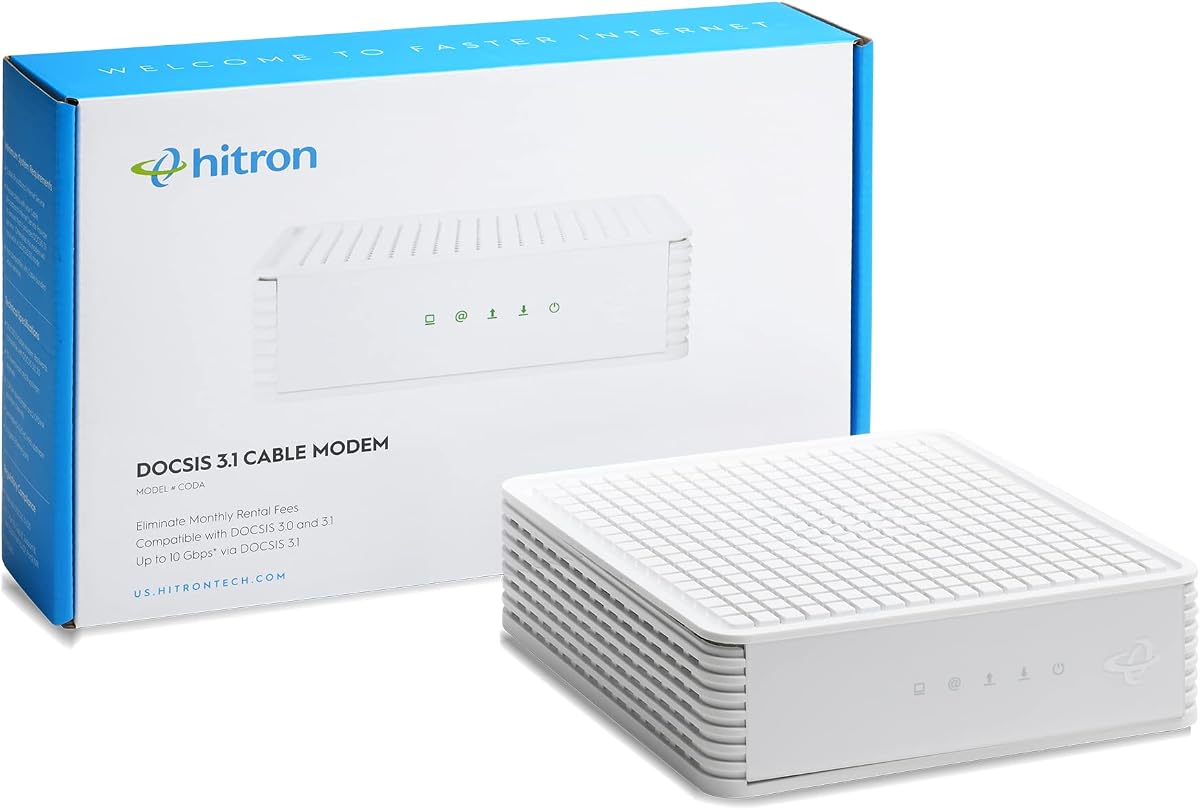
The Hitron CODA is a straightforward DOCSIS 3.1 modem for Spectrum customers whose plans do not require a multi-gig Ethernet handoff. It holds a 4.1 rating, is certified for Spectrum according to the supplied information, and supports cable internet service up to 1 Gbps. Its one Gigabit Ethernet port creates a direct connection to a router.
We may earn a commission when you buy through this link, at no additional cost to you.
The product’s primary benefit is its simplicity. It is a data-only modem without WiFi, voice, or router features, so it performs one clearly defined job. It remains backward compatible with DOCSIS 3.0, and the four-step setup process is easy to understand: connect the coax cable, plug in power, connect Ethernet to a router, and complete ISP activation.
Its limitations should shape the purchase decision. A single Gigabit port is the obvious ceiling for a wired connection, and a separate router is mandatory for a practical wireless home network. The supplied checklist contains an apparent inconsistency about plan speed, so customers should independently verify that their Spectrum tier is supported. The modem also cannot work with fiber, DSL, satellite, or 5G home internet.
Choose the Hitron CODA when you have qualifying gigabit cable service and want a simple modem-only design. It is especially appropriate for a household that already has a router with a suitable Ethernet connection. Users planning for faster tiers should choose a model with a 2.5 Gbps port.
The CODA avoids unnecessary wireless and voice features, making it easy to understand and maintain. Existing router hardware completes the home network without changing its layout.
After Spectrum approves the device, setup follows a short physical process. Users should keep the provider handy during activation and verify the exact model against the approved equipment list.
We may earn a commission when you buy through this link, at no additional cost to you.
The NETGEAR CM3000 Mid/High-Split version is designed for high-speed cable service and faster upstream performance. It carries a 4.2 rating, supports Spectrum according to the supplied information, and can handle plans up to 2.5 Gbps. It is a standalone DOCSIS 3.1 modem, so a WiFi router or mesh system remains necessary.
We may earn a commission when you buy through this link, at no additional cost to you.
Its 2.5 Gbps Ethernet port provides a suitable primary handoff to a capable router. The listing also notes two 1 Gbps ports on a compatible router, which can be combined for throughput up to 2 Gbps. Mid/high-split DOCSIS technology is the main feature, offering faster downloads and uploads for gaming, video calls, large transfers, and connected devices.
Important regional details apply. Spectrum users must confirm that the provider offers the appropriate mid-split service and supports the exact modem. This is a U.S. cable product and is not compatible with fiber or bundled voice. As with every modem in the roundup, real speeds depend on the service plan, provider network, and paired router.
This CM3000 variant is best for a Spectrum customer with a very fast plan and an interest in upload performance. It is less suitable for a standard gigabit household because the advanced networking features and multi-gig capacity exceed what many users need. The matching Nighthawk app also requires active internet service for setup and management.
This technology separates downstream and upstream channels more effectively, creating the possibility of faster upload speeds. Availability must be confirmed with Spectrum before the modem is purchased.
The Nighthawk app can help with setup, browser-based configuration, and ongoing management. Its features are useful for households that want visibility into the network without advanced manual configuration.
We may earn a commission when you buy through this link, at no additional cost to you.
The NETGEAR CM2500 combines DOCSIS 3.1 mid/high-split technology with two Gigabit Ethernet ports. It carries a 4.3 rating, supports up to 2 Gbps of download speed and 1 Gbps of upload speed, and is listed for major U.S. cable providers including Spectrum. It is a strong fit for users who want more than a single-port gigabit modem.
We may earn a commission when you buy through this link, at no additional cost to you.
The modem’s upload focus makes it relevant for multi-device and content-creating households. The supplied information highlights gaming, video conferencing, large uploads, remote security-camera access, and NAS file access. Its two Gigabit ports can be connected to a compatible router with link aggregation for throughput up to 2 Gbps, offering a way to use both connections when the router and provider support that arrangement.
It is made for use in the United States and does not support bundled Xfinity Voice. It also has no integrated WiFi, so a WiFi 6E or WiFi 7 router, Orbi system, or another suitable wireless system is needed. Spectrum customers should confirm that their plan and local network support the modem’s mid/high-split profile.
The CM2500 is a good choice for an advanced Spectrum household that values upload speed and wired flexibility. It is less necessary for a basic gigabit plan, where a simpler modem can meet the same needs. For buyers who want a primary 2.5 Gbps port, the CM3000 options offer a more direct connection architecture.
The advertised 1 Gbps upload capacity can benefit cloud backups, large file transfers, and video conferencing. The advantage depends on Spectrum offering a compatible upload tier in the local area.
A compatible router can combine the two Gigabit links for greater aggregate throughput. Users without link aggregation support can still use the ports as separate connections for different network segments.
We may earn a commission when you buy through this link, at no additional cost to you.
The NETGEAR CM3000 is the highest-speed-focused recommendation, with supplied specifications for up to 2.5 Gbps downloads and 1 Gbps uploads. It carries a 4.3 rating and is listed as compatible with Xfinity, Spectrum, and Cox. Its mid/high-split DOCSIS 3.1 platform is designed for the fastest cable tiers and upgraded upstream service.
We may earn a commission when you buy through this link, at no additional cost to you.
Port flexibility is another key strength. A 2.5 Gbps Ethernet port provides the direct multi-gig connection, while two 1 Gbps ports can be linked with a compatible router for up to 2 Gbps of wired throughput. Active Queue Management and OFDMA are included to improve response times when many users are online, supporting gaming, streaming, and video calls.
This equipment is intended for cable service rather than fiber, DSL, satellite, or bundled cable-voice plans. The product also has no built-in WiFi, requiring a separate router or mesh system. Spectrum users need to verify that their local network supports the relevant mid/high-split service and the exact device, since a compatible modem alone cannot exceed the provider’s available tier.
The CM3000 is the most ambitious option here and fits a Spectrum household that plans to use the fastest available service or wants upgrade headroom. It is overkill for many homes, but for users with compatible multi-gig service and networking hardware, it offers the strongest speed specification and a versatile port arrangement.
A 2.5 Gbps primary port and 2.5 Gbps maximum download capacity prepare the home for Spectrum’s fastest available tiers. The full potential requires provider support and a router with compatible Ethernet hardware.
OFDMA and Active Queue Management are intended to improve response times as the number of connected devices grows. They can make the experience feel more consistent, although the service tier and local network still determine final results.
We may earn a commission when you buy through this link, at no additional cost to you.
The most important factors are Spectrum compatibility, the service speed available at your address, the Ethernet standard of your router, and whether you need built-in WiFi. These choices determine whether a modem can deliver useful performance or simply becomes an expensive network bottleneck.
Every product in this guide is designed for cable internet delivered over a coaxial connection, not fiber, DSL, satellite, or fixed wireless. Even customers associated with a major provider may have a different access technology at their exact address, so the presence of a wall jack alone is not enough. Ask Spectrum whether your service is DOCSIS cable and whether the exact model appears on the customer-owned equipment list for your location and speed tier.
Choose only after Spectrum confirms compatibility. A modem that appears in general compatibility lists may still be unsupported for a particular plan, split profile, or regional network.
A gigabit connection can be served by a modem with a Gigabit Ethernet handoff, while faster plans require a multi-gig port. The listings range from support for 1 Gbps service to plans up to 2.5 Gbps, with several models explicitly designed for mid/high-split networks. Do not buy based on the largest advertised number if your Spectrum tier is lower; the extra capability will remain unused.
In short, match the modem to the actual plan and keep the router in the equation. The fastest modem cannot outperform the provider network or a router with slower ports.
A standalone modem is usually the better approach when you already own a WiFi router, want better wireless performance, or plan to use a mesh system. It separates the provider connection from wireless coverage and allows either component to be replaced independently. A modem-router combo is more convenient for a new installation and may be sufficient for a smaller home with moderate wireless needs.
Choose a combo for simplicity, or choose a modem only for control. The key is avoiding an unnecessary purchase while ensuring the final network can handle all intended devices.
The modem-to-router connection is often the most overlooked bottleneck. A 2.5 Gbps port is needed to carry a multi-gig plan into a capable router, and it should also be considered when choosing the router itself. Models with two Gigabit ports may support link aggregation on compatible equipment, while a single-port design is most appropriate for a simple centralized network.
Match ports to your setup. More ports are useful for flexibility, but they are not a substitute for WiFi coverage or a router capable of using them.
Download speed is only part of the connection. Video calls, cloud backups, remote access, gaming, and large uploads depend on upstream performance. Mid/high-split modems such as the CM2500 and CM3000 are designed for newer upload tiers, but the benefit only appears when Spectrum offers a compatible service in your area.
Prioritize upload capacity if your household creates and sends large files. For ordinary browsing and streaming, download-focused gigabit equipment is generally sufficient.
The CAX30 is the only product in this list with integrated AX2700 dual-band WiFi 6, and its stated coverage reaches as much as 2,000 square feet. Actual range varies with layout, walls, interference, and device placement. Larger homes, dense construction, or demanding smart-home environments usually benefit from a dedicated router or mesh network.
Choose a combo for modest coverage needs. Choose a standalone modem and stronger router when wireless performance is the priority.
Most devices listed here support internet data only and do not include voice. Some provider packages require a compatible voice modem, and the CAX30 is specifically excluded from bundled voice plans. If your account includes phone service, verify that requirement before ordering rather than assuming a data modem can handle it.
Also consider activation. Spectrum must approve and activate customer-owned equipment. A clear service type, supported plan, and confirmed device model make installation smoother.
NETGEAR products in the list provide access to the Nighthawk app and free expert help for an initial period, while Hitron models highlight technical support and warranty coverage. A good management application can simplify setup, WiFi controls, device pausing, guest networks, and speed testing. These features matter most for combined modem-router systems because a standalone modem offers fewer controls of its own.
Do not pay for a modem based on app features alone. Confirm hardware compatibility and provider support first, then consider which administration experience best suits your household.
Before installation, confirm that your home has active coaxial cable service, verify the exact modem model with Spectrum, and make sure your plan supports the model’s speed tier. Position the equipment in a central, ventilated location near the coax outlet. If using a separate router, connect it with a quality Ethernet cable capable of the intended speed and leave enough space between devices for airflow.
Connect the coax cable and power, then wait for the modem to complete its startup sequence. Use the provider’s activation process or the manufacturer’s browser-based setup tool to register the device. If the product is a modem-router combo, configure its WiFi name, security settings, and administrator password. If it is standalone, complete the router setup and connect it to the modem through the appropriate Ethernet port before adding other devices.
For ongoing care, keep the modem away from direct sunlight, heat, dust, and enclosed spaces. Check cables for looseness or damage, and avoid rebooting frequently unless troubleshooting requires it. Update router and modem software when prompted, use a strong wireless password, and periodically run a speed test on a wired device. If performance drops, compare the result with the Spectrum plan and check whether another device, a congested network, or the provider is responsible.
Spectrum supports a list of approved cable modems, and every product featured in this guide is described as compatible with Spectrum cable service. The exact approval can vary by service tier, location, and network configuration, so verify the model with Spectrum before purchase. You must have coaxial DOCSIS service; these modems do not work with fiber, DSL, satellite, or fixed wireless internet.
Most cable modems, including the standalone models in this guide, do not include WiFi. The NETGEAR CAX30 is the exception because it combines a DOCSIS 3.1 modem with an AX2700 WiFi 6 router. If you select another model, you will need a separate router or mesh system to create a wireless network and connect multiple devices.
Yes, Spectrum allows customer-owned equipment on many compatible cable plans. You should check the provider’s current approved-device list, confirm the exact model, and complete the required activation process. Using your own modem may change monthly equipment charges, so compare the provider’s current terms before deciding.
A Gigabit Ethernet connection is generally sufficient for a service tier up to 1 Gbps because the actual internet speed is slightly below the nominal line rate. A 2.5 Gbps port becomes more relevant for faster Spectrum tiers and for avoiding a bottleneck between the modem and a capable router. Your wireless equipment must also support the faster connection.
DOCSIS 3.1 provides the newest capabilities in this group and is a sensible choice for gigabit and faster service. It also supports backward compatibility with DOCSIS 3.0 networks, although actual speed depends on Spectrum’s available plan. A less advanced modem may be adequate for a lower tier, but the provider should confirm compatibility before installation.
A customer-owned cable modem may work with another provider, but approval is not automatic. Different providers can maintain different lists of supported models, tiers, firmware, and network features. Check with the new provider before purchasing or changing service, especially for a mid/high-split modem whose advanced speeds depend on local infrastructure.
A standalone modem converts the provider’s cable signal into an Ethernet connection and relies on a separate router for wireless networking. A modem-router combo performs both jobs in one enclosure. A combo is convenient for basic installations, while separate equipment usually provides more choice in wireless performance, coverage, and future upgrades.
First confirm that the model and service plan are supported, then connect the coax cable and power. Follow Spectrum’s activation process or the manufacturer’s setup instructions, and connect a separate router through Ethernet if the device is modem only. Create a strong WiFi password, update the equipment, and test wired and wireless speeds after all devices are online.
The Hitron CODA56 is the best overall choice for Spectrum customers seeking a balanced standalone modem with a 2.5 Gbps port, while the ARRIS SB8200 is a compelling gigabit-oriented alternative for straightforward networks. The Arris Surfboard S34 stands out as the premium option because it adds flexible ports and next-generation upstream support.
Prioritize confirmed device approval, your actual Spectrum tier, and the capabilities of the router that will connect to the modem. A multi-gig port is unnecessary for many homes, while an all-in-one device can be ideal for a smaller installation. A separate high-quality router generally offers better flexibility for expanding families, larger homes, and advanced wired networks.
Remember that ratings, service availability, promotions, and prices can change. Check Spectrum’s current compatibility list and customer-owned equipment terms, compare the final network requirements, and review current product details before making a final purchase decision.