
MSI Z370-A PRO
4.5Editor score
Four 64GB-compatible DDR4 slots
Two-way AMD CrossFireX support
Dedicated 8th-generation processor support
Explore the best Brand for Z370 Motherboard options, comparing LGA1151 compatibility, memory, expansion slots, connectivity, cooling, audio, and gaming
Choosing a Brand for Z370 Motherboard is more than comparing model numbers and logos. The best board for an LGA1151 build depends on processor generation, memory capacity, graphics-card layout, storage plans, cooling, networking, and the features you actually use. A strong Z370 motherboard should also provide a stable foundation for 8th-generation Intel Core systems.
This guide compares ten Z370 motherboards from MSI, ASUS, Gigabyte, and ASRock. We evaluated the supplied specifications, including processor support, DDR4 memory, M.2 support, expansion slots, display outputs, networking, audio, RGB, fan control, and durability features. The list includes practical ATX models for gaming, general-purpose builds, and systems with specialized expansion needs.
Each review explains the motherboard's strongest features, likely trade-offs, and the type of builder it suits best. The top recommendations balance feature depth, platform compatibility, and useful construction. Product listings and technical details can change over time, and prices fluctuate frequently, so readers should confirm the current specification sheet, included accessories, and retailer listing before purchasing.
4.5Editor score
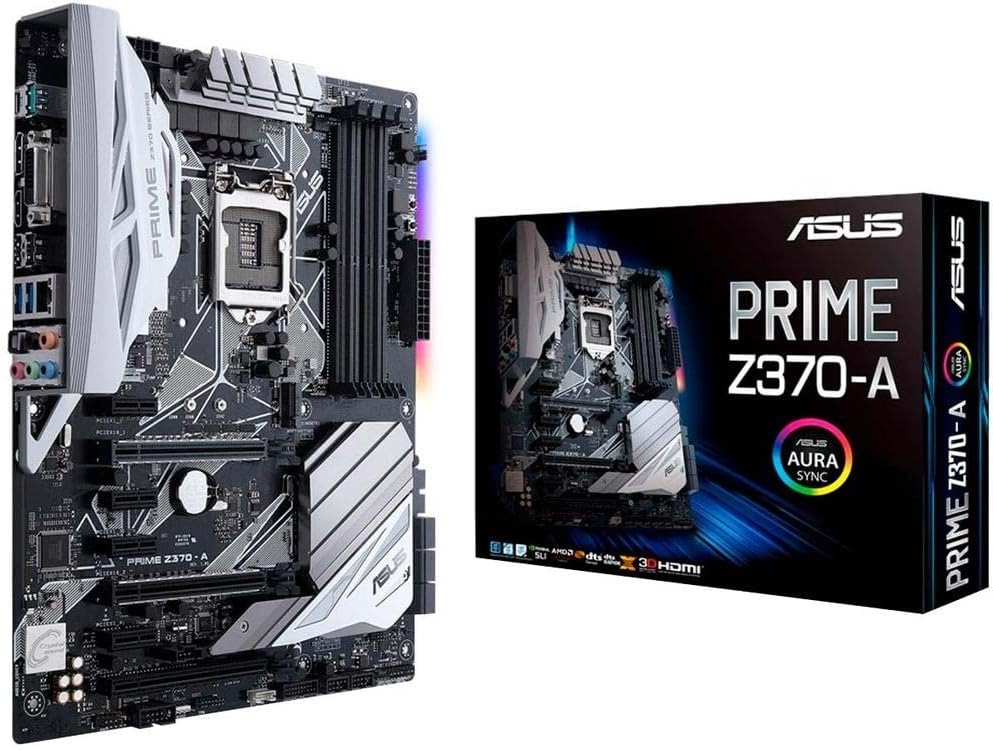
4.6Editor score
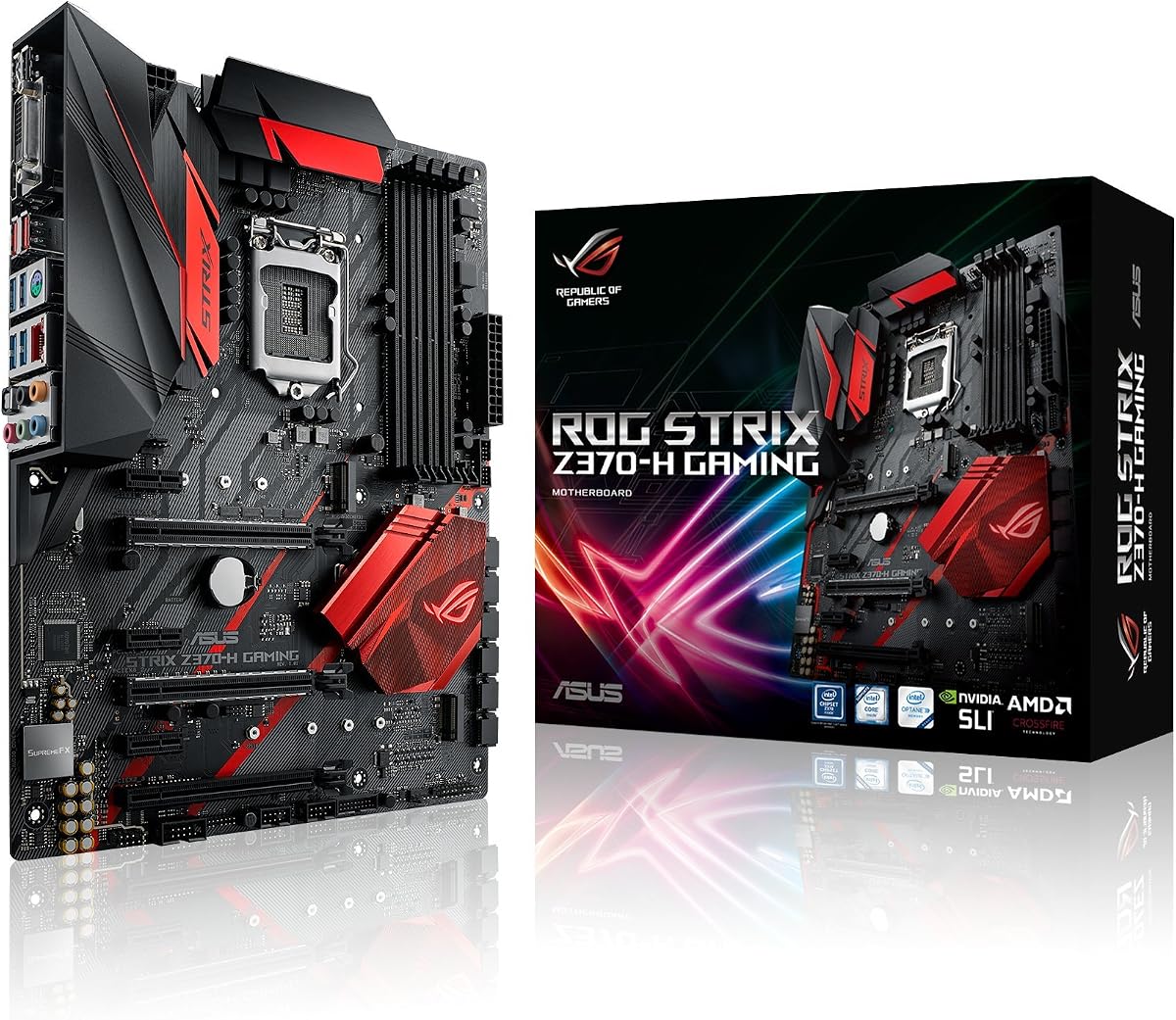
4.4Editor score
The following comparison shows the principal hardware and feature differences across all ten boards, helping buyers match processor support, memory, storage, expansion, connectivity, and entertainment capabilities to their planned system.


The MSI Z370-A PRO Series is a practical ATX motherboard for builders who want a straightforward Intel LGA1151 foundation without a complicated feature checklist. It carries a 4.5 rating and pairs the Z370 chipset with support for 8th-generation Intel Core, Pentium, and Celeron processors. Its strongest appeal is the combination of four DDR4 slots and support for up to 64GB of memory.
We may earn a commission when you buy through this link, at no additional cost to you.
Its headline specifications are well suited to mainstream gaming and productivity systems. Two-way AMD CrossFireX support gives buyers an expansion path when using compatible graphics hardware, while the standard ATX layout should integrate more readily with common cases than smaller alternatives. The board also maintains a clear focus on Coffee Lake processors, making it a logical match for an 8th-generation desktop platform.
The principal limitation is platform age. This model is designed for 8th-generation processors and does not offer the broader 8th- and 9th-generation compatibility found with selected Z390 boards. Buyers seeking the most elaborate RGB, audio, or premium component selection may also prefer one of the feature-rich ASUS alternatives. Nevertheless, these omissions are reasonable for a builder focused on core performance.
This is our top overall choice for users assembling an 8th-generation Z370 system around a conventional gaming or home-computing configuration. It provides the most balanced combination of processor support, memory capacity, expansion potential, and recognizable ATX practicality in this list. Confirm CPU and memory compatibility before ordering, especially if you are reusing components from an earlier build.
Four DDR4 slots and a 64GB maximum give the Z370-A PRO useful room for memory-heavy configurations. The board is particularly relevant to users who want more capacity than a two- or four-gigabyte module could provide without moving outside the LGA1151 platform.
Direct support for 8th-generation Intel Core, Pentium, and Celeron processors keeps compatibility straightforward. That clarity is useful for builders assembling a system from individual components rather than buying a preconfigured platform.
We may earn a commission when you buy through this link, at no additional cost to you.
The ASUS Prime Z390-P stands out for expansion capacity and broad processor compatibility. It has a 4.4 rating and supports both 8th- and 9th-generation Intel Core processors through the LGA1151 platform. With six PCIe slots and support for Above 4G decoding, it is particularly attractive to builders who expect to install several expansion devices rather than relying on a minimal gaming configuration.
We may earn a commission when you buy through this link, at no additional cost to you.
Connectivity is another strength. USB 3.1 Gen2 support, M.2 storage capability, and the ASUS Optimum II memory optimization system make the board suitable for a modern high-speed desktop. FanXpert 4 and a dedicated AIO pump header provide useful cooling controls, while ASUS hardware safeguards cover areas such as slot protection, networking, and voltage handling.
Its long product name emphasizes cryptocurrency mining, which may make the board seem specialized. The listed six-slot layout, M.2 support, and decoding capability can also be useful for workstation-style expansion, so it should not be dismissed as a gaming-only product. On the other hand, builders seeking extensive onboard RGB or the strongest emphasis on gaming audio may find more specialized options in the ASUS range.
Choose the Prime Z390-P when expansion slots, processor flexibility, and fast USB matter more than a premium gaming presentation. It is a strong fit for multi-card or multi-device systems that still use Intel's LGA1151 platform. Verify the exact physical slot layout, device compatibility, and current BIOS support before purchasing.
Six PCIe slots provide room for multiple add-in cards, while Above 4G decoding can assist compatible systems using more than three modern graphics devices. Buyers should still check lane sharing, physical spacing, and power requirements for their exact hardware.
Supporting both 8th- and 9th-generation Intel Core processors gives this Z390 board a wider CPU selection than a Z370 model. That flexibility can simplify parts planning when the intended processor is not yet fixed.
We may earn a commission when you buy through this link, at no additional cost to you.
The ASUS Prime Z370-A is the most complete premium-style Z370 option in this guide. Its 4.6 rating is the highest among the ten products, and its specification sheet combines Dual M.2 support, USB 3.1 Gen2, Intel Thunderbolt 3 compatibility, and Intel Optane Memory support. It is designed specifically for 8th-generation Intel Core processors.
We may earn a commission when you buy through this link, at no additional cost to you.
ASUS builds considerable flexibility into the board. Five-Way Optimization combines automatic tuning with FanXpert 4 cooling controls, while AURA Sync lighting, an additional RGB header, and 3D-printing mounts support coordinated or custom-looking systems. DisplayPort can output up to 4096 by 2304 at 60Hz, making the board useful with compatible high-resolution monitors as well as discrete graphics.
The reinforced Safe Slots are designed to better support heavyweight graphics cards, and the eight-channel audio implementation uses a Realtek S1220A codec with Crystal Sound 3 and Japanese capacitors. These details give the board a more refined feature profile than simpler office-oriented models. The trade-offs are a denser software and hardware ecosystem and no native 9th-generation CPU support.
This motherboard suits a buyer who wants a polished 8th-generation Z370 system with high-speed storage, flexible cooling, modern display options, and strong gaming-oriented features. It is also our recommendation for the most premium Z370 experience in the list. Check case clearance, M.2 device requirements, and accessory availability before finalizing the build.
Dual M.2 connectors allow more flexible high-speed storage arrangements than a single-slot design. Intel Optane Memory compatibility adds another caching option, although the exact drive and operating-system requirements should be confirmed in the current manual.
Reinforced PCIe slots, 8-channel HD audio, and automatic performance tuning create a gaming-oriented foundation. The board also supports multi-monitor configurations through DisplayPort and HDMI for systems that do not rely exclusively on a discrete graphics card.
We may earn a commission when you buy through this link, at no additional cost to you.
The Gigabyte Z370 AORUS Gaming 7 is a feature-rich enthusiast board with a particular emphasis on storage. Its 4.4 rating and three M.2 connectors give it more high-speed storage flexibility than most competing ATX Z370 models. The M.2 Thermal Guard is intended to help manage heat around installed SSDs, which is valuable in compact or densely populated builds.
We may earn a commission when you buy through this link, at no additional cost to you.
The board supports 8th-generation Intel Core processors and includes USB 3.1 Gen2 with USB Type-C, a front-panel USB Type-C header, and SLI graphics support. Dual network hardware, comprising Killer E2500 Gaming Network and Intel Gigabit LAN, provides options for prioritizing gaming traffic or using a more conventional connection.
Entertainment and appearance are also priorities. The included ESS Sabre DAC is a notable audio component, and RGB FUSION brings multi-zone lighting to the board. These features add value for a visible gaming build, though they are not essential for basic productivity use. Its limitation is again processor generation: the platform is designed around 8th-generation CPUs rather than the broader Z390 family.
Buyers who want multiple NVMe-style storage devices and gaming-focused refinement should give this board serious consideration. It is especially appealing when the system will showcase its components inside a glass-sided case. Confirm physical M.2 placement and heatsink clearance against the chosen drives, and verify graphics-card support in the intended case.
Three M.2 connectors provide unusual flexibility for a Z370 board, allowing a system to combine multiple compact high-speed drives. The Thermal Guard adds an important layer of protection when the chosen SSD requires additional cooling.
Killer E2500 networking and Intel Gigabit LAN give users two network options, while the ESS Sabre DAC supports a more refined audio setup. These details are particularly relevant to gaming-oriented builds where latency management and headset performance matter.
We may earn a commission when you buy through this link, at no additional cost to you.
The GIGABYTE Z390 UD is a straightforward, expansion-friendly motherboard with a 4.4 rating. It supports both 8th- and 9th-generation Intel Core processors, making it more flexible than the pure Z370 options. Its ATX format, four DDR4 slots, and six PCIe expansion slots provide a solid foundation for a desktop with multiple add-in devices.
We may earn a commission when you buy through this link, at no additional cost to you.
Storage support includes an NVMe PCIe Gen3 x4 M.2 connector, while the 10+2-phase digital PWM design and PCIe Armor focus on power delivery and physical protection. Smart Fan 5 uses multiple temperature sensors and hybrid fan headers, including fan-stop functionality, giving builders more precise control over cooling behavior.
The board's defining strength is its practical configuration rather than elaborate styling. It includes a dedicated gaming LAN controller, support for full-color RGB light strips, and CEC 2019 readiness for lower idle power. However, the feature emphasis is less elaborate than the ASUS Prime Z370-A or AORUS Gaming 7, and the board remains firmly tied to the older LGA1151 platform.
This is a good choice for a builder who values CPU flexibility, expansion room, and straightforward cooling control. It can suit a multi-purpose system with several PCIe cards or a specialized workstation. Buyers should confirm the physical slot arrangement, lane-sharing behavior, and CPU support in BIOS before ordering, as compatibility details are especially important on a mature platform.
Six PCIe expansion slots and Above 4G decoding make the Z390 UD practical for systems requiring several add-in cards. Physical spacing, power delivery, and operating-system support still need to be checked for any specialized configuration.
Smart Fan 5 combines multiple temperature sensors, hybrid headers, and fan-stop behavior. It is useful for builders who want quieter idle operation and tighter control over how cooling devices react as workload and temperatures change.
We may earn a commission when you buy through this link, at no additional cost to you.
The ASUS TUF Z370 Plus Gaming emphasizes durability and long-term support. It has a 4.5 rating and uses ASUS TUF LANGuard, chokes, capacitors, and MOSFETs as part of its component strategy. The stated five-year protection coverage is particularly notable among the boards reviewed and makes this a compelling option for a system expected to remain in service.
We may earn a commission when you buy through this link, at no additional cost to you.
The board supports 8th-generation Intel Core processors and includes Dual M.2 storage, Gigabit LAN, USB 3.1 Gen2, and Intel Optane Memory compatibility. Gamer's Guardian adds hardware-level safeguards, while Safe Slot and FanXpert 4 Core improve graphics-card support and cooling management. AURA Sync RGB lighting and an additional RGB header provide visible customization.
Its BIOS is extensive, providing ASUS utilities such as EZ Flash, CrashFree BIOS, EZ Tuning Wizard, Q-Fan Control, and detailed hardware information. This makes the board approachable for system configuration, although a mature platform still deserves careful processor and memory compatibility checks. As with the other Z370 models, it cannot use 9th-generation processors.
Choose the TUF Z370 Plus Gaming when long-term component support and durable construction are priorities. It is a strong match for a high-use workstation or a gaming system expected to age well. The motherboard also handles modern storage and RGB requirements well, making it a versatile choice within the 8th-generation ecosystem.
The board's five-year protection coverage is a key reason to consider it for long-lived systems. TUF-qualified networking, chokes, capacitors, and MOSFETs reinforce the practical emphasis on component longevity and dependable operation.
Dual M.2 connectors support a more flexible storage layout, and FanXpert 4 Core allows detailed fan configuration. Together they make the board suitable for builders who want fast storage and quiet cooling without moving to a premium gaming design.
We may earn a commission when you buy through this link, at no additional cost to you.
The ASUS PRIME Z370-P delivers a balanced mix of protection, connectivity, and everyday flexibility. Its 4.4 rating reflects a board designed for 8th-generation Intel Core processors, with Dual M.2 connectors, USB 3.1 Gen2, Intel Optane Memory compatibility, and both Type-A and reversible Type-C connectivity.
We may earn a commission when you buy through this link, at no additional cost to you.
Five X Protection III is the signature feature, covering safe slot support, LANGuard, and overvoltage protection. FanXpert 4 Core with an AIO pump header gives users control over cooling, while eight-channel HD gaming audio through the Realtek ALC887 codec serves gaming and media applications.
The board does not emphasize elaborate RGB styling in the same way as the Prime Z370-A, and it is limited to 8th-generation CPUs. Its relative simplicity can be an advantage for a clean build focused on function rather than appearance. Buyers should also compare its exact storage and expansion layout with the similarly named Prime Z390-P, which supports both processor generations.
This motherboard is a sensible choice for a general-purpose 8th-generation system that values robust safeguards, high-speed storage, and refined fan control. It is especially appropriate for a daily-use PC or gaming build where dependable basics matter more than a crowded list of enthusiast features. Confirm the current manual and included accessories before purchase.
Safe Slot Core, LANGuard, and overvoltage protection add practical safeguards around frequently stressed components. These protections are especially relevant when using a large graphics card, networked peripherals, or processors that may run beyond conservative stock settings.
USB 3.1 Gen2 Type-A and Type-C ports provide 10Gbps-class connectivity, while Dual M.2 slots support modern compact storage. The mix is useful for fast external drives, high-bandwidth peripherals, and NVMe-based system storage.
We may earn a commission when you buy through this link, at no additional cost to you.
The Gigabyte Z370 HD3 is a straightforward ATX motherboard for builders who value familiar essentials over elaborate gaming extras. It has a 4.4 rating, supports 8th-generation Intel Core processors, and includes four DIMM slots, Intel LAN, HDMI, and a PCIe Gen3 x4 M.2 connector capable of data transfers up to 32Gb/s.
We may earn a commission when you buy through this link, at no additional cost to you.
Dual-channel DDR4 support and two-way CrossFire provide the essentials for a conventional gaming or productivity configuration. The Realtek ALC892 codec handles basic audio, while the board's clean feature list can make installation easier for users who do not need elaborate RGB synchronization or multiple specialized networking controllers.
Its limitations reflect the simpler design. There is no native 9th-generation processor support, and the audio hardware is less advanced than premium codecs found on some ASUS boards. Users also sacrifice some of the more visual features and extensive protection suites offered by higher-end models. For a straightforward platform, though, these trade-offs are understandable.
The Z370 HD3 is best for a compact plan around an 8th-generation CPU, one or two graphics cards, fast storage, and standard networking. It can also serve as a dependable base for a home office or media-oriented PC where the integrated HDMI output is useful. Check the case's motherboard clearance and the intended card arrangement before ordering.
The PCIe Gen3 x4 M.2 connector supports high-bandwidth compact storage without requiring a more elaborate enthusiast model. It is a useful feature for fast system boots, application access, and working files on NVMe-compatible drives.
Two-way CrossFire support can help certain AMD configurations use more than one graphics card. Users should verify game support, driver behavior, PSU capacity, and physical slot spacing because compatibility extends beyond the motherboard specification.
We may earn a commission when you buy through this link, at no additional cost to you.
The ASRock Z370 EXTREME4 is a compact specification summary with a clear emphasis on modern USB connectivity. Its 4.3 rating is the lowest in the guide, but the listed features cover the important basics: 8th-generation Intel Core processor support, LGA1151, four DDR4 DIMM slots, HDMI, and USB 3.1 Gen2 Type-A and Type-C ports rated at 10Gbps.
We may earn a commission when you buy through this link, at no additional cost to you.
Having both Type-A and Type-C connectivity can simplify modern peripheral planning. Type-C is particularly useful for compatible external SSDs, docking stations, and accessories that benefit from a reversible connector. Four memory slots also offer a conventional route to expanding installed DDR4 capacity.
The supplied product data is less detailed than for most competing boards, making comparison more difficult. It does not clearly state the total supported memory capacity, M.2 configuration, audio codec, expansion-slot count, or detailed fan-control features. These omissions do not imply that the board lacks them, but buyers should consult the official specification sheet before committing.
The Z370 EXTREME4 is worth considering for a compact 8th-generation build where USB Type-C and familiar ASRock styling are priorities. It is less suitable for buyers who want a rich specification summary without additional research. Confirm processor, memory, storage, and case compatibility, and review the current manual for complete platform details.
USB 3.1 Gen2 Type-A and Type-C ports support 10Gbps transfer rates and reduce reliance on older-only external connectors. This makes the board relevant to users adding fast portable storage or other Type-C accessories.
LGA1151 processor support and four DDR4 slots cover the essential architecture for a Z370 build. Prospective buyers should verify memory capacity and the complete rear-panel configuration in the official documentation.
We may earn a commission when you buy through this link, at no additional cost to you.
The ASUS ROG Strix Z370-H is a port-heavy ATX gaming motherboard with a 4.4 rating. It supports 8th-generation Intel Core desktop processors through LGA1151 and accommodates up to 64GB of DDR4 memory. Its defining trait is an unusually extensive collection of rear and internal USB connections.
We may earn a commission when you buy through this link, at no additional cost to you.
The listed port inventory includes two USB 3.1 Gen2 Type-A ports, eight USB 3.1 Gen1 ports, six USB 2.0 ports, additional internal USB headers, a PS/2 keyboard connection, DVI, HDMI, Gigabit LAN, optical S/PDIF output, and five audio jacks. That breadth benefits builds with numerous peripherals, legacy accessories, or a demand for a full digital-audio connection.
The long port list also requires careful chassis planning. Internal and rear connector totals can vary in practical availability because some are headers, while others are physical sockets, and case design determines which are accessible. Older USB 2.0 and DVI connections can still be useful for compatibility, but they add to the board's visual and physical complexity.
Choose the ROG Strix Z370-H when peripheral breadth and gaming-oriented connectivity are the top priorities. It is a sensible choice for a heavily equipped desktop with multiple USB devices, digital audio, and legacy accessories. Confirm that the case offers the necessary internal headers and that your processor, memory, and graphics cards are compatible with the Z370 platform.
The broad USB selection provides connections for numerous external and internal devices. It is especially useful for creators or enthusiasts who run storage arrays, high-speed peripherals, controllers, and legacy equipment simultaneously.
HDMI, DVI, optical S/PDIF, and five analog audio jacks give the board a broad range of display and sound connections. These options can simplify a multi-display or digital-audio setup without requiring the same degree of adapter use.
We may earn a commission when you buy through this link, at no additional cost to you.
A useful Z370 purchase starts with the processor and case, then expands to memory, storage, expansion, networking, cooling, and display requirements. Comparing those needs against the official board specifications prevents a feature-heavy model from overwhelming a simpler system or leaving a specialized build without the ports it needs.
Z370 is built around Intel's LGA1151 platform and most directly supports 8th-generation Intel Core, Pentium, and Celeron processors. The ASUS Prime Z390-P and GIGABYTE Z390 UD listed here also support 9th-generation processors, while the pure Z370 boards do not. Because all of these processors use the same physical socket, socket shape alone does not guarantee chipset or BIOS compatibility.
Always check the manufacturer's supported processor list and BIOS version before buying. A board advertised for LGA1151 may require a specific BIOS for later 9th-generation processors, and older stock firmware may not recognize every supported CPU. The processor's memory support, integrated graphics capabilities, and power requirements should also be compared with the board's specifications.
Memory planning starts with the number of DIMM slots, supported capacity, and memory type. Every board in this list provides four DDR4 slots, while the MSI Z370-A PRO, ASUS TUF Z370 Plus Gaming, and ROG Strix Z370-H are explicitly listed with support for up to 64GB. Users should also confirm supported speed, voltage, and non-ECC unbuffered configurations in the technical documentation.
Populate memory in the slots recommended by the manual, usually starting with the pair farthest from the processor. A matched two-module kit generally offers a simpler and more predictable starting point than mixing unrelated modules. If maximum capacity is essential, confirm the full memory list rather than assuming every 64GB combination is validated.
M.2 support is one of the most important differentiators among these Z370 boards. The Gigabyte Z370 AORUS Gaming 7 lists three M.2 connectors, while the ASUS Prime Z370-A, TUF Z370 Plus Gaming, and PRIME Z370-P offer Dual M.2 configurations. The Gigabyte Z370 HD3 and GIGABYTE Z390 UD explicitly list an NVMe PCIe Gen3 x4 connector, with the HD3 supporting transfer rates up to 32Gb/s.
Storage count alone does not guarantee the layout will suit every case. Confirm the physical position of each M.2 slot, the space available for a heat spreader or heatsink, and whether installing a drive in one slot disables a SATA port. If the system also relies on conventional SATA storage, verify the number of available connectors and data cables.
The six-slot layouts of the ASUS Prime Z390-P and GIGABYTE Z390 UD are notable for systems with several add-in cards. The MSI Z370-A PRO, Gigabyte Z370 HD3, and other listed boards also provide multiple PCIe positions, but the supplied data does not give every board's complete slot count. Review the full slot diagram, lane-sharing arrangement, and case spacing before selecting a model for multi-GPU or workstation use.
Above 4G decoding is listed for the Prime Z390-P and Z390 UD, which may help certain high-card-count configurations. That feature does not guarantee application, driver, power-supply, or physical support for every multi-card setup. GPU support, lane bandwidth, thermal clearance, and a suitably powerful power supply remain separate requirements.
The ASUS Prime Z370-A lists DisplayPort, HDMI, and DVI, with DisplayPort supporting up to 4096 by 2304 at 60Hz. The TUF Z370 Plus Gaming and PRIME Z370-P list HDMI and DVI, the Gigabyte Z370 HD3 includes HDMI, and the ROG Strix Z370-H provides both DVI and HDMI. These integrated outputs may be useful for troubleshooting or using a compatible 8th-generation processor with integrated graphics.
A discrete graphics card does not make the motherboard's display outputs irrelevant, because those connectors usually remain available for additional monitors. Before purchase, check the number and resolution limits of outputs, the graphics support of the chosen CPU, and whether the selected monitors require adapters. Video output specifications can also vary by processor.
Modern external connectivity is centered on USB 3.1 Gen2, with several boards adding reversible USB Type-C. The ASUS Prime Z390-P, Prime Z370-A, PRIME Z370-P, ASRock Z370 EXTREME4, and Gigabyte Z370 AORUS Gaming 7 all list USB 3.1 Gen2, while the ROG Strix Z370-H provides a particularly broad port inventory. Internal USB headers matter when case-mounted front-panel Type-C is desired.
Networking varies from a single Intel Gigabit LAN to the AORUS model's combination of Killer E2500 and Intel Gigabit LAN. Consider whether software-based traffic prioritization, dual connections, or straightforward plug-and-play networking is preferable. Also count the devices you already own, including keyboards, headsets, cameras, storage enclosures, and controllers, against the rear and internal ports.
Cooling control is more than a list of fan headers. FanXpert 4 appears on several ASUS models, the AORUS board includes Fan Stop, and the GIGABYTE Z390 UD uses Smart Fan 5 with multiple temperature sensors and hybrid fan headers. These utilities can automate fan curves and provide more detailed control over a tuned system.
Power delivery is particularly important on mature platforms, where processor and memory support can vary. The Z390 UD lists a 10+2-phase digital PWM design, while the ASUS Prime Z390-P emphasizes premium components and efficiency. Compare supported memory configurations, processor power limits, VRM cooling, and the warranty rather than judging the board from phase count alone.
Audio quality and illumination are common reasons buyers move beyond a basic Z370 design. The Prime Z370-A uses a Realtek S1220A codec with Crystal Sound 3, the AORUS Gaming 7 includes an ESS Sabre DAC, and the ROG Strix Z370-H provides optical S/PDIF plus five audio jacks. ASUS AURA Sync and Gigabyte RGB FUSION support coordinated lighting on compatible boards and components.
These features are useful when the PC is used for gaming, music, or streaming, but they are not equally important to every system. If the case is closed, aesthetics may carry little weight, and a conventional headset may be the only audio device. Prioritize the features that alter the daily experience rather than allowing lighting to outweigh processor, storage, or expansion support.
Before installing a Z370 motherboard, confirm the CPU socket, memory type, case mounting pattern, and power-supply connectors against the board manual. Install the processor and memory before securing the motherboard in the case, attach the front-panel wires according to the manual labels, and connect the CPU power cable to the correct header. Antistatic handling and a clean, well-lit workspace reduce the risk of bent pins and accidental damage.
After assembling the system, update the motherboard BIOS if the installed processor requires a newer firmware version, and install the operating system only after confirming that the CPU, memory, storage, and graphics hardware are recognized. Use the board's fan-control software or firmware utility to establish conservative temperature and fan-speed settings. Update chipset, network, and audio drivers as needed for the chosen operating system.
For long-term care, keep the board protected from dust and moisture, maintain airflow around the VRM, CPU cooler, and M.2 drives, and periodically check cables and connectors. Save the BIOS settings and know how to clear CMOS if a memory upgrade or hardware change causes instability. Z370 is an older platform, so keeping a compatible CPU and backup operating-system plan is sensible for a long-term installation.
Most Z370 boards are designed for 8th-generation Intel Core processors, and the CPU must also appear on the motherboard manufacturer's compatibility list. A processor with four or more cores and a suitable memory controller is generally a balanced choice for gaming and everyday productivity. Check BIOS support, memory specifications, and integrated-graphics needs before purchasing.
No. The Z390 models in this list, such as the ASUS Prime Z390-P and GIGABYTE Z390 UD, explicitly support 8th- and 9th-generation processors, but the Z370 boards are designed for 8th generation. A shared LGA1151 socket does not by itself make a 9th-generation processor compatible. Always confirm chipset and BIOS support.
Z370 can support a capable gaming system because it offers modern storage, USB, audio, and PCIe connectivity. Performance depends more on the processor, graphics card, memory, cooling, and storage than on the Z370 label alone. For a new build, compare the platform with the cost and availability of newer alternatives before deciding.
Most games do not require 64GB, but it can benefit heavy multitasking, large creative projects, virtual machines, and specialized workstation workloads. The MSI Z370-A PRO, ASUS TUF Z370 Plus Gaming, and ROG Strix Z370-H explicitly list 64GB support. A matched 16GB or 32GB kit is often more practical for a focused gaming build.
It depends on the model and intended workload. The Gigabyte Z370 AORUS Gaming 7 lists three M.2 connectors, while several ASUS boards offer dual M.2 support. One fast M.2 drive may be enough for operating system and applications, while a second can add capacity or improve workflow organization. Check slot position, cooling clearance, and SATA sharing before buying.
Several options include multi-GPU features, such as two-way AMD CrossFireX on the MSI Z370-A PRO and Gigabyte Z370 HD3, or SLI on the AORUS Gaming 7. The Prime Z390-P and Z390 UD also provide six PCIe slots for specialized configurations. Multi-GPU builds still require supported games, compatible drivers, adequate power, and enough physical clearance.
Use the latest stable BIOS published by the motherboard manufacturer, but check its release notes for the exact processor model. Some later 9th-generation CPUs require a prior BIOS update on compatible Z390 boards. If the installed BIOS cannot recognize the processor, plan the update carefully using the board's documented recovery procedure.
They can be worthwhile for an existing 8th-generation processor, a specific compact or feature-focused board, or a complete platform that fits the build at a competitive cost. They are less compelling when a newer CPU and platform are both available, especially if future upgrades matter. Value the entire system configuration rather than comparing motherboard labels alone.
The MSI Z370-A PRO stands out as the most balanced general recommendation, combining four DDR4 slots, 64GB memory support, ATX practicality, and 8th-generation processor compatibility. The ASUS Prime Z370-A is the feature-rich premium Z370 choice with dual M.2, Thunderbolt 3 support, refined audio, and strong customization, while the ASUS ROG Strix Z370-H serves buyers who prioritize an unusually broad port selection.
For builders willing to use Z390, the ASUS Prime Z390-P and GIGABYTE Z390 UD add 9th-generation processor support and multiple expansion slots. Specialized requirements may favor the AORUS Gaming 7 for three M.2 connectors, the TUF Z370 Plus Gaming for five-year protection, or the ASRock Z370 EXTREME4 for USB Type-C. Start with CPU, case, memory, and graphics requirements, then choose the board that supports those needs without unnecessary extras.
Retailer listings, BIOS releases, bundle contents, and prices can change over time, so verify the current product page and official manual before ordering. Checking the processor compatibility list, memory rules, slot layout, and included accessories will help prevent a mismatch and produce a more reliable Z370 build.