
UGREEN USB Bluetooth 5.3 Adapter for PC Bluetooth Dongle Receiver
4.4Editor score
Bluetooth 5.3 with EDR
Five simultaneous device types
Driver-free Windows setup
Compact receiver design
Our Bluetooth Dongle for PC guide compares ten adapters for speed, range, compatibility, multi-device support, portability, and everyday setup in 2026.
A Bluetooth dongle gives a desktop or laptop the ability to connect with wireless keyboards, mice, headphones, speakers, printers, phones, and other compatible equipment. The best choice depends on your operating system, Bluetooth version, range requirements, number of peripherals, and willingness to manage drivers.
We compared all ten adapters using the supplied specifications, focusing on connection capabilities, supported devices, wireless standards, compactness, operating-system restrictions, and setup requirements. The guide covers basic Bluetooth receivers, long-range and nano models, newer Bluetooth 6.0 options, and a combined Wi-Fi and Bluetooth adapter.
Each review identifies the strongest reason to consider a particular dongle while noting important limitations. The selections range from budget-friendly everyday adapters to feature-rich premium options, and ratings reflect the supplied customer feedback. Product availability and pricing can change, so confirm current details before purchasing.
4.4Editor score
4.5Editor score

4.4Editor score
The comparison below places the ten adapters side by side, focusing on Bluetooth generation, connection limits, physical design, operating-system support, and special features such as adjustable antennas or combined Wi-Fi functionality.





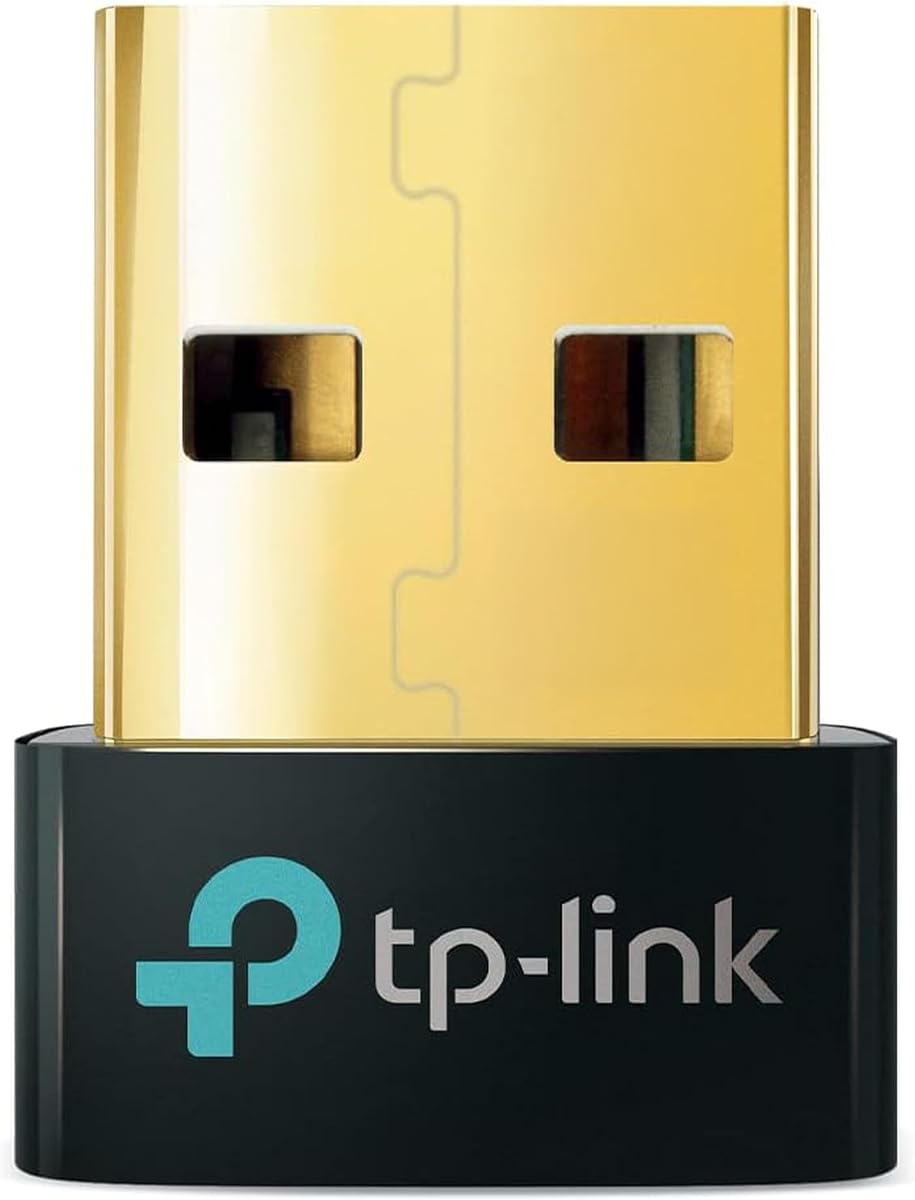
The TP-Link UB500 combines Bluetooth 5.4, enhanced data rate technology, and a remarkably small footprint in a straightforward PC adapter. Its supplied 4.5 rating places it among the strongest customer-rated options in the group, while the specification sheet indicates broad support for newer and older Bluetooth devices.
We may earn a commission when you buy through this link, at no additional cost to you.
Its standout qualities are versatility and ease of integration. The adapter is backward compatible with Bluetooth versions ranging from 5.3 and 5.0 down to 1.1, giving it useful flexibility when connecting older peripherals. It can communicate with Bluetooth-enabled desktops, printers, phones, headsets, and other compatible equipment. The nano housing can remain inserted without creating a major obstruction around the USB port.
There are important boundaries to understand. This model is intended for Windows PCs and does not support macOS, Linux, televisions, or Windows 8. It cannot be used directly with PS5, PS4, or Xbox consoles, although compatible controllers can be connected through a PC. Two UB500 units cannot pair with one another, and any existing internal Bluetooth radio should be disabled to avoid conflicts.
This is the strongest general recommendation for a Windows user who wants a modern adapter without the bulk of a larger receiver. It suits home offices, travel kits, older desktops, and systems that need support for several common peripherals. For users of macOS or Linux, this TP-Link model is not the right fit despite its otherwise broad Bluetooth-device compatibility.
The ability to work with headsets, phones, printers, and other peripherals makes this a practical daily adapter. Backward compatibility also helps when one of your devices uses an older Bluetooth standard.
The nano design is intended to fit into a standard USB port and remain there. Its unobtrusive shape is particularly helpful for laptops with closely spaced ports or for users who carry a dongle between locations.
We may earn a commission when you buy through this link, at no additional cost to you.
The UGREEN Bluetooth 5.3 adapter offers a balanced set of features for Windows users seeking a straightforward receiver. Its 4.4 rating reflects favorable customer feedback, and the adapter combines Bluetooth 5.3 BR/EDR support with a compact design suitable for a desktop or laptop.
We may earn a commission when you buy through this link, at no additional cost to you.
The most useful feature is its multi-device capability. It can support up to five different types of Bluetooth devices simultaneously, including a mouse, keyboard, phone, and headphones. The important limitation is that only one audio device of the same type, such as two sets of speakers, can play music at once. This makes the adapter well suited to a mixed productivity setup rather than several simultaneous audio endpoints.
Installation is uncomplicated on supported systems. Windows 11, 10, and 8.1 require no driver installation, although the adapter is developed exclusively for Windows. Windows 7, Linux, and macOS are unsupported. Existing internal Bluetooth devices should be disabled in Device Manager before use. The adapter is also a receiver only, so it cannot act as a Bluetooth transmitter.
Choose this model if you want a capable everyday adapter for Windows 8.1 or newer and your setup includes several peripheral categories. It is less suitable for direct console use, televisions, cars, or computers running non-Windows operating systems. As the best budget-oriented selection, it delivers the core features most users need without introducing a more elaborate antenna mechanism.
Supporting several device types at once is valuable for a desk containing a mouse, keyboard, phone, and headset. The restriction on duplicate audio devices keeps expectations realistic for music and calls.
No driver installation is required on Windows 8.1, 10, and 11. The key preparation step is disabling any internal Bluetooth radio so Windows does not try to manage two competing Bluetooth adapters.
We may earn a commission when you buy through this link, at no additional cost to you.
This TP-Link UB500 Plus stands out from the compact receivers in the list because it includes a rotatable, multi-direction antenna. It uses Bluetooth 5.3 with EDR, carries a 4.4 customer rating, and is built for users who want more control over reception direction or need stronger coverage across a larger space.
We may earn a commission when you buy through this link, at no additional cost to you.
The adjustable antenna is the defining feature. Rotating it can help position the receiver for better reception in different environments, making this a sensible option for a desktop located behind furniture, near a room boundary, or farther from your peripheral. The product claims up to twice the speed and four times the coverage associated with Bluetooth 4.0, although real results depend on the paired hardware and environment.
The adapter also supports backward compatibility with Bluetooth 4.2, 4.0, 3.0, 2.1, 2.0, and 1.1. It can turn a compatible non-Bluetooth PC or laptop into a Bluetooth-capable system and combines EDR with Bluetooth Low Energy. Plug-and-play support covers Windows 8.1, 10, and 11 when the computer has an internet connection, while Windows 7 requires a downloadable driver.
This is the most compelling premium choice when range and antenna positioning matter more than the smallest possible footprint. It is less attractive for a traveler with limited USB-port space or someone whose devices remain within a few feet of the computer. Even so, for a fixed desktop setup, the adjustable hardware gives this model a clear advantage over basic nano receivers.
The rotating antenna lets you alter the receiver's orientation rather than leaving it in a fixed position. This can be useful when the PC and connected devices are separated by furniture or positioned in different parts of a room.
Bluetooth 5.3 and EDR provide the foundation for current accessories, while backward compatibility broadens the pool of supported peripherals. The adapter remains primarily intended for Windows systems rather than cross-platform computing.
We may earn a commission when you buy through this link, at no additional cost to you.
The TP-Link UB600 Nano combines a Bluetooth 6.0 receiver with one of the smallest designs in this comparison. Its supplied 4.2 rating is solid, and the specification highlights seven simultaneously supported device types, backward compatibility, and compatibility with Windows 7 through Windows 11.
We may earn a commission when you buy through this link, at no additional cost to you.
Bluetooth 6.0 is positioned as a solution for faster transfers, more stable connections, and improved interference handling. The adapter can link a mouse, keyboard, smartphone, tablet, game controller, or printer to a compatible PC or laptop. Its ultra-small housing is designed to remain plugged in without blocking surrounding USB ports, making it convenient for travel and compact workstations.
Setup varies by Windows generation. Windows 10 and 8.1 support plug-and-play installation, while Windows 11 and Windows 7 require the latest driver from TP-Link's official website. It is also worth noting that connection counts refer to different device types; users should not interpret the stated seven-device capability as permission to stream from several identical audio devices at once.
This adapter is a good fit for a Windows user who wants a compact receiver with a recent Bluetooth standard and a generous variety of peripheral categories. Choose another model if you require completely driver-free installation on Windows 11 or need an adjustable antenna for difficult reception conditions.
Bluetooth 6.0 is paired with a nano enclosure that is easy to carry between PCs. This combination suits users who want current wireless capabilities without carrying a larger desktop receiver.
Support for common input devices, phones, tablets, controllers, and printers makes the receiver useful beyond a mouse-and-keyboard setup. Windows 11 and 7 owners should plan for the required driver download.
We may earn a commission when you buy through this link, at no additional cost to you.
The UGREEN Bluetooth 6.0 adapter is a compact receiver designed to add recent wireless functionality to a Windows PC. It carries a 4.2 rating and uses Bluetooth 6.0 with Enhanced Data Rate, offering support for audio and video streaming, file transfers, and up to five different device types at once.
We may earn a commission when you buy through this link, at no additional cost to you.
Its multi-device support covers products such as a mouse, keyboard, mobile phone, and headphones. As with other adapters in the list, only one audio device of the same type can play music simultaneously. The adapter uses EDR and Bluetooth Low Energy, and its Bluetooth 6.0 implementation is backward compatible with Bluetooth 5.4 and 5.3 equipment.
Installation is driver-free on Windows 8.1, 10, and 11. Windows 7, Linux, and macOS are not supported. It cannot be used directly with PS3, PS4, PS5, Nintendo Switch, or Xbox consoles, and it is incompatible with televisions and cars. Any built-in Bluetooth adapter should be disabled in Device Manager before the dongle is connected.
This model makes sense for a Windows user who wants Bluetooth 6.0 without the form factor of a larger receiver. It is a practical option for productivity peripherals and everyday wireless audio, though those needing seven simultaneous device categories should consider the TP-Link UB600 or ASUS USB-BT600 instead.
The ability to maintain several different peripheral categories makes this suitable for a busy desktop. It reduces the need to reconnect frequently when moving between work, communication, and media accessories.
EDR supports enhanced transfer rates, while Bluetooth Low Energy is intended to reduce power consumption. Those technologies are especially relevant to compact peripherals designed for efficient operation.
We may earn a commission when you buy through this link, at no additional cost to you.
The ASUS USB-BT600 is the only product in this roundup whose supplied specifications explicitly identify Linux as a supported operating system. It uses Bluetooth 6.0, includes Bluetooth Low Energy, and can handle up to seven device connections while remaining small enough for portable use.
We may earn a commission when you buy through this link, at no additional cost to you.
Its key differentiator is operating-system flexibility. Windows 10 and 11 are supported alongside Linux, making it more broadly usable than adapters restricted to Windows alone. Backward compatibility with previous Bluetooth versions expands the range of peripherals that may work with the receiver, while the ultra-small design supports easy travel between desktop and laptop setups.
The adapter's 4.0 rating is the lowest among the ten products in this comparison, although it still represents generally positive customer feedback. The supplied information does not provide a detailed plug-and-play process, driver requirements, range figure, or specific simultaneous audio limitations, so buyers may need to consult the manufacturer's current documentation before installation.
This is the strongest candidate for a Linux user or anyone working across Windows and Linux. For a Windows-only household that values a more explicit setup guide or larger stated device-type count, other options may offer more detailed documentation. Even so, the ASUS receiver delivers a rare combination of current Bluetooth, compactness, and cross-platform support.
Explicit Linux compatibility separates this adapter from the many Windows-only receivers in the guide. It is especially relevant to users who move the same dongle between computers running different supported operating systems.
The stated seven-device capacity offers room for a varied peripheral collection. As always, the practical number of simultaneous audio streams may depend on the behavior of the operating system and the individual devices.
We may earn a commission when you buy through this link, at no additional cost to you.
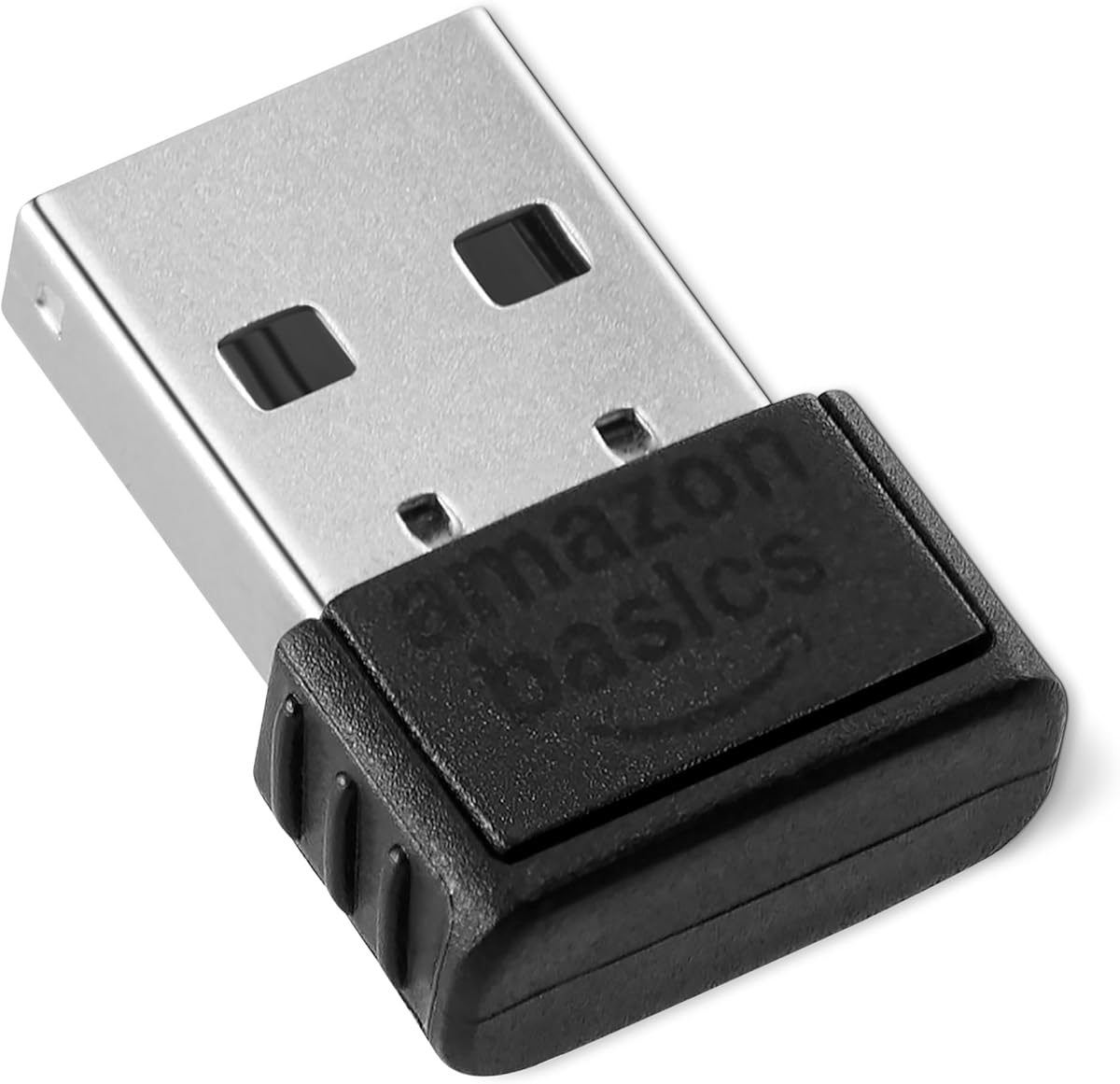
The Amazon Basics Bluetooth 5.4 dongle is designed around a simple proposition: connect it to a standard USB port and give a compatible PC Bluetooth capability. Its 4.3 rating is among the stronger results in the group, while its specification supports as many as six simultaneous device connections.
We may earn a commission when you buy through this link, at no additional cost to you.
Bluetooth 5.4 is paired with EDR and BLE technologies, covering enhanced transfer performance and energy-efficient communication. The adapter is backward compatible with Bluetooth 5.3, 5.2, 5.1, 5.0, 4.2, 4.0, 3.0, 2.1, 2.0, and 1.1. That broad compatibility is useful for mixed collections of newer and older peripherals, including mice, keyboards, and other Bluetooth-enabled equipment.
The operating-system limitations are clear. It works only with Windows 8.1, 10, and 11, not macOS, Linux, Chrome, Unix, PlayStation systems, or Windows 7 and earlier. Existing built-in Bluetooth should be disabled before use. The tiny receiver can fit into any standard USB port, making it easy to keep connected or move between computers.
This is a sensible selection for a Windows user who prioritizes a familiar, uncomplicated adapter with room for six simultaneous devices. It is not the broadest choice for cross-platform needs, but its broad Bluetooth-version support and compact design make it a solid everyday option for compatible peripherals.
Support for older Bluetooth versions helps when connecting established accessories that predate the latest standard. The receiver can serve as the central interface for a varied set of compatible devices.
The product is aimed at a straightforward use case: adding wireless capability to a PC through USB. Its compact nano format keeps the setup visually clean and easy to move.
We may earn a commission when you buy through this link, at no additional cost to you.
The TP-Link UB400 is the most relevant option in the guide for users running older Windows versions. Although it uses Bluetooth 4.0, its listed compatibility includes Windows 11, 10, 8.1, 8, 7, and XP. The supplied 4.4 rating indicates favorable customer feedback despite its older wireless generation.
We may earn a commission when you buy through this link, at no additional cost to you.
Its advantages include broad backward compatibility with Bluetooth 3.0, 2.1, 2.0, and 1.1. The adapter can provide wireless communication for compatible computers, printers, phones, and headsets. It uses Bluetooth Low Energy and lists an operating range of up to 65 feet, offering useful reach for a headset or peripheral located away from the PC.
The trade-off is that Bluetooth 4.0 lacks the newer standards and capacity figures of the leading options. Plug-and-play operation applies to Windows 8, 8.1, 10, and 11, while Windows 7 and XP require downloadable drivers. The receiver is for Windows PCs only, does not support macOS, Linux, or televisions, and cannot connect directly to Xbox or PS4 hardware.
Choose the UB400 when legacy Windows support matters more than adopting the newest Bluetooth generation. For a current Windows computer with newer peripherals, a Bluetooth 5.3, 5.4, or 6.0 receiver is the more forward-looking choice. The UB400 remains useful for older equipment, basic peripherals, and users who specifically value its stated range.
Support extending back to Windows XP is unusual among modern adapters and gives this model a clear purpose. Legacy users should still confirm that their individual peripherals and drivers remain compatible.
The stated transmission distance of up to 65 feet is useful for moving around a room while connected to a headset. Walls, interference, and device capabilities can still affect the actual usable connection.
We may earn a commission when you buy through this link, at no additional cost to you.
This mini Bluetooth 6.0 adapter has the highest supplied customer rating in the roundup at 4.6. It combines a current Bluetooth standard, a stated open-environment range of up to 65 feet, and a low-profile design intended for both fixed and mobile PC setups.
We may earn a commission when you buy through this link, at no additional cost to you.
The supplied specifications emphasize faster pairing, lower latency, improved anti-interference performance, and more stable wireless connections. The receiver can work with headphones, speakers, keyboards, mice, printers, and game controllers. Backward compatibility extends to Bluetooth 5.4, 5.3, 5.2, and 4.0 devices, allowing it to work with a range of accessories.
Plug-and-play operation is specified for Windows 11 and Windows 10. Windows 7 requires driver installation for audio-device support, while Windows 8.1 is also included among the stated compatible systems. The 65-foot figure applies to open environments, so walls and physical obstructions should not be treated as part of that guaranteed range.
This is a compelling choice for a Windows user seeking Bluetooth 6.0, strong stated range, and broad peripheral support in a compact enclosure. It is especially relevant for people who want to move between a mouse, keyboard, headphones, and speakers. As always, verify the latest driver requirements and device compatibility before installation.
The stated 20-meter open-environment reach gives the adapter room to serve devices farther from the PC than a desk-bound setup may require. Physical walls and interference remain important limitations in real environments.
Support for audio, input devices, printers, and game controllers broadens its usefulness. The mini enclosure is intended to remain connected without obstructing neighboring USB ports.
We may earn a commission when you buy through this link, at no additional cost to you.
The TP-Link Archer T2UB Nano is unique in this roundup because it combines dual-band Wi-Fi with Bluetooth 4.2 in one nano-sized USB adapter. Its 4.5 rating is among the best in the group, making it a compelling choice for a desktop or laptop that needs both types of wireless connectivity.
We may earn a commission when you buy through this link, at no additional cost to you.
As a Wi-Fi adapter, it supports 2.4 GHz and 5 GHz connections and lists maximum rates of 200 Mbps on 2.4 GHz and 433 Mbps on 5 GHz. It also supports WPA3 for improved wireless security. Its Bluetooth side is backward compatible with Bluetooth 4.0, 3.0, 2.1, 2.0, and 1.1, making it suitable for basic peripherals and PC-based controller use.
The combination introduces extra setup considerations. Existing internal Bluetooth should be disabled before using the Bluetooth function, while the internal Wi-Fi adapter must be disabled when using the Wi-Fi function to avoid conflicts. Bluetooth support covers Windows 11, 10, 8.1, and 7. The Bluetooth side is not compatible with macOS, Linux, televisions, or Windows 8, and controllers must connect through the PC rather than directly to a console.
Buy this adapter if one USB device must handle both wireless networking and basic Bluetooth accessories. It is less appropriate when your priority is a dedicated modern Bluetooth receiver for high-latency-sensitive audio or extensive peripherals. For those needs, a standalone Bluetooth 5.4 or 6.0 model is the cleaner solution.
Combining Wi-Fi and Bluetooth can reduce the number of USB receivers needed on a PC. It is especially attractive for compatible desktops that lack built-in wireless hardware.
WPA3 support strengthens the adapter's value for users connecting to compatible wireless networks. Proper disabling of competing internal adapters remains important for reliable operation.
We may earn a commission when you buy through this link, at no additional cost to you.
Choosing a Bluetooth dongle for a PC starts with confirming the operating system and peripheral types. From there, compare Bluetooth generation, connection capacity, receiver size, range, driver requirements, and whether you need additional functionality such as Wi-Fi.
Operating-system support is the most important filter because most USB Bluetooth adapters in this guide are designed specifically for Windows. The TP-Link UB500, UGREEN Bluetooth 5.3, TP-Link UB500 Plus, UGREEN Bluetooth 6.0, and Amazon Basics adapter support Windows systems only, with some Windows versions requiring drivers. The ASUS USB-BT600 also lists Linux support, making it the clearest cross-platform choice. Verify the exact operating-system version before ordering, particularly if you rely on Windows 7, Windows 8, Linux, or another platform.
Bluetooth 5.3, 5.4, and 6.0 models provide newer foundations than the Bluetooth 4.0, 4.2, and 4.3-era options, but backward compatibility remains important. Older peripherals may rely on earlier standards, while newer adapters can pair with a wide mix of devices. EDR supports enhanced transfer rates, and BLE is intended to reduce power consumption. Consider both sides of the connection: the dongle's version alone cannot guarantee that every peripheral will deliver its maximum possible performance.
Multi-device specifications describe how many different peripheral types can remain connected. The ASUS USB-BT600 and TP-Link UB600 support up to seven device connections, the Amazon Basics adapter supports six, and the UGREEN models support up to five different types. These figures should not be read as unlimited simultaneous audio streams. The UGREEN adapters specifically note that only one audio device of the same type can play music at once. Count the categories you actually need, including keyboards, mice, phones, headsets, speakers, printers, and controllers.
Range matters when your headphones, keyboard, or other peripherals are several feet from the PC. The TP-Link UB400 and Generic Bluetooth 6.0 list ranges of up to 65 feet, while the TP-Link UB500 Plus differentiates itself with a rotatable multi-direction antenna. The UB400 figure applies generally, whereas the newer adapter's range claim reaches up to 65 feet. Walls, furniture, wireless interference, and the capabilities of connected devices can reduce real-world performance, so advertised reach should be treated as an open-environment guideline.
Some newer adapters are genuinely driver-free on Windows 8.1, 10, or 11, while others require a driver download on specific Windows versions even though they support plug-and-play on others. Internet access may also be needed to retrieve the newest driver and enable Bluetooth 5.4 functionality. Windows 7, Windows 8, and Windows XP support varies considerably among the products. Read the setup requirements before purchasing, especially if the computer is offline or maintained as a legacy system.
Most of these adapters should not be used while the PC's internal Bluetooth radio remains active. The supplied guidance repeatedly recommends disabling existing Bluetooth devices in Device Manager before inserting the dongle. Two receivers competing for the same Windows Bluetooth service can lead to an exclamation mark in Device Manager, unreliable pairing, or connection interruptions. This step is especially important when buying a replacement adapter for a newer computer that already includes Bluetooth hardware.
Nano and mini receivers are easiest to carry and can remain plugged into a laptop without blocking nearby ports. The TP-Link UB500, UGREEN Bluetooth 5.3, TP-Link UB600, Amazon Basics model, TP-Link UB400, Generic Bluetooth 6.0, and Archer T2UB Nano all use compact formats. The TP-Link UB500 Plus is more specialized because its adjustable antenna is intended for flexible positioning. Choose the smallest design that meets your needs, especially for travel or systems with crowded USB ports.
The TP-Link Archer T2UB Nano uniquely combines Bluetooth 4.2 with dual-band AC600 Wi-Fi. It can be useful on a PC that lacks both forms of wireless connectivity, but buyers must disable the internal Wi-Fi and Bluetooth radios to avoid conflicts. A dedicated Bluetooth receiver offers a simpler setup and a newer Bluetooth standard. The combo adapter is therefore most appropriate for a specific need to consolidate two network functions into one USB device.
Begin by checking the adapter's operating-system requirements. If your PC already has internal Bluetooth, open Device Manager, locate the existing Bluetooth device, and disable it before connecting the USB dongle. This prevents the system from attempting to operate two Bluetooth radios at the same time. Then insert the adapter into a standard USB port, preferably a direct port rather than an unpowered hub.
After connecting the dongle, allow Windows to recognize it. Follow the manufacturer's driver instructions if the product requires a download, and permit any required installation to finish before pairing accessories. Open the Windows Bluetooth settings, turn on Bluetooth if necessary, choose the appropriate pairing or add-device command, and select the desired keyboard, mouse, headset, speaker, printer, phone, or controller when it appears.
For regular care, keep the receiver in a dry, dust-free USB port and avoid bending or forcing the connector. When traveling, remove it if the computer may be stored in a tight case, but leave it inserted when the system's design allows it to remain safely connected. If pairing fails, confirm that the built-in Bluetooth radio is disabled, reconnect the dongle, and repeat the device-removal and pairing process through Windows settings.
For most current Windows systems, a Bluetooth 5.4 or 6.0 nano adapter offers a strong balance of modern features, compact size, and broad peripheral compatibility. Choose a Bluetooth 5.3 model with an adjustable antenna if reception distance or positioning is especially important. Confirm that your operating-system version supports the selected model and check whether a driver download is required.
Yes, the supplied guidance for most listed adapters recommends disabling the computer's existing internal Bluetooth radio in Device Manager. Windows may otherwise try to manage two receivers at once, causing an exclamation mark, pairing problems, or inconsistent connections. Disable the internal radio first, reconnect the USB dongle, and then pair your peripherals.
Most of the adapters listed are for Windows PCs only and explicitly do not support macOS or Linux. The ASUS USB-BT600 is the main exception because its supplied specifications list Windows 10, Windows 11, and Linux support. Check the individual product listing before purchase if you use a non-Windows computer or plan to move the adapter between platforms.
Many models can connect several different device categories simultaneously. The UGREEN adapters support up to five device types, Amazon Basics states support for six devices, and the TP-Link UB600 and ASUS USB-BT600 support up to seven connections. However, duplicate audio-device support can be limited, so only one set of headphones or speakers may play audio at a time.
The TP-Link UB600, UGREEN Bluetooth 6.0, ASUS USB-BT600, and Generic Bluetooth 6.0 adapter all state backward compatibility with earlier Bluetooth versions. Compatibility depends on the profile and features required by the older device, so the adapter should not be assumed to support every specialized function of newer or older equipment.
These adapters are generally intended to connect controllers through a Windows PC rather than directly to a console. The TP-Link UB500 and the Archer T2UB Nano explicitly state that compatible PS4 and Xbox controllers can be used on a PC but not directly on the console. Other models carry similar restrictions, so verify the selected product's notes.
A common cause is a conflict with the PC's internal Bluetooth hardware. Disable the built-in Bluetooth device in Device Manager, unplug and reconnect the USB dongle, and confirm that the required drivers are installed. If the problem continues, check Windows Update, the manufacturer's driver page, and the product manual for troubleshooting steps.
A combo adapter can be convenient if your PC lacks both Wi-Fi and Bluetooth and you want to carry one USB receiver. The TP-Link Archer T2UB Nano provides dual-band Wi-Fi and Bluetooth 4.2, but its older Bluetooth version and the need to disable internal Wi-Fi and Bluetooth adapters make it more specialized. A dedicated Bluetooth 5.3, 5.4, or 6.0 receiver is usually simpler for Bluetooth-only needs.
The TP-Link UB500 stands out as the best overall choice because it combines Bluetooth 5.4, broad backward compatibility, support for common peripheral categories, a strong supplied rating, and a discreet nano format. The UGREEN Bluetooth 5.3 adapter is a compelling budget pick for modern Windows users who need five device types and simple driver-free setup on supported versions.
Prioritize operating-system compatibility first, followed by the peripherals you need to connect. Use the TP-Link UB500 Plus when reception control and extended coverage justify a less compact design, the ASUS USB-BT600 when Linux support is essential, and a Bluetooth 6.0 model when newer wireless capabilities are your main goal. Choose the Archer T2UB Nano only when combined Wi-Fi functionality serves a specific need.
Ratings, specifications, driver procedures, product availability, and pricing can change, so verify the current listing and manufacturer instructions before making a final purchase. Checking the exact Windows version, internal Bluetooth status, and intended peripherals will help avoid unnecessary setup problems and ensure that the chosen dongle fits your PC.