
Samsung 27-inch ViewFinity S7
4.6Editor score
Detailed 4K UHD resolution
HDR10 contrast and color
TÜV-certified eye comfort
A monitor for lawyers must balance sharp document readability, manageable screen space, accurate color, comfortable ergonomics, and reliable connectivity. The right display can make long document reviews easier, support multiwindow workflows, and create a more comfortable setup for court preparation, client communication, research, and remote meetings.
We compared these monitors using the specifications and features supplied for each product, focusing on resolution, panel type, refresh rate, viewing comfort, adjustability, connectivity, portability, and practical screen real estate. The list covers standard desktop displays, ultrawide models, compact laptops, and portable screen extenders for legal work away from the office.
Each review explains where a monitor fits best and where its compromises may matter, helping you choose according to your workload, desk space, mobility, and number of applications used together. Product listings and current prices can change, so confirm the latest specifications, availability, and terms before purchasing.
4.6Editor score

4.7Editor score

4.6Editor score
As an Amazon Associate we earn from qualifying purchases.
The comparison below places each monitor by resolution, panel technology, refresh rate, and standout work-focused features, making it easier to identify the right display for document-heavy, collaborative, or mobile legal workflows.





The Dell 24 Plus S2425HSM is a well-rounded monitor for lawyers who want one dependable display for research, drafting, email, document review, and virtual meetings. Its supplied rating is 4.7, and the combination of Full HD clarity, a 144Hz refresh rate, integrated speakers, and extensive stand adjustment makes it especially versatile for a professional desk.
We may earn a commission when you buy through this link, at no additional cost to you.
A 23.8-inch Full HD panel provides enough room for a document beside a case-management system, email, or research tabs without demanding the depth of a larger model. The 1ms Moving Picture Response Time and 144Hz refresh rate make cursor movement and scrolling feel exceptionally fluid, which can be useful during long research sessions. The 1500:1 contrast ratio also supports clear separation between text and background.
Its strongest office-oriented feature is the adjustable stand. Height, tilt, pivot, and swivel controls allow users to position the screen at a comfortable height and angle, while AMD FreeSync supports smooth playback. The two 3W speakers remove the need for separate desktop speakers during calls, while the TÜV-certified eye-comfort features are designed to reduce blue light without sacrificing color quality.
The principal compromise is resolution. Full HD is comfortable and clear on a 23.8-inch screen, but it cannot offer the pixel density of a 4K display or the width of a 34-inch model. Nevertheless, lawyers who want a compact, flexible, multimedia-capable monitor that can handle long and varied workdays will find this an especially balanced recommendation.
Height, tilt, pivot, and swivel adjustment make it easier to align the panel with eye level and switch between centered work and side-by-side viewing. This flexibility is particularly valuable when the same screen supports reading, writing, and remote calls.
The 144Hz refresh rate and 1ms MPRT keep motion responsive, while the integrated dual 3W speakers provide a convenient option for hearing meeting participants without a separate speaker pair.
We may earn a commission when you buy through this link, at no additional cost to you.
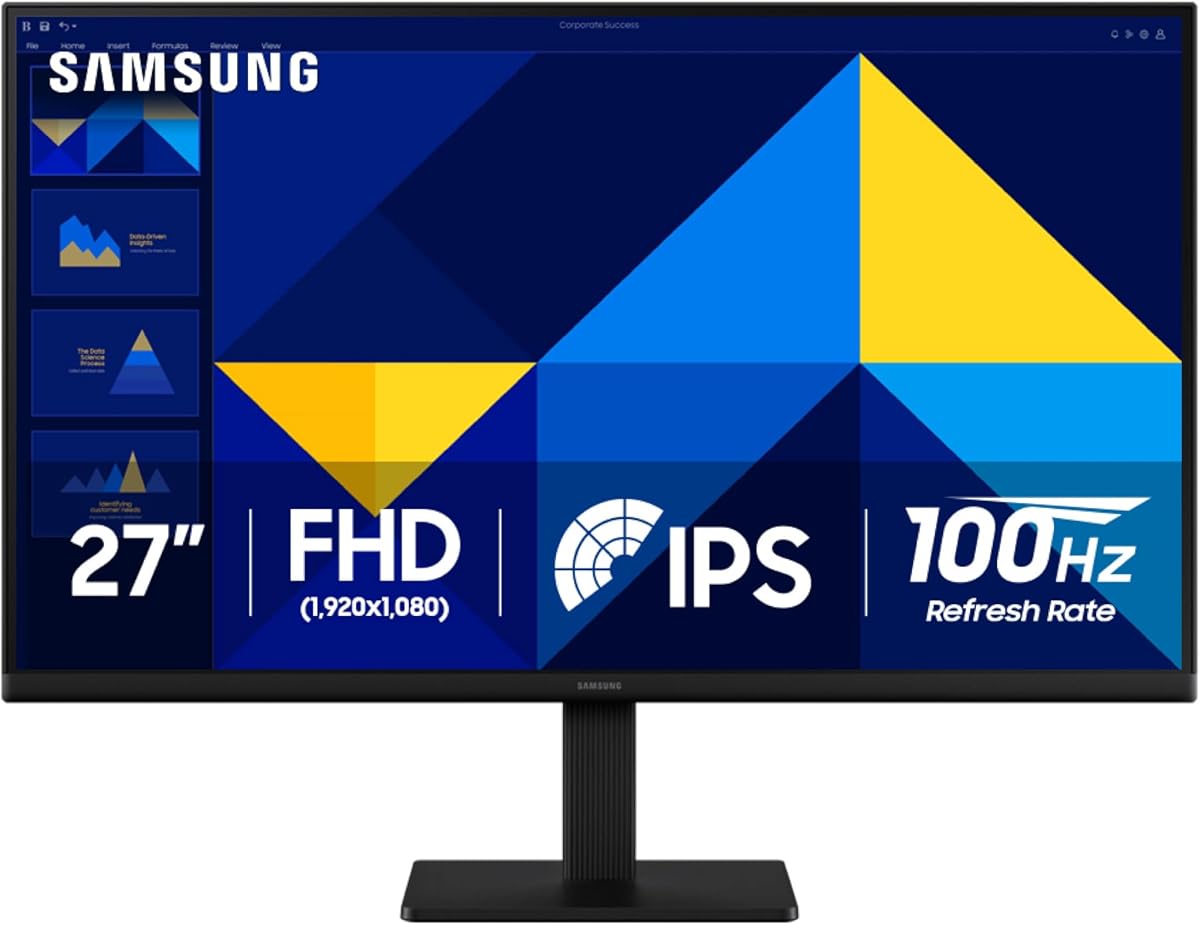
The Samsung 27-inch S30GD is a practical choice for legal professionals who regularly move between documents, spreadsheets, correspondence, and web research. It carries a 4.5 rating and offers a 27-inch IPS panel, 100Hz refresh rate, slim bezels, and eye-comfort features in a modern package.
We may earn a commission when you buy through this link, at no additional cost to you.
IPS color consistency is the defining benefit. According to the supplied specifications, colors remain bright and clear across the screen even when viewed from different angles. That makes the display more suitable for shared desks, informal client meetings, or collaborative workspaces where several people may view the screen from different positions.
The 100Hz refresh rate reduces lag and motion blur, helping menus, web pages, and case-management interfaces feel more fluid. Reduced blue light and screen-flicker features support longer sessions, while the ultra-thin bezels create a modern appearance and minimize visual distraction around the content.
This monitor does not provide the fine detail of a 4K model, so lawyers who regularly zoom into scanned exhibits or compare dense pages should consider the pixel density offered elsewhere in this list. For general office productivity, however, the S30GD delivers a well-balanced 27-inch workspace at a more conventional resolution.
The IPS panel is intended to preserve consistent color and tone across wider viewing angles. It is a useful quality in a shared office or when reviewing material with a colleague beside your desk.
A 100Hz refresh rate, slim bezels, and reduced blue-light and flicker features create a fluid and comfortable screen for routine administrative and research work.
We may earn a commission when you buy through this link, at no additional cost to you.
The MNN 15.6-inch portable monitor is designed for lawyers who work from hotels, temporary offices, client sites, or wherever a laptop is the primary computer. It has a 4.3 rating and combines a Full HD IPS display with a slim enclosure, USB-C connectivity, multiple display modes, and a cover that doubles as a stand.
We may earn a commission when you buy through this link, at no additional cost to you.
Resolution and viewing angle are the major strengths. Its 1920 by 1080 panel retains useful detail for contracts, correspondence, web research, and meeting notes, while the glossy IPS screen is specified to provide a 178-degree viewing angle. That makes it easier to turn the display toward another person without a major change in perceived color or clarity.
Two full-feature USB-C ports reduce setup friction, with one cable able to handle display signal and power for compatible laptops. Copy, extended, second-screen, and portrait modes offer flexibility for comparing documents, joining meetings, or working with narrow reading layouts. The included scratch-resistant smart cover protects the panel and supports use in either orientation.
Compatibility is the important caveat. The source device must support the required USB-C display and power functions, including Thunderbolt 3 or USB 3.1 Type-C with DisplayPort Alternate Mode. It is best understood as a focused travel companion rather than a replacement for a larger, ergonomic office display.
The included cover doubles as a stand, while the lightweight body is easy to place beside a laptop. Portrait orientation is especially useful for reading long files or viewing a narrow document column.
Compatible computers can use one USB-C connection for both display output and power. The two full-feature ports also provide flexibility when one connection is already occupied.
We may earn a commission when you buy through this link, at no additional cost to you.
The Xebec Tri-Screen 3 is built for lawyers who need more usable screen area without carrying three separate traditional monitors. It adds two 13.3-inch displays to a laptop, creating a portable triple-screen workstation for research, document comparison, deadlines, and complex multi-application work.
We may earn a commission when you buy through this link, at no additional cost to you.
Its patented tension-fit design avoids magnets and adhesive while holding the two displays in position. The unit connects through one embedded USB-C cable, and the supplied description states that the same cable can drive both screens while providing 60W pass-through charging. That simplifies the transition between a home desk and a temporary workspace.
Aluminum construction and a total weight of 3.6 pounds make the system more travel-oriented than a pair of conventional desktop monitors. The included protective case helps it survive transport, while the stated one-year warranty and Texas-based support provide a clearer ownership package than many highly specialized accessories.
The obvious drawback is bulk. Two screens require more desk depth than a conventional display and may not suit a compact office or a crowded airline workspace. Compatibility and appropriate USB-C display support also matter. For legal professionals who regularly work from several locations and routinely switch among many applications, though, the extra capacity can be transformative.
The integrated tension-fit structure turns a laptop into a three-display workstation. It is particularly useful for keeping a case file, research window, and drafting application visible at the same time.
Aluminum construction, a three-and-a-half-pound weight, and an included travel case simplify transport. Single-cable operation reduces the number of accessories needed at client sites or temporary offices.
We may earn a commission when you buy through this link, at no additional cost to you.
The Dell 34 S3425DW is a strong option for lawyers who routinely work with several side-by-side windows. Its 34-inch WQHD format offers more horizontal space than a standard monitor, reducing the need to switch between a precedent, draft, email, and research tabs.
We may earn a commission when you buy through this link, at no additional cost to you.
The VA panel and 3000:1 contrast ratio provide deeper blacks and stronger contrast than many general-purpose office displays. Color coverage is listed at 99% sRGB and 95% DCI-P3, useful when reviewing visual exhibits or color-sensitive material. A 120Hz refresh rate and 0.03ms response time keep motion smooth.
The VA panel and 3000:1 contrast ratio provide deeper blacks and stronger contrast than many general-purpose office displays. Color coverage is listed at 99% sRGB and 95% DCI-P3, useful when reviewing visual exhibits or color-sensitive material. A 120Hz refresh rate and 0.03ms response time keep motion smooth.
USB-C connectivity with up to 65W power delivery is a notable convenience, allowing a compatible laptop to receive display input and power through one cable. The larger dimensions may require a broad desk, and WQHD does not deliver the pixel density of 4K. Even so, its expansive workspace makes this a compelling choice for high-volume document and multitasking workloads.
The wide format can hold multiple full-height productivity windows at once. Lawyers working across precedents, research, calendar items, and correspondence can preserve more context than on a smaller panel.
High stated sRGB and DCI-P3 coverage, HDR readiness, and a 3000:1 contrast ratio make the display suitable for visual exhibits and content where tonal separation matters.
We may earn a commission when you buy through this link, at no additional cost to you.
The Samsung Essential S3 S36GD is a 27-inch curved monitor that brings a different visual experience to legal workspaces. With a 4.5 rating, a 1800R curve, a 100Hz refresh rate, and TÜV-certified eye-comfort features, it is well suited to focused work and immersive viewing.
We may earn a commission when you buy through this link, at no additional cost to you.
The curvature wraps the display more closely around the viewer, creating a wider field of engagement and helping reduce peripheral distraction. This can be useful when reviewing presentations, joining remote meetings, or focusing on a complex document without the edges of a flat display seeming as distant.
A 100Hz refresh rate reduces lag and motion blur, while the optimized game and image settings are unnecessary to mention beyond confirming that the panel is fluid for general interaction. The reduced blue-light and flicker features support long working sessions, and the supplied description notes that devices can be connected directly for flexibility.
Whether the curve is beneficial depends on your workspace and viewing habits. Some users find curved displays more natural for wide content, while others prefer the perfectly flat geometry of a standard office monitor. The Full HD resolution also limits fine-detail viewing, so this model is best for users who prioritize immersion and smooth everyday performance over extreme pixel density.
The 1800R curve brings the edges of the display closer to the viewer, which can make presentations and shared documents feel more focused and engaging.
TÜV-certified blue-light and flicker reductions, combined with a 100Hz refresh rate, support smooth and comfortable everyday use.
We may earn a commission when you buy through this link, at no additional cost to you.
The Fagomfer S6 is a modular laptop screen extender that can create as many as three additional displays around a computer. It is aimed at professionals such as lawyers and financial specialists who need more visible windows for research, analysis, and communication while working away from a permanent desk.
We may earn a commission when you buy through this link, at no additional cost to you.
Its detachable design includes a portable monitor, folding stand, sleeve, and single-screen stands. Users can create different arrangements, including landscape and portrait orientations, and switch between expansion and mirroring modes. Unlike a clip-on extender, it does not need to attach to the physical size of a particular laptop.
Each included screen offers 1920 by 1080 resolution, 300 nits of brightness, an 86% NTSC color gamut, a 16:9 aspect ratio, and a 1000:1 contrast ratio. It supports Windows, macOS, Home OS, and Linux environments, along with laptops, desktop computers, mini PCs, and compatible consoles through the supplied custom hub cable.
The 4.1 rating reflects a specialized product whose usefulness depends heavily on the user's hardware and need for a modular arrangement. The color specification is less ambitious than that of the premium 4K display, and some port configurations require careful setup. For users who value flexible screen placement and multi-platform support, it remains a distinctive mobile-workstation option.
Detachable components and folding stands let users build a display arrangement suited to a countertop, hotel desk, or shared workspace instead of relying on a single fixed layout.
The included hub cable expands connection options, while stated compatibility covers major desktop and mobile operating systems. Always verify display-output support before setup.
We may earn a commission when you buy through this link, at no additional cost to you.
The Samsung 27-inch ViewFinity S7 S71H is the premium choice for lawyers who work with detailed documents, scanned exhibits, complex diagrams, and high-resolution reference material. Its 4.6 rating reflects a feature set centered on 4K UHD clarity, IPS color reproduction, and HDR10 presentation.
We may earn a commission when you buy through this link, at no additional cost to you.
The 3840 by 2160 resolution provides more than twice the pixel count of Full HD. On a 27-inch panel, that density can reveal fine text, intricate diagrams, and nuanced image content without requiring a large monitor. It is particularly compelling for comparing pleadings, reviewing high-resolution scans, or keeping precise reference material visible.
HDR10 is specified to optimize contrast with darker blacks, brighter highlights, and a color offering of more than one billion shades. Eye Saver Mode reduces blue light and prevents screen flickering, while Game Mode can adjust color and contrast for clearer scenes. Connectivity includes both HDMI and DisplayPort for flexible professional setups.
The panel is still physically 27 inches, so it does not offer the expansive workspace of a 34-inch ultrawide. Your computer must also support 4K output at the desired refresh rate. For users who prioritize fine detail and visual quality within a conventional desk footprint, though, this is the most specialized high-resolution option in the guide.
4K UHD pixel density makes small text, scanned pages, and intricate diagrams easier to inspect. It is especially useful when the same monitor handles both ordinary office applications and detailed visual evidence.
IPS technology, HDR10 support, and a stated palette of more than one billion colors provide stronger visual differentiation for images and graphics.
We may earn a commission when you buy through this link, at no additional cost to you.
The Samsung 27-inch ViewFinity S6 S61F offers a useful middle ground between Full HD productivity monitors and high-resolution 4K models. Its QHD 2560 by 1440 panel delivers more pixel density than Full HD, while the 27-inch size and 100Hz refresh rate keep it suitable for regular office work.
We may earn a commission when you buy through this link, at no additional cost to you.
The higher resolution reveals more detail in complicated diagrams, dense electronic records, and long web pages. It also creates enough room to divide the screen into practical work zones without shrinking everything to the limitations of a 1080p panel. This makes the S61F a sensible choice for lawyers who need clearer documents but do not require the absolute detail of the ViewFinity S7.
Eye Saver Mode is certified by TÜV to reduce eye strain through blue-light and flicker reductions. The stand supports tilt, pivot, and height adjustment, which is important when viewing long documents and switching between portrait-oriented material and a standard landscape layout.
The supplied rating is 4.3, and the monitor does not claim the advanced HDR feature found on the S7. It also needs a computer capable of driving QHD at the intended refresh rate. Even so, its balance of detail, ergonomics, eye comfort, and conventional size makes it one of the most practical professional choices here.
QHD increases the usable detail of a 27-inch screen without moving to a large-format display. It offers a balanced option for text, research, and split-screen work.
Height, tilt, and pivot controls support a more comfortable setup, including rotating content when the orientation of a document or schedule benefits from a portrait view.
We may earn a commission when you buy through this link, at no additional cost to you.
The Philips 24-inch V Line 241V8LB is a straightforward and economical monitor for lawyers who need a clear, comfortable screen for reading, writing, email, and routine research. Its 4.6 rating is among the highest in the group, and the combination of Full HD resolution, a 100Hz refresh rate, and a VA panel supports comfortable daily use.
We may earn a commission when you buy through this link, at no additional cost to you.
The VA panel produces brighter whites and deeper blacks with 16.7 million colors, while the stated 178-degree viewing angles help maintain consistent colors from off-axis positions. The 100Hz refresh rate also makes scrolling and cursor movement feel smoother than a conventional 60Hz office panel.
EasyRead mode is the most relevant feature for legal work because it creates a more paper-like presentation for lengthy documents. The virtually bezel-free design on three sides also makes the screen look larger and supports cleaner multi-monitor arrangements if the desk allows.
Its limitations are mainly about capacity rather than quality. A 23.8-inch Full HD display is not ideal for fitting many dense applications side by side, and the supplied specifications do not mention integrated speakers. Still, for a focused, value-oriented setup centered on reading and writing, the Philips 241V8LB delivers a clear and practical package.
EasyRead mode is intended to reduce the glare and look of a typical illuminated screen, making long contracts, discovery documents, and research papers easier to read.
Three-sided bezel-free styling keeps the desk visually uncluttered and allows an additional monitor to sit alongside it without an excessively heavy frame.
We may earn a commission when you buy through this link, at no additional cost to you.
The right legal monitor depends on how you work, where you work, and how much information you keep visible. Consider resolution, panel quality, ergonomics, eye comfort, connectivity, and portability together rather than focusing on a single specification.
Resolution determines how much readable detail a display can present. Full HD at 1920 by 1080 is a familiar starting point and works well for most standard office tasks, particularly on a 23.8-inch or 24-inch panel. QHD at 2560 by 1440 offers greater pixel density on a 27-inch screen, making dense records, small annotations, and complicated diagrams easier to inspect. A 4K UHD display provides the highest detail in this group, which can be valuable for scanned exhibits and evidence, but it also requires a computer capable of driving the desired resolution and refresh rate.
Choose resolution based on the size of the panel and the amount of simultaneous work. More pixels do not automatically create more physical workspace, so consider whether you prefer finer detail in one window or more open space for several applications.
A 24-inch monitor is compact, familiar, and generally easier to position on a modest desk. A 27-inch model offers a more substantial canvas while retaining a conventional footprint. The 34-inch Dell S3425DW provides much more horizontal room, which can reduce frequent switching among case files, research, email, and drafting windows. Portable displays are best when mobility outweighs total screen area. The MNN and Fagomfer options use smaller panels, while the Xebec creates three displays with two compact screens.
Match screen size to your desk depth, viewing distance, and typical number of open windows. A larger display is useful only if you can position it comfortably without turning your head excessively.
IPS panels are valued for consistent colors and broad viewing angles, making them a strong choice for shared offices or frequent collaboration. VA panels can provide deeper blacks and higher contrast, which can improve the perceived separation of text against dark backgrounds. The supplied specifications also distinguish the ViewFinity S7 by its HDR10 support and stated coverage of more than one billion colors. The portable Fagomfer S6 offers a more modest 86% NTSC specification, which is adequate for general office use but less compelling for detailed color work.
For legal documents, prioritize readability and consistency before specialist color performance. For visual evidence, photographs, or design work, examine color coverage and contrast more closely.
Long reading sessions make eye comfort a practical requirement. Several products in this list include reduced blue-light modes, flicker reduction, or TÜV-certified eye-comfort features. The Philips EasyRead mode is specifically designed to create a more paper-like appearance for lengthy documents, while the Dell and Samsung models combine eye-comfort settings with high refresh rates. These features cannot eliminate every source of fatigue, but they can make extended use more comfortable.
Look for a monitor that offers a comfortable brightness range, low-flicker behavior, and text modes you can adjust. Good ergonomics are equally important because a technically eye-friendly panel cannot compensate for a screen positioned at the wrong height.
Height, tilt, pivot, and swivel adjustments allow a display to be aligned with your posture and reduce the need to lean forward or twist. The Dell 24 Plus supports all four, while the Samsung ViewFinity S6 provides tilt, pivot, and height adjustment. Such controls are especially helpful for lawyers alternating between reading, writing, and video meetings. If a model has a fixed stand, verify that its default height and viewing angle work for your chair, desk, and glasses.
Prioritize height adjustment first, followed by tilt and pivot. A properly positioned screen can make a modest display feel more comfortable and reduce the temptation to work with a hunched posture.
Connection choices affect how quickly a monitor integrates into a legal workstation. HDMI and DisplayPort are common desktop options, and USB-C can combine display input with power delivery when the computer and monitor support compatible protocols. The Dell 34 S3425DW supports up to 65W power delivery through a single USB-C cable, reducing desk clutter. Portable products depend more heavily on USB-C DisplayPort Alternate Mode, and the Fagomfer includes a special hub cable for systems with limited display outputs.
Check the ports on your computer before buying, especially for portable or USB-C models. Also consider whether your workflow needs a dock, separate power supply, adapters, or additional cables.
A higher refresh rate can make text scrolling, window movement, and cursor navigation appear smoother. The Dell 24 Plus reaches 144Hz with a stated 1ms MPRT, while the Dell 34 reaches 120Hz with a 0.03ms response time. The 100Hz Samsung monitors and 100Hz Philips provide a noticeable step above basic office panels. These attributes are most visible during frequent scrolling and application switching, although the underlying resolution and panel quality remain important for reading.
For a professional monitor used mainly with office applications, prioritize clarity and ergonomics first. Choose a faster refresh rate when you also value fluid navigation or regularly use interactive applications.
Lawyers frequently work from locations other than a permanent office. The MNN portable monitor is the lightest conventional option in the group and supports portrait use, while the Fagomfer offers a modular multi-screen arrangement. The Xebec Tri-Screen 3 provides the most screen capacity in a travel-oriented format, but its two-display design is larger and heavier. When traveling, consider weight, thickness, cable requirements, power access, and whether your destination desk can support the chosen arrangement.
Portable does not mean universally compatible. Verify USB-C display support, operating-system behavior, and available ports before relying on a mobile setup for a deadline or hearing.
Begin by connecting the display with the appropriate HDMI, DisplayPort, or USB-C cable, then set the native resolution and highest refresh rate supported by both the monitor and computer. Use your graphics control panel to make text and application windows as large as is comfortable. If a portable model does not recognize the signal, confirm that the USB-C port supports DisplayPort Alternate Mode and use any required hub cable or power connection.
Position the top of the screen near eye level, roughly an arm's length away, and center it in front of you. Adjust brightness for the room rather than leaving it at maximum, enable a reduced-blue-light or document mode when reading long material, and use tilt, pivot, or height adjustments to prevent leaning. For confidential legal work, configure the screen lock and operating-system privacy features, and position the display to limit casual viewing of case material.
Keep the panel away from direct sunlight, dust, moisture, and sudden temperature changes. Clean it with a soft microfiber cloth and avoid liquid directly on the screen. For portable models, protect the display with its cover or case, coil cables without creating sharp bends, and verify the fit of stands and tension mechanisms before travel. Periodically check firmware and driver updates, but follow the manufacturer's guidance and avoid unsupported modifications.
Full HD is sufficient for many standard office tasks, especially on a 24-inch monitor. QHD offers finer text and more detail on a 27-inch panel, while 4K UHD is valuable for dense scans, complex exhibits, and precise document comparison. The best choice depends on screen size, hardware capability, and whether you value detail or more physical workspace.
A second screen can separate research from drafting, keep case files visible while communicating with a client, or provide a dedicated area for electronic discovery. Portable screen extenders can create that arrangement away from the office, but permanent multi-monitor setups require enough desk space, compatible connections, and comfortable viewing angles.
Built-in speakers are convenient for video calls and quick listening, as offered by the Dell 24 Plus. They are not a substitute for a dedicated headset or higher-quality speaker system in a busy office. If confidential conversations are routine, a headset with a clear microphone and privacy-focused call controls may be more useful than monitor audio.
They can be, provided the device and connection method are secure and suitable for the task. Look for screen-lock controls, encrypted storage on the host computer, trusted accessories, and a setup that prevents casual viewing in public. It is also wise to avoid leaving a case open on the screen while traveling or working in a crowded location.
It can be helpful as part of a broader comfort strategy, especially when reading for extended periods. Models with TÜV-certified eye-comfort features, reduced flicker, and document modes are worth considering. Brightness, positioning, breaks, and correct viewing distance remain equally important, so comfort features should not replace good working habits.
IPS is a strong choice when color consistency and wide viewing angles matter most, particularly in shared spaces. VA can provide deeper blacks and higher contrast, which may make some text and images appear more pronounced. For most legal documents, consistent readability, appropriate brightness, and an ergonomic setup are more valuable than a specialist color advantage.
Many modern laptops can, but the port must support USB-C DisplayPort Alternate Mode or a compatible video connection. Some portable monitors also need separate power for the display or a hub cable. Check the computer and monitor specifications before purchasing, and test the intended workflow before relying on it during court or client travel.
A 27-inch model is easier to fit into a conventional office and often provides a comfortable balance of detail and workspace. A 34-inch model offers substantially more horizontal room for side-by-side documents and applications, but takes more desk space. Consider your chair, viewing distance, and ability to keep both edges of a wide display at a comfortable angle.
The Dell 24 Plus S2425HSM is the most balanced general recommendation, combining a responsive 144Hz panel, integrated speakers, eye-comfort features, and extensive stand adjustment. The Samsung ViewFinity S7 is the premium choice for fine detail, offering 4K UHD resolution, HDR10, and high color capability in a conventional 27-inch format. For a simpler setup, the Philips 24 V Line provides a clear Full HD display with document-oriented EasyRead mode.
Your priorities should determine the winner. Choose QHD or 4K when scanned material and fine text demand more detail, an ultrawide when minimizing window switching matters most, and a portable display when travel is central to your practice. Ergonomics, eye comfort, and compatible connectivity deserve attention regardless of screen size or resolution.
Before purchasing, confirm current specifications, port compatibility, desk clearance, and current prices on the retailer listing. Product details and market conditions can change, so use this guide as a framework for evaluating the most suitable monitor for your legal workflow.