PlayStation Media Remote for PS5 (Renewed)
4.4Editor score
Direct PS5 console control
Dedicated media playback buttons
Built-in infrared transmitter
Discover the best Media Remote for PS5 options, comparing connectivity, playback controls, TV functions, app shortcuts, ergonomics, and protective cases.
A Media Remote for PS5 can make streaming and disc playback feel more convenient than reaching for a gamepad. The useful choice depends on whether you prioritize app shortcuts, full TV control, simple media navigation, or protection for an official remote already in your possession.
This guide compares ten relevant listings, including dedicated PS5 media remotes, universal entertainment remotes, protective silicone cases, and one general-purpose wireless controller. We assessed the functions stated for each product, along with its rating, compatibility, design, and potential limitations, without claiming hands-on testing.
The first three picks stand out for their combination of media functions and stated user ratings, while the remaining entries offer worthwhile alternatives for different needs. Some listings are accessories rather than complete remotes, so check what is included before buying, and remember that prices and availability can change.
4.4Editor score

3.5Editor score

4.1Editor score
The table below compares all ten listings by product type, connectivity, control coverage, and practical extras, making it easy to distinguish complete media remotes from cases and other gaming accessories.




This feature-focused remote is designed specifically for PlayStation 5 navigation, streaming, and media playback. Its 3.5 rating is lower than those of several other complete media remotes in the list, but the stated feature set is unusually broad for this category, including Bluetooth connectivity, IR learning, and dedicated app buttons.
We may earn a commission when you buy through this link, at no additional cost to you.
The remote can navigate the PS5 home menu and control play, pause, fast-forward, and rewind functions without requiring the DualSense controller. Shortcut buttons for Netflix, YouTube, Disney+, and Spotify make it particularly appealing for viewers who move directly between services rather than browsing through the console interface.
Its IR-learning system extends beyond the console by controlling TV power, volume, and mute on major brands such as Sony, LG, Samsung, Vizio, and TCL. This reduces the number of remotes on a coffee table, although actual TV compatibility can vary by model and may require programming. The 3.5 rating also suggests the product may not deliver the same consistency as higher-rated options.
This is a strong choice for anyone who wants app shortcuts and television control in a single handheld device. It may be less suitable if an official PlayStation media remote is already on hand or if you prefer a simpler product with a higher customer rating.
Combining PS5 navigation with programmable TV power and volume functions can simplify a living-room setup. The IR learning feature reduces dependence on a separate television remote, while Bluetooth operation allows console control without maintaining a direct line of sight.
The dedicated Netflix, YouTube, Disney+, and Spotify buttons are useful for viewers who favor one-touch access. They can save time compared with finding each app through the PS5 menu, although shortcut availability depends on the services and software environment on the console.
We may earn a commission when you buy through this link, at no additional cost to you.
This renewed PlayStation Media Remote is one of the strongest conventional choices for people who want an uncomplicated controller for PS5 media and navigation. It carries a 4.4 rating and directly addresses the core functions of a media remote: playback, console menus, and basic television control.
We may earn a commission when you buy through this link, at no additional cost to you.
Dedicated play/pause, fast-forward, and fast-reverse buttons make it effective for streaming and disc content. It can also power on the PS5 and navigate console menus directly, reducing the need to pick up a full gamepad when the task is entertainment rather than gaming.
The built-in IR transmitter handles volume and power functions on compatible televisions. That is a meaningful convenience for a media-only device, although the listing notes that a PS5 system software update may be required. As a renewed item, it may also show signs of previous use or come in varying condition.
It is best for PS5 owners who prioritize a familiar media-control layout, solid rating, and a compact alternative to the DualSense. Buyers who want guaranteed new condition or many streaming shortcuts may prefer one of the other options, but this listing is a strong all-around recommendation.
Dedicated transport buttons are more convenient than navigating on-screen controls with a directional pad. The inclusion of fast-forward and fast-reverse makes the remote particularly suitable for podcasts, streamed video, and other recorded media.
Keeping a smaller remote within reach can make everyday navigation less cumbersome. This model puts console power, menus, playback, and compatible TV controls in a device designed for media use rather than gaming.
We may earn a commission when you buy through this link, at no additional cost to you.
This renewed Sony PS5 multimedia remote is a focused alternative for console owners seeking a dedicated media accessory rather than a full-size gamepad. Its 4.1 rating provides a solid user-satisfaction signal, although the supplied listing offers less detail about its individual functions than the leading products.
We may earn a commission when you buy through this link, at no additional cost to you.
The clearest strength is its stated purpose: controlling PS5 multimedia functions. A purpose-built device can be easier to learn and more comfortable for routine navigation than a gaming controller. Its renewed premium designation may also make it a practical option for shoppers who want to limit spending while still obtaining a dedicated remote.
The main drawback is limited disclosure in the product data. No specific playback buttons, TV functions, app shortcuts, or pairing method are identified beyond its PS5 multimedia role. Buyers who require detailed features should check the current listing carefully, especially because renewed items can vary in cosmetic and functional condition.
It is a sensible choice for basic PS5 media navigation when you already know it meets your needs. For extensive control requirements, the feature-rich first-ranked remote or the higher-rated renewed PlayStation remote offers more documented functionality.
A dedicated multimedia remote is tailored to navigating entertainment content and console menus. That focus makes it a simpler choice than a general gamepad when the controller is mainly being used for Netflix, video playback, or other non-gaming tasks.
The renewed designation can be attractive to buyers who prioritize a dedicated remote without paying for a new version. Condition should still be checked closely, particularly for surface marks, button response, pairing reliability, and infrared performance.
We may earn a commission when you buy through this link, at no additional cost to you.
This PlayStation 5 Media Remote Control combines a strong 4.4 rating with app-specific buttons, making it an attractive option for viewers who frequently move between streaming services. It is designed as a PS5 media accessory rather than a replacement gaming controller.
We may earn a commission when you buy through this link, at no additional cost to you.
The app-specific controls are the defining listed feature. Dedicated buttons can reduce the number of steps required to reach supported applications, which is useful when watching television on the PS5 and spending more time navigating content than launching games.
The available product information is limited, so buyers should verify button layouts, app assignments, pairing requirements, and any television controls before ordering. A high rating suggests broad appeal, but it does not establish that every app shortcut performs identically across console software versions.
This remote is a good fit for PS5 households that want quick app access and a dedicated media device. Those needing more specific information about TV power, volume, or infrared support should examine the listing details and compare them with the more thoroughly documented alternatives.
App-specific buttons are especially helpful when supported services are used regularly. They can shorten the route from the PS5 interface to a streaming app while preserving a compact remote layout.
With a 4.4 rating, this listing performs well among the complete remotes in the group. That makes it worth considering for buyers who prioritize customer feedback and direct PS5 media use over universal device control.
We may earn a commission when you buy through this link, at no additional cost to you.
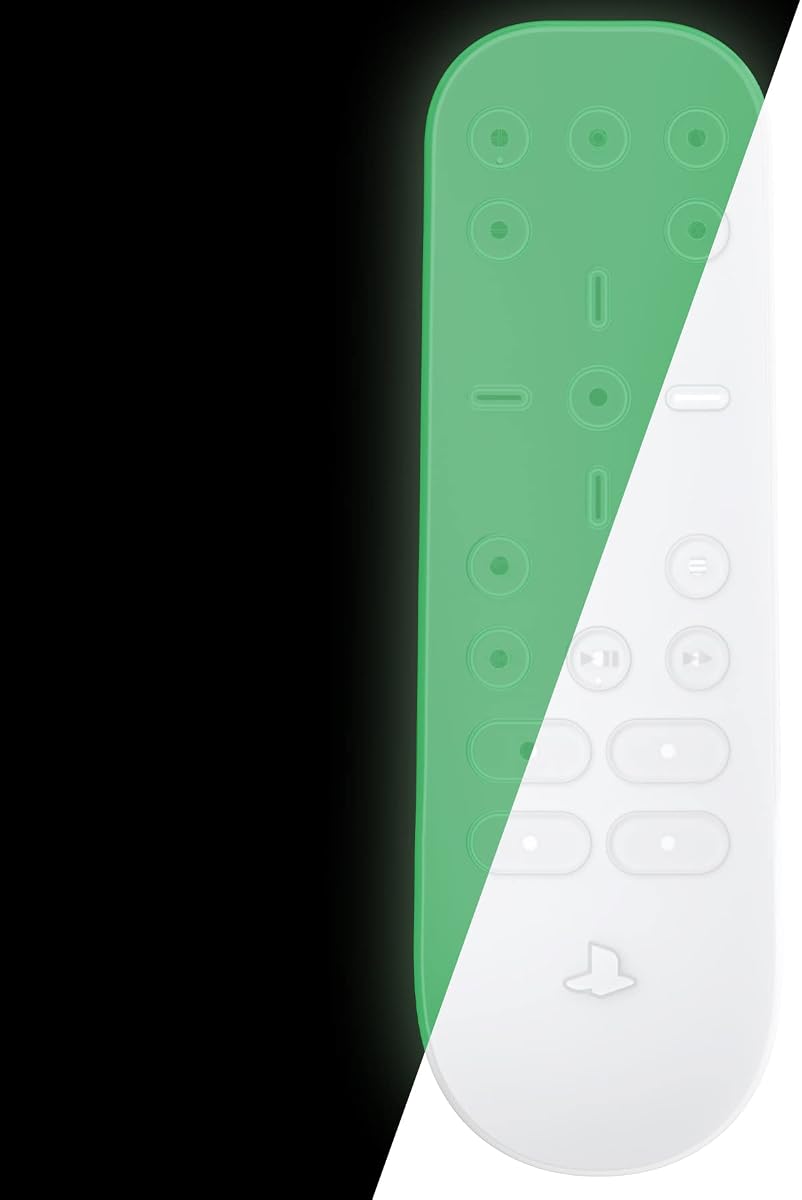
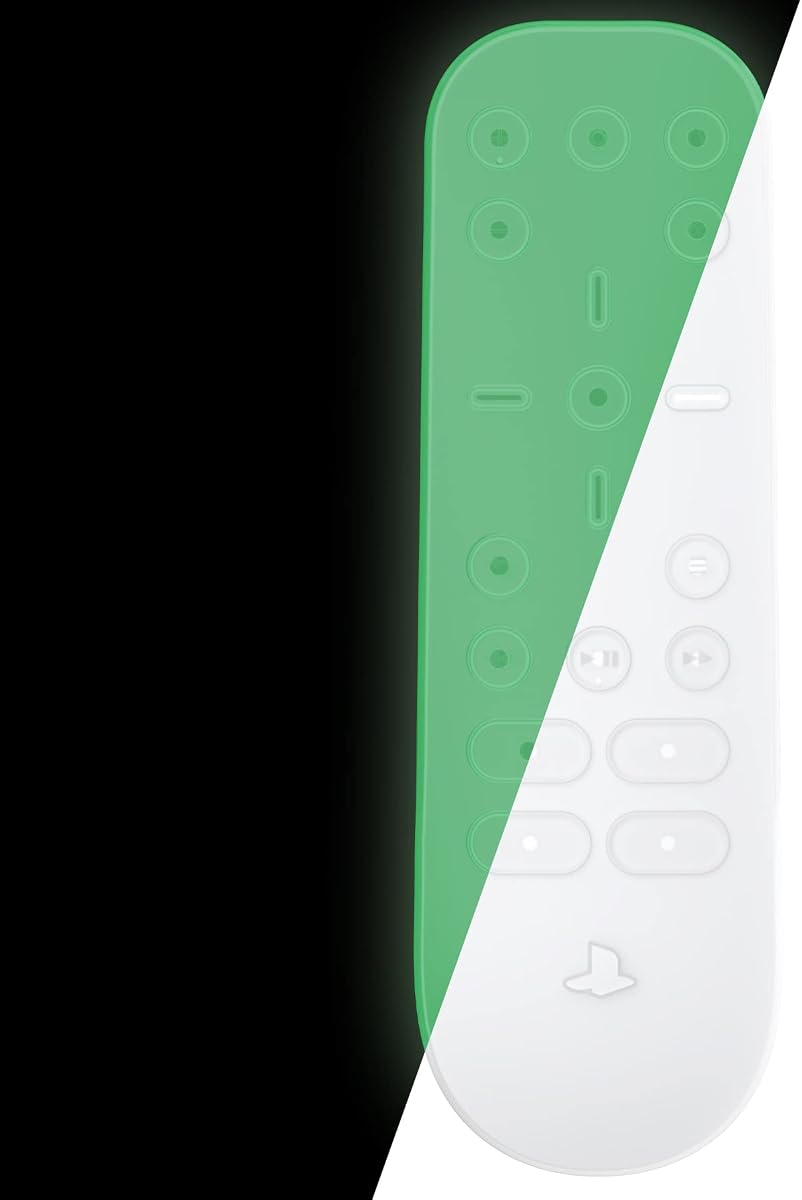
The PlayVital Glow in Dark Green case is not a media remote itself but a protective accessory for a PS5 media remote. It earns a 4.4 rating, matching several complete remotes in the list, which makes it a compelling solution for owners who are satisfied with their current remote but want to reduce everyday wear.
We may earn a commission when you buy through this link, at no additional cost to you.
The soft silicone sleeve covers the remote without interfering with button use or port access. It is described as lightweight, washable, anti-slip, shockproof, and protective against scratches, dirt, grease, and spills. Its glow-in-dark appearance can also make the remote easier to locate in a dim room.
The major limitation is clear from the product name and bullet points: only the silicone cover is included. It cannot control the PS5, and buyers must already own a compatible remote. Color and glow performance may vary depending on exposure to light, so the case should be charged under a lamp or daylight before expecting maximum luminescence.
This is a good choice for PS5 owners who want to preserve a media remote while improving grip and visibility. It should be considered alongside the other cases based on whether you value glow, a lanyard, stronger coverage, or a more premium silicone construction.
The precisely fitted silicone is designed to retain access to the remote's buttons and ports. That balance makes the cover useful for daily handling without turning a simple protective accessory into an obstacle.
The green glow-in-dark finish helps users locate the remote when it settles between sofa cushions or beneath other items. The fluorescence needs prior exposure to light to activate, but it adds visibility without adding electronic complexity.
We may earn a commission when you buy through this link, at no additional cost to you.
This silicone cover is a protective and anti-loss solution for the PS5 Media Remote Control, not a functioning remote. Its 3.2 rating is the lowest among the complete product list, so prospective buyers should weigh its useful design features carefully against more favorable ratings elsewhere.
We may earn a commission when you buy through this link, at no additional cost to you.
The case uses a PS5-specific fit with precise cutouts, including an opening that allows unobstructed signal reception. Its flexible silicone cushions the remote's shell and can help keep the battery from falling out. A basketball-texture pattern adds grip, while the bright color makes the covered remote easier to find.
An included lanyard adds a practical anti-loss measure: the remote can hang beside the television or from the sofa. The cover is washable and can be wiped with a damp cloth or wet wipe. However, it is only a cover, is incompatible with other remote brands, and cannot add any console functions.
This accessory is most useful for someone who already owns a compatible PS5 media remote and wants added grip, visibility, and protection. It is less suitable as a standalone purchase or when the remote's exact model has not been confirmed.
Flexible silicone cushions the remote against everyday knocks and helps discourage its shell from cracking or its batteries from separating. The close fit can also reduce the amount of dirt and grease reaching the original surface.
The included lanyard can be attached near a sofa or television for convenient storage. A bright case is easier to spot among multiple remotes, while the textured surface improves handling.
We may earn a commission when you buy through this link, at no additional cost to you.
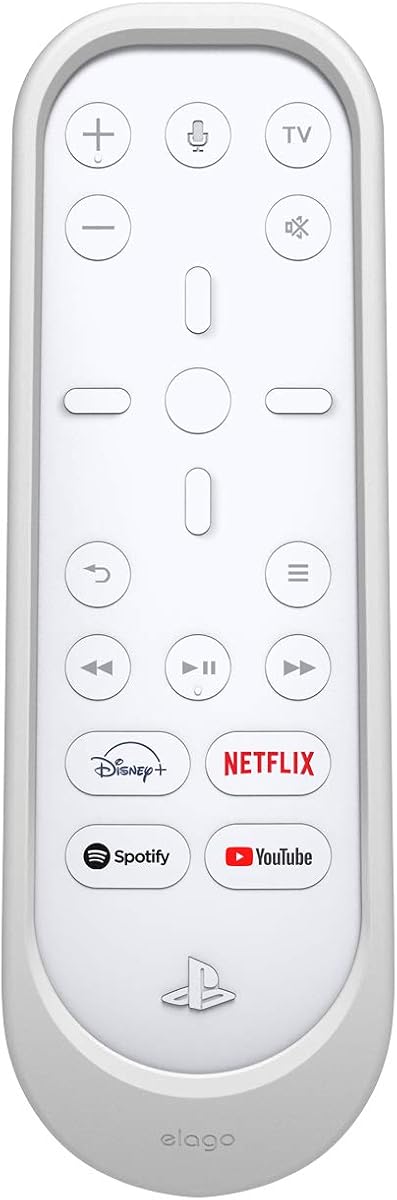
The elago case is the highest-rated option in this group, with a 4.5 rating, and it stands out for its thicker silicone construction. Designed for the PlayStation 5 Media Remote, it protects the sides and back while preserving full access to the remote's functions.
We may earn a commission when you buy through this link, at no additional cost to you.
The product description emphasizes premium silicone rather than a thin generic layer. That construction is intended to guard against drops and daily mishaps while improving grip and helping prevent scratches. Because the case surrounds key exterior areas without blocking controls, it can protect a remote without interfering with regular use.
It remains an accessory rather than a remote or universal controller. Buyers must already have a compatible PS5 Media Remote, and those hoping for programmable TV functions or streaming shortcuts will need a separate device. The minimalist coverage also leaves some original surfaces exposed, which is worth considering when the remote is frequently placed on rough furniture.
For owners seeking understated, premium-feeling protection, the elago case is the strongest protection-focused recommendation in the guide. Its 4.5 rating, thick material, and grip benefits outweigh the fact that it does not provide new controls.
The case's thicker silicone layer is intended to absorb routine impacts better than a minimal cover. It also creates a more substantial grip surface, reducing the likelihood of slipping the remote while navigating.
Covering the sides and back protects vulnerable areas while leaving buttons accessible. The silicone also helps shield the remote from dirt, oils, and scratches that can build up when it rests on a tabletop.
We may earn a commission when you buy through this link, at no additional cost to you.
This second generic-title silicone case specializes in light-activated visibility. Like the other protective accessories, it is designed only for the PS5 Media Remote Control and does not include the remote itself. Its 3.2 rating should be considered alongside the practical benefits of its glow feature and protective design.
We may earn a commission when you buy through this link, at no additional cost to you.
Fluorescent material can emit light in dim conditions after being exposed to sunlight, a desk lamp, or a flashlight. That makes the covered remote easier to find among sofa cushions or beneath furniture. The case also provides flexible cushioning, a close fit, accessible cutouts, and a top sensor opening for unobstructed signal reception.
Its protective role extends to reducing the risk of shell cracking and batteries coming loose. A textured basketball-style exterior adds grip, and the surface can be cleaned with a damp cloth or wet wipe. The glow is not continuously luminous and must be activated before use, which may disappoint buyers expecting a bright glow at all times.
Choose this case if finding the remote in a dark living room is a priority and you already own a compatible PS5 media remote. For stronger protection, an included lanyard, or a higher customer rating, compare the elago and PlayVital alternatives.
After sufficient light exposure, the fluorescent material provides a visible glow that can help locate the remote quickly. This is especially useful during a movie or television session when reaching for a standard black remote may be difficult.
Purpose-cut openings ensure that buttons, ports, and the top sensor remain accessible. The close silicone fit adds cushioning while preserving the practical functions of the underlying remote.
We may earn a commission when you buy through this link, at no additional cost to you.
The ASRVA is a full wireless gaming controller rather than a dedicated media remote, but it appears in the supplied search results and offers an alternative for people who want one controller for both gaming and entertainment. Its 3.5 rating reflects its position as a general-purpose accessory rather than a purpose-built PS5 remote.
We may earn a commission when you buy through this link, at no additional cost to you.
Its standout gaming feature is the use of Hall effect joysticks and triggers. These contactless magnetic sensors are designed to resist the joystick drift commonly associated with worn physical potentiometers. The controller also includes two rear buttons, RGB lighting, dual vibration motors, and a 3.5 mm headphone jack.
Compatibility is broad: the listing states support for PS5, PS5 Slim, PS5 Pro, Windows PC, iOS, and Android, with wireless or USB operation for PC use. That makes it versatile, but the larger form factor is less convenient for casual streaming than a slim multimedia remote with app shortcuts.
This controller is worth considering if you want gaming features and media navigation from a single gamepad. It is not the most suitable choice for someone specifically seeking a compact remote for Netflix, YouTube, disc playback, or television power and volume functions.
The contactless joystick and trigger sensors are intended to reduce wear-related drift and maintain accurate input. Those features appeal to players who use their controller frequently and want tactile controls beyond simple menu navigation.
Support for PS5, PS5 Pro, PC, iOS, and Android broadens the controller's usefulness. Although it is not a dedicated media remote, it can handle streaming navigation alongside conventional games and other supported applications.
We may earn a commission when you buy through this link, at no additional cost to you.
The PDP Cloud Remote is designed as a universal entertainment remote for PS5 and PS4 systems, and it earns a 4.2 rating. Its defining advantage is the ability to consolidate console media playback with television power, input, and volume controls.
We may earn a commission when you buy through this link, at no additional cost to you.
Bluetooth wireless technology manages media in streaming and live applications, while automatic device detection is intended to simplify programming. The remote can handle up to four devices, reducing the need to switch among several television and console controllers. It also includes a broad set of PlayStation buttons for navigation and system functions.
The remote wakes from power-saving mode when a key is pressed, which is useful for quick access. Its wider range of functions can also make it feel more complex than a minimal PS5-only media remote, and the setup process may take a little more effort than the product description's streamlined language suggests.
This is a strong choice for households that use both PS5 and PS4 hardware or want television and console controls in one device. It is less ideal for a PS5-only setup where a compact remote with fewer functions would be easier to manage.
Supporting up to four devices is useful for entertainment centers containing a PS5, PS4, television, and another compatible component. Consolidation can reduce clutter and make switching among media functions more convenient.
Bluetooth detection can identify devices connected to the PS5 or PS4 environment and streamline programming. While users still need to complete setup, the automated process reduces some manual configuration.
We may earn a commission when you buy through this link, at no additional cost to you.
The right PS5 media remote depends on what you need it to control, whether you already own a remote, and how much you value shortcuts, television functions, portability, and long-term protection.
Several products in this category are silicone covers rather than electronic remotes. A complete media remote provides buttons, connectivity, and console control, while a case only protects and improves the handling of a compatible remote you already own. Read the included-components information carefully so you do not purchase an accessory expecting a functioning device.
Choose a complete remote for first-time setup or an upgrade. Choose a case if your current PS5 Media Remote still works and you mainly want scratch protection, improved grip, visibility, or an anti-loss lanyard.
A PS5 media remote should explicitly support PlayStation 5, and some universal models also support PS4. Cases must match the specific PS5 Media Remote Control rather than merely fitting any small remote in the same product category. Check the console model, included components, and required setup instructions before ordering.
A compatible listing is essential because Bluetooth pairing, app buttons, infrared transmission, and physical layouts can differ. Verify compatibility rather than relying on a generic reference to PlayStation or a similar-looking product.
Media use usually requires play, pause, fast-forward, fast-reverse, and dependable directional navigation. Some remotes also add direct buttons for Netflix, YouTube, Disney+, Spotify, and other services. App shortcuts are convenient when you use those platforms frequently, but they are less valuable if you mainly watch television through another input.
Make sure the essential transport and navigation controls are present. Treat streaming shortcuts as a bonus rather than the only basis for your decision, since software support and button assignments may change.
If your goal is to replace several coffee-table remotes, look for an IR transmitter or IR learning system that can control television power, volume, and mute. Built-in infrared is simple but may only work with compatible TVs, while learning can broaden brand support at the cost of an initial programming step.
Consider the television functions you use most. Universal models may also provide input control and support multiple devices, while simpler PS5 remotes may leave TV adjustment to a separate television remote.
Bluetooth is the standard method for controlling the PS5 because it removes the need to point a remote directly at the console. The featured product specifically uses Bluetooth 5.0, while other listings describe Bluetooth operation without a stated generation. Look for a no-dongle setup and a straightforward pairing path through the PS5 accessories menu.
IR technology serves a different role for televisions because it generally requires a line of sight to the device being controlled. A useful combination is Bluetooth for the console and IR for television power and volume.
A slim remote is easier to hold during long viewing sessions and less likely to be knocked off a table than a full gamepad. A D-pad, physical playback buttons, and a lightweight grip are useful qualities for couch navigation. Protective cases can add bulk, although textured silicone may improve handling and reduce accidental drops.
Think about where the remote will live, who will use it, and whether small buttons will be comfortable for every member of the household. Ergonomics matter more than appearance when the device is used repeatedly in low light or from a distance.
Customer ratings provide a useful signal about overall satisfaction, but they should be considered alongside the documented features and expected condition. The highest-rated option here is the elago case at 4.5, while complete remotes reach 4.4. Renewed remotes may provide useful value but can vary in cosmetic wear and packaging.
For a renewed product, check the seller's condition description, return terms, and included accessories. For any remote, pay attention to button response, pairing reliability, infrared range, and whether every promised control is present.
Pairing a Bluetooth remote normally involves opening the PS5 Accessories or Media Remote settings, but the exact path should follow the remote's instructions. TV learning and universal device programming also take time. Allow a short setup period before deciding whether buttons and shortcuts work as expected.
Test every frequently used function, including menu navigation, playback, television volume, and mute. Confirm that app buttons open the intended services and that the remote wakes reliably from its power-saving mode.
Begin by confirming that the product is a complete remote or a case designed for your exact PS5 Media Remote. For a Bluetooth remote, follow its pairing instructions through the PS5's Accessories and Media Remote settings. Keep the remote close during setup, and make sure the console has the required current software when the listing calls for it.
Next, configure television functions if the remote supports them. An IR-learning remote must usually be pointed at the television while each command is taught. Test power, volume, and mute individually, and allow extra time if the product supports several devices or multiple streaming shortcuts.
Care for the remote by using a soft, dry cloth and avoiding harsh liquids around the buttons and battery compartment. Keep it away from moisture, excessive heat, and conductive objects. If it uses a silicone cover, remove the remote before washing the cover, let it dry fully, and confirm that buttons, ports, and the sensor opening remain unobstructed after refitting.
No. Several listings in this guide are protective silicone cases and explicitly do not include a remote. Complete remotes generally provide electronic controls and connectivity, while cases only protect an existing compatible PS5 Media Remote. Always check the included-components section before ordering.
Some models include an infrared transmitter or IR-learning capability for television power, volume, and mute. Compatibility varies by television brand and model, and learning may be required. A remote without IR features will usually control only the PS5 and its supported applications.
A DualSense controller can navigate PS5 menus and control many media applications, so a separate remote is optional. A dedicated media remote can be more comfortable for streaming, provide physical playback buttons, add app shortcuts, and reduce the need to pick up a full gamepad.
Most compatible remotes use the PS5's Accessories or Media Remote pairing menu. Follow the manufacturer's instructions, bring the remote close to the console, and complete the on-screen pairing process. Software support or an update may be required depending on the model.
Not necessarily. The cases in this guide are specifically designed for the PS5 Media Remote Control and may not fit other brands or differently shaped remotes. Confirm the model before purchase, especially if you own a universal remote or a full DualSense controller.
A renewed remote can be a practical choice when you want a dedicated media device and are comfortable with previous use. Inspect condition details carefully, test the controls after delivery, and verify the return policy. The listing may not provide the same feature detail as a new product.
A media remote is optimized for menus, playback, streaming apps, and sometimes television control. A gamepad adds analog sticks, action buttons, motion controls, and other features designed primarily for games. The ASRVA controller is included here as a broader gaming alternative, not a dedicated media remote.
Confirm that the PS5 software supports the shortcut and that the button is assigned correctly in the console's settings. Restarting the console, checking for an available system update, and re-pairing the remote can help. The exact remedy may vary by remote model.
The Media Remote Control Compatible with PlayStation 5 offers the most extensive stated feature set, including Bluetooth 5.0, IR learning, streaming shortcuts, and media controls. The renewed PlayStation Media Remote for PS5 is the strongest conventional alternative, pairing a 4.4 rating with direct console power, playback buttons, and television control.
Prioritize the functions you will actually use. Choose a complete remote for navigation and playback, a universal model for multiple devices, or a protective case when your existing remote still works. For compact media use, playback buttons, direct app access, and the ability to manage television volume are the most valuable additions to look for.
Before purchasing, confirm exactly what is included, verify PS5 or PS5 Media Remote compatibility, and read the current listing details. Prices, renewed inventory, software support, and availability can change, so compare the final product information rather than relying on any earlier price or listing snapshot.