
Magnasonic FS71
4.3Editor score
24MP standalone film scanning
Five-inch LCD preview
No computer required
Broad multi-format support
A medium format film scanner can preserve old negatives, mounted slides, and other photographic originals as digital files. The best model should combine accurate color reproduction, dependable film handling, useful editing controls, and a workflow that suits your collection. Resolution, sensor quality, screen size, and format support all influence the result.
This guide compares ten scanners based on the supplied specifications, including supported media, effective resolution, display size, storage options, computer requirements, editing features, and physical scanning method. It covers standalone units, flatbed scanners with transparency units, and a smartphone-assisted digitizer, because not every film scanner operates in the same way.
Each review explains who the product suits, what it does well, and where it falls short. The shortlist highlights a budget-friendly standalone scanner, an editor-friendly archival option, and a premium flatbed, while the full list covers alternatives for different collections. Prices and availability can change, so confirm current details before buying.
4.3Editor score

4.3Editor score

4.4Editor score
As an Amazon Associate we earn from qualifying purchases.
The comparison covers dedicated film scanners, flatbed models with transparency units, and a smartphone-based option. Key distinctions include supported formats, native or interpolated resolution, display size, standalone storage, and whether a computer is required.



The KODAK Slide N Scan 22MP is a straightforward dedicated scanner for families with collections of 135, 110, and 126 negatives, 50mm slides, and mixed color or black-and-white material. Its 4.3 rating reflects a generally positive balance of useful features and approachable operation. The five-inch LCD, one-touch scan button, and direct SD-card workflow make it a strong general-purpose choice for people who want to digitize without navigating complex desktop software.
We may earn a commission when you buy through this link, at no additional cost to you.
Its strongest qualities are accessibility and workflow continuity. The quick-feeding tray supports continuous loading, which can reduce the repeated repositioning involved in frame-by-frame scanning. On-device controls let users select film type, adjust color and brightness, resize images, and assign date information. The supplied information also indicates compatibility with SD and SDHC cards up to 32GB, while USB and HDMI connections provide flexible ways to transfer files or display results.
There are clear limits to consider. Although the product is often discussed alongside film digitizers, its listed format support centers on 135, 110, 126, and 50mm media rather than 120 medium-format film. It therefore does not directly address photographers whose collection consists primarily of larger 120 negatives. The SD card is not included, and the 22MP figure is an advertised output resolution rather than a detailed native sensor specification.
Despite those limitations, this is a convincing choice for home archives and mixed slide collections. Its combination of fast tray handling, a clear display, direct editing, and computer-free operation gives it broad appeal without demanding advanced technical knowledge. Choose it when accessible controls and straightforward batch digitizing matter more than native 120-film capability.
You can preview, adjust, and save images directly on the scanner, which is particularly useful when family members want to contribute without installing editing software. The LCD can also serve as an electronic picture frame after digitization.
Continuous loading and the included 50mm holder reduce the friction of moving through a sizable box of slides or strips. It is a practical feature for organizing and checking originals as you go.
We may earn a commission when you buy through this link, at no additional cost to you.
The Magnasonic FS71 offers one of the most approachable ways to begin digitizing negatives and slides. It has a 4.3 rating and an advertised 24MP output, combining a five-inch LCD, a dedicated film tray, direct SD-card storage, and no requirement for a computer. Although it is not explicitly designed around 120 medium-format film, it supports several common small-film formats and may suit collectors who want a simple multi-format setup.
We may earn a commission when you buy through this link, at no additional cost to you.
This scanner focuses on making digitization fast and uncomplicated. The included fast-loading trays are designed to process each frame in less than five seconds under the stated operating conditions. Users can adjust brightness, apply RGB color correction, and flip or mirror images directly on the device. The SD slot accepts cards up to 128GB, providing ample room for larger archives, and HDMI output allows review on a television or monitor.
The trade-off is that the feature set emphasizes convenience rather than specialist medium-format support. The listed media include 35mm, 126, 110, Super 8, and 135, 126, and 110 slides, but 120 negatives are not mentioned. The memory card is not included, and an HDMI cable is also excluded, so the package does not provide every accessory needed for its full range of functions.
For budget-conscious buyers with boxes of common negatives and slides, the FS71 remains a strong recommendation. It covers the fundamental workflow particularly well: load the source, preview it, make a simple correction, and save the result. It is best suited to first-time digitizers and families rather than photographers requiring dedicated large-format support.
The ability to adjust and save images on the device removes the need for complicated photo-editing software or driver installation. This makes the scanner approachable for users with limited technical experience.
Fast-loading trays and a stated sub-five-second workflow are valuable for sorting large collections. Support for both negatives and slides lets one device handle several kinds of photographic material.
We may earn a commission when you buy through this link, at no additional cost to you.
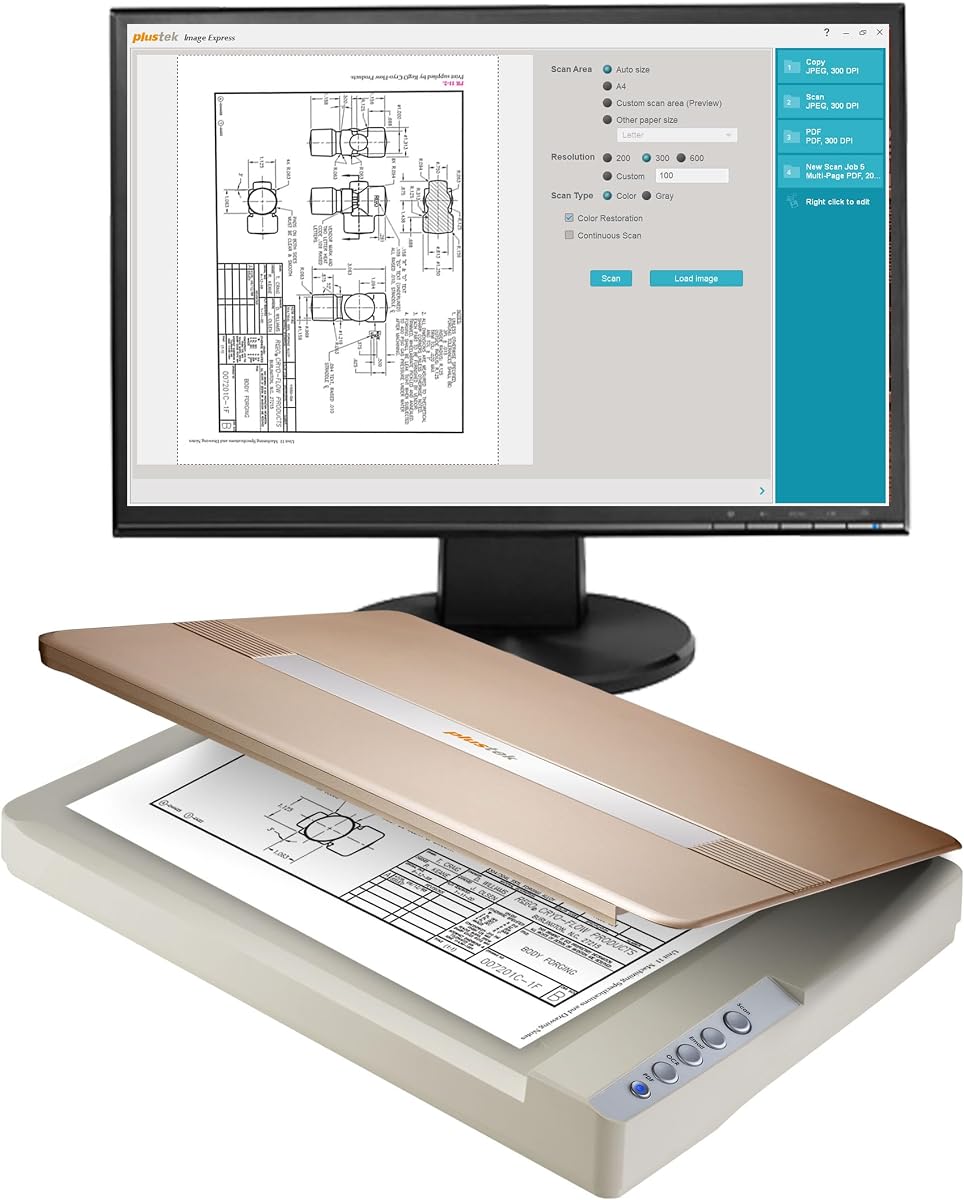
The Plustek OpticSlim 1680 is a large-format flatbed scanner designed primarily for wide documents rather than dedicated photographic film digitization. Its 3.8 rating is lower than those of the film-focused models in this guide, but that reflects a different purpose. With an 11.7-by-17-inch platen, fast 300dpi operation, and broad driver support, it is useful when your archive includes large prints, mounted photographic material, or oversized physical images.
We may earn a commission when you buy through this link, at no additional cost to you.
The scanner's principal advantage is its scanning surface. It can handle tabloid-size documents in approximately three seconds in 300dpi grayscale or five seconds in color, according to the supplied specifications. Four configurable buttons can automate destination, file format, filename, and other choices. TWAIN support for Windows and ICA support for macOS allow it to work with a broad range of scanning and image applications.
Its limitations are equally important. The listed specifications do not mention a built-in transparency unit, dedicated negative holder, or optimized film scanning. Photographing strips of negatives or mounted slides directly on the platen may therefore require an appropriate light source and careful alignment. The product should not be treated as a direct substitute for the dedicated scanners here simply because its resolution is sufficient for ordinary images.
Choose the OpticSlim 1680 if preserving oversized prints and documents is central to your work, or if you want one flatbed for several kinds of archival material. For true 120 negatives, a film-specific scanner or a suitable transparency-equipped model is more sensible. Its strength is breadth and large-format convenience rather than specialized photographic performance.
Preconfigured controls for destination, file type, and naming reduce repetitive setup. This is useful when converting batches of documents with a predictable workflow.
The unusually wide platen accommodates oversized originals in one pass. That physical size is the model defining advantage and differentiates it from compact film devices.
We may earn a commission when you buy through this link, at no additional cost to you.
The HP FilmScan HPFS500 is built around a true standalone workflow: slides and negatives can be digitized, previewed, and adjusted without a computer. Its 4.3 rating and interactive five-inch touchscreen make it one of the most attractive choices for a personal archive. The scanner also separates native sensor resolution from interpolated output, a useful distinction when evaluating image detail.
We may earn a commission when you buy through this link, at no additional cost to you.
Its 13MP CMOS sensor captures the underlying image, while the advertised 22MP figure is achieved through interpolation. Native detail is therefore tied to the 13MP sensor rather than the larger interpolated number. The all-angle LCD touchscreen provides direct control during preview and editing, and the quick-load tray helps reduce downtime while processing a collection of 135, 126, and 110 negatives and positive slides.
The main limitation is media support. The supplied data does not list 120 medium-format film, so buyers with large negatives should not assume that a standard holder will be included or that the internal optics are optimized for that frame size. The difference between 13MP native capture and 22MP interpolation also means that marketing resolution should not be interpreted as additional captured detail.
Despite that caveat, the HPFS500 is a strong recommendation for someone who values a self-contained, touch-driven process. It avoids desktop software requirements and keeps the essential review, edit, and preservation steps on the device. For families and hobbyists handling common film sizes, it offers a particularly polished balance of features.
A 13MP CMOS sensor provides the actual image data, while 22MP is an interpolated figure. Evaluating native resolution gives a more realistic indication of captured detail than the headline output number.
Previewing and adjusting images directly on the all-angle screen makes the workflow more intuitive. Users can check framing and make corrections before saving each frame.
We may earn a commission when you buy through this link, at no additional cost to you.
The Epson Perfection V850 Pro is the premium image-quality choice in this roundup, with a 4.4 rating and specifications oriented toward professional photographic reproduction. Its 6400 dpi resolution, 4.0 Dmax density, and dual-lens system make it especially compelling for users who intend to make substantial prints or need careful tonal recovery from dense negatives and slides.
We may earn a commission when you buy through this link, at no additional cost to you.
The dual-lens design is important because it allows the scanner to select an appropriate optical configuration for the source. That can produce more consistent results than a single-lens system, particularly when alternating among dense negatives, mounted slides, prints, and documents. A 4.0 Dmax rating indicates a strong theoretical tonal range, supporting smooth gradations and detailed shadow reproduction, two qualities that matter when rescuing underexposed or faded material.
This is a traditional flatbed workflow rather than a compact standalone device. It is best suited to users with a computer and the patience to configure professional scanning software. The listed supported operating systems include Windows versions from XP through Windows 8.1 and several Mac OS X releases, which may require attention if your current computer uses a newer platform. The supplied data also does not specify a current software-compatibility guarantee.
For photographers seeking maximum scanning performance, the V850 Pro justifies consideration over basic film units. Its advantages are concentrated in optical resolution, tonal quality, and professional control. Choose it when print quality and faithful highlight-to-shadow rendering matter more than a small footprint or computer-free operation, and verify modern driver availability before completing your setup.
The 6400 dpi specification is the centerpiece of this model. It provides a strong foundation for detailed scans, particularly when originals will be enlarged or retained for long-term digital use.
Selecting between two lenses allows the scanner to optimize capture for different media. That flexibility is valuable for a mixed collection containing slides, negatives, prints, and documents.
We may earn a commission when you buy through this link, at no additional cost to you.
The JJC Mobile Film Scanner is the clearest dedicated answer in this guide for 120 medium-format negatives. Unlike most compact standalone models, it explicitly supports both 35mm and 120 film. Rather than using an internal sensor, it turns a smartphone camera into the capture device, pairing that camera with an illuminated holder and a magnetic, adjustable backlight. Its 4.2 rating reflects a practical alternative for photographers who already own a good phone camera.
We may earn a commission when you buy through this link, at no additional cost to you.
The included holders keep negatives flat and aligned, while the magnetic backlight can be moved along a sliding rail to position the illuminated area relative to the phone lenses. Brightness is adjustable across eleven levels, allowing the operator to balance the backlight for different film densities and camera settings. A universal clamp accommodates phones from 2.2 to 3.5 inches wide, and a detachable wireless remote helps avoid touching the phone when taking a capture.
The trade-off is that the smartphone becomes a key part of the imaging chain. No dedicated software is supplied, and the instructions direct users to download a compatible free application such as Snapspeed for conversion. Image quality, field of view, alignment, and camera behavior therefore depend partly on the phone. This is not the same as a scanner with a known native sensor specification, and a modern high-resolution camera may introduce vignetting or consistency challenges if alignment is imperfect.
The JJC is still a compelling choice for 120 users who want a relatively compact and flexible setup. The included holders can also be used with a standard flatbed fitted with a backlight or transparency unit. Choose it when direct 120 support and smartphone reuse outweigh the consistency and convenience of a dedicated built-in sensor.
This is the major reason to consider the JJC over a smaller dedicated scanner. The included film holders accommodate 120 negatives flat, which supports consistent camera positioning.
The backlight has eleven brightness levels, and its rail-mounted design lets you align the illuminated strip with the phone camera. The remote reduces camera shake and avoids touching the phone during capture.
We may earn a commission when you buy through this link, at no additional cost to you.
The HP FilmScan with a seven-inch touch LCD is built for users who want a generous on-device workspace. It has a 4.0 rating, a 13MP color CMOS sensor, and a touch display large enough for detailed previewing, cropping, and adjustment. The result is a practical standalone scanner for common negatives and slides, particularly when older relatives want an intuitive visual workflow.
We may earn a commission when you buy through this link, at no additional cost to you.
The quick-feed loading tray is paired with a 50mm adapter to support 135, 126, and 110 formats. Built-in editing tools let users crop and adjust scans without immediately moving to computer software. USB transfer provides a route to computer storage, while HDMI output allows a collection to be shown as a slideshow on a television. Gallery mode further extends the scanner's usefulness after the digitizing session is complete.
Its limitations are similar to those of other dedicated compact scanners. The supplied specifications do not mention 120 medium-format film, and a 13MP sensor is not the highest native resolution in the category. The seven-inch screen improves usability, but it cannot create photographic detail beyond what the sensor captures. Users comparing this model should separate display size and convenience from true optical performance.
Choose the HP FilmScan 7-inch if a large touchscreen, straightforward editing, and attractive gallery playback are your priorities. It is particularly useful for family archives where multiple people will handle the device. For specialist large-format work, the JJC or a transparency-equipped flatbed offers more appropriate media support.
The seven-inch color display makes frame selection, cropping, and general review easier than on a compact screen. It also lets users examine a collection without constantly transferring files to a computer.
HDMI output and gallery mode turn the device into a digital display after scanning. This is a useful feature for sharing digitized family memories in a home or gathering space.
We may earn a commission when you buy through this link, at no additional cost to you.
The KODAK Slide N Scan Max is a dedicated scanner whose most noticeable feature is its seven-inch tiltable LCD. It has a 4.1 rating and combines a quick-feeding tray, direct SD-card saving, and one-touch editing in a home-oriented design. The adjustable display makes it easier to scan from a comfortable position and provides a large area for reviewing slides and negatives.
We may earn a commission when you buy through this link, at no additional cost to you.
Its quick-feed tray is designed to support continuous scanning without repositioning every frame. This can make the process more efficient when working through boxes of family slides and strips of 135, 110, and 126 negatives. The editing interface focuses on resizing, converting, and adjusting images, reducing the need to navigate complicated menus or depend immediately on external software.
Storage is limited to SD or SDHC cards up to 32GB. That may be sufficient for a modest collection, but it can require frequent file transfers during larger projects. As with the smaller KODAK model in this list, 120 medium-format film is not listed among the supported formats. Users with 120 negatives should verify physical compatibility and should not assume a suitable holder is included.
This model is a good fit for families that value a large, movable display and uncomplicated controls. The screen can also function as a digital picture frame, which adds value after the originals have been converted. Choose it for approachable batch processing, and select a different model if 120 support or higher storage limits are priorities.
The tilt mechanism lets you angle the screen toward the operator, which can reduce awkward posture during long sessions. It also makes previewing easier when the scanner is not directly in front of you.
Scans can be saved to SD or SDHC media without a computer, making the workflow easy to maintain. One-touch controls help users move from preview to edited output with less setup.
We may earn a commission when you buy through this link, at no additional cost to you.
The Epson Perfection V600 is a strong flatbed option for photographers who need direct medium-format capability along with a dedicated transparency unit. It holds a 4.0 rating and is unusual in this group because it explicitly handles medium-format film up to 6 by 22 centimeters. That makes it more directly relevant to certain 120 users than most of the compact standalone film scanners listed here.
We may earn a commission when you buy through this link, at no additional cost to you.
Its maximum resolution of 6400 by 9600 dpi is suited to detailed enlargement, while the built-in transparency unit accommodates four mounted 35mm slides or 12 negatives. Included 6-by-22-centimeter holders support larger film. The scanner can also handle photographs and documents up to 8.5 by 11.7 inches, so it is a multipurpose archival and imaging tool rather than a single-purpose film device.
The workflow is less convenient for nontechnical users because it relies on a computer and wired USB connectivity. Epson's software suite includes DIGITAL ICE for dust and scratch removal, ArcSoft PhotoStudio for enhancement, and Easy Photo Fix for restoring faded images. Four customizable buttons streamline scanning, copying, email attachments, and PDF creation, but a full computer remains part of the process.
The V600 is an excellent match for users with mixed prints, documents, slides, and 6-by-22-centimeter film who value software control and repair tools. Choose it when direct medium-format handling matters more than portability or a large built-in display. Verify that your specific negative dimensions and software environment are supported before purchasing.
The supplied 6-by-22-centimeter film holders and integrated transparency unit make this a practical choice for supported medium-format originals. It is more directly aligned with that task than many compact scanners.
DIGITAL ICE can address visible dust and scratches, while photo-enhancement and restoration tools help recover faded images. These features add value when originals need more than a basic copy.
We may earn a commission when you buy through this link, at no additional cost to you.
The BEONEGLOBAL ClearScan P7 is an appealing all-in-one package for people beginning a home digitizing project. Its 4.1 rating, 24MP output, seven-inch LCD, and included SD card cover the most important practical needs: a display for review, internal memory for immediate saving, and computer-free JPEG creation. It supports 35mm, 135, 126, 110, Super 8, and 8mm film and slides.
We may earn a commission when you buy through this link, at no additional cost to you.
The upgraded interface places control buttons below the screen for more natural operation, while the image-size adjustment function can customize the scan frame. One-touch operation covers scanning, editing, and color enhancement, making the scanner approachable for users who do not want to master a complex application. The included branded SD card removes the most common immediate accessory barrier.
The principal limitation is that 120 medium-format film is not listed. As a result, this scanner is better suited to smaller negatives and motion-picture film than to large-format photographers. The stated 24MP figure comes from the CMOS imaging system, but buyers seeking professional enlargement workflows should still consider how the software pipeline and optics handle highlights, shadows, and dust.
The ClearScan P7 is still a convenient package for families with mixed 35mm, 110, 126, Super 8, or 8mm collections. It minimizes setup through its included card and offers enough on-device control for basic archival work. Choose it for an approachable standalone introduction, but look to the JJC or V600 when 120 negatives are central to your archive.
The included SD card is a meaningful convenience for first-time buyers. It removes the need to identify and purchase a compatible memory card before starting a project.
The seven-inch display supports comfortable previewing, while the relocated buttons simplify the physical workflow. One-touch editing and enhancement reduce the learning curve for new users.
We may earn a commission when you buy through this link, at no additional cost to you.
The right film scanner depends first on the formats you own, followed by the resolution, workflow, and level of control you need. A medium-format designation alone does not guarantee support for 120 negatives, so format compatibility should be checked before every other feature.
True medium-format support means the scanner can accept 120 negatives at the correct size and illuminate them without cropping, misalignment, or severe edge darkening. Among the products reviewed, the JJC explicitly supports 120 film, and the Epson V600 includes holders for film up to 6 by 22 centimeters. The other dedicated models list 135, 110, 126, Super 8, or 8mm formats but do not state 120 compatibility. Therefore, a product described generally as a film scanner should not automatically be assumed to handle large negatives.
Confirm the exact dimensions of your film and whether a suitable holder is included. If your archive includes multiple large formats, ensure that the scanner supports each one or plan to photograph those negatives with a dedicated smartphone holder. In short, match the device to the physical dimensions of your originals, not merely the broad category.
Resolution determines how much captured detail is available, but the distinction between native and interpolated resolution is important. The HP FilmScan HPFS500 provides a 13MP CMOS sensor with 22MP interpolation, meaning the higher number does not represent additional photographed detail. Dedicated scanners advertising 24MP outputs may be more appropriate for typical screen viewing and moderate printing, while the Epson flatbeds specify optical resolution as high as 6400 dpi.
Choose native resolution according to your intended output rather than chasing the largest headline figure. A higher native figure can help retain fine texture and support larger prints, but lens quality, illumination, film handling, software, and source quality also influence the final image. Prioritize a sensor specification that is clearly defined and appropriate to your output needs.
Standalone scanners save images to SD or SDHC cards and provide on-device controls, allowing the entire process to be completed without desktop software. The KODAK, HP, Magnasonic, and BEONEGLOBAL models follow this general approach. Flatbed scanners such as the Epson V600 and V850 Pro rely on a computer, but in return they often provide more extensive editing, restoration, and print-oriented control.
Choose standalone operation for convenience, shared family use, or users with limited computer experience. Choose a computer-based model when you want advanced color management, precise software settings, dust and scratch correction, or integration with a professional editing workflow. The right decision is about control versus convenience rather than simple quality labels.
A scanner must hold the original flat, correctly illuminated, and aligned with the sensor. Dedicated units use slide holders and feed trays, while flatbeds depend on transparency units or external illumination. The JJC adds dedicated 35mm and 120 holders and a movable LED backlight for smartphone capture. The Epson V600 includes 35mm and medium-format film holders with its built-in transparency unit.
Look for continuous or quick-feed trays when processing many frames, because they can reduce repeated handling. For fragile or unusual media, inspect how the source is supported and how much space exists between the film and glass. Correct handling prevents scratches, fingerprints, focus problems, and uneven illumination.
A display is central to a standalone scanner because it provides the only way to check framing, brightness, color, and focus before saving. Five-inch screens are common among the compact units, while the KODAK Max, HP FilmScan 7-inch, and ClearScan P7 use seven-inch displays. Touch controls and one-touch editing can make the workflow more approachable, although larger screens alone do not guarantee superior image quality.
Choose a large touch display if you expect shared use, detailed cropping, or frequent image review. A smaller screen may be sufficient when the goal is quick batch capture with minimal adjustment. Look for useful controls such as brightness, RGB correction, color enhancement, rotation, and mirror functions, but avoid judging performance by menu quantity alone.
Memory-card support keeps standalone scanners practical for large collections. Card limits vary substantially: the Magnasonic FS71 supports cards up to 128GB, while the KODAK Slide N Scan and Slide N Scan Max support up to 32GB. The ClearScan P7 includes an SD card, and the Magnasonic does not. You must also account for file transfer and backup practices once a card approaches capacity.
USB and HDMI connections add useful options for moving files or displaying finished collections. The HP models support USB and HDMI slideshow use, while the KODAK model also includes USB and HDMI connectivity. Choose capacity based on your collection size, and maintain at least one separate backup of every preserved scan. A memory card is storage, not a substitute for archival redundancy.
Software capabilities range from simple on-device adjustments to professional restoration suites. The Epson V600 includes DIGITAL ICE for dust and scratch removal, ArcSoft PhotoStudio for enhancement, and Easy Photo Fix for faded images. The V850 Pro is also positioned for professional photo reproduction. Standalone devices provide fewer layers of control but eliminate software setup, making them useful for immediate archiving.
Consider the condition of your originals. Visible dust, scratches, fading, and difficult dense shadows may benefit from professional software. A simple scanner is still appropriate when your goal is preservation and convenient access rather than exhaustive restoration. The best workflow is the one you can operate consistently and back up reliably.
Begin by identifying every format in your collection and checking the scanner's compatibility list. Clean the scanner glass and film holders with an appropriate lens-safe method, handling originals by their edges. Review the supplied loading instructions for the correct holder orientation, and test a representative negative or slide before processing an entire box.
For standalone models, insert a formatted memory card when required, select the correct source type, and preview the image before saving. For flatbeds, use the appropriate transparency holder and carefully close the lid so the film remains flat and fully illuminated. Adjust exposure, brightness, and color as needed, then save in the format that suits your archive.
After each session, copy files to more than one reliable storage location, while keeping the memory card available for continued scanning. Use clean, dry handling practices, keep the optical surfaces free of fingerprints, and avoid leaving film trapped in a hot or humid environment. Periodically inspect archived files and retain the original physical negatives or slides in archival-safe storage.
The JJC Mobile Film Scanner is the reviewed model that explicitly supports 120 film, using a smartphone camera, dedicated film holders, and an adjustable LED backlight. The Epson V600 also provides medium-format film holders and a built-in transparency unit for film up to 6 by 22 centimeters. For most other models, buyers should verify exact frame dimensions rather than assume 120 support.
A film scanner is purpose-built for producing consistent copies of negatives, slides, and prints, often with a defined capture resolution and repeatable framing. A camera may provide larger sensors, higher raw quality, or more creative control, but it also requires careful calibration and consistent lighting. The best option depends on whether your priority is quick family archiving, repeatable file production, or the highest possible photographic quality.
Yes, because native resolution describes the detail actually captured by the sensor, while interpolation estimates additional pixels. For example, the HPFS500 captures with a 13MP CMOS sensor and advertises 22MP interpolated output. Compare native sensor specifications when evaluating fine detail, while also considering optics, illumination, film handling, and software.
Many dedicated models, including the KODAK, HP FilmScan, Magnasonic, and BEONEGLOBAL units, can scan, edit, and save without a computer. The Epson V600 and V850 Pro are flatbeds designed for a computer-based workflow. Computer-based operation generally offers deeper editing and restoration controls, while standalone operation is usually easier for shared family use.
Choose a compatible SD or SDHC card with enough capacity for the session, and transfer the files to separate storage afterward. Larger cards reduce interruptions during batch work, but capacity is only one part of a sound preservation plan. Keep at least one additional backup and verify that files open correctly before formatting or reusing the card.
Many of the dedicated scanners use separate holders or adapters for mounted slides, 50mm slides, and strip film, while flatbeds often include dedicated mounts. Check the included accessories and supported formats before starting. Using the correct holder improves alignment and helps the scanner illuminate and focus on the entire frame.
Handle negatives and slides by the edges, avoid touching the emulsion or image surface, and remove loose dust before loading them. Inspect the scanner glass and holders for particles that could produce spots in the final image. If a negative is fragile, cracked, or stuck together, seek professional conservation advice rather than forcing it through the tray.
A scanner with high native resolution and good optics can provide a strong foundation for prints. The Epson V600 and V850 Pro are especially oriented toward high-resolution photographic reproduction, while the JJC can inherit the resolution characteristics of the attached smartphone camera. Print quality also depends on the original, software corrections, output device, and viewing distance.
The Magnasonic FS71 is the best budget-oriented starting point for common negatives and slides, combining a 24MP output with a display, direct card saving, and no required computer. The HP FilmScan HPFS500 stands out for its standalone touchscreen workflow, while the Epson V850 Pro is the premium selection for photographers prioritizing 6400 dpi resolution, tonal range, and professional control.
Your collection should determine the final choice more than any general ranking. Choose the JJC when 120 negatives are essential, or the Epson V600 when supported medium-format film must work with a transparency-equipped flatbed. For common 135, 110, 126, Super 8, and 8mm collections, prioritize a simple display, usable on-device controls, correct film holders, sufficient card capacity, and a workflow your household will actually use.
Before purchasing, confirm the supported formats, included holders, required accessories, and current software compatibility. Ratings and product details can change as models are updated, and prices or promotions fluctuate over time. Checking current listings and planning a proper backup system will help you select a scanner that supports both convenient digitization and responsible long-term preservation.