
14Pcs 3D Printer Scraper Tool
4.4Editor score
Dual metal and plastic scrapers
Flexible plastic blade included
Twelve spare plastic blades included
A build plate scraper is one of those small tools that can make post-print cleanup faster, safer, and far less frustrating. The right choice depends on your printer, build plate material, filament, and tolerance for risk, since plastic, steel, and aluminum tools each offer a different balance of protection and leverage.
This guide compares ten build plate scrapers and multi-purpose scraping kits on blade construction, angle, grip, replacement parts, storage, and printer compatibility. It includes purpose-built metal spatulas, flexible plastic options, dual-tool kits, and a few general-purpose scrapers that are also useful around the workshop.
Each pick highlights a different reason to buy, ranging from broad filament support to magnetic storage and easy blade changes. Ratings and product details reflect the supplied listings, while availability and seller information can change, so readers should confirm the current listing before ordering.
4.4Editor score

4.9Editor score

4.6Editor score
As an Amazon Associate we earn from qualifying purchases.
The table below compares blade type, construction, replacement support, and notable compatibility features. Together, these details show whether a scraper is designed mainly for protected plate care, demanding model removal, or versatile workshop cleaning.


The 14Pcs 3D Printer Scraper Tool is a dual-purpose kit that combines an angled metal spatula with a very thin, flexible plastic blade. It carries a 4.4 rating, and its strongest attraction is the way it lets a user choose between controlled leverage and a gentler surface-safe approach instead of forcing one tool to handle every plate and filament combination.
We may earn a commission when you buy through this link, at no additional cost to you.
The metal scraper uses a 15-degree angle and a rigid 0.4-millimeter blade to lift adhered prints from glass or textured PEI surfaces. The plastic scraper is only 0.2 millimeters thick, so it can flex against a build surface while still reaching under a model edge. Twelve additional plastic blades are included, reducing the likelihood that the protective edge will be unavailable when it becomes rounded or damaged.
The compromise is that this compact set does not provide the refined balance, magnetic storage, or precision-machined finish of some specialized metal alternatives. The metal blade can still mark a delicate coating if forced under the wrong angle, and the plastic blade may not release a severely fused TPU model without repeated work. Those limitations are manageable when the two tools are used according to their intended strengths.
This is a strong choice for new makers who want more than one safe removal method without committing to an elaborate system. It is especially useful for households that alternate among glass, textured PEI, and flexible plates. For most users, the combination of a metal tool, a flexible tool, and replacement plastic blades delivers the broadest practical value in this roundup.
Use the flexible plastic blade when the model releases normally and the priority is preserving a delicate or flexible surface. The angled metal tool is better reserved for stubborn adhesion, where a little additional leverage is justified and the edge can be kept shallow beneath the model.
The twelve replacement blades are one of the kit's most practical features. Inspect the edge for bends or dullness, retire it before it starts tearing prints, and keep a spare in a small container so cleanup work is never interrupted.
We may earn a commission when you buy through this link, at no additional cost to you.
The FOSHIO Plastic Razor Blade Scraper is primarily a general household and workshop cleaning tool, with 3D printer bed cleanup as one of several possible uses. Its 4.6 rating reflects a well-liked product, while the generous supply of double-edged replacement blades makes it attractive for anyone who regularly removes labels, adhesive, paint, or residue from smooth surfaces.
We may earn a commission when you buy through this link, at no additional cost to you.
Two plastic handles provide a little more flexibility than a rigid steel implement. The angled heads are intended to improve control, and the clip-style blade system allows a used edge to be exchanged quickly. The large blade inventory is especially useful for tasks that involve old adhesive or repeated scraping, where a single blade would dull relatively quickly.
It is important to distinguish this product from a dedicated metal build plate spatula. The listing does not claim the rigid leverage of a steel removal tool, so it is less suitable for a large print that has chemically fused to a plate. On a textured or flexible sheet, the plastic blade may drag more than a purpose-shaped 3D printer scraper, and broad general-purpose use requires care around painted surfaces.
Choose this option if a multi-surface cleaning kit matters more than highly specialized model removal. It is particularly useful for removing old labels, decals, gasket residue, and dried adhesive from glass or other smooth workshop surfaces. Printer owners with frequently changing materials will often get more value by keeping it alongside a dedicated metal spatula rather than treating it as a complete substitute.
The same light scraping action that frees a build plate can lift decals, glue residue, and grime from windows or appliances. Keep it in a general cleaning drawer and use the flexible edge only on surfaces that tolerate it.
A large blade supply is most useful when replacement is effortless. The clip arrangement supports quick swaps, helping prevent a dull blade from making a simple cleanup job unnecessarily slow or imprecise.
We may earn a commission when you buy through this link, at no additional cost to you.
The BIQU Panda Edge 3D Printer Scraper combines a precision-machined 6061 aluminum grip with replaceable SK5 steel blades. Its 4.6 rating and polished construction make it feel more like a premium workshop accessory than a basic plastic card. The defining extras are magnetic storage and an available desktop holder file.
We may earn a commission when you buy through this link, at no additional cost to you.
Magnets let the scraper attach to compatible metal surfaces, including the exterior of the listed Bambu Lab X1 and P1S series. A downloadable STL file for a vertical desktop holder adds another storage option. The steel blade installation is straightforward: loosen the fastener, remove the old blade, insert a replacement, and tighten it again.
The listing also provides an important safety instruction: press the end of the spatula grip firmly against the plate before prying, and avoid using the scraper at a steep angle. That guidance matters because a metal tool is rigid by design and can concentrate force in a small area. Users still need to lift from the model edge rather than forcing the blade deep beneath a delicate print.
This scraper is best for enthusiasts who appreciate a refined tool, already use a printer with a magnetic frame, or want a dedicated desktop setup. It is less logical for someone who only handles glass beds and values maximum surface protection. Even so, the careful balance, attractive finish, and thoughtful storage make it a particularly polished choice among purpose-built metal options.
Magnetic attachment helps keep the scraper within reach and reduces the chance of leaving it in a drawer or drawer organizer. The optional desktop holder provides a more permanent home when the printer is the center of the workspace.
A simple screw-fastened design makes routine replacement straightforward. Keep one of the three extra blades dry and clean, and install it only when the active edge has become too dull or marked to work safely.
We may earn a commission when you buy through this link, at no additional cost to you.
This 22-piece model removal kit is built around two distinct tools: a plastic scraper with a reinforced internal steel core and a heavy-duty stainless steel scraper. The supplied listing does not provide an aggregate customer rating, but the specification detail is unusually extensive, covering model removal, bed cleaning, brims, support towers, and several difficult filament families.
We may earn a commission when you buy through this link, at no additional cost to you.
The plastic version uses a textured anti-slip grip, a 25-degree head offset, and a quick-turn brass and steel thumbscrew that holds a double-edge blade without wobble. Twenty plastic blades are included. The rigid stainless tool is positioned for heavily adhered TPU, PETG, ABS, and nylon prints on smooth glass, aluminum, or taped build surfaces, where greater stiffness is often necessary.
Its main drawback is that the feature set is not the same as proven field performance, and the absence of an aggregate rating means a buyer cannot use customer feedback to refine the decision. The extensive bundle may also be more than a casual printer needs. As with every metal option, forcing the stainless edge under a model can damage the plate if technique is poor, and the rigid tool should not be the first choice for delicate coatings.
The kit makes sense for active makers who alternate among many materials, clean different kinds of plates, and want both safety and leverage in one package. Its combination of twenty replacement plastic blades, a locking mechanism, dual tool types, and maintenance applications gives it a strong case for workshops with varied post-processing needs.
Begin with the plastic blade for ordinary prints and delicate PEI surfaces. Move to the stainless tool only when adhesion is high and the extra stiffness is genuinely needed, keeping the blade shallow and the contact point controlled.
The thumbscrew clamp is intended to hold the plastic blade securely. Confirm that the edge is seated evenly before applying force, because a loose or uneven blade can tear a model or wander across the plate.
We may earn a commission when you buy through this link, at no additional cost to you.
The 3D Printer Tool Removal Scraper Kit is a single stainless steel implement with both curved and straight edges. It has a 4.3 rating and is designed for 3D printing cleanup, resin-related residue, and ordinary household grease removal. That broader intent makes it one of the more versatile shapes in the roundup.
We may earn a commission when you buy through this link, at no additional cost to you.
The curved edge can follow recessed or rounded mold surfaces, while the straight edge works across flat build plates. Its 0.4-inch-thick stainless steel blade provides the rigidity needed to lift a model edge without flexing, and the 1.5-inch width distributes that force across a broader area. A hanging hole in the handle makes storage simple and visible.
The obvious limitation is that it does not have replaceable blades or a protective plastic option. A rigid steel scraper can mark glass, textured coating, or a printed part if dragged instead of inserted. It also lacks the refined grip systems, quick-change hardware, and storage magnets of several dedicated alternatives, making it a more straightforward workshop tool.
Choose it for model removal, resin cleanup, or general grease work if a single durable implement is more appealing than a multi-tool kit. It is also a practical addition to a household cleaning box because the curved and straight profiles serve different surfaces. For users with delicate plates, keeping a flexible scraper nearby provides a safer alternative.
The straight section is suited to flat plates and broad residue, while the curved section follows rounded molds and internal contours. Selecting the appropriate profile improves control and reduces unnecessary lateral movement.
Because the tool is stainless steel, it can be cleaned with water according to the listing. The integrated hang hole keeps it accessible near the printer and prevents a loose metal tool from being left in a general drawer.
We may earn a commission when you buy through this link, at no additional cost to you.
The SARDVISA Professional 3D Printer Tool is a polished stainless steel spatula designed around smooth model release and comfortable handling. Its 4.5 rating suggests generally positive buyer reception, while the mirror-polished treatment and rounded transition between blade and handle give it a refined appearance and reduce abrupt contact points.
We may earn a commission when you buy through this link, at no additional cost to you.
A non-slip sleeve covers the grip area, improving control when a model resists removal. The cutting edge measures 2.3 inches, providing enough contact width to work under the brim of a larger print. The steel body is described as wear-resistant and scratch-resistant, and the listing includes a two-year warranty along with ongoing after-sales support.
There is no replaceable plastic blade or flexible alternative in the package. As a result, this tool is less forgiving than a dual kit when the user works with a delicate textured sheet. The broad metal edge can also be overkill for a small part that releases with almost no force, and its mirror finish should be kept away from abrasive residue that could create micro-scratches.
The product is best for a maker who prefers a rigid, uncluttered spatula over a system of interchangeable components. It is well suited to larger models and general metal removal work, while its comfortable sleeve makes repeated workshop use more pleasant. The warranty further adds reassurance for a tool expected to remain on the bench for years.
The non-slip sleeve helps stabilize the hand when a print has adhered more than expected. A secure grip is valuable because it supports small, controlled movements rather than encouraging the twisting force that can damage a model or plate.
The gradual blade-to-handle transition supports a controlled entry beneath a print. This is especially useful for larger models where the operator needs to work from a corner and slide the edge inward without catching on the handle.
We may earn a commission when you buy through this link, at no additional cost to you.
The Universal 3D Printer Scraper Tool Kit combines three replaceable SK5 steel blades with a CNC-machined 6061 aluminum handle. Its 4.9 rating is the highest established customer score among the picks with a numerical rating. The product focuses on a balanced, rigid tool that is comfortable to hold and quick to reconfigure.
We may earn a commission when you buy through this link, at no additional cost to you.
SK5 steel provides a hard cutting edge intended to resist wear and retain its working performance through repeated use. The aluminum handle is described as balanced and cool to the touch, and the quick-change layout allows a worn blade to be replaced without searching for a separate tool. A 2.0 millimeter hexagon wrench and six screws are included with the handle and three blades.
Compatibility is broad but not literally universal. The listing specifically calls out compatibility with Bambu Lab X1 and P1 series blades and references several other printer ecosystems, so buyers should check dimensions and mounting style before assuming fit. The fully metal construction also makes careful use essential around flexible or coated plates, where a plastic scraper would be more forgiving.
This is the most balanced recommendation for a maker who wants strong leverage, replaceable components, and a durable handle without paying for a heavily expanded kit. It suits regular users who remove large prints and value a consistent tool. New printers with textured PEI and occasional light jobs may prefer a flexible plastic blade, but the listed rating and quick-change design make this an excellent all-around high-quality choice.
The replaceable-blade system reduces downtime when an edge becomes dull. Keeping the included wrench with the tool and checking blade alignment before use helps maintain consistent, controlled scraping.
A balanced aluminum handle can make a long removal session less tiring than a tiny, light plastic implement. The cool-to-the-touch construction also remains comfortable around a warm printer enclosure.
We may earn a commission when you buy through this link, at no additional cost to you.
The D Printer Scraper with 3 Blades is a compact all-metal model removal tool built around SK5 steel blades and a CNC-machined 6061 aluminum handle. Its listed customer rating is 5, though a perfect score should be interpreted alongside the likely smaller pool of feedback when comparing it with products that have many more reviews.
We may earn a commission when you buy through this link, at no additional cost to you.
The handle incorporates a thumb rest and considers the center of gravity, aiming to improve control during removal. A magnet on the back allows storage on a compatible metal surface, including the exterior of the listed Bambu Lab X1 and P1S models. The blade connection uses threaded holes, which the listing says improves durability and wear resistance.
Blade replacement is refreshingly direct: unscrew the retaining screw, exchange the blade, and reinstall it. However, there is no flexible plastic option, so delicate build surfaces require conservative technique. The steel edge is appropriate for firm adhesion, but it should never be used as a general-purpose knife or dragged sideways across a plate without a reason.
This tool is ideal for a compact, all-metal setup and users who like the feel of a thumb-supported handle. It is particularly convenient for the printer models highlighted in the listing because the magnetic storage keeps the scraper directly beside the machine. For occasional users, it may feel more specialized than a broad cleaning kit, but its focused design is efficient for frequent model removal.
The thumb support gives the index finger a natural stopping point and helps stabilize the hand. That control is valuable when the blade is under a model corner and the user needs to lift without twisting the print.
The rear magnet makes it easy to retain the scraper on a suitable frame. This reduces clutter and ensures the correct tool is available when a print needs to be removed immediately after inspection.
We may earn a commission when you buy through this link, at no additional cost to you.
The 3D Printer Cooktop Scrapers set is a customizable blade package for users who want to design or print their own handle. It includes three scraper blades and eight screws, and it carries a 4.7 rating. Unlike a complete tool, the package does not include handles, so it requires additional setup before use.
We may earn a commission when you buy through this link, at no additional cost to you.
Each blade has a sharp side for stubborn prints and an unsharpened edge for delicate adjustments. This dual-edge approach offers a useful degree of control when moving residue without gouging a PEI or glass surface. The blades are steel, selected for wear resistance, and the set lists compatibility across numerous Bambu Lab, Anycubic Kobra, and Creality models.
The defining disadvantage is obvious from the package contents: the buyer must print a preferred holder, snap the blade into place, and secure it with two screws. That makes the product appealing to makers who enjoy designing workshop accessories, but inconvenient for anyone who wants an immediately usable spatula. Incorrect holder dimensions or alignment could also reduce the benefit of a carefully made blade.
Choose this set if you want a personalized, printer-friendly tool and are comfortable with a short setup process. It is particularly appealing to users who already maintain custom tools through 3D printing. Everyone else should favor a complete scraper with a finished handle, because the blade's precision is less useful when its support geometry is not engineered and tested.
The sharp side can deal with tenacious residue, while the blunt side offers a safer option near sensitive surfaces. Selecting the edge before starting helps prevent accidental contact between a sharp tip and the build plate.
A custom handle should hold the blade at a practical working angle while leaving enough clearance for the edge to enter beneath a model. A secure two-screw mount also helps prevent the blade from shifting during a removal.
We may earn a commission when you buy through this link, at no additional cost to you.
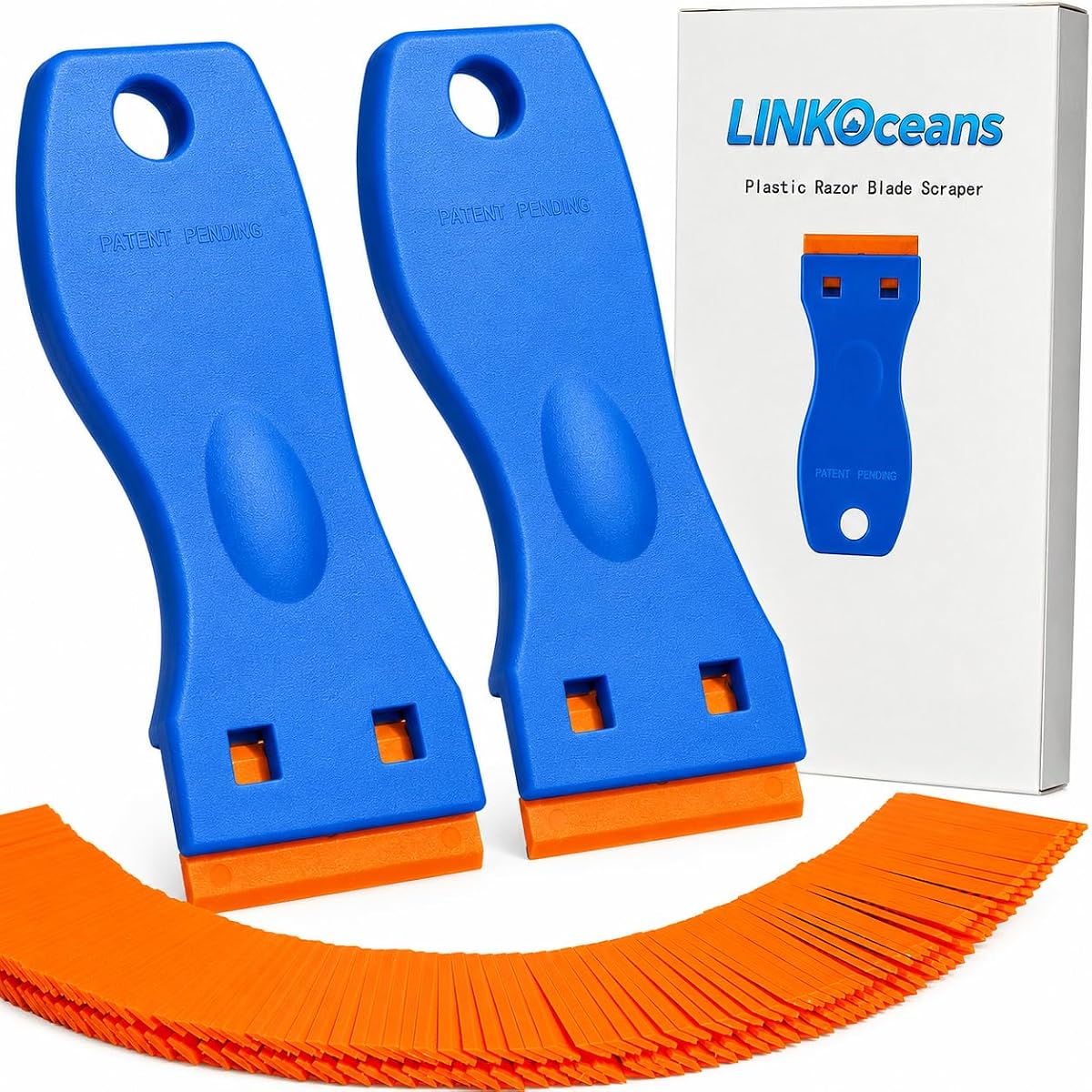
The Plastic Razor Blade Scraper 2 Pack combines two ergonomic handles, 100 double-edged replacement blades, and a clear storage case. It has a 4.5 rating and is designed as a general cleaning solution for stickers, labels, glue, paint, grease, caulk, and 3D printer beds.
We may earn a commission when you buy through this link, at no additional cost to you.
POM plastic gives the blades toughness without the hardness of metal, while the curved handle and thumb grip improve control and reduce hand fatigue. The included case is a meaningful advantage because loose razor-style blades can become scattered, damaged, or accidentally contacted in a drawer. A hanging hole and compact format also make the kit convenient for a car, RV, toolbox, or kitchen drawer.
The main limitation is mechanical leverage. A flexible plastic scraper is ideal for labels and light residue, but it may bend or fail to release a large TPU print that has fused aggressively to glass or bare metal. The product's scratch-free positioning also depends on technique: a sharp plastic edge still requires a shallow, controlled motion rather than lateral scraping.
This is an excellent maintenance companion for a 3D printer owner who also handles plenty of general household cleanup. It is less suitable as the only tool for stubborn model removal, but the two-handle format gives users a backup when one blade becomes worn. Its organization, versatility, and surface-friendly construction make it a strong addition to a mixed cleaning kit.
The clear case keeps replacement blades together and makes it easy to see when supplies are running low. Storing the scrapers and blades together also makes the kit easier to retrieve for quick bench cleanup.
The plastic edge is better suited than steel to glass, stainless steel, screens, and painted finishes when residue is not deeply bonded. Test an inconspicuous area and use light, overlapping strokes to minimize visible marks.
We may earn a commission when you buy through this link, at no additional cost to you.
The right build plate scraper depends on plate material, filament adhesion, printer design, and the amount of leverage you need. A useful purchase should remove models efficiently without making plate protection an afterthought.
Prioritize flexibility for delicate surfaces and rigidity for severe adhesion.
Use plastic for routine releases and metal for unusually strong adhesion.
Look for a low, controlled approach angle and a useful edge profile.
Protect textured and flexible sheets with the gentlest suitable edge.
Choose a secure, comfortable grip that supports controlled pressure.
Prefer replaceable blades and a secure, straightforward mounting method.
Verify fit, included components, and storage features before purchasing.
Choose focused rigidity for model removal or a multi-tool kit for broader cleanup.
Allow the plate to cool before attempting removal. Warm plates and fresh prints can be more fragile, while a hot plastic surface may be more difficult to handle safely. Remove loose debris first, identify the weakest point around the model, and make sure the selected edge is clean, sharp, and correctly secured.
For a normal release, slide the edge shallowly beneath a corner and apply steady forward pressure. Keep the scraper low and nearly parallel to the plate rather than standing it upright. Use a metal edge only when adhesion requires added stiffness, and avoid twisting the handle or levering against a surface coating. Lift gradually, then support the model with one hand as it separates.
After use, wipe residue from the edge and store the scraper where it cannot contact loose metal or sharp objects. Metal tools should be dried after cleaning, while plastic blades should be inspected for whitening, warping, or chips. Replace a worn edge rather than working harder with a damaged one, and confirm that all fasteners are tight before the next removal.
A flexible plastic blade is generally the safest first choice because it is less likely to gouge a textured coating than a rigid steel edge. Work slowly, keep the scraper nearly parallel to the plate, and use a metal tool only if the print will not release. Even a plastic blade can mark a surface if it is dragged sideways under pressure.
Many model removal implements are broadly usable, but some products are designed to replace a specific blade system or fit a particular holder. Check the dimensions, mounting holes, blade style, and printer models listed by the manufacturer. Kits that contain only blades are not complete tools and require a separately designed or printed handle.
TPU can develop a strong chemical bond with certain build surfaces, especially smooth glass or bare metal. A rigid metal scraper may be needed, but forcing the blade downward can damage the model or the plate. Try cooling the plate, identify a corner without a heavy brim, and use a shallow, controlled insertion before applying more force.
Use plastic for routine removals and delicate or flexible plates, where surface protection is the priority. Use metal for firmly adhered prints and materials that do not release easily. Having both styles is the most flexible approach because it allows the user to change tools rather than increasing pressure on a single edge.
Replace it when the edge becomes dull, bent, chipped, or starts leaving rough marks on prints. The interval depends on use, residue, and storage. Plastic blades may wear faster around adhesive, while metal blades often remain useful longer when wiped clean and stored without contact with other metal.
A plastic blade can help lift loose cured resin, but hardened or thick residue may require a more rigid cleaning tool. Work from the edge toward the center and avoid pressing the plastic edge sideways across a finished surface. For heavily coated plates, use a dedicated cleaning method that will not compromise the coating.
Magnetic storage is convenient when the magnet is attached to a suitable exterior metal surface and does not interfere with the printer's moving components. Keep the scraper away from electronics, loose fasteners, and areas where it could fall into a mechanism. Confirm compatibility before attaching it directly to a frame.
Keep the blade low and nearly parallel to the build plate, ideally around 15 to 25 degrees depending on the tool geometry. This lets the edge travel beneath the model while reducing downward force. A steep angle concentrates force on the edge and increases the chance of scratching the plate or lifting part of the print.
The Universal 3D Printer Scraper Tool Kit is the strongest all-around choice for users who value rigid leverage, a balanced aluminum handle, and quick blade changes. The 14Pcs 3D Printer Scraper Tool offers the best budget balance with both metal and flexible plastic options, while the BIQU Panda Edge stands out for refined construction, magnetic storage, and a desktop holder file.
Your priority should match your workflow. Select a flexible plastic blade when protecting a delicate or flexible plate matters most, a metal spatula for persistent TPU or PETG adhesion, and a multi-purpose razor kit when you also clean labels, grease, and household residue. Confirm included parts, handle design, and printer compatibility before ordering.
Product listings, ratings, included accessories, and availability can change over time. Review the current product page, verify the specifications against your printer and plates, and choose the tool that offers the right balance of edge material, control, and protection for your regular materials.
