
be quiet! Power Zone 2 850W
4.5Editor score
Dual Platinum efficiency certifications
Native 12V-2×6 connector
Semi-passive 140mm fan
This 80 Plus Platinum Power Supply guide compares efficiency, wattage, ATX 3.1 support, modular cables, cooling, and noise features.
An 80 Plus Platinum Power Supply is designed to convert wall power to PC power more efficiently than standard models, reducing energy waste and heat while supporting demanding processors and graphics cards. The best choice also depends on wattage, connector support, modularity, acoustic design, protection features, and the size of your case.
We compared ten current options using their stated efficiency certifications, power ratings, hardware standards, cable layouts, fan designs, and monitoring features. The list includes ATX 3.1 and PCIe 5.1 models, traditional high-wattage Platinum units, and one Gold-certified option included for a broader look at the market.
Each pick highlights a different reason to consider it, from premium voltage regulation and compact dimensions to fully modular cabling and native 12V-2×6 support. Product availability, ratings, and prices can change, so confirm the latest specifications and current cost before making a purchase.
4.5Editor score

4.8Editor score
5.0Editor score
The comparison below places all ten models side by side, emphasizing rated wattage, efficiency standards, modern connector support, cooling behavior, and the practical features that distinguish each power supply.



The ASUS ROG Strix 1000W Platinum combines an 80 Plus Platinum rating of 4.8 with one of the most ambitious feature sets in this guide. Its ATX 3.1 foundation, GaN MOSFET design, and GPU-first voltage sensing make it especially interesting for modern gaming systems equipped with high-power graphics cards. The 1000W rating also gives demanding CPU and GPU combinations considerable room.
We may earn a commission when you buy through this link, at no additional cost to you.
Its standout technology is the patented intelligent voltage stabilizer, which ASUS says can improve voltage delivery to a graphics card by up to 45%. That feature is aimed at maintaining steadier power during demanding workloads. GaN MOSFETs support efficiency and a more organized internal layout, while large ROG heatsinks help manage component temperatures. The dual ball bearing fan is listed as lasting up to twice as long as sleeve-bearing alternatives, and 0dB technology keeps the fan stopped during lighter operation.
The trade-off is that the ROG branding and specialized voltage features may be more than a basic workstation requires. The product also lacks the explicit monitoring and adjustable protection controls offered by the CORSAIR iCUE models. Nevertheless, those omissions are reasonable for buyers who want premium power delivery and do not need desktop software for their power supply.
This is our best overall choice for a high-end PC because it combines Platinum efficiency, modern transient-power standards, quiet cooling, modular cables, and a ten-year warranty. Choose it when supporting a demanding graphics card and want voltage-focused design rather than basic high wattage alone.
GPU-first voltage sensing and the intelligent stabilizer are the features that separate this model from a conventional high-wattage unit. They focus on delivering stable voltage directly where a modern graphics card needs it most.
Platinum efficiency reduces wasted energy, while 0dB fan behavior eliminates cooling noise during light workloads. Larger ROG heatsinks and dual ball bearings support both thermal performance and long-term fan reliability.
We may earn a commission when you buy through this link, at no additional cost to you.
The be quiet! Power Zone 2 850W earns a 4.5 rating and stands out for its unusually strong efficiency credentials. It carries both 80 PLUS Platinum and Cybenetics Platinum certification, with stated efficiency of up to 94.1%. That makes it appealing for builders seeking lower power consumption, cooler operation, and a quiet system without stepping up to a flagship model.
We may earn a commission when you buy through this link, at no additional cost to you.
Cooling is handled by a modified 140mm Pure Wings 3 fan that stops completely under low load. A short cooldown period of two to five minutes is required before the fan resumes, helping avoid repeated starts and stops. The large fan is also designed to move air through the enclosure quietly, which complements the unit's high efficiency under heavier loads.
Power delivery is modern and flexible. The ATX 3.1 platform includes a native 12V-2×6 connection for PCIe 5.1 graphics cards, while three PCIe 6+2-pin connectors support current-generation cards. The single 12V rail can handle brief power excursions up to twice the rated output, adding resilience for processors and graphics cards that vary their demand quickly.
The main limitation is capacity. An 850W unit is well suited to powerful but not extreme builds, and 1000W or 1200W models offer more flexibility. Even so, this PSU is an excellent choice for a quiet, efficiency-focused gaming PC that wants current connector support and a generous acoustic design.
Holding both 80 PLUS Platinum and Cybenetics Platinum certification gives this model a more complete efficiency profile. The stated maximum of 94.1% can help lower operating heat and energy use.
The fan-off approach operates during low demand, while the large 140mm fan handles higher loads. Its deliberate cooldown behavior is designed to prevent annoying rapid cycling.
We may earn a commission when you buy through this link, at no additional cost to you.
The CORSAIR HX1000i combines 1000W of capacity with an 80 Plus Platinum rating of 4.7. It is especially appealing to builders who want more visibility and control over their power supply. Instead of treating the unit as a passive component, this model exposes fan curves, power monitoring, and overcurrent protection behavior through CORSAIR iCUE software.
We may earn a commission when you buy through this link, at no additional cost to you.
Its ATX 3.1 certification supports the PCIe Gen 5.1 platform and is designed to resist transient power spikes. A 140mm fluid dynamic bearing fan provides quiet operation and long-lasting performance, while Zero RPM Fan Mode stops the fan at low and medium loads. Fully modular cabling allows installers to route only the required leads, improving both neatness and airflow inside the case.
The software controls are a genuine advantage, but they also create a small learning curve. Some users may not want to manage fan behavior or protection settings through an application. The supplied information also does not specify a warranty period for this particular HX1000i version, so buyers should verify that detail on the listing.
Choose the HX1000i for a modern gaming rig where 1000W is sufficient, ATX 3.1 support matters, and software-based monitoring is a priority. It is a flexible and well-equipped option without moving into the extreme 1200W category.
iCUE gives users visibility into power settings and lets them create custom fan curves. Adjustable single- or multi-rail overcurrent protection adds another layer of configurability.
ATX 3.1 compliance prepares the unit for contemporary graphics hardware and sudden power demands. That makes it a more future-oriented choice than an older ATX 2.x model.
We may earn a commission when you buy through this link, at no additional cost to you.
The Cooler Master MWE Gold 750 V3 has a 4.6 rating and offers a practical alternative to models at the top of this list. Although it is Gold certified rather than 80 Plus Platinum, its 90% efficiency, ATX 3.1 support, and 12V-2×6 capability make it relevant for a modern midrange or high-end gaming build.
We may earn a commission when you buy through this link, at no additional cost to you.
The 750W rating targets systems that do not need the enormous headroom of a 1000W or 1200W unit. It includes a 90-degree 12V-2×6 PCIe 5.1 connector, which improves cable routing around a graphics card and is designed for better electrical durability. The ATX 3.1 platform can deliver up to 450W to a compatible GPU.
Thermal design centers on a hexagonal fan cover with an 80% airflow intake and a dedicated heat sink. These details support cooler operation by moving air efficiently through the power supply. Its major departure from the rest of this guide is efficiency level: Gold certification is still effective, but it does not match the conversion performance of a Platinum unit.
For most buyers, this model's mix of capacity and modern connectors may be more useful than maximum efficiency. It is a sensible option when your CPU and GPU can operate within 750W and you want ATX 3.1 support without carrying an unnecessarily large power supply.
Seven hundred fifty watts is a useful middle ground for many gaming systems. The native high-power GPU connection avoids relying on older multi-adapter arrangements when the hardware supports PCIe 5.1.
Gold-level efficiency at 90% still produces meaningful savings compared with less efficient designs. Platinum models go further, so buyers should compare how much their expected load and usage justify that additional step.
We may earn a commission when you buy through this link, at no additional cost to you.
The 2025 CORSAIR HX1200i is built for systems that need exceptional power headroom. Its 1200W rating sits at the top of this guide, while 80 Plus Platinum certification and ATX 3.1 compliance make it suitable for a serious high-end build. The supplied 4.4 rating reflects a strong overall proposition, although it is lower than several alternatives.
We may earn a commission when you buy through this link, at no additional cost to you.
Its defining advantage is capacity, which can be reassuring for power-hungry graphics cards, high-core-count processors, extensive expansion, and possible future upgrades. A 140mm fluid dynamic bearing fan handles cooling, while the fan stops entirely at low and medium loads. Fully modular cables make it possible to avoid unused leads and preserve internal airflow.
iCUE remains one of the strongest digital ecosystems in this category. Users can create fan curves, monitor power settings, and switch between single- and multi-rail overcurrent protection. This flexibility is particularly useful for a system with enough hardware to operate across a wide range of load levels.
The drawback is obvious: many systems do not need 1200W, and very large power supplies can make cable management more demanding. This model makes the most sense for an enthusiast workstation or flagship gaming PC where future expansion and maximum headroom are explicit priorities.
A 1200W rating provides considerable room for current and future high-end components. It is a better match for a deliberate workstation than a typical mainstream gaming system.
iCUE turns the power supply into a managed system component. Custom fan curves, live power information, and selectable rail behavior provide useful control for experienced builders.
We may earn a commission when you buy through this link, at no additional cost to you.
The ASUS ROG Strix 1000W Platinum White Edition shares the technical strengths of the standard black model while targeting coordinated white builds. It carries an 80 Plus Platinum certification, 4.5 rating, ATX 3.1 support, and a 1000W power rating, making it more than a cosmetic alternative for high-end systems.
We may earn a commission when you buy through this link, at no additional cost to you.
GaN MOSFET technology supports improved efficiency and a more organized internal layout, while ASUS states that GPU-first voltage sensing can enhance graphics card voltage delivery by up to 45%. Large ROG heatsinks are used around critical components, and the dual ball bearing fan is designed for extended service life. Its 0dB approach allows near-silent operation during light gaming.
As with the black ROG Strix, the main limitation is the absence of an explicitly listed software monitoring suite. Buyers who want to manage fan curves and protection settings directly may prefer a CORSAIR iCUE model. The white finish can also create compatibility considerations in cases designed around darker components or contrasting accents.
This is the pick for a builder who wants the ROG Strix's voltage-focused engineering and a coordinated white appearance. It is most compelling in a showcase system where visual consistency, modern standards, and substantial power capacity matter together.
The white enclosure and matching design language help the unit blend into light-colored cases. That makes it more than a simple internal component when the power supply area remains visible.
GPU-first sensing and the patented stabilizer remain the defining technical features. They focus power-delivery attention on a common source of instability in demanding graphics-card installations.
We may earn a commission when you buy through this link, at no additional cost to you.
This renewed Corsair HX1200i offers a 4.6 rating and combines 1200W of continuous output with 80 Plus Platinum efficiency. It is aimed at buyers who want the established HXi platform and high power capacity while purchasing a renewed unit. The fully digital design provides monitoring and configuration through iCUE.
We may earn a commission when you buy through this link, at no additional cost to you.
Its cooling system uses a fluid dynamic bearing fan, while Zero RPM mode keeps the fan stopped at low and medium loads. Japanese 105°C-rated electrolytic capacitors are listed for long-term reliability, and the product includes a ten-year warranty. Modern Standby support is designed to allow faster wake-up and lower power consumption during sleep.
The specification describes ATX 3.0 and PCIe 5.0 compliance rather than ATX 3.1. That distinction matters if you are comparing it directly with the newest power supplies, particularly regarding connector and transient-power support. Its renewed status also calls for careful attention to seller information, condition, included cables, and warranty documentation.
This is a compelling option for a high-output workstation or enthusiast build when extended capacity and Platinum efficiency are priorities. It is best for buyers comfortable with renewed hardware and willing to verify the exact platform and condition before purchasing.
The HXi series is built around a digital platform with monitoring and adjustable controls. Its 1200W capacity is suited to power-intensive systems and future expansion.
A renewed unit may provide useful value, but condition and included accessories can vary. Check the seller's return terms, physical condition details, and warranty coverage before finalizing the purchase.
We may earn a commission when you buy through this link, at no additional cost to you.
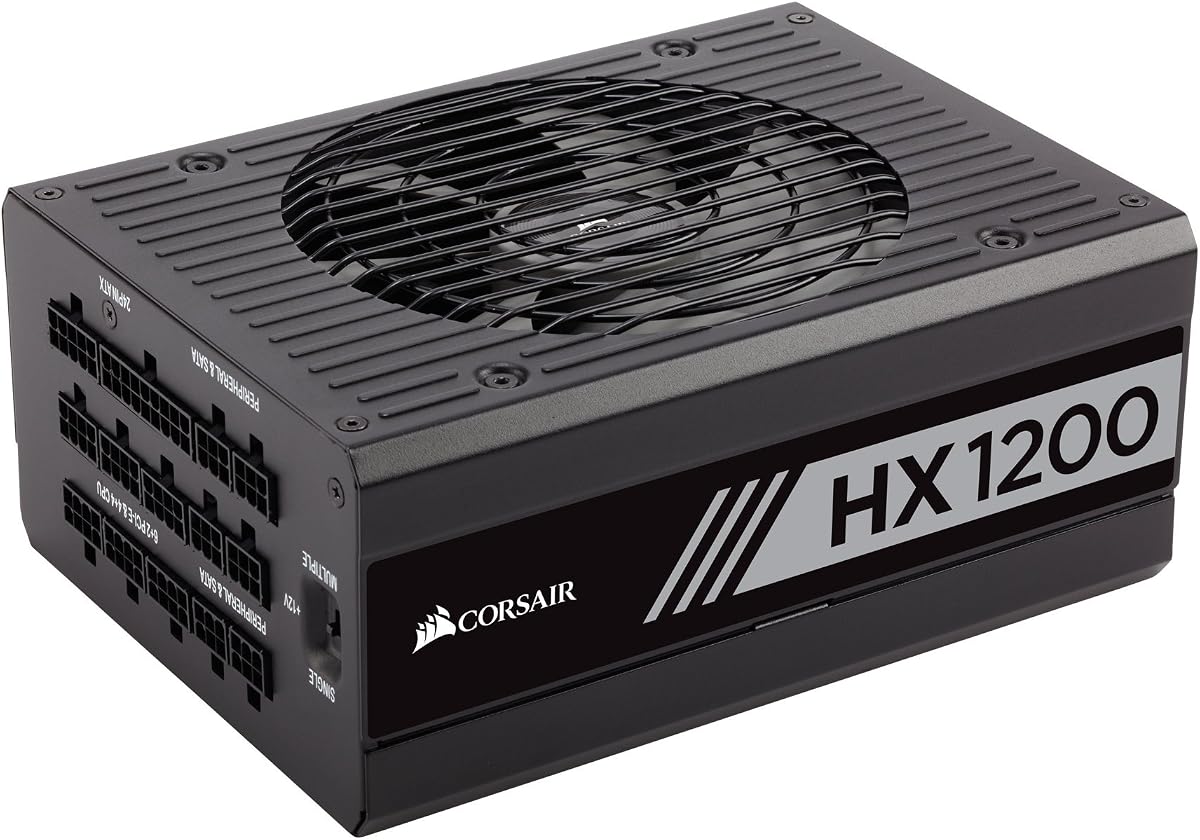
The Corsair HX1200 is a proven 1200W Platinum power supply with a 4.6 rating. Although it predates the newest ATX 3.1 generation, its combination of high capacity, fully modular cabling, and a 135mm fluid dynamic bearing fan remains appealing for builds that do not require the newest high-power graphics connector standard.
We may earn a commission when you buy through this link, at no additional cost to you.
Its zero-RPM mode supports near-silent operation at low loads, and the modular cable system allows users to connect only the leads they need. A 12V rail switch provides a choice between single-rail and multiple-rail configurations, which can make the unit adaptable to different system designs and user preferences.
The key concern is platform age. The product information does not list ATX 3.1 or PCIe 5.1 compliance, and buyers using the newest graphics cards should carefully verify connector and adapter requirements. A ten-year warranty is a strong ownership feature, but modern transient-power specifications may still be preferable for a brand-new high-end build.
Choose the HX1200 when ample continuous power, modular construction, and a long warranty matter more than having the latest platform designation. It is especially relevant to an established enthusiast system that is being upgraded with a high-end graphics card.
The 1200W rating provides substantial power headroom, while full modularity keeps unused cables out of the chassis. That combination is useful in cases with limited space or complex cooling arrangements.
This model lacks a listed ATX 3.1 designation. Buyers with current PCIe 5.1 graphics cards should check whether the supplied cable and adapter arrangement satisfies the graphics-card vendor's requirements.
We may earn a commission when you buy through this link, at no additional cost to you.
The CORSAIR AX860 has a 4.3 rating and delivers 860W of continuous power with 80 Plus Platinum certification. It is a proven option for enthusiast systems that value efficiency, modularity, and quiet fan behavior without requiring the newest ATX platform. Its rated efficiency is listed at more than 92% under real-world load conditions.
We may earn a commission when you buy through this link, at no additional cost to you.
The unit uses a 120mm dual-ball bearing fan and a zero-RPM mode that keeps it stopped at low to moderate loads. Active power factor correction has a listed value of 0.99, while over-voltage, over-current, under-voltage, and short-circuit protection help protect connected components. Universal AC input supports 90V through 264V.
Its main limitation is clearly its age. It is based on ATX12V v2.31, with backward compatibility for ATX12V v2.2 and v2.01, and it does not advertise ATX 3.1 or native 12V-2×6 support. New graphics cards may therefore require an appropriate adapter and careful cable routing. A seven-year warranty is included.
The AX860 makes sense for a mature high-performance PC that does not need ATX 3.1. It offers strong efficiency, useful safety protections, and clean modular installation, but newer builds should compare it carefully against current-standard power supplies.
Platinum certification, a 0.99 power factor value, and multiple electrical protections form a solid foundation. These features reduce waste while guarding critical system components.
The ATX12V v2.31 design is established and widely compatible with older systems. For new graphics hardware, verify connector requirements before relying on an adapter.
We may earn a commission when you buy through this link, at no additional cost to you.
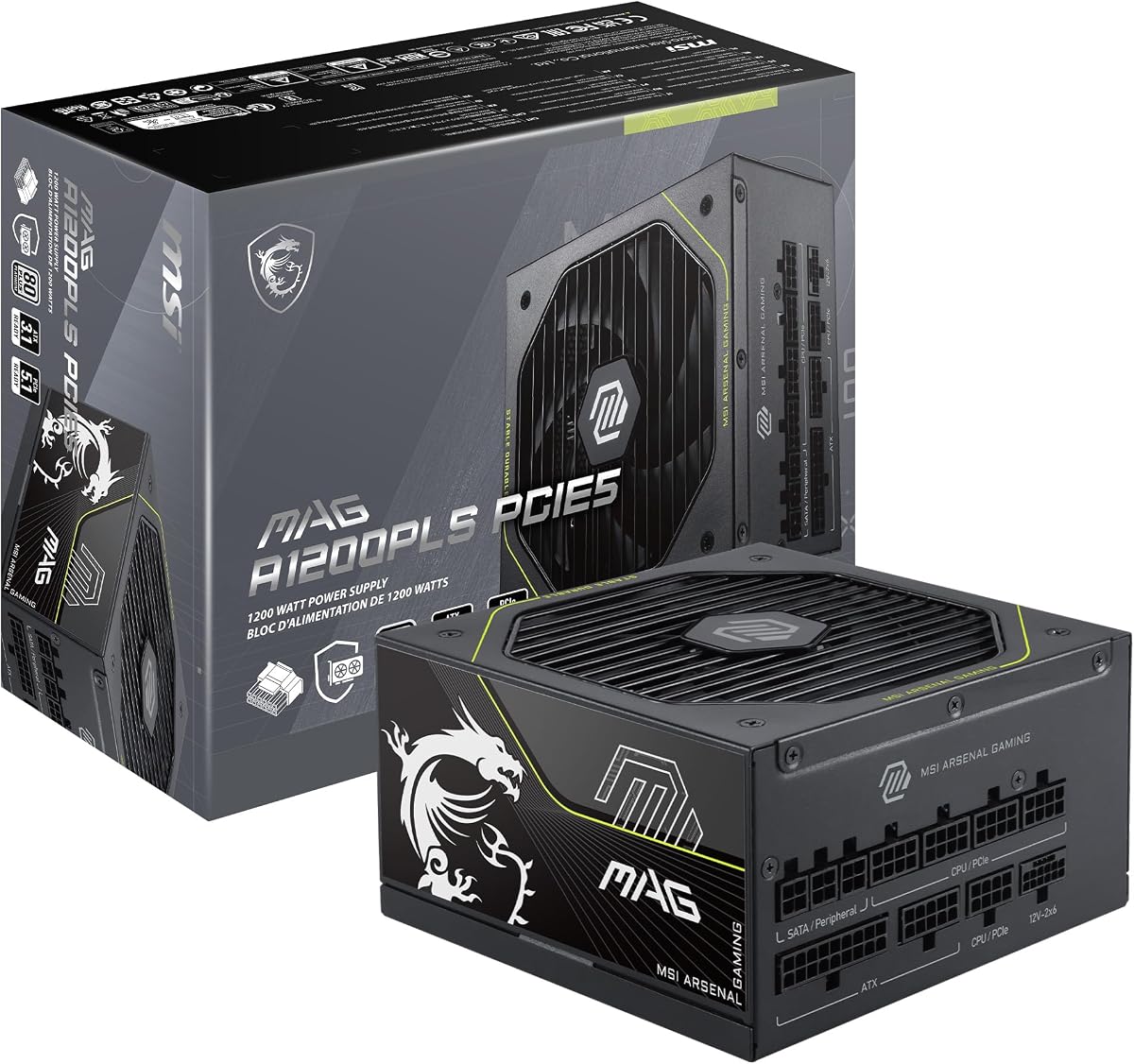
The MSI MAG A1200PLS PCIE5 holds the highest supplied rating in the guide at 5.0. It is a flagship-style 1200W unit with 80 Plus Platinum efficiency, ATX 3.1 and PCIe 5.1 readiness, a native 12V-2×6 connector, and a ten-year warranty. Its compact 150mm-by-150mm enclosure helps separate raw capacity from the large physical footprint often associated with high-end power supplies.
We may earn a commission when you buy through this link, at no additional cost to you.
GPU Safeguard provides real-time current protection and can issue an early alert if it detects abnormal 12V-2×6 current. This is a distinctive feature for installers working with high-power graphics cards. The native connector can deliver up to 600W, and the UL-embossed jacket modular cables use premium copper alloy connectors for a durable installation.
A 135mm fluid dynamic bearing fan supports cooling, while a 105°C main capacitor and fan safeguard add to the protection-focused design. The included cable set includes motherboard, dual CPU, 12V-2×6, PCIe, PCIe-to-dual-PCIe, SATA, and peripheral connections, giving a broad range of components appropriate hardware options.
The main compromise is that 1200W is excessive for many PCs, and there is no stated software interface for deeper monitoring. Nevertheless, this is our best premium recommendation because it combines high efficiency, exceptional capacity, modern native connectivity, proactive GPU monitoring, compact dimensions, and long warranty coverage.
A native 12V-2×6 cable removes the need for a multi-adapter arrangement on compatible graphics cards. Up to 600W of delivery and PCIe 5.1 readiness suit the newest hardware generation.
GPU Safeguard monitors current in real time and can flag abnormal conditions early. The feature adds a useful layer of awareness around the power connection most associated with modern graphics cards.
The 150mm dimensions make installation and cable routing easier than a similarly powerful unit with a larger frame. That saves case space and supports airflow around the rest of the system.
We may earn a commission when you buy through this link, at no additional cost to you.
The right power supply depends on your hardware, case, connector requirements, and tolerance for noise. Use efficiency, usable capacity, standards, protection, and installation quality as the main decision points rather than considering wattage alone.
Start with the estimated combined power demands of the processor, graphics card, memory, storage, fans, and expansion cards, then allow sensible headroom for sustained loads and future upgrades. A power supply should not be selected by matching only the graphics card's advertised wattage because other components also draw power. High-end CPUs and GPUs may also produce short power excursions, making a modern transient standard relevant even if the steady-state total appears manageable.
80 Plus Platinum indicates that the unit can reach high efficiency across meaningful portions of its operating range, reducing energy waste and heat. The actual benefit is greatest on systems that run frequently and around typical load levels. Extremely light workloads may not receive the same advantage as sustained gaming or productivity tasks. Compare the certification with the actual efficiency curve, but the Platinum label is a strong general indicator for a well-designed unit.
ATX 3.1 and PCIe 5.1 readiness are important for modern high-power graphics cards because they address current delivery and transient behavior. A native 12V-2×6 cable also simplifies installation and avoids the cable bulk of multiple adapters. If your hardware uses this connector, follow the graphics-card and power-supply manufacturers' instructions exactly, including fully seating the connector and avoiding sharply bent cable sections immediately after the plug.
A larger power supply does not automatically run its fan faster or create more noise, but it can be harder to price competitively and may be unnecessary for a modest system. Very large units also demand thoughtful cable management because their cable sets contain more high-current leads. Select a capacity that comfortably covers present and foreseeable demand without adding unnecessary bulk, especially if your case offers limited space.
Fully modular power supplies let you install only the cables you need, improving neatness and internal airflow. Non-modular or semi-modular designs can simplify compatibility but leave unused leads in the chassis. Check the shape and bend requirements of every high-current cable, particularly around large graphics cards and side-mounted or tightly packed cases. The 90-degree connectors offered by some models can improve clearance in those situations.
Zero-RPM or semi-passive modes keep the fan stopped under light or moderate loads, which can make a system feel much quieter during browsing, office work, or light gaming. Look for a suitably large fan and an effective heatsink because those features determine how quietly the unit handles heavier loads. Pay attention to stated fan-bearing technology, because fluid dynamic and dual-ball designs generally differ from sleeve-bearing fans in their intended durability characteristics.
Digital power supplies can expose wattage, fan behavior, and protection settings through monitoring software. The CORSAIR HXi models in this guide support iCUE controls, while MSI adds a specific GPU current alert through GPU Safeguard. Other models focus on hardware protection without a stated desktop application. These features can be valuable for tuning and troubleshooting, but reliability, connector fit, and adequate capacity should remain the priorities.
Warranty length is a useful signal of manufacturer confidence, and this guide includes models offering seven- or ten-year coverage. Renewed products can provide another route to a capable unit, but their physical condition, accessory completeness, and return terms deserve careful review. Check whether every required cable is included and whether the warranty remains valid through the seller or manufacturer before completing a purchase.
Install the power supply in a properly oriented, ventilated position with the fan drawing cool air from the case and the exhaust facing an open area. Connect only the modular leads required by your components, and route them away from sharp case edges, side-panel contacts, and restrictive cable passages. Verify that every latch is fully engaged before operating the system.
Use the cable type and connector arrangement specified by the component manufacturer. For a native 12V-2×6 connection, insert the plug straight into the graphics-card socket without forcing it, and keep the cable from being sharply folded right at the connector. If an adapter is required, follow its instructions and ensure that each PCIe power lead is fully inserted; loose connectors can become a serious electrical hazard.
Do not open the power supply, modify its wiring, or use it with incompatible voltage inputs. Keep the unit away from moisture, dust, and excessive heat, and allow it to remain unobstructed. If unusual buzzing, arcing, burning smells, or repeated shutdowns occur, stop using the system, disconnect power at the wall, and have the unit inspected by a qualified technician.
80 Plus Platinum certification indicates that a power supply meets defined energy-efficiency thresholds under tested operating conditions. Less energy becomes waste and heat, which can improve system efficiency and reduce cooling demands. The benefit varies with load, so certification alone does not determine the unit's noise, reliability, or suitability for every build.
A 1000W unit provides more continuous power and therefore more upgrade flexibility, but it is not inherently more efficient or better suited to every system. Choose based on the combined draw of your CPU, GPU, and other components, along with expected future upgrades and available case space. An adequately sized 850W model can be an excellent choice for a powerful but efficient system.
It depends on the graphics card and its power requirements. ATX 3.1 and native 12V-2×6 support are most relevant for current high-power PCIe 5.1 cards and systems subject to significant transient loads. Older cards can work with suitable ATX 2.x units, but you should check the card manufacturer's connector and adapter instructions before purchasing.
Fully modular cabling allows you to leave unused cables out of the case, which can improve neatness and make airflow paths easier to manage. It does not automatically cool every component better because a properly routed fixed cable bundle can also be arranged effectively. The main practical benefits are flexibility and reduced clutter.
Many Platinum models use zero-RPM or semi-passive fan modes and can be silent at low or moderate loads. Fan noise generally increases once the cooling system needs to respond to higher internal temperatures. A large fan, an efficient heatsink, and a well-ventilated installation can keep noise lower under heavier load.
Yes, a modern power supply can generally be used safely in a system that draws less than its capacity. The unit should regulate its output and manage its fan appropriately, and the system will consume only the power it needs. Still, choose a form factor, connector set, and capacity that suit the case and leave useful upgrade headroom.
A renewed unit can be a reasonable purchase when its condition, testing, warranty, included accessories, and return policy are clearly documented. Look for reputable sellers and verify whether the warranty is honored directly by the manufacturer. Inspect the unit and packaging promptly and report any damage before using it.
Use the native 12V-2×6 cable supplied with a compatible power supply, or a cable explicitly approved by the graphics-card and power-supply manufacturers. Do not mix modular cables from different models or assume that visually similar connectors are interchangeable. Seat the connector fully and avoid a tight bend immediately after the plug.
The ASUS ROG Strix 1000W Platinum stands out as the best overall option for modern gaming systems because it combines efficiency, ATX 3.1 support, GPU-focused voltage delivery, quiet cooling, and a ten-year warranty. The be quiet! Power Zone 2 850W is the more restrained and acoustically focused choice, while the MSI MAG A1200PLS PCIE5 is the premium high-capacity recommendation.
Prioritize adequate continuous power, current connector standards, reliable protections, and a cable layout that suits your case. Digital monitoring, special voltage features, renewed condition, and extremely high wattage should refine the decision rather than replace the fundamentals. Matching the unit to the actual hardware and likely upgrade path produces the most satisfactory result.
Before purchasing, recheck the current listing for specifications, included cables, warranty terms, and seller details. Ratings and prices can change, and compatibility can evolve as graphics cards and power standards develop. Use this guide to narrow the field, then verify the final model against your specific components.