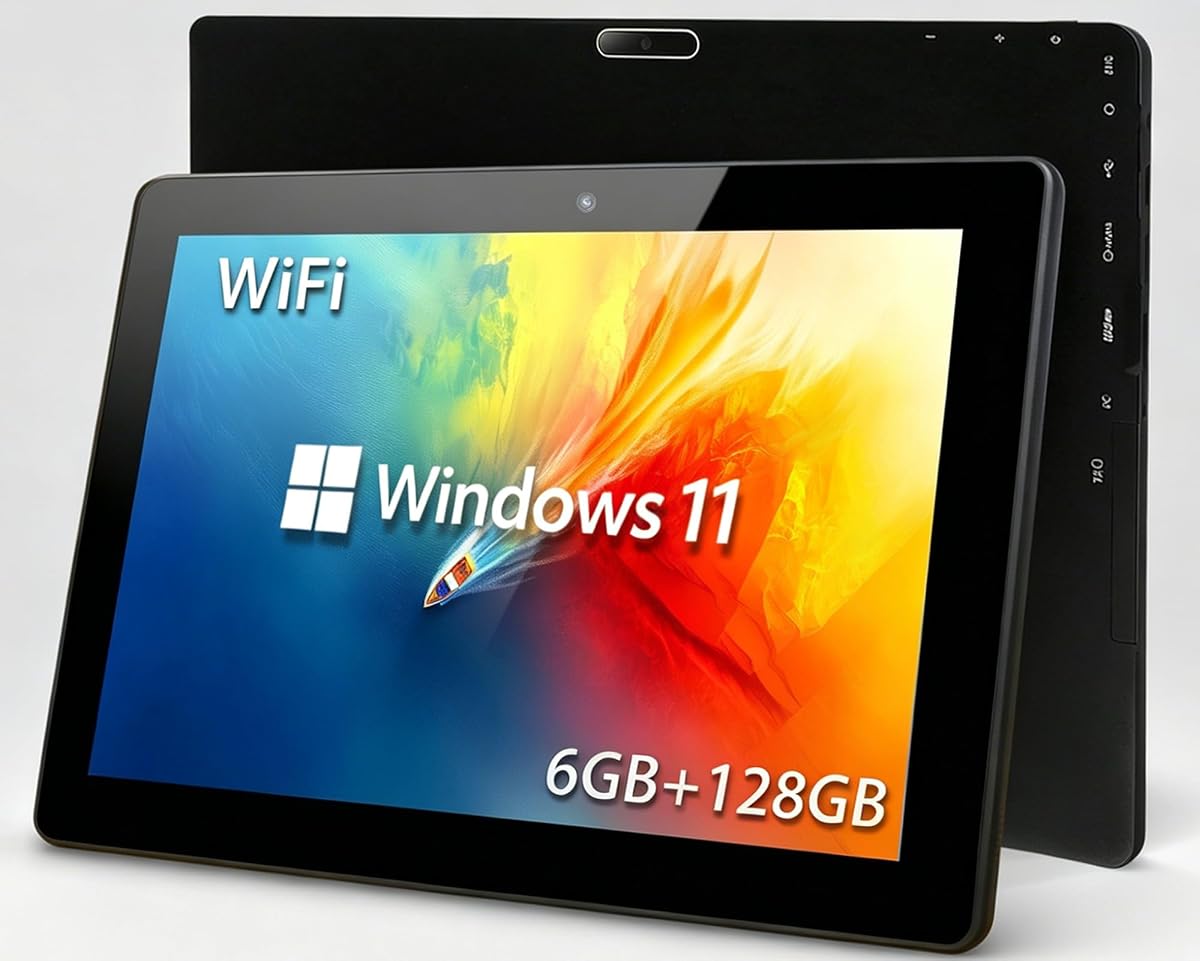
10.1-inch Windows 11 Tablet PC
2.7Editor score
Windows 11 Home preinstalled
Six gigabytes of RAM
Expandable 128GB storage
A Touch Screen Windows 11 Tablet combines the portability of a slate with the flexibility of a full Windows computer, but the strongest choices differ greatly in display quality, processing power, durability, and included accessories. The right model can support note-taking, browsing, office work, presentations, media consumption, or demanding professional applications.
We compared all ten products based on their supplied specifications, including processor, memory, storage, screen size and resolution, battery claims, connectivity, operating-system edition, portability, and included accessories. The list covers budget tablets, compact 2-in-1 computers, renewed Surface models, rugged business devices, an industrial panel PC, and premium Copilot+ PCs.
Each review identifies the most useful feature and the trade-offs behind it, helping you match the device to your actual routine rather than relying on screen size alone. Ratings and availability can change over time, and current prices fluctuate, so confirm the latest listing details before purchasing.
2.7Editor score

4.4Editor score

4.3Editor score
As an Amazon Associate we earn from qualifying purchases.
The comparison below highlights the major differences among all ten models, ranging from a portable 10.1-inch tablet and an industrial panel PC to premium Surface Pro configurations with advanced Copilot+ capabilities.



This 10.1-inch Windows tablet is the budget-oriented entry in the group, with an activated Windows 11 Home system, an Intel Celeron 1.6GHz quad-core processor, 6GB of RAM, and 128GB of internal flash storage. Its supplied rating of 2.7 is the lowest here, so buyers should approach it as a focused option for basic tasks rather than a high-performance Windows tablet.
We may earn a commission when you buy through this link, at no additional cost to you.
The strongest attraction is its combination of portability and useful connectivity. The 1280×800 capacitive screen supports touch interaction, while HDMI output and OTG can expand the workspace to an external monitor or projector. A 6000mAh battery is unusually substantial for this class, and dual-band Wi-Fi plus Bluetooth 4.2 cover everyday networking and peripheral connections.
Storage can be increased with a TF card, including support for cards up to 512GB according to the supplied information. That flexibility helps offset the small built-in storage, although the Celeron chip and 6GB of memory are modest for intensive multitasking, demanding Windows applications, or extended creative workloads. The modest rating reinforces the need to evaluate performance expectations carefully.
This model makes the most sense for students, travelers, and occasional workers who want a familiar full Windows interface for browsing, online classes, documents, light video editing, and media playback. It is a practical budget choice if your requirements are light, but buyers who need stronger application performance, a more refined display, or professional accessories should move toward one of the faster models.
HDMI output, OTG support, dual-band Wi-Fi, and Bluetooth make the tablet more versatile than a basic standalone slate. These connections allow it to function as a compact, portable mini computer when paired with an external display and peripherals.
The 128GB internal storage is modest, but TF-card expansion can accommodate additional documents, videos, and study materials. Checking card and operating-system support before transferring important files is advisable.
We may earn a commission when you buy through this link, at no additional cost to you.
The AE86 stands out as the most complete package among the conventional 10.1-inch Windows tablets, combining a Core m3-8100Y processor, 12GB of RAM, a 256GB SSD, Windows 11 Pro, Office 2024, a detachable keyboard, and a stylus. Its supplied 5.0 rating is the highest in this roundup, making it a particularly compelling recommendation for buyers who want everything needed for productive use in one purchase.
We may earn a commission when you buy through this link, at no additional cost to you.
Performance should suit everyday office tasks, browsing, communication, entertainment, and light creative work. The processor offers two cores, four threads, and turbo speeds up to 3.4GHz, while 12GB of RAM provides useful headroom for multitasking. SSD storage improves responsiveness and offers substantially more room for files than the entry-level tablet in this guide.
The main compromise is display and endurance. A 1280×800 resolution is adequate for documents and presentations but cannot match the sharpness of the Surface Pro 5 or the OLED Surface Pro 13. The 3400mAh battery is also smaller than several alternatives, so users away from a charger may need to manage power more deliberately. These are reasonable trade-offs for a ready-to-use productivity bundle.
Choose the AE86 if you value included accessories, strong memory, fast solid-state storage, and a Windows Pro environment without needing to source a keyboard or pen separately. It is particularly suitable for students, mobile office workers, and travelers who prefer a conventional laptop-like arrangement while retaining full touchscreen flexibility.
The detachable keyboard, responsive stylus, power adapter, and manual make setup straightforward. Preinstalled Office 2024 and Windows 11 Pro let users begin working without turning the tablet into a separate computer project.
A working USB-C port, separate USB-C charging input, and micro HDMI output provide useful wired connections. Bluetooth 5.0 and WiFi 5 support compatible accessories and everyday network access.
We may earn a commission when you buy through this link, at no additional cost to you.
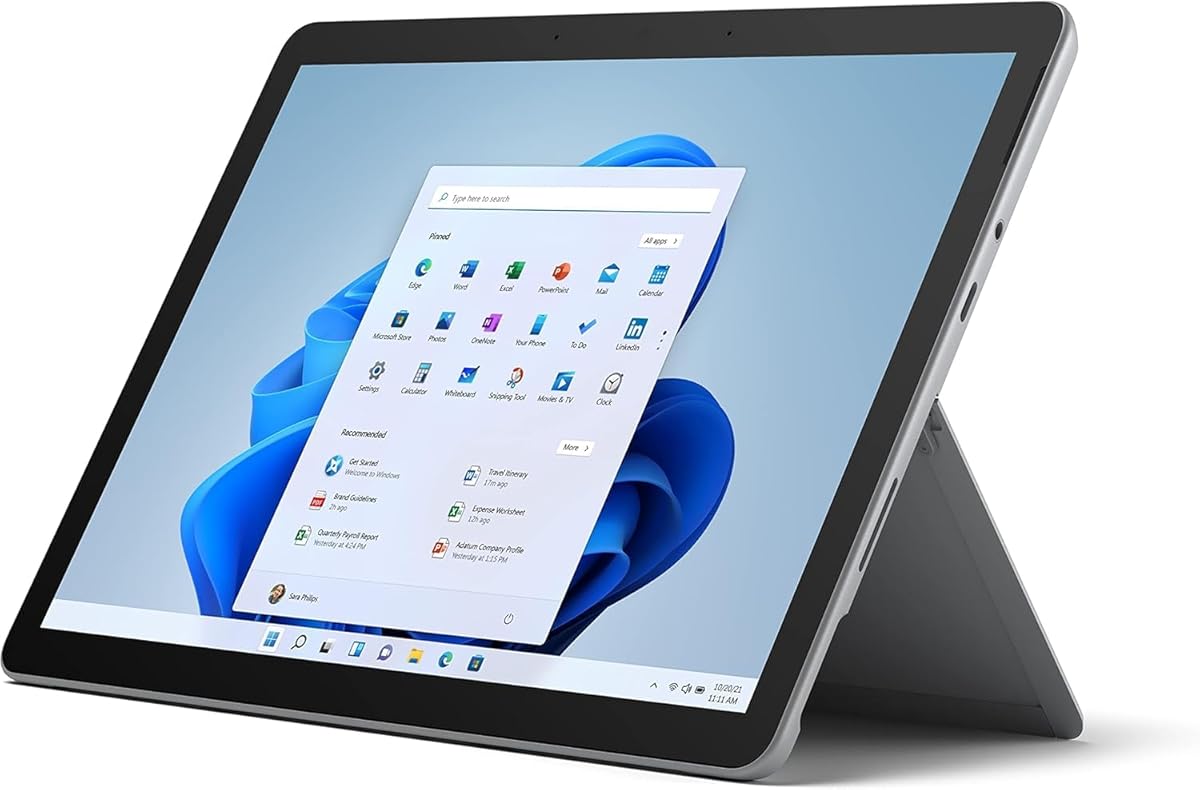
The renewed Surface Go 2 combines Microsoft’s recognizable 2-in-1 design with a sharp 10.5-inch PixelSense display, Windows 11 Pro, and an Intel Core m3 processor. Its 1920×1280 resolution offers a noticeably more refined visual experience than most 10.1-inch tablets in the group, while its rating of 4.3 reflects a generally favorable user impression.
We may earn a commission when you buy through this link, at no additional cost to you.
Portability is a defining strength. The listed starting weight is just 1.15 pounds, and the display supports ten-point touch, making it convenient for reading, handwritten notes, presentations, and casual browsing. A MicroSD reader offers storage expansion, while USB-C, a headphone jack, Surface Connect, and a Type Cover port cover essential connectivity.
The Core m3 and 8GB of RAM are sufficient for mainstream productivity, yet they are not intended to match the sustained performance of modern premium systems. The 128GB SSD may also feel restrictive, although MicroSD expansion can help. Because this is a renewed configuration, physical and cosmetic condition may vary, and the Type Cover or other accessories are sold separately.
This is a strong choice for buyers who prioritize compactness, display resolution, and access to the Surface accessory ecosystem over maximum internal storage or modern processor performance. It is especially useful for travelers, students, and professionals who want a lightweight Windows Pro device with a polished tablet interface.
The 1920×1280 panel delivers 216 pixels per inch and provides a crisp canvas for reading, annotation, and presentations. Its 10.5-inch size remains easy to carry while offering more visual space than a small pocket tablet.
A renewed Surface can provide strong value when the device has been inspected and properly prepared. Review the condition information, included accessories, warranty terms, and battery expectations before finalizing a purchase.
We may earn a commission when you buy through this link, at no additional cost to you.
This Fusion5 model is designed for field work, classrooms, warehouses, and environments where an ordinary tablet may be too fragile. It combines Windows 11 Pro, an Intel 13th Gen Alder Lake N100 processor, 12GB of RAM, and a 256GB SSD inside a shockproof and dust-resistant shell. The supplied rating is 4.0, reflecting a balanced set of customer experiences.
We may earn a commission when you buy through this link, at no additional cost to you.
Its 10.1-inch 1920×1200 IPS screen uses 2.5D G+G glass and reaches up to 500 nits of brightness. Dual Full HD cameras, dual speakers, dual-band Wi-Fi, Bluetooth 5.0, and covered Micro HDMI, USB-C, and USB 3.0 ports reinforce its professional positioning. A 6000mAh battery and included 30W Type-C fast charger support extended shifts.
The two-year full warranty with accidental-damage coverage is a meaningful advantage over many tablets, although it is important to register the device and understand the conditions of the protection. The rugged housing, strap, and stand also add weight and bulk, making it less convenient as a sleek travel slate. That extra mass is purposeful rather than accidental.
Buyers who regularly carry a tablet into demanding workplaces should give this model serious consideration. It balances modern processing, ample memory, a bright display, and meaningful hardware protection better than many generic alternatives, making it a practical option for field technicians, educators, warehouse teams, and contractors.
The shockproof, dust-resistant enclosure and protected ports are designed for harsher handling than a conventional consumer tablet. Registration activates the included accidental-damage coverage for eligible incidents.
The 500-nit IPS panel offers useful brightness for offices, classrooms, and outdoor work. The 1920×1200 resolution also provides more detail than the entry-level 1280×800 alternatives.
We may earn a commission when you buy through this link, at no additional cost to you.
The 15.6-inch industrial panel PC is fundamentally different from a handheld tablet: it is an all-in-one Windows 11 Pro touchscreen computer designed for permanent or semi-permanent installation. Its N5095 processor, 8GB of RAM, 128GB of ROM, and 1920×1080 IPS screen suit production floors, kiosks, control panels, and specialized business systems.
We may earn a commission when you buy through this link, at no additional cost to you.
The physical design is the main attraction. A fanless aluminum-alloy enclosure reduces noise and moving parts, while the sealed, moisture-resistant back and waterproof front help the unit cope with vibration, dust, and demanding environments. The ten-point G+G capacitive touchscreen supports operation with wet hands or gloves, a major practical advantage in industrial settings.
Its 16:9 Full HD panel is much larger than portable models and is better suited to dashboards, process controls, and equipment interfaces. Four USB 3.0 ports, full-function USB-C, HDMI, LAN, Wi-Fi 5, and Bluetooth 5.0 provide broad connectivity. A wide operating-temperature range of -10°C to 55°C further supports specialized use.
This is the right recommendation for buyers who need an integrated Windows control panel rather than a mobile slate. It is less suitable for travel because mounting hooks and VESA holes indicate a fixed installation, and its 128GB storage is limited. For the right environment, however, the large rugged touchscreen and extensive interfaces are exceptionally useful.
The large 1920×1080 16:9 display provides ample room for dashboards, machinery controls, and status monitoring. Its bright IPS panel is designed to remain usable in demanding industrial environments.
Standard PPC mounting hooks support integration into cabinets, while VESA holes allow wall or desktop installation. This makes the system easier to incorporate into a permanent workstation.
We may earn a commission when you buy through this link, at no additional cost to you.
The 512GB Fusion5 is the storage-focused version of the rugged 10.1-inch Windows tablet. It retains the Intel 13th Gen N100 processor, 12GB of RAM, 1920×1200 IPS display, 6000mAh battery, and two-year accidental-damage warranty, but offers twice the SSD capacity of the 256GB model. Its supplied rating is 4.0.
We may earn a commission when you buy through this link, at no additional cost to you.
It is a good fit for users who store substantial local files, work offline, or need room for Windows applications and media without relying on a memory card. The 12GB of memory supports multitasking, while the bright touchscreen and 500-nit maximum brightness improve usability in classrooms, warehouses, and outdoor settings.
Rugged construction remains the defining advantage. Shockproof and dust-resistant qualities, covered ports, a hands-free strap, and a stand all support demanding use. The same durability also makes the device larger and heavier than a conventional tablet, and no keyboard is included, so users who type heavily may need to add one.
Compared with the 256GB Fusion5, this model makes the most sense for buyers who have a clear need for local storage. Field technicians carrying media, instructors with extensive course files, or warehouse teams working with large local datasets can benefit. For ordinary web browsing and documents, the smaller-storage version should offer better value.
The 512GB SSD provides room for applications, documents, media, and locally stored working files. That capacity can reduce dependence on cloud storage when connectivity is inconsistent.
A two-year full warranty and accidental-damage coverage add reassurance beyond the physical design. Registering the device activates the applicable protection according to its terms.
We may earn a commission when you buy through this link, at no additional cost to you.
The renewed Surface Pro 5 offers a distinctive combination of a high-resolution 12.3-inch touch display, Intel Core i5-7300U processor, 8GB of DDR4 memory, and a 256GB SSD. Its supplied rating of 3.4 is moderate, but the specification remains compelling for display-focused work and mainstream Windows tasks when the device is appropriately conditioned.
We may earn a commission when you buy through this link, at no additional cost to you.
The 2736×1824 anti-glare screen is among the sharpest displays in this guide. That makes it useful for detailed documents, illustration, image review, or media, while the 3:2 aspect ratio offers a comfortable desktop workspace. Front and rear cameras support video calls and capture, and the included ports cover full-size USB 3.0, a headphone jack, Mini DisplayPort, charging, and the cover port.
The main limitation is age. The two-core, four-thread Core i5-7300U is an older platform, so demanding software, intensive multitasking, and modern games may reveal their limits. The renewed condition may also include signs of previous use. No keyboard is included, so buyers wanting a laptop setup must obtain a compatible Type Cover separately.
The Surface Pro 5 makes sense for buyers who prioritize a large, exceptionally detailed display and prefer a familiar Microsoft 2-in-1 platform over a newer processor. It is particularly attractive for document work and creative viewing, provided the buyer accepts the older internals and reviews the renewed condition carefully.
The high pixel count makes text and images appear crisp, while the anti-glare finish can help with reflections. The 3:2 ratio also provides a broad canvas for productivity-oriented tasks.
Full-size USB 3.0 remains useful with many accessories, and Mini DisplayPort supports an external display. The headphone jack and Surface charging connection cover other everyday needs.
We may earn a commission when you buy through this link, at no additional cost to you.
The 2025 Surface Pro 12-inch represents the most modern conventional tablet in the roundup, combining Windows 11 Copilot+ PC capabilities with a Snapdragon X Plus eight-core processor, 16GB of RAM, and 512GB of storage. Its 4.4 rating places it among the strongest-rated products, and the supplied specifications indicate a capable, efficient 2-in-1.
We may earn a commission when you buy through this link, at no additional cost to you.
The PixelSense 12-inch touchscreen supports work, entertainment, and note-oriented use, while the built-in kickstand allows the device to function as a laptop when the separately sold Surface Pro Keyboard is attached. The Copilot+ platform provides built-in AI tools for writing, summarizing, and multitasking, with an emphasis on keeping data and privacy secure.
A claimed battery life of up to 16 hours is excellent for mobile productivity and media use. The tradeoff is that the Snapdragon platform requires checking software and peripheral compatibility, especially for specialized professional applications or accessories that depend on particular Intel-based drivers. The separate keyboard also raises the complete-system cost for laptop-focused users.
This model is ideal for buyers who want a current Windows tablet with generous memory, ample storage, strong battery life, and modern AI features. It works particularly well as a travel computer, presentation device, or flexible daily 2-in-1, provided the necessary applications and accessories are compatible.
Copilot+ tools assist with writing, summarizing, and multitasking directly within the Windows experience. Their on-device emphasis can support privacy-conscious workflows when supported applications are used.
The supplied up-to-16-hour claim makes the Surface Pro 12-inch appropriate for long classes, meetings, travel days, and streaming. Actual endurance will vary with screen brightness, workload, and connectivity.
We may earn a commission when you buy through this link, at no additional cost to you.
The 13-inch Surface Pro OLED is the display-focused premium option, pairing a 13-inch touchscreen with a 1M:1 contrast ratio, Snapdragon X Elite twelve-core processor, and 16GB of RAM. Its 4.3 rating is strong, and the OLED panel gives it a clear visual advantage for entertainment, creative review, and high-contrast content.
We may earn a commission when you buy through this link, at no additional cost to you.
The Copilot+ PC platform adds AI-assisted writing, summarizing, and multitasking tools. The kickstand supports multiple viewing positions, while the detachable Surface Pro Flex Keyboard, sold separately, converts it into a laptop-style workstation. Fast charging through a 65W Surface Connect or USB-C supply helps offset the larger display’s energy use.
With 256GB of storage, this configuration offers less local capacity than several alternatives, although its performance-oriented processor and ample RAM are intended to handle demanding workflows. As with other Arm-based Windows tablets, buyers should verify support for their required applications, drivers, and peripherals. The separate keyboard is another factor to consider.
Choose this model if screen quality is central to the purchase and you want a large, sophisticated 2-in-1 for media, design review, presentations, or advanced productivity. It is less compelling for buyers primarily seeking maximum local storage or a complete laptop bundle without additional purchases.
The 1M:1 contrast ratio delivers deeper blacks and a wider range of colors than conventional LCD panels. The large format is particularly compelling for movies, photo review, and focused creative work.
The Snapdragon X Elite platform provides twelve cores and an NPU for AI workloads. A 65W fast-charging path helps maintain mobility despite the tablet’s larger display.
We may earn a commission when you buy through this link, at no additional cost to you.
The Platinum Surface Pro 12-inch offers the same core platform as the Ocean configuration, including Windows 11 Copilot+ PC, a Snapdragon X Plus eight-core processor, 16GB of RAM, and a 12-inch PixelSense display. With 512GB of storage and a 4.4 supplied rating, it is an especially balanced configuration for buyers who value capacity without moving to the larger OLED model.
We may earn a commission when you buy through this link, at no additional cost to you.
Its built-in kickstand supports comfortable touch use, media viewing, and presentations. Attaching the separately sold Surface Pro Keyboard creates a laptop-style experience, while Bluetooth and Wi-Fi handle everyday wireless connections. Copilot+ features assist with writing, summarizing, and multitask management while keeping privacy and security in focus.
The supplied battery claim of up to 16 hours supports all-day use for work, streaming, and creation. Actual results depend on workload, brightness, and active wireless connections. The Snapdragon architecture also makes application and accessory compatibility a priority, and buyers needing specialized desktop software should verify support before purchase.
This is an excellent recommendation for students, mobile professionals, and creative users who want a modern Windows tablet with ample memory and storage. Its platinum finish may appeal to buyers seeking a neutral, professional appearance, while the 12-inch format preserves more portability than the 13-inch OLED alternative.
The 512GB drive can hold substantial documents, media, and applications, while 16GB of RAM supports contemporary multitasking. This balance makes the device versatile without moving to the premium OLED configuration.
The kickstand makes the Surface Pro useful in tablet mode, while an optional detachable keyboard improves text entry. Windows 11 supports both touch-first and traditional desktop workflows.
We may earn a commission when you buy through this link, at no additional cost to you.
The best Windows tablet depends on whether your priority is affordability, sustained productivity, rugged protection, display quality, or fixed industrial installation. Comparing processor capability, memory, storage, screen characteristics, battery life, ports, and accessories will prevent an expensive mismatch.
A processor determines how comfortably a tablet handles documents, web applications, media, creative tools, and specialized business software. The Intel Celeron model in the budget tablet and the industrial N5095 are appropriate for basic or fixed-purpose duties, while the Core m3 in the AE86, N100 in the rugged Fusion5 models, and renewed Surface platforms provide more headroom for ordinary Windows multitasking. The Snapdragon X Plus and X Elite models in the newest Surface Pro devices target modern mobile efficiency and AI-assisted workflows.
Choose performance based on your applications rather than on processor branding alone. Check whether essential software, security tools, drivers, and peripherals support the tablet’s architecture.
Memory affects how many applications can remain open without slowing down, while internal storage determines how much can be kept on the device. The 6GB entry model and 8GB configurations suit lighter workloads; 12GB and 16GB options are better for heavier multitasking and demanding use. SSDs in the AE86, Surface models, and rugged Fusion5 devices provide faster storage than the budget tablet’s flash drive.
Prioritize at least 8GB for regular use and 12GB or 16GB for sustained productivity. If you need more capacity, compare expandable microSD or TF support before purchasing.
Screen size affects portability, viewing comfort, and the amount of information visible at once. Compact 10.1-inch and 10.5-inch panels are easier to carry, the Surface Pro 5 offers an unusually sharp 12.3-inch display, and the premium 12-inch and 13-inch models provide more workspace. Resolution matters for small text, images, and creative work, but a larger panel is not automatically more portable.
Choose 1280×800 for basic use, 1920×1200 for sharper productivity, and OLED or higher-resolution panels for detailed viewing. Consider how much weight and space you can comfortably carry.
Battery capacity and manufacturer endurance claims indicate likely mobile convenience, although actual runtime depends on brightness, video playback, network activity, and workload. The budget and rugged Fusion5 tablets each list a 6000mAh battery, the Surface Go 2 claims up to nine hours, the renewed Surface Pro 5 lists all-day use, and the newest Surface Pro configurations claim up to 16 hours.
For frequent travel or field use, prioritize a long claimed runtime and confirm charger wattage. For desk-based work, battery life may matter less than screen size and connectivity.
A portable tablet should be comfortable to hold, carry, and use for long periods. The Surface Go 2 is notably lightweight, while rugged Fusion5 models add protective housings, straps, stands, and port covers. Fixed industrial panel PCs have greater dimensions and mounting hardware, making them unsuitable for ordinary handheld use despite their excellent touch interfaces.
Choose a slim model for travel and reading, a rugged model for field work, and a panel PC for permanent installation. Always account for the added bulk of protective cases and covers.
A useful tablet should support the peripherals and displays you already own. USB-C, full-function USB-C, HDMI, Micro HDMI, Mini DisplayPort, USB 3.0, a headphone jack, and a card reader appear across the group, but their placement and capabilities differ. Wi-Fi 5 and Bluetooth 4.2 or 5.0 are common, with dual-band Wi-Fi available on the budget tablet and rugged Fusion5 models.
The AE86 stands apart with an included keyboard and stylus, while the Surface Pro models require separate keyboard purchases. Check connector shape and protocol before relying on a dock, monitor, or specialized peripheral.
Windows 11 Home is suitable for many consumer, school, and personal tasks, while Windows 11 Pro adds management, security, virtualization, and remote-access capabilities. The industrial panel PC, rugged Fusion5 tablets, renewed Surface devices, and AE86 include Pro according to the supplied information. The newest Surface Pro devices use the Copilot+ PC platform with built-in AI tools.
Choose the edition based on your software and organizational requirements. Confirm that every necessary application supports both Windows 11 and the tablet’s processor architecture.
Begin by configuring Windows, signing into the appropriate account, installing essential updates, and setting a screen lock. Connect the keyboard, stylus, mouse, or external display through the ports you intend to use, and confirm that every accessory works with the device architecture. For a new business tablet, complete the warranty or accidental-damage registration process immediately.
Use touch gestures for navigation, handwriting, and zooming, but keep a physical or virtual keyboard available for long documents. External monitors can make productivity work more comfortable, while Bluetooth accessories can reduce cable clutter. For presentations, use the built-in stand or kickstand where available and test display output before the event begins.
Care for the screen with a soft microfiber cloth and avoid abrasive cleaners or excessive pressure. Keep charging and storage temperatures moderate, use the supplied or compatible charger, and update Windows regularly. Rugged and industrial models benefit from periodic inspection of port covers, straps, mounts, and seals; all models benefit from periodic backups and sufficient free storage.
The best productivity tablet depends on how you work and whether you already own a keyboard. The AE86 is a strong all-in-one choice because it includes a keyboard, stylus, 12GB of RAM, and a 256GB SSD. The Surface Pro 12-inch models offer greater portability and modern Copilot+ features, while the Fusion5 models are better suited to demanding physical work environments.
A Windows tablet can be better for travel, reading, presentations, handwriting, and touch-based work. A laptop-style keyboard and more conventional ports may be preferable for intensive typing, complex file management, or specialized software. Many Windows tablets can provide both experiences when paired with a detachable keyboard.
Sixteen gigabytes is ideal for heavy multitasking, large files, and demanding applications, but it is not essential for every use. Eight gigabytes remains practical for browsing, documents, and routine productivity, while 12GB offers a useful middle ground. Choose based on workload rather than RAM alone, because the processor, storage speed, and software also affect performance.
Yes, provided the device has compatible Office applications and sufficient storage. The AE86 specifically includes Microsoft Office 2024 according to the supplied listing. Other Windows tablets can run desktop or web-based Microsoft applications, but checking processor compatibility is advisable, particularly on Arm-based models.
They can be worthwhile for children, travelers, workshop users, or anyone prone to drops. Rugged models often provide larger batteries, brighter screens, port protection, and accidental-damage coverage. For desk-based browsing and light media, however, a lighter consumer tablet may be more comfortable and less visually bulky.
A tablet PC is designed for handheld use, while an industrial panel PC is normally mounted into a cabinet, wall, or workstation. The 15.6-inch industrial model in this guide supports VESA mounting, sealed construction, glove operation, wide temperatures, and fanless cooling. It is better suited to permanent control and monitoring than mobile work.
A renewed tablet can be a practical option when its condition, warranty, and included accessories are clearly documented. Renewed Surface models may retain useful displays, cameras, and connectivity while costing less than comparable new configurations. Inspect the battery, screen, ports, buttons, and exterior carefully, and verify the return and warranty terms.
A stylus is useful for handwritten notes, drawing, precise selection, and navigating small controls, but it is not necessary for general browsing. The AE86 includes a responsive stylus, while most Surface Pro keyboards and styluses are sold separately. Check compatibility before buying an accessory for another model.
The AE86 is the most straightforward all-around bundle for buyers who want a keyboard, stylus, Windows 11 Pro, Office 2024, 12GB of RAM, and SSD storage together. The Surface Pro 12-inch 2025 is the most modern balanced recommendation, while the Surface Pro 13-inch OLED leads the group in display quality. For demanding field work, the Fusion5 models add rugged construction, warranty coverage, and generous specifications.
Prioritize the features tied to your actual use: screen quality for reading and creative work, processing power for software, memory for multitasking, storage for local files, battery life for travel, and ruggedness for field conditions. The industrial panel PC belongs in a separate category because its fixed installation, large touchscreen, and sealed fanless design serve specialized operational needs.
Ratings, configurations, availability, and prices can change, and some variants require separate keyboards or accessories. Before buying, verify the current listing, processor compatibility, included equipment, warranty terms, and total configuration so the selected Touch Screen Windows 11 Tablet meets your needs.