
ONLYTOP Heated Desk Pad
4.6Editor score
Three adjustable heat levels
Waterproof non-slip construction
Four-hour automatic shutoff
Heated desk pads combine a full-size desk mat with gentle warmth for cold hands, making typing, gaming, studying, and everyday office work more comfortable. The best models offer even heat, easy temperature adjustment, reliable auto shutoff, a stable surface, and enough room for a keyboard and mouse.
This guide compares ten heated desk pads based on their stated dimensions, heating options, timers, safety features, materials, surface construction, and intended uses. It covers standard full-size mats, an extended gaming model, a compact hand-warming pad, and a dual-zone design that separates warm and unheated areas.
Each review explains who benefits most from a particular model and where its compromises may matter. Ratings and specifications reflect the supplied product information, while availability and pricing can change, so readers should confirm current product details before purchasing.
4.6Editor score

4.5Editor score

4.8Editor score
As an Amazon Associate we earn from qualifying purchases.
The comparison below highlights the major differences among all ten heated desk pads, including dimensions, heat settings, automatic timers, surface construction, and special features such as digital displays, sedentary reminders, temperature memory, and independently controlled heating zones.




This full-size heated desk pad combines a 31.5 x 13-inch PU leather work surface with three heating levels and a four-hour automatic shutoff. Its 4.5 rating reflects a practical balance of useful coverage, straightforward operation, and year-round versatility. It is a strong all-around choice for anyone who wants a mat large enough for both a keyboard and mouse.
We may earn a commission when you buy through this link, at no additional cost to you.
The standout feature is its combination of familiar desk-mat dimensions and straightforward temperature control. Red, green, and blue indicator lights correspond to high, medium, and low heat, with the stated range extending from 104°F to 122°F. The waterproof PU leather and PVC construction also make the mat useful beyond a cold office, while the four-hour timer reduces the likelihood that it will remain powered after a long workday.
Its limitations are easy to understand. Three settings are adequate for most users but not as granular as the five-setting model or the eight-setting extended mat in this guide. The 110V two-pin plug is designed for the United States and Canada, and the manufacturer specifically advises checking electrical compatibility before buying. It also lacks a digital display, so users must identify the active setting through its indicator light.
This is a recommended pick for home-office workers, students, writers, and casual gamers who value a simple mat that can operate as a standard desk surface when the heat is off. Choose it when ease of use, broad coverage, and a dependable automatic timer matter more than elaborate temperature customization.
The 31.5 x 13-inch footprint gives a keyboard and mouse room to sit together without the cramped arrangement associated with small heated pads. It is therefore practical for typing, note-taking, gaming sessions, and general computer work where warm hands are useful throughout the day.
Color-coded controls make the three levels easy to understand without navigating a complex interface. The automatic four-hour shutoff provides useful protection for long work sessions, while the product can still function as an ordinary mouse pad, keyboard pad, blotter, or writing surface when powered down.
We may earn a commission when you buy through this link, at no additional cost to you.
The ONLYTOP Heated Desk Pad is a full-size 31.5 x 13-inch mat with a 4.6 rating, three adjustable heat levels, and a four-hour automatic shutoff. It offers a useful combination of large coverage, cleanable materials, stable placement, and straightforward operation. That mix makes it an appealing value-oriented option for offices, dorm rooms, and winter home workspaces.
We may earn a commission when you buy through this link, at no additional cost to you.
Its premium leather surface is described as waterproof, while the non-slip bottom is intended to keep the mat secure during mouse movement. The built-in overheat protection adds another layer of reassurance for regular use. The four-hour timer is particularly convenient because it lets the user select a temperature and rely on the pad to power down after an extended session without a separate plug-in timer.
The main drawback is that temperature feedback relies on controls rather than a digital display. Users who want exact temperature readouts or more than three levels may find the adjustment system less informative. It is also designed for standard U.S. voltage, making it unsuitable for locations with incompatible electrical systems without appropriate conversion equipment.
This model is recommended for budget-conscious buyers who still want a generous work area and essential safety features. It is especially suitable for general office tasks, study, and gaming where three levels are enough and a stable, wipe-clean surface is more important than sophisticated controls.
A four-hour automatic shutoff and overheat protection cover two common concerns associated with electrically heated accessories. These features allow the mat to remain on during an extended workday without requiring the user to return to the plug every few hours.
The waterproof top is designed to tolerate everyday spills and can be wiped with a damp cloth. A non-slip base helps prevent bunching or sliding, supporting steadier mouse movement and a more comfortable working position.
We may earn a commission when you buy through this link, at no additional cost to you.
This 31.5 x 13-inch heated desk pad has a 4.3 rating and stands out for offering five heat settings rather than the three used by many competitors. Its listed levels range from 86°F to 122°F, giving users a wider choice between gentle ambient warmth and noticeably stronger heat.
We may earn a commission when you buy through this link, at no additional cost to you.
The heating system is stated to begin warming in about five seconds and distribute heat across 95% of the heated surface. That broad coverage should be useful for keeping both hands comfortable while alternating between the keyboard and mouse. A four-hour auto shutoff and a one-hour sedentary reminder combine energy management with a periodic movement prompt.
The surface is made from waterproof PU leather that resists everyday wear and can be wiped clean after accidental spills. A non-slip rubber base helps maintain stability. Its trade-offs are the comparatively modest 4.3 rating and the lack of an exact temperature display or memory function, both of which may matter to users who want more visible or reusable control information.
This mat is a good match for anyone who dislikes the jump between only three temperature levels. It is particularly useful for workers, students, and gamers who want to begin on a low setting and raise the heat gradually as the room cools or their comfort preferences change.
Temperature choices from 86°F through 122°F create a more nuanced range than a basic three-setting mat. The lower levels can be useful in mildly cool rooms, while the upper settings provide more pronounced warmth during colder conditions.
The stated five-second warmup is designed to reduce the waiting period at the start of a session. Heat distributed across 95% of the surface supports the full-size keyboard-and-mouse layout rather than concentrating warmth in a small area.
We may earn a commission when you buy through this link, at no additional cost to you.
This upgraded heated mouse pad combines a 31.5 x 13-inch surface, three digital heat settings, selectable shutdown timing, and a 4.5 rating. It is one of the more feature-rich conventional mats in the roundup, particularly because its display shows the active temperature rather than relying only on an indicator color.
We may earn a commission when you buy through this link, at no additional cost to you.
The stated temperatures are 35°C, 45°C, and 55°C, corresponding to 95°F, 113°F, and 131°F. A double heating sheet is said to become perceptible within 15 seconds, while the four-hour default shutdown can be adjusted to four, six, or eight hours. After one hour, the indicator flashes five times as a sedentary reminder.
Its four-layer construction consists of protective film, waterproof PU leather, a heating sheet, and a non-slip bottom. The manufacturer states that the design is safety-certified and includes overcurrent protection. Users should still follow the stated caution about avoiding laptops, batteries, and heat-sensitive objects. A possible leather odor during initial use and slight edge curling in cold conditions are also disclosed.
This is a strong recommendation for users who appreciate visible temperature feedback, flexible timing, and a break reminder but do not need five heat levels. It suits home offices and gaming desks where the wide surface and multi-function design are valuable and where a 110V connection is appropriate.
The digital display gives users a direct reading of the selected setting, which is helpful when moving between 35°C, 45°C, and 55°C. This makes the pad more suitable for users who want to understand and repeat their preferred level.
The ability to select four, six, or eight hours extends beyond the standard automatic shutoff found on many competitors. A one-hour reminder also encourages regular movement during prolonged work or gaming sessions.
We may earn a commission when you buy through this link, at no additional cost to you.
This warm desk pad offers a 31.5 x 13-inch PU leather surface, three digital temperature levels, and a 4.2 rating. Its most distinctive features are the temperature display, selectable four-, six-, or eight-hour timer, and a reminder that flashes after one hour to encourage a break.
We may earn a commission when you buy through this link, at no additional cost to you.
The listed temperatures are 35°C, 45°C, and 55°C, equivalent to 95°F, 113°F, and 131°F. Heating begins within approximately 10 to 15 seconds, making it practical to turn on shortly before beginning work. A four-layer design adds protective film, waterproof PU leather, a heating element, and an anti-slip bottom.
Although it includes overcurrent protection and stated CE, FCC, and UL certification, the 55°C maximum is warmer than the 122°F maximum offered by several competing products. Buyers who are especially sensitive to heat should start on the lowest setting. As with other heated mats, laptops, batteries, and other heat-sensitive objects should not be placed on it during heating.
The pad is best for users who value a digital display, flexible timing, and a break reminder at a relatively straightforward full-size format. It is a sensible choice for desks in cold homes, study areas, and offices where a moderate three-level system is preferable to many tiny increments.
The one-hour sedentary reminder offers a simple behavioral cue to stand, stretch, or move around. It is especially useful during long typing or gaming sessions when the focus on warmth and screen comfort may otherwise keep someone seated for hours.
The display shows the active temperature, while the long-press timer adjustment lets users choose among three shutdown durations. Together, these controls provide more specificity than a simple fixed-temperature and fixed-timer design.
We may earn a commission when you buy through this link, at no additional cost to you.
This heated desk pad and mouse pad has a 4.5 rating, a 31.5 x 13-inch footprint, and three temperature levels ranging from 104°F to 122°F. It also offers one-, two-, and three-hour auto shutoff options, giving it more scheduling flexibility than a model with a single fixed duration.
We may earn a commission when you buy through this link, at no additional cost to you.
The product uses a three-layer structure consisting of waterproof leather, a heating layer, and a non-slip insulated base plate. The leather top is designed to tolerate water contact and can be wiped clean with a damp cloth. This construction is practical for a workstation that sees frequent use and occasional drink spills.
The maximum timer is shorter than that of many full-size alternatives, but the shorter choices can be useful for focused tasks, travel, or users who prefer to control power manually more closely. The manufacturer advises against placing battery-powered devices on the mat during prolonged heating and cautions against fragile glass-top desks, both of which are important placement considerations.
This model is recommended for users who want a conventional full-size heated mat with clear heat and timer choices. It can also serve as a warming surface during rest periods, and the manufacturer describes uses such as a foot mat or resting mat, although its primary appeal remains as a desk accessory.
The one-, two-, and three-hour choices are less generous than four-hour timers but can match short study blocks, meetings, or gaming sessions more closely. They also give users a clear way to limit continuous operation.
Waterproof leather supports easy cleanup, while the insulated non-slip base helps keep the mat steady. These details are especially helpful on an active desk where the pad will be used for both mouse movement and general writing.
We may earn a commission when you buy through this link, at no additional cost to you.
The Heetz Heated Desk Pad is the most compact option reviewed, measuring 27.6 x 7.9 inches, and it carries a 5.0 rating. Rather than trying to serve as a full keyboard-and-mouse mat, it creates a focused warm area for resting hands, writing, or using a mouse placed on top.
We may earn a commission when you buy through this link, at no additional cost to you.
It provides three temperature settings, automatic shutoff, and an hourly reminder light. The controlled surface area is the defining benefit: it can deliver warmth without heating an entire desk footprint, making it useful in compact offices, smaller home workspaces, and gaming setups where a full-size mat would be impractical.
Its compromise is coverage. At 7.9 inches deep, the pad is not designed to hold a full keyboard, and its narrow shape also means it will not replace a conventional large mouse surface. The product information does not claim the same layered waterproof construction or digital temperature display offered by some full-size rivals, so buyers seeking extensive technical feedback may prefer another model.
This is the recommended choice for someone who primarily wants a dedicated hand-warming strip rather than a complete desktop replacement. It is also a sensible option for a smaller work area or as a targeted warm surface alongside a separate mouse pad.
The slim rectangular format concentrates warmth in the area where hands naturally rest. That makes it practical for compact desks where a large heated mat would occupy too much usable space or interfere with other equipment.
Automatic shutoff reduces the need to monitor the unit during longer sessions, while the hourly reminder light provides a prompt to move. Together, they support comfortable work without requiring constant control adjustments.
We may earn a commission when you buy through this link, at no additional cost to you.
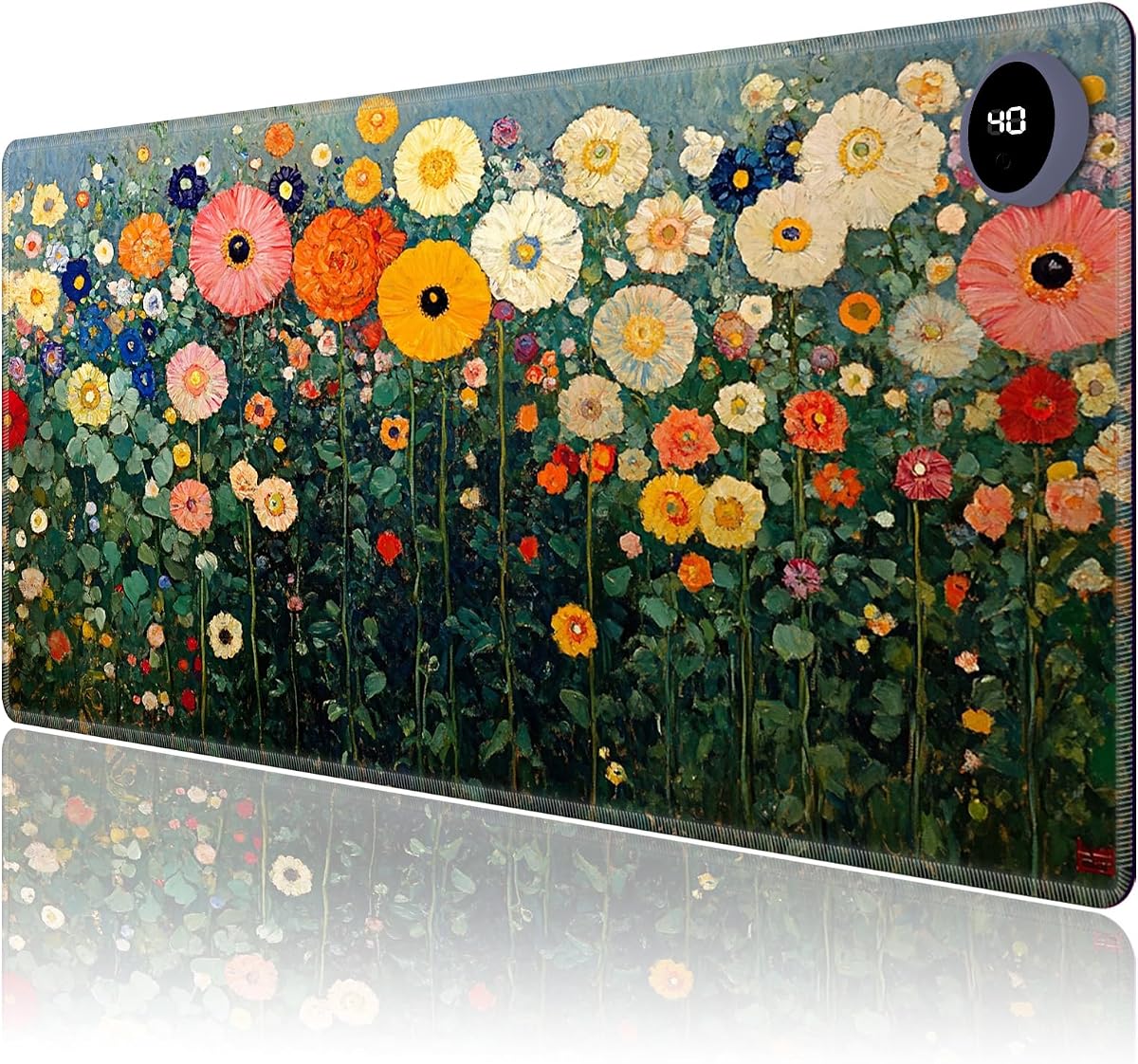
The Modern Dual Zone Heated Desk Mat has a 4.8 rating and introduces independently controlled heating areas to the roundup. Its key purpose is to warm a designated hand region while leaving another area unheated, creating a safer arrangement for laptops, monitors, and battery-operated keyboards.
We may earn a commission when you buy through this link, at no additional cost to you.
The large LED touch dial controls three heat settings of 95°F, 113°F, and 131°F. It also offers six timer options from four to nine hours, providing more scheduling choices than the standard four-hour auto shutoff on most competitors. An 80W rating and 110-120V compatibility are specified for the full-size 31.5 x 13-inch design.
This is the most premium-oriented model in the list, with edge stitching and a PVC leather-textured surface designed for durability and a professional appearance. Its main limitation is that the heated surface may not deliver the same tracking precision as a dedicated gaming mouse pad, and the manufacturer recommends placing a smaller mouse pad on top for ultra-precise tasks.
This is the leading recommendation for professionals and advanced users who want a polished heated work surface with flexible controls and a safer area for electronics. It is less necessary for someone who only wants three basic heat levels, but its device-friendly layout and extended timer options justify a premium position.
Independent zones separate the hand-warming area from an unheated section suitable for devices. This is a meaningful safety and workflow improvement over applying one uniform temperature across every part of the mat.
The large illuminated touch dial makes heat and timer selection easy to see and adjust. Edge stitching is also intended to resist the fraying and edge wear associated with lower-cost construction, helping the mat maintain a cleaner appearance over time.
We may earn a commission when you buy through this link, at no additional cost to you.
The Mymyth Heated Desk Pad is an extended 31.5 x 17.5-inch mat with a 4.4 rating and the broadest temperature selection in the guide. Its eight levels range from 80°F to 150°F in 10-degree increments, making it well suited to users who want highly granular control over warmth.
We may earn a commission when you buy through this link, at no additional cost to you.
A digital display makes the current temperature easier to identify, and the memory function recalls the level selected during the previous use. The mat also includes a three-hour automatic shutoff. Its faux-leather surface is waterproof and easy to wipe clean, while the thick rubber bottom is intended to provide a heavier and more stable platform for a gaming mouse.
The extended dimensions create ample room for a keyboard, mouse, and other desktop items, but they may be excessive for a compact workstation. The 150°F maximum is also among the highest listed temperatures in the roundup, so users should start low and increase the setting gradually. The manufacturer warns against placing laptops, batteries, or other heat-sensitive items on the pad.
This model is best for dedicated gaming desks, broad workstations, and users who value exact control or do not want to reset their preferred temperature each day. It is less suitable for small desks or people who prefer a lower maximum heat level.
Eight levels give users a much finer adjustment scale than three-setting or five-setting competitors. The digital display and ten-degree spacing make it easier to settle on a repeatable level of comfort as room temperature changes.
The 17.5-inch depth provides more usable surface than standard 13-inch mats, accommodating a wider mouse zone and additional desk items. A thick, non-slip rubber base is intended to resist movement during energetic gaming sessions.
We may earn a commission when you buy through this link, at no additional cost to you.
The Heatka Desktop Hand Warmer is a full-size heated keyboard and mouse mat with a 4.6 rating. Its primary focus is straightforward relief for cold hands during computer work, with a warm surface, automatic shutoff options, and large LED controls designed to be easy to identify without interrupting concentration.
We may earn a commission when you buy through this link, at no additional cost to you.
The PVC leather-textured surface is intended to look understated in professional, hobby, and gaming environments while remaining easy to clean. Double-stitched borders are highlighted as a durability feature intended to guard against the fraying that can develop around cheaper edges over time.
Compared with the most technically detailed models, the supplied information gives fewer specifics about the available heat levels and exact dimensions. The manufacturer also recommends a small mouse pad on top for ultra-precise gaming, suggesting that the main strength is work comfort rather than competitive gaming surface performance. Buyers should confirm the current dimensions and control details on the listing.
This mat is recommended for office workers, remote employees, writers, and anyone who regularly struggles with cold hands and wants a durable, comfortable warming surface. It is especially compelling for users who prioritize edge longevity, easy operation, and a professional appearance over numerous temperature options.
The product is explicitly shaped around the needs of people who work in cold environments and want to type without relying on gloves or disposable warmers. Warming both hands while they rest on the surface offers a more natural alternative to intermittent hand warmers.
Double-stitched borders help protect areas that commonly begin to fray after repeated handling. For a daily work mat, that construction can preserve a neater appearance and make the product feel more suitable for long-term professional use.
We may earn a commission when you buy through this link, at no additional cost to you.
The right heated desk pad depends on desk size, desired temperature control, safety features, and the types of devices that will share the work surface. Comparing these factors before purchasing helps avoid paying for unnecessary features or choosing a format that is too small or too intense.
A full-size heated desk pad is usually the most versatile choice for computer work. Most models in this guide measure 31.5 x 13 inches, which is intended to accommodate a keyboard and mouse together while keeping the hands over a warm area. The Mymyth model expands to 31.5 x 17.5 inches for users who want even more movement room, while the Heetz pad uses a narrow 27.6 x 7.9-inch format for compact desks. A full-size mat can replace a separate mouse pad, whereas a narrow warming strip usually works best alongside one.
Choose based on your available desktop area. Measure the space before buying and leave enough room for the cable and control box to sit without forcing the mat against a desk edge or interfering with other accessories.
Heat control should be judged by both the number of levels and the temperature range. Three-level models are simple and sufficient for many users, while five levels provide a more gradual transition. The eight-setting Mymyth mat offers the finest adjustment, and the digital displays on the Upgrade, Warm Desk Pad, and Mymyth products make the active setting easier to read. Dual-zone control is a different type of precision because it controls where warmth is applied rather than adding more levels.
Look for controls that you can understand at a glance. A visible digital readout is helpful for repeatability, while simple color indicators may be sufficient if the mat has only three easily differentiated settings.
Automatic shutoff is an important feature in any electrically heated desk accessory because the mat may remain connected while the user steps away. Most products in this guide offer a four-hour timer, while the Mymyth uses three hours, the Three-Level Heated Mouse Pad offers one to three hours, and the Modern Dual Zone model provides six options from four to nine hours. Sedentary reminders add a different kind of convenience by encouraging the user to stand or move after a set interval.
Match the timer to your routine. A four-hour shutoff suits a conventional workday, while shorter settings can be useful for focused sessions, and longer settings accommodate extended gaming or desk use.
Most models use PU leather, faux leather, or PVC leather-textured surfaces that are designed to resist spills and wipe clean. This makes them more practical for daily work than an exposed fabric mat. A non-slip rubber base helps prevent the heated pad from shifting while the mouse moves, while the Modern model adds edge stitching to strengthen a commonly worn area. The three-layer and four-layer constructions also place insulation or protective material around the heating element.
Choose a smooth, wipe-clean surface and a base that grips the desk. Check whether the desk material is compatible, especially when a product specifically warns against fragile or glass-top surfaces.
Heat-sensitive electronics deserve careful attention. Laptops, batteries, and other items vulnerable to high temperatures should not be placed on a heated mat unless the manufacturer explicitly permits it. The Modern Dual Zone model addresses this concern by providing an unheated area for a laptop, monitor, or battery-operated keyboard. Other models rely on users following the placement warnings and keeping heat-sensitive items away from the heated surface.
Always use the approved power source, inspect the cable, and follow the product's electrical and placement instructions. A separate mouse pad can also reduce the amount of heat exposure around sensitive equipment.
Most products listed here are designed for 110V or standard U.S. voltage, and several explicitly state that they are tailored for the United States market. The Modern model supports 110-120V, while the ONLYTOP model is described as suitable for environments with the same U.S. voltage. Electrical compatibility should be confirmed before ordering if the mat will be used outside the United States or Canada.
Do not assume that a physical plug adapter also converts the voltage. Check the label and product instructions, and use an appropriate voltage-compatible power source when traveling or relocating the mat.
A heated desk mat can be comfortable for gaming, but warmth and tracking performance are separate concerns. The Modern product specifically recommends adding a small mouse pad for ultra-precise tasks, while the Heatka product offers the same general guidance. The extended Mymyth mat has a broad 17.5-inch depth and a heavy non-slip base, which may suit many gaming setups, though any dedicated gaming surface can provide more specialized control.
Competitive players should prioritize the tracking surface they already prefer and use the heated mat as a broader hand-warming layer if possible. Casual gaming is well served by many of the 31.5 x 13-inch models.
Multi-layer construction, stitched edges, and insulated bases are useful indicators for a product intended to stay on a desk year after year. The Heatka model's double-stitched borders specifically target edge fraying, while the Modern model uses edge stitching and a leather-textured PVC surface intended to resist wear. Other mats emphasize waterproof layers, overcurrent protection, and reinforced bases. Additional indicators such as stated safety certifications can provide further reassurance when choosing among otherwise similar products.
Prioritize models with reinforced edges and stable bases, and follow cleaning instructions to avoid premature surface damage. Proper storage and careful cable placement also contribute to long-term usability.
Place the mat on a stable, clean, and compatible desktop, then connect it using the supplied plug and manufacturer-approved power source. Before switching it on, confirm that the cable reaches the outlet without creating a trip hazard or pulling the mat out of position. If the product includes a separate mouse pad or recommends a specific unheated area for electronics, arrange the workspace in that way before warming the surface.
Begin with the lowest heat setting and increase it gradually according to personal comfort. Do not leave batteries, laptops, or other heat-sensitive objects on an actively heating surface unless the manufacturer expressly says they are safe. Use the digital display or indicator lights to check the selected level, and use the automatic shutoff or reminder functions as part of a normal routine rather than relying on memory alone.
Disconnect and unplug the mat before cleaning it. Wipe the surface with a slightly damp cloth as recommended, avoiding excessive water, harsh chemicals, and abrasive materials, and allow it to dry fully before reconnecting it. Do not fold a heated mat around equipment, and avoid placing heavy or sharp objects on the heating element. If the pad develops a damaged cord, unusual odor, overheating, or visible surface damage, stop using it and consult the manufacturer or an appropriate repair professional.
Only if the product specifically provides a safe unheated area or explicitly permits laptop placement. Most manufacturers warn against placing laptops, batteries, or other heat-sensitive devices on the active heating surface. The Modern Dual Zone Heated Desk Mat is notable because it separates warm and unheated areas, which can make a laptop arrangement more practical. Even then, following the product's placement and temperature instructions remains important.
The right level depends on room temperature and personal sensitivity, so it is wise to start at the lowest setting and increase gradually. Products in this guide range from a maximum of about 104°F to 150°F. A mild setting may be sufficient in a cool room, while stronger heat can be useful in a colder office. Users who feel discomfort, numbness, or excessive heat should reduce the setting or turn the mat off.
Most full-size heated desk pads are designed to provide localized warmth rather than heat an entire room, so they generally consume less energy than a space heater. The Modern Dual Zone model is specifically rated at 80W, while most others do not provide wattage in the supplied information. Actual consumption depends on the selected level, duration, and model, and automatic shutoff can further reduce unnecessary use.
An automatic shutoff timer is recommended because it reduces the risk of the mat remaining powered after a work session. Models in this guide commonly shut off after three or four hours, while some offer additional timer choices. A timer is still not a substitute for supervision, so users should follow all electrical instructions, avoid heat-sensitive objects, and unplug the mat when it will not be used for an extended period.
Most of the full-size models can be used with the heating switched off, and the construction remains suitable for mouse movement. Some products explicitly describe this dual use as a mouse pad, keyboard pad, desk mat, writing pad, or blotter. Very small heated hand-warming strips are less likely to replace a conventional mouse surface because their narrow dimensions are designed primarily for resting hands.
A heated desk pad is a broad desk mat intended to warm the keyboard-and-mouse area, while a heated mouse pad focuses on the smaller region around a mouse. Many products in this category combine both functions in one full-size surface. The distinction matters most when desk space is limited, because a small heated mouse pad may be more practical than a mat designed to cover a larger working area.
Most models in this guide have waterproof PU leather, faux leather, or PVC leather-textured surfaces that can be wiped with a damp cloth. Unplug the mat before cleaning, and avoid soaking it or using abrasive or harsh chemicals. Let the surface dry fully before reconnecting the power, and consult the manufacturer's instructions if a stain requires more than gentle wiping.
That depends on the model's voltage and plug configuration. Many products in this guide are designed for 110V and explicitly target the United States market, while the Modern model supports 110-120V. A plug adapter only changes the physical connector and does not necessarily convert voltage, so buyers should verify both electrical requirements and local compatibility before using the mat abroad.
The Heated Desk Pad Mouse Pad stands out as the best overall option because it combines a familiar 31.5 x 13-inch footprint, three clear heat levels, and a four-hour automatic shutoff in a versatile PU leather mat. The ONLYTOP model is a strong budget-oriented alternative with a non-slip waterproof surface and overheat protection, while the Modern Dual Zone Heated Desk Mat takes the premium position with independent heating areas, a large touch dial, and extended timer options.
The right priority depends on the workspace. Choose a compact heated strip for a small desk, a five- or eight-setting model for precise adjustment, and a dual-zone mat if a laptop or other heat-sensitive equipment must share the area. A digital display and sedentary reminder can improve daily usability, but surface stability, cleanability, and correct electrical compatibility remain essential in every case.
Ratings, product availability, and pricing can change over time, so readers should review the current listing and confirm dimensions, voltage, included accessories, and safety guidance before ordering. Comparing the current product details with the priorities in this guide is the most reliable way to select a heated desk pad that fits your work, gaming, or study routine.