
VHS to Digital Converter RCA USB
4.4Editor score
RCA and S-Video inputs
Up to 1080P MJPEG capture
Windows macOS Android support
Mini Dv Digital Converter options help preserve aging Mini DV, VHS, Hi8, and VCR recordings before magnetic media becomes unreliable. The right device should match your source outputs, storage preferences, technical comfort, and need for an integrated preview screen, while remaining simple enough for a first-time archiver.
This guide compares ten standalone recorders, computer-based capture devices, and one professional tape-transfer service. We examined stated resolutions, supported television standards, audio inputs, storage methods, included accessories, screen features, source compatibility, and whether a computer or separate playback equipment is required.
Each entry explains the converter's strongest use, notable limitations, and ideal buyer. Standalone models generally provide the easiest workflow, while USB capture products offer greater control on a compatible computer. Ratings reflect supplied customer feedback, and current prices and availability can change.
4.4Editor score

4.6Editor score
4.5Editor score
As an Amazon Associate we earn from qualifying purchases.
This side-by-side comparison covers standalone converters, computer-connected capture devices, and a mail-in transfer service. The key differences are operating method, screen size, source inputs, storage support, television standards, and maximum stated recording quality.


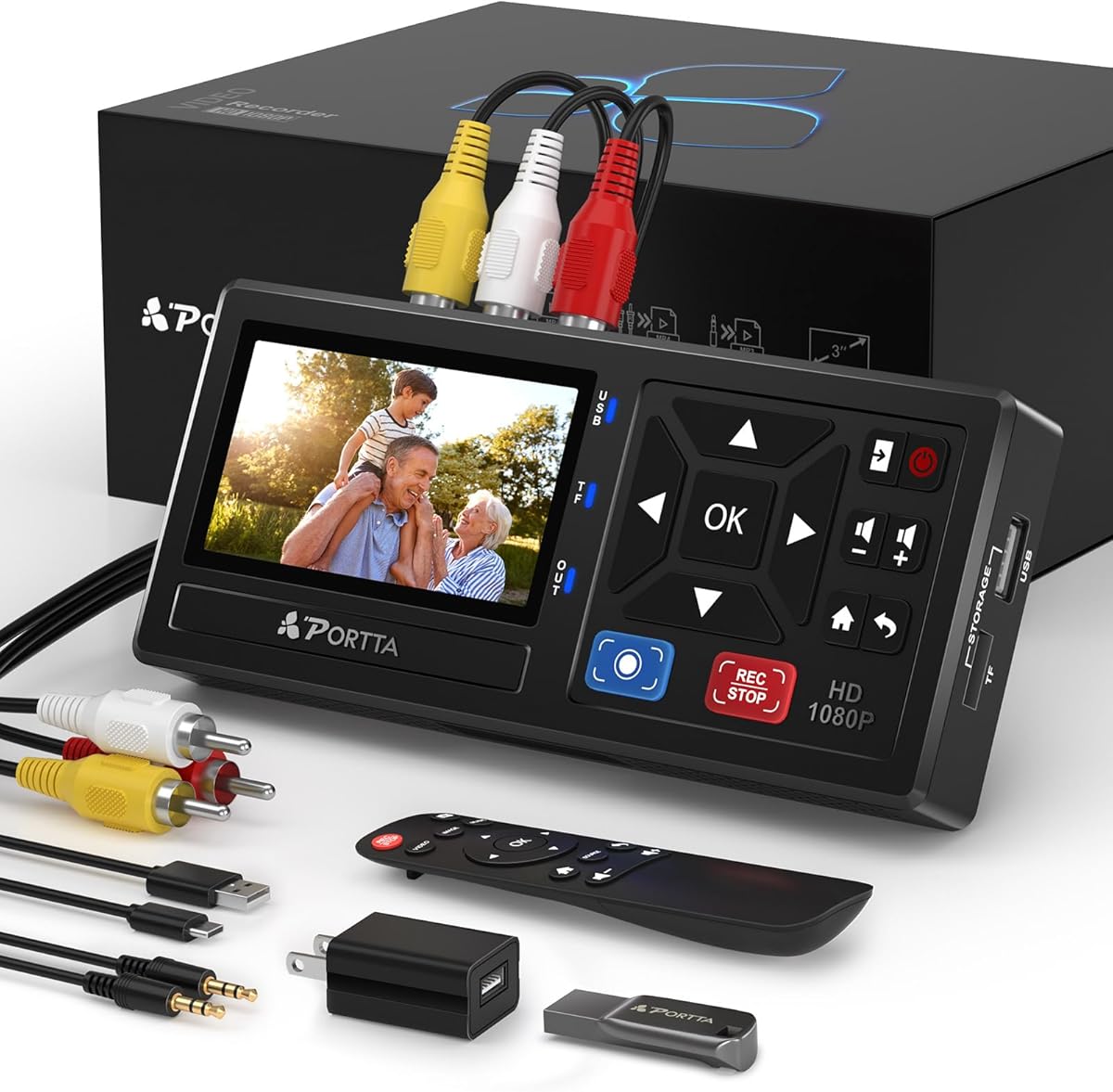


The Portta VHS to Digital Converter is a standalone recording box with a 4.5 customer rating. It converts analog video and audio from compatible players into digital files without requiring a PC, software installation, or a driver. Its three-inch preview LCD and built-in speaker make it considerably more approachable than a bare USB capture stick.
We may earn a commission when you buy through this link, at no additional cost to you.
Recording can reach a stated 1080P at 30Hz, while AV/RCA, S-Video, and AUX inputs provide useful flexibility for Mini DV camcorders, VCRs, VHS decks, Hi8 equipment, DVD players, and retro consoles. Video is stored as MP4 and audio as MP3. USB drives and TF cards offer direct storage, and recorded material can be previewed on the device after capture.
The important limitation is that this is only a converter, recorder, and capture box. It cannot independently play VHS, DVD, Mini DV, or other physical media, so a working source player remains essential. Storage is also sold separately, and the manufacturer advises using a self-powered drive when selecting high-capacity USB media.
This is a sensible all-around choice for someone who wants a simple dedicated recorder without managing computer capture software. It suits families converting a mixed collection of Mini DV and VHS tapes, especially when a remote, built-in preview, and direct-to-memory-card workflow are valued more than a larger display.
Connect the source player, select the correct input and television standard, choose storage, and begin recording. Because the operation is handled by the box itself, it can be more approachable for users without editing-software experience.
AV, S-Video, and AUX coverage creates several ways to connect older players and camcorders. The converter also recognizes common NTSC and PAL television standards, helping it serve collections assembled in different regions.
We may earn a commission when you buy through this link, at no additional cost to you.
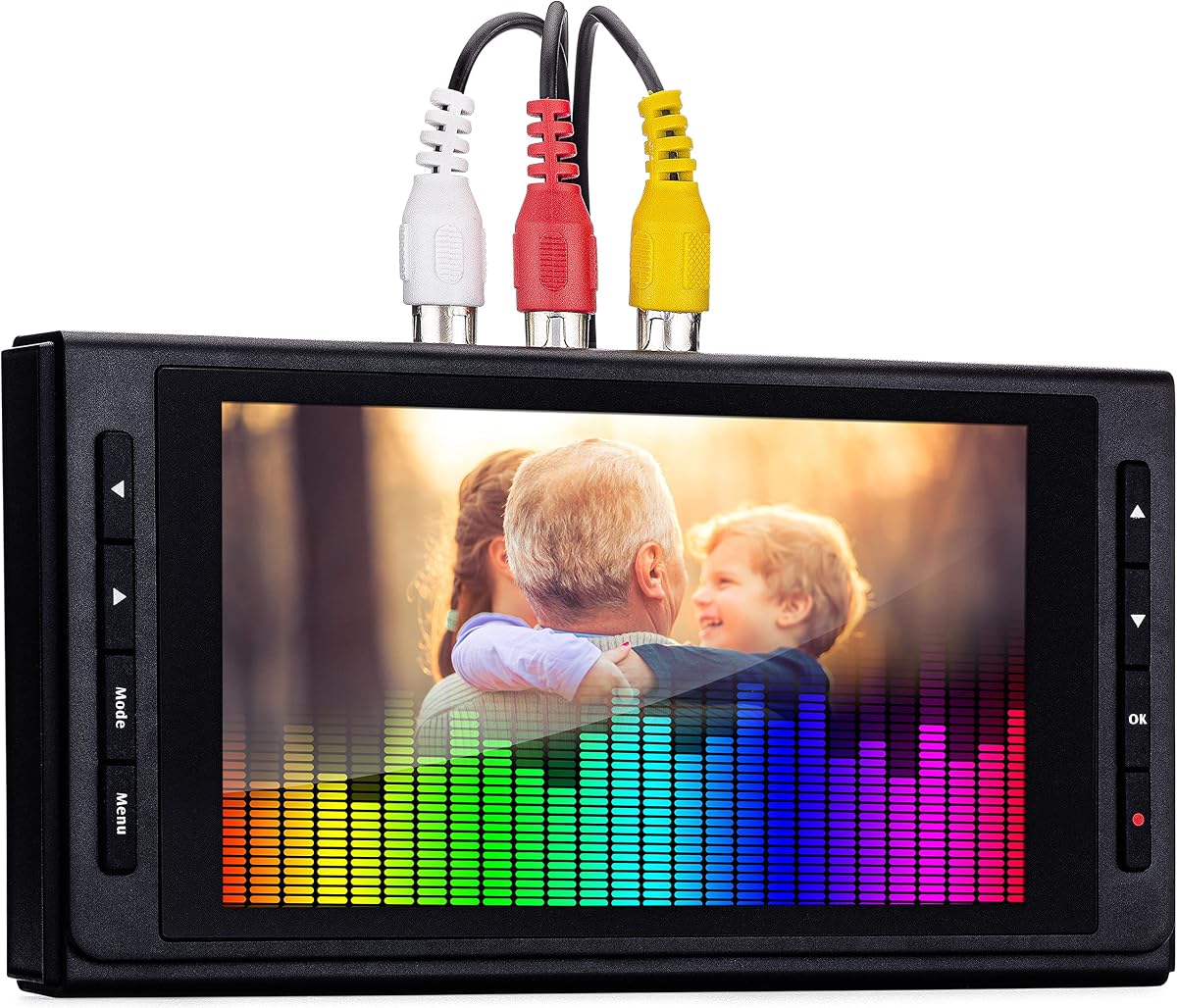
This standalone converter combines a four-inch preview screen with a one-click recording process and has a 4.6 customer rating. It records analog sources directly to MP4 at up to a stated 1080P, with automatic NTSC or PAL detection, and does not require a computer, software, or drivers.
We may earn a commission when you buy through this link, at no additional cost to you.
The large display improves framing and makes the device more comfortable for one-button workflows. USB drives and TF cards up to 512GB each are supported, although neither is included. HDMI output lets recordings be viewed on a television or monitor, while independent S-Video/CVBS video and R/L/AUX audio recording, screenshots, timed recording, and a storage speed test add practical controls.
Its biggest constraint is the same one shared by most dedicated converters: it cannot play tapes by itself. A working VHS deck, VCR, camcorder, DVD player, or other compatible source is required. Buyers must also provide storage and confirm that its output settings match the source's signal standard.
This model stands out as the most accessible standalone option for Mini DV and other analog transfers. It is particularly attractive for users who want a visible preview, straightforward recording controls, and computer-free operation without navigating a dense technical interface.
The four-inch LCD makes it easier to verify that the tape is loaded, the picture is visible, and the source is playing correctly. This reduces wasted recordings caused by poor connections or misaligned framing.
Support for both USB and TF media gives users flexibility, while automatic file splitting helps organize longer sessions. Timed recording is another useful feature for unattended transfers of predictable tape lengths.
We may earn a commission when you buy through this link, at no additional cost to you.
The Portta VD22P is a standalone recorder with a five-inch HD LCD and a 4.4 customer rating. It captures old VHS, Hi8, Mini DV, DVD, camcorder, and retro console footage into MP4 files at a stated Full HD 1080P resolution and 60fps rate.
We may earn a commission when you buy through this link, at no additional cost to you.
Its standout feature is the five-inch high-definition preview, which offers more room to inspect framing and playback than smaller screens. Brightness, contrast, and saturation can be adjusted directly. The device accepts AV/CVBS and YPbPr component video with stereo audio, along with PAL, NTSC, and SECAM formats, making it versatile for mixed analog collections.
Storage is flexible: recordings can go to USB flash drives, TF cards, portable hard drives, and SSDs. This broadens the available capacity and file-transfer options. However, a separate source player is still needed, and the supplied information does not indicate that storage media is included.
The VD22P is best for archivists who want a large display and advanced source compatibility in a standalone unit. Component input may be especially valuable for Mini DV equipment or other sources with separate video channels, while the higher stated frame rate is useful for motion-oriented recordings.
A larger preview screen makes it easier to confirm color, framing, and source playback before committing a tape to digital storage. Direct image controls help compensate for differences among aging tapes and varied player outputs.
Supporting AV/CVBS and YPbPr gives users more connection options than basic RCA-only devices. The broader input selection is valuable when preserving Mini DV, Hi8, VHS, or other legacy collections with differing equipment.
We may earn a commission when you buy through this link, at no additional cost to you.
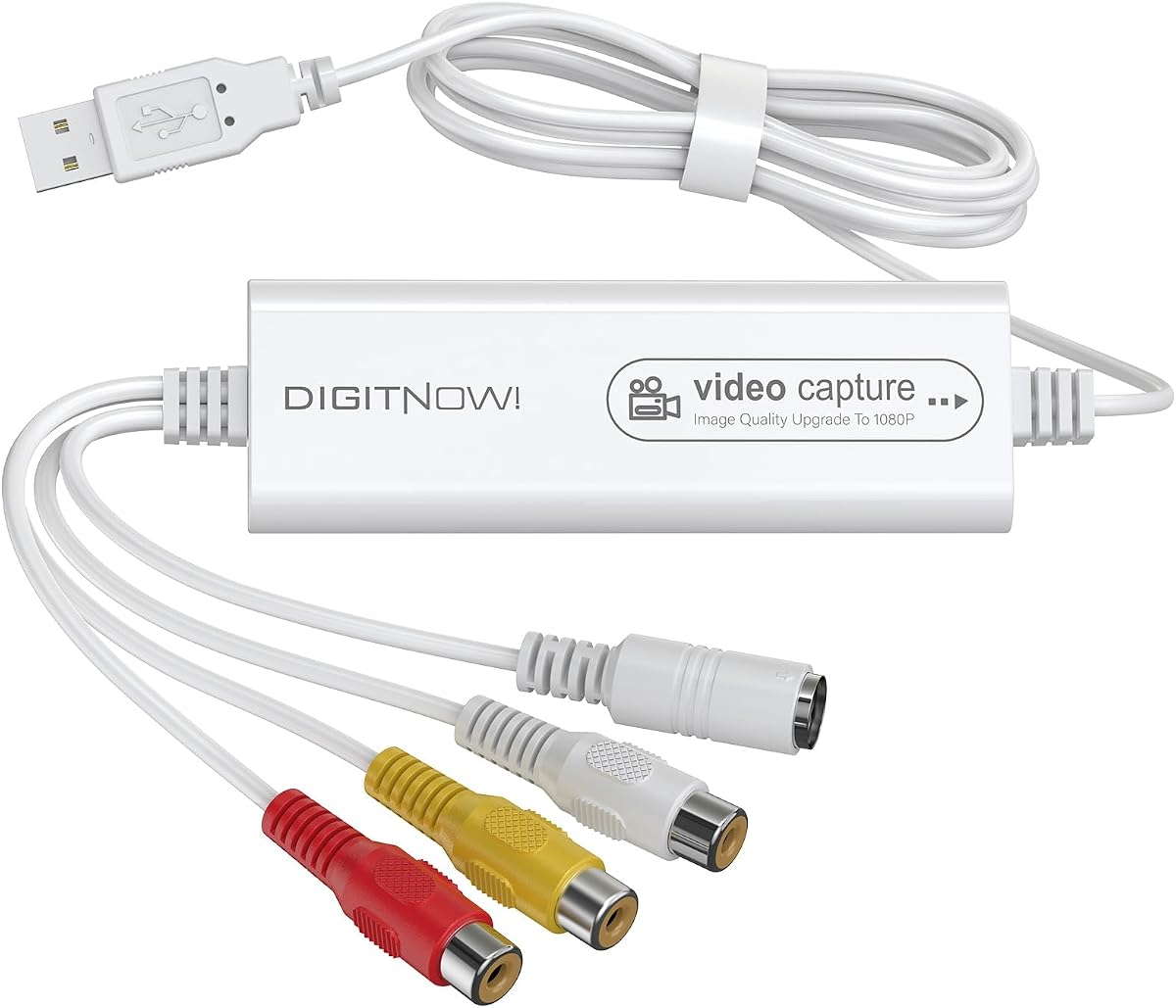
This RCA-to-USB converter is a computer-based option with a 4.4 customer rating. It transfers analog video from VCRs, VHS players, camcorders, DV cameras, DVD players, DVRs, VCDs, and set-top boxes through CVBS/RCA or S-Video connections.
We may earn a commission when you buy through this link, at no additional cost to you.
Capture resolution can reach 1920 by 1080 at 30Hz in MJPEG, although the actual result depends on the source. The converter supports NTSC and PAL, automatically detects the signal, and includes controls for brightness, contrast, hue, and saturation. USB 2.0 connection and UVC compliance are intended to simplify setup across Windows, macOS, and Android.
Unlike standalone recorders, this device depends on a compatible computer and capture application. Its USB design avoids a separate external power supply, but users must accept the extra software workflow and any driver or application differences between operating systems. The product description does not confirm direct MP4 recording from the hardware alone.
This is a strong budget pick for Mini DV owners who already have a computer and want control over capture and editing. It suits users comfortable connecting USB accessories, installing necessary software, and transferring files into an editing workflow rather than simply saving them to a memory card.
Computer-based capture can be attractive to users who want to organize files, edit clips, or create backups across multiple drives. It also avoids buying a dedicated recorder if an existing computer can handle the application and storage workload.
Automatic signal detection and adjustable image controls help simplify setup across different tapes and players. Compatibility with several systems is useful for users who edit across different computers.
We may earn a commission when you buy through this link, at no additional cost to you.
The Portta VD20P has a 4.6 customer rating and combines a five-inch HD screen with standalone MP4 recording. It is designed for Mini DV, VHS, Hi8, DVD, and camcorder footage, along with VCR, DVR, and retro gaming sources.
We may earn a commission when you buy through this link, at no additional cost to you.
The converter can capture at a stated Full HD 1080P and 60fps. Its AV/CVBS and S-Video inputs cover many legacy video sources, and PAL, NTSC, and SECAM support is useful for international media. Files can be stored on USB flash drives, TF cards, portable hard drives, or SSDs, giving users considerable capacity and transfer flexibility.
On-screen brightness, contrast, and saturation adjustments help optimize aging recordings. Compared with the VD22P, however, the listed specifications do not mention component YPbPr input. The device still cannot play physical media independently, so a working player and the original tape are required.
This model is a strong choice for users prioritizing a large screen and high stated frame rate. It is especially suitable when a collection includes S-Video-equipped Mini DV or Hi8 equipment and when direct MP4 files without a computer-based workflow are the priority.
Saving directly to MP4 makes captured memories easier to organize and play on modern devices. The absence of a required editing computer keeps the transfer process focused on connection, recording, and file storage.
The ability to use flash drives, memory cards, portable hard drives, and solid-state drives lets users select storage that matches their collection size. Larger drives can reduce how often footage must be divided among multiple media.
We may earn a commission when you buy through this link, at no additional cost to you.
This Portta recorder has a 4.5 customer rating and includes a 128GB USB 3.0 flash drive. It retains the basic standalone format of a computer-free converter while reducing the initial setup burden by providing suitable removable storage in the package.
We may earn a commission when you buy through this link, at no additional cost to you.
Analog sources connect through AV/RCA, S-Video, or AUX. Video is recorded at up to a stated 1080P and 30Hz into MP4, while audio can be captured as MP3. A three-inch LCD and built-in speaker permit previewing and playback, and USB or TF cards offer additional storage options.
The converter supports several NTSC and PAL television standards and can digitize Mini DV, VHS, VCR, DVR, DVD, Hi8, cassette, and gaming sources when paired with working equipment. For high-capacity USB devices, the manufacturer recommends a self-powered drive, which is relevant when the archive exceeds the included drive's capacity.
This is a practical choice for a first transfer project because both the recorder and initial storage are supplied. It offers less visual room than the five-inch-screen models, but the included drive, remote, cables, and standalone operation make it convenient for immediate preservation.
The included 128GB drive allows a user to begin without sourcing a compatible memory device immediately. Additional media can be added as the collection grows.
Handling both picture and sound makes the recorder useful for complete Mini DV and VHS transfers. On-box playback provides a quick way to confirm that a recording was saved correctly.
We may earn a commission when you buy through this link, at no additional cost to you.
The Universal USB Video Capture Device is a compact computer-connected converter with a 4.2 customer rating. It digitizes analog sources from VHS, VCR, Hi8, Mini DV, and camcorder players for use on a Mac or PC.
We may earn a commission when you buy through this link, at no additional cost to you.
Automatic detection covers NTSC, PAL, and PAL/60 sources. Stated capture options include 1920 by 1080 MJPEG and 720 by 576 YUV, with actual resolution dependent on the original video. MP4 is among the supported digital formats, and the device can work with OBS or PotPlayer on Windows and QuickTime Player on Mac.
Its driveless setup and step-by-step instructions make it approachable, but it lacks an integrated screen and requires a suitable computer and capture application. The broad platform list is useful, though actual performance and application behavior can depend on the computer, connection, and settings used.
This device is best for users who want inexpensive, flexible computer capture and already have an editing or recording setup. It may also suit travelers who need a compact adapter, provided they bring a computer capable of running the required software.
Compatibility with OBS, PotPlayer, and QuickTime Player lets users choose a familiar application. That flexibility is valuable for editing, but it also means the device is less turnkey than a standalone converter.
Support for NTSC, PAL, and PAL/60 reduces the need to configure every source manually. This is helpful when preserving tapes recorded under different regional broadcast standards.
We may earn a commission when you buy through this link, at no additional cost to you.
ClearClick Video2Digital 3.0 is a versatile standalone converter with a 4.5 customer rating. Unlike many competitors focused only on video, it can record video or audio from VCRs, VHS, AV and RCA sources, Hi8, camcorders, DVD players, gaming systems, cassette tapes, vinyl records, and turntables.
We may earn a commission when you buy through this link, at no additional cost to you.
A five-inch preview screen, built-in rechargeable battery, custom auto-stop timer, MicroSD slot, and USB-C charging port distinguish this third-generation model. It records video in MP4 at 720 by 480 or 640 by 480 and audio in WAV or MP3, then saves directly to USB flash drives or MicroSD cards without a computer.
Its resolution is standard definition, and it explicitly does not upscale to HD or record modern HDMI sources. Users should therefore distinguish output file size from source quality; a larger file cannot add detail absent from an analog recording. USB and MicroSD media are required but not included, with a stated limit of 512GB.
This is an excellent match for households preserving both moving images and music, especially when portable operation matters. The rechargeable screen-equipped design is distinctive, and it is a strong alternative to basic RCA-only converters for people who also have cassette tapes or vinyl records.
Audio-only recording adds considerable value for cassette, LP, and turntable collections. Users can preserve sound in WAV or MP3 without having to record an unnecessary video track.
The built-in rechargeable battery and USB-C charging make the converter easier to use away from a permanent desk. The five-inch screen helps monitor both video and audio workflows.
We may earn a commission when you buy through this link, at no additional cost to you.
This option is a mail-in tape transfer service rather than a converter device. It converts VHS, 8mm, Mini DV, VHS-C, and Hi8 tapes into digital MP4 files and has a 4.4 customer rating. The listing promises completion in less than one week and includes a prepaid shipping label.
We may earn a commission when you buy through this link, at no additional cost to you.
For people who do not own a working VCR, camcorder, or compatible Mini DV player, this service removes the hardest part of digitization. Customers can send original tapes rather than connect equipment, transfer recordings, choose storage media, or learn capture software.
The trade-off is surrendering the physical tapes to a shipping process and accepting a service-based turnaround rather than immediate control. Users should also confirm exactly what is included in the completed digital order, how many tapes can be processed, and the terms for shipping and returns before mailing an irreplaceable collection.
This is the best fit for someone with only a few tapes, limited technical confidence, or no functioning playback equipment. It may be less appealing for extensive archives where direct control, file organization, and privacy are priorities.
The service is especially helpful when the original camcorder or VCR has stopped working. Customers need only send the tapes and receive digital files.
A prepaid shipping label reduces the friction of starting the order. MP4 output provides a broadly useful digital format for storage, sharing, and later editing.
We may earn a commission when you buy through this link, at no additional cost to you.
ClearClick Video2Digital 2.0 is a second-generation standalone converter with a 4.5 customer rating. It records VHS, VCR, DVD, DVR, camcorder, Hi8, and retro gaming footage directly to a USB flash drive or SD card without requiring a computer.
We may earn a commission when you buy through this link, at no additional cost to you.
Video is captured in standard definition at 640 by 480 or 720 by 480 and saved in a mobile-friendly MP4 format. Its 3.5-inch preview screen, improved recording quality, pause and resume controls, and automatic stop settings make it convenient for converting complete tapes with minimal supervision.
Auto-stop options of 60, 90, 120, and 150 minutes help prevent unnecessarily long files. The device does not upscale to HD and cannot record from modern HDMI sources. A working VCR or camcorder, working tapes, and a USB drive or SD card up to 512GB are also required.
This model is a proven option for users who want straightforward, computer-free recording and a compact preview. It is less suitable for collectors seeking high-definition output, but it remains practical for preserving standard-definition Mini DV, Hi8, and VHS material in a widely playable format.
Preset auto-stop durations reduce the need to monitor every transfer manually. This is especially useful for predictable tape lengths and longer archiving sessions.
MP4 output is convenient for phones, tablets, and other modern playback devices. Pause and resume features help users manage source changes while keeping the resulting workflow simple.
We may earn a commission when you buy through this link, at no additional cost to you.
Choosing a Mini Dv Digital Converter means balancing source compatibility, workflow complexity, storage, preview quality, and the condition of your tapes. The most important starting point is the output available from your existing Mini DV player or camcorder, followed by whether you prefer a dedicated recorder or computer-based capture.
Buy the converter that supports the connections you actually have, not merely the largest number of inputs listed.
Choose standalone for simplicity and computer-based capture when editing control matters more.
Prioritize accurate capture and correct signal handling over headline resolution.
Match NTSC, PAL, PAL/60, or SECAM support to the media's recording region.
Choose adequate capacity and compatible media before beginning a large collection.
Check both picture monitoring and audio connections before purchasing.
Preserve originals until the digital copy has been verified and backed up.
Confirm that all required players, cables, power supplies, and storage are available.
Begin by testing the converter with a short, familiar tape before transferring an entire collection. Connect the source player's matching audio and video outputs, select the appropriate input on the converter, and set the television standard to match the recording. Power the source player first, begin playback, and confirm that the preview shows a stable image with synchronized sound before pressing record.
Format a known-good USB drive or memory card according to the converter's instructions, use sufficient capacity for the planned recording, and confirm that playback works. During capture, leave the source player and converter undisturbed, watch the preview for tracking noise or color shifts, and avoid pressing stop until the tape has fully rewound. If a source begins to stick, shed tape, or jam, stop and have it serviced rather than risking the tape.
After recording, play the digital file on the converter and on another compatible device. Check the beginning, middle, and end for missing frames, distorted audio, incorrect speed, and sync problems, then copy the files to at least one separate drive. Keep the original tape in a cool, dry, archival-safe location until the digital copy has been fully reviewed and backed up. Clean connectors gently, keep the unit away from moisture and heat, and follow the manufacturer's guidance for storage media and power.
No. The converters in this guide are recording devices, not standalone Mini DV players. A working camcorder, VCR, DVD player, or other compatible source player is required to play the original tape and send its signal to the converter. This limitation applies even to models with built-in preview screens, which display recordings but do not operate the original tape mechanism.
Many Mini DV camcorders provide RCA composite video with left and right audio connections. Some also offer S-Video, which can provide a cleaner signal than composite. Check the ports on the camcorder and its cable, then choose a converter that supports the available output. Professional component-video equipment requires a converter with matching YPbPr input.
No. The capture resolution describes the digital file, not the missing detail in the source. VHS and many older Mini DV recordings contain limited standard-definition resolution, and worn tape cannot be reconstructed simply by recording at 1080P. A higher-resolution file may still be convenient for playback and editing, but honest buyers should focus on accurate color, stable capture, and correct speed.
Standalone models do not require a computer and save directly to USB flash drives, TF cards, or MicroSD media. Computer-based USB capture devices require a compatible computer and recording software, which can provide more control but adds setup complexity. Either approach also needs a working source player capable of playing the original Mini DV, VHS, Hi8, or other media.
Choose storage large enough for the total recording time and preferably with enough room for copies and backups. USB flash drives are broadly supported by standalone models, while TF or MicroSD cards offer compact removable storage. Portable hard drives and SSDs may suit larger collections, but only where the converter explicitly supports them. Check the stated capacity limit and whether media is included before ordering.
PAL and NTSC are television systems used in different regions, and choosing the wrong one can cause picture instability, incorrect speed, or color problems. Converters supporting several standards give users more flexibility with an international collection. Identify the likely recording region and configure the converter accordingly, using automatic detection as a convenience rather than ignoring the available manual setting.
Yes. Keep each original until the digital recording has been watched from beginning to end, checked for audio problems, and backed up on separate media. Even a successful transfer can contain a bad segment, missed footage, or an incorrectly chosen television standard. Preserving the originals gives you another transfer option if a converter, cable, or storage device later fails.
Professional service is often preferable when tapes are fragile, a source player is unavailable, or the collection is large enough that repeated home handling would be tiring. It also removes the need to learn capture software. For a small number of good-quality tapes and the needed player already in hand, a standalone converter can provide a faster, more controlled, and less expensive per-tape workflow.
The four-inch-screen standalone converter is the most approachable all-around choice for Mini DV, VHS, and other analog sources, combining no-computer operation, a useful preview, direct MP4 recording, and flexible USB or TF storage. The RCA-to-USB model offers the strongest budget path for computer-savvy users, while the ClearClick Video2Digital 3.0 provides a premium combination of a large screen, rechargeable operation, timed recording, and separate audio capture.
Prioritize the connection method your existing equipment supports, then choose between a simple standalone workflow and computer-based capture. Verify television-standard support, storage capacity, audio behavior, and included accessories before ordering. If a tape is deteriorating or you have many fragile recordings, a professional transfer service may be safer than repeated home playback.
Product ratings, prices, bundles, and availability can change, so confirm the current listing details before purchasing. Most importantly, match the converter to your Mini DV player's outputs and keep the original tapes until the resulting digital files have been reviewed and backed up.