
Razer Viper V4 Pro
4.6Editor score
49g esports-focused body
True 8000Hz polling
Focus Pro 50K sensor
Optical scroll wheel
Our Lightweight Mouse under 60 Grams for FPS guide compares ten sub-60g gaming mice for sensor speed, wireless latency, grip, battery life, and control.
A lightweight mouse under 60 grams can give FPS players quicker flicks, cleaner stops, and less fatigue during long competitive sessions. The best models also pair their low weight with a dependable sensor, responsive wireless connection, comfortable shape, and controls that suit fast, precise aiming rather than merely minimizing grams.
This guide compares ten lightweight gaming mice using the specifications and feature details available for each model. The list covers sub-60g and 60g designs with wired, 2.4GHz, and Bluetooth options, different sensor levels, programmable controls, and varying approaches to grip, portability, battery life, and competitive performance.
Each review explains the product's most useful strengths, practical trade-offs, and ideal gaming setup. Ratings and specifications may change over time, while availability and deal terms also fluctuate, so readers should confirm the latest listing details before making a purchase.
4.6Editor score

4.4Editor score
4.4Editor score
The comparison below places each lightweight FPS mouse side by side by weight, sensor, connection options, and key competitive features, making it easier to identify the model that matches your preferred grip, performance priorities, and setup.


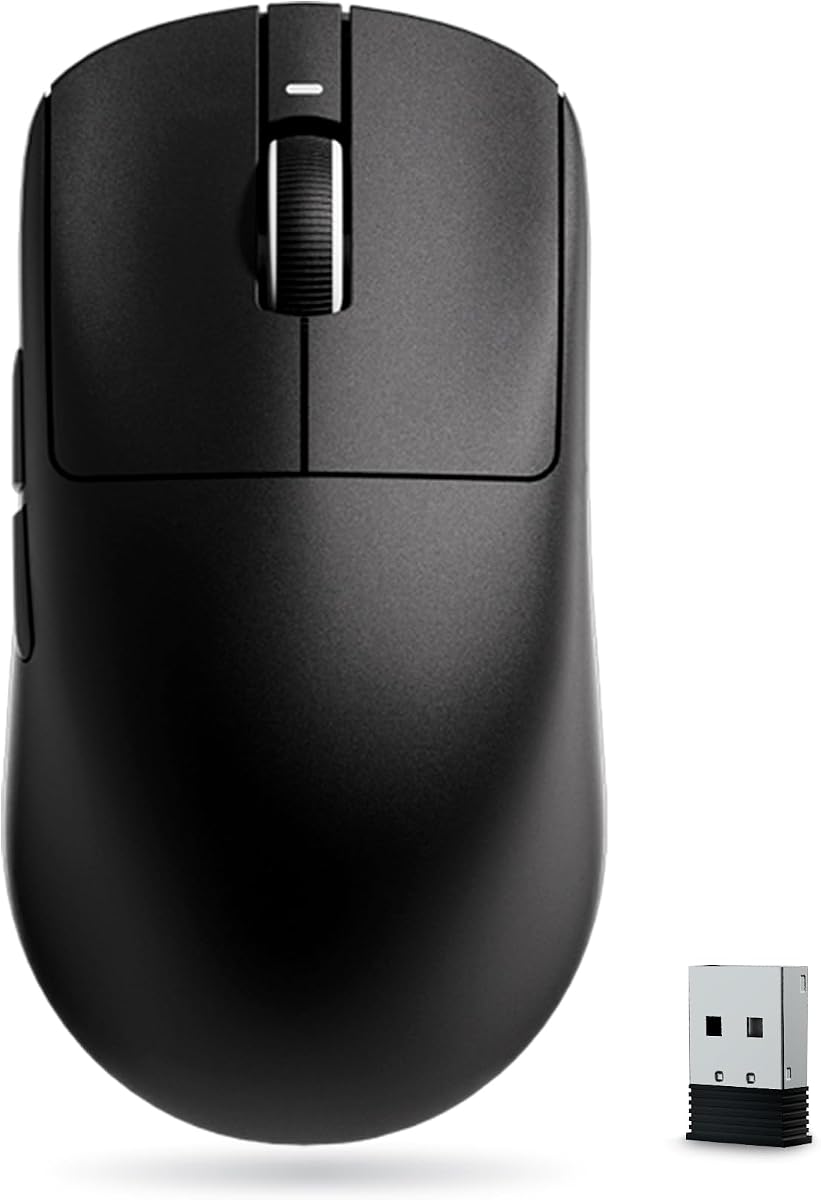

The ASUS ROG Harpe Ace Mini holds a 4.4 rating and stands out as a compact 49g option built specifically around competitive FPS play. Its small semi-symmetrical shape is a refined version of the pro-approved Harpe Ace form, offering fingertip and claw grip options without the footprint of a larger esports mouse.
We may earn a commission when you buy through this link, at no additional cost to you.
The ROG AimPoint Pro optical sensor provides up to 42,000 DPI and track-on-glass support, giving players a high-resolution platform for controlled aiming. Connectivity is equally flexible: a wired USB Type-C connection, 2.4GHz RF, and Bluetooth can cover gaming, productivity, and travel, while the ROG Omni Receiver can connect multiple supported devices.
Its main trade-off is the stated focus on a compact right-handed shape and the absence of a listed 8000Hz polling option. Players who prefer palm grip, require a left-handed version, or want the very highest stated wireless report rate may need to look elsewhere. Even so, the combination of 49g weight, sensor resolution, and device flexibility is compelling.
This mouse is best for competitive FPS players who want a lightweight, portable shape suitable for fingertip or claw grip and who value a high-DPI sensor. It is also a strong choice for users moving between gaming, office, and travel use. For most buyers seeking a balanced sub-60g daily gaming mouse, it is the most complete recommendation in this guide.
The Harpe Ace Mini is 49g and noticeably smaller than many full-size gaming mice. Its semi-symmetrical form is designed to support fingertip and claw grips, making it especially relevant to players who make frequent micro-adjustments during tactical FPS matches.
The 42,000 DPI AimPoint Pro sensor supplies fine resolution, while wired, 2.4GHz, and Bluetooth modes let the mouse serve more than one device. The multi-device receiver support adds useful flexibility for a desk setup or a gaming session away from home.
We may earn a commission when you buy through this link, at no additional cost to you.
The Razer Orochi V2 combines a 4.4 rating with a portable under-60g design and exceptional battery flexibility. Its most eye-catching specification is the potential for up to 950 hours on Bluetooth, while Razer HyperSpeed Wireless is designed for more responsive competitive use, including FPS titles and esports play.
We may earn a commission when you buy through this link, at no additional cost to you.
The Razer 5G Advanced 18K DPI optical sensor is intended to provide accurate tracking and prevent spinouts during quick corrections. Second-generation Razer mechanical switches provide tactile feedback and are rated for up to 60 million clicks. The mouse accepts either a single AA or AAA battery, and its hybrid battery slot is designed to help balance the mouse according to the player's preferences.
Players who demand a specific high polling rate may find the listed specifications less ambitious than some 8000Hz alternatives. The battery design also means the Orochi V2 differs from mice with integrated rechargeable cells. Neither issue diminishes its portability-focused strengths, though they are worth considering if uninterrupted high-report-rate wireless operation is your top priority.
The Orochi V2 is an excellent choice for players who split time between FPS games, school, work, and travel. It suits anyone who dislikes frequent charging and wants one mouse to handle both productivity and gaming. For battery life and low weight, it is one of the strongest options in the comparison.
The claimed 950-hour Bluetooth runtime gives the Orochi V2 a clear advantage for travel and infrequent use. Razer HyperSpeed provides the lower-latency mode intended for competitive sessions, allowing the player to prioritize responsiveness when it matters most.
The hybrid AA and AAA battery slot lets users choose between different battery sizes. That choice can alter the mouse's balance, giving players a practical way to tune the feel without moving to a completely different model.
We may earn a commission when you buy through this link, at no additional cost to you.
The ZORNHER X Mloong MX301 PRO carries the highest listed rating in this roundup at 4.7. Positioned around 60g, it targets players who want fast movement without the floating feeling sometimes associated with extremely light mice, with a balanced design intended to preserve aiming control.
We may earn a commission when you buy through this link, at no additional cost to you.
Its PAW3315 optical sensor focuses on reliable tracking rather than headline specifications, making it a practical choice for FPS gaming and everyday productivity. The carbon fiber-inspired texture is intended to improve tactile grip, while TTC switches provide crisp click feedback. A lightweight web-based driver handles customization without requiring bulky software.
The main caveat is its position at the upper boundary of the lightweight category: it is described as around 60g rather than clearly below that mark. Its sensor specification is also less ambitious than the 26,000, 42,000, 44,000, and 50,000 DPI options elsewhere in the list. Players seeking maximum resolution may value those alternatives more highly.
Choose the MX301 PRO for a balanced, grip-focused lightweight mouse with a polished texture, complete accessory set, and strong customer rating. It is a convincing option for FPS players who prefer stable control over chasing the largest sensor headline and who appreciate having a carrying case, receiver, cable, and grip tape included.
The product data emphasizes a balanced 60g design that avoids the disconnected or floating sensation some ultra-light models can produce. That focus may appeal to FPS players who want quick swipes while retaining deliberate, controlled stops.
The package includes a carrying case, anti-slip grip tape, USB Type-C cable, 2.4GHz receiver, and warranty materials. These additions make the mouse easier to use immediately and easier to carry between gaming and work locations.
We may earn a commission when you buy through this link, at no additional cost to you.
The INPHIC IN10P is a 60g tri-mode gaming mouse with a feature set aimed at performance-focused players. It combines a PixArt PAW3395 sensor, a maximum of 26,000 DPI, and a stated 8000Hz polling rate in 2.4GHz mode, making it one of the more technically aggressive options in this guide.
We may earn a commission when you buy through this link, at no additional cost to you.
A custom Kunpeng KP950B chip handles programmability, connectivity, and power efficiency, while six DPI levels provide room to adjust sensitivity. The shell uses a solid construction without perforations, which the product information presents as a way to reduce dust buildup while preserving the lightweight design. The included 400mAh battery is rated for up to 120 hours of continuous use.
Its 4.1 rating is the lowest among the listed products, and buyers should account for that when weighing the extensive feature set. The stated 60g weight also falls exactly at the category boundary rather than below it. The 8000Hz figure is specifically associated with 2.4GHz wireless operation, so users should understand which mode delivers that specification.
This mouse is best for FPS and other competitive genres where high polling, direct sensitivity control, and extensive programmability matter. It supports Windows, macOS, and Linux and includes an 8K receiver, extension adapter, braided Type-C cable, and grip tape. It is a strong technical option for users who want more configuration than a basic lightweight mouse provides.
The stated 8000Hz polling rate in 2.4GHz mode targets competitive responsiveness, while the 650 IPS tracking speed supports fast movements. Players can move among six DPI levels and adjust core parameters through the official driver.
The Kunpeng KP950B chip supports configurable behavior, and the RGB indicator can provide battery warnings and DPI status. A 400mAh rechargeable battery adds up to 120 hours of stated continuous use without requiring disposable cells.
We may earn a commission when you buy through this link, at no additional cost to you.
The Logitech G PRO X Superlight 2 earns a 4.5 rating and combines a 60g body with an advanced competitive feature set. It is described as an evolution of a championship-winning wireless gaming mouse, developed in collaboration with esports professionals and designed around precise movement and reliable performance.
We may earn a commission when you buy through this link, at no additional cost to you.
The HERO 2 optical sensor reaches up to 44,000 DPI and tracks above 888 IPS, with calibration designed to avoid smoothing, acceleration, and filtering. An 8000Hz polling option supports high-rate input, while the LIGHTFORCE hybrid switches deliver a tactile click. Zero-additive PTFE feet are intended to provide smooth, consistent gliding.
The 95-hour stated battery life and USB-C charging make it practical for regular play, while POWERPLAY compatibility broadens its charging ecosystem. As with many pro-style mice, the listed design is oriented around a particular hand configuration rather than offering a broad range of shapes. The overall feature package also sits at a more advanced tier than several budget-oriented alternatives.
This is a strong recommendation for competitive players who value sensor resolution, a refined glide, tactile switches, and a 60g weight. It also works for productivity users who want a wireless mouse with high-end specifications. Those who prioritize the lowest possible weight or maximum battery flexibility should compare the Harpe Ace Mini and Orochi V2 as well.
The HERO 2 sensor's 44,000 DPI maximum and 888-plus IPS tracking support accurate, rapid movement. Zero-additive PTFE feet complement that tracking by creating a smooth surface relationship intended to help players maintain control.
The 8000Hz polling option targets competitive responsiveness, while the listed 95-hour battery supports longer sessions between charges. USB-C charging and POWERPLAY compatibility add convenient everyday usability.
We may earn a commission when you buy through this link, at no additional cost to you.
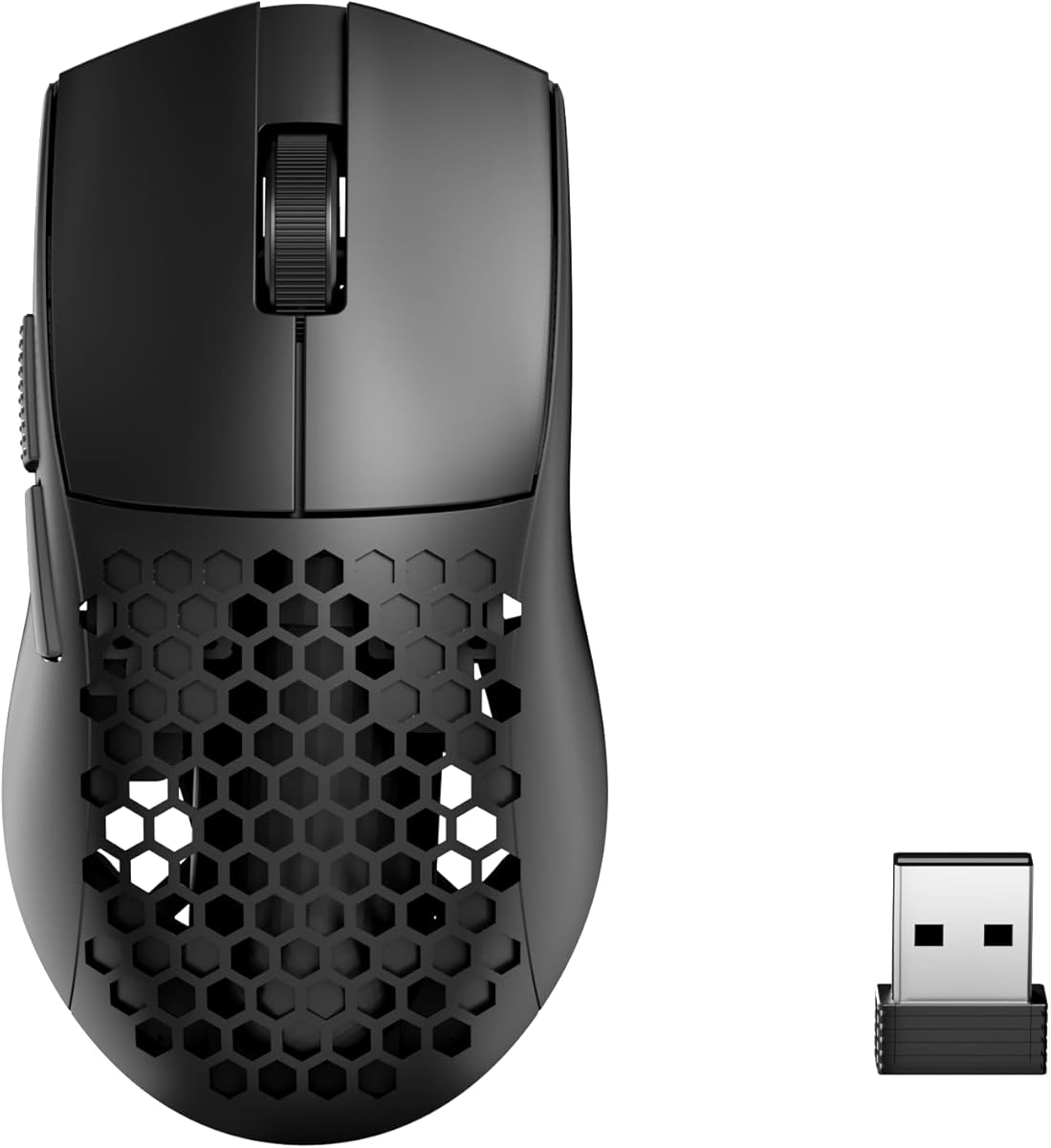
The Redragon M725 is a 49g tri-mode mouse with a 4.4 rating, offering one of the lightest bodies in the roundup. Its symmetrical form and hollow honeycomb shell are designed to support quick movement, airflow, and comfort during extended gaming or work sessions.
We may earn a commission when you buy through this link, at no additional cost to you.
Connectivity includes USB-C wired mode, Bluetooth 5.1, and 2.4GHz wireless, allowing the mouse to work across PCs, Macs, and laptops. The optical sensor supports up to 8000 DPI with five default levels, while five programmable buttons can handle custom key bindings, media functions, DPI changes, and multi-key macros.
Redragon's dedicated software is used to customize the hotkeys, media controls, DPI settings, and button behavior. The lower 8000 DPI ceiling and lack of a stated high polling rate make it less competitive against models offering 26,000 to 50,000 DPI or 8000Hz operation. For players who do not need those headline specifications, the 49g body and useful controls remain persuasive.
The M725 is well suited to budget-conscious FPS players who want a genuinely light, portable mouse with wired and wireless flexibility. It is also a practical choice for users moving among gaming, school, and office tasks. Choose it when low weight, programmability, and broad connectivity matter more than maximum sensor resolution.
At 49g, the M725 sits among the lightest mice listed. The honeycomb structure reduces material weight and promotes airflow, while the symmetrical design is described as comfortable for both extended gaming and general productivity.
Type-C wired, 2.4GHz wireless, and Bluetooth 5.1 give the mouse three distinct operating modes. This makes it straightforward to switch between a gaming PC, a laptop, and a Bluetooth-enabled device without changing the mouse itself.
We may earn a commission when you buy through this link, at no additional cost to you.
The Redragon M916 combines a 49g body with a 4.5 rating, 26,000 DPI support, and a 4000Hz report rate. It is designed for players who want a notably light wireless mouse with more resolution and faster communication than the entry-level lightweight alternatives.
We may earn a commission when you buy through this link, at no additional cost to you.
Five default DPI levels cover 1000, 2000, 4000, 8000, and 26,000, while the software adds broader control across a 100 to 26,000 DPI range. Bluetooth and 2.4GHz wireless are both supported, and five programmable buttons can be assigned to tactical bindings or productivity shortcuts. A Nordic flagship chip supports the stated transmission and power-consumption features.
A notable limitation is that the listed connectivity options do not include a wired mode. The product information also does not state a specific battery runtime, which makes endurance less clear than it is for several alternatives. The 4000Hz report rate is below the 8000Hz figures claimed by the IN10P, G PRO X Superlight 2, and Razer Viper V4 Pro.
The M916 is a good fit for FPS players who want a 49g shell, high sensor resolution, and a 4000Hz wireless report rate without moving to the most advanced feature tier. It also works for users who want mouse buttons and DPI stages customizable for both games and work tasks.
The M916 combines 26,000 maximum DPI with a 49g housing, balancing sensitivity range and low mass. Its five predefined stages provide quick access to useful sensitivity changes during competitive play.
A stated 4000Hz report rate is designed to improve the frequency of movement updates over the wireless connection. Bluetooth and 2.4GHz modes allow users to select between general efficiency and a gaming-focused connection.
We may earn a commission when you buy through this link, at no additional cost to you.
The ATK VXE Dragonfly R1 SE+ is a 55g symmetrical wireless mouse with a 4.4 rating. Its stated dimensions of 120.6 by 64.1 by 37.6 millimeters place it among the more compact choices and are described as suitable for medium and small hands.
We may earn a commission when you buy through this link, at no additional cost to you.
The PAW3395 SE sensor offers an adjustable range from 10 to 18,000 DPI with fine steps, while a BEKEN chip and Smart Speed X wireless technology support stable, low-latency communication. Wired, 2.4GHz, and Bluetooth modes cover competitive gaming, office work, and switching between Windows and Mac devices.
The standard receiver operates at 1000Hz, which is the clearest performance limitation when compared with the 4000Hz and 8000Hz models in the guide. Its 520mAh battery is rated for up to 70 hours at 1000Hz, a useful figure but shorter than the longest-endurance options here. Huano Blue Glow V2 switches and a programmable scroll wheel add everyday versatility.
Choose the Dragonfly R1 SE+ for players who want a compact 55g body, a refined PAW3395 SE sensor, and more granular DPI control than a basic five-stage design. It is especially suitable for small or medium hands and for users who alternate among gaming, work, and multiple devices. High-polling-rate seekers should look elsewhere.
The 120.6 by 64.1 by 37.6 millimeter body is designed for medium and small hands. Its symmetrical 55g form and standard PTFE feet are intended to balance low mass with smooth movement and reduced fatigue.
The sensor supports a broad 10 to 18,000 DPI range with 10-step fine adjustment. The official driver also allows changes to polling behavior and other core parameters, giving players more control over how the mouse responds.
We may earn a commission when you buy through this link, at no additional cost to you.
The Razer Viper V4 Pro pairs a 4.6 rating with a 49g esports design and one of the most advanced performance specifications in the roundup. It was built with input from competitive players and is described as nine percent lighter than the previous generation to support faster, more agile control.
We may earn a commission when you buy through this link, at no additional cost to you.
HyperSpeed Wireless Gen-2 enables a true 8000Hz polling rate, with the product information citing 55 percent lower latency. The Focus Pro 50K optical sensor tracks up to 930 IPS and 90 G acceleration, while Frame Sync aligns sensor data with the PC. An optical scroll wheel provides consistent, tactile movement without relying on a traditional mechanical wheel.
Battery life depends on the operating mode: up to 180 hours at 1000Hz or 45 hours at 8000Hz. That distinction lets users choose endurance or maximum polling, but the 49g body and full competitive feature set place it at the advanced end of the guide. Razer Synapse 4 compatibility provides sensitivity, rotation, and precise one-step DPI adjustments on PC and Mac.
This mouse is ideal for serious FPS and esports players who want minimal weight, very high sensor resolution, and true 8000Hz wireless communication. The optical scroll wheel also benefits players who use scroll input for inventory management, weapon selection, or other in-game actions. It is the most feature-focused premium recommendation in this comparison.
The 8000Hz mode demonstrates Razer's commitment to competitive responsiveness, and Frame Sync is designed to align sensor data with PC processing. Players can select 180-hour battery performance at 1000Hz or prioritize maximum polling for shorter sessions.
The Focus Pro 50K sensor reaches 930 IPS and 90 G acceleration for fast directional changes. Gen-4 optical switches provide a tactile click and a stated 100-million-click lifespan, while the optical wheel offers consistent scrolling without mechanical wheel movement.
We may earn a commission when you buy through this link, at no additional cost to you.
The GLORIOUS Model O Eternal is a 55g wired gaming mouse with a 4.4 rating, combining a light honeycomb shell with customizable RGB lighting. Its symmetrical shape is designed to accommodate multiple holding styles, making it more versatile than mice built specifically around one grip or hand orientation.
We may earn a commission when you buy through this link, at no additional cost to you.
The 12,000 DPI optical sensor provides a straightforward performance platform for FPS games, while six remappable buttons can be assigned to abilities, equipment, and everyday shortcuts through Glorious CORE. Dual RGB zones illuminate the side panels and can be customized using quick-button shortcuts or the software.
Its wired-only design is the main limitation for buyers who want a wireless mouse for travel or multi-device use. The listed 12,000 DPI maximum and absence of a stated high polling rate also place it below several technically advanced competitors. However, the 55g weight, symmetric grip, programmable controls, and lighting make it appealing for players who prioritize feel and appearance equally.
Choose the Model O Eternal for FPS players who want a lightweight, wired mouse with a versatile shape, six remappable buttons, and visible RGB customization. It is a strong option for a permanent gaming desk and for users who prefer not to manage batteries or wireless receivers.
The honeycomb shell reduces weight while the symmetrical body allows several gripping approaches. At 55g, the mouse fits comfortably within the lightweight category without moving to the most minimal 49g designs.
Six remappable buttons provide room for game commands and productivity shortcuts. Dual-zone RGB lighting adds visual customization, with quick shortcuts and Glorious CORE software available for more detailed control.
We may earn a commission when you buy through this link, at no additional cost to you.
A lightweight FPS mouse should balance low mass with predictable tracking, responsive input, a comfortable grip, and practical connectivity. The most useful purchase decision comes from matching the mouse's shape, weight, sensor, and wireless behavior to your play style rather than focusing on one isolated specification.
Weight directly affects how quickly a mouse can start, stop, and change direction. The models in this guide range from 49g to 60g, with the ASUS ROG Harpe Ace Mini, Redragon M725, Redragon M916, and Razer Viper V4 Pro listed at 49g. That lower mass can suit players who make frequent flicks or want less resistance during long sessions, although the hollow shells and internal batteries used to reach that figure may affect the overall feel.
Aim for the lightest model that still feels stable and comfortable in your hand. A mouse that is too light can feel as though it is sliding without enough feedback, while one that feels solid can still provide quick movement. Compare dimensions, shape, and grip style alongside weight rather than treating the lowest number as automatically ideal.
Sensor resolution determines how finely the mouse can translate physical movement into cursor input, but the maximum DPI is only one part of tracking quality. The guide includes the PixArt PAW3395 and PAW3395 SE, the Razer 18K sensor, Logitech HERO 2, Razer Focus Pro 50K, PAW3315, and the ASUS AimPoint Pro. Their listed maximum ratings range from 8000 to 50,000 DPI.
Higher resolution provides more room for fine adjustment, although your operating-system settings and game sensitivity remain essential. Consider whether the mouse offers useful staged DPI levels, whether those levels can be changed without leaving a match, and whether its sensor includes anti-spinout tracking. Use the maximum figure as a flexibility measure rather than a reason to run an unusually high sensitivity.
Polling rate describes how frequently the mouse reports movement to the computer. Higher rates can reduce the interval between input samples, which is particularly relevant to competitive FPS play. The list includes models with a stated 1000Hz baseline, a 4000Hz report rate, and true 8000Hz options from the INPHIC IN10P, Logitech G PRO X Superlight 2, and Razer Viper V4 Pro.
Verify whether the advertised rate applies in wired mode, 2.4GHz mode, or both. The IN10P specifically identifies 8000Hz for its 2.4GHz connection, while the Viper V4 Pro allows a choice between higher polling and longer battery life. The most valuable feature is the one you can consistently use with your preferred connection and operating system.
Wireless mice are no longer limited to convenience. Razer HyperSpeed, ROG Omni Receiver, and ATK Smart Speed X all emphasize low-latency communication or stable wireless performance. The ASUS mouse also supports a multi-device receiver, while the Logitech model provides 8000Hz polling for competitive wireless use.
For an FPS-focused desk, prioritize a stable 2.4GHz connection and verify the operating-system support. Bluetooth is convenient for travel and productivity but is not always the intended mode for maximum competitive responsiveness. Wired operation can be useful for charging, tournaments, or setups where absolute connection predictability matters more than portability.
A lighter mouse is only useful if the player can control it comfortably. The ASUS Harpe Ace Mini uses a compact, right-handed semi-symmetrical shape designed for fingertip and claw grip. The ATK Dragonfly R1 SE+ is symmetrical and specifically described for small and medium hands, while the GLORIOUS Model O Eternal and Redragon M725 also use symmetrical layouts.
Check the listed dimensions and compare them with your usual hand position. A small shell can encourage fingertip control, but it may crouch larger hands. A symmetrical body offers broad grip flexibility, whereas a shaped mouse may offer more sculpted support for one grip style. Weight cannot compensate for a shape that feels uncomfortable or poorly matched to your hand.
Battery design affects portability, weight balance, and maintenance. The Razer Orochi V2 uses replaceable AA or AAA batteries and claims up to 950 hours on Bluetooth, while the Razer Viper V4 Pro reaches up to 180 hours at 1000Hz. The ASUS Harpe Ace Mini lists up to 105 hours, and the IN10P lists up to 120 hours.
Long claimed runtimes usually depend on particular polling rates, lighting settings, or connection modes. Check the conditions attached to each figure rather than assuming every mode delivers the maximum. Players who travel frequently may prefer replaceable cells, while a permanent desk setup can benefit from USB-C charging and a mouse that can remain connected while it charges.
FPS mice often benefit from side buttons, quick DPI controls, and software that allows bindings to be changed for different games. The guide includes mice with five, six, or more programmable controls, along with driver support for macros, sensitivity stages, polling behavior, and RGB settings. Switch technology also shapes the click experience, ranging from tactile mechanical designs to optical actuation.
Look for software that runs on your chosen operating system and whether the most common controls can be assigned without excessive menus. Players should also consider scroll-wheel behavior. The Razer Viper V4 Pro uses an optical wheel for consistent tracking, while other models include a traditional wheel that may be sufficient for typical FPS command binds.
A lightweight mouse must glide predictably across the surface available at your desk. The Logitech G PRO X Superlight 2 uses Zero-additive PTFE feet, while the ATK Dragonfly R1 SE+ includes standard Swift PTFE feet. The Razer Viper V4 Pro package also includes mouse grip tape, and the ZORNHER MX301 PRO and IN10P include anti-slip grip tape in their bundles.
Build design can affect both weight and maintenance. Honeycomb shells reduce material and can improve airflow, while a solid 60g shell may feel more enclosed and avoid dust entering open cavities. Choose a construction that suits your priorities: a ventilated hollow design for minimal mass, or a smoother sealed surface for a more conventional feel and simpler upkeep.
Begin by installing the required driver and connecting the mouse in the mode you plan to use. Update the sensitivity, polling rate, DPI stages, button assignments, and any lighting effects before entering a match. For a wireless model, charge the battery fully, connect the 2.4GHz receiver directly rather than through an unpowered hub, and confirm that the selected operating mode matches your game configuration.
Use an appropriate mouse pad and keep the tracking surface clean, dry, and free of dust or debris. Honeycomb shells can collect particles around the openings, while solid shells are easier to wipe down. Check the feet periodically for debris and lift the mouse rather than dragging it across the pad. Avoid pressing the sensor against stickers, moisture, or other materials that may interfere with tracking.
For long sessions, choose a sensitivity and grip that allow controlled movement without excessive force. Save separate button profiles for different games where supported, and update the software occasionally to benefit from compatibility or control improvements. If the mouse feels unstable, adjust the grip, check the surface, verify the wireless connection, and confirm that the battery is adequately charged before increasing the polling rate.
The ASUS ROG Harpe Ace Mini, Redragon M725, Redragon M916, and Razer Viper V4 Pro are each listed at 49g. They offer the lowest stated weight in the group, although their shapes, sensors, connectivity, and polling options differ considerably. A lower weight should still be matched to a comfortable grip and stable tracking surface.
A 49g mouse can feel faster during flicks and easier to reposition, while a 60g mouse may provide a more solid and controlled impression. The best choice depends on hand size, grip style, and preference. Players who value immediate movement may prefer 49g, while those who want a steadier feel may prefer a 60g design.
No. Maximum DPI provides more adjustment range, but the sensor's tracking quality, stability, and how you configure sensitivity also affect performance. A lower-DPI mouse can feel more precise if the settings suit your hand movement. Use the available DPI stages and in-game sensitivity together to find a comfortable, repeatable setup.
An 8000Hz polling rate can reduce the time between movement reports and may suit players seeking the highest listed input frequency. Its practical benefit depends on the computer, game, connection mode, and display. The Viper V4 Pro and INPHIC IN10P state 8000Hz wireless support, while some alternatives operate at 4000Hz or 1000Hz.
Wired mice provide a simple, consistent connection and avoid battery management, which makes them suitable for a permanent desk. Wireless models offer greater portability, and 2.4GHz modes on modern competitive mice can provide low-latency performance. Choose based on your need for travel, device switching, uninterrupted play, and a stable gaming setup.
Fingertip and claw grips are common for compact, very light models because they allow quick movement with less hand tension. Palm grip can still work with a larger or more sculpted body that supports the hand. The ASUS Harpe Ace Mini is explicitly designed for fingertip and claw grip, while the GLORIOUS and ATK options provide more symmetrical options.
They benefit from regular care because honeycomb openings and textured surfaces can collect dust. Use a soft cloth or a suitable cleaning method to wipe the shell and feet, and keep the sensor free of obstructions. Do not allow liquid to enter the mouse, and remove the battery from replaceable-battery models when storing them for long periods.
Start by connecting the included receiver directly to the computer and using the 2.4GHz gaming connection rather than Bluetooth. Keep the mouse battery properly charged, use the highest polling setting that remains stable in your setup, and close unnecessary background applications. Wired mode can also provide a consistent alternative for tournaments or prolonged sessions.
The ASUS ROG Harpe Ace Mini is the most balanced overall recommendation because it combines a 49g compact shape, a 42,000 DPI sensor, three connection modes, and up to 105 hours of stated battery life. The Razer Viper V4 Pro is the premium choice for players who want true 8000Hz polling, a 50,000 DPI sensor, and advanced esports controls, while the Redragon M725 delivers the strongest budget-oriented balance of low weight, programmability, and multi-device connectivity.
Before choosing, prioritize the features that affect your own play. Consider hand size and grip first, then decide whether sensor resolution, polling rate, wireless stability, battery design, or programmable controls matter most. A lighter mouse is not automatically more precise, and the best FPS mouse is the one that feels controlled, remains reliable, and supports your preferred sensitivity and setup.
Ratings, product specifications, availability, and deal terms can change over time. Confirm the current listing, included accessories, software compatibility, and connection details before ordering, and compare the final options directly to find the most suitable lightweight FPS mouse for your playstyle.