
Procolored K13-Lite DTF Printer
3.7Editor score
A3 transfer-print coverage
Touchscreen and one-touch pumping
Automatic white-ink circulation
A direct to garment printer for beginners should make the path from artwork to wearable output as understandable as possible. The right machine combines approachable controls, dependable ink management, useful print-area coverage, and enough guidance to help new operators build consistent results without overcomplicating the setup.
We compared ten A3 DTG and multifunction DTF printers using the information supplied for each product, focusing on printing method, resolution, white-ink handling, maintenance features, platform design, included accessories, and support. The list covers direct-to-garment systems, film-transfer printers, and hybrid models for first-time buyers.
Each review identifies what a machine does best and where its configuration deserves extra attention. Ratings and product details reflect the supplied listings and may change as manufacturers update them. Availability, bundles, accessories, and prices also fluctuate, so verify the current package before making a purchase.
3.7Editor score

4.8Editor score
5.0Editor score
As an Amazon Associate we earn from qualifying purchases.
The table below places all ten printers side by side, emphasizing their printing method, claimed resolution, white-ink system, maintenance approach, and major workflow features. Specifications describe the supplied listings and do not represent independent laboratory testing.


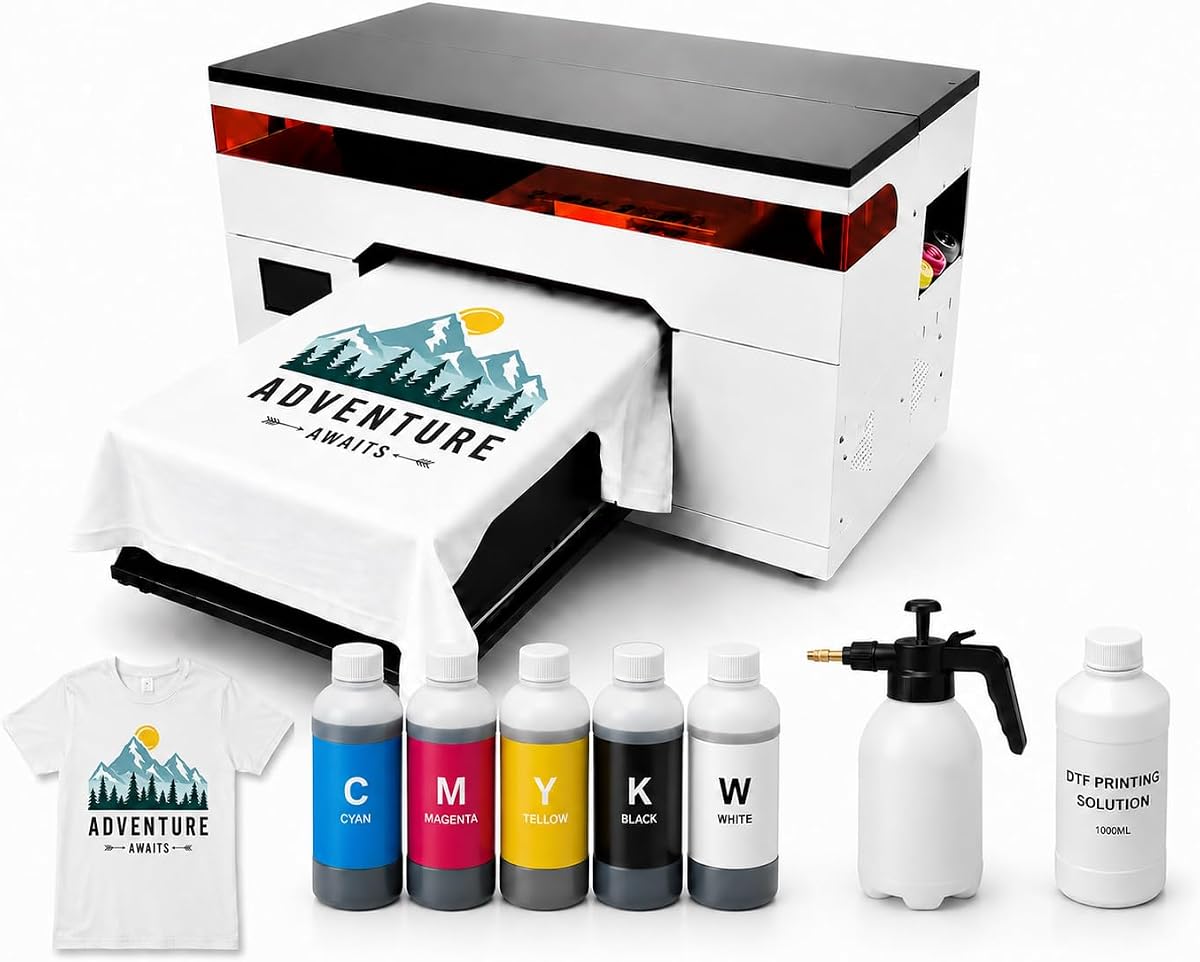
The Procolored K13-Lite (HL-500) is an A3 DTF transfer printer designed for users who want a relatively approachable way to produce custom apparel graphics. Its supplied rating is 3.7, so it does not lead the list, but the machine brings together several features that are particularly useful for first-time operators, including one-touch ink pumping, a touchscreen interface, automatic cleaning, and a white-ink circulation system.
We may earn a commission when you buy through this link, at no additional cost to you.
The K13-Lite is built around film-based transfer printing rather than printing directly onto garments. That workflow supports larger designs and multi-logo layouts, while the Smart Printhead Protection System can detect film warping or particles as small as 2 millimeters. Automatic white-ink circulation every 30 minutes is another meaningful feature because white pigment requires active management to reduce settling and maintain smooth flow.
There are important compromises. This is not a hybrid DTG and DTF machine, and it will not deposit ink directly onto a shirt as the Procolored K13-Lite name might make some shoppers expect. It is also Windows-only. The smokeless oven mentioned in the listing is optional, so buyers who want a complete print-and-cure setup should verify whether that accessory is included in the particular package they choose.
Despite those limitations, this is a sensible lower-cost entry point for a beginner who specifically wants DTF. The touchscreen, one-touch pumping, protection system, and automated care routines reduce the number of delicate early procedures a new operator must master. It is best suited to creators who print on prepared transfer film and are prepared to add a separate curing or heat-transfer workflow.
The touchscreen and one-touch ink-pumping controls are particularly valuable to someone who has never operated an apparel printer. They give the owner a more structured way to prepare the machine and focus on artwork preparation, garment loading, powder application, and curing rather than every low-level setup detail.
Real-time detection of warping film and small particles can help protect the printhead, which is one of the most valuable and vulnerable parts of a direct-to-garment investment. Combining that protection with automatic cleaning and regular white-ink circulation supports steadier operation during repeated transfer-printing sessions.
We may earn a commission when you buy through this link, at no additional cost to you.
This A3 L805 is one of the most versatile options in the roundup because it supports both direct-to-garment printing and DTF film transfer. It has no current rating in the supplied data, but the combination of workflows could be highly attractive to a beginner who wants room to grow beyond one method. Its L805 six-color printhead is listed at a maximum resolution of 1440 by 1440 DPI.
We may earn a commission when you buy through this link, at no additional cost to you.
The direct workflow prints onto white clothing, while the DTF method prints onto film or bronzing paper before powder application and heat pressing. That makes the machine useful for cotton, canvas, cotton linen, and other compatible textiles, including shirts, hoodies, tote bags, socks, pants, and hats. A built-in vacuum suction platform helps keep garments or film from shifting and supports more precise placement.
The primary drawback is the consumables situation. Ink is not included, and the listing specifically recommends DuPont P5000 ink for DTG and DTF ink for DTF. Users must also manage white-ink circulation, infrared height adjustment, and the self-cleaning printhead correctly. The Windows 7–11 requirement adds another setup consideration, and the lack of a current rating makes long-term user feedback harder to assess.
This printer is a good fit for a beginner who values workflow flexibility over the simplest possible configuration. Choosing the correct inks and taking time to understand how direct printing and film transfer differ will make the machine more versatile and help prevent a technically capable system from producing inconsistent results.
Hybrid capability is especially useful while a new business discovers which orders it can handle most efficiently. Direct printing can serve suitable white cotton garments, while DTF broadens the available color and fabric options once the operator masters film handling, powder, and heat pressing.
A garment that shifts during a detailed print can produce blurred edges, gaps, or inconsistent registration. The integrated vacuum platform is designed to hold the printing material in place, reducing movement and making the A3 print area more practical for full-color apparel work.
We may earn a commission when you buy through this link, at no additional cost to you.
The DXZ A3 DTG printer is a well-rounded direct-printing choice with a supplied rating of 4.3. Its headline specification is a maximum resolution of 2800 by 1440 DPI, aimed at crisp text, fine lines, smooth gradients, and photographic artwork. The straightforward setup, easy-to-load garment platen, water-based inks, and included accessories make it a credible option for a first direct-to-garment machine.
We may earn a commission when you buy through this link, at no additional cost to you.
The package includes the printer, motorized electric sprayer, print holder, five 250 mL containers of DTG ink, 1,000 mL of pretreatment liquid, and a cleaning kit. That collection covers several items a new operator would otherwise need to source separately. The printer is intended for cotton apparel and other cotton-based textiles, and its direct process is designed to leave prints with a soft feel rather than a thick film-like surface.
As with any DTG system, dark garments require careful pretreatment, especially when white ink is involved. The white-ink mixing engine helps maintain uniformity, but the operator still needs to follow a disciplined cleaning and mixing schedule. The listed warranty covers non-consumable parts for one year and the printhead for six months, while technical assistance is advertised within 24 hours.
This DXZ is a strong fit for beginners who want detailed direct printing and a substantial starter package without assembling every component independently. It is particularly appropriate for cotton T-shirts, hoodies, tote bags, one-off designs, and small production runs where a soft, detailed result is the primary goal.
The claimed 2800 by 1440 DPI specification is useful for small lettering, intricate illustrations, and images with subtle tonal transitions. Actual sharpness will still depend on artwork preparation, ink choice, pretreatment, curing, fabric, and operator technique, but the specification indicates a resolution-focused design.
The included electric sprayer, ink, pretreatment, holder, and cleaning kit reduce the number of early accessories that must be arranged. This makes the package easier for a new owner to understand, although replacement consumables and correct storage procedures will still need attention.
We may earn a commission when you buy through this link, at no additional cost to you.
The Procolored K13-Lite bundle expands on the base K13-Lite by including a smokeless oven and two sets of DTF ink and adhesive powder. It carries a supplied rating of 5.0, and the expanded package is appealing for a beginner who wants the major pieces of a transfer-printing workflow available together rather than assembling the oven and initial consumables separately.
We may earn a commission when you buy through this link, at no additional cost to you.
The core printer offers A3 coverage, one-touch ink pumping, a touchscreen, automatic cleaning, a 30-minute white-ink circulation interval, and an infrared protection system that detects film warping or particles as small as 2 millimeters. The listing also cites G7-certified color accuracy, optimized color curves, and Procolored Studio Lite software. The optional-smokeless-oven concept is now presented as part of this particular bundle.
A curing oven still requires suitable ventilation, adequate counter space, and a safe operating location. The printer remains Windows-only and performs DTF rather than direct-to-garment printing, so it does not satisfy buyers seeking a true DTG-only machine. The rating is also based on a limited listing history and should be considered alongside long-term support and consumable availability.
This bundle is a compelling recommendation for a first-time DTF operator who prioritizes an integrated print-and-cure setup and wants initial ink and powder included. Its beginner-oriented controls, protection system, and maintenance automation make the early learning curve more manageable than purchasing only a printer.
The smokeless oven is designed to reduce odors and fumes compared with traditional DTF curing arrangements. That can make a small production room more comfortable, although ventilation, heat safety, and the total footprint of the system still need to be considered.
Two sets of DTF ink and adhesive powder provide useful initial material for learning the workflow. They help a beginner perform calibration and test transfers before committing to larger production runs, while also making it possible to compare results across different inks or settings.
We may earn a commission when you buy through this link, at no additional cost to you.
This A3 DTG printer uses dual XP600 printheads and is listed at up to 1440 DPI. It does not have a current rating in the supplied data, but the hardware configuration and broad starter kit make it one of the most ambitious machines for users who see themselves producing more than occasional samples.
We may earn a commission when you buy through this link, at no additional cost to you.
White-ink circulation, stirring, and cleaning functions help manage the pigment most likely to settle during direct printing. The adjustable platform supports different garment thicknesses, while the listed applications include cotton T-shirts, hoodies, sweatshirts, tote bags, canvas products, and similar flat textiles. The package includes CMYKW inks, pretreatment, a spray bottle, printing software, and essential accessories.
Dual printheads add capability but also increase the number of components that must be maintained. A beginner should understand nozzle inspection, printhead alignment, white-ink circulation, pretreatment, and curing before beginning a customer order. The machine is intended for cotton garments, and the listing does not describe the same broad fabric compatibility offered by some DTF systems.
Despite the lack of a visible rating, this is the best premium-oriented pick in the roundup for buyers who prioritize a substantial initial package and a dual-head A3 format. It suits a serious beginner or a growing operator willing to invest time in learning the full direct-to-garment process.
The dual XP600 arrangement is a notable step up from a single-head entry configuration. It may be appealing to users who anticipate regular production, although actual throughput and consistency will depend on operator workflow, preparation, and routine maintenance rather than hardware alone.
A height-adjustable platform makes it easier to accommodate differences between cotton T-shirts, hoodies, sweatshirts, and canvas bags. Consistent platen height is essential in DTG because an uneven or incorrectly positioned surface can affect white-ink deposition and the final image.
We may earn a commission when you buy through this link, at no additional cost to you.
The second DXZ A3 DTG listing emphasizes the same 2800 by 1440 DPI resolution while concentrating on a white-ink mixing system, semi-automatic cleaning, and straightforward operation. It has no current rating, so the supplied information offers less evidence about long-term owner satisfaction than some of the rated alternatives.
We may earn a commission when you buy through this link, at no additional cost to you.
Its easy-to-load platen and intuitive operating process are positive signs for beginners. The package includes the printer, motorized sprayer, print holder, five 250 mL DTG ink containers, 1,000 mL of pretreatment liquid, and a cleaning kit. DXZ also lists a one-year warranty for non-consumable parts, a six-month printhead warranty, and technical support within 24 hours.
The white-ink system supports uniform white printing on dark garments, but it does not eliminate the need for pretreatment. The listing specifically notes that proper pretreatment improves adhesion, vibrancy, and consistency, particularly when white ink is used. Semi-automatic cleaning also means that some routine care remains the operator's responsibility rather than being entirely automated.
This is a sensible direct-printing option for a beginner who wants high claimed resolution and a substantial starter bundle. It is best for cotton-based T-shirts, hoodies, sweatshirts, tote bags, personalized orders, and small batches, provided the user follows careful pretreatment, mixing, cleaning, and curing procedures.
Fine text, gradients, and dense illustrations benefit from a high-resolution print configuration. The stated 2800 by 1440 DPI is intended to support such work, but prepared artwork and correct print settings remain just as important as the headline resolution.
The supplied package makes it easier to begin, but the included pretreatment should be applied properly and allowed to reach the appropriate state before printing. This step is particularly important for dark garments because it supports the white underbase and helps the final image retain clearer color.
We may earn a commission when you buy through this link, at no additional cost to you.
The DSV A3 DTF printer and curing oven is the most complete all-in-one package in this guide, with a supplied rating of 4.8. It combines the printer with a powder shaker, curing oven, air purifier, film roll, inks, powder, cleaning accessories, and support, making it especially relevant to beginners who want to begin a complete DTF production process.
We may earn a commission when you buy through this link, at no additional cost to you.
Its F1080 printhead is described as a second-generation XP600 upgrade, with full A3 transfers claimed in four to five minutes and potential output of 12 to 15 prints per hour when using roll-feeder support. Automatic timed cleaning, printhead moisturizing, white-ink circulation, and agitation are designed to reduce clogging and settling. A five-inch touchscreen, heating plate, pressing roller, and built-in cutter further streamline the workflow.
Dual alarms report low ink and waste overflow, which can help a new operator avoid discovering a problem halfway through a batch. On the other hand, the printer does not print directly onto garments, and the bundle requires enough counter and floor space for the oven and shaker. The advertised two-year supply plan is currently described as US-only, so international buyers should not assume the same arrangement is available.
Despite the geographic limitation on the refill promotion, the DSV is our Editor's Choice because its combination of automation, fast claimed output, maintenance features, and included production equipment is unusually complete. It is a strong choice for a new DTF business that values a connected workflow and wants fewer separate components to source.
Including the oven, shaker, film, inks, powder, and cleaning supplies removes several common barriers for a first-time operator. It also creates a more repeatable process because the curing and powder-handling stages are already part of the intended bundle rather than improvised accessories.
Automatic cleaning, moisturizing, ink agitation, refill assistance, and low-material alarms help a new user focus on artwork and production. These features are particularly useful for part-time operators, since they reduce some of the manual care associated with frequently used white pigment and idle printheads.
We may earn a commission when you buy through this link, at no additional cost to you.
The L805 multifunction printer combines DTF and DTG modes and carries a supplied rating of 5.0. Its six-color ESPON L1805 printhead is listed at 2880 by 1440 DPI, with a photo-mode print time of 178 seconds. Those specifications make it an attractive hybrid for users who want sharp output and the flexibility to choose between direct and transfer workflows.
We may earn a commission when you buy through this link, at no additional cost to you.
DTF prints a pattern onto film before powder and heat transfer, making it suitable for most fabrics and garment colors. Direct printing is described as appropriate for white cotton with compatible DTG ink, while the listing notes that DTF ink can be sprayed directly on white clothing. The six-color head can be configured as CMYK with light cyan and light magenta or as CMYK with two white channels.
The distinction between ink types is essential and may be confusing for a first-time buyer. Ink is not included despite the package listing six bottles, and the machine needs the appropriate consumables for the selected method. A built-in vacuum platform holds film and garments in place, while white-ink mixing and automatic cleaning help support reliable operation.
Overall, this is a versatile choice for a beginner who wants a single machine capable of producing on different apparel types. The main requirement is patience: the user should fully understand which ink belongs in each workflow and validate the complete process before relying on the printer for customer orders.
The ability to switch from direct printing to film transfer gives a new apparel business a wider range of options. It can be especially valuable when order specifications change frequently, provided the operator has compatible inks and understands the additional curing and powder stages involved.
A six-color configuration can produce smoother transitions and more nuanced color than a limited-color setup. The L1805 head's claimed resolution also supports detailed text and graphics, making the machine relevant to customers who expect more than a simple single-color transfer.
We may earn a commission when you buy through this link, at no additional cost to you.
The InkSonic A3 R1390 is a DTF printer bundle built around a 13-inch print width, an included oven, and a beginner-oriented support program. It has no current rating in the supplied listing, so the combination of installation guidance, manuals, phone assistance, and 24/7 one-to-one technical direction becomes especially important for evaluating confidence.
We may earn a commission when you buy through this link, at no additional cost to you.
The printer offers up to 2880 DPI resolution, a continuous ink supply, and adjustable air suction intended to promote sharp color, smooth film feeding, and consistent daily output. Its white-ink circulation, mixing, filtration, and printhead moisturizing system address the pigment settling and idle-period problems that commonly challenge beginners working with white underbase ink.
The bundle includes 3,500 mL of DTF ink, transfer film, hot-melt powder, and maintenance supplies. Matched consumables can reduce trial and error during early production, although a new operator still needs to learn powder quantity, film handling, curing temperature, dwell time, and press pressure. This remains a DTF system rather than a direct-to-garment printer.
This is a well-rounded recommendation for a beginner who values guidance, an integrated bundle, and a broad 13-inch transfer area. It is especially suitable for side businesses, home studios, and online apparel sellers that want matched supplies and responsive technical assistance while building a reliable film-transfer process.
Clear installation materials, phone support, one-on-one guidance, and a detailed manual can help new operators diagnose setup and workflow questions. For a complex machine, access to knowledgeable support can be as valuable as an automatic feature during the first weeks of operation.
Using the bundled ink, film, and powder as a coordinated starting point gives a beginner a more controlled baseline for test prints. Once that baseline is established, the operator can adjust profiles and settings based on the actual fabric, artwork, and curing results.
We may earn a commission when you buy through this link, at no additional cost to you.
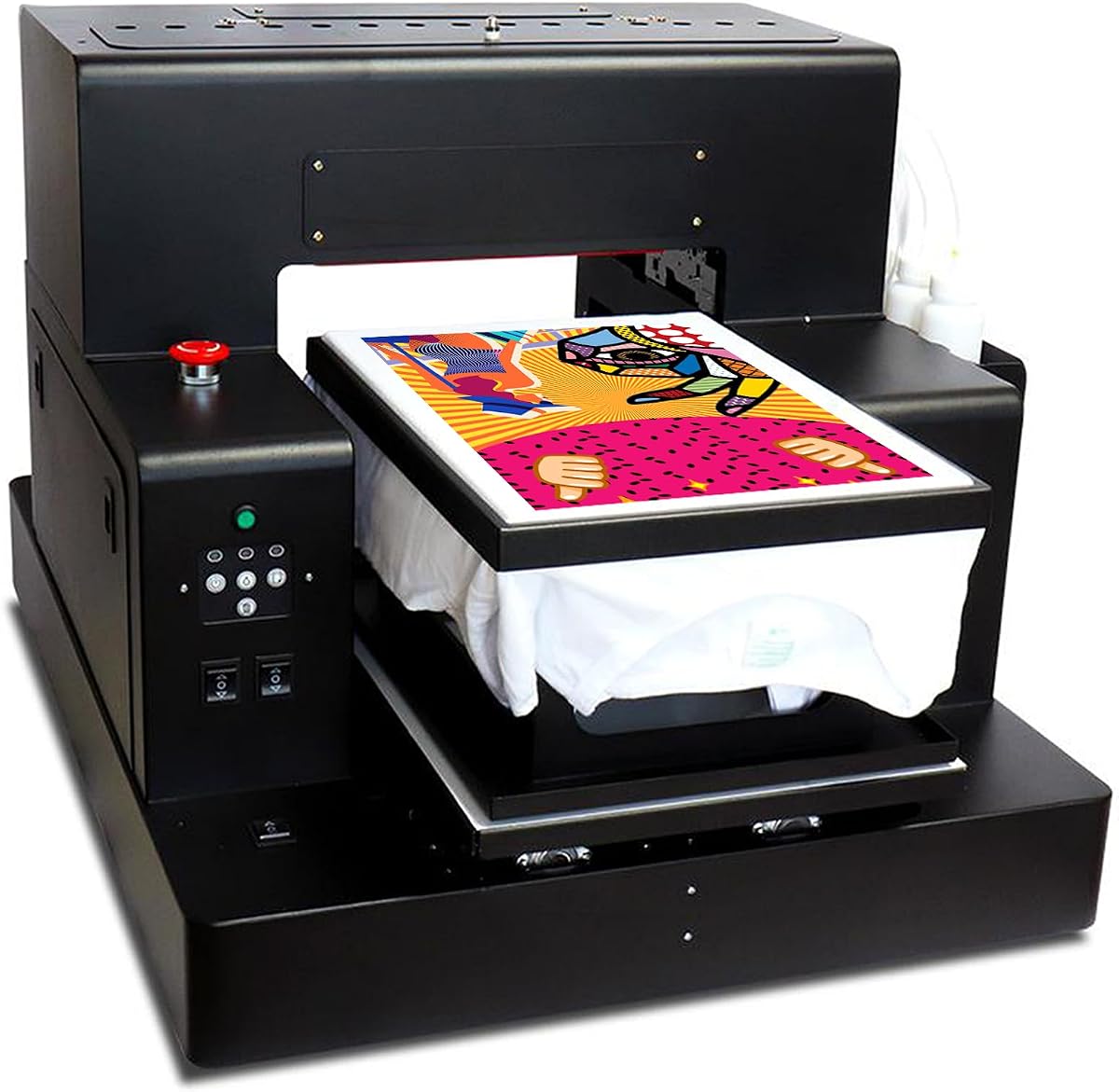
This A3 multifunction printer supports both DTF and DTG workflows and has a supplied rating of 4.3. Its automatic flatbed design and use of a standard A3 format make it a less conventional option, while the ability to switch methods offers meaningful flexibility for custom apparel work.
We may earn a commission when you buy through this link, at no additional cost to you.
The listing highlights the replaceability of the motherboard and printhead, potentially making future repairs or component changes easier. A timed, intermittent white-ink stirring system is intended to reduce the chance of clogging, and the A3 suction platform can hold DTF film or bronzing paper during transfer preparation. An A3 clothes hanger is also included for direct printing on white T-shirts and sweaters.
The product information is less extensive than for many other listings, so buyers should ask for details about print resolution, included software, exact ink compatibility, operating system requirements, warranty coverage, and available support. The machine does not appear to include a curing oven, and its white-ink management is more basic than the circulation, mixing, and filtration systems offered elsewhere in the guide.
Despite those uncertainties, the machine is a worthwhile option for a technically curious beginner who wants both DTF and direct printing. Its replaceable components and relatively approachable flatbed format may be attractive to someone planning to learn, maintain, and eventually modify the machine rather than only operate a fixed workflow.
The emphasis on replaceable motherboard and printhead components can make maintenance planning more practical. A new owner should still confirm how parts are sourced, whether technical documentation is available, and whether replacement components require specialized setup.
The suction platform and hanging garment setup support two different loading approaches. That flexibility is useful for testing transfer film, direct-printing white garments, and experimenting with different apparel types while the operator is still refining a suitable production method.
We may earn a commission when you buy through this link, at no additional cost to you.
The best beginner printer is not simply the one with the highest resolution or the most feature-filled description. Compare the printing method, workflow complexity, included equipment, maintenance demands, and support resources that match the products and garments you actually expect to sell.
Direct-to-garment printing places water-based ink onto prepared fabric, producing a soft result that is especially useful for photographic graphics, fine text, and one-off designs on suitable garments. DTF prints a design onto transfer film, applies adhesive powder, and uses heat to transfer the image to the garment. DTF supports more fabric and color choices and can handle a broader mix of everyday products, but it adds powder handling, curing, film feeding, and press-control stages. A hybrid machine offers both paths, although beginners must learn two distinct processes rather than concentrating on one.
Choose DTG for soft, detailed direct printing on mostly white or lightly colored cotton. Choose DTF for versatility across garment colors, fabrics, and product types. Consider a hybrid only if both routes have a clear place in your planned catalog.
A printer represents only one part of garment production. Direct-printing setups may need pretreatment, a platen, ink, curing or drying, and careful garment preparation. DTF systems generally require transfer film, powder, a shaker, a curing oven or heat press, and film cutting. Some listings bundle these components, while others include only the printer and a limited set of accessories. Compare the package against a realistic workflow instead of assuming a machine can produce a finished garment immediately after printing.
The best beginner bundle includes enough supplies to complete several test cycles. If essential equipment is missing, treat the total purchase as a system rather than comparing the printer listing alone.
White pigment is essential for bright color on dark garments, but it is also prone to settling. Look for circulation, stirring, filtration, moisturizing, or timed mixing systems, and check how frequently each function runs. Automatic features reduce manual effort but do not replace correct storage, cleaning, and daily checks. A machine designed for occasional use may benefit from stronger anti-settling features, while a busy operation should also consider refill convenience and low-ink alerts.
Favor a clearly documented white-ink system over one that merely mentions cleaning. The easier you can understand the maintenance cycle, the more likely you are to maintain it consistently.
Claimed resolutions in this roundup range from 1440 DPI to 2880 by 1440 DPI. Higher specifications can benefit fine lettering, smooth gradients, and detailed illustrations, but resolution alone does not determine the finished print. Ink behavior, droplet control, color profiles, pretreatment, fabric preparation, curing, and artwork preparation all influence the outcome. Consider the designs customers are likely to request rather than choosing a machine solely by the largest resolution figure.
For a beginner producing mostly bold graphics, a proven A3 workflow and reliable maintenance system may be more valuable than a modest resolution increase. For detailed photography, review color and detail features alongside resolution.
The A3 print area appears across this guide, but platform construction varies. A vacuum platform can hold film and garments more securely, while an adjustable height system helps accommodate different thicknesses. Direct printing may need a garment platen that supports the item without wrinkles, and a hanging or flatbed arrangement may be better for certain products. Check whether the intended garments are flat enough for the system and whether accessories for curved or irregular surfaces are included.
A stable platform is one of the easiest ways to improve consistency. Confirm that it suits the garments you plan to print before considering more specialized attachments.
The printer must be able to interpret artwork, manage color output, and drive its print process through compatible software. Several listings explicitly require Windows, while others mention RIP software or included Studio Lite software. A new buyer should verify the supported operating-system versions, installation process, update policy, and whether the software is included on a drive, supplied by download, or provided another way. Hardware capability cannot be fully used if setup and file preparation are confusing.
Look for clear documentation and a software workflow you already understand. If you have no design-software background, an easier interface and responsive technical support can outweigh a more advanced specification.
Printers with white pigment and multiple moving systems inevitably require assistance. Compare warranty duration for the printhead, non-consumable parts, and accessories, and determine how technical questions are handled. Listings mention warranties ranging from six months on a printhead to one year or longer for certain parts or accessories, while some bundles advertise ongoing support. The value of support is especially high for a first machine because many early problems involve setup, ink flow, film alignment, or color settings rather than a simple replacement.
Prefer a seller that provides installation guidance, manuals, and a clear route for troubleshooting. Save the supplied documentation before assembly and confirm whether replacement parts and firmware support are available.
The consumables required by a printer can be as important as the machine itself. Some packages include starter inks and supplies, while others explicitly exclude ink or offer them through a separate plan. Direct printing also consumes pretreatment, and DTF consumes film and adhesive powder. Consider storage space, shelf life, odor, ventilation, and the learning curve associated with each material. You also need time for cleaning, garment preparation, curing, pressing, and test prints before production can become efficient.
Build a realistic operating plan that includes consumables and maintenance time. The machine that fits your workflow is usually more valuable than the one with the most impressive specification on paper.
Start by unpacking the printer in a clean, level workspace and reviewing the included manual before connecting it. Confirm the operating-system requirements, install the specified software, complete any printhead or ink-pumping procedure, and inspect the print area for dust or debris. For DTF models, also prepare the transfer film, powder, shaker, and curing equipment. For DTG models, install the pretreatment solution and make sure the garment platen is clean and correctly positioned.
Create and prepare artwork in the recommended RGB or CMYK workflow, resize it to the available A3 area, and test on a comparable fabric before printing a customer order. Direct printing normally requires pretreatment on the print area, especially on dark garments, followed by loading the garment flat and removing trapped wrinkles. DTF requires printing onto film, shaking away excess powder, curing or drying the transfer, and heat pressing it onto the garment using the supplier's recommended settings.
After every session, clean the printhead and wipe away excess ink and residue from the platen or film path. Monitor the white-ink system, confirm that the ink lines and channels are flowing smoothly, and follow the recommended daily, weekly, and periodic maintenance schedule. Store inks, pretreatment, and powder in the conditions specified by their manufacturers, keep the workspace ventilated, and never attempt to clear a severe clog without first consulting the manual or support team.
Yes, especially if the machine includes clear controls, white-ink maintenance features, and a complete set of basic supplies. DTF adds stages such as powder application and heat curing, so beginners should expect a learning curve. Start with simple test graphics and establish a repeatable workflow before taking orders.
DTG is convenient for soft, detailed direct printing on suitable white or lightly colored cotton, while DTF is more versatile across garment colors, fabrics, and product types. DTF requires film, powder, and curing equipment, whereas DTG requires careful pretreatment and reliable white-ink control. Choose based on the products you actually plan to sell.
It indicates the nominal maximum width of the printable area, allowing room for many standard apparel designs and some multi-logo layouts. It does not guarantee that every part of that area is printable, and actual garment dimensions, margins, platen height, and software settings can limit the usable design size.
A white underbase helps bright colors remain visible and opaque on dark fabric. White pigment is also relatively heavy and tends to settle, which is why circulation, stirring, filtration, moisturizing, and regular cleaning matter. Choose a printer with a documented maintenance routine and follow it consistently.
That depends on the technology and package. A DTF printer normally needs heat to activate the transfer, supplied through a press or curing oven, while some bundles include both workflow components. A direct-to-garment printer may also require curing for the ink and pretreatment. Confirm the complete workflow before purchase rather than assuming the printer alone is sufficient.
Many models are advertised for hoodies, totes, canvas, hats, pants, and other textile products, but the specific fabric and garment construction matter. A flat garment platen works best on relatively flat surfaces, while hats, pockets, and curved seams may need specialized fixtures or alternative methods. Verify compatibility before handling customer items.
Expect daily printhead cleaning, white-ink checks, platen wiping, and general machine inspection, plus periodic deeper maintenance according to the manual. Keep ink lines clear, monitor waste containers, and use the proper cleaning materials. Automatic systems reduce effort, but they do not replace routine inspection and disciplined storage.
It is helpful but not always necessary. A complete starter bundle can make setup easier and provide materials for initial test prints. Alternatively, you can buy the printer first if it includes the essential accessories or source compatible inks and equipment separately. Confirm compatibility before ordering consumables, particularly for hybrid machines that use different inks for DTG and DTF.
The Procolored K13-Lite DTF is the accessible budget choice for a new operator who wants A3 film-transfer capability and beginner-oriented controls. The DSV A3 print-and-cure system stands out as the Editor's Choice because it combines rapid claimed output, automated care, alarms, and a broad production bundle, while the dual XP600 A3 DTG system offers the most premium-oriented configuration in the guide.
Prioritize the complete workflow rather than resolution alone. Confirm the printing method, white-ink system, included equipment, software compatibility, maintenance schedule, and support before purchasing. A simpler machine that you understand and maintain consistently will usually produce more dependable results than a more advanced system operated without a clear setup routine.
Finally, check the current listing and bundle contents before ordering because included inks, ovens, accessories, warranties, and promotional plans can change. Product ratings and availability also evolve, and current specifications should be confirmed with the seller. Use this guide to identify the right platform, then build your first production workflow around careful testing, maintenance, and a small set of well-understood garment types.