
Zspeed 24-Inch Hanging Filter
4.6Editor score
Removable hanging installation
Broader monitor-size coverage
Washable reusable construction
Our Monitor Privacy Screen guide compares 10 filters for size, viewing angle, installation, eye comfort, clarity, and compatibility in shared workspaces.
A monitor privacy screen is a layered optical filter that limits off-axis viewing while preserving a clear image for the person seated directly in front of the display. The right filter can help protect sensitive information, reduce reflections, and improve comfort in open offices, classrooms, clinics, and shared homes.
We compared the included filters by their stated dimensions, aspect ratios, viewing-angle technology, surface finishes, mounting options, eye-protection features, and compatibility claims. The list covers 22-inch, 24-inch, and 27-inch models, with special attention to removable designs, reversible surfaces, and practical fit considerations.
Each review explains where a filter stands out, where its specifications leave room for interpretation, and which type of user may prefer it. Ratings and product details can change over time, and current prices, availability, and seller information should be confirmed before purchasing.
4.6Editor score

4.2Editor score

4.2Editor score
The comparison below places every filter side by side, emphasizing display size, physical dimensions, viewing-angle claims, mounting style, and the features that most directly affect daily usability.



The Peslv 24-inch filter combines a precisely stated 532 by 299 millimeter size, reversible surfaces, and two supported installation methods. Its 4.2 rating reflects a generally positive customer reception, while the detailed specifications make it especially suitable for users who have a 24-inch 16:9 monitor and want more than basic side-view protection.
We may earn a commission when you buy through this link, at no additional cost to you.
Its most useful feature is the double-sided design. The matte outward-facing side emphasizes anti-glare performance and maintains a stated 30-degree privacy angle, making it a sensible choice near windows or under strong overhead lighting. The glossy side offers stronger anti-peeping performance, but the listed angle narrows to 26 degrees. This gives the user a meaningful choice based on ambient light rather than forcing one fixed configuration.
The package supports two workflows: transparent double-sided adhesive strips and slide-mount tabs. Monitors with raised bezels can accommodate either method, while frameless designs are limited to the adhesive option. The filter is also stated to reduce 92% of blue light and 98% of UV light, and its protective layer is designed to resist scratches. The included cleaning supplies and replacement attachment support add practical value.
This is a strong all-around recommendation for a 24-inch 16:9 display, particularly for someone who alternates between brightly lit workspaces and situations requiring stronger side privacy. The main trade-off is that the stated 26-degree glossy privacy angle is narrower than the matte configuration, while permanent adhesive may not suit a display that frequently changes. Buyers should still measure the visible screen area before ordering.
The reversible construction is particularly useful because office lighting changes throughout the day. Matte reduces reflections and supports a wider stated viewing range, while glossy prioritizes concealment at a narrower angle. Trying both orientations before finalizing the installation can produce the most comfortable result.
Two filters allow one to remain in service while the other is cleaned or used on a second compatible display. Each set also includes adhesive strips, slide tabs, cleaning kits, and a large microfiber cloth for routine maintenance.
We may earn a commission when you buy through this link, at no additional cost to you.
Mamol's 24-inch privacy filter is a 4.2-rated two-pack built around microlouver technology, reversible surfaces, and straightforward installation. Its stated 532 by 299 millimeter dimensions match the common 24-inch 16:9 format, giving it broad relevance for office, travel, and shared-workspace users who understand the importance of measuring first.
We may earn a commission when you buy through this link, at no additional cost to you.
The privacy effect is described as active at around 30 degrees, with the screen becoming fully black near 60 degrees. The glossy side is positioned as the higher-clarity and higher-privacy option, while the matte side reduces glare and reflections. An AR light-transmission layer is intended to preserve high-definition clarity without the brightness reduction that some filters can cause.
Mamol also emphasizes eye protection, stating that the filter suppresses 98% of blue light and filters 99.9% of UV rays. A surface-enhancement layer is designed to resist scratches and fingerprints, and the filter can be washed and reused. Installation choices include adhesive strips for direct attachment and slide tabs for raised-bezel displays, making it easy to remove the filter when privacy is not required.
The Mamol filter is well suited to users who value a clearly defined off-axis darkening range and want flexibility between matte and glossy viewing. Its trade-offs are common to this category: exact fit depends on the visible display dimensions, and removable slide mounting is unavailable on edge-to-edge screens. Measure the active area and consider how often the filter will need to come off.
The described progression from visible content at a direct angle to a black screen near 60 degrees is useful in spaces where side viewers are the primary concern. Direct users should still adjust display brightness according to personal comfort and room lighting.
The washable surface and scratch-resistant layer support repeated use. Cleaning the filter before reinstalling it helps preserve clarity and reduces the buildup of oils, dust, and fingerprints.
We may earn a commission when you buy through this link, at no additional cost to you.
Magicmoon offers a direct approach to 24-inch privacy with a 4.1 rating and a two-filter package. Its stated 531 by 298 millimeter size and 16:9 compatibility match the familiar compact 24-inch format, making the product relevant to anyone replacing an older privacy filter without changing monitors.
We may earn a commission when you buy through this link, at no additional cost to you.
The screen is designed to appear dark when viewed approximately 30 to 60 degrees away from straight ahead. The description specifically notes that users can regulate the privacy effect by adjusting monitor brightness, which is a practical point because a brighter display can remain legible from more oblique positions than a dim one.
Blue-light filtering is another focal point, with the product stated to block 30% of blue light in the 380 to 495 nanometer range. The filter can be attached with clear adhesive strips or held by slide tabs on raised-bezel monitors, allowing it to be removed when broader visibility is needed.
This filter is a practical option for open workspaces and users who want a conventional 24-inch privacy layer with straightforward controls. It does not advertise the same detailed eye-protection percentages or dual-finish selection as some competitors, so people who prioritize a particular surface texture may want to look more closely at the current listing. As with every adhesive option, accurate measurement is essential.
Using the monitor's own brightness control gives users an additional way to manage visibility. A moderate setting can reduce side readability without making the direct-on image unnecessarily dim, although the best level depends on ambient illumination.
The darkening range is designed for people seated near colleagues, visitors, or family members. Its effectiveness is strongest in a properly lit workspace rather than a dim room, where a nearby observer may still infer information from the glowing display.
We may earn a commission when you buy through this link, at no additional cost to you.
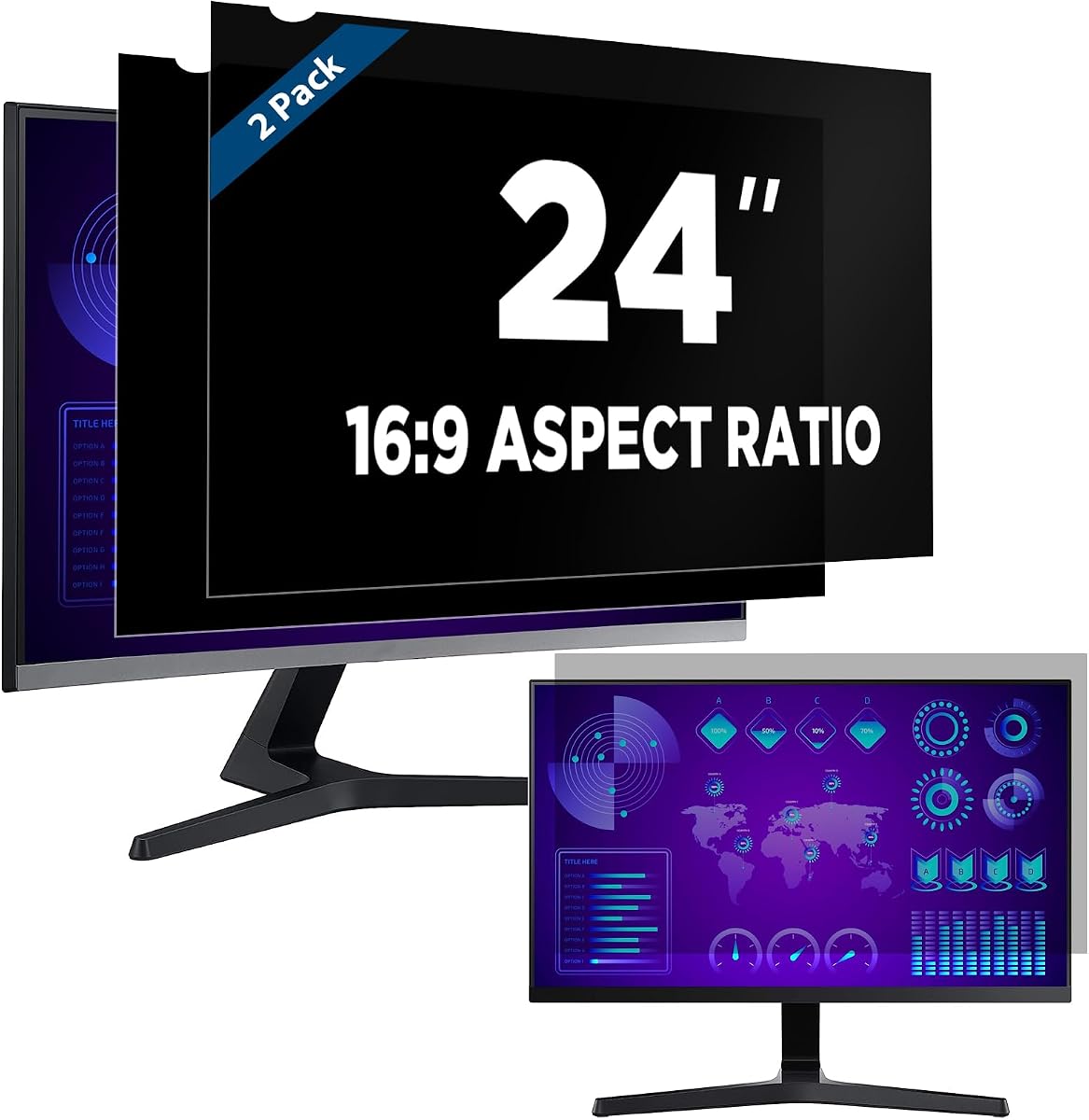
The Zspeed hanging privacy screen is the highest-rated option in this group, carrying a 4.6 rating while using a 24-inch 16:9 format. Its distinguishing feature is not a proprietary size but the installation method: the filter hangs at the display edge instead of being attached edge to edge with adhesive.
We may earn a commission when you buy through this link, at no additional cost to you.
At 547 by 320 millimeters, the panel is slightly larger than the more conventional 532 by 299 millimeter filters. That broader coverage is intentional, allowing it to accommodate more variation among monitor brands and bezel designs. Because it hangs, it may extend beyond the visible screen area and sit over part of the frame, but the user should still measure the display and consider local desk clearance.
The removable design is particularly attractive for shared monitors, portable workstations, and users who alternate between focused work and collaborative tasks. The listing says it installs quickly, removes without residue, and does not damage the monitor. The sturdy material is also described as resistant to bending and deformation, while micro-louver technology limits the viewing angle to approximately plus or minus 30 degrees.
Eye-protection claims include blocking up to 96% of blue light and 99% of ultraviolet radiation. These figures should be understood as manufacturer specifications rather than independently verified findings, but they make the filter attractive for long work sessions. The Zspeed is a compelling choice when convenience and repeat removal matter more than an adhesive-mounted, edge-to-edge appearance.
A hanging screen can be moved between compatible displays without leaving adhesive behind. It also avoids bubbles and alignment problems that sometimes occur when a full-size adhesive film is installed over a display.
The oversized hanging format is intended to bridge differences among 24-inch monitors. Because it extends farther than the visible screen, users should inspect the fit around the bezel and ensure that no controls, camera lenses, or ventilation openings are obstructed.
We may earn a commission when you buy through this link, at no additional cost to you.
This Protescreen filter earns a 4.4 rating and provides an unusually clear explanation of what the privacy effect means. It fits the visible area of a 24-inch 16:9 monitor measuring 532 by 299 millimeters, with the listing allowing for a small one-to-three-millimeter measurement difference.
We may earn a commission when you buy through this link, at no additional cost to you.
Unlike some privacy filters that focus mainly on immediate left and right viewing, the description says the screen becomes dark from 30 to 180 degrees to the side. It also makes an important limitation explicit: the filter does not block visibility directly behind the user. That clarification is useful for anyone expecting a privacy screen to prevent every form of shoulder surfing rather than only side-angle viewing.
The reversible surface gives users a matte option for less glare and a glossy option for stronger privacy. Installation can use clear double-sided adhesive strips or slide tabs on raised-bezel displays. The stated recommendation to work in a bright, well-lit space is also sensible, since an observer has less ability to read a dim screen than a bright one.
This is a good single-filter choice for a user who wants flexible surfaces and straightforward measurement guidance. It may be less convenient than two-filter packages for people with multiple workstations, and it does not address rear viewing. Buyers should confirm the visible dimensions, select the appropriate side for their environment, and assess whether permanent adhesive or removable tabs best suit their routine.
The filter is designed for left and right concealment and expressly does not obscure what is directly behind the user. Users in especially sensitive environments should combine it with sensible workstation positioning and screen-locking habits rather than treating it as complete visual security.
Matte is the better candidate for bright rooms where reflections compete with readability. Glossy is more appropriate when concealing side viewers is the priority and the display is positioned away from harsh light.
We may earn a commission when you buy through this link, at no additional cost to you.
The Protescreen 27-inch package is a two-filter solution designed around micro-louver technology and a stated plus-or-minus 28-degree viewing limit. Its 4.0 rating places it below several other products in this guide, but the specification set is substantial for 27-inch users who need stronger side privacy.
We may earn a commission when you buy through this link, at no additional cost to you.
The listed dimensions are 598 by 337 millimeters, with a 27-inch 16:9 diagonal. The filter is said to be modeled on a physical display, and the brand names listed in the description indicate an intention to fit common Dell, HP, Samsung, Lenovo, LG, Acer, ASUS, Toshiba, and ViewSonic monitors. Exact measurement remains the safest way to confirm compatibility.
Eye and surface protection are emphasized. The product claims 92% blue-light reduction, 98% UV filtering, and blocking of 95% of reflected light. Its matte side is intended to reduce glare, while the glossy side offers stronger privacy. A reinforced layer is also described as protecting against dust and scratches. Installation uses double-sided adhesive for a more permanent setup or slide tabs for displays with raised frames.
The set includes two filters, adhesive strips, slide tabs, alcohol, and cleaning cloths, which makes it well suited to a company providing privacy protection for two 27-inch workstations. The main drawback is that its 4.0 rating is the lowest among the ten listed options, and users with frameless displays must use adhesive. It remains a capable choice for offices, cafés, airports, and trains where the stated 28-degree cutoff is valuable.
The two-pack format is particularly useful for teams or home offices with more than one 27-inch display. It also allows continuous use while one filter is being cleaned or swapped between surfaces.
Reversing the filter changes the emphasis from glare reduction to stronger privacy. Testing the matte and glossy sides under the room's normal lighting is the most reliable way to determine which orientation feels clearer and more secure.
We may earn a commission when you buy through this link, at no additional cost to you.
ZOEGAA's 27-inch filter is a 4.1-rated two-pack built around a 23.53-by-13.24-inch visible area and 16:9 compatibility. The brand provides unusually explicit sizing instructions, including a warning not to select solely from the diagonal measurement, which is exactly the kind of guidance that can prevent an otherwise straightforward purchase from ending in a fit problem.
We may earn a commission when you buy through this link, at no additional cost to you.
The privacy effect is stated to hide content beyond plus or minus 30 degrees, with people to the left and right seeing a black screen. The listing describes 35,462 anti-peep angle corrections made using suggestions gathered from more than 5,000 computer users. These are manufacturer development details rather than independent test results, but they show that the viewing-angle behavior is a central design priority.
An AR high-definition light-transmitting layer is intended to maintain clarity after installation. The filter is reversible: the glossy side emphasizes anti-peeping performance, while the matte side is better suited to strong light and glare. Its surface also resists scratches and fingerprints, can be washed, and is described as returning to a new-looking condition after cleaning.
Installation choices include a removable insert-style method and a non-detachable adhesive method. This makes the product adaptable to different ownership situations, although choosing permanent adhesive means accepting a less reversible setup. ZOEGAA is a compelling 27-inch choice for users who prioritize precise measurement guidance, a washable finish, and both permanent and removable installation paths.
The stated 59.77 by 33.62 centimeter visible area should be compared with the active display rather than the entire monitor housing. Measuring both width and height reduces the risk of confusing a 16:9 screen with a 16:10 model of the same diagonal.
The AR layer is intended to compensate for the light loss associated with adding a filter. Users should still adjust brightness and color settings after installation because the best clarity depends on the monitor, ambient lighting, and selected surface orientation.
We may earn a commission when you buy through this link, at no additional cost to you.
The Peslv 27-inch model is the most feature-rich 27-inch option in this list, with a 4.2 rating, two filters, reversible surfaces, and broad installation support. Its 598 by 337 millimeter dimensions and 16:9 format place it among the most precisely specified 27-inch filters, helping users avoid relying on diagonal size alone.
We may earn a commission when you buy through this link, at no additional cost to you.
The filter uses micro-blind optical technology and is described as shielding line of sight beyond approximately 30 degrees. The matte outward-facing surface is positioned for anti-glare performance while maintaining a stated 30-degree privacy angle. The glossy side provides a stronger anti-peeping effect with a narrower 26-degree angle, giving office users a deliberate trade-off between glare control and concealment.
The mounting system is one of its strongest distinguishing points. Both raised-bezel and full-screen 27-inch monitors are supported, although a frameless display requires the adhesive method. Installation is advertised as taking about 10 seconds, and the package contains four sets of adhesive strips, four sets of slide tabs, two cleaning kits, and a large microfiber cloth.
The product also states 92% blue-light reduction, 98% UV filtering, and scratch protection. A reinforced transparent layer is intended to preserve high-definition quality. This makes the Peslv pair a strong premium recommendation for a user with a larger 27-inch display, especially one who values a complete installation kit, two filters, and the option to reverse the surface as lighting changes.
The matte configuration is well matched to bright rooms where reflected light makes an ordinary display difficult to read. The glossy configuration makes sense when neighboring workers are more concerning than glare, accepting a slightly tighter viewing range for stronger concealment.
The adhesive method expands compatibility to 27-inch monitors without raised bezels. Users should clean the surface thoroughly and follow the included alignment instructions to minimize bubbles and keep the view centered.
We may earn a commission when you buy through this link, at no additional cost to you.
This 4.4-rated pair is designed for the less common 22-inch 16:10 monitor size. Rather than filling the guide with additional 24-inch options, it provides a useful choice for users whose display does not match the more prevalent 16:9 formats, and its dual-sided construction offers a clear balance between glare and privacy.
We may earn a commission when you buy through this link, at no additional cost to you.
Micro-louver technology is used to keep content visible primarily to the person directly in front of the screen while reducing side visibility. The product is also described as helping reduce blue-light exposure during extended use. Because no numerical light-reduction percentage is supplied, the feature should be considered a comfort-oriented specification rather than a precisely quantified test result.
Users can select the matte side for bright environments or the glossy side for enhanced privacy and a sharper display. The durable surface is said to resist scratches, fingerprints, and everyday wear. Installation uses supplied adhesive accessories designed for quick, secure, bubble-resistant attachment, making this easier to position than a generic adhesive sheet.
This filter is best for someone who already knows they own a 22-inch 16:10 display and has measured the visible region. Its most significant trade-off is that the listing does not provide exact width and height measurements, so compatibility cannot be confirmed as precisely as it can for several 24-inch and 27-inch alternatives. It also describes adhesive mounting rather than a removable slide-tab system.
Many buyers default to 24-inch filters without checking the aspect ratio. This option fills a genuine gap for 22-inch 16:10 displays, allowing users to find a purpose-built filter instead of forcing a mismatched panel onto the display.
The filter combines blue-light reduction with side-view protection rather than treating either as an isolated feature. This makes it relevant to students and office workers who spend extended periods reading documents while also needing discretion in a shared room.
We may earn a commission when you buy through this link, at no additional cost to you.
The 24-inch anti-glare privacy screen is a 4.4-rated two-pack centered on a simple proposition: clear viewing from the front and reduced visibility from the side. Its stated visible display area of 20.93 by 11.77 inches is easy to compare with a physical monitor, and the product is designed for standard 24-inch 16:9 displays.
We may earn a commission when you buy through this link, at no additional cost to you.
The viewing limit is stated as 30 degrees, making it relevant to offices, financial institutions, healthcare facilities, and other professional environments where side viewers may expose sensitive information. Compatibility is listed for Dell, HP, Lenovo, ASUS, Acer, LG, Samsung, and other major brands, though the aspect ratio and measured area remain more important than the brand name.
Installation accessories are included for quick setup and secure attachment. The removable design is specifically described as allowing clean removal without leaving residue or damaging the monitor surface, which is a meaningful advantage over permanent adhesive installation. Anti-glare performance is included in the product positioning, although the listing provides less detail about reversible surfaces, blue-light percentages, and optical coatings than several competing products.
This filter is a straightforward option for a 24-inch 16:9 user who values a stated 30-degree side limit and clean removal. The two-pack provides a spare and makes it possible to cover two compatible displays. Its tradeoff is comparatively limited detail: buyers who want extensive eye-care data, dual finishes, or both adhesive and slide-tab options may prefer one of the more extensively specified products.
The removable installation is useful when confidential work and collaborative screen sharing alternate during the day. It also makes the filter easier to reposition, clean, or move to another compatible monitor.
The 30-degree limit provides a clear target for the user and anyone sitting nearby. Privacy performance should still be evaluated under normal room lighting, because brightness and reflections can influence how much information remains visible.
We may earn a commission when you buy through this link, at no additional cost to you.
The best monitor privacy screen balances accurate fit, effective off-axis concealment, acceptable front-view clarity, and an installation method that suits the workspace. These factors matter more than a brand name or an isolated feature claim.
Start by measuring the active width and height of the display, excluding the bezel, controls, and surrounding housing. A monitor's advertised diagonal does not determine the filter dimensions because aspect ratios, slim bezels, and manufacturer-specific designs can produce different active areas even within the same nominal size. Compare the measurements with the seller's stated dimensions and leave only a small manufacturing tolerance where the listing explicitly permits one.
Measure both dimensions every time. A 24-inch 16:10 monitor and a 24-inch 16:9 monitor share the same diagonal but require different filters. A model described as hanging may intentionally extend beyond the visible area, so check the complete filter size and how it will sit around the frame.
The aspect ratio describes the relationship between screen width and height. Most filters in this guide are designed for 16:9 displays, while the 22-inch option specifically targets 16:10. Do not treat compatibility as established merely because a product title contains the same diagonal size; confirm both the ratio and physical measurements.
In short, match the diagonal only after matching the aspect ratio and active dimensions. This simple three-step check prevents the most common privacy-screen fit error.
Privacy filters use directional optical structures to darken the image as the viewing position moves away from the screen. The products here describe side-view limits ranging from approximately 26 or 28 degrees to broader ranges that culminate in complete blackout at steeper angles. A lower angle creates a smaller front-facing viewing zone, while a wider angle gives the seated user more room to shift position.
Choose an angle that fits your seating habits and surroundings. Always evaluate the front view while sitting in your normal working position, since a filter that is too restrictive can require constant posture changes or excessive brightness settings.
A matte surface diffuses reflections and is generally easier to view under strong overhead light or near a window. A glossy surface tends to provide stronger privacy but may make room lighting more noticeable. Several products in this guide are reversible, allowing the user to compare both orientations and retain the one that suits the environment.
Prioritize matte for glare control and glossy for stronger concealment. If possible, test both sides before securing a permanent adhesive installation.
Adhesive strips create a relatively fixed installation and can be used on displays without raised bezels, but they require careful alignment and may be less convenient to reposition. Slide tabs are easy to remove, yet they normally require a raised bezel that can hold the filter in place. Hanging designs extend over the screen edge, avoid broad adhesive contact, and offer quick removal without residue.
Choose permanent adhesive for a dedicated workstation, slide tabs for a bezeled display that needs occasional removal, and a hanging style for flexible use. Match the method to how often the screen is shared and cleaned.
All-in-one privacy behavior can reduce brightness, introduce texture, or make a display look less crisp from the front. Filters with AR or light-transmission layers are designed to preserve more of the original image. The relevant test is not merely whether text remains visible but whether you can comfortably read small fonts, work with color-dependent interfaces, and avoid eye fatigue throughout the day.
Prioritize front-view clarity after privacy, not instead of it. Adjust monitor brightness, room lighting, and color settings to compensate for the filter's optical effect.
The included products make varying blue-light and UV-reduction claims, including 92% blue-light reduction, 98% UV filtering, and higher or lower figures depending on the product. These percentages come from manufacturer information and should not be treated as universal measurements. Eye comfort also depends on display brightness, ambient light, viewing distance, screen time, and individual sensitivity.
Treat light reduction as one benefit rather than a substitute for healthy screen habits. Use sensible brightness levels, take regular breaks, and position the display at a comfortable distance.
Two-filter packages offer convenience for multiple monitors, a spare, and easier cleaning without interrupting work. Removable filters are also easier to wash, while a washable surface helps prevent dust, oils, and fingerprints from degrading clarity. Check whether cleaning cloths and mounting accessories are included, because a microfiber cloth and appropriate cleaning solution can be important for protecting the optical coating.
Choose a pack size that matches your number of displays, and favor a removable or washable design if cleanliness and frequent repositioning are priorities. Two screens are useful, but they should be used in ways that match your actual setup.
Begin by cleaning the display with a suitable screen-cleaning product and a soft microfiber cloth. Let the surface dry completely, then identify the filter's matte and glossy sides. If the filter is reversible, begin with the matte side in a brightly lit room, where glare reduction may be more useful, and reverse it when stronger privacy is the priority.
For adhesive installation, align the filter carefully over the visible screen before pressing it into place. Work from the center outward to reduce trapped air, and avoid repeatedly lifting and repositioning the panel. For slide tabs, attach the tabs to the raised bezel and slide the filter into position. A hanging filter should hang evenly at the top edge without obscuring controls or ventilation openings.
Adjust the monitor brightness after installation, using a setting that keeps the front image comfortable without making it unnecessarily visible from the sides. Clean the filter periodically with a microfiber cloth and follow the seller's care instructions. Avoid abrasive materials, and store the filter flat or safely suspended when it is removed so that it does not crease or sustain impact damage.
No. Monitor diagonal size does not determine the filter's width and height by itself. You must also verify the aspect ratio, such as 16:9 or 16:10, and measure the visible screen area. Even two monitors with the same advertised size can have different active dimensions because of bezel and manufacturer design differences.
Most privacy screens limit side and oblique viewing rather than making the display invisible in every direction. A direct view from the front remains visible by design, and some filters also leave information visible directly behind the user. Use screen locking, careful positioning, and sensible workflow practices in addition to an optical filter.
Adding any optical layer can slightly reduce transmitted light, although AR coatings and other design features are intended to preserve clarity. Users can often compensate with the monitor's brightness control. If the image looks excessively dim, check the orientation of the filter, remove surface smudges, and compare matte and glossy sides under normal room lighting.
Matte is usually preferable in brightly lit offices because it reduces glare and reflections. Glossy generally offers stronger side privacy but may reveal more of the room's lighting. If the product is reversible, testing both surfaces before permanent installation is the best way to determine which balance works for your workspace.
It depends on the mounting method. Slide tabs and hanging designs are intended for frequent removal, while adhesive-mounted filters can usually be removed carefully but may be less convenient to reposition. Several products in this guide also describe the filter surface as washable, so follow the included care instructions and avoid abrasive cleaners.
Many privacy filters include optical layers designed to reduce some blue light and ultraviolet radiation, although the stated percentages vary considerably by model. These claims are manufacturer specifications and do not replace comfortable brightness settings, appropriate viewing distance, regular breaks, or other healthy computer-use habits.
The front view can appear dim if the filter is installed incorrectly, misaligned, or surrounded by strong reflections. Check that the correct matte or glossy side faces outward, clean both the panel and display, and adjust the monitor brightness. If the image remains difficult to read, the viewing angle may be too restrictive for your seating position.
No, assuming it is designed to cover the visible display rather than merely hang near the edge. The 24-inch and 27-inch options have different width and height measurements, and the aspect ratio may also differ. Select a filter based on the 27-inch monitor's visible area and aspect ratio, then confirm the physical dimensions before ordering.
The Peslv 24-inch filter stands out as the best-rounded conventional choice because it combines precise sizing, reversible surfaces, two installation styles, eye-protection features, and a complete two-filter package. The Zspeed 24-inch hanging filter is especially appealing for users who prioritize removal without residue, while the Peslv 27-inch pair offers the most complete premium package for a larger 16:9 display.
For every other monitor size, begin with measurement rather than a brand preference. Check the visible width, height, aspect ratio, and bezel design, then choose between matte and glossy based on whether glare or stronger privacy matters more. Installation style should reflect how often the display is shared, cleaned, repositioned, or moved between workstations.
Current prices, ratings, packaging contents, and seller details can change after publication, so verify the latest listing before ordering. Once fit and mounting are confirmed, a properly selected monitor privacy screen can improve discretion and viewing comfort without requiring changes to the monitor itself.
