
BENFEI JMS580
4.6Editor score
Tool-free 2.5-inch design
Type-C and Type-A cable
UASP SATA III support
An enclosure for SATA hard drives turns a bare internal 2.5-inch or 3.5-inch drive into a portable external storage device. A worthwhile model should match your drive’s size and SATA generation, provide a stable connection, protect the disk during travel, and make installation simple without requiring a screwdriver.
We compared all 10 featured products by drive compatibility, connector type, transfer-speed support, installation method, power requirements, cooling design, and useful features such as UASP and hot swapping. The guide includes compact single-bay cases, larger dual-bay units, and enclosures intended for both mechanical hard drives and SATA solid-state drives.
Each review explains the enclosure’s strongest benefits, limitations, and ideal use, helping distinguish a basic portable adapter from a powered desktop dock or multi-drive storage system. Product ratings and specifications reflect the supplied information, while prices and availability can change, so check the current listing before buying.
4.6Editor score

4.6Editor score

4.3Editor score
As an Amazon Associate we earn from qualifying purchases.
The comparison below highlights the most important differences among the featured SATA hard drive enclosures, including supported drive sizes, connection standards, UASP support, power needs, and special features.



The SABRENT EC-UASP is a compact enclosure for 2.5-inch SATA hard drives and SATA SSDs. Its 4.6 rating reflects a strong balance of simple installation, broad compatibility, and practical performance. The enclosure is especially appealing for users who want a dependable way to access an older laptop drive, move files between computers, or create a temporary external storage device.
We may earn a commission when you buy through this link, at no additional cost to you.
Its defining convenience is the tool-free, hot-swappable design. A drive can be inserted without screws, and the unit supports plug-and-play operation without additional drivers. UASP support can improve command-processing efficiency when the connected computer also supports it, while backward compatibility with USB 2.0 and USB 1.1 allows the enclosure to work with older equipment.
The main limitation is its focus on 2.5-inch drives. It cannot accommodate a 3.5-inch desktop hard drive, and its listed interface is USB 3.0 Type-A. Users with USB-C-only computers may need an appropriate adapter. Despite those boundaries, it remains a flexible, uncomplicated solution for the most common portable SATA drive format.
This is a strong recommendation for anyone seeking a straightforward 2.5-inch SATA enclosure without overcomplicated setup. Choose it when portability, tool-free access, and broad system compatibility matter most. It is less suitable for a multi-bay workstation or any setup involving larger desktop drives.
The open-and-insert design makes it easy to exchange drives without finding a screwdriver or dismantling the enclosure. Hot-swappable operation also helps when transferring archives from one disk to another or using multiple SATA drives in succession.
Windows and Mac systems are supported, and older USB versions remain usable. This makes the enclosure practical when moving between current and older computers, although the fastest results require a suitable USB 3.0 connection and a UASP-capable host.
We may earn a commission when you buy through this link, at no additional cost to you.
The BENFEI JMS580 combines a 4.6 rating with a straightforward enclosure format for 2.5-inch SATA hard drives and SSDs. It is a compelling budget-oriented choice for users who want modern UASP support, a tool-free cover, and a cable configuration that can suit both USB-C and Type-A systems.
We may earn a commission when you buy through this link, at no additional cost to you.
The JMS580 chipset supports SATA I, II, and III drives, and the enclosure lists transfer rates up to 6 Gbps under appropriate conditions. UASP SATA III transmission can be faster than traditional USB 3.0 operation, while backward compatibility preserves use with USB 2.0 and USB 1.1 ports. The included Type-C-to-Type-A cable adds useful connection flexibility.
A practical limitation is that nominal interface speed does not guarantee equal results for every drive. Mechanical hard drives are generally limited by their own media performance, and SSDs benefit most when the host supports UASP. The enclosure also remains limited to 2.5-inch devices, so buyers with a full-size desktop drive should choose a larger model.
For a compact external drive adapter, this BENFEI is a versatile recommendation. It suits students, travelers, and computer owners who regularly access a spare SATA drive. Its tool-free construction, broad operating-system support, and included cable make it easier to use than a basic fixed adapter.
The included USB Type-C-to-Type-A cable can be used with USB-C or Type-A host ports, depending on the equipment. This is more adaptable than an enclosure that includes only one host-side connector, especially when working across several types of computers.
UASP support is particularly relevant when the enclosure contains a SATA SSD. Use a modern USB 3.0 port and a UASP-capable computer to obtain the most responsive transfer experience; older ports remain usable but will restrict throughput.
We may earn a commission when you buy through this link, at no additional cost to you.
The SABRENT EC-DFLT is a lay-flat docking station for bare 2.5-inch and 3.5-inch SATA drives. It carries a 4.4 rating and offers a simple alternative to a conventional portable case: the drive remains exposed in a dedicated bay, making insertion, removal, and status checking straightforward.
We may earn a commission when you buy through this link, at no additional cost to you.
The dock supports SATA I, II, and III hard drives and SSDs, along with UASP when the host supports it. It includes a 12V/2A AC adapter, which is necessary for reliably starting many 3.5-inch drives. Tool-free insertion and hot swapping make it convenient for repeated data-transfer sessions, diagnostics work, or drive cloning.
There are important limitations. The included host cable terminates in USB Type-A, and the product does not include a USB-C-to-Type-A adapter. Connecting through USB hubs or USB 2.0 ports may cause instability. It also does not support IDE/PATA, SAS, M.2 NVMe, M.2 SATA, or a drive that already has an enclosure installed.
This dock is best for desktop users who regularly work with full-size hard drives and value quick drive changes over compact portability. It is less appropriate for someone seeking a pocketable case or a Type-C-native connection. Confirm that the drive uses a standard SATA connector before ordering.
The included AC adapter is important because a 3.5-inch hard drive cannot reliably operate from USB bus power alone. Although the dock also accepts 2.5-inch drives, using the adapter can improve stability across different drive sizes and connected systems.
A flat, open drive bay makes the dock practical for batch transfers or cloning workflows. The drive can be removed and replaced without tools, and the LED provides a visible indication of power and activity.
We may earn a commission when you buy through this link, at no additional cost to you.
The SABRENT EC-KSL3 is a more substantial enclosure for users who want both 2.5-inch and 3.5-inch SATA compatibility. Its 4.4 rating, aluminum shell, and supplied power adapter distinguish it from compact bus-powered cases. The internal ABS shock-absorbing tray adds protection for a drive that may be moved while connected.
We may earn a commission when you buy through this link, at no additional cost to you.
Installation uses a slide-and-click process rather than screws, and the enclosure is hot-swappable. USB 3.0 with UASP can reach a listed theoretical maximum of 625 MB/s, while typical speeds depend heavily on the installed drive. A SATA SSD can perform much faster than a mechanical hard drive in the same enclosure, but neither should be expected to exceed the limits of the host and media.
The enclosure requires a wall outlet because the 12V/2A adapter is included but USB bus power is not used. Its host connection is USB Type-A, so USB-C-only computers need an adapter. Some 3.5-inch drives above 4TB with unusual PCB dimensions may not seat correctly, so physical measurements should be checked before use.
This is an excellent choice for a desktop setup involving a mixture of 2.5-inch and 3.5-inch SATA storage, particularly when a sturdier shell and external power are priorities. It is less convenient for mobile use because of its power requirement and larger form factor.
The aluminum exterior provides rigidity and assists with heat dissipation, while the internal shock-absorbing tray helps isolate the drive. These features make the enclosure a sensible choice for a stationary external-storage setup where the disk may be handled during swaps.
Supporting both 2.5-inch and 3.5-inch SATA HDDs and SSDs means one enclosure can serve laptops, desktop backups, and media storage. Always verify unusual 3.5-inch drive dimensions because a drive connector that fits may still have a non-standard board height.
We may earn a commission when you buy through this link, at no additional cost to you.
The UGREEN 5Gbps Adapter is a 2.5-inch SATA enclosure that combines a 4.6 rating with several thoughtful protective and performance features. It is designed for SATA hard drives and SSDs up to the stated 6TB capacity, making it useful for backups, file recovery, storage expansion, and connecting an older drive to a modern system.
We may earn a commission when you buy through this link, at no additional cost to you.
The enclosure supports USB 3.0 transfer rates up to 5 Gbps, UASP acceleration, and TRIM when the connected system provides the necessary support. Short-circuit, over-current, and multi-protection features are listed for device safety. Internally, EVA foam helps protect the drive from vibration and scratches during portable use.
A detachable 12-inch cable makes the adapter easier to pack than one with a permanently attached lead. Installation is plug-and-play and does not require external power. However, any screws attached to the 2.5-inch drive must be removed so it can fit the SATA connector correctly, and the enclosure cannot hold a 3.5-inch desktop drive.
This UGREEN is a good recommendation for users who regularly carry a spare 2.5-inch drive and want more physical cushioning than a minimalist shell. It also works well for recovering files from an older computer. It is not the right choice for a desktop-sized drive or a USB-C-native setup without an adapter.
The EVA foam lining adds a layer of isolation around the drive. That is valuable when a portable disk is carried in a bag, slipped into a laptop sleeve, or moved between locations more often than a permanently installed desktop drive.
UASP and TRIM support help SATA SSDs remain responsive during routine transfers and file operations. Connect the enclosure directly to a compatible USB 3.0 port, since an unpowered or older hub can reduce stability and performance.
We may earn a commission when you buy through this link, at no additional cost to you.
The CENMATE Dual-Bay DAS is the most specialized model in this guide. It accepts two bare 2.5-inch or 3.5-inch SATA hard drives or SSDs, supports hot swapping, and includes an active cooling fan. Its 4.3 rating reflects a feature-rich design for users who want more than a single-drive portable adapter.
We may earn a commission when you buy through this link, at no additional cost to you.
The aluminum-alloy enclosure and two-inch fan are intended to control heat during sustained transfers. USB 3.0 output provides a listed interface rate of 5 Gbps, while the included USB-A and USB-C cables broaden host compatibility. Tool-free trays make installation straightforward, and the daisy-chain host port can expand the setup to as many as three devices and a listed 120TB combined capacity.
The primary drawback is acoustic. The cooling fan produces approximately 40 to 50 decibels, which may be noticeable in a quiet room. Despite the term DAS in the product name, it does not combine drives into a RAID array or operate as a network-attached storage system. The two bays provide storage expansion and hot swapping, not automated redundancy.
Choose this model for a workstation where two drives are used regularly, performance must remain stable, and convenient replacement is valuable. It is less suitable for silent offices, travel, or users who specifically require RAID, NAS functions, or a fully enclosed portable design.
A mechanical hard drive generates more heat as transfer workloads continue, and the built-in fan provides active cooling beyond what a passive shell can offer. Users sensitive to background noise should consider whether the listed 40-to-50-decibel fan operation is acceptable in their workspace.
The second bay allows one drive to remain connected while another is used for backups, staging, or media. The USB host port also supports daisy chaining with additional enclosures, although the product does not create a hardware RAID or NAS environment.
We may earn a commission when you buy through this link, at no additional cost to you.
The BENFEI Type-C Enclosure is a 2.5-inch SATA drive case built around convenient USB Type-C and Type-A connectivity. It holds a 4.6 rating and is optimized for SATA SSDs, making it a practical choice for users who frequently move between USB-C laptops, traditional computers, and compatible devices such as game consoles.
We may earn a commission when you buy through this link, at no additional cost to you.
The enclosure supports transfer rates up to 5 Gbps and UASP SATA III transmission when connected to a compatible USB 3.0 host. It is backward-compatible with USB 2.0 and USB 1.1, and its tool-free cover opens for straightforward installation. Plug-and-play operation means no drivers are required, while hot-swappable support makes drive exchanges more convenient.
The specified drive format is 2.5 inches, with support for 7mm and 9.5mm thickness SATA hard drives and SSDs up to 6TB. It cannot accommodate a 3.5-inch desktop disk, and real-world speed will vary with the drive. A mechanical hard drive may transfer much more slowly than the interface maximum, while a SATA SSD can benefit significantly from UASP.
This BENFEI is a strong recommendation for users who want one compact enclosure to serve several types of USB hosts. Its broad compatibility and no-driver setup reduce friction, particularly for quick file recovery or temporary external storage. Buyers with high-capacity desktop drives should consider a larger enclosure instead.
The Type-C/Type-A design reduces the need to carry different cables for different systems. It is especially useful for owners of modern USB-C laptops who also need to connect the same drive to a computer with a traditional USB port.
The enclosure is optimized for SATA SSDs and supports UASP, making it a convenient option for fast file movement and temporary storage expansion. Use a direct USB 3.0 connection for the most stable results and always eject the enclosure through the operating system before disconnecting it.
We may earn a commission when you buy through this link, at no additional cost to you.
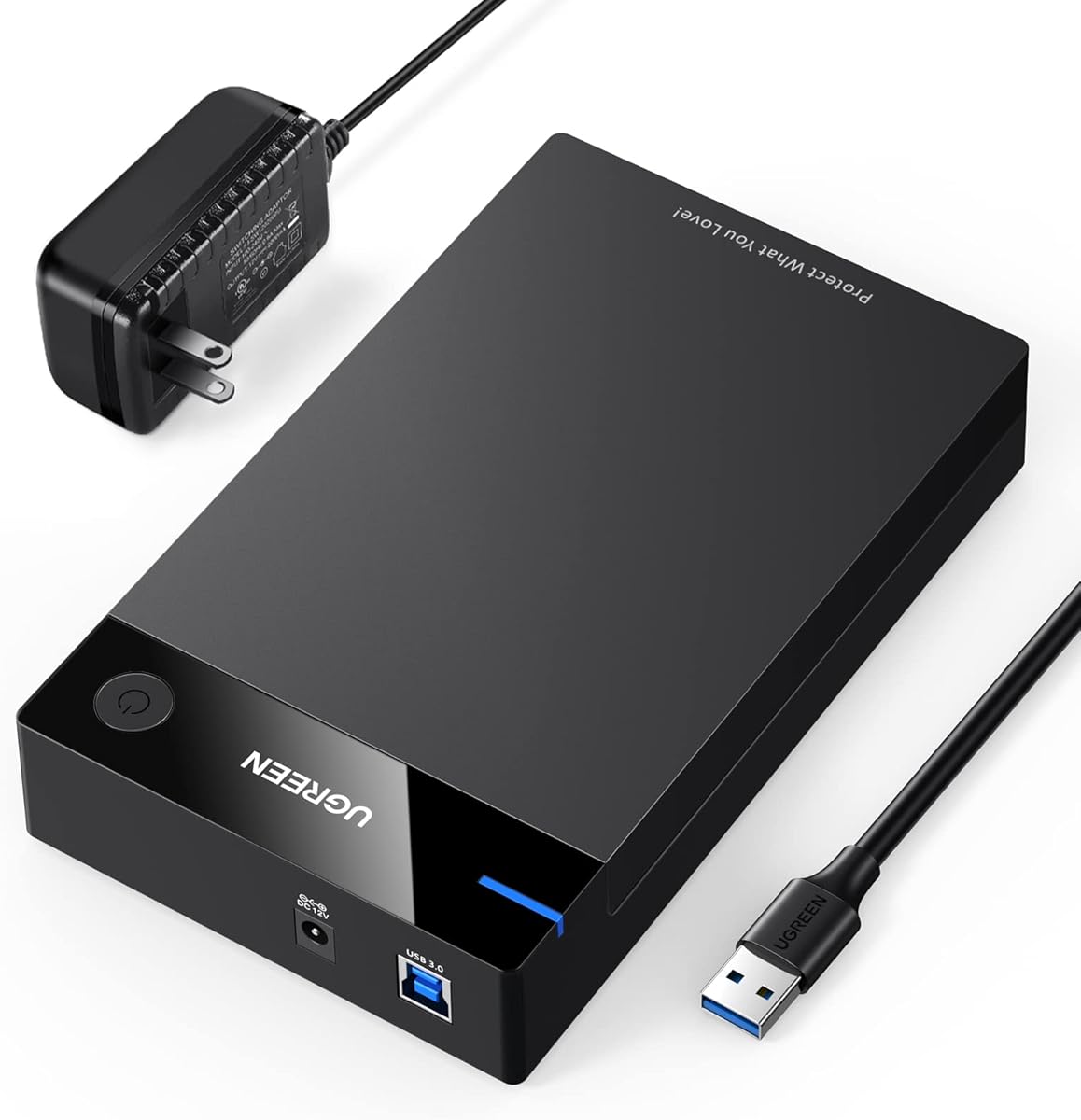
The UGREEN 2.5/3.5-Inch Enclosure is a versatile external storage solution with a 4.5 rating. It supports both laptop-style 2.5-inch and full-size 3.5-inch SATA hard drives and SSDs, and it is listed for drives up to 20TB. That makes it relevant to users upgrading a computer, consolidating media, or turning a spare desktop drive into accessible storage.
We may earn a commission when you buy through this link, at no additional cost to you.
Its USB 3.0 interface supports transfer rates up to 5 Gbps, with UASP acceleration available when the host supports it. The enclosure uses an intelligent chipset, a high-quality ABS structure, and soft rubber strips to hold and cushion the drive. Preset heat-emission holes support passive cooling, while tool-free plug-and-play installation reduces setup time.
The included connection is oriented toward USB Type-A, so a USB-C-only computer requires an appropriate adapter or cable. The listed operating-system support includes current and older Windows releases, Linux, and MacOS 8.0 or later. It is also described as usable with several game consoles for additional storage, subject to the host device’s own requirements.
This UGREEN is an excellent general-purpose recommendation when you do not know whether a future drive will be 2.5 inches or 3.5 inches. It is less ideal for a USB-C-native minimalist workspace, but the drive-size flexibility and stated 20TB support make it a dependable all-purpose enclosure.
The enclosure is designed around large 3.5-inch SATA hard drives, including capacities listed up to 20TB. It provides a straightforward way to use a full-size disk for secondary storage, backups, or media without rebuilding another internal drive.
Heat-emission openings help release warmth without a powered fan, preserving a quieter setup. Rubber strips hold the drive in place and add protection from shock, while the ABS body provides a lighter alternative to a metal desktop enclosure.
We may earn a commission when you buy through this link, at no additional cost to you.
The SABRENT Clear EC-OCUB stands out with a transparent housing that lets the installed drive remain visible. It holds a 4.6 rating and offers the same core functionality expected from a portable 2.5-inch SATA enclosure: tool-free installation, USB 3.0 connectivity, UASP support, and hot-swappable operation.
We may earn a commission when you buy through this link, at no additional cost to you.
The enclosure supports 7mm and 9.5mm SATA hard drives and SSDs, works without additional drivers, and remains backward-compatible with USB 2.0 and USB 1.1. Its listed transfer rate reaches 5 Gbps, although actual performance depends on the host, protocol support, and the type of drive installed. The clear design also makes it easier to verify that the drive is seated correctly.
A downloadable copy of Acronis True Image for SABRENT is included for cloning, adding value for users who want to duplicate a system drive before putting it into external storage. The enclosure remains limited to 2.5-inch SATA devices and does not support larger desktop hard drives or M.2 NVMe formats.
Choose this model for a compact setup where visual drive monitoring and cloning convenience are priorities. It works well for system upgrades and data transfer, though a conventional opaque enclosure may blend in better on a desk or withstand cosmetic handling more discreetly.
Seeing the installed drive makes alignment and seating easier to confirm, particularly for users who swap 2.5-inch drives frequently. The enclosure also offers a distinctive appearance that sets it apart from standard opaque cases.
The included Acronis True Image for SABRENT software adds a useful path for cloning compatible system data. It can help prepare a SATA drive for use as external storage, although users should still create a separate backup before modifying important data.
We may earn a commission when you buy through this link, at no additional cost to you.
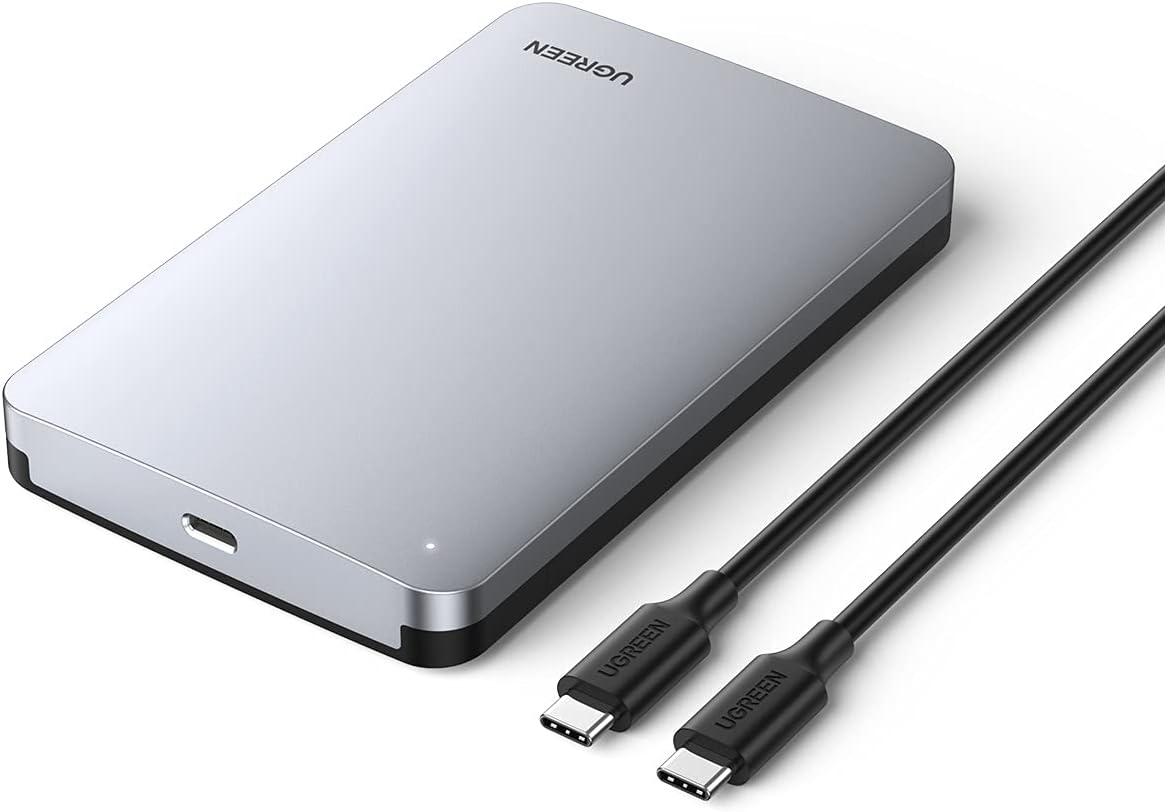
The UGREEN USB-C Aluminum is a 2.5-inch SATA enclosure designed around a native USB-C connection. Its 4.5 rating reflects a well-rounded package of modern connectivity, a durable housing, and broad compatibility with SATA hard drives and SSDs. It is particularly attractive for laptop owners tired of carrying a Type-A adapter.
We may earn a commission when you buy through this link, at no additional cost to you.
The listed USB-C interface is based on USB 3.1 Gen 2 and supports up to 10 Gbps, while the enclosure’s SATA side supports up to 6 Gbps. UASP is included, and the included USB-C-to-USB-C cable allows a direct modern connection. The ASM235CM chipset and aluminum alloy housing are designed to manage heat without requiring a cooling fan.
Drive support extends to 2.5-inch SATA III, II, and I hard drives and SSDs up to 6TB. Installation is tool-free, no drivers are required, and USB bus power is sufficient. Devices limited to USB-A can still be used with a suitable USB-C-to-USB-A cable. Real-world performance remains limited by the installed drive and the capabilities of the host.
This UGREEN is a strong final recommendation for a modern, portable setup centered on USB-C. The lack of a fan keeps it quiet, while the aluminum shell provides better heat handling than a basic plastic case. It is not the right choice for 3.5-inch drives, and users should connect directly rather than through an unpowered hub.
A native USB-C port removes the need for a host adapter on current USB-C computers. The included USB-C-to-USB-C cable supports a clean, direct connection, which is particularly convenient for portable storage.
The aluminum alloy body dissipates heat without a fan, avoiding the noise associated with actively cooled multi-bay enclosures. This makes the case suitable for quiet offices and home desks where a small form factor is also desirable.
We may earn a commission when you buy through this link, at no additional cost to you.
The right enclosure depends on the physical drive you own, the ports available on your computer, and how often you will move or swap the storage. Begin with compatibility, then consider power, performance, cooling, and convenience.
A SATA enclosure must physically match the drive’s dimensions. Most portable models are designed for 2.5-inch SATA hard drives and SSDs, commonly 7mm or 9.5mm thick. Larger desktop hard drives require a 3.5-inch enclosure or dock, and those products usually need an external power adapter because USB bus power cannot reliably start a 3.5-inch drive. Never assume that a connector fitting means the complete case will accept the drive.
Choose a 2.5-inch enclosure for backups, portable storage, and older laptop drives. Choose a 2.5/3.5-inch model when you own or may acquire a full-size desktop disk. Verify unusual drive dimensions before ordering.
The featured products support standard SATA hard drives and SATA SSDs, generally covering SATA I, SATA II, and SATA III. This is different from the M.2 form factor: an M.2 SATA SSD does not fit a standard 2.5-inch SATA connector, and an M.2 NVMe drive requires a compatible NVMe enclosure. IDE/PATA and SAS drives are also outside the supported format for these models.
Check the connector and label on the drive before buying. A bare SATA disk has a wide, flat L-shaped edge connector, while M.2 drives use a narrow card with gold contacts.
The enclosure’s host connector must match the computer or adapter you plan to use. USB Type-A is common among the featured models, while USB-C offers a more modern and symmetrical connection. A Type-A enclosure can still be used with a USB-C computer through a suitable adapter, and a USB-C enclosure can be used with a Type-A host through the right cable, but the included connection method may differ by model.
For the simplest experience, choose the connector your primary computer already has. Check whether the cable is included and whether any required adapter is supplied before finalizing the purchase.
UASP, or USB Attached SCSI Protocol, can improve transfer efficiency, particularly with SATA SSDs. A UASP-capable enclosure only reaches its best results when the connected computer and port also support the protocol. Advertised rates such as 5 Gbps or 10 Gbps describe interface or theoretical capability, not the speed of every file operation.
Mechanical hard drives are generally limited by their own media performance, often producing much lower real-world speeds than a SATA SSD. For large backups, prioritize connection stability and drive fit over headline interface numbers.
Most 2.5-inch drives can operate from USB bus power, making their enclosures convenient for travel. A 3.5-inch hard drive usually requires an external AC adapter because its motor needs more startup and operating power than USB can provide reliably. Some larger dual-bay systems also include dedicated power or expect a separate power connection.
Portable users should favor bus-powered designs, while desktop users should confirm that the required adapter is included. Using the correct adapter can prevent a drive from failing to spin up or disconnecting under load.
Cooling requirements increase with drive size, transfer duration, and the number of disks. Small 2.5-inch cases generally rely on passive heat dissipation and can remain quiet. Metal housings help release heat, while a multi-bay enclosure may include a fan to move air across several drives continuously. Active cooling is useful for sustained workloads but introduces noise.
Choose a passive model for a quiet workspace or a fan-equipped model for prolonged heavy transfers. Check the listed fan noise if the enclosure will sit beside you during calls, recording, or other sound-sensitive work.
Tool-free installation makes an enclosure easier to use and reduces the risk of losing small screws. Many products also support hot swapping, allowing a drive to be removed or replaced without fully powering down the system. The exact behavior can vary by operating system, so the drive should still be ejected safely through the computer first.
Choose a slide, tray, or tool-free cover system for frequent changes. A fixed screw-based design can work for a permanent secondary drive, but it is less convenient for portable or service-oriented use.
Capacity support matters when using newer high-capacity hard drives. Some enclosures list support for 2.5-inch drives up to 6TB, while larger models list 20TB per drive. Protective foam, rubber strips, and internal trays help reduce shock, and an LED can reveal whether the enclosure is powered or actively transferring files. Multi-bay units may offer daisy-chaining for additional storage.
Check the maximum drive capacity, physical protection, and expansion method before buying. A daisy-chain port adds capacity but does not automatically create RAID redundancy or turn the unit into a NAS.
Before installing a drive, confirm that it is a standard 2.5-inch or 3.5-inch SATA hard drive or SSD, as appropriate for the enclosure. Back up important information, power down the computer if the manufacturer recommends it, and disconnect the enclosure. Open the tool-free cover or slide out the tray, align the SATA connector carefully, and seat the drive fully before closing the enclosure.
Connect the enclosure directly to the computer with the specified cable and, where required, attach the external power adapter before switching on the drive. Allow the operating system to detect the new volume, then format it only if necessary. Use the system’s safe-eject command whenever the drive is connected, especially before removing it, swapping it, or shutting down the computer.
For long-term care, protect the enclosure from moisture, impact, and excessive heat. Do not move a 3.5-inch mechanical drive while it is spinning, and avoid using the enclosure as the sole location for irreplaceable files. A separate backup remains essential even when the drive, enclosure, and transfer system are working as intended.
No. A 2.5-inch enclosure is physically too small for a standard 3.5-inch desktop hard drive. Choose an enclosure explicitly listed for 3.5-inch SATA drives, and make sure it includes the required external power adapter. The drive connector and physical dimensions must both be compatible.
Only if the enclosure specifically supports the same M.2 format and interface. Most 2.5-inch SATA enclosures in this guide do not accept M.2 SATA or M.2 NVMe drives because they use a different physical shape and connector. An M.2 NVMe SSD needs an enclosure designed for NVMe and PCIe, not merely SATA.
The advertised speed usually represents a theoretical interface maximum rather than actual file-transfer speed. The installed hard drive, SSD, USB port, cable, operating system, and UASP support all affect results. Connect directly to a modern USB 3.0 or faster port and use a SATA SSD when the goal is maximum responsiveness.
Most 2.5-inch SATA hard drives and SSDs are designed to run from USB bus power, so their portable enclosures usually need no separate adapter. A 3.5-inch hard drive usually requires external power for reliable startup and operation. Follow the enclosure instructions, especially when using several drives or a desktop docking station.
UASP can improve transfer efficiency, particularly with SSDs, but both the enclosure and connected computer must support it. A UASP-capable enclosure connected to an older USB 2.0 system will still operate, though at a much lower speed. The drive’s own capabilities also remain a major factor in real-world performance.
Many featured products advertise hot-swappable or hot-plug operation, but you should first eject the drive through the operating system and stop every active transfer. Then power down the enclosure if its instructions require it, swap the drive carefully, and reconnect it. Never remove a drive while files are being written.
Compatibility depends on the host device. Several featured products list support for game consoles or smart TVs, but the drive must use a compatible SATA format and the host must recognize that format. Check the host’s support for external storage, USB connection type, and any capacity or formatting requirements before purchasing.
Not automatically. The CENMATE dual-bay unit supports two SATA drives, hot swapping, and daisy-chain expansion, but its product information specifies that it is not a RAID or NAS device. Installing two disks does not create mirrored storage or network file access unless separate, explicitly supported software or hardware features are provided.
The SABRENT EC-UASP is the strongest all-around recommendation for most 2.5-inch SATA drive users because it combines tool-free installation, UASP support, hot swapping, and broad operating-system compatibility. For a budget-focused option with flexible cable choices, the BENFEI JMS580 is highly practical, while the CENMATE Dual-Bay DAS suits demanding users who value two hot-swappable bays and active cooling.
Prioritize physical drive compatibility, host connector, and power requirements before focusing on headline transfer rates. Portable users should choose a bus-powered 2.5-inch case, desktop owners of 3.5-inch drives should confirm that an adapter is included, and modern USB-C systems benefit from a natively compatible enclosure. The right feature set depends on whether the drive is mainly used for backups, file transfer, recovery, or regular hot swapping.
Ratings provide a useful starting point, but they should be considered alongside warranty, cooling, connector quality, and the manufacturer’s compatibility details. Prices, promotions, and product availability can change over time, so check the current listing and confirm the enclosure still matches the exact drive and computer you plan to use before purchasing.