
HP ProBook 440 G7
5.0Editor score
Intel Core i5-10210U processor
Sixteen gigabytes DDR4 memory
Portable fourteen-inch FHD display
Refurbished Windows 11 laptops can provide a practical route to a capable business computer without purchasing a new model. The strongest options combine capable processors, adequate memory, solid-state storage, professional displays, and useful connectivity. Condition, warranty coverage, operating-system status, and included accessories also deserve careful attention.
We compared all 10 products using the supplied specifications, customer ratings, processor details, memory, storage, displays, ports, and stated refurbishment terms. The list includes Dell Latitude and HP EliteBook and ProBook systems spanning compact 11.6-inch designs through a 15.6-inch notebook, with Windows 11 Pro appearing throughout the selections.
Each review identifies the reasons a model is worth considering as well as the compromises that may affect a particular buyer. The top selections represent the strongest balance of capabilities, while the full ranking provides alternatives for different display, processor, and portability preferences. Availability, condition, and pricing can change over time.
5.0Editor score

4.1Editor score
3.9Editor score
As an Amazon Associate we earn from qualifying purchases.
The comparison below places all ten renewed notebooks side by side, emphasizing processor generation, memory, storage, display size, and the balance of portability and business connectivity.


The Dell Latitude 3190 2-in-1 stands apart as the smallest and most flexible notebook in this collection. Its 11.6-inch HD touchscreen can serve as a conventional clamshell laptop or a tablet-style device, making it appealing for browsing, note-taking, streaming, and light office work. The supplied customer rating is 3.7, reflecting a capable but basic renewed system.
We may earn a commission when you buy through this link, at no additional cost to you.
Its Intel Celeron N5030 is a quad-core processor with a listed base speed of 1.1 GHz and boost speed up to 2.4 GHz. Paired with 8GB of RAM and a 128GB SSD, the configuration favors responsiveness in web browsing, document editing, messaging, and routine applications. The SSD is a meaningful improvement over a traditional hard drive for general responsiveness.
The compromises are significant for heavier work. A 128GB drive leaves little room for a large application library, extensive media collection, or many local projects, while 8GB of memory and a Celeron processor are less suitable for demanding multitasking, intensive data processing, or modern gaming. The HD screen is also smaller than the Full HD alternatives.
This model makes the most sense for a buyer who values a touchscreen and unusually compact footprint more than processing power or storage. It is a good fit for travel, coursework, light presentations, and a secondary computer. Buyers who need substantial local storage should favor a 14-inch Latitude with 256GB or more.
The 11.6-inch touchscreen is the defining benefit. It allows the Latitude 3190 to adapt to tablet-oriented tasks, presentations, or limited workspace situations where a larger notebook would be less convenient.
The N5030, 8GB RAM, and 128GB SSD combination is appropriate for web browsing, office documents, and communication. More demanding applications are better handled by the Core i5 and Core i7 models elsewhere in the ranking.
We may earn a commission when you buy through this link, at no additional cost to you.
The Dell Latitude 5420 combines an 11th-generation Intel Core i5 processor with the business connectivity expected from a modern Latitude. It carries a 3.8 customer rating and a supplied configuration of 16GB DDR4 RAM, a 512GB PCIe SSD, and a 14-inch Full HD anti-glare display. That makes it a well-rounded renewed business notebook.
We may earn a commission when you buy through this link, at no additional cost to you.
The Core i5-1145G7 is a quad-core processor listed up to 4.40 GHz with an 8MB cache. It is a more contemporary platform than the eighth-generation processors in several other selections and should provide a useful balance of efficiency and performance for office suites, communication tools, browser-heavy workflows, and business applications. The PCIe SSD also supports quick startup and file access.
Connectivity is a major strength. The listed ports include USB 3.2 Gen 1, PowerShare, two Thunderbolt 4 ports with DisplayPort Alternate Mode, USB4, and Power Delivery, plus HDMI 2.0, a microSD slot, and RJ45 Ethernet. A backlit keyboard, HD webcam, 63Wh battery, and USB-C power adapter further support everyday business use.
The principal trade-off is the non-touch Full HD display. Touch input may matter for some users, but it is unnecessary for conventional office work and can favor a more conventional and practical notebook experience. Some listings also describe Windows 10 Pro within the specifications, so buyers should verify the current operating-system installation. Overall, it is one of the strongest choices for connectivity-focused professionals.
Two Thunderbolt 4 ports can support modern monitors, docks, external storage, and compatible charging arrangements. The inclusion of USB4 and Power Delivery makes this a practical platform for building a desk-based workstation.
The processor, memory, storage, and display form a capable combination for productivity software and regular multitasking. Its hardware also reflects the connectivity priorities of contemporary business laptops.
We may earn a commission when you buy through this link, at no additional cost to you.
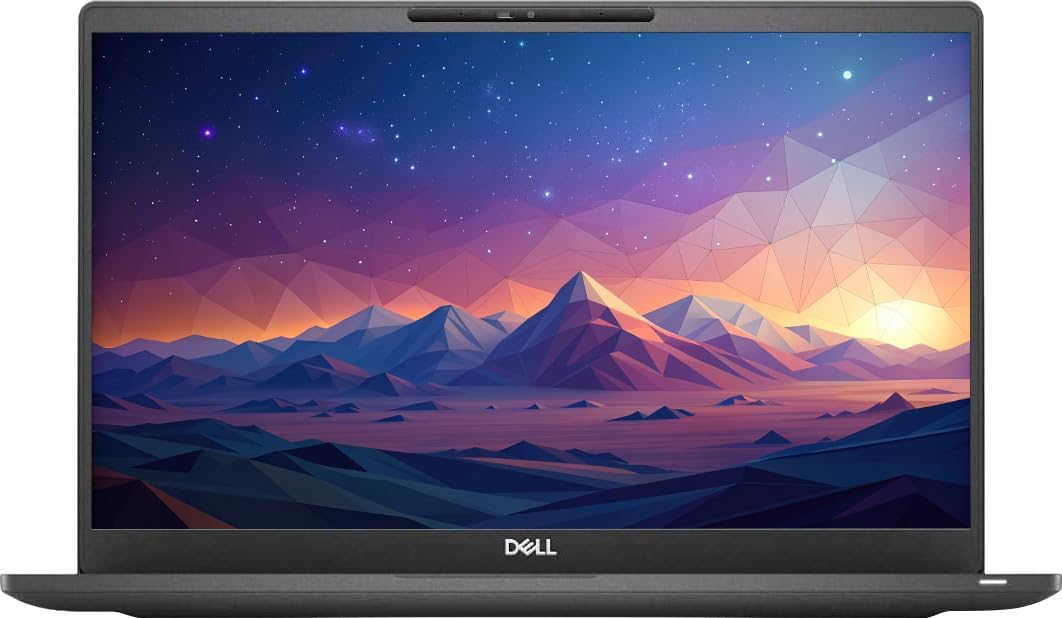
The Dell Latitude 5400 shown in this listing is a straightforward 14-inch business laptop with a 4.0 customer rating. It combines an Intel Core i5-8265U processor, 16GB of RAM, a 256GB SSD, and Windows 11 Pro, delivering the core specifications most buyers need for office and remote-work tasks.
We may earn a commission when you buy through this link, at no additional cost to you.
The quad-core, eight-thread processor can reach a listed 3.9 GHz and is suitable for documents, spreadsheets, presentations, video meetings, web applications, and several productivity programs running at once. Sixteen gigabytes of DDR4 memory is especially useful for browser-heavy workflows, while the SSD provides quick boots and responsive access to locally stored files.
The supplied details also highlight HDMI 1.4, USB 3.1, and a uSD 4.0 memory card reader. These connections are practical for external displays, peripherals, and removable storage. The 14-inch HD panel is the main weakness relative to Full HD competitors, because the lower resolution provides less screen area for detailed documents and side-by-side work.
This Latitude is recommended for buyers seeking a proven, straightforward business notebook without specialized features such as touch input. It is particularly compelling for general office productivity, study, and hybrid work. Buyers who spend much of the day looking at fine text or working in multiple windows may prefer the 512GB Latitude 5400 or the Dell Latitude 7400 with a Full HD panel.
Sixteen gigabytes gives the system comfortable headroom compared with the 8GB entry-level model. It is a useful configuration for keeping communication apps, browser tabs, and office documents open simultaneously.
USB 3.1, HDMI, and a uSD reader cover many common accessory needs. The configuration is straightforward and versatile for office peripherals, external storage, and media transfers.
We may earn a commission when you buy through this link, at no additional cost to you.
The Dell Latitude 7400 FHD offers a refined 14-inch business format with a 3.9 rating. Its defining combination is a Full HD 1920-by-1080 display, an Intel Core i5-8365U processor, 16GB of RAM, and a 256GB M.2 NVMe SSD, all running with Windows 11 Pro.
We may earn a commission when you buy through this link, at no additional cost to you.
The Core i5-8365U is a quad-core chip with a 1.6 GHz base speed and boost capability up to 4.1 GHz. It is appropriate for office software, communication, browsing, and business applications. NVMe storage improves responsiveness over slower drive types, while 16GB of memory gives comfortable room for multitasking and larger working sets.
The listing describes an Amazon Certified Refurbished process involving functionality testing, cleaning, inspection, and repackaging. It also states that the system includes relevant accessories, a minimum 90-day warranty, and may arrive in generic packaging. That transparency is helpful, although buyers should still inspect the specific unit and confirm its accessory list.
Its main limitations are a 256GB capacity and the use of an eighth-generation processor. Neither prevents productive office use, but they are less future-facing than the 512GB eleventh-generation Latitude 5420. The Latitude 7400 earns its place for buyers who prioritize screen resolution, established business styling, and a documented refurbishment process.
The 1920-by-1080 panel offers more usable resolution than the HD Latitude models. It provides additional detail for documents, spreadsheets, web pages, and presentations while retaining a conventional 14-inch footprint.
The described refurbishment process includes testing, inspection, cleaning, and repackaging, along with a stated minimum warranty. These are more concrete assurances than a bare renewed-condition label.
We may earn a commission when you buy through this link, at no additional cost to you.
The Dell Latitude 7490 pairs an Intel Core i7-8650U processor with 16GB of RAM and a 512GB SSD, creating a capable renewed business configuration. Its customer rating is 4.0, and Windows 11 Pro is preinstalled for users who want a business-oriented operating system with management and security features.
We may earn a commission when you buy through this link, at no additional cost to you.
The Core i7 designation provides additional headroom for multitasking, heavier office workflows, and multiple background applications compared with many Core i5 systems. The 16GB of memory and spacious 512GB SSD complement that processor, providing room for applications and locally stored documents without relying heavily on external storage.
The supplied information is less detailed about this listing's display resolution, ports, battery, and connectivity than some competing entries. It also describes the computer as professionally refurbished and tested, which supports confidence in basic functionality, but buyers should confirm the exact screen, included accessories, and warranty terms before purchasing.
This is a strong option for a buyer who values processor tier, memory, and storage over a specifically documented display or extensive port list. It is well suited to office work, remote collaboration, and business application use. The Latitude 5420 may be the safer all-round choice for buyers who need explicitly documented Thunderbolt 4 connectivity and an anti-glare Full HD display.
The Core i7-8650U gives this Latitude an advantage in CPU-oriented workloads and heavier multitasking. It is a useful option for business users who want additional processing capability without moving beyond 16GB of memory and 512GB of storage.
A 512GB SSD provides room for a substantial working collection. It is a better fit than 256GB configurations for locally installed applications, project folders, and downloaded business materials.
We may earn a commission when you buy through this link, at no additional cost to you.
The Dell Latitude 5400 512GB ranks highly because it balances the features that matter most in a renewed business notebook: a Core i5 processor, 16GB of memory, a 512GB SSD, Windows 11 Pro, useful connectivity, and a 3.3-pound weight. Its 4.1 customer rating is the highest numerical rating among the selections with published scores.
We may earn a commission when you buy through this link, at no additional cost to you.
The Intel Core i5-8365U is a quad-core processor operating at a listed 1.60 GHz. It is well matched to standard business productivity, including documents, spreadsheets, presentations, browser-based applications, and communication tools. The 16GB of DDR4 RAM supports several open applications, while the 512GB SSD offers both quick response and enough capacity for a practical local file library.
Its port selection is unusually useful for a renewed notebook. The listing identifies three USB 3.0 ports, one USB Type-C port, HDMI, an SD card reader, a combined headphone and microphone jack, integrated Wi-Fi, Bluetooth, and RJ45 Ethernet. The dimensions are listed as 0.8 by 12.7 by 8.5 inches, making it suitably compact for regular commuting.
The main uncertainty is display resolution, which the product title does not specify, and the age of the eighth-generation processor. Neither issue prevents this model from being an excellent general-purpose business choice, but a buyer who needs a confirmed Full HD panel can look to the Latitude 7400 or 7420. For most productivity-focused shoppers, the 5400 512GB provides the most persuasive overall combination.
The 512GB SSD and 16GB RAM combination avoids the compromises of both entry-level and storage-heavy configurations. It gives users space to install applications and keep active work locally while maintaining enough memory for routine multitasking.
Multiple USB-A ports, USB-C, HDMI, Ethernet, and an SD reader cover common office needs. This variety makes the notebook easier to use with existing monitors, wired networks, storage devices, and peripherals.
At a listed 3.3 pounds, the system is suitable for a mobile work routine. Its compact dimensions and broad port selection make it easier to transition between a home desk, office, and meeting room.
We may earn a commission when you buy through this link, at no additional cost to you.
The HP EliteBook 840 G5 is a well-specified alternative to the Dell Latitude options, with a 3.9 rating, a 14-inch Full HD display, a quad-core Core i5-8350U, 16GB of DDR4 RAM, and a 512GB SSD. It also runs Windows 11 Pro 64-bit with support for English, Spanish, and French.
We may earn a commission when you buy through this link, at no additional cost to you.
The hardware is designed for routine business use. The Core i5-8350U provides adequate performance for office applications, browser workflows, email, video meetings, and active multitasking. Memory is a particular strength because 16GB reduces the likelihood of slowdowns when several browser tabs and productivity applications remain open together.
The absence of a wireless card and DVD drive needs careful consideration. The listing explicitly says that no wireless card is included, which could require an additional purchase or installation. Users should therefore verify whether the notebook has integrated Wi-Fi hardware and whether a compatible card is necessary. The lack of an optical drive is less consequential for modern software-based workflows.
This EliteBook is best for a buyer who wants a Full HD screen and generous memory and storage but can confirm the missing wireless-card situation. It is also described as refurbished, tested, and cleaned by Amazon-qualified vendors, providing a clearer condition-oriented description than some listings. Overall, it is a capable business system, but not a turnkey purchase without checking its network configuration.
The 1920-by-1080 panel gives users more room and detail than an HD display. It is well suited to spreadsheets, browser research, documents, and presentations where screen readability matters.
Because the supplied details state that no wireless card is included, buyers should confirm the exact configuration before ordering. A replacement module and suitable installation may be necessary for wireless use.
We may earn a commission when you buy through this link, at no additional cost to you.
The HP ProBook 440 G7 combines a 14-inch Full HD anti-glare display, 16GB of RAM, a 256GB SSD, and an Intel Core i5-10210U with a 5.0 customer rating. It is the strongest budget-oriented recommendation here because it avoids basic specifications while remaining portable and well connected.
We may earn a commission when you buy through this link, at no additional cost to you.
The Core i5-10210U has four cores, eight threads, a listed 1.6 GHz base frequency, boost capability up to 4.2 GHz, and a 6MB cache. That specification is appropriate for office software, communication, browsing, and regular multitasking. The 16GB memory allowance is generous for the category, while SSD storage helps maintain a responsive experience.
Its connectivity includes one USB 3.1 Type-C port, two USB 3.1 Gen 1 ports, one USB 2.0 port, HDMI, a combined audio interface, RJ45 Ethernet, a power connection, and 802.11ac wireless support. At 3.5 pounds with a 16:9 display, the ProBook is well suited to commuting and travel.
Storage is the clearest limitation, and the refurbishment note says accessories may not be original even though they remain compatible and functional. Packaging may also arrive in a regular box. Those factors should be considered, but they do not outweigh the strong display, memory, processor, and connectivity package for budget-conscious office users.
The anti-glare 1920-by-1080 screen can improve comfort during long work sessions and offers useful resolution in a portable enclosure. A listed weight of 3.5 pounds reinforces the model's suitability for commuters.
USB-C, multiple USB-A connections, HDMI, Ethernet, and wireless support cover a broad range of office environments. The variety is useful for existing peripherals without requiring a large collection of adapters.
The listing says the computer has been inspected, tested, and cleaned. It also clearly notes that compatible accessories may not be original and that standard packaging may be used, helping buyers set appropriate expectations.
We may earn a commission when you buy through this link, at no additional cost to you.
The Dell Latitude 7420 combines a relatively modern Core i7-1165G7 processor with a Full HD anti-glare display, 16GB of RAM, and a 512GB PCIe M.2 NVMe SSD. Its 3.7 customer rating is the lowest among the scored products, but the supplied specifications indicate a capable renewed business laptop.
We may earn a commission when you buy through this link, at no additional cost to you.
The 11th-generation Core i7 is a quad-core processor listed up to 4.70 GHz with a 12MB cache. It offers useful performance for business applications, multitasking, and heavier productivity workflows. Intel Iris Xe graphics, Wi-Fi 6, and Bluetooth further modernize the platform, while the NVMe SSD provides quick boot and file access.
The 14-inch Full HD display is specified at 250 nits with wide viewing angles and an anti-glare finish. The notebook also includes a webcam, backlit keyboard, USB ports, HDMI, and no DVD drive. Windows 11 is described as a brand-new installation without common manufacturer bloatware, and renewed systems are stated to include a 90-day warranty and technical support.
The non-touch display and lower customer rating are the main reservations. The screen may also be less bright than premium panels, although 250 nits can still suit office environments. Overall, the Latitude 7420 is attractive for buyers who prioritize a newer processor, NVMe storage, wireless standards, and clean Windows installation over touch input or a higher published rating.
The Core i7-1165G7 and Intel Iris Xe graphics place this model closer to contemporary business laptops than the eighth-generation alternatives. It offers additional headroom for multitasking and visually oriented productivity work.
A newly installed Windows 11 without common preinstalled bloatware can make initial setup more straightforward. The stated warranty and technical support also provide a useful foundation for a renewed purchase.
We may earn a commission when you buy through this link, at no additional cost to you.
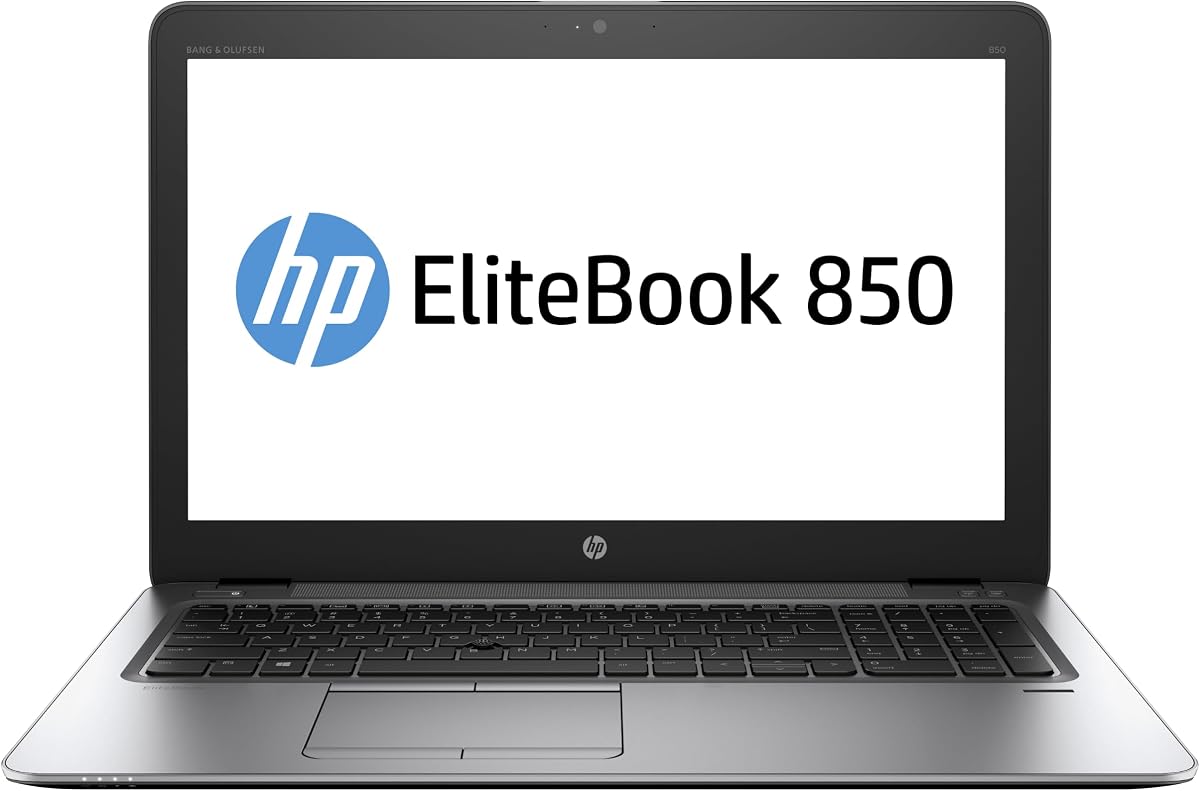
The HP EliteBook 850 G3 is the large-screen alternative in this collection, combining a 15.6-inch HD display with a Core i7-6600, 16GB of DDR4 memory, and a 512GB M.2 SSD. It is particularly relevant for users who want more screen space and do not need the most current processor architecture.
We may earn a commission when you buy through this link, at no additional cost to you.
The supplied description positions the Core i7-6600 as a dependable option for everyday work, browsing, and streaming. Sixteen gigabytes of memory and SSD storage support active multitasking, quick startup, and room for files and applications. The built-in webcam and microphone support video communication, while Wi-Fi and Bluetooth provide convenient wireless connectivity.
The model is described as professionally refurbished, tested, certified to look and work like new, and backed by a 90-day warranty and technical support. Windows 11 Pro is stated to be preinstalled and activated, reducing setup friction for buyers who want to begin using the system immediately.
The disadvantages are its older processor generation and lack of a published numerical customer rating. A 15.6-inch HD panel also offers more physical workspace than a 14-inch Full HD model but not greater pixel density. It is best for users who prioritize screen area, memory, storage, and an activated operating system over platform recency.
The 15.6-inch display gives spreadsheets, web pages, and side-by-side applications more physical workspace. It can be especially useful in a fixed desk setup or for users who prefer larger text and controls.
Windows 11 Pro is described as preinstalled and activated, while the webcam, microphone, Wi-Fi, and Bluetooth support common communication tasks. The refurbishment statement and warranty add clarity to the purchase.
We may earn a commission when you buy through this link, at no additional cost to you.
The right renewed business laptop depends on the workload, working environment, display preferences, and level of refurbishment assurance. Comparing processors, memory, storage, connectivity, and warranty terms is more useful than relying on model age alone.
Processor generation is one of the most important distinctions in this category. The Core i5-10210U in the ProBook 440 G7, Core i5-1145G7 in the Latitude 5420, and Core i7-1165G7 in the Latitude 7420 are newer than several eighth-generation alternatives. Newer platforms can offer better efficiency, integrated graphics, and longer remaining support cycles. However, an older Core i5 may still be sufficient for ordinary office work, and the Celeron N5030 is a separate entry-level class best reserved for lighter tasks.
Memory determines how comfortably a system can keep applications and browser tabs active at the same time. Most of the stronger choices include 16GB of DDR4 RAM, which is a sensible target for business productivity, communication tools, and research-heavy browsing. The Dell Latitude 3190 offers 8GB, making it suitable for lighter use but less comfortable when many applications remain open. For a renewed computer expected to last several years, 16GB is generally the more versatile target.
Every listed configuration uses solid-state storage, which is preferable to a mechanical hard drive for everyday responsiveness. Capacity remains an important distinction. A 128GB drive is restrictive, 256GB is workable for a modest local collection, and 512GB provides considerably more room for applications, work files, and media. Drive interface also matters: the Latitude 7400 and 7420 use NVMe, while other listings identify PCIe, M.2, or general SSD storage. Buyers should consider both capacity and the general performance benefit of SSD media.
Screen size and resolution serve different purposes. The 15.6-inch HP EliteBook 850 G3 provides a large physical canvas, while the 14-inch Full HD Latitude and HP models offer greater pixel detail. The Latitude 3190's 11.6-inch touchscreen is useful for tablet-style interaction but carries a smaller working area. The Dell Latitude 5400 listing does not specify resolution, so buyers should verify that detail. Anti-glare panels can also be advantageous under bright office lighting.
A business laptop should connect easily to the peripherals already in your workspace. The Dell Latitude 5420 has the most explicitly modern selection, including two Thunderbolt 4 ports, HDMI 2.0, USB, a card slot, and Ethernet. The Latitude 5400 512GB and HP ProBook 440 G7 also provide broad port arrays. Wi-Fi 6 appears on the Latitude 5420 and 7420, while Bluetooth is common throughout. USB-C may support display or charging depending on the exact model, so accessory compatibility deserves confirmation.
Renewed does not describe one standardized condition across every listing. Some products specify professional inspection, testing, cleaning, and repackaging, while others mention certification or a 90-day warranty and technical support. The Dell Latitude 7400 provides a detailed certified-refurbishment description, and the HP EliteBook 850 G3 states that it is tested and certified. Listings also warn that units may arrive in generic boxes and that accessories may not be original. Reviewing the specific seller's condition statement is essential.
All ten products are presented with Windows 11 Pro, although one Latitude 5420 specification also mentions Windows 10 Pro, so the installed state should be confirmed. Windows 11 Pro provides security and management features useful to organizations and advanced users. Several listings specifically mention 64-bit support, multilingual interfaces, virtualization, or remote access. A fresh installation without manufacturer bloatware can make initial setup easier, although buyers should still plan to update Windows, install their required applications, and activate a backup solution.
Portability depends on screen size, weight, and battery condition. The Latitude 3190 is the most compact option, the Latitude 5400 512GB is listed at 3.3 pounds, and the HP ProBook 440 G7 at 3.5 pounds. The Latitude 5420 includes a 63Wh express-charge-capable battery, while the HP EliteBook 840 G5 description mentions a long-lasting battery. Refurbished battery health varies, so shoppers should review the condition report, charger inclusion, and any available battery-capacity information before traveling regularly.
Begin by confirming that the computer arrives with the expected power adapter and accessories, then inspect the chassis, display, keyboard, touchpad, ports, and webcam before completing setup. Review the refurbishment condition details, serial or service information, and warranty terms. If a component appears damaged or does not function as described, contact the seller promptly before the return window closes.
After powering on, complete Windows 11 updates, activate Windows if necessary, and install a current security suite or use the protections already available in the operating system. Add your preferred browser, productivity applications, cloud storage, and password manager. Create a reliable backup strategy using cloud services or an external drive, and enable encryption or a device-lock feature to protect business and personal information.
For long-term care, keep vents unobstructed and avoid placing the computer on soft surfaces that can block cooling. Clean the display with a soft microfiber cloth and use compressed air or a suitable electronic-device brush for dust. Charge within the manufacturer's recommended temperature range, avoid leaving the battery completely depleted for extended periods, and schedule regular operating-system and application updates to maintain security and compatibility.
A refurbished laptop can be dependable when it has been professionally inspected, tested, and covered by a clear warranty. The ten models here all use solid-state storage, and most include 16GB of RAM and business-oriented processors. Reliability also depends on the quality of the refurbishment, the condition of individual components, and the seller’s return and warranty policies. Reviewing those terms is essential before purchase.
A Core i5 is sufficient for most office work, browsing, communication, and moderate multitasking. A Core i7 provides additional processing headroom for heavier workloads, more active applications, and more demanding business software. The right choice also depends on the processor generation because a newer Core i5 can be more attractive than an older Core i7. Consider the entire configuration rather than relying on the processor tier alone.
Yes, 16GB is a strong target for normal business productivity, many browser tabs, and multiple office applications. It also provides a better foundation for future use than 8GB. The 8GB Dell Latitude 3190 remains reasonable for basic tasks, but buyers who expect sustained multitasking should favor one of the many 16GB options. Very specialized software may require additional memory.
A 256GB SSD is workable for a lean setup focused on cloud storage, while 512GB gives more room for applications, work files, and downloads. A 128GB drive can become restrictive quickly. The best choice depends on how much data you retain locally and whether you use external storage. For most business users, 512GB offers the most comfortable balance.
Check the processor, memory, storage capacity, display resolution, operating-system activation, included charger, and port layout. Review the condition grade, refurbishment testing, warranty duration, return policy, and whether accessories are original. Also verify details that listings may leave ambiguous, especially wireless-card inclusion, display resolution, battery condition, and the exact operating system installed.
A 14-inch model is generally easier to carry and often provides higher pixel density when it has a Full HD display. The 15.6-inch HP EliteBook 850 G3 offers more physical workspace and can be preferable for prolonged desk use or users who want larger text and controls. The right choice depends on mobility, screen comfort, and whether you value compactness or a larger work area.
Each product is presented as a Windows 11 laptop, and the listings reference Windows 11 Pro. The Dell Latitude 5420 specifications also mention Windows 10 Pro, so that particular listing should be checked for the current installation. On every system, confirm activation, complete the initial Windows update, and install necessary drivers before beginning regular work.
A touchscreen is valuable for tablet-style interaction, presentations, pen use, and certain touch-oriented workflows. It is less important for conventional office work and can add complexity or cost when it is unnecessary. The Dell Latitude 3190 is the only 2-in-1 in this group, making it distinctive, while the other models prioritize standard clamshell use.
The Dell Latitude 5400 512GB is the strongest all-around recommendation because it combines a Core i5 processor, 16GB of memory, 512GB of storage, a useful port array, and a portable 3.3-pound design. The HP ProBook 440 G7 is the budget pick, offering a Full HD anti-glare screen and 16GB RAM, while the Dell Latitude 7400 FHD stands out for its documented refurbishment process and Full HD business display.
Prioritize the specifications tied to your daily work rather than the model name alone. Most users should seek 16GB of memory, at least 256GB of SSD storage, and a processor appropriate to their workload. Full HD is preferable for detailed work, a larger screen improves physical workspace, and robust connectivity matters when you regularly use monitors, docks, wired networks, or external storage.
Finally, check the current listing, condition report, included accessories, warranty, and return terms immediately before ordering. Renewed inventory and pricing can change, and the same model may be represented by different sellers or configurations. The links in this guide direct you to the relevant product pages, where those final details should be confirmed.


