Our Distance WiFi Extender guide compares coverage, wireless standards, ports, setup modes, outdoor durability, and device support to help you choose the right
As an Amazon Associate we earn from qualifying purchases. We may earn a commission when you buy through links on this page, at no additional cost to you.As an Amazon Associate we earn from qualifying purchases.Purchases through our links may earn us a commission, at no extra cost to you.
A distance WiFi extender can carry a stronger signal into bedrooms, basements, garages, yards, and other areas where the main router struggles. The right model depends on your home layout, walls, available wiring, wireless standard, and how far the signal must travel. Good extenders improve reliability without creating complicated network conflicts.
We compared ten indoor and outdoor extenders by examining stated band speeds, coverage claims, antenna design, operating modes, Ethernet support, device capacity, weather resistance, and setup requirements. The list includes budget dual-band units, WiFi 6 and WiFi 7 models, and specialized outdoor bridges for farms, shops, and remote buildings.
Each pick reveals a different path to better reach, from a versatile TP-Link indoor extender to rugged point-to-point equipment. Ratings and specifications are based on the supplied product information, while availability and retailer details can change. Read the comparisons and installation notes before selecting the right model.
Top 3 Picks for Best Distance WiFi Extender
Best Budget
WiFi Extender Signal Booster for Home, Covers Up to 18,000 Sq Ft, Long Range Wireless Internet Repeater with Ethernet Port, Eliminates Dead Zones, Reduces Buffering, Supports 65+ Devices, 1-Tap Setup
Top 10 Best Distance WiFi Extender in 2026 Compared
The table below compares the ten products by their strongest practical traits, including the intended installation environment, wireless generation, connectivity options, and setup approach.
The TP-Link AX3000 is a dual-band WiFi 6 extender designed to improve coverage across as much as 2,400 square feet. It has a 4.1 rating and stands out for its combination of modern wireless capabilities, directional antennas, beamforming, app-assisted placement, and a gigabit Ethernet port. It is a strong all-around choice for a typical home network.
Pros
Modern WiFi 6 standard
Strong dual-band capacity
Flexible wired and AP modes
Intuitive Tether app
Broad device compatibility
Cons
No 6GHz band support
Extenders cannot increase source speed
We may earn a commission when you buy through this link, at no additional cost to you.
Its stated band maximum is 2,404Mbps on 5GHz and 574Mbps on 2.4GHz, offering enough headroom for demanding clients on a suitable network. Two high-gain directional antennas focus the signal, while beamforming is intended to improve strength and reliability. The product supports up to 64 devices and includes smart roaming, allowing compatible devices to move between the router and extender without manual switching.
The extender also supports EasyMesh-compatible routers, though the supplied information specifically notes that it is not compatible with Deco mesh systems. AP mode can create a wireless network from a wired connection, and the Ethernet port can serve a nearby computer, television, or game console. These features make it more versatile than a basic repeater, although the product's own guidance correctly warns that a repeater can reduce realized throughput.
This is the most balanced recommendation for someone who wants more than basic range extension without moving into outdoor networking. It suits users with mixed WiFi 6 devices, a need for wired connectivity, and a preference for app-based management. Choose it over specialized outdoor bridges when the goal is extending a residential network through interior dead zones.
Flexible Connectivity for Modern Homes
The gigabit Ethernet port adds a useful wired option, while AP mode can turn an existing wired connection into a WiFi access point. These alternatives make the extender useful even when repeating is not the preferred arrangement.
Placement Made Easier by the Tether App
The intelligent signal indicator helps identify a position with a stronger connection to the main router. Firmware access through the Tether app also makes routine network maintenance more convenient.
The Baetaey extender is designed for broad home coverage, with a stated area of up to 15,000 square feet and a 5.0 rating. Its strongest appeal is simplicity: one WPS-button setup, four adjustable external antennas, and compatibility with standard routers, gateways, and access points. It is aimed at users who want a noticeable reach improvement without navigating a complex configuration process.
Pros
High 5.0 customer rating
Very simple WPS setup
Four adjustable antennas
Broad device compatibility
Multiple installation modes
Cons
Single-band wireless performance
Coverage claim is ideal-condition dependent
We may earn a commission when you buy through this link, at no additional cost to you.
The device operates on 2.4GHz with stated 300Mbps wireless performance. That band is well suited to longer propagation through walls and floors, making it practical for general browsing, streaming, calls, gaming, and connected-home equipment. Four external antennas can be repositioned to face the router and the area with the weakest coverage, while the unit is said to support more than 70 connected devices.
Four modes are offered: Repeater, Bridge, Access Point, and Router. This flexibility is valuable because a user can choose whether to extend an existing wireless network, bridge wired equipment, create an access point, or operate the device as a router. The supplied information also states support for WEP and WPA/WPA2 security, which should be matched to the security capabilities of the home network.
This is a practical pick for large homes, offices, and other spaces where 2.4GHz reach and convenient setup matter more than the newest wireless standard. It is less appropriate for users seeking a high-capacity 5GHz link for latency-sensitive gaming or very large file transfers. Placement and a strong router-to-extender connection remain central to achieving the stated coverage.
One-Button Connection for Quick Setup
Pressing WPS on the router and extender is intended to establish the wireless connection quickly. This is a practical choice for users who want minimal configuration, although confirming the extender's location and security settings is still important.
Adjustable Antennas for Targeted Reach
The four external antennas can be oriented to improve the path between the main router and weak areas. Careful adjustment is often more valuable than simply installing the unit in the location with the poorest signal.
The TP-Link RE550 is a mature AC1900 dual-band repeater with a 4.3 rating. It offers stated speeds of up to 1,300Mbps on 5GHz and 600Mbps on 2.4GHz, three adjustable external antennas, and coverage for as much as 2,100 square feet. It is a sensible choice for homes whose router and clients operate on WiFi 5 or mixed generations.
Pros
Reliable dual-band architecture
Gigabit wired connection
Three adjustable antennas
EasyMesh router compatibility
Established app-based management
Cons
Older WiFi 5 standard
Lower device capacity than newer models
We may earn a commission when you buy through this link, at no additional cost to you.
Beamforming supports more focused wireless transmission, and the device is stated to handle up to 32 connected clients. It works with EasyMesh-compatible routers, although it is not compatible with Deco mesh systems. Like the TP-Link AX3000, it includes a gigabit Ethernet port, access-point mode, smart roaming, and a Tether app with placement guidance and firmware updates.
The RE550 is less advanced than current WiFi 6 and WiFi 7 extenders, but that can make it a more measured fit where older wireless hardware is already in use. Its three antennas provide flexibility in orientation, and dual-band operation lets compatible devices move between the faster 5GHz network and the longer-reaching 2.4GHz network. A wired device can also be connected through the Ethernet port.
This model is best for a user who values a straightforward dual-band extender, useful wired connectivity, and established TP-Link management features. It is not the leading choice for a new WiFi 7 installation or a home with more than 32 active wireless clients. The most important rule remains placing it where it still receives a strong signal from the main router.
Dual-Band Flexibility for Mixed Devices
The 5GHz band favors faster local transfers and modern media, while 2.4GHz offers greater reach through household obstructions. Supporting both bands lets the network adapt to different rooms and client capabilities.
Wired and Wireless Options
A gigabit Ethernet port can support a nearby fixed device, and access-point mode can create a dedicated wireless network from a wired connection. These options provide alternatives when wireless repetition is inconvenient.
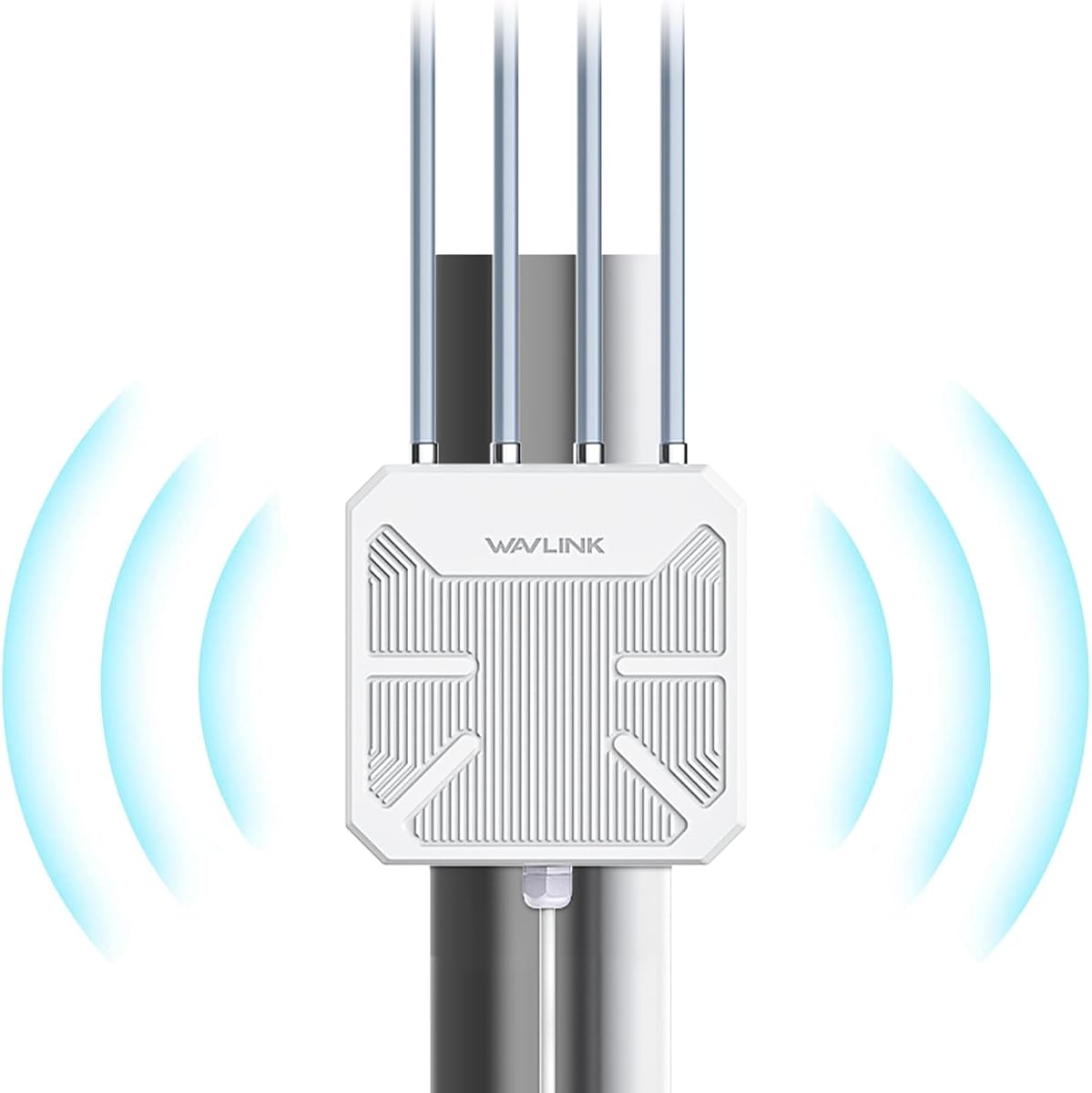
The WAVLINK AX1800 is an outdoor WiFi 6 extender intended for yards, garages, farms, estates, parking areas, and other open environments. Its 4.5 rating reflects a feature set that goes beyond typical indoor repeaters: an IP67 sealed housing, four detachable 8dBi antennas, PoE support, and operation across several network modes.
Pros
Weather-resistant outdoor design
High-gain detachable antennas
Supports Starlink Ethernet setups
Flexible PoE installation
Multiple networking modes
Cons
Requires careful outdoor installation
PoE adapter is not weatherproof
We may earn a commission when you buy through this link, at no additional cost to you.
Stated dual-band performance reaches 1,201Mbps on 5GHz and 574Mbps on 2.4GHz. The product claims a 200-300-meter radius in line-of-sight conditions and support for up to 256 devices. Its operating range from -20°C to 50°C, along with resistance to dust, moisture, lightning, and static discharge, makes it better suited to exposed installations than an indoor range extender.
The unit supports active 802.3af/AT PoE and passive PoE, allowing power and data to travel through one Ethernet cable. Its included passive PoE adapter is not waterproof and must be sheltered, while the outdoor unit should be mounted where rain and direct exposure will not create avoidable risk. Mesh, AP, Router, Repeater, and AP-plus-Repeater modes allow several network arrangements.
This is the strongest recommendation for extending coverage beyond the walls of a house, particularly when a wired run is difficult. It can also connect with Starlink Gen 2 or Gen 3 equipment through the appropriate Ethernet adapter. Users seeking an indoor unit with simpler setup should choose one of the indoor extenders instead.
Outdoor Protection for Demanding Locations
The fully sealed IP67 casing is designed to resist moisture, dust, temperature extremes, and electrical discharge. Even with a rugged enclosure, correct sealing and cable routing remain essential.
Long Reach with High-Gain Antennas
Four detachable 8dBi omnidirectional antennas can distribute a strong signal across a yard or open property. The stated radius depends heavily on line of sight, obstacles, mounting height, and the quality of the upstream connection.
The TP-Link RE223BE is a dual-band WiFi 7 range extender built for homes that already have a WiFi 7 router. Its 4.2 rating and stated maximum of 3.2Gbps total bandwidth make it the most advanced wireless standard among the indoor options in this guide, although the benefit depends on compatible clients and infrastructure.
Pros
Latest WiFi 7 generation
Multi-Link Operation support
Four optimized antennas
Broad device compatibility
App-assisted placement
Cons
No 6GHz band support
Benefits require compatible infrastructure
We may earn a commission when you buy through this link, at no additional cost to you.
When paired with a WiFi 7 router, the extender can use Multi-Link Operation, Multi-RUs, 160MHz channels, and 4K-QAM as applicable. Its band maximums are 2,594Mbps at 5GHz and 688Mbps at 2.4GHz. Four antennas and beamforming are intended to improve range and reliability, while stated capacity reaches 64 devices.
Despite its WiFi 7 designation, this is a dual-band device operating on 2.4GHz and 5GHz; it does not support 6GHz. It includes EasyMesh compatibility, smart roaming, a gigabit Ethernet port, access-point mode, and Tether app management. As with all wireless repeaters, the manufacturer notes that actual speeds may be 50% or less than the current source speeds because the signal is received and transmitted again.
Choose this model when a WiFi 7 router, WiFi 7 phone, or recent WiFi 7 laptop is central to the household network and a future-proof extender is desirable. For most mixed homes, the AX3000 or AX1800 models may be more practical because they offer modern dual-band performance with less demanding network requirements.
WiFi 7 Performance with Modern Routers
Multi-Link Operation can combine the 2.4GHz and 5GHz bands to improve throughput, latency, and reliability. The advantage is most meaningful when paired with a capable WiFi 7 router and compatible client hardware.
Dual-Band With Gigabit Ethernet
The extender remains compatible with 2.4GHz and 5GHz networks and includes a gigabit Ethernet port. A nearby fixed device can use the wired path while wireless clients benefit from the extended broadcast.
This five-mode extender is a flexible home networking option with a 5.0 rating. It claims coverage for up to 10,000 square feet, uses a 2.4GHz ultra-core processor, and is stated to support more than 65 connected devices. Its appeal lies in the number of installation options rather than a new wireless standard.
Pros
Five operating modes
High 5.0 customer rating
One-touch WPS setup
Broad router compatibility
Ethernet connection support
Cons
Primarily 2.4GHz performance
Mesh wording may imply broader support
We may earn a commission when you buy through this link, at no additional cost to you.
Repeater, Client, AP, Bridge, and Router modes are available, allowing the device to fill a wireless dead zone, connect as a client, create an access point, bridge a wired network, or function as a router. Setup can be completed by pressing WPS on both the extender and the existing router. The Ethernet port offers an alternative for a nearby fixed device.
Four external antennas are included to support the stated 10,000-square-foot coverage, while WPA and WPA2 protocols provide the stated security support. The product is advertised as compatible with 99% of WiFi routers on the market. Actual performance will depend on the original router, distance, wall materials, interference, and whether the extender is installed where it can receive a strong upstream signal.
This extender is most appropriate for users who need several connection modes and a simple one-button setup. It is less compelling for a modern high-speed home dominated by 5GHz clients, because its supplied specifications emphasize a 2.4GHz processor. The five modes and Ethernet option compensate by making it adaptable to a range of network layouts.
One Device for Several Network Roles
The operating modes let the unit adapt as a household network changes. This is helpful for renters, offices, and homes where a permanent Ethernet run is not always possible.
Broad Compatibility With Existing Routers
WPS pairing and stated support for widely used router brands reduce compatibility barriers. Users should still confirm that their router supports the required setup method and current security standard.
The Hyzom extender is a budget-focused home booster with a 4.8 rating. Its product title refers to coverage of up to 18,000 square feet, while the supplied description states 15,000 square feet. In either case, the central promise is broad reach for bedrooms, garages, basements, and other poorly served spaces, with support for more than 65 devices.
Pros
High 4.8 customer rating
Simple WPS pairing
Browser-based setup option
Broad stated coverage
WPA2-PSK security
Cons
Coverage area varies by conditions
No 5GHz specification listed
We may earn a commission when you buy through this link, at no additional cost to you.
Four high-gain antennas and a bionic chip are used to provide the stated long-range performance. The device supports WPS for quick pairing or a guided browser installation, making it accessible to users who do not want to depend entirely on an app. An Ethernet port allows a computer, television, or console to receive a wired connection when appropriate.
The extender uses WPA2-PSK encryption according to the supplied information, offering a standard way to protect the extended network. It is positioned for streaming, video calls, gaming, work, study, and smart-security devices. Like all repeaters, its real-world result depends on the quality of the connection it receives from the router, so a midpoint placement generally produces better results than a position at the far end of the property.
This model is a compelling budget recommendation for a large home or simple network that needs extra reach and wired flexibility. It is less suitable for users seeking high-capacity 5GHz throughput, a modern WiFi 6 or WiFi 7 feature set, or management through a dedicated smartphone application.
Two Friendly Ways to Begin
WPS provides a quick wireless pairing route, while browser-based guided installation offers another path. This makes the product approachable for a range of technical comfort levels.
Wired Access for Fixed Devices
The built-in Ethernet port can provide a more stable path for a nearby PC, game console, or television. This is particularly useful where a weak wireless connection affects the device more than bandwidth does.
The Eboous extender combines a 5.0 rating with a broad set of home-networking features. It advertises coverage of up to 15,000 square feet, support for 65 or more simultaneous devices, and a generous antenna array described as four plus four high-power FEM omnidirectional antennas. It is intended to cover multiple floors, exterior areas, and difficult indoor rooms.
Pros
High 5.0 customer rating
Eight external antennas
Five operating modes
Broad router compatibility
Ethernet connectivity
Cons
Marketing-heavy speed claims
Actual range requires good placement
We may earn a commission when you buy through this link, at no additional cost to you.
Five modes are offered: Repeater, Bridge, Access Point, Mesh, and Router. The inclusion of Mesh mode may be attractive to users who want a unified network, although compatibility with a particular mesh ecosystem should be confirmed. A one-touch WPS setup is also stated, and the Ethernet port supports fixed-device connections or an access-point arrangement.
The supplied description refers to six-times-faster performance, bionic-chip processing, and improved handling of 4K streaming and gaming. These are marketing claims rather than guaranteed real-world results. The extender repeats an existing signal, so its final speed is constrained by the router, client capabilities, interference, distance, and the overhead of receiving and resending traffic.
This model is a good general option for a home that needs extensive coverage, several operating modes, and an Ethernet connection. It is especially useful for users who prioritize antenna flexibility and broad device capacity. Those seeking a clearly documented WiFi 6 or WiFi 7 specification may prefer a named TP-Link model with more standardized technical information.
Eight Antennas for Flexible Orientation
The large antenna count can provide several orientation options in a complex home. Positioning can be adjusted to improve communication with the router and reach toward the intended weak zone.
Five Modes for Different Household Needs
Repeater, Bridge, Access Point, Mesh, and Router modes provide several roles for one enclosure. They also require care because selecting the wrong mode may create duplicate networks or prevent expected roaming behavior.
The TP-Link RE615X is a dual-band WiFi 6 extender with a 4.2 rating and a stated total bandwidth of 1,775Mbps. It reaches up to 1,201Mbps on 5GHz and 574Mbps on 2.4GHz, making it a capable indoor option for homes that want a wireless-standard upgrade without moving to the fastest available extender class.
Pros
Modern WiFi 6 support
Compact indoor design
Gigabit Ethernet port
EasyMesh router compatibility
Tether app management
Cons
Lower total speed than AX3000
Does not support 6GHz
We may earn a commission when you buy through this link, at no additional cost to you.
Two high-gain directional antennas and beamforming are intended to improve signal strength and reliability over an area of up to 2,100 square feet. The unit is stated to support up to 64 devices. A gigabit Ethernet port offers a wired path for a nearby device, while access-point mode can turn a wired connection into a wireless hotspot.
The RE615X supports EasyMesh-compatible routers but not Deco systems. Smart roaming helps compatible clients move toward a stronger signal, and the Tether app includes an intelligent signal indicator for placement and firmware management. The supplied information notes that the unit operates only on 2.4GHz and 5GHz, despite a mistaken reference to WiFi 7 in its description.
This is a good recommendation for a medium home with mixed WiFi 6 devices, especially one that also needs a wired connection nearby. It may be more practical than the AX3000 when maximum throughput is unnecessary. It is not the right choice for a 6GHz network or an outdoor installation.
Balanced WiFi 6 Performance
Dual-band WiFi 6 provides a modern standard and stronger overall capacity than many basic 2.4GHz repeaters. The RE615X balances that capability with a straightforward indoor form.
App-Guided Installation and Maintenance
The Tether app helps identify a stronger connection point and provides access to firmware updates. This support reduces the need to move the unit repeatedly by guesswork.
The AdaLov CPE660 is a specialized 5.8GHz outdoor wireless bridge rather than a conventional in-home repeater. Its 4.4 rating reflects a focused design for connecting two locations up to 3KM apart with clear line of sight. Typical uses include linking a house to a garage, barn, shop, warehouse, camera location, or other remote building.
Pros
Purpose-built directional wireless link
Long stated outdoor range
Pre-paired WDS configuration
IP65 weather-resistant housing
Adjustable mounting hardware
Cons
Requires two matched units
Clear line of sight is essential
We may earn a commission when you buy through this link, at no additional cost to you.
Each unit has an integrated 14dBi directional antenna that concentrates the wireless link toward its paired unit. Stated wireless performance reaches 300Mbps, while two 100Mbps Ethernet ports provide connections for the local network and PoE power. One port supports 24V PoE only; the other accepts 24-48V PoE. The supplied information warns not to connect a higher-voltage PoE switch to the 24V-only port.
The CPE660 arrives pre-programmed in WDS bridge mode, which simplifies initial point-to-point setup. Users mount both units, connect the included PoE adapters, aim the antennas at each other, and power them on. Adjustable wall and pole brackets support careful alignment, while the IP65 enclosure helps protect against rain, dust, and changing weather.
This is the right product when the objective is to carry a network between separate buildings without a long Ethernet run. It is not a substitute for a general indoor range extender, and the distance claim depends on a clear line of sight. Users needing broad client access around one property should examine the WAVLINK instead.
Directional Links Between Buildings
The 14dBi antenna focuses energy toward the second CPE660 rather than spreading it evenly in every direction. This focused design is what makes a stable long-distance building link practical.
Correct PoE Port Selection
The two Ethernet ports do not accept identical PoE ranges. Selecting the proper port and voltage is essential to avoid damaging the unit while installing a remote link.
We may earn a commission when you buy through this link, at no additional cost to you.
Buying Guide – How to Choose the Best Distance WiFi Extender
The best distance WiFi extender depends on the area you need to cover, the router and client standards you already use, and whether the signal must remain indoors or travel across a property. These factors help narrow a broad selection to a practical model.
Match the Wireless Standard
A WiFi 6 or WiFi 7 extender is most useful when the main router and important clients support the same generation. Older WiFi 5 equipment can still benefit from a dual-band extender, but the newest standard cannot create features that the source router or client does not support. Matching standards also reduces confusion around high-speed modes, channels, and advanced functions such as Multi-Link Operation.
Understand Coverage Claims
Large area claims often describe an ideal configuration with few obstructions and a strong connection between the router and extender. Walls, floors, appliances, neighboring networks, antenna placement, and distance can reduce the usable area. Treat the stated square footage as a planning reference rather than a guarantee, and evaluate whether the product is meant for a single home, an open yard, or a line-of-sight link between buildings.
Consider Antenna Design
Omnidirectional antennas are convenient when the weak area is in several directions, while directional antennas focus energy along a narrower path. External antennas offer more adjustment, but they require thoughtful orientation. High-gain antennas can improve a link, although they also concentrate energy and may leave less-covered sides of a room or property.
Check Ethernet and PoE
An Ethernet port lets a nearby computer, television, or console use a wired connection instead of joining over WiFi. It can also support access-point mode when an extender is installed near Ethernet wiring. Outdoor models may use PoE to carry power and data through one cable, but active and passive PoE standards and supported voltage ranges must match the injector or switch.
Review Operating Modes
Repeater mode extends an existing wireless network, access-point mode creates WiFi from a wired connection, and bridge mode connects networks. Router and client modes serve additional arrangements. More modes can be useful, but they also make correct configuration more important, particularly when network names, security, and roaming behavior must be consistent.
Plan for Device Capacity
Modern households can easily exceed 30 active wireless clients through phones, televisions, speakers, cameras, and other connected products. Extenders with stated support for 64 or 65 devices provide a useful margin, but capacity does not guarantee high throughput for every client. A weak upstream link or crowded 2.4GHz environment can still produce poor results.
Evaluate Indoor or Outdoor Design
Indoor extenders prioritize a convenient outlet, compact enclosure, and simple placement. Outdoor models add weather sealing, sealed connectors, external high-gain antennas, and PoE options suited to remote locations. For outdoor equipment, follow the specified grounding, cabling, sealing, and operating-temperature requirements. Never assume that a splash-resistant indoor enclosure is suitable for exposed installation.
Account for Repetition Overhead
A wireless extender receives data from the router and transmits it again, which consumes radio time and can reduce throughput. TP-Link's supplied guidance notes that actual extender speeds may be 50% or less than current speeds. Placement near the main router's strong-signal zone, using Ethernet where possible, and reducing needless radio competition can improve the result.
How to Use and Care for Your Distance WiFi Extender
Begin by identifying the area that needs better service and the best wired or electrical location near it. The extender should receive a strong signal from the main router while remaining close enough to serve the intended client area. For indoor models, avoid enclosed cabinets, appliance housings, floors, and locations beside thick structural walls. Use the signal indicator, app guidance, or a simple connection test to compare several positions.
Connect the unit using the method specified in its manual. WPS is convenient when supported by the router, while app-based or browser-based setup provides more control over network names and security. If using an Ethernet connection, confirm the correct operating mode and ensure the cable length and standards are appropriate. Outdoor PoE installations require correct injector or switch compatibility, weatherproof connections, and the specified voltage on the intended port.
After installation, test near the router, at the edge of the extended area, and on floors or in outbuildings where problems were common. Update firmware when available, review connected-device behavior, and make small antenna or placement adjustments rather than repeatedly changing several settings at once. Clean indoor vents gently, keep outdoor housings free of obstructing debris, and inspect cables and seals periodically for weather damage.
Frequently Asked Questions
Where should I place a WiFi range extender?
Place the extender where it still receives a strong signal from the main router while covering the area that needs improvement. A hallway, central room, or near an upstairs landing is often more effective than placing it at the farthest dead zone. Use the signal indicator, app, or connection tests to compare positions, and avoid cabinets or locations surrounded by dense walls.
Do WiFi extenders reduce internet speed?
They can, because wireless extenders receive the signal and transmit it again, which creates additional radio overhead. The final result depends on the original router, client capabilities, distance, interference, and extender placement. Installing the unit in a strong-signal area, using a dual-band or newer model, and connecting nearby devices through Ethernet can improve the outcome.
Is a 2.4GHz extender good enough for whole-home coverage?
A 2.4GHz extender can be effective for general browsing, calls, smart-home devices, and moderate streaming because the band travels farther through obstructions. It may not provide the capacity of a 5GHz, WiFi 6, or WiFi 7 link for high-resolution media, downloads, or competitive gaming. The best result comes from pairing it with compatible high-speed equipment where needed.
Can I use a range extender with a mesh router?
It depends on the extender's compatibility. Several TP-Link models support EasyMesh-compatible routers but are expressly not compatible with Deco systems, while other products advertise a mesh mode. Check the current manufacturer requirements and avoid assuming that every mesh router and extender will form one seamless network.
Should I use an extender or run Ethernet?
Ethernet usually provides the most stable and consistent connection, especially for stationary computers, televisions, and consoles. A range extender is more convenient when cable installation is impractical or when mobile devices need broader wireless coverage. If a nearby Ethernet outlet exists, an access-point or wired-client arrangement may be preferable to wireless repetition.
Can an outdoor extender work with an indoor router?
Yes, an outdoor extender can receive a connection from an indoor router when placed within a usable signal area. The outdoor unit and its PoE adapter must be installed according to the instructions, and the included indoor PoE adapter should remain in a dry location. Long outdoor coverage also depends heavily on line of sight and proper antenna alignment.
What is the difference between an extender and a point-to-point bridge?
A general extender broadcasts a wireless signal to clients in the same area and may support several operating modes. A point-to-point bridge creates a focused link between two fixed locations, such as a house and a barn. The bridge is usually better for building-to-building networking, while the extender is better for filling nearby dead zones.
Why does my extender show a weak connection?
The extender may be too far from the router, surrounded by obstructions, connected through another weak repeater, or experiencing interference on the selected band. Move it closer to the main router, adjust its antennas, restart the network, and compare available channels. If the router is near its own coverage limit, a mesh system, access point, or point-to-point link may solve the problem more effectively.
Final Thoughts on Choosing the Best Distance WiFi Extender
The TP-Link AX3000 is the most balanced overall selection because it combines WiFi 6 dual-band performance, a gigabit Ethernet port, app-assisted placement, and broad indoor coverage. The Hyzom extender stands out as a budget-friendly option for straightforward large-home reach, while the WAVLINK AX1800 is the premium choice for rugged outdoor coverage and PoE installation.
Prioritize the source of the problem before choosing a model. A nearby dead zone may need a simple repeater, mixed modern clients benefit from WiFi 6 or WiFi 7, and a separate building calls for a directional bridge rather than an indoor unit. Placement, upstream signal quality, and the available network path usually matter as much as the extender's headline speed.
Finally, check the router compatibility, port standards, operating mode, security options, and current product availability before ordering. Specifications and retailer information can change, and a careful compatibility check is essential for a smooth installation and a dependable long-term connection.
Our Car Camera Lens Protector guide compares ten protective covers for clarity, weather resistance, fit, installation ease, and reliable rear-view visibility.
Our guide compares 10 mini PCs for Raspberry Pi alternatives across performance, connectivity, expansion, portability, software support, and DIY suitability.