
MSI PRO X870-P WiFi ProSeries
4.4Editor score
AM5 Ryzen processor support
Three PCIe M.2 connectors
Wi-Fi 7 and 5Gbps LAN
Frozr AI cooling control
Our Server Motherboard guide compares 10 models for CPU compatibility, memory capacity, expansion, networking, remote management, reliability, and build fit.
A server motherboard is the foundation of a dependable workstation or computing platform, connecting the processor, memory, storage, networking, and expansion hardware into one coordinated system. The right model must match the intended workload, support necessary components, and provide the management and reliability features required by its environment.
This guide compares ten server motherboards using the supplied specifications, including processor-socket support, memory configuration, expansion slots, storage connectivity, networking, remote management, power delivery, and form factor. The list covers compact server boards, mainstream workstation models, premium Threadripper platforms, and dual-processor enterprise designs.
The selections show how server motherboards differ in processor support, scalability, manageability, and physical requirements. Each review highlights useful strengths and realistic limitations without assuming that every platform suits the same builder. Availability and current prices can change, so verify component compatibility and seller details before purchasing.
4.4Editor score
4.3Editor score

5.0Editor score
The comparison below organizes all ten boards by platform, memory support, expansion, and management capabilities, making it easier to identify the right model for a workstation, compact server, or enterprise system.


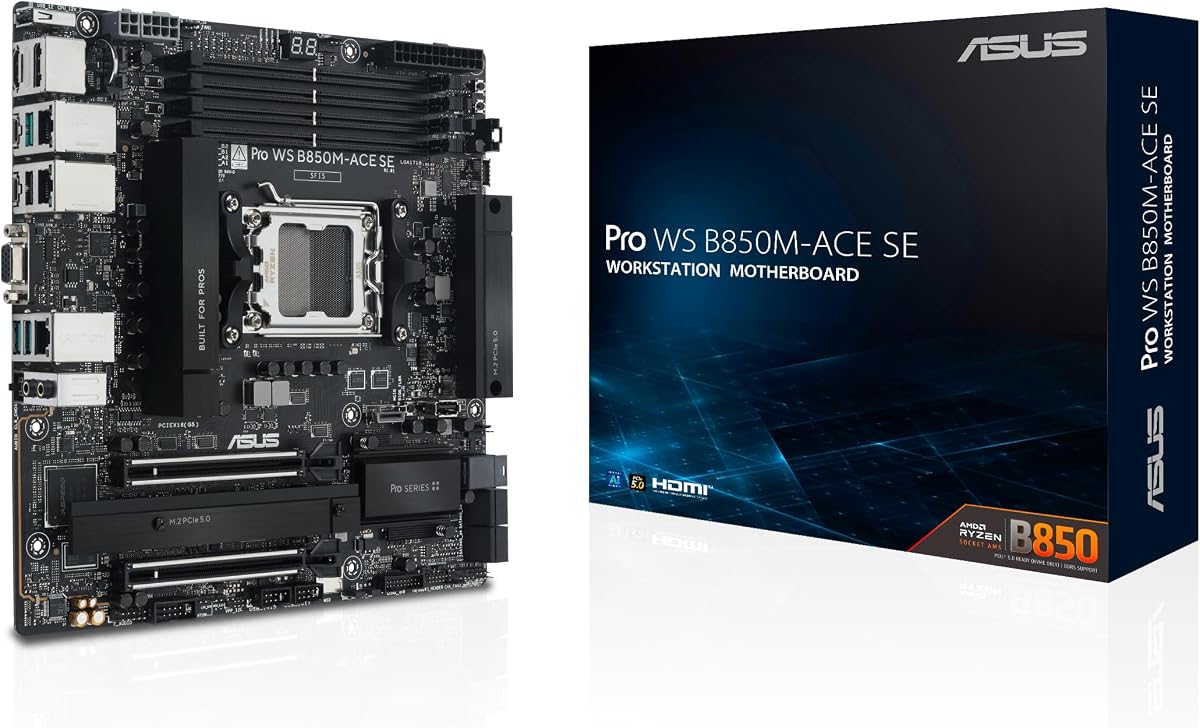
The ASUS Pro WS B850M-ACE SE combines a familiar AMD AM5 processor platform with features normally associated with larger business motherboards. Its supplied rating is 4.3, but the stronger differentiator is the combination of an onboard AST2600 BMC, dedicated 10Gb and 2.5Gb networking, and extensive storage connectivity in a compact microATX board.
We may earn a commission when you buy through this link, at no additional cost to you.
Processor support spans AMD Ryzen 9000, 8000, and 7000 series CPUs, along with AMD EPYC 4005 series processors. The board offers two PCIe slots described as PCIe 5.0 and 4.0 x16, with one operating at x4, plus two PCIe 5.0 x4 M.2 connectors, MCIO NVMe support, and U.2 support. Its networking includes separate 10Gb and 2.5Gb LAN connections, making it suitable for fast local data movement, network-attached storage, and systems that cannot depend on a single network path.
The main compromise is physical size. A microATX platform leaves less room for multiple passive expansion cards, wide multi-GPU configurations, and a large number of conventional storage connectors than an E-ATX or CEB board. Server management also requires compatible infrastructure and configuration, so buyers should not expect the full convenience of a consumer motherboard. Despite those limitations, the board provides an unusually balanced mix of modern expansion, fast networking, and remote administration.
This is a strong recommendation for a compact workstation, a managed small-business server, or an AI-development system that needs server-style oversight without a full enterprise chassis. It is especially attractive to builders who value AMD processor flexibility and want separate high-speed network options. Verify the exact CPU support list, memory configuration, case dimensions, and intended operating system before finalizing the build.
The onboard AST2600 BMC provides server-grade remote monitoring and management rather than relying only on operating-system software. That makes the board more appropriate for unattended installations, shared workstations, and systems where out-of-band access is valuable.
Separate 10Gb and 2.5Gb network ports, dual Gen5 M.2 positions, MCIO support, and U.2 connectivity create flexibility for high-speed storage. This mix is more useful for data-heavy workloads than a basic desktop board with a single small M.2 slot.
We may earn a commission when you buy through this link, at no additional cost to you.
The ASUS Pro WS W890E-SAGE SE is the premium workstation selection in this guide. It carries a supplied rating of 5.0 and is designed around Intel Xeon 600-series workstation processors using the LGA 4710-2 socket. Its defining feature is the combination of seven PCIe 5.0 x16 slots with extensive power delivery and server-grade remote management.
We may earn a commission when you buy through this link, at no additional cost to you.
Memory scalability is built around ECC R-DIMM DDR5 in a one-DPC configuration, enhanced by ASUS NitroPath DRAM technology. Expansion includes four M.2 connectors, MCIO, two SlimSAS connections, USB4, USB Type-C, and dual Intel 10Gb LAN. A dedicated LAN connection to the AST2600 BMC keeps management traffic separate from the principal network interfaces, an important benefit for segmented professional environments.
This platform is not a simple home-PC upgrade. The EEB form factor requires a compatible chassis, extensive cooling, suitable processor modules, and a power supply capable of handling multiple CPU and PCIe power connectors. The board also supports dual-PSU operation, while active cooling targets the VRM, chipset, M.2 storage, and memory. Those demands improve resilience but increase case size, noise, heat, and component complexity.
Choose this board when the workload genuinely benefits from multiple accelerators, high-bandwidth networking, and enterprise processor support. It can suit AI development, large rendering projects, scientific computing, virtualization hosts, and specialized professional workloads. It is less appropriate for a general-purpose desktop, but for a properly engineered workstation, its expansion and management capabilities provide a compelling foundation.
Seven PCIe 5.0 x16 slots allow a builder to combine multiple high-bandwidth cards with advanced storage controllers. This makes the platform much more appropriate for accelerator-heavy and multi-device workstations than boards limited by consumer lane arrangements.
A dedicated AST2600 management connection and dual 10Gb LAN ports create distinct paths for administration and production traffic. That separation can improve operational discipline in offices, studios, laboratories, and other shared environments.
We may earn a commission when you buy through this link, at no additional cost to you.
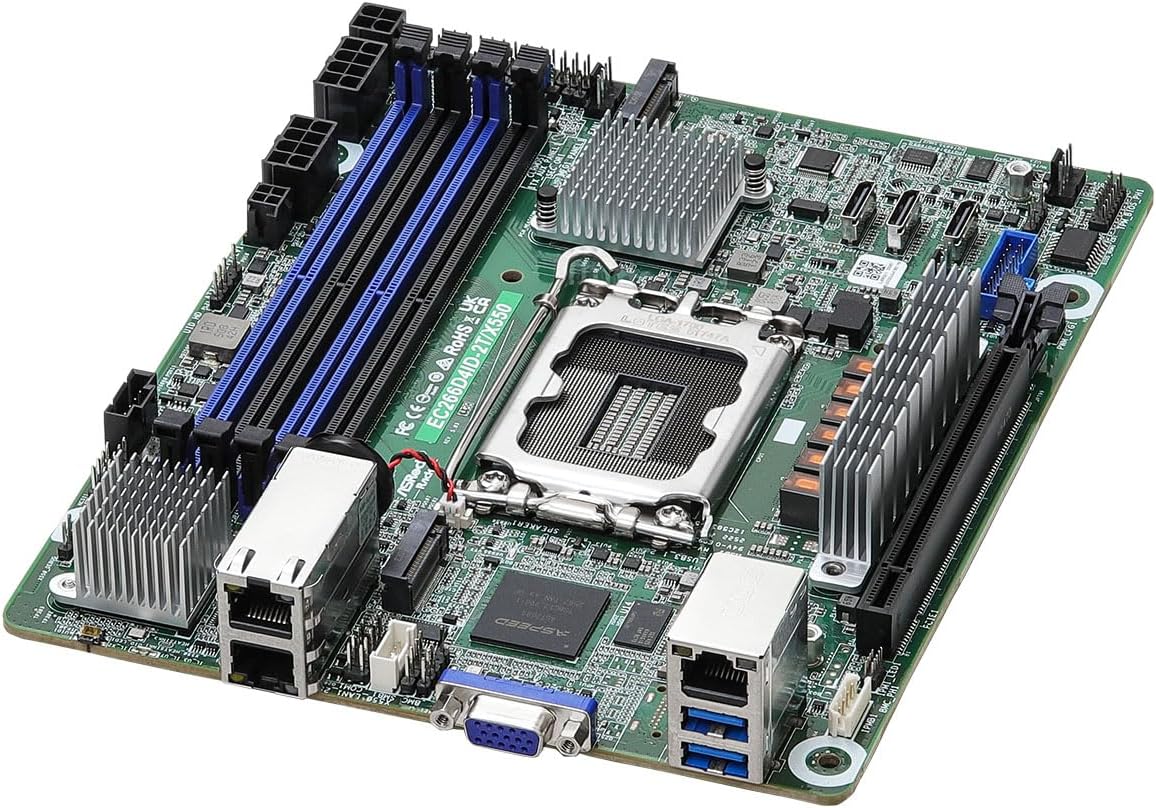
The ASRock Rack EPYC4000D4U is built for compact systems where every millimeter matters. Its unusual deep mini-ITX measurement of 6.7 by 8.2 inches makes it smaller than a standard microATX board, yet it retains a single-socket design and server-oriented storage connectivity. No numeric customer rating was supplied, so the specification sheet is the best basis for evaluation.
We may earn a commission when you buy through this link, at no additional cost to you.
Processor support covers AMD EPYC 4005 and 4004 chips as well as AMD Ryzen 9000, 8000, and 7000 series processors. Four DIMM slots support DDR5 ECC unbuffered memory, which provides a practical balance between capacity and a small footprint. Expansion consists of one PCIe 5.0 x16 slot and three OCuLink connectors, two of which support PCIe 4.0 x4 and one that can use either PCIe 4.0 x4 or SATA 6Gb/s.
Its compactness naturally limits memory density, card selection, and connector access. A builder who needs dozens of memory modules, several full-length cards, or many traditional SATA ports will need a larger board. The unusual case-fitment requirements are another consideration, and the OCuLink options may require additional carrier hardware or compatible adapters in a finished system.
The board is a compelling option for compact servers, edge appliances, developer systems, and carefully planned workstation builds. It is especially interesting for users who want EPYC-class platform flexibility in a miniature chassis. Confirm the processor's supported memory configuration, physical case clearance, cooler orientation, and the adapters needed for OCuLink-based storage before purchasing.
The board preserves ECC memory, PCIe 5.0 expansion, and flexible OCuLink storage despite its deep mini-ITX dimensions. It is a better foundation for a purpose-built compact server than a repurposed consumer mini-PC motherboard.
Support for both EPYC and Ryzen families broadens the available processor choices. Because memory behavior can vary by processor, buyers should still confirm the exact CPU and supported DIMM configuration in the board documentation.
We may earn a commission when you buy through this link, at no additional cost to you.
The X99 MD8 is a dual-socket E-ATX board aimed at builders seeking two processor sockets and substantial memory bandwidth without moving to a newer enterprise platform. Its supplied rating is 4.2, and its defining features are the C612 chipset, dual LGA 2011-v3 sockets, and support for up to 256GB of DDR4 ECC or registered memory across eight slots.
We may earn a commission when you buy through this link, at no additional cost to you.
The CPU requirement is specific: two processors from the Intel Xeon E5-2XXX-v3 or E5-2XXX-v4 families must use the same model, and consumer Core i7 processors are not supported. Expansion includes two PCIe 3.0 x16 slots, one PCIe 3.0 x8 slot, two PCIe 2.0 x1 slots, and dual M.2 connectors with PCIe 3.0 x4 bandwidth. Two network ports are also listed.
The age of the platform is the central drawback. PCIe 3.0 and DDR4 are less advanced than current PCIe 5.0 and DDR5 alternatives, while a dual-socket build requires two CPUs, substantial cooling, and a power supply above 600W. Buyers must also use the specified server-memory type; desktop memory will not work, and the stated constraints differ when using E5 v4 processors.
This motherboard makes sense for an experienced builder who already owns a compatible pair of server processors, needs eight-channel memory, or wants a practical dual-socket project. It is less attractive for a new workstation when modern alternatives offer newer expansion and memory standards. The package also omits the coin-cell battery and user manual, adding small setup tasks that should be handled before the first boot.
Two matching Xeon processors can provide strong parallel computing capability, but the shared platform increases cost, heat, and complexity. The board is most attractive to builders who value those capabilities or already own compatible hardware.
Eight memory slots support high aggregate capacity and bandwidth when populated with the correct ECC or registered modules. Populating them with ordinary desktop RAM would make the system inoperative, so memory type is critical.
We may earn a commission when you buy through this link, at no additional cost to you.
The ASUS Pro WS TRX50-SAGE WIFI CEB is designed around high-end AMD Ryzen Threadripper processors, including Threadripper PRO 7000 WX-series chips with as many as 96 cores. Its supplied rating is 3.6, but the specifications make this a specialized choice for rendering, simulation, compilation, virtualized servers, and other CPU-intensive professional workloads.
We may earn a commission when you buy through this link, at no additional cost to you.
The board supports up to 1TB of ECC R-DIMM DDR5 memory in a one-DPC arrangement. Thirty-six power stages, two 8-pin CPU connectors, extensive VRM cooling, chipset and M.2 heatsinks, and an M.2 thermal pad support demanding processor configurations. Connectivity includes three PCIe 5.0 x16 slots, three M.2 slots, SlimSAS NVMe support, Wi-Fi 7, and both 10Gb and 2.5Gb LAN.
Server-grade management is available through ASUS IPMI expansion-card support and ASUS Control Center Express. The board is therefore well suited to a professional system that needs remote supervision. However, the CEB form factor, Threadripper processor, large memory capacity, and high-end expansion all require a substantial chassis, cooling solution, and appropriately robust power supply.
This is a compelling choice for a dedicated workstation rather than a general home server. Multi-GPU support and high memory capacity can accelerate large datasets and computationally intensive projects, while Wi-Fi 7 offers convenient wireless access. Its lower supplied rating should prompt buyers to investigate recent customer feedback, but the platform remains compelling when its specifications closely match a demanding workload.
Support for processors with up to 96 cores is the defining advantage for highly parallel workloads. Such systems can shorten processing times in software compilation, rendering, simulation, and large-scale data preparation.
Three PCIe 5.0 x16 slots, SlimSAS storage support, and separate 10Gb and 2.5Gb network ports create a flexible workstation foundation. IPMI expansion support adds a path toward more advanced remote administration.
We may earn a commission when you buy through this link, at no additional cost to you.
The ASUS Pro WS W790 SAGE SE is a high-end Intel workstation platform for Xeon W-3400 and W-2400 processors. It has a supplied rating of 4.1 and builds around seven PCIe 5.0 x16 slots, making it well suited to systems that need several high-speed cards, large storage configurations, and professional networking.
We may earn a commission when you buy through this link, at no additional cost to you.
Memory support extends to 2TB of ECC R-DIMM DDR5 in a one-DPC configuration. Storage and peripheral connectivity include three M.2 slots, two SlimSAS connectors, USB 3.2 Gen 2×2 Type-C, and dual Intel X710-AT2 10Gb LAN. A dedicated LAN link to the AST2600 BMC and ASUS Control Center Express supplies hardware- and software-level remote management.
Power delivery uses a 14+1+1-stage design with 8-pin and 6-pin PCIe power connectors. The board adds a substantial VRM heatsink, chipset and M.2 heatsinks, and M.2 backplates. These are appropriate measures for a professional board, although the CEB form factor, processor requirements, and cooling demands can make the complete system expensive and physically imposing.
The board is a strong option for AI prototyping, 3D rendering, large engineering projects, and enterprise-class workstations where expandability matters. It is less suitable for ordinary desktop use because Xeon W processors, registered memory, and the board's physical requirements are specialized. Confirm chassis support, graphics-card spacing, cooling, and operating-system drivers before assembling the system.
Seven PCIe 5.0 x16 positions provide exceptional flexibility for accelerator cards, capture devices, and high-speed storage controllers. Builders should still check physical spacing and lane-sharing details in the documentation.
The dedicated AST2600 BMC connection allows management functions to operate independently from normal data traffic. That is particularly useful for professional systems that must remain accessible after an operating-system or application failure.
We may earn a commission when you buy through this link, at no additional cost to you.
The ASUS Pro WS W890-SAGE is a CEB workstation motherboard built for Intel Xeon 600-series processors on LGA 4710-2. No numeric customer rating was provided, so its appeal is best judged from the extensive platform specifications. Like the W890E variant, it emphasizes expansion, enterprise storage, and professional management.
We may earn a commission when you buy through this link, at no additional cost to you.
Seven PCIe 5.0 x16 slots support a high-end workstation configuration. The board also includes four M.2 positions, two SlimSAS connectors, USB4, USB 20Gbps Type-C, and Realtek 10Gb plus Intel 2.5Gb LAN. ECC R-DIMM DDR5 is supported in a two-DPC configuration and benefits from ASUS NitroPath DRAM technology for the stated platform.
Management is provided through readiness for an IPMI expansion card and ASUS Control Center Express. The 12+(2+2)+1+2 power-stage design includes multiple CPU and PCIe connectors and supports dual-PSU operation. Active cooling covers the VRM, chipset, and M.2 areas, reflecting the expectations of a board designed for sustained professional operation.
Choose this model for enterprise workstations, advanced compute systems, and specialist builds that need abundant high-speed expansion. Compared with mainstream consumer boards, its server-oriented features provide better visibility and operational control. The trade-offs are substantial: Xeon 600 processors, registered memory, a large chassis, and careful attention to power and cooling are all required for a sensible build.
Four M.2 slots and two SlimSAS connectors support a mix of compact high-speed drives and broader storage backplanes. This makes the board adaptable to both workstation-local storage and larger data-storage architectures.
IPMI expansion-card readiness lets a builder add out-of-band management when the base configuration does not yet include a dedicated management link. The option is valuable for IT teams that standardize on remote monitoring.
We may earn a commission when you buy through this link, at no additional cost to you.
The Supermicro X14DBI is designed around dual Intel Xeon 6500- and 6700-series processors using the LGA-4710 platform. It is a substantial server board for virtualization, consolidation, storage, and compute-heavy environments. Its standout specifications include support for up to 4TB of ECC DDR5 memory, CXL 2.0, PCIe 5.0, and ten SATA connectors.
We may earn a commission when you buy through this link, at no additional cost to you.
Sixteen DIMM slots provide exceptional memory density and the ability to organize workloads across the dual-processor platform. Processor support includes both E-cores and P-cores, with CPU thermal design power stated as supporting up to 350W. Storage includes two M.2 positions, while expansion uses three PCIe 5.0 x8 connections through MCIO connectors. Networking is handled by dual LAN with 1GbE through a Broadcom BCM5720.
The trade-off is complexity. Two processors, up to 16 memory modules, high processor power, and extensive storage connections require a server chassis, compatible cooling, and a properly engineered power system. The board also targets enterprise administrators more directly than desktop enthusiasts, and software support can depend on the server operating system and Supermicro management utilities.
This model is a strong foundation for a high-capacity dual-socket server, especially where memory density and flexible compute cores matter. It can suit virtualization hosts, private-cloud systems, large databases, and data-intensive batch processing. A builder should verify the exact processor support matrix, memory population rules, chassis airflow design, and PCIe lane arrangement before committing to the platform.
Sixteen DDR5 slots and support for up to 4TB provide considerable capacity for large databases, memory-intensive services, and virtual machines. High-capacity modules can also increase power and cooling needs, so balanced population is essential.
PCIe 5.0 x8 MCIO connections and CXL 2.0 support create a forward-looking path for accelerators and memory expansion. Ten SATA connectors remain useful for conventional enterprise storage.
We may earn a commission when you buy through this link, at no additional cost to you.
The Supermicro MBD-X13SEI-F-B is an extended-ATX server motherboard built around the Intel C741 chipset and LGA-4677 socket. It supports Xeon processors and is intended as a straightforward foundation for a server built around fourth-generation Intel server components. The supplied information is concise, with no numeric customer rating available for direct comparison.
We may earn a commission when you buy through this link, at no additional cost to you.
The board's appeal lies in its server identity and relatively familiar extended-ATX form factor. That standard size can make it easier to accommodate than CEB or EEB models, depending on the case and component dimensions. The C741 chipset and LGA-4677 platform target Intel's Xeon ecosystem, offering a clear route to server-class processors, platform features, and compatible component selection.
Because the supplied specifications do not enumerate memory slots, storage connectors, expansion slots, networking, or management features, buyers need the complete manual and seller documentation before assuming this board supports a particular setup. It should not automatically be treated as equivalent to a fully specified Supermicro X14DBI or a premium ASUS workstation board with seven high-speed expansion slots.
The model can be a sensible choice for a builder who already works with the C741 platform or has confirmed the required ports and compatibility. It is better approached as a targeted server component than as a universal recommendation. Review the processor list, DDR5 ECC RDIMM rules, supported form factor, network options, power connectors, and operating-system support before finalizing the purchase.
The C741 chipset and LGA-4677 socket place the board in Intel's Xeon server ecosystem. Builders already familiar with that platform may appreciate its conventional server-board layout and standard form factor.
The limited listing details make documentation review essential. Memory capacity, storage support, expansion slots, networking, and management capabilities should all be verified rather than inferred from the product category.
We may earn a commission when you buy through this link, at no additional cost to you.
The MSI PRO X870-P WiFi ProSeries is the value-oriented selection for builders who want a modern AMD platform without moving into enterprise workstation pricing. It has a supplied rating of 4.4, supports AMD Ryzen 9000, 8000, and 7000 series desktop processors, and includes DDR5, PCIe 5.0, Wi-Fi 7, Bluetooth 5.4, 5Gbps LAN, and USB 40Gbps connectivity.
We may earn a commission when you buy through this link, at no additional cost to you.
Three onboard M.2 connectors use a PCIe 4.0 solution, while SATA 6Gb/s and M.2 Gen5 support are also listed in the product title. Pre-installed I/O shielding simplifies case installation and improves electromagnetic-interference protection. Frozr AI Cooling detects CPU and GPU temperatures and adjusts fan duty to maintain an appropriate thermal profile.
The important distinction is manageability. Unlike the ASUS Pro WS B850M-ACE SE and the dedicated enterprise boards in this guide, the MSI model does not list a hardware BMC or remote out-of-band management. It is therefore better suited to a home server, development system, or compact office workstation where physical access is normal and consumer operating-system management is sufficient.
This motherboard is a sensible entry point for a first server-style build using a mainstream Ryzen processor. Its ATX size, three storage positions, modern networking, and automatic fan control cover many common needs. Verify the exact memory speed behavior, M.2 lane sharing, display outputs, and operating-system support, especially if the board will run virtualization or unattended network services.
Wi-Fi 7 and Bluetooth 5.4 provide convenient wireless connectivity, while the 5Gbps LAN port supports faster wired networking. This combination is useful for a home lab or office system where cabling is inconvenient.
Frozr AI Cooling adjusts fan duty according to detected CPU and GPU temperatures. The feature can simplify initial setup and reduce the need for constant manual fan tuning.
We may earn a commission when you buy through this link, at no additional cost to you.
A server motherboard should be selected around the processor, memory, expansion, management, and physical demands of the finished system. The most capable board is not automatically the most suitable, so compatibility and intended workload deserve priority over isolated specifications.
Begin with the exact processor family, generation, and socket supported by the board. The list spans AMD AM5, AMD sTR5, EPYC platforms, Intel LGA-4677, and LGA-4710-2, which are not interchangeable. Some boards also restrict memory or chipset features based on the selected CPU, so the processor support matrix matters as much as the socket name.
Buy only after confirming the exact CPU model is supported. A socket match alone does not guarantee access to every listed PCIe, memory, or management feature.
Server boards frequently require ECC or registered DDR5 memory, while older platforms may use ECC DDR4. Capacity alone is not enough: slot count, channels, DIMM organization, supported speeds, and whether the platform is one-DPC or two-DPC can all affect usable memory and stability.
Match the memory type exactly to the board and CPU. For large virtualized or database systems, favor capacity and validated compatibility; for compact systems, slot count and case clearance may matter more.
Count the PCIe slots, lanes, physical size, and power requirements of the devices you plan to install. Workstations with multiple GPUs, high-speed capture cards, or NVMe expansion need full-length x16 slots and enough lane-sharing headroom, while a basic server may need only one or two expansion positions.
Review the motherboard manual for slot-sharing and bifurcation rules. Avoid buying several cards that appear to fit when their shared lanes or power demands cannot operate simultaneously.
M.2 is excellent for compact high-speed storage, but a dependable server may also need SATA, SlimSAS, U.2, or M.2 expansion through MCIO. Networking should match the workload: 2.5GbE can suit a small office, 10GbE helps with large transfers and shared storage, and dual ports may support redundancy or separate management traffic.
Balance fast local storage against the network path used by clients. A high-speed drive connected to a slower interface does not deliver its full potential, so plan the complete data route.
A hardware baseboard management controller, or BMC, provides out-of-band monitoring and control when the operating system is unavailable. It is valuable for unattended servers, managed workstations, and systems in remote offices, but the management software, network path, and licensing should be reviewed alongside the hardware.
Choose onboard BMC support when remote recovery is important. Use a consumer platform only when physical access is dependable and operating-system-based monitoring is sufficient.
High-core-count CPUs, multiple accelerators, registered memory, and dense M.2 arrays can demand more power and airflow than ordinary desktop components. Examine the power-stage count, CPU and PCIe power connectors, heatsink size, active cooling, and case airflow. Enterprise boards often include features designed for 24/7 operation, but the complete system still needs appropriate cooling and power.
Size the power supply and cooling for the worst realistic workload, not just the processor's base behavior. A well-chosen board can still suffer thermal throttling if installed in an inadequately ventilated case.
Server motherboards appear in ATX, microATX, deep mini-ITX, CEB, EEB, and other sizes. Smaller boards can enable compact systems but may provide fewer slots, tighter clearance, and unusual mounting requirements. Larger enterprise boards simplify expansion in some ways but demand compatible cases, risers, cooling, and power arrangements.
Measure the chassis before ordering and compare every connector's position. Check CPU-cooler orientation, card clearance, drive access, and whether the I/O panel matches the case.
Install the processor and memory according to the board manual, paying particular attention to socket orientation, DIMM population rules, and CPU-cooler compatibility. Install the M.2 storage only after applying any required heatsinks or thermal pads, and confirm that the operating system is visible in the firmware before completing the case installation.
Connect the essential ATX and processor power leads first, followed by storage, fans, front-panel controls, and network cables. Update the firmware, chipset drivers, storage drivers, and management components before deploying important services. Document the IPMI settings, create administrator accounts with unique credentials, and restrict management-network access.
For ongoing care, keep intake filters and heatsinks clean, monitor temperatures and fan operation, and confirm that a maintenance window exists for firmware updates. Protect the board from electrostatic discharge during installation, avoid powering it on without properly seated processors and memory, and back up important configuration data before major hardware or firmware changes.
Server motherboards emphasize reliability, validated component compatibility, remote management, continuous operation, and support for enterprise processors and memory. Desktop boards generally emphasize features and value for conventional personal computing. A server board is useful when out-of-band management, ECC memory, specialized sockets, or high availability are important rather than optional.
Many server platforms require ECC or registered memory, and some boards support only specific combinations of ECC UDIMM, RDIMM, or other module types. The older X99 model also specifies that desktop memory cannot be used. Check the exact board and CPU memory rules before purchasing, because incompatible modules may prevent booting or limit capacity.
Yes, but a server board may lack the convenient graphics outputs, audio features, and consumer customization found on gaming motherboards. Some Xeon-based systems also lack integrated graphics, requiring a separate graphics card. A compact AM5 board such as the MSI PRO X870-P may be more approachable when gaming is the primary purpose.
A baseboard management controller can provide remote power control, hardware monitoring, console access, and alerts even when the operating system is not functioning. It is particularly useful for servers installed in remote locations. Management software, network configuration, and account security still need to be set up correctly for the BMC to provide value.
No. A dual-socket board can support more total CPU cores, memory channels, and platform-specific I/O, but it also requires two matching processors, more power, and more cooling. For a modest workload, a single-socket board may be simpler, quieter, and more efficient while still providing the required memory and expansion capacity.
The listed models range from two M.2 positions to four, while the MSI PRO X870-P provides three. The Supermicro X14DBI also lists ten SATA connectors for conventional storage. Confirm M.2 lane sharing, heatsink availability, and whether a particular connector shares bandwidth with a PCIe slot before planning a dense storage array.
Yes, the case must support the board's exact form factor, mounting pattern, and connector layout. CEB and EEB workstation boards are substantially larger than standard ATX models and may also require compatible CPU coolers, rear-panel arrangements, and power-delivery components. Measure the chassis rather than relying on the processor socket alone.
Install the processor, supported memory, storage, and cooler according to the manual, then connect the required power cables and enter firmware setup. Update the firmware and management interface as needed before installing production services. If the system does not start, reseat the processor, memory, and power connectors, confirm the memory type, and clear CMOS before troubleshooting further.
The ASUS Pro WS B850M-ACE SE stands out as the most balanced overall choice because it combines AMD AM5 flexibility, server-grade BMC management, high-speed networking, and modern storage in a compact microATX design. The ASUS Pro WS W890E-SAGE SE is the premium choice for enterprise-class expansion, while the MSI PRO X870-P WiFi ProSeries offers the most approachable modern platform for home-server and office builds.
Prioritize processor and memory compatibility before considering extra ports or expansion slots. Confirm the form factor, cooling path, power requirements, and management needs, then ensure that every planned device can operate simultaneously within the board's lane and slot limitations. A larger platform is not necessarily better if it cannot fit the case or be cooled adequately.
Finally, check current prices and seller availability before ordering, because component costs and supported processor configurations can change. Review the current manual, BIOS release notes, memory compatibility list, and management software requirements. Those final checks help ensure that the selected server motherboard works as a coherent part of the finished system.