
Plug & Play USB Computer Microphone
4.6Editor score
360-degree voice pickup
Touch-sensitive mute control
Driver-free USB setup
A useful desk microphone can improve how colleagues, teammates, and online audiences hear you without requiring a complex recording setup. The best inexpensive models combine a clear USB connection, dependable voice pickup, a stable adjustable stand, and controls that are easy to reach during a call or livestream.
We compared ten affordable microphones using the information supplied for each model, focusing on pickup pattern, noise-reduction features, mute controls, monitoring options, stand design, device compatibility, and ease of setup. The list includes compact gooseneck microphones, a cardioid condenser model, and a more feature-rich podcast microphone.
Each review explains who the microphone suits, which controls set it apart, and where its compromises matter. Ratings and product details reflect the supplied information, while current prices and availability can change at any time, so shoppers should confirm the latest listing before buying.
4.6Editor score

4.4Editor score

4.4Editor score
As an Amazon Associate we earn from qualifying purchases.
This side-by-side comparison highlights the major differences among all ten microphones, including voice pickup, physical controls, construction, platform support, and the most suitable recording applications.

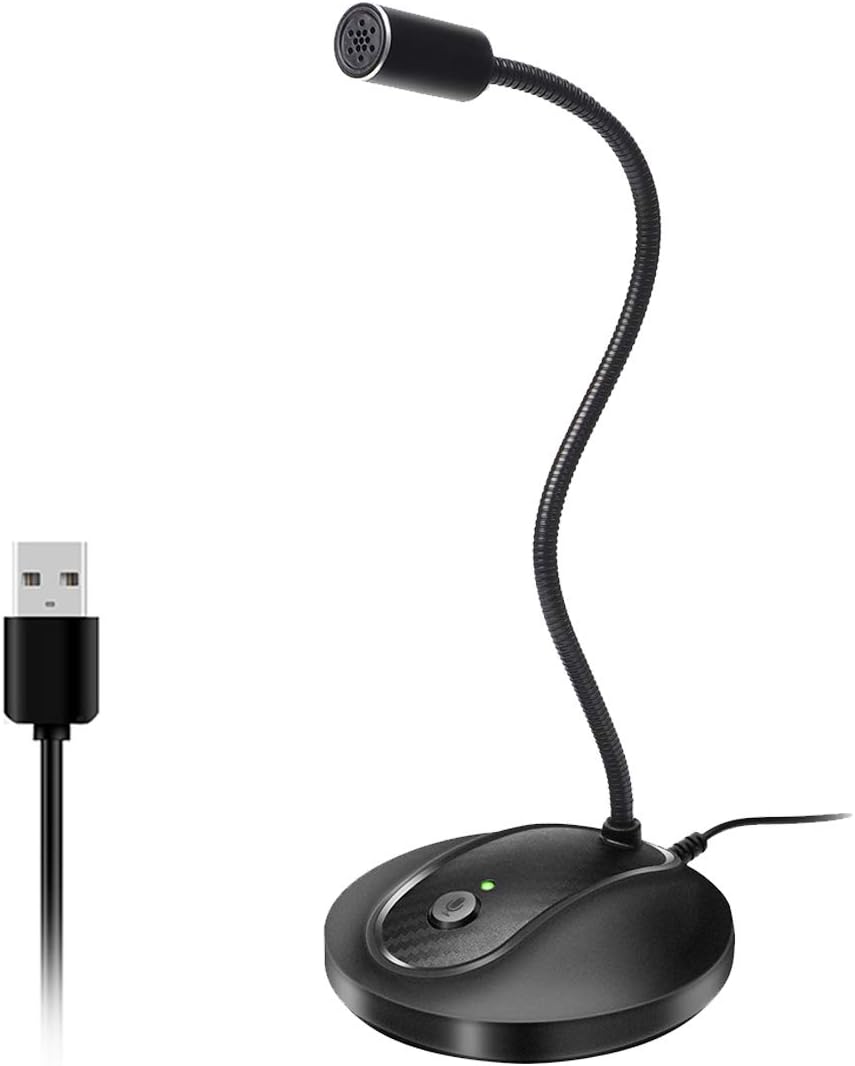


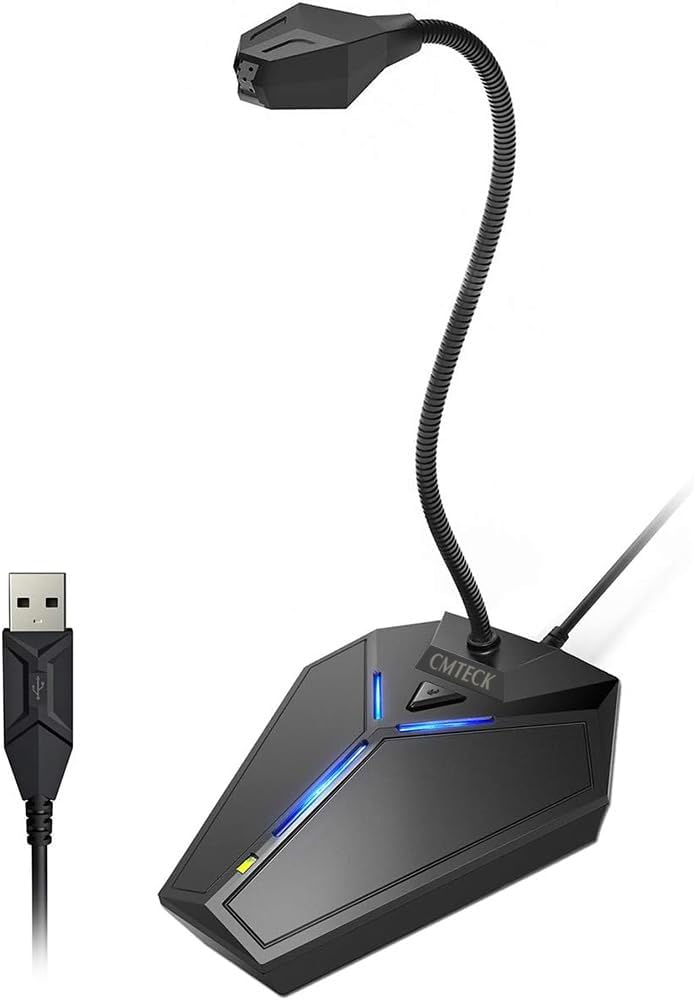

The CMTECK G009 is a compact USB desktop microphone aimed at people who want clearer voice pickup without a complicated installation process. Its supplied 4.5 rating reflects a generally positive reception, while the feature set covers common needs such as online classes, calls, gaming, dictation, home recording, and video creation. It combines a condenser capsule, an omnidirectional pattern, active noise cancellation, a pop filter, and a readily accessible mute control.
We may earn a commission when you buy through this link, at no additional cost to you.
Its most useful quality is the combination of plug-and-play operation and physical controls. The microphone connects directly to a USB-compatible device without drivers or external power, and the flexible metal gooseneck can be moved through 360 degrees to bring the capsule closer to the speaker. A green light indicates that the microphone is connected, while a red light makes mute mode immediately visible. The pop filter is also helpful when speaking at close range because it is designed to reduce plosive sounds that could otherwise overload the microphone.
There are practical limitations to consider. The listed operating-system support covers Windows versions 7, 8, and 10 as well as Mac OS, but Raspberry Pi, Linux, and Android are explicitly excluded. It is also not designed for users who need to monitor themselves through headphones while speaking, and an omnidirectional pattern can capture more room sound than a cardioid microphone. Nevertheless, those limitations are reasonable for a straightforward desktop model focused on voice communication and basic recording.
This microphone is a strong choice for students, remote workers, casual streamers, and anyone setting up a first recording station. Its unobtrusive footprint preserves desk space, and the no-driver design reduces setup friction. For users seeking a balance of useful controls, flexible positioning, background-noise reduction, and uncomplicated compatibility, the G009 remains one of the most compelling selections in this roundup.
The tactile mute button and two-color status light make the microphone easy to manage during meetings or streaming. A user can confirm the microphone state at a glance without opening application menus or relying on software.
The small base and adjustable 360-degree gooseneck let users place the microphone close without taking over the workspace. This makes the model useful in compact home offices, dorm rooms, and shared desks.
We may earn a commission when you buy through this link, at no additional cost to you.
This adjustable USB gooseneck microphone is designed around straightforward communication. It carries a supplied rating of 4.4 and combines a 360-degree adjustable neck, a high-sensitivity omnidirectional condenser microphone, intelligent noise cancellation, and a one-click mute button. The intended use ranges from PC gaming and voice dictation to Cortana commands, online meetings, and voice chat, making it a general-purpose choice for Windows and macOS users.
We may earn a commission when you buy through this link, at no additional cost to you.
Installation is refreshingly uncomplicated. The included 1.8-meter, or six-foot, USB cable connects the microphone to a compatible computer, and no driver installation is required. The operating-system information specifically covers Windows 7, 8, 10, and 11 as well as macOS, although the product is not compatible with Xbox, Raspberry Pi, or Android. The status LED gives immediate feedback about whether the microphone is active or muted, helping prevent unwanted audio during a call.
The main compromise is that the microphone offers little beyond its core functions. There is no headphone jack, monitoring volume control, or physical gain adjustment described in the supplied details. Its omnidirectional pickup can capture sounds from around the desk, which is helpful for group conversation but less isolating than a cardioid pattern. The product also relies on software noise cancellation to reduce echo and background noise rather than offering a separate physical noise-reduction mode.
Buyers who want an adjustable desktop microphone without software setup will find this model easy to work with. It is particularly appropriate for video calls, online learning, casual game chat, and speech recognition. Those seeking more precise control over gain, monitoring, or recording workflows may prefer a model with additional knobs and a wider accessory package.
The 360-degree metal gooseneck can be moved toward the speaker and away from noisy objects. Positioning the capsule near the mouth also gives the user more control over level and clarity without requiring complicated software settings.
A clearly visible operating indicator accompanies the one-click mute function. This is particularly useful during online meetings, where a background conversation or unintended notification could otherwise interrupt everyone on the call.
We may earn a commission when you buy through this link, at no additional cost to you.
The Plug & Play USB Computer Microphone offers a notably strong supplied rating of 4.6 and a useful collection of features for streamers, gamers, students, and home creators. It uses 360-degree omnidirectional pickup, a flexible gooseneck, a touch-sensitive mute control, and a status LED. Unlike more specialized podcast microphones, it is designed to be immediately ready for gaming, streaming, chatting, recording, and remote training.
We may earn a commission when you buy through this link, at no additional cost to you.
The stated optimal voice-pickup range is 6 to 12 inches, which gives users a practical guide for positioning the microphone. Windproof fluffy caps help reduce the sound of air movement or spray, while the metal gooseneck allows the capsule to be aimed toward the speaker. The weighted ABS base, internal shock-resistant construction, and non-slip silicone pad help the microphone remain stable during an animated broadcast or game session.
The six-foot cable provides enough reach to position the microphone comfortably, and the product does not require drivers or sound-card software. Its supported platforms are Windows and Mac, but it does not offer a headphone output, physical gain control, or independently adjustable monitoring. Because the pickup is omnidirectional, a busy room may contribute more ambient sound than it would with a cardioid model.
This is a compelling budget choice for people who need a functional desktop microphone and value quick setup more than advanced recording controls. It covers gaming, YouTube recording, podcasting, business negotiation, court reporting, online classes, and video chatting. The high supplied rating and balanced feature set make it a particularly attractive starting point, although creators should still consider their room noise and need for monitoring before committing.
The microphone works without drivers, specialized software, or an external sound card. Once the USB connector is in place, the computer can recognize it for common chat, streaming, and recording applications.
A non-slip silicone pad, shock-resistant base, and metal neck work together to reduce movement. The result is a practical desktop design for users who tap the desk, adjust their setup, or stream for extended periods.
We may earn a commission when you buy through this link, at no additional cost to you.
The Amazon Basics Condenser Microphone stands apart from many inexpensive gooseneck models through its cardioid pickup pattern and detachable mounting design. It has a supplied rating of 4.4 and is positioned for streaming, recording, podcasting, conference use, solo vocals, and instruments. A 14mm diaphragm, high sensitivity, and low-noise, low-distortion design form the foundation of its voice-capture features.
We may earn a commission when you buy through this link, at no additional cost to you.
Cardioid pickup focuses on sound arriving from the front of the microphone, helping separate the speaker from background noise. That makes it a sensible option for a home office where a computer fan, nearby conversation, or room echo could otherwise become distracting. The rotating stand can be adjusted through 360 degrees, and the microphone can be detached and fitted to a tripod, boom arm, or another stand with a standard 5/8-inch thread.
The one-tap silent mode is easy to reach and syncs with a connected laptop or PC. The product works with Windows OS 7, XP, 8, 10, or later and Mac OS 10.10 or later, without additional drivers. Its built-in shock absorber and silicone rubber microphone boot help manage vibration. However, there is no described headphone monitoring, gain knob, or volume control, so users who need real-time vocal monitoring must rely on software or the computer's existing audio controls.
This microphone is best for creators who want more focused voice capture than an omnidirectional design offers and value the flexibility of a removable mount. It can serve online meetings, podcasting, music recording, and livestreaming applications. Buyers who want live headphone feedback should choose a model with a 3.5mm monitoring jack instead.
A focused cardioid pattern is especially useful in rooms with intermittent noise. It can improve the clarity of speech for calls, commentary, and vocal recording by limiting the emphasis on sound arriving from behind the microphone.
The detachable microphone can leave its original stand and move to a tripod or boom arm. This creates an easy path from a basic desktop arrangement to a more carefully positioned recording configuration.
We may earn a commission when you buy through this link, at no additional cost to you.
The ZealSound K66 is the most feature-rich microphone in this collection and earns the Best Premium designation for its extensive control set. It carries a supplied rating of 4.4 and is designed for podcasting, streaming, voice-over, online classes, gaming, meetings, ASMR, and mobile recording. Its cardioid condenser capsule, 40Hz-18kHz frequency response, 46kHz sample rate, and stated sensitivity of -45dB plus or minus 3dB indicate a focus on detailed and balanced vocal capture.
We may earn a commission when you buy through this link, at no additional cost to you.
The most distinctive feature is real-time, zero-latency monitoring through a built-in 3.5mm headphone jack. Separate knobs control microphone volume, monitoring volume, and echo, allowing users to adjust the sound while recording rather than relying exclusively on software. An Intelligent Noise Reduction Mode is activated by holding the mute button, with a blue indicator showing the mode. The supplied information says this mode can help reduce keyboard clicks, fan noise, air-conditioner hum, and background chatter, while the default mode aims to preserve a natural vocal tone.
The compatibility package is also extensive. It works without drivers, apps, or software installation on Windows PCs, Macs, laptops, PS4, PS5, and tablets. Included USB-C and Lightning adapters support iPhone, iPad, and modern compatible mobile devices. The accessory set includes a weighted metal base, a 70.87-inch USB cable, a foam windscreen, adapters, a manual, and technical support. The only practical drawback is that the larger body and multiple controls take up more desk space than the simpler gooseneck alternatives.
This microphone is well suited to creators who want direct control over gain, monitoring, echo, and noise reduction without installing a complex application. It also works for users who alternate between a desktop computer and mobile device. The model is more elaborate than a first-time buyer may require, but for a dedicated podcast, streaming, or recording setup, its monitoring and accessory package provide meaningful value.
Zero-latency monitoring lets a creator hear the microphone input while speaking. A dedicated monitoring knob provides independent level control, making it easier to identify echo, distortion, or an uneven vocal level before saving a take.
Separate microphone, monitoring, and echo knobs make fine-tuning more direct than adjusting several settings in software. These physical controls are useful during live broadcasts, interviews, classes, and meetings where quick changes may be necessary.
USB-C and Lightning adapters broaden the microphone's use beyond a fixed computer setup. Creators can move between desktop and compatible mobile recording while keeping the same microphone and its physical controls.
We may earn a commission when you buy through this link, at no additional cost to you.
The TONOR G11 is built for situations in which more than one person may need to be heard, making it more specialized than a standard personal desktop microphone. Its supplied rating is 4.3, and its defining characteristic is an omnidirectional condenser capsule with a stated pickup distance of 11.5 feet. The product is explicitly a microphone rather than a speaker or speakerphone.
We may earn a commission when you buy through this link, at no additional cost to you.
That broad coverage makes the G11 appropriate for small and medium online meetings, seminars, remote training, business negotiations, court reporting, and video chats. The supplied information mentions services and software such as Skype, GoToMeeting, WebEx, Hangouts, Fuze, VoIP, and Zoom. Its 360-degree pattern allows participants around the desk to be heard without requiring a separate microphone for every person, provided they remain within the effective range.
The physical design supports shared use. A sturdy metal construction and anti-slip base help keep the microphone stable, while the compact body does not require much desk space. The included 1.8-meter nylon shielded cable is intended to reduce signal interference. A convenient mute button and blue working light provide basic control. On the other hand, the microphone has no headphone output, gain control, or separate echo adjustment, and its wide pickup is a disadvantage when isolating one speaker in a noisy room.
This is a practical choice for small conferences, collaborative classes, and family or office meetings. It is less appropriate for a solo podcaster who needs a narrow cardioid pattern or a creator who requires direct monitoring. After connecting the device, some users may need to select the microphone as the computer's input in system settings.
A 360-degree pickup pattern and long stated capture range let the microphone collect voices from different sides of a table. This makes it more useful for shared meetings than models intended to capture only one closely positioned speaker.
The metal body and anti-slip mat help the microphone remain in place while taking up relatively little space. Its understated appearance also allows it to fit naturally into a conference room or shared office.
We may earn a commission when you buy through this link, at no additional cost to you.
The Flexible Gooseneck USB Microphone combines a straightforward recording setup with visual features intended for modern gaming and streaming desks. It has a supplied rating of 4.5, omnidirectional voice pickup, intelligent noise reduction, an adjustable 360-degree metal gooseneck, and a tap-controlled mute button. Compatibility covers Windows and Mac, with native support described for Zoom, Teams, Skype, YouTube, Twitch, and other common applications.
We may earn a commission when you buy through this link, at no additional cost to you.
Its most distinctive feature is customizable breathing light. An on-and-off switch controls the ambient lighting, adding a visual accent without changing the core recording process. The microphone can still be muted instantly with a tap, and a status LED makes the operating condition visible. This combination appeals to users who want a functional conference or streaming microphone that looks more deliberate on camera than a generic model.
The microphone's intelligent noise reduction is described as filtering keyboard clicks, fan humming, and background noise. The five-inch gooseneck can be positioned horizontally or vertically to suit the user's speaking angle. A weighted, shock-resistant ABS base and non-slip silicone pads help it remain planted. As with the other compact omnidirectional models, it lacks headphone monitoring, a gain knob, and independently adjustable volume, and lighting adds no direct audio benefit.
This model is best for a streamer, remote professional, or home studio user who wants useful noise control, clear muting, and attractive desk styling. It remains portable enough to move between an office, conference room, and home setup. Users seeking a basic microphone may appreciate the simple USB installation, while creators who need precise monitoring should look for a model with a headphone output.
The operating light confirms whether the microphone is active, while the separate ambient lighting provides a customizable visual effect. It is a useful addition for gaming and streaming setups where the desk appears on camera.
Intelligent noise reduction is intended to lessen common distractions such as typing and fan noise. The flexible neck also allows the capsule to move closer to the speaker, where a stronger voice signal can improve clarity.
We may earn a commission when you buy through this link, at no additional cost to you.
The LIANGSTAR USB Microphone is a general-purpose desktop option for home studios, meetings, gaming, Skype, YouTube recording, streaming, and everyday chat. Its supplied rating is 4.4, and the core design centers on a CCS3.0 smart chip, an omnidirectional condenser microphone, and 360-degree voice capture. The stated purpose of the chip is to reduce background noise while making speech sound clearer, smoother, and more natural.
We may earn a commission when you buy through this link, at no additional cost to you.
The microphone includes a built-in sound card and connects without driver installation. It can be used with laptops, PCs, PS4, and PS5, while the listed operating-system compatibility covers Windows 7, 8, 10, and 11, Mac OS, and PlayStation platforms. A flexible design allows the microphone to move through 360 degrees, and a one-button mute control provides a quick way to stop transmission during a sensitive conversation or noisy moment.
The supplied information is less detailed about the available volume control than it is for microphones with clearly labeled gain and monitoring knobs. It also does not describe a headphone jack, so users who expect to hear themselves directly while recording may be disappointed. As an omnidirectional model, it can capture sound from all around the microphone, which is helpful for shared conversations but less selective than a cardioid pattern for a solo voice.
This microphone is a practical choice for users who switch among Windows, Mac, and compatible PlayStation systems. The integrated smart processing and straightforward setup make it appealing for people who want a single microphone for chat, streaming, online classes, and light recording. Those with more demanding recording needs should prioritize monitoring and dedicated level controls over broad device support.
The CCS3.0 chip handles 360-degree pickup and background-noise reduction within the microphone. This reduces the need for elaborate setup while helping speech remain clear in an ordinary home or office environment.
Compatibility with Windows, Mac OS, PS4, and PS5 makes this a useful choice for a mixed-device household. The built-in sound card also removes the need to install additional device drivers before starting a call.
We may earn a commission when you buy through this link, at no additional cost to you.
The CMTECK Studio-Quality USB Microphone is a straightforward all-rounder for Zoom meetings, gaming, voice dictation, online classes, and content creation. It has a supplied rating of 4.4 and uses a smart chip to suppress background noise so the speaker's voice is presented more clearly. The overall package emphasizes quick setup, straightforward controls, and an adjustable form that fits neatly on a desk.
We may earn a commission when you buy through this link, at no additional cost to you.
The microphone's built-in sound card eliminates the need to install drivers. It works with Windows, macOS, PS4, and PS5, and the included USB cable measures six feet, giving users room to position the unit. A metal gooseneck and shockproof ABS base support durability and steady placement. The flexible neck allows the microphone to be moved toward the user in a bedroom, living room, or home office.
Two visual elements distinguish the controls. A unique blue light adds a visible desk accent and can be switched on or off, while the mute indicator uses green for connected or working status and red for mute mode. That makes it easy to verify whether the microphone is transmitting. The microphone does not offer a headphone output or separate physical monitoring and gain controls, and it is explicitly not compatible with Raspberry Pi or Xbox.
This is a good fit for a remote worker, student, or casual gamer who wants clearer speech without a difficult installation. It can also support basic YouTube, podcast, and streaming tasks, although a creator seeking studio-level monitoring may need a more elaborate model. Its main selling point is the combination of useful lighting, fast setup, and clear mute feedback.
Green and red status lights make it easy to see whether the microphone is connected or muted. This is particularly useful for users who regularly move between meetings and entertainment applications without checking software controls.
The adjustable metal neck allows the microphone to be positioned near the speaker in different home environments. That placement can improve perceived clarity without requiring complicated digital signal settings.
We may earn a commission when you buy through this link, at no additional cost to you.
The KLIM Talk is designed as an elegant desktop microphone for conference calls, Skype, Zoom, Discord, Slack, Viber, Teamspeak, and speech-recognition software. Its supplied rating is 4.3, and its defining feature is a patented audio filter intended to record the user's voice clearly. The model emphasizes ease of use, broad compatibility, and a stable, visually unobtrusive design.
We may earn a commission when you buy through this link, at no additional cost to you.
Installation requires only a USB connection, with no software to install and no configuration beyond choosing the microphone when necessary. A single button provides quick power or mute control, making it convenient to silence the microphone during a call. Compatibility covers macOS, Windows, and Linux across major PC brands, including Apple, Asus, and HP. The product is not compatible with Xbox, which is relevant only for users expecting console support.
The flexible neck and balanced base allow the microphone to be adjusted while remaining stable. Its design is described as lightweight, robust, and suitable for both home and office workspaces. The five-year assurance also provides reassurance for long-term ownership. On the audio side, the integrated filter is a simpler solution than the selectable noise-reduction modes and separate gain controls found on more specialized podcast models.
This microphone is well suited to people who regularly participate in online meetings, work with voice-recognition applications, or need a clearer alternative to a laptop's built-in microphone. It is less compelling for a creator who needs zero-latency monitoring, adjustable monitoring levels, or a detachable boom-arm mount. Nevertheless, its simple operation and cross-platform support make it an easy recommendation for communication-focused use.
The integrated audio filter is designed to emphasize the user's voice and improve how colleagues and teammates hear them. It provides a straightforward alternative to a more complex signal-processing workflow.
A single easy-to-reach control handles turning the microphone on or muting it. This keeps the controls accessible during a meeting without requiring users to navigate system settings or application menus.
Support for Windows, macOS, and Linux makes the microphone suitable for a changing or mixed device environment. Its flexible neck and balanced base add functional stability without creating a large desk footprint.
We may earn a commission when you buy through this link, at no additional cost to you.
A low-cost desk microphone can still deliver a noticeable improvement in call and streaming clarity, but the most useful model depends on your room, applications, and preferred controls. Consider pickup direction, noise control, monitoring, platform support, and setup before making a choice.
Choose cardioid pickup for solo voice recording, or omnidirectional pickup for a broader group. The right pattern is only one part of the equation, and room treatment and microphone placement remain important.
Look for automatic noise reduction in a busy room, but place the microphone close to your mouth as well. Signal processing works best when the wanted voice is noticeably louder than the background.
Prioritize a mute button that is easy to locate and understand. A clear status light is especially valuable when the microphone is out of view during a meeting or livestream.
Monitoring matters most for podcasting, streaming, and vocal recording. For basic calls, the computer's existing audio controls can be sufficient.
Verify operating-system and console compatibility before ordering. For mobile recording, confirm that the required adapter is included rather than merely supported.
Look for an adjustable neck and a base that will not easily slide across your desk. Removable mounting is a bonus if you plan to build a permanent recording setup later.
List your primary activities before shopping. Calls, group meetings, solo commentary, gaming, and mobile recording each reward different combinations of features.
Choose a compact model for shared or temporary workspaces. A larger, feature-rich setup may be more appropriate for a dedicated recording desk.
Begin by placing the microphone on a stable, level surface near the front edge of the desk. Connect the USB cable, open the operating system's sound settings if necessary, and choose the microphone as the input device. For most of these models, the computer should recognize the device automatically. Then move the gooseneck so the capsule faces the mouth at a comfortable distance; several models are intended to work best within a 6- to 12-inch range.
Open the intended application and make a short test recording before joining a meeting or starting a stream. Listen with headphones if the computer or application supports monitoring, and check for echo, room noise, plosives, and a voice level that remains consistent when speaking normally. Use the mute button when background noise becomes distracting, and verify the status light so the microphone is not left muted unexpectedly. If the audio is quiet or absent, confirm that the correct input is selected and that no other application is controlling the device.
Keep the microphone away from air conditioners, fans, vibrating surfaces, and loose cables that can create interference. Gently clean the head or windscreen according to the manufacturer's instructions, and do not push debris into the capsule. For a gooseneck model, avoid pulling the neck or hanging cables over the edge of the desk. Store the microphone in a dry place when it is not in use, and inspect the USB connection and base if it shifts, crackles, or produces inconsistent levels.
All ten microphones in this guide are described as plug-and-play devices that do not require additional driver installation. After connecting the USB cable, a compatible computer should recognize the microphone, although you may still need to select it as the input device in operating-system or application settings. Testing a short recording after setup helps confirm that sound is reaching the intended application.
A budget microphone can work well for spoken-word content when it is placed correctly and the room is reasonably controlled. The Amazon Basics model offers cardioid pickup and a detachable mount, while the ZealSound K66 provides more direct control, monitoring, and noise reduction. For beginners, the simpler USB models are easier to set up, but creators should expect to manage levels and room noise more heavily in software.
An omnidirectional microphone picks up sound from all directions and can be useful when several people share a desk. A cardioid microphone emphasizes sound from the front, which helps isolate one speaker and reduce background noise. Direction is only part of the equation, so microphone distance, room acoustics, and correct application settings still influence the final recording quality.
The reviewed models are primarily designed for USB-compatible computers, and most list support for Windows and macOS. A microphone connected to one computer can usually be moved to another compatible computer without reinstalling anything. Check each model's exact platform list because support for Linux, PlayStation, tablets, iPhone, and iPad varies.
A pop filter is not essential for every situation, but it can reduce harsh consonant sounds when the microphone is placed close to the speaker. The CMTECK G009 includes one according to its supplied information, and the ZealSound K66 includes a foam windscreen. Other users can maintain a small distance from the capsule and adjust the angle to reduce plosives.
First, confirm that the microphone is selected as the input and that its gain is high enough, then check whether an application is applying unwanted effects. Speaking too close to the capsule can cause plosives or distortion, while a low input level may make the software increase background noise. A short test recording with the microphone placed 6 to 12 inches away can help distinguish placement issues from configuration problems.
Compatibility depends on the specific model and console. The CMTECK G009, LIANGSTAR USB Microphone, CMTECK Studio-Quality USB, and ZealSound K66 list PS4 compatibility, and the ZealSound K66 also lists PS5. The KLIM Talk is not compatible with Xbox, while several other products exclude Raspberry Pi, Linux, or Android. Confirm support in the current listing before purchasing for a console.
The ten models reviewed here connect directly by USB and include the processing needed for their stated functions, so a separate audio interface is not required for normal use. An interface may be useful for a more advanced workflow with multiple inputs, professional preamps, or balanced connections. For simple calls, gaming, streaming, and beginner recording, the microphone's built-in USB connection is the more convenient option.
The Plug & Play USB Computer Microphone is the strongest budget-focused option, combining a 4.6 supplied rating, 360-degree pickup, a touch-sensitive mute, and a stable compact stand. The Amazon Basics Condenser is an excellent all-round choice for solo creators who value cardioid isolation and mounting flexibility, while the ZealSound K66 is the clear premium selection for users who want real-time monitoring and dedicated physical controls.
For everyday calls and shared workspaces, prioritize a simple USB connection, an easy-to-read mute indicator, and a pickup pattern suited to the number of speakers. Solo podcasters should look more closely at directional pickup, mounting options, and room-noise control, while streamers and serious creators may prioritize headphone monitoring, gain control, and a stable desktop design.
Product listings, ratings, features, and prices can change, so check the current Amazon page and confirm compatibility before making a final purchase. The right inexpensive desk microphone is the one that fits the device, applications, and room you actually use while remaining simple enough to operate whenever you need to speak.