
ASUS ROG XG32UCWG
4.3Editor score
True 4K text density
Dual-mode high refresh
Proximity-based burn-in care
An OLED monitor can make text look exceptionally crisp by combining individually illuminated pixels, deep blacks, and strong contrast, but not every OLED panel is equally comfortable for reading. Resolution, pixel density, subpixel structure, finish, scaling, and eye-care features all influence how small characters remain legible during long work sessions.
This guide compares ten current OLED monitors using the supplied specifications, focusing on the qualities that matter for documents, web pages, code, spreadsheets, and everyday productivity. The list includes compact, standard 27-inch, ultrawide, and 4K models, with emphasis on clarity, color accuracy, refresh rate, connectivity, and display-care features.
Each review explains where a monitor stands out, identifies any practical compromises, and identifies the user most likely to benefit. The top selections represent an overall favorite, a budget-oriented option, and a premium choice. Prices and promotional bundles can change, so confirm current listing details before buying.
4.3Editor score

4.7Editor score
4.3Editor score
As an Amazon Associate we earn from qualifying purchases.
The comparison below covers all ten monitors, emphasizing panel resolution, text-oriented clarity, color capability, motion performance, and practical display-care features.


The Samsung 27-inch Odyssey OLED G6 combines a 2560 x 1440 QD-OLED panel with a 240Hz refresh rate and 0.03ms response time, making it a strong all-round choice for text clarity. Its 4.7 rating is the highest listed in this group. The combination of a high-resolution OLED panel, accurate color, and glare-free treatment makes it particularly suitable for office documents, browsing, and mixed entertainment use.
We may earn a commission when you buy through this link, at no additional cost to you.
Text benefits from the display's deep blacks and strong contrast, which separate dark characters from light backgrounds more distinctly than many conventional LCD office panels. Samsung's Pantone Validated screen reproduces more than 2,100 colors and more than 110 skin-tone shades, adding confidence when working with visual content. HDR10 support creates brighter highlights and nuanced shadows, while the 27-inch size provides a practical balance between screen area and comfortable viewing distances.
The main compromise is its QHD pixel density. It offers less physical workspace and smaller text than a 4K display, although its high refresh rate, anti-glare coating, and adjustable stand make it more practical for prolonged sessions than many glossy alternatives. It also does not need a dual-mode feature because its native 240Hz mode already serves demanding gaming.
This is the strongest general recommendation for users who want sharp OLED text without moving to a 32-inch 4K panel. It suits professionals, students, and gamers who divide their time between reading and fast-paced games. The Glare Free technology and height-adjustable stand further strengthen its case for daily use.
The QHD panel offers enough resolution for readable office content while remaining easier to fit on a standard desk than a larger 4K model. Its anti-glare treatment is particularly useful in rooms where reflections would otherwise compete with small characters.
A 240Hz refresh rate and 0.03ms response time keep motion clean during games and scrolling. AMD FreeSync Premium support further helps reduce tearing and choppiness when the graphics output and monitor refresh are properly coordinated.
We may earn a commission when you buy through this link, at no additional cost to you.
The ASUS ROG XG27AQDMGR is a 26.5-inch 1440p glossy WOLED monitor rated 4.6 by users. Its 240Hz refresh rate and 0.03ms response time are impressive, but the glossy finish is the feature most relevant to text clarity. A reflective surface can produce a crisp, direct-looking image, making small characters appear more distinct when ambient light is controlled.
We may earn a commission when you buy through this link, at no additional cost to you.
The display covers 99% of DCI-P3, supports true 10-bit color, and has a stated Delta E below two. Those specifications make it attractive for color-sensitive work as well as general reading, since clean color reproduction helps distinguish interface elements and subtle on-screen gradients. VESA DisplayHDR 400 True Black compliance provides deeper blacks and stronger contrast, further improving the separation between text and background.
The glossy surface is also the central trade-off. It may reflect lamps, windows, or bright walls, which can be distracting when reading small type. If the monitor will face uncontrolled light, a matte or glare-free alternative may be more comfortable. The model's 2560 x 1440 resolution also provides less desktop space than a 4K display, despite its excellent panel finish.
This monitor is best for users in a controlled room who value sharp visuals, accurate color, and fast response. ASUS OLED Care Pro and its Neo Proximity Sensor add a practical layer of protection by turning the screen black when the user leaves. The included three-year warranty with burn-in coverage further strengthens the package for a glossy OLED.
The glossy TrueBlack surface can give text a clean, well-defined appearance, especially under controlled lighting. Its deep blacks and True Black HDR compliance strengthen the visual separation between characters and page backgrounds.
A 99% DCI-P3 gamut, true 10-bit output, and Delta E below two support accurate editing and design workflows. These capabilities also help small interface accents and color-coded productivity information remain distinct.
We may earn a commission when you buy through this link, at no additional cost to you.
The LG UltraGear 27GX704A-B combines a 27-inch glossy QHD OLED panel with a 240Hz refresh rate, 0.03ms response time, and a 4.5 user rating. Its standout strength is brightness: standard output is listed at 275 nits, with peaks up to 1,300 nits. That capability can make light-interface text easier to read while also preserving detailed contrast in darker applications.
We may earn a commission when you buy through this link, at no additional cost to you.
VESA DisplayHDR True Black 400 certification and a stated 1.5 million-to-one contrast ratio create deep blacks and bright highlights. Coverage of up to 98.5% DCI-P3 keeps colors vivid without overwhelming the screen, while the 27-inch virtually borderless design provides a modern, open appearance. Dual HDMI 2.1, DisplayPort 1.4, and USB connectivity make it a flexible central display.
Its glossy finish is the main caution for office use. Reflections can be distracting in brightly lit environments, even though LG includes Anti-Glare, Flicker-Free, and Low Blue Light UL certifications. The QHD resolution is also less text-dense than 4K, so users who need more lines or smaller application text may feel constrained despite the excellent motion performance.
This display is a strong choice for a bright, graphics-focused environment where contrast and punchy output matter. It also works well for gaming and mixed creative work, supported by NVIDIA G-SYNC Compatible and AMD FreeSync Premium Pro. The OLED Care tools, automatic pixel-care cycles, and adjustable stand add everyday convenience.
Higher standard brightness can improve the visibility of light-on-dark and dark-on-light interfaces. The glossy panel also benefits from a controlled reflection strategy when used in a room with strong ambient light.
Dual HDMI 2.1 and DisplayPort 1.4 support modern game consoles and high-refresh PCs. Height, tilt, swivel, and pivot adjustment help position the 27-inch panel comfortably for long reading sessions.
We may earn a commission when you buy through this link, at no additional cost to you.
The Samsung Odyssey OLED G5 is a 27-inch QD-OLED monitor with QHD resolution, a 180Hz refresh rate, and a 4.4 rating. It provides the fundamental benefits sought in an OLED monitor for text clarity: rich contrast, accurate color, and a high-resolution panel, while adding glare-free technology suited to routine reading.
We may earn a commission when you buy through this link, at no additional cost to you.
Its Pantone Validated screen reproduces more than 2,100 colors, while HDR10 support creates brighter highlights and more nuanced shadows. The 2560 x 1440 resolution gives standard productivity applications enough detail to remain readable, and the 27-inch format avoids requiring an oversized desk. A 0.03ms gray-to-gray response time keeps rapidly changing content clean.
Its 180Hz refresh rate is lower than the 240Hz and 360Hz models elsewhere in this guide. Users who prioritize competitive gaming at the highest possible refresh rate may find faster alternatives more appealing. The QHD resolution also means it cannot match a 4K monitor for fitting more text on screen, and the supplied information does not describe a particularly height-adjustable stand.
This model is a sensible balance for people who want an OLED primarily for reading, browsing, and general productivity but also expect to game. Samsung's OLED Safeguard thermal modulation system helps guard against burn-in, while Auto Source Switch+ makes transitions between connected devices convenient.
Glare Free technology helps keep external reflections from obscuring text. Combined with a conventional 27-inch size and QHD resolution, it suits users who want a clear productivity display without moving to an ultrawide layout.
The 0.03ms response time keeps motion and scrolling crisp. Although its 180Hz ceiling is less aggressive than the field leaders, it remains well suited to fast-paced games and fluid desktop interaction.
We may earn a commission when you buy through this link, at no additional cost to you.
The SUPERFECT 14-inch 3K OLED is the most compact monitor in the guide, but its 2880 x 1800 resolution gives it unusually high pixel density for its physical size. That combination can make small text look especially crisp, making it a strong productivity companion for travel, presentations, or a secondary workstation.
We may earn a commission when you buy through this link, at no additional cost to you.
Its 120Hz refresh rate and 0.1ms response time support smooth scrolling, editing, and casual gaming. The panel covers 120% of DCI-P3 and reaches up to 500 nits, providing vivid color and useful brightness for a portable display. Pixel-accurate touch input adds a direct way to navigate documents, draw, swipe, and use compact on-screen controls.
The 14-inch size is the fundamental limitation. Although resolution is high, the physical area available for a full desktop is much smaller than on a 27-inch or 32-inch monitor. Users with visual fatigue may also find a small screen less comfortable for extended reading. The supplied specifications note that 3K mode runs at 100Hz over HDMI, while the Type-C connection supports the full 120Hz.
This is ideal for a mobile user who values density, portability, and touch interaction over screen size. At just 0.12 inches thick and 1.29 pounds, it is easy to carry, while the metal body, adjustable stand, and VESA support allow it to work in several environments. It is less suitable as the only monitor for a crowded office.
A 2880 x 1800 resolution packed into 14 inches creates a compact, highly detailed workspace. This density can make small labels and interface text look well defined when the display is used at a natural close viewing distance.
Touch input, USB-C portability, and a 120Hz refresh rate make the monitor useful for presentations and mobile workflows. The adjustable stand and VESA compatibility help it transition between handheld and stationary use.
We may earn a commission when you buy through this link, at no additional cost to you.
The ASUS ROG Strix XG27ACDNG pairs a 26.5-inch QHD QD-OLED panel with a 360Hz refresh rate and 0.03ms response time. Its 4.5 rating reflects a strong blend of high-end motion performance and accurate color. For text, its 2560 x 1440 resolution and deep black levels make it suitable for high-contrast applications, although 4K alternatives provide more text density.
We may earn a commission when you buy through this link, at no additional cost to you.
Color accuracy is a major strength. The display covers 99% of DCI-P3, provides true 10-bit color, and has a stated Delta E below two. These characteristics make fine gradients, small colored interface elements, and photo or video references appear more nuanced. VESA DisplayHDR 400 True Black compliance supports strong contrast, while ROG Anti-Flicker Technology is designed to reduce flicker during refresh-rate changes.
This is a performance-first model, and that emphasis can be unnecessary for conventional office work. Its 360Hz mode offers little practical advantage for reading documents, and the QHD panel may feel less spacious beside a 4K display. The custom heatsink, advanced airflow design, and ASUS OLED Care+ functions do, however, provide a robust approach to heat management and burn-in prevention.
The best fit is a user who combines color-sensitive productivity with serious gaming. The three-year warranty with burn-in coverage adds reassurance for long-term ownership, while DisplayWidget Center simplifies access to care settings. For a 4K monitor, consider the ASUS ROG XG32UCWG, which prioritizes physical text density and desktop space.
True 10-bit color, broad DCI-P3 coverage, and Delta E below two support precise creative work. These attributes also help productivity applications display subtle color differences and interface cues more accurately.
A custom heatsink and advanced airflow design manage heat around the panel. OLED Care+ functions add software-based maintenance routines, making the monitor better suited to long and demanding sessions.
We may earn a commission when you buy through this link, at no additional cost to you.
The MSI MAG 341CQP uses a 34-inch 3440 x 1440 OLED panel to provide substantially more horizontal workspace than a standard 27-inch model. That extra width is particularly useful for text-heavy tasks, allowing documents, reference panels, and communication windows to sit side by side without constant application switching.
We may earn a commission when you buy through this link, at no additional cost to you.
Its fifth-generation QD-OLED panel uses an RGB stripe sub-pixel layout designed for sharper visuals. The DarkArmor Film is stated to deliver deeper blacks and 2.5 times greater scratch resistance, a useful combination for a large display that may be handled or positioned in an active workspace. VESA DisplayHDR True Black 500 certification and peak brightness of 1,300 nits support punchy HDR presentation.
The 1800R curve can make text feel more natural across a very wide field of view, but some users may prefer a flat panel for documents and image inspection. Its 34-inch size also requires more desk space than a compact or 27-inch display. The 280Hz refresh rate and 0.03ms response time are excellent for gaming, while uniform luminance technology helps maintain consistency across the panel.
This monitor is ideal for professionals who want an OLED ultrawide without moving to 4K. It suits spreadsheet-heavy work, coding, research, and multi-window productivity while retaining strong gaming credentials. AI Care Sensor functionality and support for both major adaptive-sync platforms add further value for mixed use.
A 3440 x 1440 canvas provides enough width to keep a full document visible beside supporting references. The 34-inch format can reduce the need to shrink text or frequently move between application windows.
The RGB stripe layout is intended to improve visual definition compared with earlier panel arrangements. DarkArmor Film adds a more durable surface while maintaining the deep-black presentation associated with OLED.
We may earn a commission when you buy through this link, at no additional cost to you.
The ASUS ROG XG32UCWG is the strongest text-density option in the guide because it combines a 32-inch panel with native 3840 x 2160 resolution. That gives applications substantially more pixel detail than the QHD alternatives, allowing smaller interface text, more document lines, and more precise on-screen controls.
We may earn a commission when you buy through this link, at no additional cost to you.
Its exclusive TrueBlack glossy panel is described as providing a zero-haze surface and exceptionally sharp imagery. The 4K mode runs at 165Hz, while a dual-mode feature can present Full HD at 330Hz. That flexibility is useful for gaming, although the higher-resolution 4K mode remains the natural choice for productivity because it preserves the monitor's text-density advantage.
Color specifications are also strong: 99% DCI-P3, true 10-bit color, Delta E below two, and VESA DisplayHDR 400 True Black compliance. ASUS OLED Care Pro with a Neo Proximity Sensor switches the display to black when the user leaves, helping reduce the risk of burn-in. A three-year warranty includes burn-in coverage, and USB-C power delivery, HDMI 2.1, and DisplayPort 1.4 provide versatile connectivity.
The 32-inch footprint and glossy finish are the main considerations. Users need adequate desk depth, and uncontrolled room reflections can interfere with reading. Even so, this is the premium recommendation for users who place a high value on very fine text, spacious 4K workspaces, accurate color, and a mix of professional and gaming applications.
Native 4K resolution allows operating systems and applications to render smaller text without requiring a lower-resolution mode. The result is a more detailed working surface for code, spreadsheets, research, and professional documents.
The dual-mode design runs the native panel at 165Hz in 4K or Full HD at 330Hz. This lets users choose between maximum text density and extremely fast motion depending on the task.
We may earn a commission when you buy through this link, at no additional cost to you.
The Acer Predator X27U W1 is a 26.5-inch QHD QD-OLED monitor with a 240Hz refresh rate, 0.03ms gray-to-gray response time, and a 4.5 rating. Its compact traditional form factor and ZeroFrame bezel design create an uncluttered view, while deep OLED contrast and true 10-bit color make it effective for clear, colorful productivity interfaces.
We may earn a commission when you buy through this link, at no additional cost to you.
DCI-P3 coverage of 99%, a stated Delta E below two, and HDR10 support provide accurate and vivid color reproduction. The 2560 x 1440 resolution delivers a conventional balance between desktop detail and system scaling requirements. Acer's image retention-refresh function is also included to help keep images from sticking, an important consideration for any OLED used with persistent desktop content.
AMD FreeSync Premium technology synchronizes compatible graphics output with the display to reduce tearing and stuttering. However, this model does not offer the 4K density of the ASUS XG32UCWG or the extra width of the MSI ultrawide. Its supplied specifications also mention fewer connectivity and ergonomic details than several competing entries.
This display is well suited to gamers and creators who want a compact, fast OLED with accurate color and minimal bezels. It can also serve as an excellent general-purpose monitor for users who prefer the familiar 27-inch footprint. Its 240Hz refresh rate and immediate response make it more versatile than a basic productivity panel.
The ZeroFrame design places emphasis on the image rather than the surrounding bezel. True 10-bit color and a Delta E below two support clean, nuanced visuals in both creative applications and everyday interfaces.
A 240Hz refresh rate and 0.03ms response keep movement fluid. These characteristics also make scrolling and cursor movement feel immediate during normal computer work.
We may earn a commission when you buy through this link, at no additional cost to you.
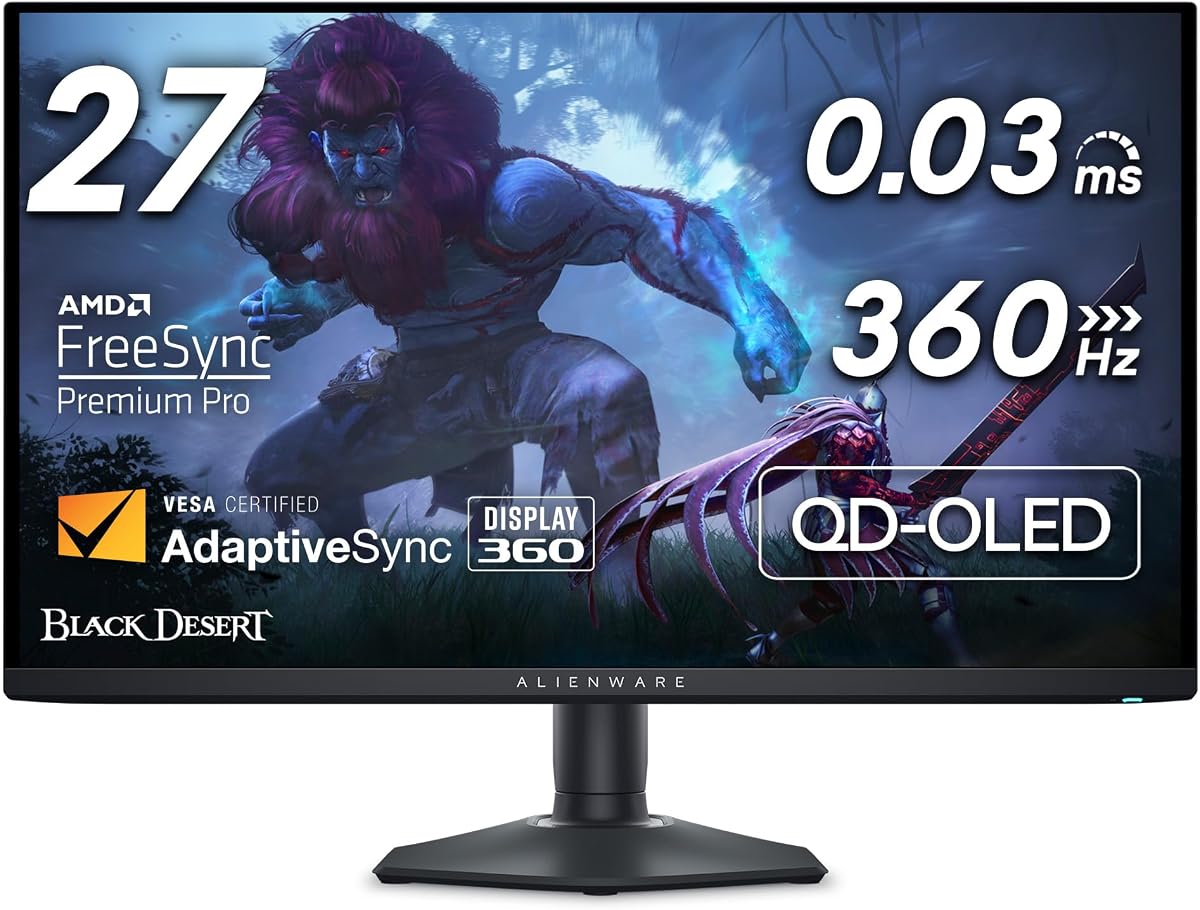
The Alienware AW2725DF brings 2560 x 1440 QD-OLED clarity and a 360Hz refresh rate to a comparatively approachable category, earning the Best Budget designation without sacrificing the core benefits of an OLED panel. Its 4.3 rating is still strong, and the combination of deep contrast, accurate color, and very fast motion serves both work and gaming.
We may earn a commission when you buy through this link, at no additional cost to you.
Infinite contrast and VESA DisplayHDR True Black 400 certification help text stand out strongly against page backgrounds. DCI-P3 coverage of 99.3% and Delta E below two provide accurate color, useful for design, photo review, and color-coded information. The 0.03ms gray-to-gray response keeps rapidly moving content free from the blur and ghosting that can make fast text and interfaces difficult to follow.
The 26.7-inch QHD panel is not as dense as a 4K screen, so this is not the top choice for maximizing the number of tiny characters visible at once. It also lacks some of the software and eye-care details highlighted for newer ASUS, LG, and Samsung models. Its 4.3 rating is among the lower scores in this comparison, although it should not be interpreted as a poor user rating.
This is a compelling choice for gamers who want a high-refresh OLED without stepping up to a 4K model, as well as for students and office users who value contrast and accurate color. Height, tilt, swivel, and pivot adjustment make the panel easier to position for sustained reading.
The monitor provides the same fundamental QHD OLED presentation associated with more expensive models in the guide. Deep blacks and high contrast make characters easy to distinguish, while accurate color supports a polished desktop experience.
A 360Hz refresh rate and 0.03ms response deliver exceptional motion performance. Full ergonomic adjustment helps users find a comfortable text-reading position or switch quickly between gaming and productivity.
We may earn a commission when you buy through this link, at no additional cost to you.
Text clarity depends on more than a glossy panel or a high refresh rate. Consider resolution, pixel density, subpixel behavior, surface finish, brightness, scaling, eye comfort, and OLED maintenance together before choosing a display.
Resolution determines how much information a monitor can display, while pixel density determines how finely that information can be rendered. A 2560 x 1440 panel provides more detail than Full HD and remains easier to drive for many systems. The 3840 x 2160 option offers the highest physical text density in this guide, allowing smaller interface text and more document lines. Compact models can also look surprisingly sharp because their resolution is concentrated into a smaller area.
OLED displays generate their own light, enabling extremely dark pixels and high intrinsic contrast. QD-OLED variants combine quantum-dot color filtering with an OLED backplane, while glossy WOLED options appear on several ASUS and LG models. Deep blacks generally improve the perceived separation of light text from a dark background, but actual readability still depends on brightness, color, scaling, and the application being used.
A glossy surface can look vivid and sharply defined under controlled lighting, but it may mirror windows, lamps, or pale walls. Glare-free or anti-glare treatments are usually more forgiving in bright offices and reduce visible reflections. They do not always look as punchy as glossy panels, yet they may be easier to read for long periods. The choice therefore depends on whether visual sharpness or reflection resistance matters more in the intended space.
A 26.5- or 27-inch monitor is a familiar balance between usable desktop area and manageable physical size. A 32-inch 4K display offers more room for documents and side-by-side applications, but requires more desk depth. A 34-inch ultrawide replaces vertical stacking with horizontal space, which can be excellent for research and productivity. The 14-inch portable model prioritizes density and mobility rather than total screen area.
A high refresh rate makes cursor movement, scrolling, and animated interfaces appear smoother. The models here range from 180Hz to 360Hz, with most reaching at least 240Hz. Their 0.03ms response times minimize visible ghosting in fast motion. Refresh rate does not directly determine text sharpness, but it can influence how fluid a document or browser feels during navigation, especially when paired with adaptive synchronization.
Accurate color improves the clarity of charts, highlighted cells, interface icons, and photographs. DCI-P3 coverage near 99%, true 10-bit output, and low Delta E values are useful for creative workflows. HDR support can add brighter highlights and deeper shadow detail, though ordinary office documents may not require it. A model with strong SDR brightness and contrast may be more useful for text than one whose capabilities are concentrated in gaming-focused HDR modes.
Long reading sessions benefit from a stable viewing position, appropriate brightness, and an operating system scale that keeps characters comfortably sized. Some models include Low Blue Light, Flicker-Free, or Anti-Glare certifications. Adjustable height, tilt, swivel, and pivot controls also reduce the need to hunch toward the display. The portable option adds touch input, but the inclusion of eye-care certifications is not stated in its supplied specifications.
OLED pixels can gradually retain static content, so refresh routines and burn-in mitigation are important for long-term ownership. Samsung uses OLED Safeguard, ASUS provides OLED Care or OLED Care Pro with proximity sensing on select models, LG includes automatic pixel-care cycles, and Acer provides image retention refresh. Connectivity should match your devices: DisplayPort is common for high-refresh PCs, HDMI 2.1 supports current gaming hardware, and USB-C is useful for a cleaner portable or laptop setup.
After setup, choose the native resolution of the monitor and adjust the operating system's scaling so that interface text is sharp without becoming unnecessarily small. If characters look soft, confirm that the display is not being stretched or scaled from a lower resolution. Clean the screen with a soft microfiber cloth and avoid placing bright lamps, windows, or pale walls directly behind the viewer, particularly when using a glossy panel.
For everyday reading, use a warm but neutral brightness level that matches the room, and enable any available flicker-free or low-blue-light features if they improve comfort. Adjust the height so the top of the screen is near eye level, then use tilt and swivel to keep the panel square to the viewer. Avoid leaving magnifying text, spreadsheets, or terminal windows open and static for long unattended periods.
To support long-term panel health, enable the manufacturer's OLED protection and pixel-refresh features, use screen savers or automatic blanking during breaks, and avoid leaving bright static interfaces on-screen overnight. Manage device connections so that expected source changes are handled cleanly, and consult the included documentation for the correct care-cycle, brightness, and firmware settings.
Yes, an OLED monitor can provide very clear text because of its high contrast and ability to render extremely dark pixels. Actual readability depends on resolution, operating-system scaling, surface finish, room lighting, and viewing distance. A 4K model generally offers more physical text detail, while a glare-free panel may be easier to read in a brightly lit room.
A glossy OLED can look sharper and more reflective under controlled lighting, but it may also reveal distracting room reflections. A matte or glare-free OLED is usually more practical in bright environments and may offer more comfortable extended reading. The best choice depends on the room and whether maximum perceived crispness or minimal distraction is the priority.
No, QHD resolution can produce clear text on a properly sized 27-inch monitor, especially with suitable scaling. However, a 4K display provides more pixels per inch and allows smaller interface text while preserving fine detail. It is generally the preferable choice for dense documents, code, financial spreadsheets, and professional editing.
A 2560 x 1440 QHD panel is a balanced option for standard 27-inch use, while 3840 x 2160 4K is ideal for maximum text density. A compact high-resolution screen can also look sharp, but its smaller physical area may require more frequent scrolling. Match the resolution to the screen size rather than treating resolution as the only factor.
OLED displays can experience image retention with prolonged static content, particularly bright interfaces left on for long periods. Modern models include refresh routines, thermal management, task-specific features, or proximity sensors to reduce risk. Enabling the available care functions, using blanking during breaks, and varying displayed content further reduces the likelihood of visible retention.
A high refresh rate is most valuable for gaming, but it can make cursor movement, scrolling, and window transitions feel smoother during general work. Text sharpness still depends more on resolution, pixel density, finish, and scaling. Users who do not play games can still benefit from 120Hz or higher, though they do not need to prioritize the highest refresh rates in this guide.
Comfort depends on glare, brightness, scaling, positioning, and the user's individual sensitivity rather than OLED technology alone. Matte or glare-free models can help in bright rooms, while ergonomic adjustment keeps the viewing angle comfortable. Low Blue Light and Flicker-Free certifications are also useful when offered and properly configured.
Yes, a compact 2880 x 1800 OLED can provide high text density, precise touch input, and a lightweight alternative to a laptop display. It is especially useful for mobile work and presentations. Its smaller physical area may be less comfortable for long sessions, so it works best as a companion or occasional productivity display rather than every user's only monitor.
The Samsung Odyssey OLED G6 is the most balanced overall recommendation, combining a 27-inch QHD QD-OLED panel, strong color accuracy, glare-free treatment, and a 240Hz refresh rate. The ASUS ROG XG32UCWG is the premium selection for maximum physical text density, while the Alienware AW2725DF offers a practical entry into high-refresh OLED use. The SUPERFECT portable model fills a distinct niche for compact, touch-enabled productivity.
Prioritize the combination of resolution, screen size, and surface finish rather than choosing on refresh rate alone. QHD suits conventional 27-inch setups, 4K provides finer text and more workspace, and an ultrawide is useful for side-by-side research. Consider glare resistance in bright rooms, color accuracy for creative work, and OLED care features for long-term reliability.
Before purchasing, confirm the current product details, supported connections, scaling behavior, and warranty terms. Retail availability, promotional bundles, firmware, and prices can change, so use the comparison and reviews as a shortlist rather than a substitute for checking the live listing.