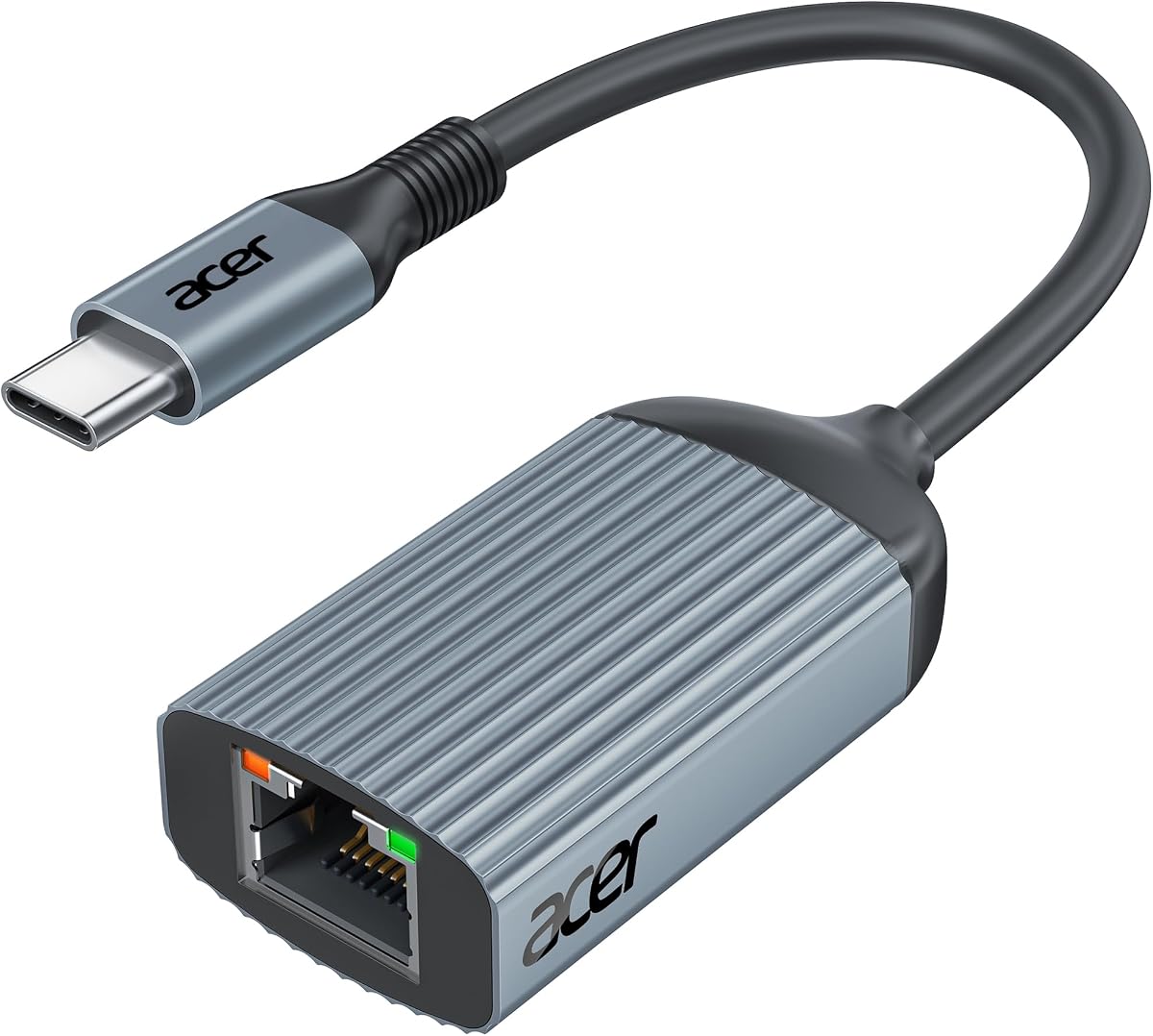
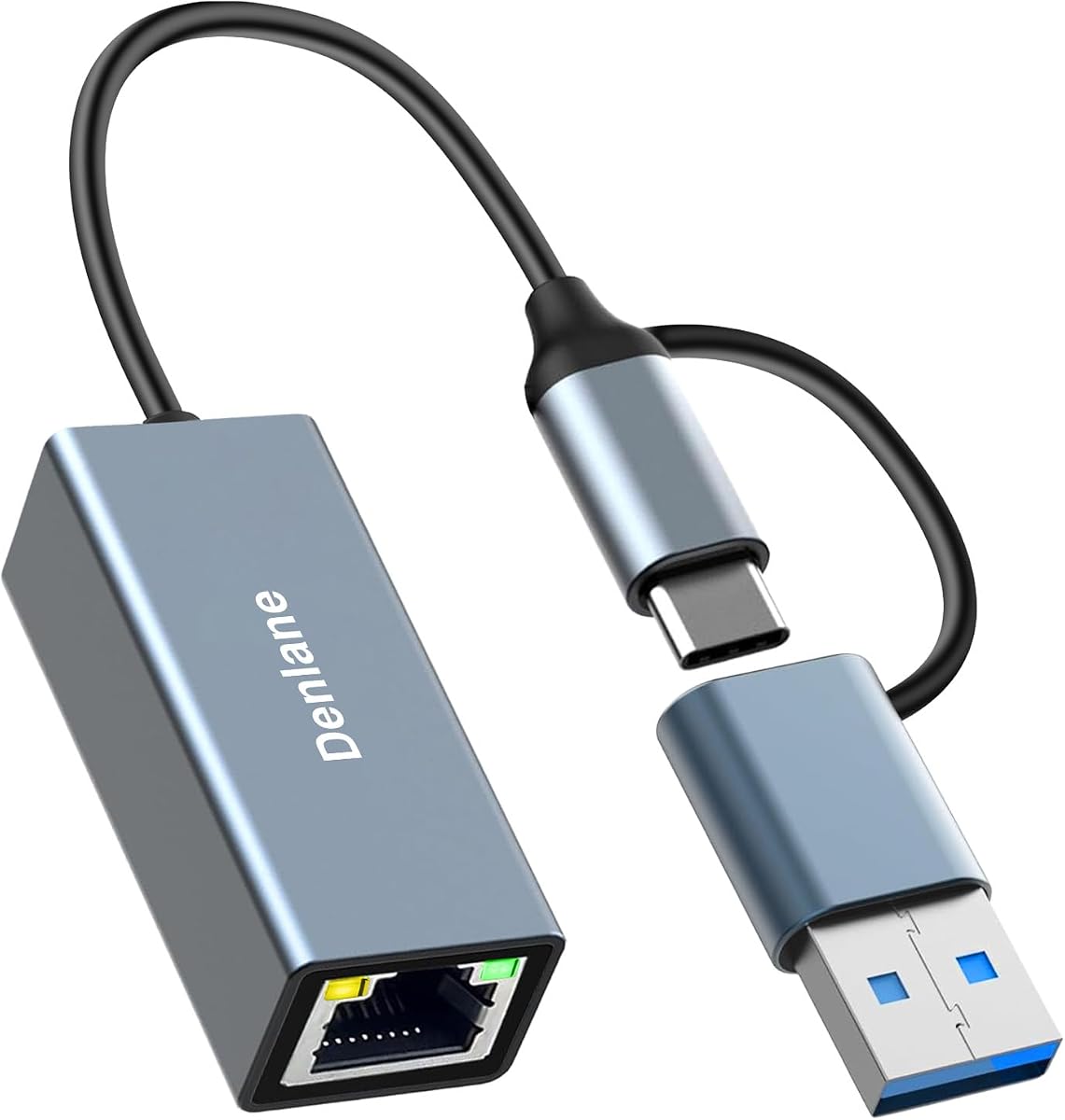
BENFEI USB-C to Ethernet Adapter
4.5Editor score
Gigabit wired networking
Broad Android compatibility
Compact braided-cable design
Explore the best Ethernet adapters for Android phones, comparing speed, USB-C support, portability, compatibility, charging, and plug-and-play options.
An Ethernet adapter can give an Android phone a fast, stable wired connection for downloads, video calls, streaming, gaming, and access to local networks. The right model depends on the phone connector, supported network speed, OTG behavior, power needs, portability, and whether the adapter also charges the device.
This guide compares ten USB-C and Micro-USB adapters using the supplied specifications, compatibility claims, ratings, connector designs, and feature sets. It covers standard gigabit options, a dual-interface adapter, a 2.5Gb model, a compact male-plug design, and one adapter that includes USB-C power delivery.
The recommendations show which product best fits each priority, from a budget general-purpose adapter to faster networking for advanced users. Product ratings and availability can change, and prices fluctuate over time, so readers should confirm the current specifications, device support, and purchase terms before ordering.
4.5Editor score

4.7Editor score

4.6Editor score
The comparison highlights connector type, rated network speed, Android support, charging capability, and the practical features that distinguish each adapter.




The BENFEI USB-C to Ethernet Adapter is a straightforward way to add an RJ45 connection to a compatible Android phone. It has a 4.5 rating and supports network speeds up to 1Gbps, with backward compatibility for 100Mbps and 10Mbps networks. Its plug-and-play approach makes it approachable for users who want a wired connection without navigating complicated setup menus.
We may earn a commission when you buy through this link, at no additional cost to you.
The adapter's strongest feature is its stated device coverage. The supplied information specifically lists Samsung S20, S10, S9, S8, S8+, Note 8, Note 9, Galaxy Tab A 10.5, and other USB-C smartphones and tablets. It also works with many laptops, including MacBook, XPS, Surface Book 2, Chromebook, and ZenBook models. That broad list is useful, although an individual phone still needs a compatible USB-C data port and appropriate Android network support.
Construction details add value for daily use. The adapter uses an aluminum casing for heat handling, a braided nylon cable for durability, and a compact shape intended to resist slipping during connection or removal. It can deliver gigabit speeds when paired with CAT6 or better Ethernet cabling, but the adapter itself does not add a second function such as charging.
This is a strong choice for buyers seeking an uncomplicated gigabit adapter at a practical entry point. It suits everyday downloads, stable browsing, video calls, and local-network tasks on a compatible USB-C Android device. The main compromise is that it cannot maintain a wired data connection and charge the phone through the same adapter, so users with demanding battery needs should consider a model with USB-C power delivery.
With support up to 1Gbps and backward support for 100Mbps and 10Mbps networks, the adapter can provide a useful wired alternative to inconsistent Wi-Fi. A CAT6 or newer Ethernet cable is required to reach the top rated speed, so cable quality remains part of the real-world result.
The compact aluminum body, non-slip approach, and braided cable make this easier to carry between a home desk, office, hotel, or classroom. It is a small accessory that does not require a separate power supply for its stated networking function.
We may earn a commission when you buy through this link, at no additional cost to you.
The uni USB C to Ethernet Adapter combines a 4.6 rating with a clean, driver-free approach. It supports connection speeds up to 1Gbps and remains compatible with 100Mbps and 10Mbps networks. For an Android phone, that makes it a practical general-purpose adapter for offices, schools, travel, and home networks where a stable wired link is more desirable than Wi-Fi.
We may earn a commission when you buy through this link, at no additional cost to you.
Its compatibility description includes recent iPhone models, numerous MacBook and iPad configurations, Samsung S20 through S8 series devices, Galaxy Tab A 10.5, and other USB-C smartphones and tablets. The product is also presented as a way to connect peripherals without blocking adjacent USB-C ports. These details make it more flexible than a narrowly targeted phone accessory.
The design emphasizes daily use rather than advanced networking. An aluminum casing helps with heat dissipation, while a braided cable and non-slip body are intended to withstand regular handling. The included feature information also mentions an 18-month warranty and customer support, adding reassurance for buyers who want service beyond the adapter itself.
The uni adapter is an excellent general recommendation for compatible Android phones because it combines a strong rating, broad device support, and simple setup. It is particularly attractive for users who want gigabit performance without installing drivers. As with most simple adapters in this category, it does not include USB-C charging, so buyers who need power and data at the same time should choose a power-delivery model instead.
The adapter is described as driver-free, allowing a compatible phone to recognize it without a separate installation process. This simplicity is especially useful when connecting in a hotel, office, or other location where installing software is inconvenient or restricted.
The listed compatibility covers many Android flagships, tablets, laptops, and Chromebooks. That makes the adapter useful beyond a single phone, allowing one compact accessory to serve several USB-C devices in a home or mobile work setup.
We may earn a commission when you buy through this link, at no additional cost to you.
The Micro USB OTG Ethernet Adapter is intended for Android phones and tablets that still use Micro-USB rather than USB-C. It adds 10/100Mbps wired networking and has a 4.5 rating. The defining benefit is backward device access, allowing compatible older hardware to obtain an Ethernet connection without changing to a newer adapter format.
We may earn a commission when you buy through this link, at no additional cost to you.
The supplied system requirements list Windows XP, Vista, Windows 7 and later, Linux 2.6.4 or later, Android 2.1 or later, and Mac OS 10.6 or later. Driverless operation is specified for Windows 8.1 and Windows 10, Mac OS 10.9 and later, and Android 4.0 and later. The product is also listed for Raspberry Pi 2, Raspberry Pi Zero W, Windows tablets, Android tablets, mini PCs, TV boxes, and HDTV systems.
Compatibility is the main caveat for phone buyers. The product information explicitly notes that Android support is limited and recommends checking for a grayed-out Ethernet option under Wireless & Network settings before buying. A connector that physically fits is not the only requirement; the phone also needs suitable OTG and networking support.
This adapter makes the most sense for owners of older Micro-USB Android devices that expose the expected Ethernet menu. It is less attractive for modern USB-C phones because its maximum 100Mbps speed is much lower than the gigabit and 2.5Gb alternatives. It remains a specialized, useful option rather than a general recommendation for current flagship phones.
The adapter is one of the few choices here designed specifically around Micro-USB OTG. It can add a wired network to compatible older Android tablets and phones, along with selected Raspberry Pi and Windows tablet systems.
The supplied instructions recommend looking for a grayed-out Ethernet menu under Wireless & Networks. This check helps confirm that the device recognizes OTG Ethernet functionality and reduces the chance of buying an adapter that physically connects but cannot configure a network.
We may earn a commission when you buy through this link, at no additional cost to you.
The Cable Matters USB C to Ethernet Adapter is the clear 2-in-1 option in this list. It combines a gigabit RJ45 connection with a USB-C power-delivery port capable of supplying up to 140W. For an Android phone used through long work sessions, that extra charging function can be more valuable than a smaller body or a second Ethernet feature.
We may earn a commission when you buy through this link, at no additional cost to you.
Its stated compatibility covers USB-C and Thunderbolt 3, 4, and 5 devices, including MacBook, iMac, iPad Pro, Dell XPS, Surface, and NAS systems. The operating systems listed include Windows, macOS, iPadOS, ChromeOS, and Linux. The adapter is also stated to work with Chromecast with Google TV models from 2020 onward, with Ethernet speeds of up to 480Mbps for that use case.
The physical design uses a lightweight aluminum housing and a flexible braided pigtail cable for strain resistance. No drivers or software are needed according to the product information, which helps preserve the simple experience of connecting a phone to a wired network. A status-conscious buyer may also appreciate the opportunity to keep a suitable USB-C charger connected while data is active.
This adapter is best for users who require simultaneous charging and networking or who want one accessory to work across several modern USB-C devices. The compromise is that it is more elaborate than a basic dongle, and actual charging output depends on the phone, charger, cable, and power-delivery negotiation. For those who need power while connected, however, this feature set is a compelling advantage.
The integrated USB-C power-delivery port supports up to 140W, allowing a compatible charger to remain connected while the Ethernet link is in use. This is especially useful for extended work sessions where conserving the phone's battery matters.
Support for several Thunderbolt generations and major operating systems broadens the adapter's practical reach. The stated Chromecast with Google TV support also gives it value in entertainment setups where a stable wired connection is preferable to wireless streaming.
We may earn a commission when you buy through this link, at no additional cost to you.
The UGREEN USB C to Ethernet Adapter is the strongest all-around option for Android phones because it combines a 4.7 rating with explicit driver-free Android support. It provides speeds up to 1000Mbps and remains compatible with 100Mbps and 10Mbps networks. That balance of performance, portability, and simple setup makes it a particularly sensible first adapter for most compatible USB-C phones.
We may earn a commission when you buy through this link, at no additional cost to you.
The supplied information describes a compact aluminum alloy case, reinforced cable tail, and wear-resistant port. These are meaningful details for an accessory that will be inserted and removed regularly. An LED indicator provides an at-a-glance view of connection status, helping users confirm that the phone has recognized the adapter.
Compatibility is extensive. The product description names MacBook Pro and Air, XPS, iPhone 15 and 16 Pro models, Mac Mini, Chromebook, and iPad, while also explicitly including Android among supported systems. It is presented as driver-free for Windows 11, 10, 8.1, and 8, macOS, Chrome OS, and Android. Drivers are required for older Windows releases and Linux.
This is the most versatile conventional gigabit adapter in the roundup for Android users who want a small, reliable, driver-free accessory. It handles the common needs without the power-delivery bulk of a 2-in-1 model. Buyers should still confirm that their phone supports USB-C data and OTG Ethernet. For most modern compatible Android phones, however, the feature balance is difficult to surpass.
The adapter combines a high 4.7 rating with a straightforward gigabit connection and broad operating-system support. It does not chase specialized functions, which keeps the design simple and the carry burden low.
The reinforced cable tail, wear-resistant port, and aluminum alloy housing are designed for regular use. These features are useful for people who carry the adapter between locations and repeatedly connect it to different USB-C ports.
We may earn a commission when you buy through this link, at no additional cost to you.
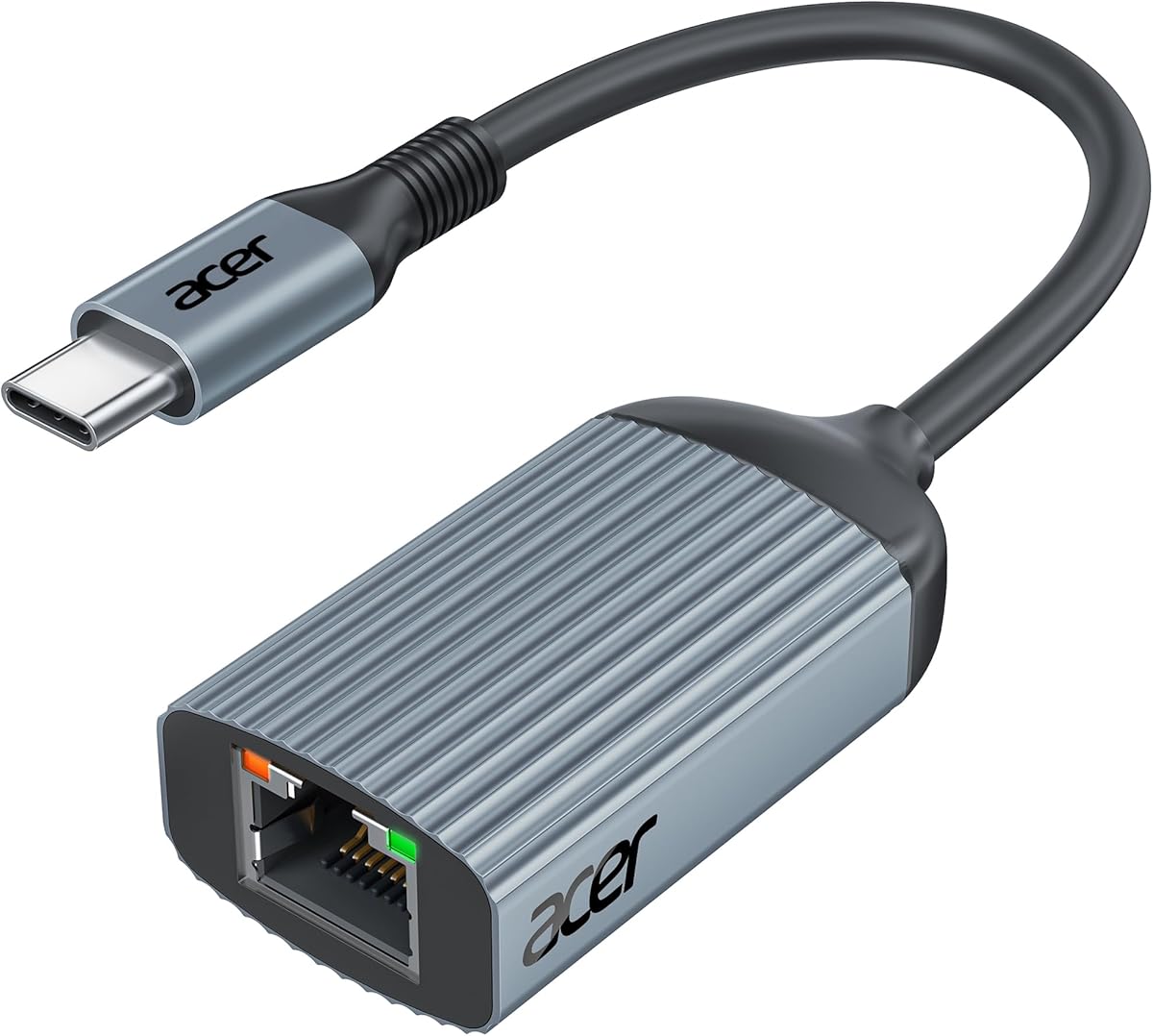
The Acer USB C to Ethernet Adapter provides a 1Gbps wired connection in a compact, travel-friendly form. Its 4.4 rating places it behind some of the leaders, but the supplied specifications present a capable package for Android users who value simple setup, low power use, and visible connection diagnostics.
We may earn a commission when you buy through this link, at no additional cost to you.
The adapter uses an RTL8153B controller and supports 100Mbps and 10Mbps networks as well as gigabit Ethernet. The product information states that full 1Gbps operation requires a CAT6 or better Ethernet cable. It also claims low power consumption and reduced heat generation while operating at gigabit speed, which is relevant when the adapter is powered by a phone.
Two indicator lights provide clear status information and make troubleshooting more convenient. The aluminum housing is described as heat-dissipating, while reinforced ports are intended to withstand frequent insertion and removal. No driver, software, or other setup is required, allowing the adapter to present a straightforward connection experience.
Compatibility includes Samsung S23, S22, S21, and S20 models, along with older Samsung flagships, Galaxy tablets, and numerous USB-C laptops. That broad list makes it a credible choice for current Android users. Its main limitation is the lack of charging, while its lower rating makes it less compelling than the top-rated UGREEN and uni models. Even so, it is a solid, uncomplicated option.
The updated controller supports 1000Mbps connections and automatically accommodates 100Mbps and 10Mbps networks. With the required CAT6-or-better cable, it is suited to large downloads, streaming, and other bandwidth-heavy phone tasks.
Two indicators make it easier to understand the adapter's state at a glance. That is helpful when troubleshooting cables, network access, or a phone that does not immediately recognize an Ethernet accessory.
We may earn a commission when you buy through this link, at no additional cost to you.
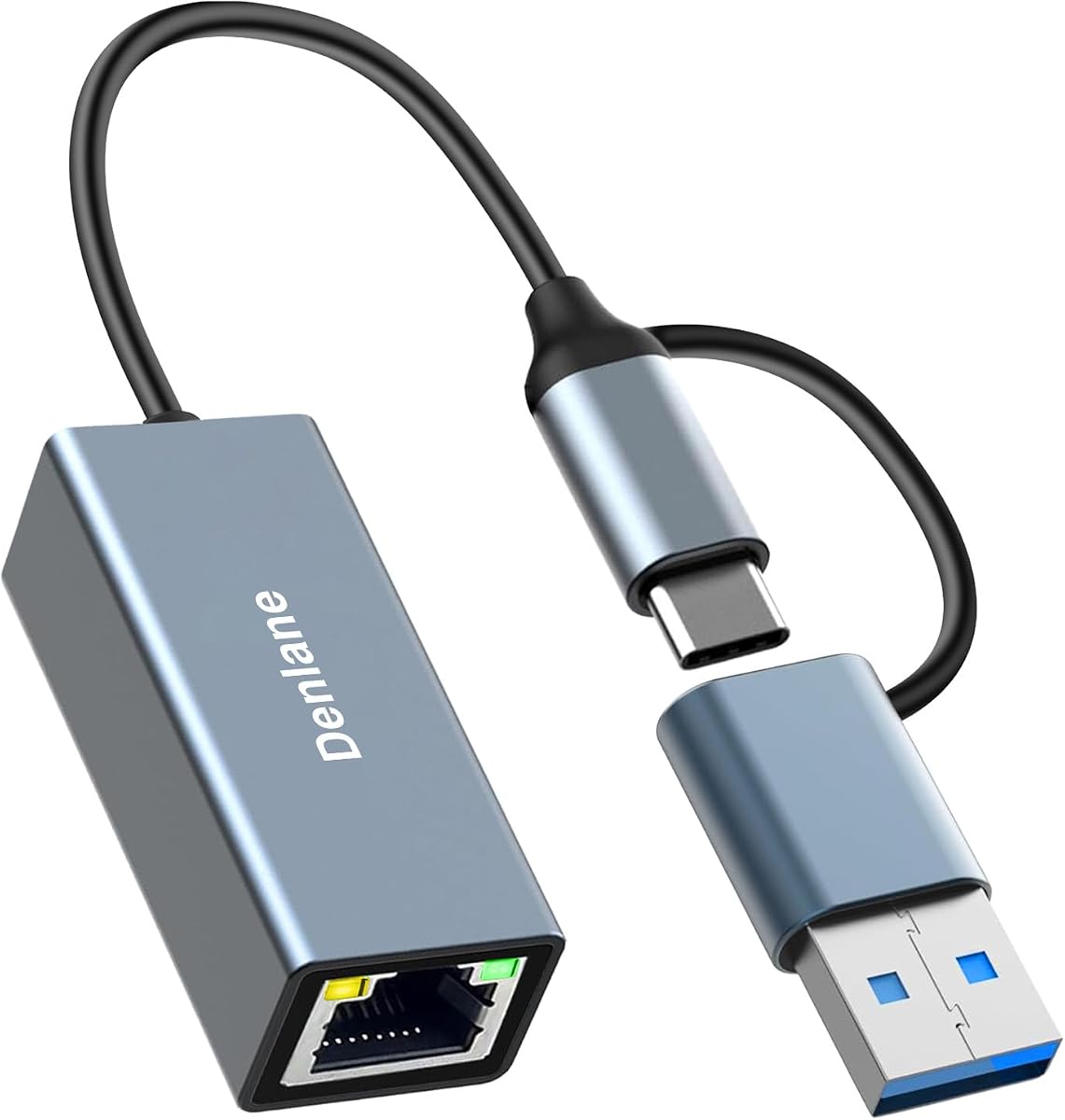
The Denlane USB 3.0 to Ethernet Adapter stands apart through its dual-connector design. It can connect through either USB-A or USB-C, making it useful for modern Android phones as well as older accessories and computers. Its stated network performance reaches 1Gbps, and it works without a separate power supply or driver.
We may earn a commission when you buy through this link, at no additional cost to you.
The product supports Windows, macOS, ChromeOS, Linux, Android, and iOS, according to the supplied description. Examples of compatible devices include MacBook Air and Pro, USB-C iPads, Dell XPS systems, Surface Book, Pixelbook, Chromebook, ZenBook, Lenovo Yoga models, Samsung S8 and S8 Plus, Note 8 and Note 9, Galaxy Tab A 10.5, and Pixel devices.
Its aluminum alloy body is described as smooth and sturdy, while the soft cable is said to withstand more than 10,000 bends. These construction claims make the adapter suitable for mobile use, although a 4.0 rating is the lowest among the products reviewed. Buyers should interpret the rating alongside the otherwise strong feature set.
The dual interface is the decisive benefit for people who want one Ethernet adapter to work with more than one connector standard. It does not combine Ethernet with charging or a multiport USB hub, so its functionality is intentionally focused. For a compatible Android phone, it offers a practical gigabit connection and broad compatibility at the cost of a lower customer rating.
The USB-A and USB-C interfaces make the adapter adaptable to phones, tablets, and computers that use either connector. This reduces the need to carry separate Ethernet accessories when moving between modern and legacy devices.
The soft cable is designed to bend repeatedly and is paired with an aluminum alloy housing. Those attributes suit frequent travel and repeated packing, while gigabit support covers common high-bandwidth network tasks.
We may earn a commission when you buy through this link, at no additional cost to you.
The Monoprice USB-C to 5Gbps Ethernet Adapter has a 5.0 rating, the highest in the supplied data, and a distinctive 5Gbps speed claim. It is presented as a compact way to add Ethernet to laptops and devices that lack RJ45 ports, including compatible smartphones and tablets.
We may earn a commission when you buy through this link, at no additional cost to you.
Installation is simple: the product requires no drivers for Windows, macOS, Chrome OS, or Android. Power also comes from the USB-C port, so there is no additional power adapter to carry. These details align well with mobile use because the adapter adds a wired network without creating a larger power-management footprint.
The aluminum housing is described as robust enough for daily wear and tear, while the overall form is intended to fit into a laptop bag or pocket. Compatibility is broad, covering most laptops, tablets, smartphones, and gaming devices that use USB-C. The product is not limited to a narrow phone category, which may be useful for buyers who want one accessory for several devices.
The principal question is whether the user's network and connected hardware can support the stated 5Gbps capability. Real network results also depend on the router, switch, cable, and service. Even if the available network is slower, the adapter's portability, 5.0 rating, and clean setup make it a compelling premium general-purpose option. It does not include charging, so it is primarily for users prioritizing data over simultaneous power.
The stated 5Gbps capability gives this adapter an advantage over conventional gigabit models when the surrounding network hardware can support higher throughput. Users should assess the complete connection path rather than expecting the rated maximum under every condition.
A compact aluminum body, bus-powered operation, and no separate power supply keep the accessory easy to manage on the move. The no-driver installation further reduces setup time when switching between work, home, and travel networks.
We may earn a commission when you buy through this link, at no additional cost to you.
The Gigabit USB C to Ethernet RJ45 Male to Type C Female Network Adapter takes a different approach to portability. Instead of integrating a full RJ45 female port into a conventional dongle, it uses a male RJ45 plug that accepts a standard Ethernet cable. Its USB-C female end then connects to a USB-C-to-C or USB-A-to-C data cable.
We may earn a commission when you buy through this link, at no additional cost to you.
This arrangement removes the need to carry a bulky Ethernet adapter, although the phone still requires a suitable USB-C cable. The supplied information explains the performance distinction clearly: maximum 1000Mbps operation requires a USB 3.0, 3.1, 4.0, or Thunderbolt 3, 4, or 5 cable, while a USB 2.0 cable is limited to 100Mbps.
The adapter supports 10, 100, and 1000Mbps auto-negotiation and is driver-free on Windows 11, 10, 8.1, and 8, macOS, iPadOS, Chrome OS, and Android with OTG support. Linux requires a manual driver download. Its aluminum alloy housing provides heat dissipation, while overcurrent, overvoltage, and short-circuit protection are included.
This design is best for travelers who already carry a good USB-C cable and want the smallest possible Ethernet solution. It also supports a wide range of devices, including Samsung Galaxy S24 and S25 Ultra models, other Android phones, iPads, MacBooks, Chromebooks, tablets, Nintendo Switch, and Steam Deck. The key trade-off is dependence on a suitable separate cable for full speed.
The male RJ45 plug accepts a regular Ethernet cable directly, leaving the adapter body small enough for a pocket or laptop sleeve. It is an elegant solution for users who prefer carrying a cable over a larger integrated dongle.
The adapter can reach 1000Mbps with suitable modern USB-C cabling, but a USB 2.0 cable limits throughput to 100Mbps. Buyers who want gigabit performance should therefore evaluate the data cable they intend to use rather than focusing only on the adapter.
We may earn a commission when you buy through this link, at no additional cost to you.
The UGREEN USB C to Ethernet 2.5G is the premium performance choice in this guide. Its stated capability reaches 2.5Gb, more than twice the nominal maximum of the standard gigabit adapters. It carries a 4.6 rating and is designed for users who have newer routers, switches, computers, or other network equipment that can make use of faster wired throughput.
We may earn a commission when you buy through this link, at no additional cost to you.
At the center of the design is an RTL8156BG controller, which the product information says supports improved efficiency and reduced heat generation during high-speed operation. The aluminum housing helps dissipate heat, reinforced ports are intended to tolerate repeated plugging, and indicator lights make transmission status visible. These details are particularly relevant when running at the adapter's upper rated speed.
The adapter is described as a communications bridge for laptops, tablets, and smartphones. Listed compatible hardware includes MacBook Pro and Air, Dell XPS, iPad Pro and Air, Mac Mini, and iPhone 15, 16, and 17 Pro or Pro Max models. It can also pair a 1Gb network with 2.5Gb-capable switches and routers, offering flexibility when a faster local network is available.
This is the best option for users who want more than a routine gigabit link, particularly for NAS access, large transfers, and high-resolution media. The price premium is most defensible when the rest of the network can support 2.5Gb. Otherwise, a less advanced adapter may provide the same result at a lower tier. The adapter does not include charging, so it is focused entirely on high-speed data.
A 2.5Gb connection can substantially increase local-network throughput when the router, switch, storage, and other endpoint support it. The improvement is especially relevant to NAS workflows, large file transfers, and high-bandwidth media rather than ordinary internet browsing limited by service speed.
The RTL8156BG controller is paired with an aluminum housing and reinforced ports. Together with visible status indicators, the design is oriented toward sustained high-speed operation and repeated everyday use.
We may earn a commission when you buy through this link, at no additional cost to you.
The right Ethernet adapter depends first on the phone's connector and operating-system support, followed by network speed, charging needs, and portability. These factors help separate a genuinely useful accessory from one that merely fits physically.
Most modern Android phones use USB-C, but a USB-C socket alone does not guarantee that every wired networking accessory will work. The phone should support OTG networking, and its Android version should recognize Ethernet through the appropriate settings. The UGREEN, uni, BENFEI, Acer, Denlane, Monoprice, Cable Matters, and compact male-plug products all state Android compatibility, but individual device and operating-system behavior can vary. Check the phone manufacturer's support information before purchasing, especially if the device is older or heavily customized.
USB-C adapters are the primary choice for current Android phones, while the Micro USB OTG model serves compatible older hardware. The Denlane dual-interface adapter offers both USB-A and USB-C, which can be useful when managing several device generations. The male-plug design uses a USB-C female port and therefore requires a suitable USB-C data cable. This arrangement can save space, but it is less convenient than an integrated adapter and cable speed must be considered.
A gigabit adapter supports up to 1000Mbps and is appropriate for most homes, offices, and public networks. The UGREEN 2.5G model supports a higher 2.5Gb rate when the router, switch, and endpoint hardware also support it. The Monoprice product advertises 5Gbps, making it interesting for compatible high-speed infrastructure. The Micro USB option is limited to 100Mbps. Higher adapter ratings do not increase internet speed beyond the service or local network's limit, and the Ethernet cable must also support the desired rate.
Most adapters in this guide focus on data alone and do not provide a way to charge the phone while Ethernet is connected. The Cable Matters model includes USB-C power delivery of up to 140W, making it the obvious choice for extended sessions that require simultaneous power. That convenience comes with a larger, more complex design. If the phone is used briefly for downloads or network access, a smaller standard adapter may be easier to carry.
Travel users should compare integrated adapters with the compact RJ45 male-plug design. The latter accepts a regular Ethernet cable and can reduce the amount of rigid hardware carried, but it still needs a reliable USB-C data cable. Models featuring flexible braided cables and reinforced connectors are better suited to repeated handling. Compact aluminum bodies, status lights, and portable proportions are helpful for users who switch frequently between a desk, classroom, hotel, or meeting room.
Most modern Android phones should favor an adapter described as driver-free. The UGREEN, uni, BENFEI, Acer, Denlane, Monoprice, Cable Matters, and male-plug options state broad support for Android and common desktop systems. The Micro USB adapter has more limited Android requirements and explicitly advises checking for an Ethernet menu before buying. Linux users should also note that the compact male-plug model requires a manual driver download, while the standard UGREEN model states that Linux drivers are needed.
Aluminum housings, reinforced cable tails, wear-resistant ports, and flexible cables can improve durability in a frequently handled accessory. Status indicators are also useful because they confirm whether the adapter is active without opening menus or repeatedly reconnecting the phone. The DENLANE cable is stated to have been tested through more than 10,000 bends, while several other products use braided cables. These features should be weighed alongside the adapter's size, connector design, and intended travel frequency.
The fastest possible result requires support at every point: the phone's USB-C port, the adapter, the Ethernet cable, the router or switch, the network service, and the other endpoint. A CAT6 or newer cable is specifically mentioned for reaching gigabit speeds in several product descriptions. Wireless networks may sometimes provide better practical throughput depending on signal conditions, and a wired connection may not automatically reduce latency. Android support and available network settings remain more important than a headline speed.
Before connecting the adapter, confirm that the Android phone supports OTG Ethernet and that the adapter's connector matches the device. Connect the RJ45 end to an Ethernet cable, then route the cable to a router, switch, or network port. If the adapter has a separate USB-C charging port, connect the compatible charger before or after establishing the data link according to the product instructions.
Plug the USB-C end into the phone and unlock the screen. Android should detect the wired network and may display a notification or offer to set up the connection. Open the network controls, select the Ethernet option where available, and complete any required sign-in or DHCP setup. If the phone does not recognize the adapter, reconnect it, try another network port, inspect the cable, and confirm that OTG networking is supported rather than assuming a physical fit is sufficient.
To protect the adapter, avoid sharply bending the connector or pulling the attached Ethernet cable sideways. Keep the RJ45 port free of dust and debris, and do not use the adapter while its housing is hot or visibly damaged. When traveling with the compact male-plug design, coil the Ethernet and USB-C cables without creating tight kinks. For firmware or driver updates, follow the adapter manufacturer's support instructions, particularly on Linux systems that may require a manual driver installation.
No. The phone must have a USB-C port that supports data and USB On-The-Go functionality, and Android must recognize Ethernet as a network type. Some older or restricted devices may not expose the required menu. The Micro USB OTG adapter is intended for compatible older hardware, while the newer USB-C models are better suited to current phones.
Most adapters in this guide are described as driver-free on Android, including the UGREEN, uni, BENFEI, Acer, Denlane, Monoprice, Cable Matters, and compact male-plug options. The Micro USB model also supports driverless operation on Android 4.0 and later according to its supplied specifications. If a phone does not recognize the adapter, verify OTG support and the Android version before assuming a driver is the issue.
Only if the adapter includes a separate USB-C power-delivery input. Among the listed products, the Cable Matters model provides that feature and supports up to 140W power delivery. The other adapters focus on data and do not offer a way to charge the phone through the same adapter. Check that the phone, charger, and cable support the required power-delivery standard.
Not necessarily. Faster adapter ratings matter when the router, switch, cable, and endpoint also support the higher rate, especially for local transfers such as NAS access. A home internet connection limited to a lower speed will not become faster because of a higher-rated dongle. Even a gigabit adapter cannot overcome a slow internet service or Wi-Fi bottleneck elsewhere in the network.
Use a CAT6 or newer Ethernet cable to reach the full 1Gbps rate described for several products. Older or lower-grade cables may prevent the connection from operating at its top speed. The cable, adapter, phone port, router, and network service all influence the final result, so verify the standards of the full connection path.
Common causes include insufficient OTG support, an unsupported Android version, a charge-only USB-C cable, a faulty Ethernet cable, or an adapter that lacks power. Reconnect the adapter after unlocking the phone, inspect or replace the cables, and check for an Ethernet option in the network settings. The Micro USB product specifically recommends confirming that the phone displays a grayed-out Ethernet menu before purchase.
It can be because the rigid adapter body is smaller and accepts a normal Ethernet cable directly. The trade-off is that it requires a separate USB-C data cable, and a USB 2.0 cable limits the stated maximum to 100Mbps. Travelers should carry a modern cable if they need the adapter's full gigabit capability.
Yes, provided each device uses a supported connector and operating system. The broad compatibility lists make the USB-C models useful across many Android phones and tablets, while the Denlane dual-interface model adds USB-A support and the Micro USB model serves compatible older equipment. Actual networking behavior still depends on each device's OTG and Ethernet support.
The UGREEN USB C to Ethernet Adapter is the strongest general choice because it combines a 4.7 rating, gigabit performance, driver-free Android support, and a compact aluminum design. The BENFEI adapter offers a strong value-oriented alternative with broad phone compatibility, while the UGREEN 2.5G model serves buyers who need faster local networking and have compatible infrastructure.
Prioritize OTG and USB-C data support before considering speed, because an adapter cannot provide a working wired connection on an unsupported phone. Next, decide whether simultaneous charging matters, whether the device needs to travel, and whether the available router or switch can support the advertised rate. Older Micro-USB users should follow the product's specific Android compatibility checks.
Ratings, specifications, availability, and prices can change, so review the current listing before buying. Confirm the connector, operating-system support, required cable category, power needs, and current network hardware to ensure the selected adapter fits both the phone and the place where it will be used.