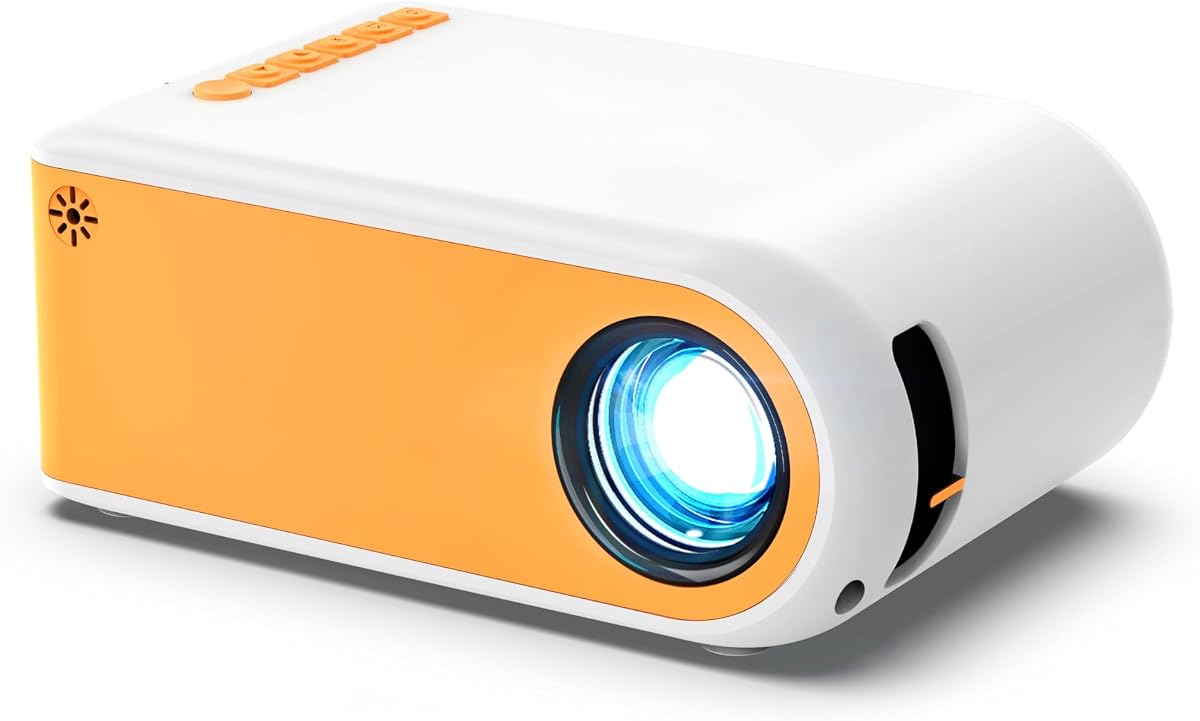
Mini Projector Portable Projectors with Wifi & Bluetooth Outdoor Projector
4.7Editor score
1080p full HD support
HDMI and USB connectivity
Compact under-one-pound design
A mini projector for laptop use should turn a small device into a convenient big-screen experience without becoming complicated to carry or connect. The best options balance usable image quality, flexible placement, practical ports, wireless features, and enough brightness for the environments in which you realistically plan to watch.
We compared ten projectors using the supplied specifications, focusing on laptop connectivity, supported resolution, projection range, focus and keystone features, wireless standards, built-in apps, audio, portability, and installation options. The list covers budget models, smart projectors, native 1080p devices, and compact systems designed for bedrooms, travel, or outdoor entertainment.
Each review explains where a projector is strongest, where its specifications require realistic expectations, and which users may benefit most. Ratings reflect the supplied customer feedback, while product details and availability can change. Compare the current listing, accessories, and compatibility notes before purchasing because prices and offers frequently fluctuate.
4.7Editor score

4.6Editor score

4.3Editor score
As an Amazon Associate we earn from qualifying purchases.
The table below compares all ten projectors across their most relevant laptop-use factors, including wired connectivity, wireless standards, image capability, and portability. It is designed to make the differences easier to compare before reading the full reviews.


The SSmini Outdoor Projector combines a 4.7 rating with a feature set that makes it a compelling value for laptop-based movie viewing. It supports full HD content, offers WiFi screen mirroring and Bluetooth 5.2 audio, and measures only 5.63 by 3.79 by 2.28 inches. Its standout quality is the balance of portability, connectivity, and a projected image size that reaches 170 inches.
We may earn a commission when you buy through this link, at no additional cost to you.
The supplied specifications indicate adjustable projection from 3.3 to 16.4 feet, with optimal clarity described at 6.5 to 9.8 feet. Type-C, USB, HDMI, and audio connections make it straightforward to link a laptop, TV stick, console, tablet, or phone. Automatic convenience is limited compared with some newer models, but the included control options and broad port selection give users several paths to a working setup.
There are important expectations to manage. The manufacturer specifically says this is a home-theater mini projector rather than a presentation model. Netflix, Prime Video, Hulu, and other protected streaming applications may require a separate TV stick, Roku, or similar device. Brightness is not quantified in ANSI lumens, and the product will generally be most effective in a darker room rather than under strong daylight.
This is the best choice for a shopper who wants a small laptop projector with many connection options without prioritizing a smart app interface. It is especially useful for bedroom movie nights, RV travel, camping, and casual outdoor viewing. Users wanting effortless autofocus, documented lumens, native business clarity, or direct protected-app playback should examine the more specialized alternatives in this list.
HDMI provides the most direct route for laptop playback, while USB and Type-C broaden media options. Bluetooth is reserved for audio accessories rather than video casting, so a cable remains the dependable choice for presentations, downloaded files, and protected content.
The sub-one-pound body is easy to move between a desk, bedside table, campsite, or vehicle. A wide 22-to-170-inch range also means the same compact unit can serve as a personal bedroom display or a larger group screen when the room is suitably dark.
We may earn a commission when you buy through this link, at no additional cost to you.
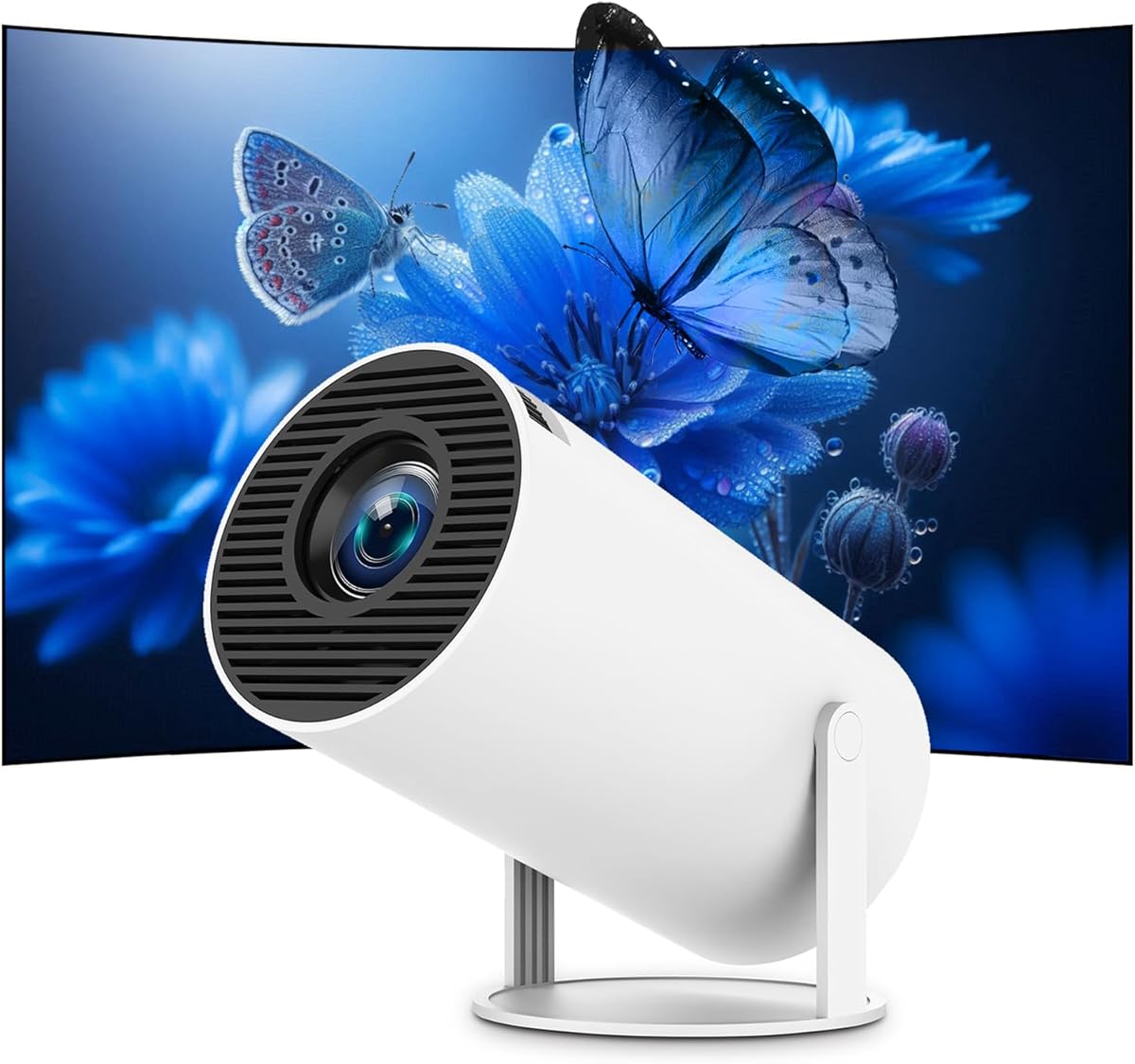
The Smart Projector 4K is a capable all-in-one entertainment option with a 4.4 rating. It combines Android 11, a built-in Netflix app, WiFi 6, Bluetooth 5.0, direct iPhone and Android projection, and automatic keystone correction. For someone who wants a laptop projector that can also function as a standalone smart streaming device, this is one of the most interesting choices.
We may earn a commission when you buy through this link, at no additional cost to you.
Its rotating design supports projections onto a wall, ceiling, or inclined surface, making it useful for different viewing positions. Direct mobile projection is described as a one-click process, while the smart platform allows users to open streaming content without adding another device. The automatic keystone feature can simplify placement when the unit is not perfectly square to the receiving surface.
The main limitation is that the listing calls out 4K support but does not provide a native resolution specification. Support for 4K source content does not necessarily mean the projector displays native 4K. Brightness is also unspecified, which makes it difficult to compare its output directly with models that state their ANSI lumens. Bluetooth 5.0 remains useful, though it is older than the 5.4 found elsewhere in the list.
Choose this model if a built-in Netflix app and smart operating system matter more to you than precisely documented native resolution. It is well suited to casual laptop streaming, bedroom use, mobile content, and flexible ceiling or wall placement. Buyers who prioritize a native 1080p panel, measured brightness, or the latest Bluetooth specification should look elsewhere.
The built-in Android 11 environment and Netflix app reduce the need to carry another streaming box. This is especially convenient for travelers or users who want the projector ready for entertainment immediately after connecting to WiFi.
The 180-degree rotation and automatic keystone correction make it easier to create a rectangular image from an imperfect angle. This is valuable when the only available surface is a ceiling, side table, or other unconventional location.
We may earn a commission when you buy through this link, at no additional cost to you.
The HY300Pro Smart Projector is built around an ultra-short-throw concept that lets it create a large image from close to a wall. Its 0.9:1 ratio allows a 35-to-135-inch picture within a relatively compact footprint, while a 200-ANSI-lumen rating and 8000:1 contrast ratio offer clearly documented output specifications.
We may earn a commission when you buy through this link, at no additional cost to you.
As a laptop projector, it offers HDMI and USB connectivity alongside WiFi 6 and Bluetooth 5.4. The Allwinner H726 chip and Android 14 platform support direct access to services such as YouTube and Hulu according to the supplied description. A five-watt SoundBase speaker adds basic audio, while 180-degree lens movement supports tabletop, tripod, and ceiling-oriented use.
Its most significant compromise is native 720p resolution. Although the projector supports 4K source files, it is not described as a native 4K or 1080p device, so fine laptop text and detailed desktop content will not benefit from full high-definition panel output. Its 4.0 rating is also lower than the ratings of the ten-projector group’s leaders.
This model makes the most sense for a bedroom, dorm, or compact living room where a short throw distance and small footprint matter more than full HD sharpness. It is a good fit for casual movies, children’s content, and gaming from a laptop or stream. For detailed workbooks, spreadsheets, or full-resolution laptop presentations, choose a native 1080p model instead.
The 0.9:1 short-throw ratio reduces the distance between the projector and wall. That makes the unit especially useful in bedrooms and small rooms where a conventional projector would need to sit much farther back.
With a stated 200 ANSI lumens and 8000:1 contrast ratio, the HY300Pro is easier to assess objectively than models that advertise resolution without quantified brightness. It remains primarily suited to dim rooms and controlled evening viewing.
We may earn a commission when you buy through this link, at no additional cost to you.
The HAPPRUN H1 stands out for delivering native 1920×1080 resolution in a compact projector. Its 4.3 rating reflects a favorable balance of features, and the supplied data directly supports laptop use through HDMI. An included HDMI cable removes the most common setup obstacle for a first portable projector.
We may earn a commission when you buy through this link, at no additional cost to you.
The H1 can create images up to 200 inches and supports desktop, tripod, and ceiling mounting. Built-in stereo speakers provide a convenient starting point for movies and games, while Bluetooth 5.3 allows the addition of wireless headphones or speakers. Unlike many similarly compact alternatives, the native full HD panel is better suited to displaying small laptop text, charts, and detailed menus.
The smart features are deliberately restrained. A compatible Fire TV Stick or Chromecast is recommended for streaming, but neither is included. Phones and tablets need a compatible HDMI adapter, which is also sold separately. Bluetooth handles audio only and cannot cast video from a phone, while protected streaming applications may require a TV stick due to HDCP restrictions.
The H1 is a strong recommendation for buyers who want a laptop projector with genuinely native full HD output, straightforward wired connectivity, and flexible installation. Choose it over a higher-resolution-support model when the source and display details matter more than a built-in app catalog. It is also a sensible choice for casual presentations, gaming, and movie nights that benefit from sharper 1080p images.
Native 1080p gives the projector a meaningful advantage for small text, detailed graphics, and desktop interfaces. It is a more credible choice for occasional work or study use than a projector whose native resolution is 720p.
The included HDMI cable provides a dependable direct connection to most laptops. Bluetooth 5.3 adds flexibility for audio by supporting compatible headphones and speakers without turning the projector into a general-purpose video transmitter.
We may earn a commission when you buy through this link, at no additional cost to you.
The Rotatable App Projector combines a 4.3 rating with one of the most varied feature lists in this roundup. Built-in apps, dual-band WiFi, Bluetooth 5.2, USB 4K playback support, a short-throw lens, and a rotating design give it considerable flexibility for laptop users and bedroom installations.
We may earn a commission when you buy through this link, at no additional cost to you.
Its 0.9:1 throw ratio supports 30-to-200-inch images, with 40 to 100 inches recommended. Automatic and manual focus help produce a sharp picture, while automatic vertical keystone correction straightens the image from imperfect angles. The 180-degree rotation allows wall or ceiling projection, and the included Starry Sky Mode can turn the unit into an ambient ceiling display for children.
The product weighs only 0.77 pound and measures 3.73 by 3.73 by 6.17 inches, making it suitable for dorm rooms, travel, and small apartments. However, brightness is not stated in ANSI lumens, so comparing its performance with models such as the HY300Pro or WiFi 6 2026 Projector is less precise. Streaming hardware and accessories may also vary by package or region.
This projector is most attractive to users who want more than basic HDMI playback and value creative placement options. It works well for laptops, casual gaming, children’s videos, and bedroom entertainment in a darkened space. Those prioritizing measured brightness, native resolution, or a documented warranty may prefer one of the models with more complete specifications.
Built-in YouTube and Prime Video support reduce dependence on external streaming hardware, while USB 4K playback broadens local-media options. Dual-band WiFi can be more dependable than a single-band connection in congested environments.
The short-throw ratio and image resizing features allow a large picture without moving the unit far from the wall. This is useful in bedrooms and apartments where furniture placement limits conventional projector setups.
We may earn a commission when you buy through this link, at no additional cost to you.
The TMY V08 is a 4.3-rated package-oriented projector with a native 1080p panel, a broad device connection list, and an included 80-inch folding screen. That accessory gives it an advantage for buyers who want a ready-made home movie setup rather than a projector that must be paired with a separate surface.
We may earn a commission when you buy through this link, at no additional cost to you.
Laptop connection is straightforward through HDMI and USB. The projector also supports phones, tablets, consoles, streaming sticks, disc players, and USB drives. Two-way Bluetooth is unusually versatile: it can send audio to wireless speakers or headphones and can receive music, podcasts, or audiobooks as a standalone Bluetooth speaker.
Some convenience still requires purchases. A phone-to-HDMI adapter is not included, and the listing notes that Lightning or MHL-compatible cables may be needed depending on the device. Protected applications such as Prime Video and Hulu may not mirror through Bluetooth and may require a TV stick, Roku, or Chromecast. The 220-inch maximum also requires a substantial wall or screen area.
Buy the V08 if you prioritize a ready-to-use movie bundle, native full HD output, and unusual Bluetooth versatility. It is well suited to backyard movies, camping, family viewing, and laptop playback where a folding screen improves setup convenience. It is less ideal for users who need a truly pocketable unit or want every phone adapter supplied in the box.
The included foldable screen provides a more consistent viewing surface than a painted or textured wall. It also packs down for travel, making it suitable for outdoor movies and small-space entertainment.
Most projectors use Bluetooth only to send audio to headphones or speakers. The V08 can also operate in speaker mode, expanding its usefulness for music and spoken content when no video is playing.
We may earn a commission when you buy through this link, at no additional cost to you.
The WiFi 6 2026 Projector is one of the strongest all-around choices because it combines a 4.6 rating with documented brightness, modern wireless standards, built-in apps, and a short-throw design. At 0.85 pound, it remains genuinely portable while offering features usually associated with larger smart projectors.
We may earn a commission when you buy through this link, at no additional cost to you.
Its 200 ANSI lumens provide a more useful basis for expectation-setting than an unspecified brightness claim. The projector supports 1080p and 4K content, uses WiFi 6 for streaming and mirroring, and includes Bluetooth 5.4 for compatible audio devices. Autofocus, a manual focus slider, and automatic vertical keystone correction make it approachable for first-time users.
The 0.8:1 short-throw ratio creates a relatively large picture from a short distance, which suits bedrooms, dorms, and apartments. Rotation up to 180 degrees supports wall or ceiling viewing, and operation at approximately 25dB is favorable for bedside use. One uncertainty remains: although 1080P and 4K content support is stated, the native panel resolution is not clearly documented.
This is the strongest recommendation for a buyer who wants a modern mini projector for laptop use, streaming, and occasional travel. Choose it when measured brightness, quiet operation, autofocus, and wireless convenience matter more than knowing the native resolution from the supplied specification. Its warranty and stated support response also add reassurance for first-time projector owners.
WiFi 6 and Bluetooth 5.4 provide current wireless standards for streaming, mirroring, and audio. Built-in access to Prime Video, YouTube, and other compatible applications means a separate TV stick is not always required.
Autofocus, manual fine-tuning, and automatic vertical keystone correction reduce the need to adjust the image repeatedly. The short-throw ratio and 180-degree rotation support quick placement in compact rooms.
We may earn a commission when you buy through this link, at no additional cost to you.
The AKIYO 2026 Projector is a highly portable option rated 4.2 by customers. Its 360-gram weight and 360-degree rotating stand distinguish it from fixed-body projectors, while 200 ANSI lumens and 2000:1 contrast provide some of the clearest performance figures in the group.
We may earn a commission when you buy through this link, at no additional cost to you.
For laptop users, HDMI and USB are the main direct routes. The upgraded P2P system also allows compatible iOS and Android phones to cast without putting both devices on the same WiFi network, which is convenient for travel. Dual-band 5GHz and 2.4GHz WiFi supports general wireless streaming and compatibility with Android, iOS, and Windows 10.
The product’s notes prevent overinterpreting its wireless features. Bluetooth 5.2 connects compatible headphones and speakers but cannot connect directly to a smartphone. Protected content from Netflix, Prime Video, Disney, and similar services may not play through phone mirroring, so a TV stick remains the recommended route. The listing supports 1080P, though it does not explicitly identify native panel resolution.
AKIYO is a good fit for travelers, students, and casual viewers who value weight and projection angles over a full smart-app platform. The rotating stand is useful for ceiling, wall, or tabletop viewing, and the 50-percent zoom helps fit the image into a limited area. Choose a native 1080p model if displaying fine laptop text is the main priority.
The P2P connection option can simplify phone casting in locations where joining a projector hotspot is inconvenient. It offers an alternative to standard WiFi screen mirroring for supported devices.
The rotating stand changes where the image can be aimed without moving the entire unit. Automatic vertical keystone and remote zoom further improve placement in bedrooms, dorms, and temporary outdoor setups.
We may earn a commission when you buy through this link, at no additional cost to you.
The AuKing 2024 Projector emphasizes wired versatility, a 1080p-supported image, and roomy projection options. It carries a 4.3 rating and includes HDMI, VGA, AV, and USB connections, making it a practical match for laptops and the many legacy or external devices still found in home entertainment setups.
We may earn a commission when you buy through this link, at no additional cost to you.
Its projection size extends from 35 to 200 inches across a stated distance of 3.6 to 16.4 feet. A 10,000:1 contrast ratio and 55,000-hour lamp rating are also stated. For audio, dual stereo speakers provide built-in sound, while an external speaker can improve the listening experience. The cooling system is designed to reduce heat and fan noise.
Unlike several newer competitors, AuKing does not list built-in WiFi, Bluetooth, smart applications, autofocus, or documented ANSI brightness. That makes it less convenient for wireless streaming and harder to evaluate under ambient light. Phones require a separately purchased HDMI adapter, and protected applications generally need a TV stick or similar streaming device.
The AuKing is best for users who favor direct cables, broad legacy connectivity, and a home-theater focus. It works well with a laptop over HDMI, streaming boxes, USB media, consoles, and other source devices. It is less suitable for users who want instant wireless casting or a native 1080p specification clearly guaranteed by the listing.
HDMI serves modern laptops and streaming devices, VGA supports many computers and legacy displays, AV handles older audiovisual equipment, and USB expands local playback options. This variety reduces adapter dependence for mixed-device households.
A maximum image of 200 inches makes the projector suitable for larger entertainment areas when the wall and seating distance permit it. The manufacturer recommends a dark environment for the best visible performance.
We may earn a commission when you buy through this link, at no additional cost to you.
The Wireless Q5 Mate Projector offers a compact, entry-oriented feature set with WiFi 6, 5GHz wireless support, a built-in speaker, 1080p and 4K content support, and a 180-degree rotatable design. Its 3.3 rating is the lowest in this comparison, so buyers should weigh the attractive feature list against less favorable aggregate feedback.
We may earn a commission when you buy through this link, at no additional cost to you.
Laptop use is supported through HDMI, and the supplied listing states that an HDMI cable is included. The projector also accepts USB drives, AV sources, television sticks, consoles, smartphones, tablets, and PCs. WiFi 6 and a built-in speaker broaden its entertainment role beyond basic wired playback, while the 17-to-130-inch range covers small personal displays through moderate room screens.
Several details limit comparison with stronger-rated models. ANSI brightness is not stated, native resolution is unclear despite support for 1080p and 4K content, and there is no mention of autofocus, automatic keystone correction, built-in smart applications, or a native streaming interface. The 1500:1 contrast ratio may provide visible separation in dark conditions, but ambient light remains a concern.
This projector can suit buyers on a constrained budget who value WiFi 6, broad ports, and a rotatable body. The included HDMI connection makes it convenient for a laptop-first setup, and the bundled speaker avoids requiring immediate external-audio purchases. If image accuracy, customer feedback, warranty coverage, or documented brightness carries greater importance, choose one of the higher-rated models instead.
The included HDMI cable and wide source compatibility make the projector usable with a laptop as well as consoles, streaming boxes, phones, tablets, PCs, and USB drives. This makes it a flexible option for mixed entertainment setups.
WiFi 6, 5GHz support, and a 180-degree rotating body give the entry model useful modern conveniences. However, its lower rating and less detailed image specifications warrant careful expectation-setting before purchase.
We may earn a commission when you buy through this link, at no additional cost to you.
Choosing a mini projector for laptop use involves balancing image clarity, brightness, connectivity, portability, and placement. The most important step is deciding how and where you will watch before comparing feature lists.
Choose native 1080p for mixed entertainment and computer use, and choose 720p only when compactness and casual viewing matter more. Treat advertised 4K support as a compatibility feature rather than proof of native 4K.
Prioritize documented ANSI brightness when possible and expect the best results after sunset or with curtains closed. For daylight use, look for a higher-output model rather than assuming compact size will deliver television-level brightness.
Use HDMI as your primary laptop link and treat wireless features as a bonus. Check whether the projector includes an HDMI cable and whether your phone or tablet requires an additional adapter.
Choose built-in apps when travel convenience and standalone entertainment are priorities. Keep a compatible streaming device in mind for protected applications or services not installed on the projector.
Match throw distance to the room before choosing a headline screen size. A smaller, well-positioned image is usually better than a maximum-size image that crowds the wall or requires awkward placement.
Check both projector weight and included accessories before packing. For frequent travel, favor a simple HDMI setup and leave room for an optional tripod or adapter if your device needs one.
Automatic focus and keystone correction are helpful for quick setup, but a flat light-colored wall still produces better results than a textured or strongly colored surface. Use manual controls for final fine-tuning.
Consider whether you already own a screen, tripod, adapter, or external speaker before paying for a bundle-oriented model. Add only the accessories that solve a real setup problem.
Place the projector on a stable, level surface with its lens directed at a flat wall or screen. Connect the laptop with HDMI for the most consistent image, then power on the projector and select the correct input. Allow the image to settle before using the focus, zoom, and keystone controls. For a short-throw model, begin close to the wall and gradually move backward until the desired image size is reached.
Choose the viewing environment carefully. Close curtains or blinds, reduce direct light, and avoid projecting onto textured wallpaper unless the projector is specifically designed for that surface. If the image is distorted, adjust keystone and focus rather than moving the projector repeatedly. Ceiling projection should use the supplied or compatible mounting hardware and allow adequate ventilation around the unit.
Care for the device by keeping the lens away from dust, oil, and fingerprints. Clean the lens with a soft dry cloth and do not use abrasive materials. Keep vents unobstructed, avoid carrying the projector while it is operating, and unplug it before moving it. For storage, coil cables loosely, protect the screen from creases, and place the projector in a dry environment away from extreme heat or moisture.
Yes, most mini projectors connect through HDMI, and several models include an HDMI cable. Some also provide USB, VGA, AV, Type-C, WiFi mirroring, or Bluetooth connections. HDMI remains the most dependable option for presentations, downloaded video, and protected content. Check the product listing for included cables and any adapter requirements before buying.
No. A 4K-supported projector may be able to accept a 4K source file while displaying it at a lower native resolution. For a laptop, native 1080p is more appropriate when fine text and detailed interfaces matter. Only treat a projector as native 4K when the manufacturer explicitly states that its output resolution is 3840 by 2160.
Usually not for video. In most of the projectors listed, Bluetooth is intended for wireless headphones and speakers, while laptops connect through HDMI or WiFi mirroring. Some models also support two-way Bluetooth, allowing the projector to receive music as a speaker. Check the individual compatibility notes because Bluetooth functions vary between models.
An HDMI connection may work when the service, laptop, and projector support the required digital content protections. Wireless mirroring may fail or display no image or sound for protected applications. Several manufacturers recommend using a compatible TV stick, Roku device, or Chromecast instead. The Smart Projector 4K specifically includes a built-in Netflix app, while other models offer different app availability.
Brightness requirements depend heavily on the room. Models listing 200 ANSI lumens are best managed in dim or dark spaces, where they can deliver more vivid and readable images. Daylight viewing generally calls for a higher-output projector or a very large, controlled display surface. Always evaluate the stated ANSI rating rather than relying on vague words such as high brightness.
Short-throw models can produce an image of 80 inches or more from relatively close to the wall, making them useful for bedrooms and dorms. The correct size still depends on seating distance, wall width, and personal preference. A 60-to-100-inch image is often practical for many casual viewing spaces, while the largest advertised sizes require substantial room and careful placement.
No, a smooth light-colored wall works for many casual users. A dedicated screen can improve contrast, color, and edge clarity while protecting the wall from the projector’s heat and light. The TMY V08 includes an 80-inch folding screen, while other models are sold without one. Check the package contents before ordering a separate accessory.
It can, but it works best in controlled lighting and is better suited to movies, gaming, presentations, and large-screen desktop viewing than to constant daytime broadcasts. For fine text, native 1080p output is preferable. For daily streaming, a projector with built-in apps and a stable wired connection offers the most convenient experience.
The SSmini Outdoor Projector offers the strongest value combination, with a 4.7 rating, full HD support, broad wired ports, wireless features, and an under-one-pound body. The WiFi 6 2026 Projector is the best overall option for modern convenience because it combines 200 ANSI lumens, autofocus, built-in apps, short-throw placement, and quiet operation. For buyers who prioritize sharp laptop output and a straightforward HDMI experience, the HAPPRUN H1 is the premium choice.
Prioritize the features that affect your routine: native 1080p for text-heavy laptop use, documented ANSI brightness for dark-room clarity, short throw for small spaces, and HDMI for dependable playback. Built-in apps and WiFi 6 are useful additions, but they should not replace consideration of resolution, placement, and screen size. If presentation quality is important, avoid models specifically described as home-theather-only projectors.
Before making a final purchase, revisit the current listing and confirm the native resolution, included cables, app availability, warranty, and adapter requirements. Prices, promotions, bundles, and product details can change over time, so compare current offers rather than relying on an earlier saved listing or review.