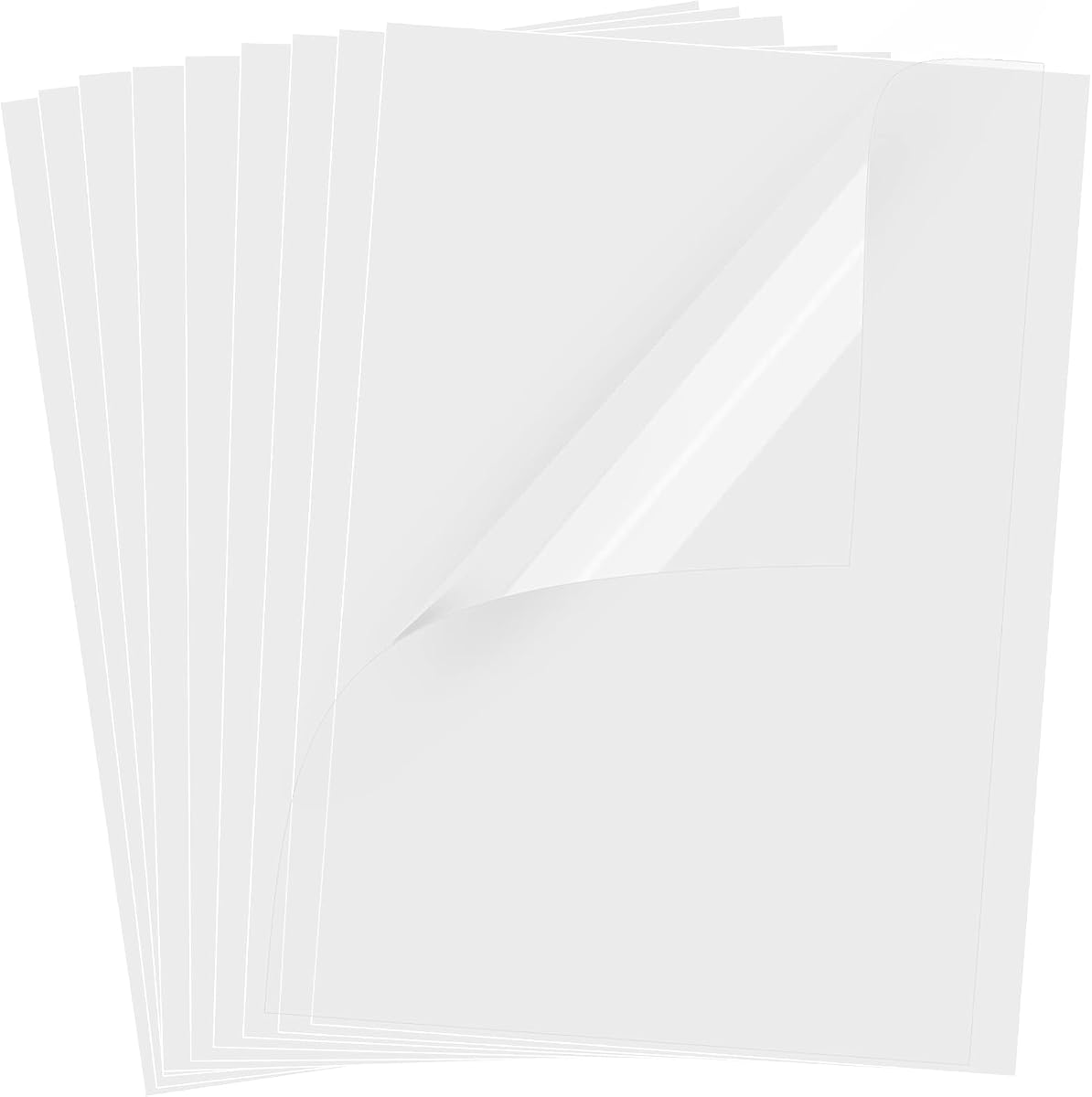
30 Sheets Inkjet Transparency Film
4.5Editor score
Thirty clear letter-size sheets
Designed for standard inkjet printers
Quick-drying coated PET film
Plastic sheets for printing vary by printer type, coating, and thickness; this guide compares ten options for craft, office, and projection work.
Plastic sheets for printing combine the clarity of transparent film with the handling characteristics needed for presentations, stencils, screen-printing positives, and craft projects. The best option depends on printer technology, image quality requirements, sheet dimensions, drying behavior, and whether the finished sheet must be adhesive, waterproof, or reusable.
This guide compares ten clear PET transparency products and one synthetic printable film, separating inkjet-compatible options from laser-oriented products and non-printable acetate sheets. We considered stated printer compatibility, sheet size, thickness, pack quantity, coating, drying characteristics, intended uses, and practical limitations such as smearing, heat resistance, or non-adhesive construction.
Each review identifies the strongest use for its product, while the comparison table makes printer compatibility and pack details easy to scan. The top picks cover an inkjet-oriented generalist, a high-rated laser transparency option, and a compact sheet choice for a smaller budget. Product availability and prices can change, so confirm current details before ordering.
4.5Editor score

5.0Editor score

4.4Editor score
The table below compares all ten products by printer type, dimensions, material or thickness, and pack quantity so buyers can quickly narrow the field before reading the detailed reviews.


This pack offers a practical entry point for people who need clear, letter-size sheets for an inkjet printer. It contains 30 PET transparency sheets and earns a 4.5 rating. Its strongest qualities are high transparency, a smooth surface, and a coating intended to promote faster drying while preserving sharp lines and clear image visibility.
We may earn a commission when you buy through this link, at no additional cost to you.
The product is well suited to charts, graphs, overhead-projector transparencies, crafting, card making, bulletin boards, presentations, and educational activities. It can also serve as a positive for PCB stencils or screen-printing work. The stated wrinkle and static resistance is useful during handling, and the ability to mark the film with suitable writing tools expands its role beyond machine output.
The main limitation is printer compatibility. This is a standard transparency film for conventional inkjet inks and is not designed for laser printers. It is also not self-adhesive, so buyers seeking sticker paper or peel-and-stick film will need a different product. Drying speed can vary by printer and ink type, which means a short air-drying period remains sensible before handling.
This is the best budget option in the roundup for inkjet users who need a moderate quantity of clear letter-size sheets and multiple types of creative or educational projects. It is less appropriate for a laser-only office, a large classroom, or anyone expecting adhesive-backed sheets. For those needs, the higher-rated laser-oriented options provide a more direct fit.
The specialized coating is designed to help ink set quickly, supporting clean handling and reducing the chance of transferred pigment. Actual drying performance can vary with the printer model and ink formulation, so allowing the output to air dry briefly is a sensible precaution.
The transparent PET format works for projected graphics, craft references, stencils, and handmade cards. It also accepts compatible markers, making it useful when a project needs both printed artwork and hand-annotated details.
We may earn a commission when you buy through this link, at no additional cost to you.
Uinkit's 30-sheet inkjet transparency film is a versatile clear film for people who produce projected slides, decorative pieces, and craft positives. It has a 4.6 rating and is specified for 8.5-by-11-inch sheets. The product is particularly relevant to standard inkjet printers that use dye ink, with the coated side serving as the printing surface.
We may earn a commission when you buy through this link, at no additional cost to you.
Its applications extend well beyond conventional presentations. The stated uses include color printing and copying, screen printing, overhead projection, DIY ornaments, fillable ball ornaments, clothing plate making, proofing, teaching tools, PCB positives, resin coasters, paper crafts, foil-image projects, and decorative inserts. This broad range makes it a strong choice for mixed-interest crafters who want one film to serve several workflows.
The primary constraint is ink type. Buyers should confirm that their printer uses dye ink and is compatible with transparency media. The printing side must also be selected correctly according to the package instructions, which is important because an incorrect orientation may reduce image quality. Like other inkjet transparencies, it does not offer adhesive properties or laser-printer compatibility.
This film is an excellent fit for inkjet-focused creators who want a pack large enough for repeated projects without committing to a full hundred-sheet supply. It is especially attractive for screen-printing positives, instructional materials, and decorative crafts. Those who produce primarily black laser images or need a larger institutional supply should consider the laser-focused choices instead.
This transparency is intended for standard dye-ink inkjet printers rather than laser devices. Confirming the ink type before buying helps prevent a compatibility mismatch and supports more predictable results.
The unusually broad application list makes the film useful for screen-printing positives, ornament decoration, teaching aids, and paper crafting. A user working across several of those categories can consolidate supplies around one clear sheet format.
We may earn a commission when you buy through this link, at no additional cost to you.
Hygloss 8.5-by-11-inch acetate is a clear, reusable craft and classroom sheet with a 4.7 rating. It is not a printer transparency, despite its relationship to the plastic-sheet category. Instead, it is intended for hand-drawn overlays, stencils, three-dimensional craft shapes, and other uses where transparency and flexibility matter more than direct machine printing.
We may earn a commission when you buy through this link, at no additional cost to you.
The seven-mil material is described as thin, clear, flexible, and resistant to cracking. It can be bent into cones, arches, and other forms, opening possibilities for classroom projects, photo albums, greeting cards, face shields, suncatchers, science activities, and mixed-media work. Because it dries quickly, users can layer it without waiting between applications, although it remains safer to let marks set before stacking.
The crucial limitation is explicit: these sheets are not suitable for printers. Buyers who want to feed blank or preprinted artwork directly through an inkjet or laser machine should choose a purpose-made transparency film. The small ten-sheet pack also makes this product less economical for a heavy classroom or office workload than a hundred-sheet laser film.
This is the strongest option here for reusable hand-made overlays and dimensional classroom crafts, and its 4.7 rating reflects a favorable balance of clarity and flexibility. It is also useful as a stencil base or protective overlay. For a project requiring a machine-printed design, choose one of the inkjet or laser products instead.
The acetate can be cleaned, marked, and reused when a project allows. Quick-drying behavior also helps users layer transparent pieces without repeatedly smudging the previous layer.
Unlike rigid transparency stock, the seven-mil acetate can be shaped into cones, arches, and other forms. That flexibility makes it especially useful for dimensional school and mixed-media projects.
We may earn a commission when you buy through this link, at no additional cost to you.
Uinkit's laser transparency film is a high-volume option for offices, schools, presenters, and screen-printing users who regularly work with compatible laser printers or copiers. The pack contains 100 letter-size sheets made from four-mil PET. It earns a 4.4 rating, with double-sided printing and heat resistance serving as its most distinguishing features.
We may earn a commission when you buy through this link, at no additional cost to you.
The film is designed to produce clear text and detailed images while feeding reliably through compatible equipment. Its heat-resistant construction is intended to withstand laser-printer temperatures without warping or melting. The ability to print on either side simplifies loading and batch work, and the large quantity reduces the frequency of repurchasing compared with 25- or 30-sheet packs.
This is strictly a laser product and will not work with inkjet printers. Users should also consult the printer manual to confirm that the machine supports transparency media and select an appropriate transparency or low-temperature setting where available. The four-mil construction is thinner than the five-mil option elsewhere in this guide, so buyers who value additional thickness may need to weigh that difference.
This is the best premium high-volume choice for a compatible laser setup. It is particularly compelling for institutions that produce frequent overhead-projector transparencies, teaching aids, or craft positives. A lighter workflow may find one of the smaller packs more convenient, while inkjet users should choose a dye-ink transparency film instead.
Printing on either face simplifies document loading and can reduce interruptions during batch jobs. This is especially helpful in offices and classrooms where slide production is a regular task rather than an occasional craft.
The PET construction is built to tolerate heat generated during laser printing. Proper transparency settings remain important, but the material is designed to support consistent feeding and reduce heat-related warping.
We may earn a commission when you buy through this link, at no additional cost to you.
Optiazure offers 100 letter-size transparency sheets for compatible laser printers and copiers. The product has a 4.5 rating and focuses on presentation, artwork, and educational output. Its notable packaging feature is a thin paper layer between each sheet, intended to reduce scratches and protect the transparent surfaces during storage and handling.
We may earn a commission when you buy through this link, at no additional cost to you.
The film is described as producing sharp, vibrant images and remaining clear and durable over time. Its applications include professional presentations, instructional materials, and artistic projects, giving it a similar core purpose to other laser films but a different storage-oriented protection system. The hundred-sheet quantity suits offices, schools, training rooms, and users who generate transparencies regularly.
It is not designed for inkjet printers, so the printer type must be confirmed before purchase. The interleaved paper layers add to handling and may create a disposal task for users accustomed to storing bare film in a sleeve. It is also worth checking the printer's supported media list, since transparency film can require a specific setting and manual feed on some models.
Optiazure is a solid institutional option for buyers who value both a large supply and surface protection. The separators are especially useful when sheets will remain boxed for future use. For compact home projects, a smaller pack may be easier to manage, while color inkjet users need to choose from the inkjet-specific options in this guide.
A thin paper separator between each sheet helps reduce direct contact and scratching. This is a practical advantage for long-term storage in schools, offices, and presentation departments.
Sharp text and graphics make the film suitable for meeting slides, teaching aids, and professional artwork. The large pack supports recurring use without constant replenishment.
We may earn a commission when you buy through this link, at no additional cost to you.
This 30-sheet pack is designed for inkjet printers and provides a 4.6 rating. The sheets measure 8.5 by 11 inches and use 4.5-mil PET with a special coating. The coating is intended to support vivid color, fine detail, and quick drying, while the material is described as anti-static and anti-curl for easier handling and storage.
We may earn a commission when you buy through this link, at no additional cost to you.
Suggested applications include overhead projection, silk-screen and general screen printing, PCB design, and DIY or professional projects. UV ink is recommended for faster drying and improved performance, giving buyers a useful setting to consider. The anti-static characteristics can also be helpful in environments where static might otherwise make thin film difficult to organize or stack.
The product includes a notable side-selection warning. Its instructions indicate that the smooth side may smear and recommend using the non-smooth side; the bag labels and a water-and-finger or breath test are offered for identification. That process requires care, and incorrect orientation can undermine otherwise good results.
This is a strong choice for inkjet users who value detailed output and durable PET construction over a hundred-sheet quantity. It is well suited to crafters, educators, and screen-printing hobbyists who want a moderate supply. Laser users should choose a laser-specific product, and anyone unable to identify the coated side may prefer a film with simpler orientation guidance.
The special coated surface is intended to reproduce fine details and vibrant colors while allowing ink to dry quickly. This makes the film a sensible option for diagrams, graphics, and detailed craft positives.
Anti-static and anti-curl properties support cleaner sheet handling and more orderly storage. These characteristics are particularly useful for thin films used in frequently repeated print batches.
We may earn a commission when you buy through this link, at no additional cost to you.
Koala Waterproof Paper is a white synthetic film built to serve as a durable alternative to ordinary printer paper. It has a 4.7 rating, is double-sided and printable, and is described as approximately five mil thick. Unlike clear transparency film, its main purpose is to deliver conventional-looking output that can withstand water, handling, travel, and repeated folding.
We may earn a commission when you buy through this link, at no additional cost to you.
The material is compatible with most black-and-white and color laser printers and can also be written on with all-weather pens, ballpoint pens, and markers. Its waterproof construction allows prolonged exposure to water without the sheet dissolving or the printed design deteriorating. It also resists tearing and can endure multiple folds, making it more durable than paper in demanding applications.
Stated uses include backpacking maps, outdoor notebooks, menus, runner bibs, children's books, certificates, and vital documents. It is not sticker paper, and buyers should not expect the fully transparent or projected-overlay appearance of a PET transparency. Some laser printers may also require manual media handling, so the equipment manual should be checked before a large print run.
This is the best durable printable alternative for anyone who needs a conventional appearance but cannot risk paper failing in wet or frequently handled conditions. Its 4.7 rating reinforces its appeal for outdoor and reusable projects. It does not replace a clear film for overhead projection or screen-printing positives, so the intended output should determine whether it belongs in the shortlist.
The film can be exposed to water without dissolving or allowing the print to wash away. That property supports practical uses such as maps, menus, outdoor notebook pages, and documents that may encounter moisture.
Most color and monochrome laser printers are supported, and the surface also accepts several common writing tools. This dual-use format is useful when a project needs both machine-generated content and handwritten additions.
We may earn a commission when you buy through this link, at no additional cost to you.
Laser OHP Transparency Film is the strongest all-around laser option in this guide. It has a 5.0 rating and combines five-mil clear PET, double-sided printing, high transparency, and heat resistance. The letter-size format is designed for laser printers and copiers, with pack quantities listed at 25 or 100 sheets depending on the order configuration.
We may earn a commission when you buy through this link, at no additional cost to you.
The film is engineered for sharp text, crisp graphics, and high-contrast projected visuals. Its double-sided printable surface supports flexible loading and batch production, while the PET body is intended to resist printer heat, smudging, curling, and jamming. A helpful tip sheet is included to encourage more consistent results, and the material suits both overhead projectors and specialty printing workflows.
The product is not made for inkjet printers, so compatibility must be checked before purchase. It also works best with transparency or low-temperature settings, specified in the range of 60–90 degrees Fahrenheit, when those controls are available. Some copiers and laser printers may require manual feeding, making a small trial batch advisable before printing a full classroom set.
This is the best overall pick for a compatible laser workflow because it combines the highest listed rating with a balanced set of practical features. It suits presenters, teachers, engineers, screen-printing hobbyists, and crafters. Those needing inkjet output should instead choose a PET transparency explicitly designed for conventional inkjet inks.
The crystal-clear material is designed to preserve sharp text and crisp graphics in an overhead projector. This makes it a dependable choice for teaching aids, technical diagrams, and professional slides.
The included tip sheet helps users select appropriate settings and orient the film consistently. Transparency or low-temperature modes can improve heat handling and reduce the risk of curling or smudging.
We may earn a commission when you buy through this link, at no additional cost to you.
Samsill offers 100 clear letter-size sheets for compatible laser printers and copiers. The four-mil PET film has a 4.6 rating and is intended for classroom visuals, office presentations, templates, craft projects, and recurring overhead-projector work. It is particularly useful for users who need a substantial recurring supply rather than a few trial sheets.
We may earn a commission when you buy through this link, at no additional cost to you.
The film provides a 0.1-millimeter clear format designed for clean visibility and manageable handling. Samsill recommends using a printer's transparency, OHP, or low-temperature setting when available and confirming that the equipment supports transparency media. Its potential uses include templates, school and office graphics, screen-printing positives, and general display work.
The most important limitation is that it is designed for black-image printing. It is not intended for color inkjet graphics, and it is also not for inkjet printers. Users expecting full-color laser transparencies should select a product that explicitly supports color output. As with other laser films, a trial run can confirm that the machine feeds the material reliably.
Samsill is a good choice for black-ink slide production, classroom libraries, and organizations that generate clear visual aids regularly. Its large pack and straightforward four-mil construction make it practical for recurring work. It is less suitable for full-color projection or for anyone with only an inkjet printer.
The film is optimized for black-image printing on clear stock, which covers many classroom and office needs. Clear line work and legible text are the central use cases for this format.
With 100 sheets in the pack, the product is well suited to institutions that print visual aids throughout the year. A smaller quantity may be more convenient for occasional home use.
We may earn a commission when you buy through this link, at no additional cost to you.
Hygloss 12-by-12-inch acetate is built for crafting, die cutting, and stencil creation rather than machine printing. Its 4.7 rating reflects a clear, flexible seven-mil material with a generous square format. Ten sheets are included, making it a convenient choice for a focused crafting project rather than a large institutional supply.
We may earn a commission when you buy through this link, at no additional cost to you.
The dimensions are especially useful for Cricut materials, custom stencils, overlays, and other cut or shaped designs. Because the material is transparent, users can position an outline precisely, trace details, or layer decorative elements. It can also be bent into cones and arches, opening it to greeting cards, photo albums, project-book covers, charm shakers, face shields, suncatchers, and mixed-media work.
The key limitation is that the sheets are explicitly not suitable for printers. Buyers who want a machine-printed design should choose an inkjet or laser transparency film instead. The square shape may also require a cutter or tool that can accommodate 12-inch material, and the ten-sheet count is modest for large production runs.
This is the best large-format craft acetate in the roundup and an appealing choice for die-cutting enthusiasts. Its 4.7 rating, high transparency, and flexibility support precise, reusable work. It should be viewed as a complementary craft material rather than a printable sheet, with the intended cutting and shaping process determining its value.
The 12-inch square format provides more working room than letter-size acetate. It is well suited to oversized stencils, layered decorations, and complex die-cut shapes.
The thin acetate is flexible, resistant to easy tearing, and capable of forming curves or three-dimensional structures. These properties support repeat use across paper crafts and classroom projects.
We may earn a commission when you buy through this link, at no additional cost to you.
The right plastic sheet depends first on the printer and output you need, then on thickness, coating, dimensions, drying behavior, pack size, and intended reuse. Reviewing those factors before ordering helps prevent compatibility problems and wasted material.
Begin with the printer technology because inkjet and laser transparency films are not interchangeable in practice. Inkjet products are designed to absorb liquid ink into a coated surface, while laser products are engineered to withstand the heat of fused toner. Several options in this guide are explicitly limited to one printer family, and others specify dye ink or black-image output. Buying the wrong type can lead to smeared ink, poor adhesion, feeding problems, or damaged printer settings.
In summary, check the exact printer model and consult its manual for transparency-media support before buying.
Clear sheets are appropriate for overhead projection, screen-printing positives, overlays, and stencils. An opaque waterproof film serves a different need: it provides a paper-like result that can withstand moisture and repeated handling. Decide whether the final output must remain visually transparent or simply needs to be durable and printable. Opaque synthetic film is not a substitute for a true transparency film.
In summary, choose clear PET or acetate for projected images and opacity when water resistance matters more than see-through output.
Thickness affects handling, print feeding, durability, and bending behavior. Four-mil and 4.5-mil PET films are relatively thin and useful for laser or inkjet workflows, while five-mil options can feel more substantial. The seven-mil acetate products are easier to shape for crafts and overlays but are not printer-ready. Heavier film can be more durable, yet it may require a printer capable of handling thicker media without jamming.
In summary, match thickness to both the printer's supported media range and the amount of bending or reuse the project requires.
Inkjet transparency depends heavily on the coating because liquid ink must remain on the surface without feathering or smearing. Fast-drying coatings are particularly useful for batch printing and immediate handling, although actual performance depends on the printer, ink formulation, and environment. UV ink may improve drying on some products. For laser film, toner adhesion and heat resistance are more important than absorbing liquid ink.
In summary, look for a clearly identified printing side, a fast-drying coating, and manufacturer guidance on compatible inks and settings.
Most transparency products use the familiar 8.5-by-11-inch letter format, which suits common printers and projectors. The 12-by-12-inch acetate in this guide is intended for craft cutting rather than printing. Pack quantity affects both convenience and cost efficiency: smaller packs are easier for occasional users, while 25- or 100-sheet packs suit schools, offices, and repeated production. Consider storage space as well, especially for products with protective separator layers.
In summary, choose a standard letter size for printing and a larger square only when cutting space is the priority.
A single product may serve several projects, but some are more specialized. Inkjet dye-ink film can support presentation slides, screen-printing positives, ornaments, and paper crafts. Laser films are well suited to office slides, teaching aids, and technical graphics. Non-printable acetate shines as a reusable overlay, stencil, or shaped craft material. Durable white film is appropriate for outdoor maps, menus, certificates, and frequently handled documents.
In summary, prioritize the actual finished project before choosing between otherwise similar clear sheets.
Reusable acetate can be cleaned and used for multiple overlays or experiments, making it economical for classroom and presentation work. Waterproof synthetic film is intended for documents exposed to rain, spills, or frequent handling. Neither category should be assumed dishwasher-safe, erasable, or suitable for every chemical. For outdoor or long-term use, consider the stated waterproof and tear-resistant properties along with how the printed image will age.
In summary, select reusable acetate for repeated dry use and waterproof synthetic film when moisture exposure is central to the project.
Start by confirming that the transparency film is compatible with your printer, ink type, and media tray. Remove one sheet, locate the designated printing side, and test a small image before running a full page. For inkjet products, use the highest suitable quality setting and allow the print to air dry briefly. For laser products, select transparency, OHP, or low-temperature mode when the printer offers one, and feed the sheet manually if the instructions recommend doing so.
Handle clear film by the edges and work on a clean, flat surface. Avoid touching the coated area, as oils from fingertips can interfere with ink adhesion and create smudges. If the product requires a side-identification test, use the manufacturer's method and dry the sheet completely before printing. After printing, let the image set, handle it carefully, and store finished sheets in a sleeve, folder, or envelope to prevent scratches and dust accumulation.
For reusable acetate, wipe the surface gently with a suitable cleaner and allow it to dry fully before stacking. Keep laser and inkjet films away from excessive heat, direct sunlight, and bending unless the product is designed for that use. Do not place film in a dishwasher, microwave, or other heated appliance unless the manufacturer explicitly permits it. Protective separator papers should be removed before printing and discarded according to local recycling guidance.
Only use a sheet specifically labeled for laser printers or copiers. Laser transparency film is designed to withstand heat and accept fused toner, while ordinary inkjet transparency may curl, smear, or feed poorly. Check the printer manual for transparency-media support and use the recommended OHP or low-temperature setting when available.
Inkjet transparency film has a coating designed to absorb liquid ink and help it dry without severe smearing. Laser transparency film uses heat-resistant PET that can withstand the temperatures involved in fusing toner. These materials are not generally interchangeable, and choosing the wrong one can reduce image quality or cause feeding problems.
No. The Hygloss acetate products in this guide are explicitly described as non-printable and are intended for hand marking, overlays, stencils, and shaped crafts. Printer-ready sheets have a special coating and material designed for a particular printer technology. Both may look clear, but only the labeled transparency film should be fed into a printer.
Use the correct printing side and compatible ink, then allow the image to air dry for a few minutes before touching it. Inkjet results may improve with UV ink or a fast-drying coated product. Keep finished sheets separate in a clean sleeve and avoid placing the printed surface against another sheet while it is still wet.
Yes, several products in this guide are intended for screen-printing positives, PCB images, stencils, or related projects. The important factors are high transparency, sharp detail, correct image orientation, and full ink coverage where the process requires it. Follow the screen-printing supplier's requirements for positive film and test a small design first.
Four- or 4.5-mil PET works well for many printer workflows, while five-mil laser film offers a more substantial sheet that remains heat resistant. Seven-mil acetate is useful when the sheet must bend into three-dimensional forms or serve as a reusable craft surface. Printer specifications should take priority because unsupported thickness can cause feeding issues.
No. Koala Waterproof Paper is an opaque white synthetic film designed to look and print more like conventional paper while resisting water and repeated handling. Use a clear PET transparency for overhead projection, layered designs, or screen-printing positives. The waterproof material is better for outdoor maps, menus, certificates, and other durable documents.
Printed inkjet transparencies are usually best treated as single-use because cleaning can damage the coating or leave residue. Non-printable acetate can often be reused for hand-drawn overlays, stencils, and craft projects. If the manufacturer does not state that a sheet is erasable or washable, cleaning it may reduce ink adhesion or scratch the surface.
The strongest general pick for a compatible laser setup is the five-mil Laser OHP Transparency Film, which combines a 5.0 rating, double-sided printing, heat resistance, and clear projection performance. The 30 Sheets Inkjet Transparency Film is a budget-conscious choice for standard inkjet users, while the 100-sheet Uinkit Laser Transparency Film suits high-volume offices and schools that want a durable double-sided supply.
Prioritize printer compatibility first, followed by the side and thickness of the film. Inkjet buyers should verify dye-ink support, laser buyers should check transparency-media settings, and crafters should distinguish printer-ready PET from non-printable acetate. From there, consider drying behavior, sheet dimensions, pack quantity, and whether the finished work needs projected clarity, dimensional flexibility, or waterproof durability.
Ratings, product configurations, and prices can change, and individual printer models may handle transparency media differently. Review the current listing, confirm the included sheet count, and print a test page before committing to a large project. That small step helps verify orientation, settings, image quality, and reliable feeding before producing a complete set.