
Mac Book Pro Charger 120W
4.4Editor score
Up to 120W output
Included 6.6-foot cable
Foldable travel-friendly design
Compare the top 120W USB C Charger options for laptops, phones, tablets, multi-device setups, travel, safety, and compatibility in this practical buying guide.
A 120W USB C Charger can serve as the central power source for a demanding laptop while also handling phones, tablets, and other USB-C devices. The best option depends on port count, sustained output, power allocation, portability, included accessories, and the charging protocols supported by your devices.
This guide compares ten chargers using the supplied specifications, customer ratings, compatibility claims, design features, and safety features. It covers two-port and three-port designs, retractable-cable models, dedicated laptop chargers, premium multi-device stations, and compact GaN options for work, home, and travel.
Each review explains the product's strongest advantages, practical limitations, and ideal buyer, while the comparison table makes the differences easier to scan. Ratings and specifications can change over time, so readers should verify current product details, device requirements, and prices before purchasing.
4.4Editor score

4.6Editor score

4.6Editor score
The table below highlights the core design, power, portability, and compatibility differences across all ten chargers, helping narrow the field according to laptop size, device count, cable preferences, and travel needs.




The 120W Fast Charger USB C 2 Pack is the most complete option in this guide, earning a 4.6 customer rating while combining two compact charging blocks, four USB-C cables, and dual USB-C ports. Each port is listed as capable of delivering up to 65W, making it well suited to a primary workspace and a secondary location such as an office or bedroom.
We may earn a commission when you buy through this link, at no additional cost to you.
The most useful feature is the balance between charging speed and included equipment. The product data states that a compatible iPhone 17 Pro Max or Samsung Galaxy S25 Ultra can reach 80% in 30 minutes, while a MacBook Air can reach 60% in that period. The two 10-foot cables provide extended reach, and the two 3.3-foot cables are better suited to desks, travel bags, and shorter connections.
Its trade-offs are related to the generous bundle rather than the charging hardware. Some buyers may only need one block and a short cable, while the claim that two MacBooks can be charged simultaneously deserves context: the 120W total output means power is divided, so demanding laptops will not each receive the full 65W in every configuration. The charger also relies on compatible USB-C cables and devices that support the relevant fast-charging standards.
This is an especially strong recommendation for households or professionals who want a ready-to-use charging solution without purchasing separate cables. It is also attractive for a home-and-office setup because one charger can remain at each location. People who need one exceptionally compact block with no bundled cables may prefer a simpler design, but for versatility and ready-to-use accessories, this is the strongest all-around choice.
Two 65W USB-C ports make the charger useful for a laptop, tablet, or phone setup without requiring a separate wall adapter for every device. The supplied claims also indicate that it supports simultaneous charging, although actual output depends on the devices and power-sharing behavior.
Four cables in two lengths reduce the need to carry separate charging leads around the home or office. The long cables help when an outlet is distant, while the short ones are more convenient for a desk, backpack, or suitcase.
We may earn a commission when you buy through this link, at no additional cost to you.
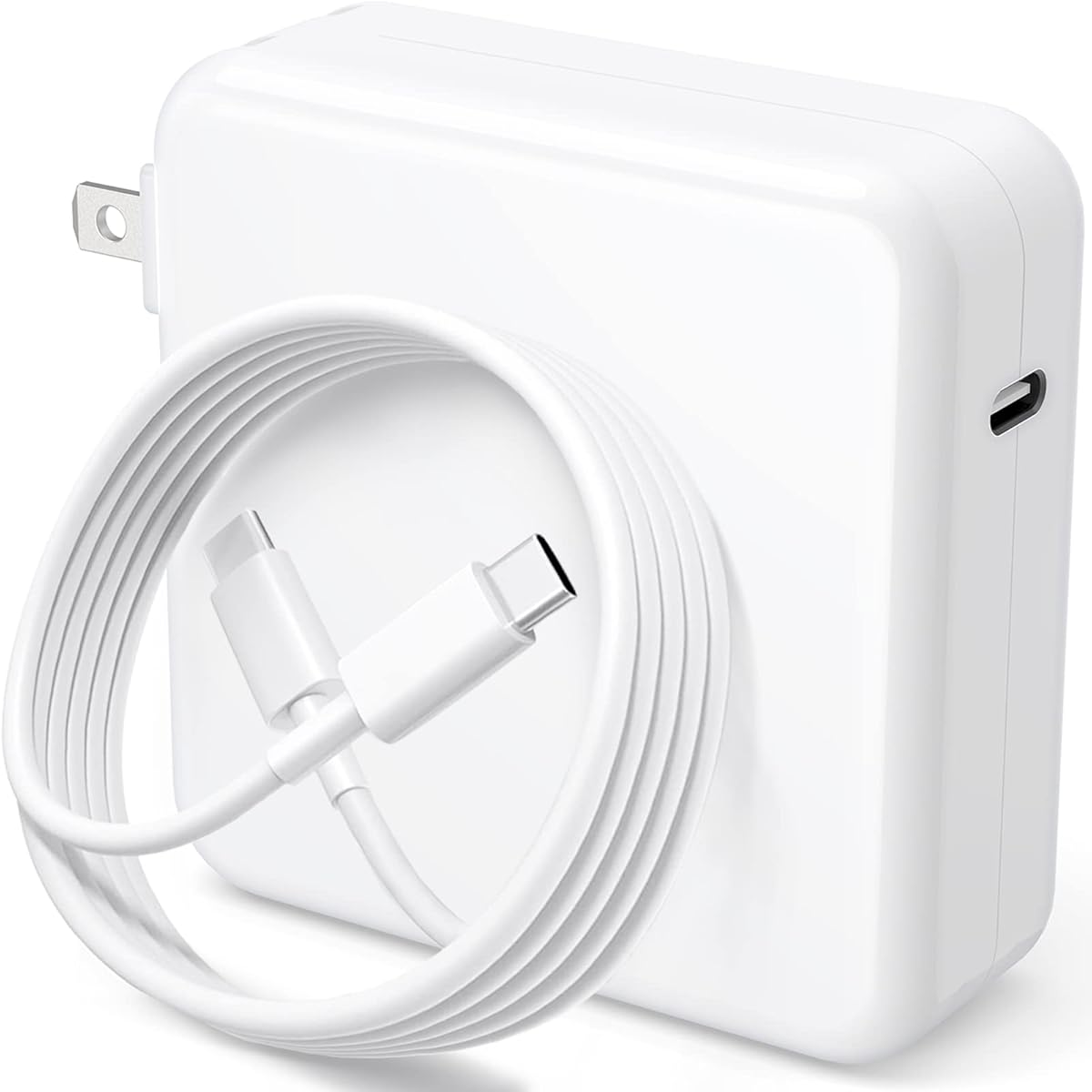
The Mac Book Pro 120W Adapter is a purpose-built option for buyers who mainly need to charge one demanding USB-C laptop. It carries a 4.2 rating and combines a claimed charging efficiency of up to 97% with automatic power identification and conversion for connected devices.
We may earn a commission when you buy through this link, at no additional cost to you.
The product data states that most laptops can be fully charged in about 1 hour and 20 minutes, while most phones can move from 0% to 80% in 18 minutes. It is listed for MacBook Pro and Air models from 13 to 16 inches, iPad Pro and Air devices, Samsung Galaxy products, and other USB-C equipment.
The main limitation is its one-port approach. It cannot charge a phone and tablet at the same time, and its claimed battery-health features depend on the charging behavior of the connected device. Although the foldable plug and 6.6-foot cable improve portability and reach, the attached cable also adds bulk compared with a wall block and separate lead.
Buy this charger if your priority is a straightforward MacBook or similarly demanding USB-C laptop and you do not need a multi-device charging station. It is less appealing to users who expect to keep several devices connected throughout the day, but it delivers a clear combination of high output, broad compatibility, and travel-conscious design.
Automatic power identification is useful because a 120W charger is not limited to one fixed charging profile. The adapter can adjust its output according to the device, subject to the capabilities of the connected equipment and the charging protocol it supports.
The folding plug helps protect the adapter and outlet-facing prongs during transport, while the long attached cable allows use from a bed, sofa, or desk. This makes it more practical for a traveler than a fixed-prong charger, although the full cable must be coiled carefully.
We may earn a commission when you buy through this link, at no additional cost to you.
The Amazon Basics Nano 120W combines a three-port layout with a compact GaN design and a 4.2 rating. It offers two USB-C ports and one USB-A port, allowing phones, tablets, and USB-C laptops to share a single wall adapter without carrying multiple blocks.
We may earn a commission when you buy through this link, at no additional cost to you.
Its output allocation is clearly documented, which is especially valuable when comparing multi-port chargers. A single USB-C port can provide up to 100W, while the two USB-C ports together can supply 60W each. When one USB-C port is used with the USB-A port, the listed maximum is 100W plus 12W. With all three ports active, the listed maximum becomes 60W, 45W, and 12W.
The charger measures 2.7 by 2.7 by 1.3 inches, has a folding plug, and accepts 100-240V input, making it suitable for international travel when paired with an appropriate destination adapter. Its main inconvenience is that no charging cable is included. That can be an advantage for users who already own good USB-C leads, but it adds another item to the shopping list for a first-time setup.
This is a good selection for travelers and desk users who want one compact adapter for several device classes. It is not the right choice if two devices must each receive maximum laptop-class power simultaneously, but the documented sharing profiles make it easier to plan real-world charging sessions.
Two USB-C connections and one USB-A connection cover modern laptops and phones while preserving a place for older or accessory-based devices. The folding plug and compact dimensions reduce the space it occupies in a carry-on or laptop bag.
A 120W label describes the charger's maximum capability, not the amount every connected device receives in every scenario. The listed output map shows how output changes as ports are used, allowing buyers to match their device combination with the correct charging session.
We may earn a commission when you buy through this link, at no additional cost to you.
The 120W Retractable Cable Charger stands out with a four-in-one layout and two cables that retract into the block. It has a 4.5 rating and supports PD, PPS, and aggregate output of up to 120W across the USB-C port, USB-A port, built-in USB-C cable, and built-in Lightning cable.
We may earn a commission when you buy through this link, at no additional cost to you.
The retractable leads extend to 27.56 inches, adding useful reach across a desk, bed, or airport seat without requiring a full-length loose cable. The product data says a 13-inch MacBook Pro can reach 46% in 30 minutes through the dedicated 65W USB-C port, while GaN IV technology is intended to reduce size, weight, heat, and energy loss.
The drawback is that the built-in leads cannot be replaced or repositioned. A damaged retractable cable could therefore affect the product, and a user who prefers a longer or shorter lead may find the fixed 27.56-inch extension unsuitable. The box includes the charger and instructions rather than an additional charging cable.
This model is a compelling choice for anyone who consistently forgets to pack a cable or wants a tidy charging station that supports several device types. It works particularly well for mixed Apple and Android ecosystems because one built-in lead is USB-C and the other is Lightning, while the external ports provide additional flexibility.
The two built-in leads retract into the housing when they are not needed. This keeps the charger visually tidy and reduces the number of separate accessories that must be found before charging a device.
USB-C and Lightning built-in leads support two common connector standards, while the external USB-C and USB-A ports add charging options. That mix is useful for desks containing a laptop, phone, tablet, and accessories with different connection requirements.
We may earn a commission when you buy through this link, at no additional cost to you.
The Dell 130W USB-C Charger is a specialized option for compatible Dell notebooks and other high-power USB-C devices. It has a 4.4 rating, supports output levels up to 130W, and includes an 11-foot cable that provides considerable reach around a desk or across a room.
We may earn a commission when you buy through this link, at no additional cost to you.
Its compatibility list is extensive, covering numerous Dell Latitude, XPS, Inspiron, Precision, and Alienware models, along with selected Dell part numbers. The product data also states that it can support devices with 45W, 65W, 90W, and 100W USB-C ports, making it useful as a dedicated laptop power supply.
This is not a conventional multi-port desktop charger, and the 11-foot lead is substantial to carry. A traveler may find it cumbersome compared with a compact GaN block and a short cable. Compatibility should also be confirmed against the exact model and power requirements before purchase, especially for notebooks that depend on proprietary charging behavior or specialized power profiles.
The charger is best for a compatible Dell owner who values dependable high output, a long reach, and a broad model list. It can also serve as a general high-power USB-C supply for compatible devices, but a multi-port charger will be more convenient for people who need to charge a phone and laptop at the same time.
The listed 130W maximum and range of lower power modes make this charger suitable for demanding notebooks as well as smaller compatible devices. Automatic voltage selection is useful when moving between USB-C equipment with different power requirements.
The 11-foot cable can remove the need for a nearby outlet when working in a living room, hotel room, or conference area. The long list of supported Dell systems makes model verification important but also provides useful guidance for buyers searching for a direct replacement.
We may earn a commission when you buy through this link, at no additional cost to you.
The Anker 100W USB-C Charger is not rated at the full 120W target, but it offers a compact and highly rated alternative for many USB-C laptop users. Its 4.6 customer rating reflects a strong reception, and the supplied data reports that a 16-inch MacBook Pro with M1 Max can charge fully in about 1 hour and 20 minutes.
We may earn a commission when you buy through this link, at no additional cost to you.
The charger uses a single USB-C port, a folding plug, and an included 5-foot USB-C to USB-C cable. PowerIQ 3.0 is listed as providing compatibility across a wide range of mobile devices, while ActiveShield monitors temperature to support safer charging.
Its main limitation is the 100W ceiling, which is lower than the 120W and 130W options in the list. Users with devices that require more than 100W, or buyers who want to charge multiple devices simultaneously from one block, may need a different model. The one-port design also means a phone or accessory requires a separate charger.
This is a sensible recommendation for someone who wants a small, reputable-looking travel adapter but does not actually need the category's maximum output. It also works well as a streamlined laptop charger, particularly when the included five-foot cable provides enough reach for the user's normal setup.
The folding plug and compact form make the charger easier to pack than a fixed-prong wall block. A single well-chosen charging lead can serve both a laptop and compatible smaller devices, making it a practical travel companion.
ActiveShield provides ongoing temperature monitoring rather than relying only on basic overload protection. That focus is particularly relevant during long laptop charging sessions, where sustained heat management matters.
We may earn a commission when you buy through this link, at no additional cost to you.
The Anker 140W 4-Port GaN is designed for people who want a permanent desktop charging hub with detailed visibility. It has a 4.4 rating, supports up to four devices, and uses GaN technology to keep its dimensions at 2.72 by 2.72 by 1.42 inches.
We may earn a commission when you buy through this link, at no additional cost to you.
Each of the two USB-C ports can deliver a maximum of 140W, and the product data says a 15-inch MacBook Air can reach 50% in 30 minutes. A high-definition color display shows charging status, temperature, and port details, while ActiveShield 4.0 reportedly monitors device temperatures more than 10 million times per day.
The trade-off is that this is a feature-rich station rather than a minimal travel adapter. The display and four-port design add bulk, and buyers who only need to charge one phone may find the advanced monitoring unnecessary. Actual output across all four devices depends on the charger's power allocation and the requirements of each connected product.
It is best suited to a desk shared by a laptop and several smaller devices, especially for users who appreciate seeing real-time charging information. The included five-foot 240W USB-C cable and 18-month warranty add support, while its port capacity makes it a strong central power solution for a busy workspace.
The color display provides more information than a simple LED indicator by showing status, temperature, and port details. This can help users understand whether a device is receiving power and avoid oversubscribing the charger without visible feedback.
Multiple ports reduce the need for separate adapters for a laptop, phone, tablet, and peripheral. The high-output USB-C ports retain strong laptop performance while the additional connections handle the smaller devices in the same setup.
We may earn a commission when you buy through this link, at no additional cost to you.
The Black Retractable Cable Charger is a four-in-one charging solution built around two retractable leads and two external ports. Its 4.3 rating reflects a generally positive reception, and the aggregate output is listed at up to 120W with support for PD and PPS.
We may earn a commission when you buy through this link, at no additional cost to you.
The dedicated USB-C port can provide up to 65W for a compatible laptop, and the product data claims that a 13-inch MacBook Pro can reach 46% in 30 minutes. The second built-in cable is a Lightning lead, while the external USB-A port adds another charging option for accessories and legacy connections.
The fixed retractable design presents the same core limitation as other reel-style chargers. Users cannot easily change the lead length, and the built-in wires are less replaceable than a conventional detachable cable. Power sharing is another consideration because 120W is divided among four possible connections rather than delivered to each one simultaneously.
This model is worth considering for a mixed-device desk where carrying several separate leads would be inconvenient. Compared with other products here, it is especially useful for owners who need both USB-C and Lightning connections, while buyers prioritizing maximum laptop output may prefer a charger with a dedicated higher-wattage port.
Two retractable cables remain stored inside the charger until they are pulled out for use. This provides quick access to both USB-C and Lightning charging without making separate leads part of the daily packing routine.
The four available connections support a laptop, phone, tablet, and USB-A accessory in a single setup. The 65W USB-C port serves as the dedicated high-output option, while the other connections share the charger's remaining available power.
We may earn a commission when you buy through this link, at no additional cost to you.
The Suprspc 120W Mac Charger is the best budget-oriented selection among the products that directly provide the requested 120W output. It carries a 4.4 rating and includes a 6.6-foot USB-C to USB-C cable, reducing the need to purchase a separate lead.
We may earn a commission when you buy through this link, at no additional cost to you.
The adapter supports a wide range of USB-C power profiles, including 120W, 118W, 110W, 106W, 100W, 96W, 87W, 61W, 30W, and 29W. It is listed for MacBook Pro models from 13 to 16 inches, MacBook Air 13-inch models, several iPad models, and other USB-C laptops and phones.
Its single-port layout is the main reason it is not ideal for a shared desk. The charger also makes battery-health claims that ultimately depend on the device's own charging system, so buyers should not treat those statements as a guarantee. A long attached cable is convenient at home but requires careful packing for travel.
The charger is a good match for a buyer who wants a capable MacBook charger with a long cable at a modest tier. It offers fewer desk-management features than the multi-port GaN models, but it delivers the core combination of 120W output, broad laptop compatibility, smart protection, and a useful included cable.
The charger matches the category's headline output without moving into the premium feature tier. For a buyer focused on powering a compatible notebook quickly, the simpler design can be more useful than a costlier multi-device station.
A 6.6-foot lead gives users flexibility when the nearest outlet is inconvenient. It is long enough for use on a sofa or bed, although the entire charger and cable need to travel together if used away from home.
We may earn a commission when you buy through this link, at no additional cost to you.
The Anker Prime 160W Charger is the premium option in this guide, earning a 4.6 rating and offering substantially more power than the 120W category target. Its three-port GaN design provides up to 160W in aggregate and up to 140W from a single USB-C port without derating.
We may earn a commission when you buy through this link, at no additional cost to you.
The product data states that a 16-inch MacBook Pro can charge from 0% to 50% in 25 minutes. PowerIQ 5.0 distributes output intelligently, with one listed configuration delivering 140W to a laptop, 35W to a phone, and 35W to an 11-inch tablet. The stated power density of 1.35W per cubic centimeter allows the charger to remain compact.
AnkerSense View adds a display for real-time power information, instant mode switching, and Bluetooth app access for custom modes. These features are useful for a technical user but add complexity for anyone who only needs basic charging. No cable is included, and the premium price tier makes it less relevant when a simpler adapter would meet the user's needs.
It is the most capable recommendation for a demanding mobile workstation or a multi-device professional who values monitoring, flexible power allocation, and high sustained output. The single-port headroom also provides margin for demanding notebooks. For most users, however, the 120W multi-port options in this guide deliver the core charging experience at a less specialized level.
The 140W single-port output is designed to handle demanding 16-inch notebooks without reducing the selected port's performance. This headroom makes the charger useful for intensive work sessions where charging speed and consistent delivery are priorities.
PowerIQ 5.0 manages three connected devices while preserving the listed distribution of 140W, 35W, and 35W in a laptop-phone-tablet setup. The display and app controls let users review the allocation rather than estimate it from a basic status light.
We may earn a commission when you buy through this link, at no additional cost to you.
Choosing a 120W USB C Charger requires more than comparing the number printed on the box. The most useful choice depends on laptop power, the number and types of devices connected, supported charging protocols, cable arrangements, safety features, and how often the charger travels.
Begin with the power requirements of the largest device you intend to charge. A 120W charger provides ample headroom for many mainstream and premium USB-C laptops, but some systems benefit from 130W or 140W of single-port output. A charger cannot force a device to draw more than its own charging circuit accepts, and a high-wattage charger also does not guarantee that every attached lead or device can negotiate the necessary power profile.
Choose output based on the device, not just the category label.
A multi-port charger can replace several adapters, but total wattage is shared according to the product's allocation rules. Some designs provide equal 65W outputs across two USB-C ports, while others can devote 100W or more to one port. A three-port model with 60W, 45W, and 12W simultaneous output may be excellent for a laptop, phone, and watch but unsuitable for two power-hungry notebooks.
Review the simultaneous output chart, not merely total wattage.
USB Power Delivery is the central protocol for modern USB-C charging, while PPS can provide more granular voltage and current adjustment for compatible Android devices. A charger that supports the protocols needed by your phone or laptop will usually negotiate an appropriate and efficient charging profile. Compatibility claims are most useful when they include specific device categories and power levels rather than referring vaguely to every USB-C product.
Match PD, PPS, and device requirements before purchase.
Some chargers include a long USB-C cable, others include several leads, and some include no cable at all. Fixed cables reduce packing friction but complicate replacement, while separate cables offer more flexibility. Retractable leads are excellent for reducing clutter around a desk, although their extension length is fixed and they cannot be adjusted like a loose cable.
Count the cable lengths and connector types you actually use.
GaN technology can permit high output in a smaller housing than traditional charger designs. A folding plug also protects the prongs and reduces the chance of damage in a bag. Long attached cables remain useful around a desk but can occupy significant suitcase space, so travel buyers should compare the entire adapter-and-cable package rather than the wall block alone.
Travelers should value compact size, folding prongs, and manageable cable length.
Look for protection against overcurrent, overvoltage, overheating, and short circuits. Continuous temperature monitoring can be an added advantage for long charging sessions involving a high-power laptop. These features should be viewed as systems working together with the connected device's battery and charging electronics, not as a guarantee against every possible hardware or cable problem.
Prioritize recognized safety features and use intact certified cables.
A display can show charging status, port allocation, and temperature, while app-based controls may let users change modes or create custom profiles. These features are most valuable on a fixed desk with several devices. They add complexity, cost, and size, so a user who only charges one phone or laptop may receive little practical benefit.
Treat advanced monitoring as a convenience, not essential charging capability.
Start with the wall and cable. Connect the charger to a grounded outlet that is not overloaded, then use an undamaged USB-C cable rated for the power level and protocols your device requires. For the best fit on chargers with a dedicated laptop port, consult the device's charging requirements and the charger's simultaneous-output chart before connecting multiple high-power devices.
Connect the most demanding device first when the charger is close to its maximum total output. Allow the connector to seat fully, keep the charger uncovered, and place it on a stable, hard surface. Do not bend the cable sharply at the plug, and do not use the charger if the housing, prongs, connector, or cable shows visible damage.
Unplug the charger when it is not in use, particularly during extended travel or storage. Retract built-in leads fully before packing the charger, and wrap longer cords loosely rather than tightly around the block. Keep the charger away from liquids, direct heat, and bedding, and clean its surface with a dry or lightly damp cloth after disconnecting it from power.
Yes, a 120W USB C Charger can charge many compatible MacBook Pro models when the charger and cable support the required USB-C power profile. The charging speed depends on the laptop model, its thermal state, the cable, and whether other devices are drawing power. A charger with only a 65W dedicated port may charge the notebook more slowly than one that can provide 100W or more.
No. The 120W figure generally describes the maximum combined output or the product's headline capacity. Individual ports may deliver 65W, 100W, or another level, and output is usually divided when several devices are connected. Always check the per-port and simultaneous-output specifications before assuming that each device will receive the full headline wattage.
A modern charger with proper power negotiation is generally suitable for phones, tablets, and other lower-powered USB-C devices. Those devices request an appropriate current and voltage rather than accepting the charger's full output. Protection against overcurrent, overvoltage, overheating, and short circuits adds an important layer of safety, but the cable and connected equipment should also be undamaged and compatible.
Usually, yes, provided the charger has at least two suitable ports and enough power for the combined load. The laptop may still receive a strong charge while the phone receives a reduced but adequate rate. Performance is best when a dedicated high-output port is assigned to the laptop and the phone is connected to a secondary port or built-in lead.
Retractable cables can be convenient because they remain organized and reduce the chance of tangling or pet damage. Their durability depends on the product's internal reel design and the frequency of extension and retraction. Buyers should pull the cable out gently, avoid sharp bends, and keep the block dry so that the mechanism and contacts remain protected.
GaN does not automatically make a charger faster; the output rating, supported protocols, device, cable, and power allocation determine charging performance. GaN is valuable because it can make a high-power charger smaller, lighter, and potentially more efficient. A lower-wattage GaN charger may still charge more slowly than a higher-wattable conventional model when both are used with a demanding laptop.
The charger usually does not include every cable a buyer may need, and a cable rated only for basic charging can become the limiting factor. Use a USB-C to USB-C cable appropriate for the charger and connected devices, especially when charging a laptop. Inspect the cable for damaged insulation, loose connectors, or exposed wire and replace questionable cables promptly.
It depends on the connector and charging standard. A charger with a USB-A port may support compatible USB-A accessories and older mobile devices, while USB-C-only chargers require suitable USB-C leads and adapters for other connectors. Adapters can reduce convenience and may affect charging speed, so matching the connector directly is preferable when possible.
The 120W Fast Charger USB C 2 Pack is the most complete all-around recommendation because it combines dual 65W USB-C ports, GaN construction, two charger blocks, and four cables. The Anker Prime 160W Charger is the premium choice for demanding notebooks, intelligent three-device allocation, and detailed monitoring, while the Suprspc 120W Mac Charger delivers the core category output at a budget-friendly tier with a long cable included.
Prioritize the features your setup actually needs. A single-laptop user may prefer a folding adapter and detachable lead, while a shared desk benefits from more ports, clear power-sharing rules, and retractable cables. Check supported protocols, per-port output, cable specifications, and the exact requirements of the largest device before making a final decision.
Ratings, availability, product details, and prices can change over time, so confirm the current listing and specifications before buying. For shoppers comparing a broad range of chargers, staying within the requested 120W class while evaluating real multi-device behavior is more useful than relying on the wattage number alone.
