
LG UltraFine evo 32U990A-S
3.8Editor score
Native 6144 by 3456 resolution
Thunderbolt 5 with 96W charging
Nano IPS Black, HDR 600
A 32-inch 6K monitor offers an unusually effective balance of pixel density, physical size, and usable desk space. At roughly 218 to 224 pixels per inch, these displays can render fine text with greater definition than 4K models while remaining large enough for detailed editing, expansive timelines, and professional multitasking.
The products in this guide were compared using their stated resolution, panel technology, color capabilities, refresh rate, connectivity, ergonomic features, and intended use. The list includes professional productivity displays, creator-focused monitors, high-refresh gaming models, glossy and matte variants, and a pressure-sensitive touchscreen rather than treating every 6K screen as a conventional desktop monitor.
Each review highlights the features that distinguish its monitor and the compromises that may affect a particular buyer. Ratings and product details are reproduced from the supplied listings, while current prices and availability can change. Always confirm the latest specifications and accessories directly with the retailer before making a final purchase.
3.8Editor score

3.9Editor score

3.7Editor score
As an Amazon Associate we earn from qualifying purchases.
The comparison below places all ten monitors side by side, emphasizing the factors that most strongly separate a 32-inch 6K display: panel resolution, refresh rate, color performance, wired connectivity, and workflow flexibility.


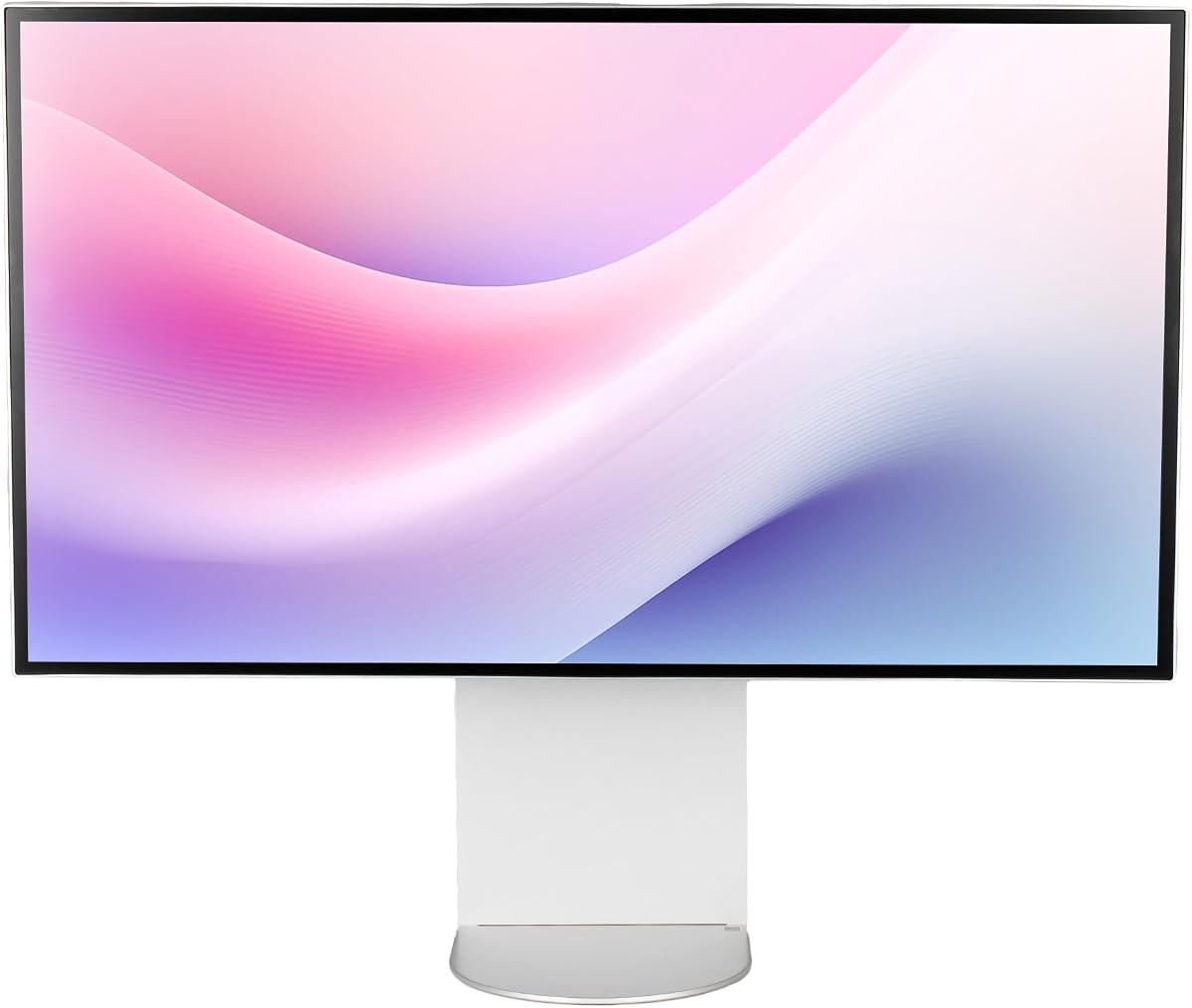
The LG 32U990A-S UltraFine evo is a professional 32-inch 6K monitor built around a 6144 by 3456 Nano IPS Black panel. Its 224 pixels per inch and more than 21 million pixels deliver a notably finer image than a conventional 4K desktop display. With a supplied rating of 3.8, its strongest case rests on resolution, color capability, and a modern Thunderbolt 5 connection rather than competitive gaming performance.
We may earn a commission when you buy through this link, at no additional cost to you.
Creative work is the monitor's clearest use case. The panel covers up to 99.5 percent of Adobe RGB, 98 percent of DCI-P3, and supports 10-bit color, while a listed contrast ratio of 2000:1 provides deeper blacks than many general-purpose IPS panels. DisplayHDR 600 certification adds brighter highlights for HDR editing and review. Built-in speakers also make the display more useful for previews and media playback without requiring immediate external audio hardware.
Thunderbolt 5 is the standout feature. It supports high-speed data transfer, 96W power delivery, 6K daisy chaining, and DisplayPort 2.1 through one connection. HDMI 2.1, DisplayPort 2.1, and USB Type-C broaden compatibility with desktops, laptops, and accessories. The trade-off is a 60Hz refresh rate, which is appropriate for design and productivity but less compelling for fast competitive gaming. High-resolution gaming also requires a graphics card capable of driving 6144 by 3456 at the desired settings.
This is the strongest general recommendation for a buyer who wants a refined creative display rather than a specialized gaming or touch device. Its dense 6K canvas reduces the need for aggressive zooming, its color specifications suit professional editing, and its connectivity simplifies a modern workstation. Choose it when Thunderbolt 5, 10-bit color, and a clean single-cable setup matter more than ultra-high refresh rates.
At 224 pixels per inch, the LG provides enough density to keep small interface text, fine photographic detail, and complex editing controls visible at standard viewing scales. The 6K panel contains roughly 156 percent more pixels than a standard 4K model, which is particularly useful when color grading, retouching, or designing a full desktop rather than working inside a magnified preview.
A single Thunderbolt 5 connection can carry video, data, network-compatible hub duties, and up to 96W of laptop charging. Daisy chaining further reduces cable complexity when a second compatible display is part of the workstation, making the monitor a practical central hub for a laptop-based creative setup.
We may earn a commission when you buy through this link, at no additional cost to you.
The ASUS ProArt PA32QCV is a 31.5-inch 6K monitor designed specifically for color-conscious creative work. Its LuxPixel AGLR IPS panel operates at 6016 by 3384 with a 178-degree viewing angle, while the supplied 3.9 rating reflects a well-rounded feature set rather than a gaming-first design. Factory calibration, Calman Verified status, and an average Delta E below 2 distinguish it for demanding visual work.
We may earn a commission when you buy through this link, at no additional cost to you.
Its color coverage includes 98 percent DCI-P3 and 100 percent sRGB, providing a practical combination for digital media, web design, photography, and video production. A dedicated M Model-P3 preset is designed to match the color characteristics of a MacBook display, making the monitor particularly attractive to users moving between Apple and Windows environments. Intelligent Light Sync uses ambient and backlight sensors to support more consistent performance from the start.
The monitor's workflow features are unusually considered. Two Thunderbolt 4 connections provide up to 96W power delivery and daisy-chaining, while HDMI 2.1, DisplayPort 1.4, and a built-in USB hub cover conventional desktop arrangements. A built-in automatic KVM switch allows one keyboard and mouse to move between two connected computers. Its stand supports tilt, swivel, pivot, and height adjustment for a flexible ergonomic setup.
The primary limitation is that this is not a high-refresh gaming monitor. Professionals who prioritize calibrated color, Mac-aware behavior, and dependable connectivity will find that focus advantageous. ASUS also includes a five-year warranty structure and a complimentary Adobe Creative Cloud subscription with qualifying purchases, subject to the stated offer terms. For a color-graded creative desk, this is the most focused recommendation in the group.
A factory Delta E below 2 indicates that measured color differences should remain difficult to notice in many professional tasks. Combined with Calman Verified status and intelligent light sensing, this reduces the need for routine manual adjustment when moving between different rooms or changing ambient conditions.
The automatic KVM switch is particularly valuable for editors or developers who alternate between a laptop and a desktop. Connected peripherals can be transferred without manually reconfiguring USB devices each time the active computer changes, simplifying a dual-machine workflow.
We may earn a commission when you buy through this link, at no additional cost to you.
The Samsung Odyssey G8 G80HS is the only model here explicitly designed around high-speed gaming while also offering native 6K resolution. Its 6144 by 3456 mode runs at 165Hz, and a dual mode switches to 3072 by 1728 for 330Hz refresh and a stated near-instant 1ms response time. With a supplied rating of 3.7, it stands apart through versatility rather than a conventional 4K-gaming refresh rate.
We may earn a commission when you buy through this link, at no additional cost to you.
The Fast IPS panel provides vivid color, a 178-degree viewing angle, and quick response intended to reduce motion blur and ghosting. HDR10+ support adjusts brightness and contrast for compatible games, while NVIDIA G-Sync compatibility and AMD FreeSync Premium give the display options for adaptive synchronization. A selection of DP 2.1, HDMI 2.1, and USB hub connections supports modern gaming systems with a relatively tidy setup.
The main limitation is hardware demand. Running native 6K at 165Hz is substantially more demanding than running a 4K display, so a recent high-end graphics card is advisable for competitive settings. The 330Hz mode is the practical option for fast games, but it lowers resolution and no longer offers true 6K. Buyers should therefore consider the two modes as complementary rather than expecting full 6K at the same speed as the fastest mode.
This monitor is best for an enthusiast who wants crisp 6K visuals for simulation, strategy, racing, and general desktop work while retaining an unusually high refresh option. Its stand includes height adjustment, pivot, tilt, and swivel, which is important given the specialized performance. It is the clear gaming choice in this roundup, provided the computer can realistically drive the selected resolution and refresh combination.
The 6K mode emphasizes detail for expansive virtual environments, while the 3K mode prioritizes response and refresh. This lets the same display serve high-fidelity simulation work and fast competitive titles without forcing a single compromise to govern every session.
Compatibility with both G-Sync and FreeSync Premium provides flexibility across different graphics ecosystems. The synchronization features are designed to reduce tearing and perceived lag, although final smoothness still depends on the GPU, game, settings, and available bandwidth.
We may earn a commission when you buy through this link, at no additional cost to you.
The Dell UltraSharp U3224KB is a productivity-oriented 31.5-inch 6K monitor with a conventional 16:9 format and a built-in webcam. Its maximum resolution is 6144 by 3456, giving users substantially more detail and workspace than a standard 4K panel. The supplied rating of 3.7 reflects a practical enterprise-oriented feature set rather than a highly specialized creative or gaming specification list.
We may earn a commission when you buy through this link, at no additional cost to you.
The listed 450-nit brightness supports clear viewing in well-lit offices, and LED backlighting provides consistent illumination across the screen. A 5ms GTG fast response time makes the display usable for ordinary action, though it is far less competitive with the Samsung's 1ms gaming specification. USB Type-C enables faster data transmission and can help simplify compatible laptop connections.
Dell positions the U3224KB around maximum productivity and dependability. The straightforward 16:9 shape makes it familiar for office work, spreadsheets, documents, coding windows, and general media consumption. Its biggest convenience is the integrated webcam, which avoids the need for a separate camera for routine video calls. The trade-offs are the 60Hz refresh rate and the lack of detailed color-gamut, bit-depth, or calibration information in the supplied listing.
This is a sensible choice for office professionals who value resolution, brightness, and a built-in camera more than specialist color accuracy or competitive gaming performance. It may not be the strongest creative choice for a colorist, but it offers a high-resolution canvas in a familiar form factor. Buyers needing precise color specifications should verify the manufacturer's current full technical sheet before committing.
The 16:9 panel and 6K resolution create a large, familiar workspace for documents, browser pages, timelines, and side-by-side applications. Compared with a 4K monitor, the additional pixels can expose more interface detail without requiring a physically larger display.
The integrated webcam removes one peripheral from a home-office or hybrid-work setup. While dedicated external cameras may offer additional placement and imaging flexibility, the built-in solution is immediately available for everyday calls and demonstrations.
We may earn a commission when you buy through this link, at no additional cost to you.
The LG UltraFine evo Bundle centers on the 32U990A-S and adds cable ties and an LCD screen-cleaning kit. It retains a 6144 by 3456 Nano IPS Black panel with 224 pixels per inch, 60Hz refresh, DisplayHDR 600, and built-in speakers. Its supplied 4.5 rating is the second highest among these listings, giving it strong customer feedback despite being a relatively new product family.
We may earn a commission when you buy through this link, at no additional cost to you.
Professional color specifications are the main attraction. True 10-bit color, 98 percent DCI-P3 coverage, 99.5 percent Adobe RGB coverage, a 2000:1 contrast ratio, and up to 450 nits make the display suitable for demanding visual workflows. The high pixel density keeps text and fine image detail crisp, while the wider color space and HDR capability support editing, retouching, rendering, and media review.
Thunderbolt 5 handles display input, data transfer, daisy chaining, and up to 96W of laptop power delivery over one cable. HDMI, DisplayPort, and an integrated USB-C hub provide additional options. Built-in KVM functionality can control two connected computers with one keyboard and mouse, including picture-in-picture arrangements, which is useful for comparing sources or monitoring separate systems.
The bundle's cleaning kit is a minor convenience rather than a decisive reason to select it, and 60Hz remains the main limitation for motion-focused use. Nevertheless, the combination of strong supplied rating, color depth, high contrast, ergonomic adjustments, and flexible connectivity makes this a compelling package for professional creative work. Pick it when you want the standard UltraFine evo experience with a few setup accessories included.
True 10-bit color and broad Adobe RGB and DCI-P3 coverage provide the headroom needed for gradients, retouching, and color-managed editing. The Nano IPS Black panel's listed 2000:1 contrast ratio also improves shadow definition, making it more suitable for visual evaluation than a basic 4K office panel.
KVM control is particularly useful when a portable workstation and a desktop share the desk. Picture-in-picture support allows information from a second system to remain visible, which can be helpful for monitoring a render, a communication app, or a reference machine without adding another physical display.
We may earn a commission when you buy through this link, at no additional cost to you.
The G32X is a minimalist 32-inch 6K monitor supplied with an adjustable stand. Its IPS panel measures 6016 by 3384 at 218 pixels per inch, and the listing reports 500 nits, 99 percent sRGB, 99 percent DCI-P3, and a Delta E below 2. With a supplied rating of 5.0, it presents one of the strongest customer-feedback profiles in the group, although the available listing provides fewer workflow details than the established professional models.
We may earn a commission when you buy through this link, at no additional cost to you.
The combination of 6K resolution and 500-nit brightness should provide a crisp and punchy picture across productivity, creative work, and entertainment. A 178-degree viewing angle is useful for a wide desk arrangement, while anti-glare treatment, flicker-free backlighting, and a low blue-light mode are intended to improve comfort during extended sessions. The CNC-machined aluminum enclosure gives the minimalist design a durable material foundation.
Connectivity centers on a high-speed port capable of 100W charging while streaming 6K video. Additional video interfaces allow the display to work with PCs, consoles, and other peripherals, although the exact port inventory is not fully spelled out in the supplied information. The included stand supports height adjustment, swivel, tilt, and pivot, and 100 by 100mm mounting compatibility allows use with a third-party monitor arm.
This monitor is a compelling option for buyers who prioritize fine detail, brightness, clean construction, and a straightforward all-in-one package. It may appeal to creative users and enthusiasts who do not require documented refresh-rate specifications or a long list of professional calibration features. Confirming the final port selection, refresh rate, and exact color details with the manufacturer remains important for technical workflows.
A listed 500-nit figure is among the stronger brightness specifications in this comparison. It gives the monitor headroom for HDR-capable content and bright-room use, while 99 percent DCI-P3 coverage and a stated Delta E below 2 suggest that the display is also intended for color-sensitive work.
The supplied stand allows four principal forms of adjustment, reducing the chance that the panel will sit at an uncomfortable height or angle. Universal 100 by 100mm mounting support expands placement options for users who prefer an articulated arm or a cleaner multi-monitor arrangement.
We may earn a commission when you buy through this link, at no additional cost to you.
The G32P is a glossy, stand-free 32-inch 6K monitor built around a distinctive honeycomb rear design. Its 6144 by 3456 IPS panel provides 223 pixels per inch, with 500-nit brightness and stated coverage of 99 percent sRGB and 99 percent DCI-P3. Its supplied rating of 4.6 supports its appeal as a premium display, though it is a less conventional choice than a ready-to-install productivity monitor.
We may earn a commission when you buy through this link, at no additional cost to you.
Resolution and brightness are strong points. The dense panel can reveal fine textures, small interface text, and detailed imagery, while 500 nits provides useful luminance for HDR content and general visual impact. The design is explicitly aimed at immersive gaming, HDR viewing, and professional editing. However, a glossy surface can reflect room lights, windows, and pale walls, so image quality may be affected by placement.
The listing describes flicker-free backlighting, a low blue-light mode, and anti-glare coating, although the product title clearly identifies the panel as glossy. That apparent distinction makes careful review of the final panel treatment important. A 100W high-speed power connection, high-speed video interfaces, and multipurpose ports support a modern single-cable setup for compatible laptops.
This monitor is without a stand, which is essential context for buyers. It is best suited to someone who already uses a monitor arm, has a compatible desk mount, or specifically wants the honeycomb industrial design. The trade-off is a less plug-and-play experience and a surface that may demand controlled lighting. With a 223-PPI panel, strong brightness, and excellent supplied feedback, it stands out for design-conscious enthusiasts.
A glossy finish may make the image appear more vivid and immediate under favorable lighting, but it also reveals fingerprints and room reflections. Buyers should consider the direction of nearby windows and lamps before choosing this model for a bright or unevenly illuminated workspace.
Because no stand is included, the G32P is naturally suited to an existing 100 by 100mm mount or articulated arm. This can produce a cleaner desk and a more tailored viewing position, but it adds setup effort compared with the G32X and other models that include a full adjustable stand.
We may earn a commission when you buy through this link, at no additional cost to you.
The Dell U3224KB Protection Bundle packages the UltraSharp 32-inch 6K monitor with a two-year enhanced service protection plan and a selection of cables. The display itself supports 6144 by 3456 resolution, 450-nit brightness, a 5ms fast GTG response, USB Type-C, and a standard 60Hz refresh rate. Its supplied 3.3 rating is the lowest in the group, making careful expectation setting important.
We may earn a commission when you buy through this link, at no additional cost to you.
The core proposition is straightforward: a high-resolution 16:9 display with a bright backlight for office productivity, media viewing, and general creative work. A 6K canvas offers more visible information and finer text than 4K without requiring a larger physical screen. The 5ms response time is acceptable for ordinary video and general interaction, although it is not aimed at competitive gaming.
The protection plan is the bundle's defining addition. It can appeal to an organization or individual that wants additional coverage beyond the normal product support included in the box. The supplied cable set includes a Thunderbolt 4/USB-C cable, a Mini DisplayPort cable, and a USB 3.2 Gen 2 Type-A-to-C cable, helping reduce the need for immediate accessory purchases.
This is a practical bundle rather than a feature-first recommendation. It makes sense for office buyers who value a 6K workspace, 450-nit brightness, USB Type-C, and added protection, and who do not need high refresh rates or specialized color calibration. The lower supplied rating should prompt buyers to read recent customer feedback carefully, while the protection package may be worth comparing against the standard Dell listing.
Including a Thunderbolt 4 USB-C cable, a Mini DisplayPort cable, and a USB 3.2 Gen 2 cable provides a useful starting point for a modern workstation. It also makes the package more convenient for buyers setting up the display immediately after delivery.
The enhanced protection plan gives offices, studios, and individual professionals an additional service component around a display that may remain on a desk for many years. Whether that protection is worthwhile depends on the support terms, but the bundle is otherwise functionally similar to the core Dell offering.
We may earn a commission when you buy through this link, at no additional cost to you.
The ALOGIC Clarity Touch is the most unconventional product in this guide, combining a 32-inch 6K touchscreen with an active stylus and a convertible folding stand. Its 6016 by 3384 panel delivers 216 pixels per inch, while factory-calibrated color gamuts and an average Delta E below 1 support professional creative use. The supplied rating of 5.0 makes it one of the strongest customer-feedback performers in the selection.
We may earn a commission when you buy through this link, at no additional cost to you.
Touch and pen input transform the display into a large digital drafting surface. Multitouch works on macOS and Windows, allowing gestures such as pinch-to-zoom, while the included Clarity Active Stylus offers low latency and 4096 pressure levels. Those capabilities suit illustration, sketching, architectural drafting, annotation, and detailed retouching in ways a conventional color monitor cannot replicate.
The supplied Clarity Fold Stand makes the unusual form factor practical. It can switch between an upright display and a flatter tablet-like position, and its 360-degree rotating base helps reposition the screen. A robust USB-C hub provides 90W charging while connecting two USB accessories and audio through one laptop connection. The 6K resolution is useful here because artwork tools can expose brush edges, fine lines, and subtle tonal transitions.
This is the best choice for a buyer who explicitly wants touch and pressure-sensitive pen input, not merely a conventional monitor with an optional accessory. It also suits reviewers of the listing's supplied 5.0 rating, although professional buyers should confirm operating-system and application support before committing. For ordinary office productivity, its specialized controls may be unnecessary, but for digital art it offers a genuinely different way to work.
Combining multitouch with a pressure-sensitive active stylus allows the display to function as both a conventional screen and a drawing board. The high-resolution canvas gives detailed artwork more room, while 4096 pressure levels provide a broad range of line weights and tonal changes for sketching and illustration.
The folding stand can present the monitor upright for general work or lower it into a more natural drawing angle. That flexibility can reduce wrist strain and make sketching feel more like working on a dedicated pen display than a permanently vertical desktop screen.
We may earn a commission when you buy through this link, at no additional cost to you.
The LG Ultrafine 32U990A-S.AEU is a concise 32-inch 6K configuration centered on a 6144 by 3456 Nano IPS panel. It runs at 60Hz, supports HDR 600, offers a 5ms G2G response time, and uses an anti-glare finish. Its supplied 3.6 rating reflects a conventional 60Hz productivity display rather than a specialist gaming panel.
We may earn a commission when you buy through this link, at no additional cost to you.
The core advantage is pixel density. A 6K canvas gives users more room for interfaces, timelines, documents, and detailed images without the footprint of a larger monitor. Nano IPS technology supports the viewing-angle and color needs of a professional desktop display, while HDR 600 can provide a more dynamic presentation for compatible content. Anti-glare treatment is especially useful for offices with overhead lighting.
The listed connections include DisplayPort, HDMI, and three USB-C ports, and the stand supports tilt, height adjustment, and pivot. VESA 100 by 100mm mounting allows use with compatible arms. These features cover a solid single-monitor workstation, although the abbreviated listing does not detail Thunderbolt bandwidth, power delivery, built-in speakers, or the full gamut coverage advertised for other configurations of the 32U990A-S family.
This model is a straightforward option for an office or creative professional who wants 6K clarity, HDR support, and a practical adjustable stand. It does not target fast gaming, and buyers who require a specific port such as Thunderbolt 5 or a particular calibrated color specification should verify the exact regional model before ordering. Within those limits, it delivers the essential benefit of a sharp, large 6K workspace.
The 6144 by 3456 panel gives documents, code, timelines, and images a high level of visible detail. That extra resolution can be valuable even outside specialist color work, particularly when a user wants to keep multiple dense application windows visible on one screen.
Tilt, height, and pivot adjustments allow the display to be positioned for prolonged use. The standard VESA 100 pattern also makes it possible to replace or supplement the included stand with a compatible arm, which is useful in a multi-screen workstation.
We may earn a commission when you buy through this link, at no additional cost to you.
A 32-inch 6K monitor is a substantial investment, and the right model depends heavily on whether your priority is color accuracy, gaming speed, touch input, video calling, or a clean professional workspace. Consider the following factors before choosing.
The defining feature of this category is a native resolution near 6016 by 3384 or 6144 by 3456. At approximately 216 to 224 pixels per inch, a 32-inch panel provides fine text, detailed imagery, and enough working space to reduce the need for constant zooming and panning. This is a meaningful upgrade over a 32-inch 4K display, which has a noticeably lower pixel density.
Choose native 6K over a lower-resolution mode when fine editing, text, or image inspection matters. Confirm that your computer and applications can render the full resolution comfortably, and do not confuse a listed 6K screen mode with a model that only offers reduced-resolution high-refresh gaming.
Most of the professional options use IPS-style panels because they provide broad viewing angles and consistent color reproduction. The Nano IPS Black models add a stated 2000:1 contrast ratio, while other panels are described as IPS with 500-nit or 450-nit brightness. Matte or anti-glare finishes are generally easier to use in offices, while glossy surfaces can produce vivid reflections and show fingerprints.
Prioritize a matte finish for bright rooms and long professional sessions. Choose a glossy panel only when you can control reflections and value the appearance and contrast of the surface. Always check whether listings describing both gloss and anti-glare treatments refer to coatings, sublayers, or different model variants.
Professional work benefits from wide gamut coverage, 10-bit color, and a low calibrated Delta E. The ASUS ProArt is explicitly factory calibrated below Delta E 2, while the LG models support up to 98 percent DCI-P3 and 99.5 percent Adobe RGB. The ALOGIC touchscreen lists an average Delta E below 1 and factory-calibrated gamuts. These specifications indicate the intended level of precision, but they are not substitutes for measuring the exact unit you receive.
For photo and video work, prioritize DCI-P3 coverage, 10-bit depth, and a documented calibration process. Adobe RGB coverage is useful for print workflows. For general office use, accurate factory calibration may matter more than headline gamut coverage, especially if a specific reference workflow is part of your job.
A 60Hz panel is well suited to creative applications, office productivity, video editing, and conventional media viewing, but it provides less benefit for fast motion than gaming-focused alternatives. The Samsung Odyssey G8 stands apart with native 6K at 165Hz and a 330Hz mode at a reduced 3K resolution. Its 1ms response time is also considerably more gaming-focused than the 5ms figures listed for the Dell and LG models.
Match refresh rate to your most intensive task. If competitive gaming is secondary, prioritize resolution, color, and connectivity. If it is central, verify both native and alternate modes. Do not assume a high-refresh mode preserves full 6K detail; the resolution change can affect clarity even when the alternate mode feels faster.
Thunderbolt 4 and Thunderbolt 5 provide a powerful foundation for professional desks because they can combine video, data, peripheral connectivity, and charging over a single cable. The LG UltraFine evo lists 96W delivery, the ASUS ProArt also provides dual Thunderbolt 4 with up to 96W, and the ALOGIC Clarity Touch supplies 90W through its USB-C hub. The G32X states 100W high-speed charging.
Check the power rating against the requirements of the laptop you intend to connect. A single-cable setup is particularly valuable if you regularly switch between a desk and a mobile workstation. For desktop systems, confirm the presence and version of DisplayPort, HDMI, USB hub ports, and any KVM or daisy-chain functionality before purchasing.
A high-resolution monitor should remain physically comfortable rather than simply filling the available space. Height adjustment, tilt, swivel, and pivot are common on the LG, ASUS, Samsung, and G32X models. The G32P arrives without a stand, while the ALOGIC includes a special foldable design intended to move between upright viewing and a flatter drawing position. VESA 100 compatibility is widely available, including on the LG and G32X.
Choose a fully adjustable stand if you expect to reposition the display frequently. An existing monitor arm may be more useful if the included stand is basic. For touch or stylus work, consider not only reach but also whether the panel can be lowered to a comfortable drawing angle without creating a large obstruction behind the desk.
HDR support can improve the presentation of compatible content, but it should be considered alongside brightness and calibration. The LG models carry DisplayHDR 600 certification, the Samsung supports HDR10+, and the G32X and G32P list 500-nit brightness. The Dell listings state 450 nits. These figures indicate useful peak brightness, but room conditions, operating system settings, and sustained output determine what the user actually sees.
Choose a brighter, certified HDR model when editing HDR footage or viewing high-contrast content in a controlled environment. For office use, brightness is more important than the presence of an HDR label. Matte finishes may reduce distracting reflections, while glossy panels can appear punchier in suitable lighting.
Begin by matching the graphics output to the monitor's native resolution. In macOS or Windows, open the display settings and select the full 6K option rather than allowing the system to scale to a lower resolution. For a laptop connected through USB-C or Thunderbolt, verify that the computer, cable, docking path, and power adapter all support the intended 6K mode and sufficient data bandwidth.
For color-sensitive work, set the operating system to the appropriate color profile, choose the monitor's specified preset, and allow the panel to warm up before judging an image. Use a colorimeter if accurate output is essential, and avoid applying an additional color correction unless you understand the interaction between the monitor profile and application-level adjustments. HDR workflows should be evaluated separately from standard SDR work.
Clean the screen with a soft microfiber cloth and avoid abrasive pads, harsh sprays, and excessive moisture around the bezel. Position matte and glossy panels thoughtfully, manage room lighting to limit reflections, and use the included stand or a compatible VESA mount to set the display at a comfortable height. Periodically inspect cables, update device firmware when instructed by the manufacturer, and review the support and calibration documents before making significant workflow changes.
A 32-inch 6K monitor provides about 216 to 224 pixels per inch, depending on the model, compared with roughly 138 pixels per inch for a 32-inch 4K display. That difference produces finer text and image detail and offers more usable workspace. The 6K option is especially valuable for photo editing, video timelines, code, and dense application interfaces, provided the computer and software can drive the full resolution.
For office work and standard desktop use, a modern integrated or entry-level graphics solution may be sufficient, especially if the computer drives the monitor through a capable Thunderbolt or USB-C connection. Native 6K gaming, however, places substantially greater demand on the GPU. A recent high-end card is advisable if you expect to run games at full 6K resolution and 165Hz.
It can be worthwhile if you regularly work with dense documents, browser pages, code, timelines, or multiple windows and have the desk space to view the image at a comfortable size. The additional pixels reduce the need to zoom, but they do not make every application more productive. A standard 4K monitor may remain more practical for simpler tasks or if your computer is the limiting factor.
The best refresh rate depends on the task. Sixty hertz is generally sufficient for editing, design, office productivity, and conventional video. Competitive gaming benefits from much higher rates, as offered by the Samsung Odyssey G8's 330Hz alternate mode. Users who want both full 6K and high refresh should look for a native 6K mode above 60Hz and confirm that their graphics hardware can sustain it.
It can provide a single large canvas with roughly 156 percent more pixels than a standard 4K display, which may replace some multi-screen arrangements. Its aspect ratio and scaling behavior will not reproduce the flexibility of physically separate monitors, and some workflows benefit from having a reference screen or utility window elsewhere. The 6K models can also daisy-chain compatible displays in supported configurations.
Neither finish is universally better. Glossy surfaces may appear more vivid under controlled lighting but can reflect windows, lamps, and bright walls, and fingerprints are more visible. Matte and anti-glare surfaces are usually easier to use consistently in offices and bright rooms. The G32P is explicitly glossy, so buyers should consider their lighting and placement before choosing it.
Thunderbolt 4 or 5 is the most versatile choice because it can combine high-resolution video, data transfer, docking, and laptop charging. DisplayPort and HDMI remain important for desktop compatibility, while a built-in USB hub and KVM switch can simplify a multi-computer desk. Verify the exact port versions, supported input modes, charging wattage, and daisy-chain support in the manufacturer's specifications.
Factory calibration can make a monitor immediately suitable for many professional tasks, particularly when the listing documents a low Delta E and wide color-gamut coverage. However, calibration is not always perfectly consistent between units, and bright room lighting can alter perceived color. Professionals should verify the display with trusted measurement software when mission-critical accuracy is required.
The LG 32U990A-S UltraFine evo is the most complete general-purpose recommendation, combining a 6144 by 3456 Nano IPS Black panel, professional color specifications, Thunderbolt 5, and 96W charging. The ASUS ProArt PA32QCV is especially compelling for calibrated creative work and Mac-oriented users, while the Samsung Odyssey G8 G80HS leads for gamers who value both native 6K and a 330Hz alternate mode.
Your priorities should determine where compromise is acceptable. Choose the ALOGIC Clarity Touch for stylus and multitouch work, the Dell U3224KB for a conventional productivity display with a webcam, the G32X for a bright minimalist package, or the G32P if a glossy panel and custom mounting arrangement are priorities. For color-critical users, documented calibration and gamut coverage should outweigh refresh rate; for gamers, native and alternate-mode performance must be considered separately.
Finally, confirm the monitor's current specifications, regional model, stand contents, cable inventory, warranty, and current price directly with the retailer. Inventory and pricing can change, and closely related LG configurations may differ in ports or included accessories. The right 32-inch 6K monitor is the one that combines the right resolution, panel behavior, connectivity, and workflow features for your desk.