
EIOTCLUB 4G LTE WiFi 6
4.0Editor score
Preinstalled SIM and trial data
Supports ten connected devices
Designed for four regions
Works with major modern systems
Compare the best 4G LTE USB WiFi Network Adapter Dongle options for speed, carrier support, portability, security, and easy setup in 2026.
A 4G LTE USB WiFi Network Adapter Dongle turns cellular service into convenient wireless internet for a laptop, desktop, tablet, phone, or several connected devices. The right dongle depends on regional network compatibility, supported user count, power options, hotspot controls, and the security features available for your travel or work setup.
We compared the ten listed adapters by examining their supplied connection speeds, device support, SIM-card requirements, operating-system compatibility, hotspot capacity, antenna or coverage claims, security options, and physical portability. The list also identifies products with a preinstalled SIM, multi-user sharing, dual SIM or storage functionality, and broad regional network support.
Each review explains the features that distinguish its adapter from the alternatives and calls attention to important limitations. The top selections provide the strongest balance of features, while the remaining entries offer particular advantages such as simpler setup, wider carrier compatibility, more sharing capacity, or a lower-cost starting point. Prices and availability can change.
4.0Editor score

4.1Editor score

5.0Editor score
The table below compares all ten adapters across their principal hardware, connectivity, sharing, and compatibility features. It is designed to make regional support, user capacity, power requirements, and setup considerations easy to assess before making a selection.


The MIRO UF1 stands apart because it combines a 4G LTE USB network adapter with a memory card reader in one compact body. Its supplied customer rating is 3.5 out of 5, but its feature set gives it particular value for travelers and computer users who want more than a conventional network stick. It advertises connection speeds up to 150Mbps and can share access with as many as ten connected devices.
We may earn a commission when you buy through this link, at no additional cost to you.
The two-in-one design is the most unusual aspect. When a SIM card is inserted, the UF1 can provide mobile WiFi; when a memory card is used, it can transfer files through the same USB enclosure. It uses a USB 2.0 interface, supports Windows, macOS, and Linux, and accepts power from a computer port, wall charger, power bank, or another USB-powered device. That flexibility makes it useful at home, in an office, or while traveling.
The MIRO also advertises compatibility with AT&T, T-Mobile, Verizon, and other mainstream carriers, with no stated carrier lock. Its dual SIM and SD slots add further flexibility, although buyers should confirm their carrier, SIM format, and local network bands before relying on the adapter. The modest customer rating is worth considering, especially because the listing does not provide the same depth of regional testing information as some alternatives.
This is a compelling pick for someone who values a single USB accessory that can handle cellular internet, hotspot sharing, and file transfer. It is less suitable for buyers who want a preinstalled service or detailed operating-system version requirements. With appropriate SIM and network support, however, its versatility makes it a strong choice for everyday mobile connectivity.
Using the dongle as a SIM-based mobile hotspot or as a memory card reader gives it more utility than a standard USB modem. This is especially helpful on trips where carrying separate file-transfer and networking accessories would be inconvenient.
Windows, macOS, and Linux support makes the UF1 less dependent on one device ecosystem. Its stated compatibility with major US carriers also offers several options, but users should still confirm current coverage and SIM requirements in their location.
We may earn a commission when you buy through this link, at no additional cost to you.
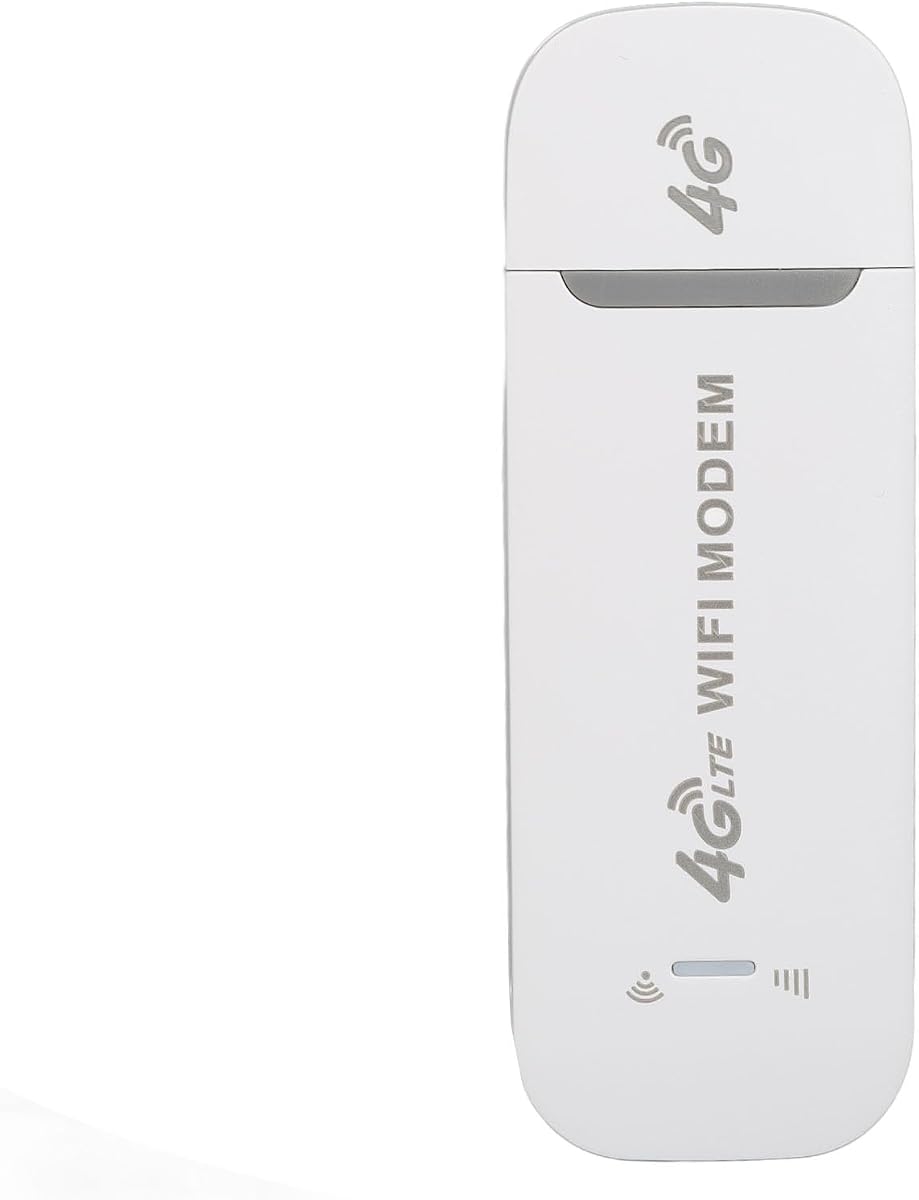
The EIOTCLUB 4G LTE USB WiFi 6 Dongle is the strongest premium-style option because it arrives with an EIOTCLUB SIM and a trial plan rather than requiring buyers to begin with separate service. It has a supplied rating of 4.0 out of 5, supports up to ten devices, and advertises 4G LTE speeds of up to 150Mbps. Its pocket-sized 3.5 by 1.2 by 0.3-inch profile suits frequent travel.
We may earn a commission when you buy through this link, at no additional cost to you.
It is designed and tested for the United States, Canada, Mexico, and selected Latin American countries. Supported LTE bands include B2, B4, B5, B12, B13, B17, B66, and B71, while WCDMA support covers B2, B4, and B5. Buyers should verify the exact destination and local carrier support before international travel because service can vary by region.
The included trial includes 1GB for one day and can be followed by a pay-as-you-go plan selected through a QR code. Setup involves plugging the dongle into a laptop, power bank, or car charger, while some Android phones require OTG to be enabled first. Listed system requirements include Windows 10 or later, Android 12 or later, iOS 18, macOS Sequoia, and Linux.
Choose this model when immediate mobile service matters and you travel within its supported regional markets. Its included SIM, shared user capacity, and USB-powered design reduce the number of components needed for a portable hotspot. It is less attractive for travelers outside the listed regions or owners of older systems that do not meet the stated requirements.
A preinstalled SIM and trial allowance make this dongle convenient for buyers who do not want to visit a carrier store or activate a separate card before leaving. Users can select a later plan by scanning the supplied QR code.
The specified band combinations and four-market focus make the EIOTCLUB particularly relevant to trips across the US, Canada, Mexico, and selected parts of Latin America. Regional service still depends on the active carrier's coverage.
We may earn a commission when you buy through this link, at no additional cost to you.
The HOSAYA HF26 earns the Editor's Choice position by offering the most balanced combination of operating modes, regional network support, and user capacity. Its supplied rating is 4.1 out of 5. The tiny adapter can operate as a USB-powered WiFi router or as a direct USB modem on a compatible computer, and it supports as many as ten WiFi users.
We may earn a commission when you buy through this link, at no additional cost to you.
The American version supports LTE bands B2, B4, B5, B7, B12, B17, B28, and B66 along with 3G bands B2 and B5. It is intended to work in most American countries, including the US, Canada, Mexico, and numerous Central and South American locations listed in the product information. The router automatically recognizes most SIM cards and APN settings, although manual APN entry may occasionally be necessary.
A valid, universal SIM is required but not included. Contract cards or carrier-locked SIMs that prohibit use in a WiFi router may not work. When operating as a USB modem, the computer's firewall or antivirus program must allow the driver to install. Power comes from a 5V 1A USB source, allowing use in a car, with a power bank, or during outdoor travel.
This adapter is well suited to people who need one device for both direct computer internet and hotspot sharing, especially across the broad regional coverage described in its specifications. It is also a strong fit for families or small teams that want ten connected devices. Buyers should obtain a compatible universal SIM and be prepared to permit the driver through system security settings.
The HF26 can create a shared WiFi network when connected to USB power or function as a direct modem when inserted into a Windows computer. That flexibility allows it to serve both a traveling group and a single workstation.
The listed LTE and 3G bands support an extensive group of American countries. Automatic SIM and APN recognition reduces setup work, while manual APN configuration provides a fallback for compatible cards that are not detected correctly.
We may earn a commission when you buy through this link, at no additional cost to you.
The USB WiFi Hotspot is an uncomplicated budget pick for users who mainly want a small adapter that can create a shared cellular connection. It has a supplied rating of 5.0 out of 5, supports up to eight WiFi users, and advertises connection speeds of up to 150Mbps. Those figures make it suitable for routine browsing, messaging, video, and other everyday online activities.
We may earn a commission when you buy through this link, at no additional cost to you.
Installation is based on plugging the adapter into a computer's USB port to connect wirelessly or create a hotspot. A built-in 4G/3G+ WiFi antenna is intended to improve coverage and signal strength, while the plug-and-play approach removes the need to describe a complicated installation process. It can draw power from the connected computer, making it convenient for travel.
The main limitation is that the supplied product information is brief. It does not identify specific operating systems, network bands, supported carriers, regional markets, or whether a SIM is included. Those details matter because a USB LTE adapter cannot provide service without a compatible SIM and a carrier network available in the user's area.
This model makes sense for budget-conscious buyers who want a compact hotspot and already have a suitable SIM and carrier service. It is also a logical choice for a computer setup that emphasizes simple USB operation and sharing among up to eight users. Checking the current listing and carrier compatibility before ordering is especially important because the product data provides limited regional guidance.
The direct USB workflow is designed to get users online without a complicated configuration process. This makes the adapter approachable for basic travel, temporary office internet, or a secondary connection for a compatible computer.
Up to eight users can connect to the generated WiFi network. Combined with the built-in antenna and portable form, that capacity makes it practical for a small traveling group or a temporary household hotspot.
We may earn a commission when you buy through this link, at no additional cost to you.
The 4G LTE USB Network Adapter is a light, straightforward travel dongle designed around quick USB setup. No numeric customer rating was supplied, so its evaluation must focus on the stated capabilities. It advertises speeds of up to 150Mbps, can share a connection with as many as ten WiFi users, and includes a built-in 4G antenna for reception.
We may earn a commission when you buy through this link, at no additional cost to you.
Its central advantage is portability. The product is described as compact and lightweight, making it suitable for carrying in a pocket, small bag, or laptop case. It can be inserted into a computer's USB port to establish a wireless network or create a hotspot, with no complicated setup required. That simplicity should appeal to users who do not want to configure a traditional router.
The product information does not provide a detailed list of supported operating systems, regional LTE bands, or carrier compatibility. It also does not state whether a SIM card is included. As with any hardware-based cellular dongle, the connection will ultimately depend on a valid SIM, carrier coverage, and a compatible network. The advertised 150Mbps figure is a maximum rather than a guarantee in every location.
This is a sensible option for a traveler or temporary user who values a small adapter, ten-user hotspot capacity, and minimal configuration. It is best for readers who can confirm compatibility with their intended computer, SIM, and local carrier. Its streamlined design makes it more approachable than a feature-heavy model, although the lack of detailed technical information should be considered before purchase.
The adapter's compact construction minimizes the space required for mobile internet. It is easy to keep in a laptop sleeve or carry alongside a phone, tablet, and charging cable without adding substantial bulk.
The ability to connect ten WiFi users is more generous than the eight-user capacity of several alternatives. It works well for a family, travel party, or temporary group that wants one cellular connection rather than separate plans.
We may earn a commission when you buy through this link, at no additional cost to you.
The VBESTLIFE 4G LTE USB WiFi Dongle stands out for its explicit security support and broad environmental adaptability. It has a supplied rating of 5.0 out of 5, offers 150Mbps downstream and 50Mbps upstream, and supports eight simultaneous users. Its three built-in 4G networks and range of encryption options give it a useful combination of connectivity and privacy controls.
We may earn a commission when you buy through this link, at no additional cost to you.
Security methods include WEP, WPA, and WPA2 PSK, allowing users to select an appropriate protection level for their temporary network. The dongle is listed as compatible with Windows, OS X, iOS, and Android, making it potentially useful for a broad mix of personal devices. Its wide operating-temperature range is also relevant for travel, vehicles, and outdoor work where conditions vary.
A SIM card slot is present, but the product data does not state that a card is included. Detailed LTE bands and supported carrier regions are likewise not provided. The three built-in networks may improve connection options, but actual availability still depends on carrier coverage and the SIM used. Buyers should avoid assuming that every SIM or network combination will work.
Choose the VBESTLIFE when security options and broad device compatibility are the priorities. Its shared capacity suits a small travel party, while the wide temperature tolerance is a useful feature for mobile use. For buyers who need precise regional compatibility, checking the current documentation and network bands remains essential.
WEP, WPA, and WPA2 PSK support gives users several ways to protect a temporary wireless network. WPA2 is generally the stronger choice among the listed options when the adapter's configuration allows it.
The stated wide operating-temperature range supports use beyond a climate-controlled desk. That is useful for vehicle travel, outdoor work, and other situations where a conventional router may face less favorable conditions.
We may earn a commission when you buy through this link, at no additional cost to you.
The Chrees 4G LTE Router is a compact hotspot aimed at phones, laptops, tablets, PCs, televisions, and other WiFi clients. No numeric customer rating was supplied, but the stated feature set emphasizes an easy connection process, support for up to ten users, USB power, and WPA/WPA2 security. It is particularly easy to recommend for users who want a small, shared mobile connection.
We may earn a commission when you buy through this link, at no additional cost to you.
A micro SIM is required. Once inserted, the router searches for and connects to the available high-speed 4G network, removing the need for a separate configuration process in normal use. It can draw power from a phone charger, car charger, or power bank, making it a natural fit for travel, road trips, and locations where wall power is unavailable.
The product data does not identify supported operating systems in detail, list specific LTE frequency bands, or name compatible carriers. It also does not mention a SIM card being included. Users should also verify whether the connected phone can supply the necessary USB power and whether a particular carrier permits data use through a mobile hotspot router.
This is a good fit for small families, travel groups, or temporary offices that need up to ten WiFi clients and value WPA/WPA2 protection. The combination of automatic connection and flexible USB power makes it convenient. Carrier and device verification remains the main precaution because the listing is concise and does not offer detailed compatibility information.
The router's stated process is designed to detect the network and establish a high-speed 4G connection automatically. This reduces the amount of technical setup required for a temporary hotspot.
A phone charger, car charger, or power bank can supply the required USB power. That flexibility makes the dongle useful in vehicles and outdoor settings where mains electricity is not readily available.
We may earn a commission when you buy through this link, at no additional cost to you.
The 4G LTE USB Modem Stick is unusual because it combines cellular networking with expandable storage. It advertises download speeds up to 100Mbps, can share a connection with ten devices, and supports memory cards up to 32GB. The storage card is not included, but the capability gives the adapter an additional role for portable files, shared media, or a simple data drive.
We may earn a commission when you buy through this link, at no additional cost to you.
The product functions as a portable WiFi hotspot for cars, homes, and travel. A built-in 4G/3G+ antenna is intended to strengthen reception and reduce dropouts, while plug-and-play operation avoids a separate software installation process. Users insert a standard SIM and power the device to begin using cellular internet or serving the shared network.
The listed system compatibility includes Windows versions from 2000 through 10, Android 4.0.4 or later, and Linux. That broad range may be useful for older equipment, although a current operating system is generally preferable for contemporary drivers and security updates. At up to 100Mbps, the advertised maximum is lower than the 150Mbps figure given for several competing adapters.
This model is worth considering for users who want networking and removable storage in the same device, particularly in vehicles or travel kits where extra accessories are inconvenient. It is also well suited to sharing with up to ten clients. Buyers should treat 100Mbps as the listed peak and confirm their computer's driver support before relying on the modem function.
Support for memory cards up to 32GB lets the dongle store files in addition to providing internet access. This is useful when a user wants local media sharing or a portable drive alongside cellular connectivity.
The extensive list of Windows versions, Android 4.0.4 and later, and Linux support broadens the pool of compatible systems. While older hardware may work, users should still check for current driver availability and operating-system security requirements.
We may earn a commission when you buy through this link, at no additional cost to you.
The 4G LTE Wireless USB Dongle is a basic mobile broadband adapter designed for laptops, UMPCs, MID devices, cars, and offices. No numeric customer rating was supplied, and the product information is intentionally brief. It supports 3G and 4G networks, uses a standard USB interface, and advertises a transmission rate of up to 150Mbps.
We may earn a commission when you buy through this link, at no additional cost to you.
Its most notable physical specification is the stated weight of 26 grams. That makes it one of the lighter options in the group and appropriate for a pocket, vehicle console, or laptop bag. A SIM card turns it into a wireless router, and the listing describes the setup as requiring no additional configuration. It is a familiar form factor for users who want a direct mobile-broadband connection without a larger router.
The product data does not state a maximum number of connected users, supported operating systems, regional bands, or supported carriers. It also does not confirm whether a SIM is included. The advertised 150Mbps transmission rate should be viewed as a maximum under favorable network conditions rather than a consistent result in every location.
This dongle is best for a buyer seeking a tiny, conventional USB mobile broadband stick with basic hotspot functionality. Its light weight and simple setup are useful for vehicle or temporary office internet. Because compatibility information is limited, checking the current listing, obtaining the correct SIM, and confirming local network support are essential before purchase.
At 26 grams, the dongle is easy to carry and occupies very little space. That makes it a practical addition to a travel kit, vehicle emergency equipment, or a small office backup internet setup.
Support for both 3G and 4G can provide a fallback when a 4G network is unavailable. The actual quality of service will still depend on the carrier, local coverage, and the installed SIM.
We may earn a commission when you buy through this link, at no additional cost to you.
The Dpofirs 4G Dongle is a small shared hotspot with a stated downstream speed of 150Mbps, an upstream rate of 50Mbps, and capacity for eight users. No numeric customer rating was supplied, and the product title contains some missing wording. Nevertheless, the listed features define it as a portable USB WiFi hotspot intended for quick, shared access.
We may earn a commission when you buy through this link, at no additional cost to you.
Three integrated 4G networks can give the device multiple cellular options in a given area. The dongle also supports WEP, WPA, and WPA2 PSK encryption, allowing users to secure the temporary hotspot according to the capabilities of their connected clients. Its wide operating-temperature range is intended to maintain stable operation across different environments.
The listing says that it works with major operating systems and is easy to install and use, but it does not provide a detailed compatibility list, supported LTE bands, or named carriers. It also does not state whether a SIM card is included. These omissions make it especially important to review the current product instructions and confirm the intended network before ordering.
The Dpofirs is a reasonable option for a small group seeking an inexpensive shared connection with multiple built-in networks. It is also attractive for users who want encryption choices and a device designed to tolerate varied operating conditions. Its limited listing information means it is best for buyers comfortable verifying SIM, carrier, and operating-system details independently.
The three integrated 4G networks may provide additional connection options where one network has weaker coverage. Their practical benefit depends on the carriers and bands available in the user's specific location.
WEP, WPA, and WPA2 PSK support gives the dongle several security choices. Users should select the strongest option supported by their devices and change the default network password before sharing access.
We may earn a commission when you buy through this link, at no additional cost to you.
The most important considerations are the cellular bands and carrier support in your area, the way you plan to power and use the adapter, and the number of devices that need to share the connection. Security, supported systems, regional restrictions, and setup details can then narrow the field.
A USB LTE dongle must be able to connect to a cellular network in the place where it will be used. The most carefully documented option in this list is the EIOTCLUB, which is designed and tested for the US, Canada, Mexico, and selected Latin American countries and lists its LTE and WCDMA bands. The HOSAYA HF26 also states several American LTE and 3G bands and names numerous countries where it is intended to work. The MIRO says it supports major carriers such as AT&T, T-Mobile, and Verizon, while several other models provide no specific carrier information.
Check the carrier, country, and exact LTE bands before buying, especially for international travel. A statement that a product supports 4G does not guarantee service in every country, and a supported country does not guarantee coverage at the exact destination. Choose the adapter whose documented bands and service region match your itinerary.
Hotspot capacity determines how many phones, tablets, laptops, and other WiFi clients can use the connection at once. The MIRO UF1, EIOTCLUB, HOSAYA HF26, general-purpose 4G LTE USB Network Adapter, Chrees router, and expandable-storage modem each state support for ten users. The USB WiFi Hotspot, VBESTLIFE, and Dpofirs support eight, while the 4G Wireless USB Dongle does not publish a user count in its supplied information.
For a solo traveler, any of the listed capacities may be adequate. Families, small offices, and travel groups should count every regular client and leave a little room for temporary devices. A higher stated capacity is useful, but real throughput can decline as more clients share the same cellular connection.
Some adapters are primarily hotspots, while others can also function as a direct USB modem. The HOSAYA HF26 explicitly supports both WiFi-router and USB-modem operation, which makes it useful for a single computer that wants a wired-style connection or for several devices that need shared access. The MIRO similarly switches between a mobile hotspot with a SIM and a card reader with a memory card. Other models primarily emphasize the shared hotspot workflow.
Decide how you will use the adapter before shopping. Direct modem mode can be convenient on one computer, while hotspot mode is better for phones, tablets, and groups. Also consider whether you want a dedicated mobile router or a single device that can perform a secondary function such as file transfer.
Most cellular dongles require a compatible SIM, and the supplied information shows a meaningful difference. The EIOTCLUB includes an EIOTCLUB SIM with a 1GB one-day trial plan. The HOSAYA explicitly excludes a SIM and supports valid universal cards, with some locked or contract cards potentially restricted. The MIRO accepts SIM and memory cards through its dual slots. Other listings mention a SIM card slot but do not confirm that a card is included.
A mobile hotspot router may also need an unrestricted or universal SIM even when the hardware itself is unlocked. Users should confirm SIM size, activation requirements, carrier terms, and hotspot permissions. This avoids buying a compatible dongle only to discover that the chosen service prohibits the intended use.
The MIRO supports Windows, macOS, and Linux, while the EIOTCLUB lists Windows 10 or later, Android 12 or later, iOS 18, macOS Sequoia, and Linux. The 4G LTE USB Modem is notable for its broader historical list, including older Windows versions, Android 4.0.4 or later, and Linux. Some adapters have less detailed information, and the EIOTCLUB notes that certain Android phones require OTG to be enabled.
Match the dongle to the device that will host the USB connection and the clients that will use the WiFi network. If direct modem mode is important, check driver requirements and firewall permissions. If it is only a hotspot powered from a wall adapter or power bank, operating-system restrictions may matter less.
A portable hotspot creates a wireless network that can be used by anyone within range, so encryption is essential. The VBESTLIFE supports WEP, WPA, and WPA2 PSK, and the Dpofirs offers the same three options. The Chrees states support for WPA and WPA2. Products that do not list encryption methods in the supplied information should be checked for the presence of a configurable password and current security protocols before regular use.
Prefer WPA2 or a stronger available option over older WEP protection. Change any default administrator or WiFi password, use a unique passphrase, and avoid sharing access publicly. Security features are only useful if the configuration interface makes them accessible and the connected clients support the selected method.
The best travel dongle should be small, light, and able to run from the power source already available. The EIOTCLUB measures 3.5 by 1.2 by 0.3 inches, while the 4G Wireless USB Dongle is listed at 26 grams. The MIRO can draw power from a computer, wall charger, or power bank. The Chrees and HOSAYA also support common USB power sources, and the HOSAYA specifies a 5V 1A input.
Consider how the adapter will be carried and how long it must remain powered. A laptop connection is convenient but consumes the computer's power, while a power bank or wall charger can sustain a hotspot more comfortably. Check the required input and avoid assuming every USB source supplies equivalent power.
Most of the adapters advertise up to 150Mbps, while the 4G LTE USB Modem states up to 100Mbps. These are maximum connection figures rather than guaranteed real-world throughput. Actual performance depends on cellular coverage, the carrier, network congestion, signal conditions, proximity to the tower, and the number of users sharing the connection. Security and positioning can also affect stability.
For typical browsing, messaging, video, and work applications, the listed speeds are presented as sufficient. Heavy downloads, large file transfers, and latency-sensitive activity may behave differently. Consider the antenna claims, regional network selection, and whether a model offers multiple cellular options when reliability is more important than raw specification.
Begin by confirming that your SIM is active, permitted for data and hotspot use, and compatible with the adapter's regional bands. Insert the SIM into the dongle, connect it to a computer or suitable USB power source, and allow the device to search for the network. If a setup page or driver appears, follow the current instructions for your operating system and create a new WiFi password before sharing the network.
Once connected, place the dongle near a window or another position with a clearer view of the cellular signal. Keep it powered during active use, and do not unplug it while the network is being configured. For direct USB modem operation, allow antivirus software and firewalls to install or permit the required driver. If the connection fails, check the SIM activation status, APN settings, band support, and data allowance before changing hardware.
To protect the adapter, avoid moisture, extreme heat, and physical damage to the USB connector. Remove the SIM before moving the device between substantially different regions, especially when carrier compatibility is uncertain. Change the default password, keep the number of connected clients within the stated limit, and disconnect the device when it is not needed. Software and firmware updates, where available, should be applied through the manufacturer's current instructions.
No. The SIM must be active, provide mobile data, and operate on cellular bands supported by the adapter. Some carriers also restrict data use in hotspots or require a universal, unlocked SIM. The HOSAYA model particularly warns that contract cards or carrier-locked SIMs may not work, so confirm compatibility before ordering.
It depends on the model and how it is being used. The MIRO and HOSAYA descriptions emphasize broad operating-system support, while the HOSAYA may require a driver when used as a direct USB modem. If an antivirus program or firewall blocks installation, the modem may not connect even though the hardware is compatible.
Yes, when the adapter is operating as a WiFi hotspot. Most products in this guide support eight or ten connected clients, and phones, tablets, laptops, PCs, cameras, and televisions can join when their WiFi settings are compatible. The actual bandwidth is shared, so performance for each device may decline as more users connect.
For common browsing, messaging, video calls, and standard streaming, the advertised speed is generally presented as adequate. Actual results depend on cellular coverage, congestion, signal quality, and the amount of data being used. Multiple connected devices share the same connection, so a nominal maximum does not represent the speed available to every client.
Only if the adapter supports the cellular bands and carriers operating in the destination country. The EIOTCLUB is specifically designed for the US, Canada, Mexico, and selected Latin American countries, while the HOSAYA lists broad American-market compatibility. International travelers should check both the supported bands and local carrier rules before departure.
A WiFi association with the dongle does not guarantee that the cellular data session is active. Check that the SIM has data available, is allowed to use a hotspot, and is correctly provisioned. APN settings, unsupported bands, poor coverage, an expired plan, or a blocked USB driver can also prevent internet access.
The products in this guide emphasize built-in cellular antennas, which keep the setup compact and uncomplicated. A built-in antenna is convenient for travel, although placement and local tower coverage remain important. Buyers in consistently weak-signal locations should prioritize documented band support and carrier coverage over antenna type alone.
It can provide temporary or backup internet through a SIM-based hotspot, but cellular coverage and data limits may not match a wired broadband service. The adapters are best suited to travel, vehicle use, temporary offices, and locations where fixed internet is unavailable. A plan with an appropriate data allowance and reliable local coverage is essential.
The HOSAYA HF26 is the strongest all-around choice because it combines router and direct modem modes, supports ten users, recognizes most compatible SIM cards, and offers extensive regional band information. The EIOTCLUB stands out for its preinstalled SIM, trial service, and four-market focus, while the straightforward USB WiFi Hotspot is the leading budget-oriented option for users who prioritize simple setup and eight-user sharing.
The right alternative depends on the use case. MIRO offers the broadest multifunction design with SIM and SD slots, the Chrees provides compact ten-user hotspot capacity, the VBESTLIFE emphasizes encryption and environmental adaptability, and the expandable-storage modem is useful for users who need a second role beyond networking. Confirm operating systems, SIM restrictions, bands, and carrier coverage before committing.
Finally, review the current listing, service options, and price at the time of purchase because availability, data plans, and hardware details can change. A dongle is only as useful as the cellular service inside it, so select the model whose documented network support and user capacity match your destination and the devices you plan to connect.