
Thermaltake Toughpower GT 850W
4.5Editor score
Native 450W PCIe connector
Smart Zero Fan operation
Fully modular cable layout
Single high-amperage 12V rail
Our 80 Plus Gold power supplies guide compares efficiency, wattage, modularity, noise control, ATX 3.1 support, and warranties to help you choose the right
An 80 Plus Gold power supply converts wall power into usable computer power more efficiently than many conventional units, which can reduce waste heat and help keep a system quieter. The best models also balance usable capacity, stable power delivery, cable convenience, fan behavior, protection features, and compatibility with modern graphics cards.
We compared ten highly rated options from MSI, Thermaltake, Corsair, be quiet!, Cooler Master, and EVGA. The assessment covers wattage, efficiency standards, ATX and PCIe readiness, modular cabling, noise-related features, fan size, capacitor ratings, transient-power support, and warranty length rather than focusing on price alone.
Each review explains the strongest reasons to consider a particular model, along with its limitations and the builders most likely to benefit from it. Product listings and prices can change, so confirm the current specifications, included accessories, and availability before making your final purchase.
4.5Editor score

4.7Editor score

4.8Editor score
The table below places all ten models side by side, highlighting the differences in capacity, efficiency certification, modularity, fan design, modern power standards, and warranty coverage that matter most when planning a new PC build.
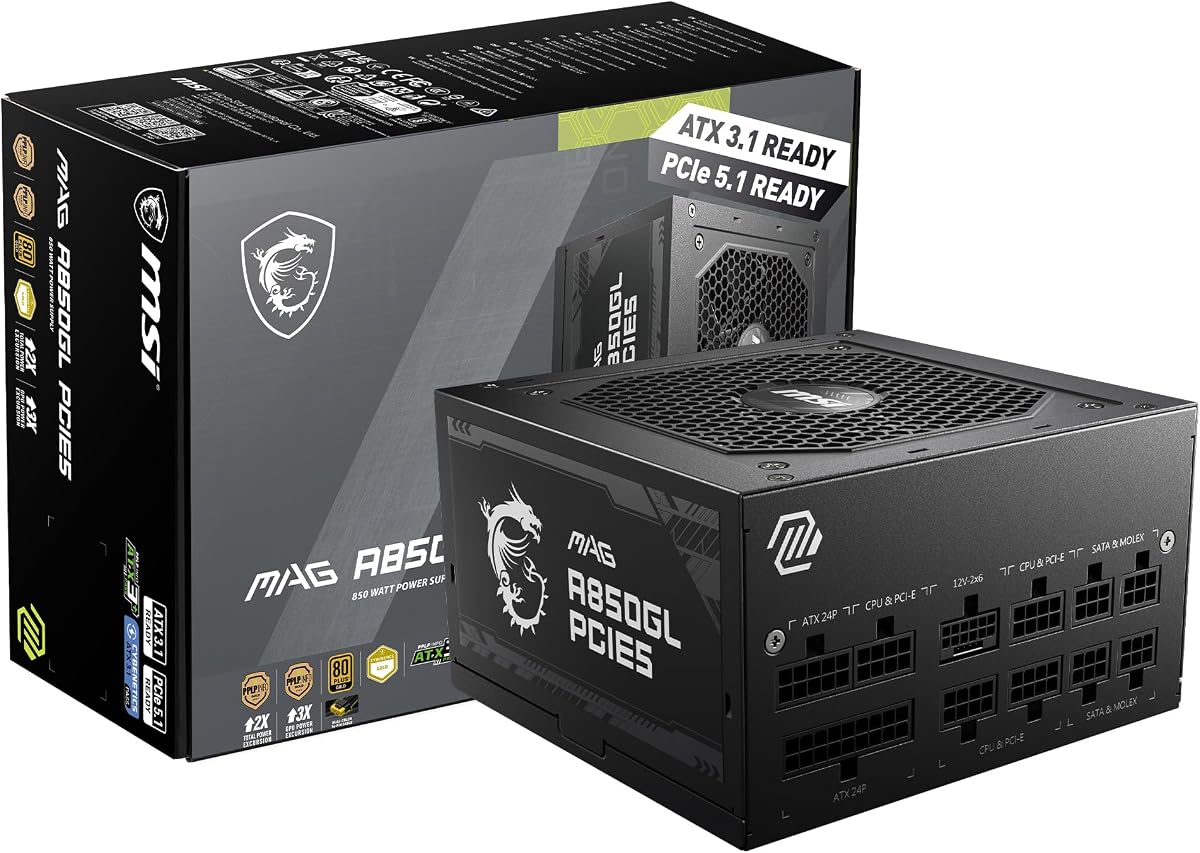


The MSI MAG A850GL PCIE5 earns a 4.5 rating and combines 850 watts of capacity with 80 Plus Gold efficiency, a fully modular layout, and support for both ATX 3.1 and PCIe 5.1. It is aimed squarely at modern gaming systems that need enough headroom for a demanding processor and graphics card without settling for a dated standard.
We may earn a commission when you buy through this link, at no additional cost to you.
Its standout feature is the native dual-color 12V-2×6 cable, which allows a compatible modern GPU to connect directly to the unit. That avoids the visual clutter and potential awkwardness of an adapter while aligning with the latest PCIe 5.1 platform. Full modularity also means unused cables do not have to occupy the case, making routing easier and supporting cleaner airflow.
The stated 10-year limited warranty adds meaningful reassurance for a component expected to remain in service for years. The compact description and modular construction are also useful for builders with limited room, although the listing does not provide the same depth of fan and acoustic specifications as some competing models. Cable dimensions and connector availability should be confirmed against the planned case and GPU.
This is a compelling general recommendation for a new gaming PC that wants modern GPU support, tidy installation, and substantial power without moving to the 1000-watt class. It may be especially suitable for builders pairing a powerful discrete graphics card with a high-output CPU. It is less obviously tailored to small-form-factor systems because exact dimensions and clearances are not stated in the supplied specifications.
Overall, the MAG A850GL PCIE5 offers a well-balanced feature set rather than excelling in only one area. Its native high-power connector, modularity, compact positioning, Gold efficiency, and lengthy warranty make it easy to recommend for a contemporary gaming build, subject to checking physical fit and cable requirements.
ATX 3.1 and PCIe 5.1 readiness make this unit appropriate for current-generation power demands. The native dual-color 12V-2×6 connection is particularly relevant when the graphics card provides a matching socket, while the overall 850W capacity offers practical power headroom for a serious gaming configuration.
The fully modular design removes the need to route every fixed cable through the chassis. Only the leads required by the system need to be connected, which can simplify initial assembly and future component upgrades while reducing the amount of cable clutter competing for airflow.
We may earn a commission when you buy through this link, at no additional cost to you.
The Thermaltake Toughpower GT 850W has a 4.5 rating and offers an unusually complete set of features for builders seeking Gold efficiency without settling for an older ATX standard. It combines 850 watts of power, ATX 3.1 compatibility, a native 450W PCIe 5.1 connector, full modularity, and a fan that responds intelligently to load.
We may earn a commission when you buy through this link, at no additional cost to you.
Smart Zero Fan is one of the most useful details for everyday use. Instead of spinning continuously at a fixed speed, the fan adjusts according to demand and can minimize noise during low-load periods. That makes the unit a sensible candidate for a workstation, home-office computer, or gaming system that spends meaningful time idle while still needing substantial power for graphics-intensive work.
The native 12V-2×6 connector gives modern GPUs a direct path to the power supply, while four additional conventional PCIe connectors support a wider range of hardware. The single high-amperage 12V rail and fully modular black flat cables are practical for tight, visually tidy builds. Its five-year warranty is respectable, though it does not match the longer coverage offered by the MSI and EVGA selections.
The GT is best for a builder who wants contemporary connector support and modularity without paying for every premium feature. Its 850W rating makes it appropriate for high-end gaming hardware and many workstation configurations, provided the graphics card and CPU stay within a sensible combined power envelope. Verify connector shape and bend clearance before assembly, especially when using a compact case.
Our Best Budget badge reflects the balance between modern standards, practical acoustics, and useful capacity. It does not mean the unit is the least expensive in the list; instead, it highlights a compelling combination of ATX 3.1 readiness, Gold efficiency, Smart Zero Fan behavior, and modular cabling for a new high-performance build.
Smart Zero Fan lets the cooling system remain inactive or reduce its activity when demand is light. In daily browsing, document work, or media playback, this can make a noticeable difference in perceived system noise compared with a power supply whose fan runs continuously.
The native 450W PCIe 5.1 connector is designed for modern graphics cards, while additional PCIe connectors preserve compatibility with other equipment. Check the GPU manufacturer’s recommended PSU wattage and connector requirements before finalizing the installation.
We may earn a commission when you buy through this link, at no additional cost to you.
The CORSAIR RM850e (2025) carries a 4.7 rating and presents one of the most balanced specifications in this guide. It provides 850 watts of capacity, Intel ATX 3.1 certification, PCIe 5.1 readiness, fully modular cables, 105°C-rated capacitors, and a 120mm rifle bearing fan controlled by a carefully calculated fan curve.
We may earn a commission when you buy through this link, at no additional cost to you.
ATX 3.1 certification is the central attraction for a modern build. The unit can withstand two transient power excursions from the GPU, an important consideration as high-end graphics cards produce increasingly sharp short-term power variations. Modern Standby compatibility also supports faster wake-from-sleep behavior and improved efficiency in low-load states, which can make the system feel more responsive in everyday use.
The quiet-operation design goes beyond simply listing a fan size. Its specially calculated fan curve is intended to control noise even under full load, while the rifle bearing provides a durable cooling mechanism. Full modularity means users install only the required cables, helping reduce clutter and making it easier to keep intake and exhaust paths unobstructed.
The main limitation is that the supplied details do not explicitly identify a native 12V-2×6 cable. Builders should confirm the included GPU leads and whether the graphics card requires a 12V-2×6 connection before buying. That uncertainty is minor for many systems but can be decisive when a new GPU uses the latest power standard.
Our Editor's Choice goes to the RM850e because it combines a strong rating with a mature, modern feature set and no obvious weak point in the supplied specifications. It is a strong recommendation for a new gaming PC, a creator workstation, or an enthusiast system that values modularity, low-load behavior, and ATX 3.1 transient protection.
Intel ATX 3.1 certification is particularly relevant for modern GPUs that may demand abrupt, short-lived power increases. Supporting two transient excursions helps the power supply bridge those events without disrupting the graphics card or forcing unnecessary shutdowns.
Modern Standby compatibility supports rapid wake-from-sleep times and better efficiency under light demand. This is a more visible daily-use benefit than a small efficiency difference during sustained maximum load, particularly for systems that are started and stopped frequently.
We may earn a commission when you buy through this link, at no additional cost to you.
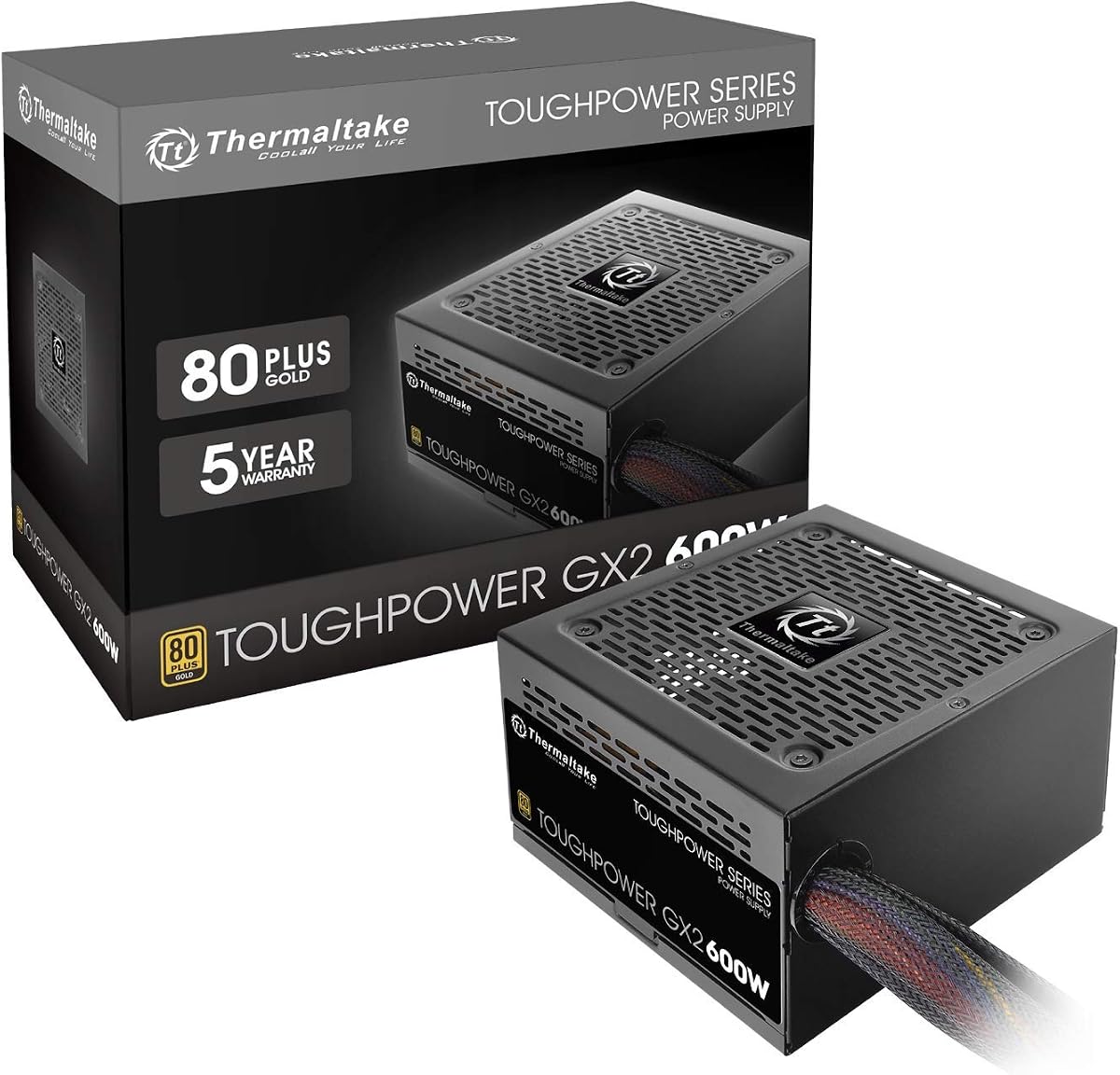
The Thermaltake Toughpower GX2 600W has a 4.6 rating and remains a practical option for builds that do not need the newest connector standard. Its 80 Plus Gold certification delivers efficiency of up to 90 percent, while 600 watts of continuous power and SLI/Crossfire readiness make it relevant to certain multi-GPU and legacy configurations.
We may earn a commission when you buy through this link, at no additional cost to you.
This model’s most important strength is its straightforward suitability for established platforms. It includes a 24-pin main connector, a 4-plus-4-pin EPS connector, six SATA connectors, two 6-plus-2-pin PCIe connectors, three peripheral connectors, and a floppy connector. That broad inventory can suit an older or unusually connector-rich workstation where completely modular cabling would offer less value.
The single plus-12V rail uses a DC-to-DC design for stable delivery, and the listed low-ripple-noise specification supports dependable operation in performance-sensitive systems. A 120mm dynamic bearing fan is positioned for quiet cooling, while overload, overvoltage, undervoltage, and short-circuit protections add practical safeguards. The five-year warranty also provides meaningful coverage for a non-modular unit.
Its age and electrical standards are the central trade-offs. ATX 12V V2.4 and EPS V2.92 do not provide the ATX 3.1 transient-handling framework or native 12V-2×6 connection found on newer models. Non-modular construction also means all attached cables remain in the chassis, which can make airflow and appearance more difficult to manage in a compact or visually polished case.
This is the right choice for a compatible 600W build, especially one using older graphics hardware or requiring a broad selection of legacy connectors. It is not the safest recommendation for a new high-end system centered on a current-generation GPU. Always check the GPU manufacturer’s wattage and connector guidance rather than choosing capacity from the advertised number alone.
The connector assortment is unusually broad for a non-modular design, including legacy peripheral support alongside current SATA and PCIe leads. That makes the GX2 useful when replacing a PSU in an older build whose original cable requirements are more varied than those of a modern system.
A dedicated plus-12V rail, DC-to-DC conversion, low-ripple output, and industrial-grade protections work together to support stable operation. These details are especially useful in a system where the power supply must coordinate with multiple demanding components.
We may earn a commission when you buy through this link, at no additional cost to you.
The be quiet! Pure Power 13 M 850W has a 4.6 rating and makes a particularly strong case for builders who treat acoustic quality as a core requirement. It combines 80 Plus Gold certification with up to 94.4 percent efficiency, an ATX 3.1 platform, full modularity, native 12V-2×6 support, and semi-passive zero-RPM cooling.
We may earn a commission when you buy through this link, at no additional cost to you.
Efficiency is the standout headline. Lower conversion losses mean less energy is wasted during operation, and the resulting heat output can remain low enough to support a cooler and quieter overall system. LLC topology is specified for high-class voltage regulation, which is valuable when the system transitions between idle, gaming, and heavier computational workloads.
The unit can handle transient demands up to double its rated power, a notable feature for next-generation processors and graphics cards. A native 12V-2×6 connection supports current PCIe 5.1 graphics cards directly, while four 6-plus-2-pin PCIe connectors preserve flexibility for existing and mixed hardware. Full modularity helps keep the internal build clean.
The semi-passive design stops the fan entirely under low load and activates it when more cooling becomes necessary. That makes the Pure Power 13 M especially appealing for quiet workstations, media systems, and gaming PCs where background noise matters. The tradeoff is that the fan curve is intentionally tied to demand, so it will not provide active cooling during lighter activity.
This PSU is an excellent recommendation for a premium quiet build using a modern discrete GPU. Its stated efficiency, transient handling, modular layout, and flexible connectors give it one of the strongest all-around specifications here. As always, confirm connector orientation and the required cable bend radius near a tight side panel or a large graphics-card cooler.
The fan stops completely during light-load conditions and resumes when additional cooling is required. For a desktop used mainly for browsing, office applications, or media playback, this can make the PSU quieter than a conventional unit whose fan continues turning at a minimum speed.
The claimed efficiency of up to 94.4 percent reduces internal losses and therefore heat. Combined with LLC topology and careful fan-blade design, the result supports the model’s appeal for builds in which lower temperatures and quieter cooling are more important than simply meeting the baseline Gold threshold.
We may earn a commission when you buy through this link, at no additional cost to you.
The Thermaltake GF1 850W has a 4.4 rating and offers 850 watts of Gold-certified power in a fully modular package. Its defining feature is the large 140mm fluid bearing fan, which moves a substantial volume of air at comparatively low speeds. That makes the GF1 interesting for builders who want a quiet cooling approach without the newest ATX specification.
We may earn a commission when you buy through this link, at no additional cost to you.
Smart Zero Fan minimizes noise by reducing fan activity when the load does not require active cooling. The larger fan diameter can also help keep the PSU cool at lower rotational speeds than a smaller unit, potentially benefiting acoustic quality during sustained operation. Its single high-amperage plus-12V rail uses a DC-to-DC design to provide stable output for demanding components.
Fully modular cabling is a major practical benefit in a modern case. It improves the appearance of the build and can make airflow easier to optimize because excess leads do not need to be stored behind the motherboard tray. Intel C6/C7-state and ErP readiness further support lower-power behavior in appropriate operating states.
The main limitation is that the supplied specifications do not mention ATX 3.1, PCIe 5.1, or a native 12V-2×6 connection. For older or midrange hardware, that is not necessarily a problem, but it makes the GF1 less future-facing than the ATX 3.1 alternatives in this guide. Builders using a new GPU may need to verify which high-power leads are included.
The GF1 is a good match for an 850W gaming or productivity system that prioritizes modular installation, fan size, and quiet cooling over native support for the latest connector. It is less suitable when future GPU compatibility is a primary concern. Check the case clearance, GPU power requirements, and included cable list before buying.
A 140mm fan can move more air at lower rotational speeds than a smaller fan serving the same role. Combined with Smart Zero Fan control, this creates a useful strategy for reducing noise without abandoning active cooling during demanding workloads.
Users connect only the cables required by the system, reducing both visual clutter and the number of unused wires that might obstruct airflow. This makes the GF1 a practical fit for builds where neat routing is important and component upgrades are anticipated.
We may earn a commission when you buy through this link, at no additional cost to you.
The CORSAIR RM850x ATX 3.1 has a 4.7 rating and combines 850 watts of capacity with a polished set of modern features. It is fully modular, compliant with ATX 3.1, ready for PCIe 5.1, and equipped with a native 12V-2×6 connector. Its Cybenetics Gold certification indicates efficiency of up to 91 percent.
We may earn a commission when you buy through this link, at no additional cost to you.
That certification distinction deserves attention. Rather than relying only on the familiar 80 Plus label, the RM850x is described as Cybenetics Gold-certified, a separate efficiency assessment with its own testing framework. For a buyer who understands certification labels, this provides useful evidence that the unit can operate efficiently while producing lower heat and less fan noise.
ATX 3.1 compliance helps the power supply resist transient power spikes associated with modern graphics cards. The native 12V-2×6 connection removes the need for a multiway adapter when used with a compatible GPU, making the installation more streamlined. Fully modular cabling similarly reduces clutter, while embossed cables and low-profile combs give the finished build a refined appearance.
The main consideration is product positioning. This RM850x sits at the premium end of the guide and its Cybenetics Gold designation may not be immediately familiar to shoppers who only search for 80 Plus Gold. It is also worth confirming that the aesthetic treatment fits the system, since the embossed cable design is specifically intended to be visible rather than hidden entirely.
The RM850x is a strong recommendation for a modern enthusiast build where connector convenience, transient handling, low-noise operation, and refined cable management are all priorities. It is particularly attractive for a system with a current-generation GPU that uses a native 12V-2×6 socket. For builders seeking a more economical option with the same broad standard, the other Corsair RM850e may be worth comparing.
The 12V-2×6 lead runs directly from the power supply to a compatible graphics card. That removes adapter bulk and reduces the number of separate connectors around the GPU, improving both installation convenience and the appearance of the finished system.
Fully modular construction removes unnecessary leads from the chassis, while embossed cable jackets and low-profile combs keep the necessary wires organized. This is especially useful in a showcase build where cable presentation is part of the overall design goal.
We may earn a commission when you buy through this link, at no additional cost to you.
The Cooler Master MWE Gold 750 V3 carries a 4.6 rating and offers a 750-watt alternative within a category dominated by 850-watt units. It combines 80 Plus Gold efficiency with ATX 3.1 support, PCIe 5.1 readiness, and a durable right-angle 12V-2×6 connector capable of delivering up to 450 watts to a graphics card.
We may earn a commission when you buy through this link, at no additional cost to you.
The connector arrangement deserves particular attention because it reduces strain at the GPU socket. A 90-degree angle can be useful in tight cases or beneath large graphics-card coolers where a straight cable would bend sharply. The stated 450-watt delivery aligns with modern GPU power expectations while helping keep installation orderly.
Thermal design is addressed through a hexagonal fan cover, an intake path stated to allow 80 percent airflow, and a dedicated heat sink. These features support the PSU’s stated goal of improving thermal performance. Gold-level efficiency at 90 percent also helps limit waste heat, allowing the internal cooling system to operate with less thermal stress during typical loads.
Capacity is the defining compromise. A 750W unit can support many gaming configurations, but it leaves less headroom than an 850W alternative when combining a power-hungry CPU with a flagship GPU or adding other demanding hardware. The supplied information also does not describe the cabling as fully modular, so buyers should not assume unused leads can be removed.
The MWE Gold 750 V3 is a good middle ground for a modern system that needs ATX 3.1 readiness but does not require maximum capacity. It is particularly appealing when the GPU uses a 12V-2×6 connection and the case has limited clearance. Always compare the PSU recommendation printed by the GPU and CPU manufacturers with this unit’s 750-watt rating.
The 90-degree 12V-2×6 connector can reduce bending stress and improve clearance near the graphics card. It is especially helpful in compact cases or with coolers that extend beyond the board, where a straight cable may have limited room to make a comfortable bend.
The hexagonal fan cover and dedicated heat sink are designed to support airflow through the enclosure. Together with 90 percent Gold efficiency, which limits wasted energy as heat, these features help the unit maintain cooler internal temperatures under sustained demand.
We may earn a commission when you buy through this link, at no additional cost to you.
The EVGA SuperNOVA 850 G+ holds the highest customer rating in this selection at 4.8. Its 850-watt capacity, full modularity, 80 Plus Gold efficiency, 135mm fluid dynamic bearing fan, and 10-year warranty make it a durable premium-oriented option for a high-performance system built around established, widely supported connectors.
We may earn a commission when you buy through this link, at no additional cost to you.
Efficiency is listed at 90 percent with a 115-volt AC input and 92 percent with a 220- to 240-volt AC input, or higher under typical loads. That distinction is useful because efficiency can vary with input voltage and operating point. Lower waste heat helps the larger fan maintain airflow at a reduced speed, supporting the unit’s quiet cooling approach.
The protection suite is extensive, covering overvoltage, undervoltage, overcurrent, overpower, short-circuit, and overtemperature conditions. Such safeguards are important in a high-output unit because they help guard the PSU and connected hardware if abnormal electrical conditions occur. A 10-year warranty also stands out as one of the strongest coverage commitments in the guide.
The primary limitation is generational. The supplied title does not identify ATX 3.1, PCIe 5.1, or a native 12V-2×6 connection. While this does not prevent it from powering compatible modern systems, builders using the latest graphics-card standard may need an appropriate cable or adapter and should not assume the newest connector is included.
The SuperNOVA 850 G+ earns Best Premium because it combines the highest rating with strong electrical safeguards, full modularity, quiet fan hardware, and exceptional warranty coverage. It is an excellent long-term choice for a system using supported PCIe connectors, especially for builders who value manufacturer backing and established platform compatibility as much as the newest connector generation.
A 10-year warranty gives the owner substantially more confidence than the five-year coverage offered by several alternatives here. For a component expected to remain in a gaming or workstation system for many years, extended manufacturer support can be a decisive buying consideration.
Protection against overvoltage, undervoltage, overcurrent, overpower, short circuit, and overtemperature covers several different abnormal conditions. These safeguards help make a high-capacity power supply more dependable when paired with valuable components.
We may earn a commission when you buy through this link, at no additional cost to you.
The Corsair RM850e (2023) has a 4.6 rating and provides a proven combination of 850-watt capacity, full modularity, ATX 3.1 compliance, PCIe 5.1 readiness, and 105°C-rated capacitors. It remains a sensible foundation for a modern gaming PC, particularly when a builder values familiar Corsair design and low-load operating behavior.
We may earn a commission when you buy through this link, at no additional cost to you.
ATX 3.1 compliance allows the unit to resist transient power spikes from a compatible GPU, helping it manage the short, sharp changes in demand associated with modern graphics hardware. Modern Standby support adds faster wake-from-sleep behavior and improved low-load efficiency, making the PSU more pleasant in a system that is frequently shut down or resumed throughout the day.
The fully modular arrangement keeps unused leads out of the chassis and makes installation more streamlined. A 120mm rifle bearing fan with a calculated fan curve is designed to minimize sound even under full load. The 105°C-rated capacitors contribute to stable electrical performance and make the unit a sensible long-term component in a build that may see occasional heavy workloads.
As a 2023 model, the RM850e lacks some of the clearest advantages of the newest releases. The supplied specifications do not identify a native 12V-2×6 lead, and the newer 2025 RM850e is positioned as a more current option. This does not make the 2023 model outdated for compatible hardware, but buyers should compare cable inventories before selecting it for a brand-new GPU.
The 2023 RM850e is still a strong recommendation for a builder who wants a well-reviewed, established power supply with current electrical standards and tidy cable management. It is particularly suitable when the graphics card can operate with the included PCIe leads. Confirm connector requirements and compare it with the 2025 revision when the two appear at similar cost.
The 120mm rifle bearing fan and specially calculated fan curve are intended to maintain low sound levels across the operating range. The design supports a quiet build without relying on the fan to stop completely whenever load falls below a predetermined threshold.
Modern Standby compatibility improves wake-from-sleep response and efficiency in light-load states. This makes the RM850e well suited to a desktop that is used intermittently and values fast readiness as well as stable performance during demanding work.
We may earn a commission when you buy through this link, at no additional cost to you.
A good power supply should fit the hardware, sustain stable output, operate quietly, and remain compatible with future upgrades. The most important factors are usable wattage, connector support, efficiency, modularity, thermal behavior, protections, and warranty coverage.
Choose capacity from the combined power needs of the processor, graphics card, memory, storage, fans, and expansion devices rather than looking only at the GPU’s peak power figure. Start with the manufacturer’s recommended PSU wattage, then add comfortable headroom for sustained loads, transient behavior, and future upgrades. An 850W unit is a common choice for many high-end gaming configurations, while 750W can suit systems with more moderate graphics hardware.
ATX 3.1 is especially relevant for modern graphics cards that can produce brief, sharp changes in power demand. A compliant unit is designed to withstand specified transient excursions without instability. PCI Express 5.1 readiness is related, but the cable and connector arrangement still matters. Check whether the PSU includes the exact 12V-2×6 connection required by the GPU rather than assuming PCIe 5.1 readiness guarantees every needed lead.
80 Plus Gold indicates a baseline level of efficiency at standardized load points, helping reduce waste heat and fan activity. Some premium products also carry Cybenetics certification, which uses a separate testing framework and may provide a more granular view of efficiency and noise. Compare certification labels carefully because 80 Plus Gold and Cybenetics Gold are related in broad efficiency terms but are not interchangeable labels.
A fully modular PSU lets you install only the cables required by the system, improving appearance and making airflow easier to manage. A semi-modular design removes the most visually prominent leads while retaining fixed cables, and a non-modular unit includes all leads permanently. Fixed cables are not inherently inferior, but they can be less convenient in compact cases and may require more careful routing to prevent unused wires from obstructing airflow.
Noise depends on fan size, bearing design, airflow, internal temperatures, and the fan curve. Larger fans can move more air at lower rotational speeds, while smart or semi-passive modes can stop or slow the fan during light loads. A zero-RPM feature is useful in a quiet office but is not a guarantee of silence under a heavy CPU or GPU load. Review the fan curve and expected thermal behavior rather than relying on one marketing term.
Modern graphics cards may need one or more 8-pin PCIe leads, a native 12V-2×6 plug, or an adapter supplied with the card. Older equipment can require 4-plus-4-pin EPS, SATA, peripheral, or even floppy connectors. Check the full connector inventory before ordering, especially when reusing a power supply in an older PC. Also consider cable thickness and the bend radius needed near the GPU socket.
Electrical protections guard against conditions such as overload, overvoltage, undervoltage, short circuit, and excess temperature. The presence and behavior of these safeguards matter because they help protect connected components when something goes wrong. Capacitor temperature ratings are another useful indicator of component quality. Models using 105°C-rated capacitors can support stable operation and dependable long-term performance in a properly ventilated case.
A long warranty can provide valuable peace of mind because a power supply may remain in service for many years. Warranty length is not the only measure of support quality, but five years is a common baseline, while ten years offers additional reassurance. Check the warranty terms for exclusions, regional coverage, and required proof of purchase. Reliability-oriented models with strong protection features are also worth considering when the PSU supports expensive hardware.
Before installation, identify every power connector required by the motherboard, CPU, graphics card, storage devices, accessories, and fans. Compare the PSU’s cable inventory with that list before starting. Do not assume cables are interchangeable between power supplies, even when the connectors look similar; consult the PSU manual and verify pinouts and electrical ratings before substituting any lead.
Install the power supply with its fan and intake oriented according to the case design, and route modular cables behind the motherboard tray when possible. Keep the unit clear of excessive dust and avoid blocking its ventilation openings. Use the native high-power GPU cable when provided, observe the required bend distance near a 12V-2×6 connection, and avoid forcing connectors or sharply folding cables near their plugs.
After assembly, power on the system and listen for unusual buzzing, clicking, or fan behavior. A brief self-test or diagnostic may be useful, particularly for models that include one. Monitor thermals and acoustics during both idle and sustained load, and ensure that all cables are fully seated. If instability, unexpected shutdowns, a burning smell, or a connector that becomes unusually hot occurs, shut down and investigate rather than continuing to operate the system.
Yes, 80 Plus Gold is a strong efficiency target for most modern gaming systems. It reduces wasted energy and heat compared with lower certification levels, helping the power supply run cooler and potentially quieter. The more important decision is choosing enough wattage and the correct GPU connectors for the hardware in your specific build.
No. Fully modular cabling is mainly a convenience and airflow feature because it allows unused leads to remain out of the chassis. A non-modular PSU can operate perfectly well, although it may make compact or display-focused builds harder to route. Consider modularity alongside capacity, connectors, efficiency, and warranty rather than treating it as a requirement.
ATX 3.1 builds on ATX 3.0 with updated provisions for transient power excursions from graphics cards. A compatible PSU is designed to handle short, sharp changes in power demand more reliably. It is especially useful for current high-end GPUs, but you should still confirm the exact wattage and connector requirements recommended by the graphics-card manufacturer.
It is enough for many high-end gaming configurations when the GPU and CPU manufacturer’s recommendations are followed. Capacity can become restrictive when combining a particularly power-hungry CPU with a flagship GPU or adding demanding expansion hardware. Check the official component recommendations and leave reasonable room for upgrades rather than relying solely on the wattage figure shown on the PSU listing.
It can, because a more efficient power supply wastes less energy as heat and may require less fan activity to cool itself. Acoustic results also depend on fan size, bearing type, fan curve, case airflow, and the CPU and GPU load. A Gold unit with a well-tuned zero-RPM or semi-passive mode can be especially quiet during everyday use.
It provides direct high-current power delivery for compatible modern graphics cards. Using the native cable can reduce cable clutter and avoid the need for an adapter, which may be bulky near the edge of a large graphics card. The plug must still be inserted fully and the cable must maintain the manufacturer’s specified bend radius to avoid connector damage.
You should not assume that an older PSU is compatible simply because its wattage appears sufficient. Check the required connectors, ATX and EPS versions, efficiency, protections, transient support, and cable dimensions. Replacing an aging unit can improve reliability, but make the decision from the complete hardware requirements and the unit’s documented specifications.
Use the cable labels, connector shapes, and the manufacturer’s manual rather than relying solely on appearance. Never mix modular cables from different PSU models or brands, even if the plugs appear to match, because internal pin assignments may differ. If the original leads are missing, obtain compatible replacement cables specifically approved for that power-supply model.
The CORSAIR RM850e (2025) stands out as the most balanced overall recommendation, combining a 4.7 rating with ATX 3.1 certification, full modularity, modern standby behavior, quiet fan control, and 105°C-rated capacitors. The Thermaltake Toughpower GT 850W offers modern connector support and modular cabling in a value-focused package, while the EVGA SuperNOVA 850 G+ takes the premium position with the highest rating, comprehensive protections, and a 10-year warranty.
Prioritize capacity and connector compatibility before anything else. Verify the combined power requirements of the CPU and GPU, then confirm whether the graphics card needs a native 12V-2×6 connection. After that, consider efficiency, modularity, fan behavior, protections, and warranty. For quiet systems, the be quiet! Pure Power 13 M and the MSI MAG A850GL PCIE5 are especially worth examining; for established platforms, the Thermaltake GX2 and EVGA SuperNOVA remain compelling.
Ratings, bundle contents, and prices can change over time, so check the current listing before ordering. Use the comparison table to narrow the field, read the individual reviews, and compare the final specification against the components and case in your planned build. The most suitable 80 Plus Gold power supply is not necessarily the largest or newest model, but the one that supplies the right power, connectors, efficiency, and reliability for your system.